
How to Reset the TPMS Light on a Honda

This post contains affiliate links. As an Amazon Associate, ReplaceKeyFob earns from qualifying purchases, at no extra cost to you.
To reset the TPMS light on a Honda, inflate all four tires to the door jamb pressure while cold. On most newer Hondas, open Settings, then Vehicle, then TPMS Calibration and select Calibrate. On some models, hold the TPMS button left of the steering wheel until the light blinks twice. Then drive about 30 minutes so calibration can finish.
Hondas are a little different from most brands because they have used two kinds of tire pressure monitoring. Many older models have sensors inside each wheel that measure pressure directly. Many newer models use an indirect system that watches the ABS wheel speed sensors: a low tire has a slightly smaller diameter, so it spins faster than the others. Honda often calls the indirect version the Deflation Warning System or TPMS with calibration.
Knowing which one you have saves a lot of frustration. A direct system clears itself after you add air and drive. An indirect system needs you to calibrate it after any pressure change or tire rotation, or the light will keep coming back. This guide covers both. For the general steps that apply to every brand, see how to reset the TPMS light.
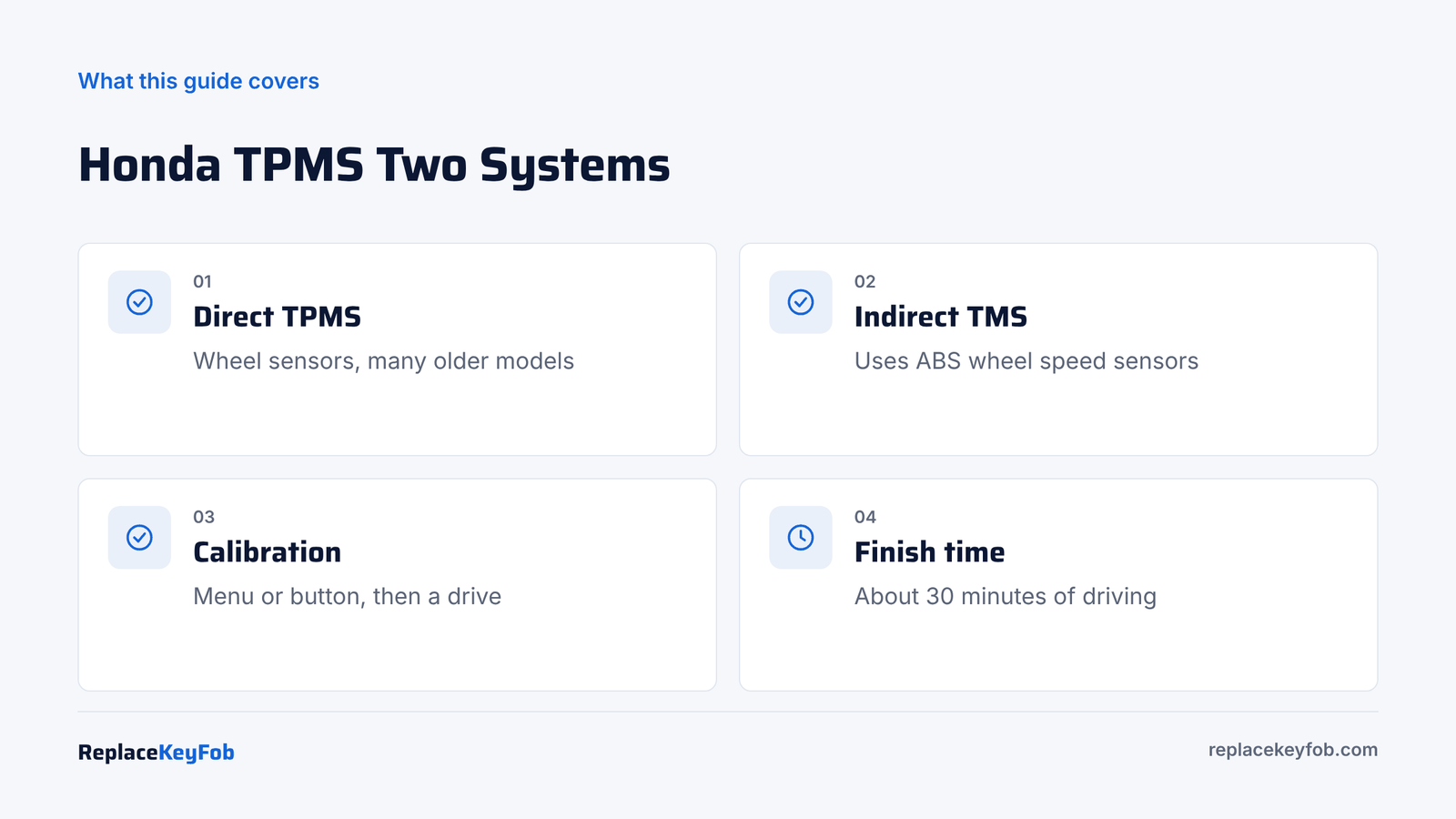
Which Honda TPMS Do You Have?
| Clue | Direct TPMS (wheel sensors) | Indirect TMS (calibration) |
|---|---|---|
| Typical years | Many 2007 to around 2013-2015 models | Many 2013 and newer models |
| Valve stems | Metal or bolted sensor stems | Plain rubber stems common |
| Menu option | No calibration menu | TPMS Calibration in settings |
| Button | Usually none | TPMS button on some years |
| After adding air | Light clears after driving | Must calibrate, then drive |
| New tires or rotation | Sensor relearn sometimes | Calibrate every time |
Common examples: many 2008 to 2012 Accords, 2007 to 2011 CR-Vs, 2009 to 2011 Civics and 2011 to 2013 Odysseys used direct sensors. Many 2013 and newer Accords, 2016 and newer Civics, 2015 and newer CR-Vs and newer Pilots and Odysseys use the indirect calibration system. Always confirm in your owner’s manual.
Before You Start: Set Pressure Correctly
- Check tires cold, before driving or after three hours parked.
- Use the placard on the driver door jamb, not the sidewall number.
- Set all four tires with an accurate gauge.
- Know that Honda’s indirect system ignores the spare. It only watches the four road wheels.
Portable tire inflator with auto shutoff
A 12V inflator that stops at a preset PSI makes it easy to set all four tires to the placard value cold, which is the most important step before a Honda TPMS calibration.
As an Amazon Associate, ReplaceKeyFob earns from qualifying purchases.
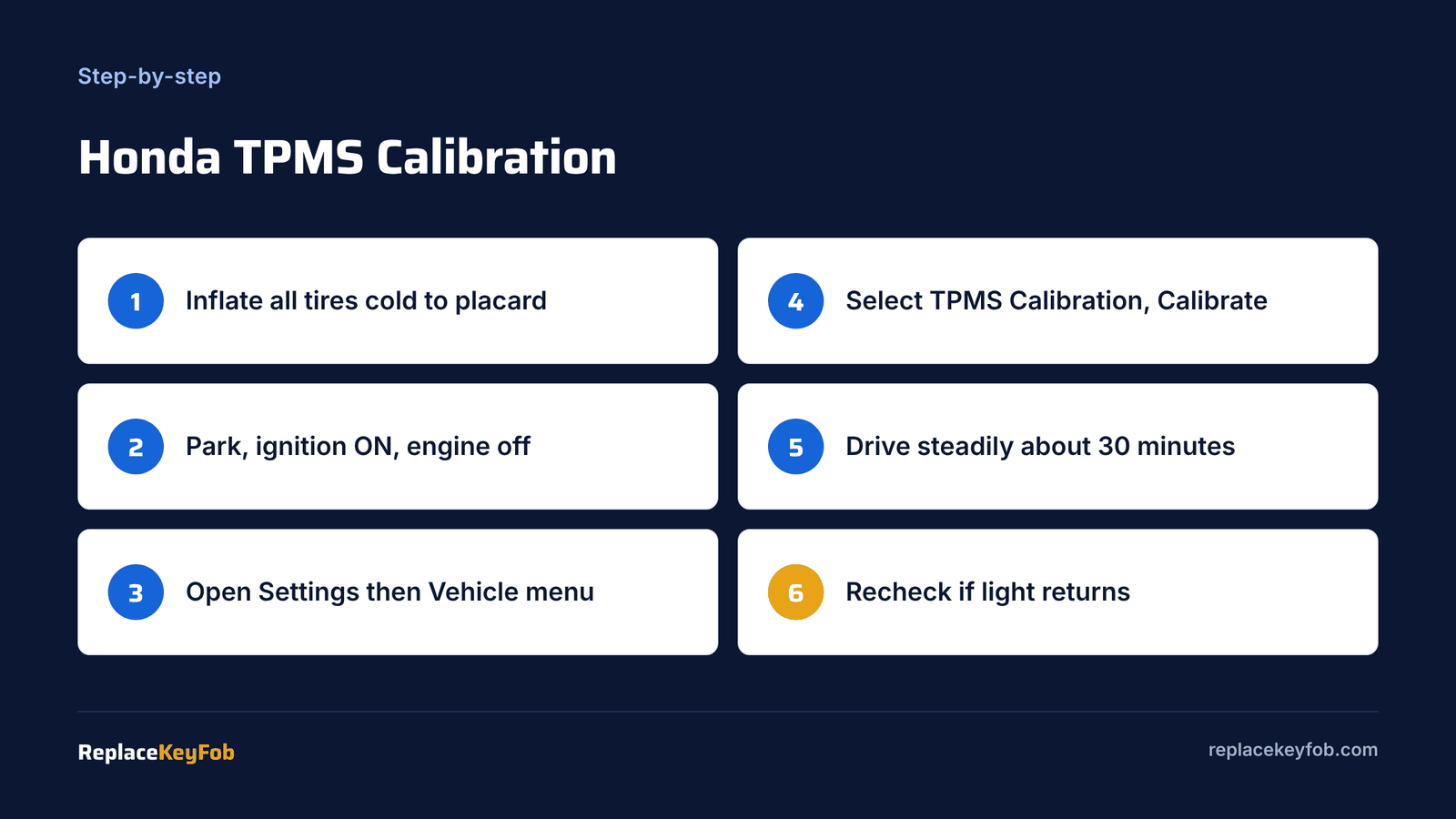
How to Calibrate the Indirect TPMS (Most Newer Hondas)
Touchscreen or display menu method
- Park the car and turn the ignition ON. Many models allow calibration with the engine running too, as long as the car is stopped.
- Open the home screen on the touchscreen, or use the steering wheel buttons on models with a driver information display.
- Go to Settings, then Vehicle (on some years, Vehicle Settings).
- Select TPMS Calibration.
- Choose Calibrate and confirm. The display shows that calibration has started.
- Drive normally. The system finishes on its own, usually after about 30 minutes of driving at about 30 to 65 mph. It may take longer in heavy traffic.
The reason the drive is needed is that the system must learn how each tire rotates at speed. It compares the four wheels over many miles and stores that baseline. Until it finishes, the light can stay on or come back, which is normal.
Physical TPMS button method
Some Hondas from roughly 2012 to 2015, depending on model, have a TPMS button on the lower dash left of the steering wheel.
- Set pressures and park.
- Turn the ignition ON.
- Press and hold the TPMS button until the low tire pressure light blinks twice.
- Release and drive about 30 minutes to finish.
Steering wheel controls method
Models with a driver information interface often let you calibrate with the steering wheel buttons. Scroll to Vehicle Settings, then TPMS Calibration, then Calibrate, using the SEL/RESET or arrow buttons. Menu wording varies by year.
How to Reset a Direct TPMS Honda (Older Models)
On direct sensor models there is usually no button and no menu. The light turns off on its own when the system sees correct pressure.
- Inflate all tires to the placard pressure.
- Drive at more than about 28 mph for a few minutes. The light should go off.
- If it does not, recheck pressures. One tire just under the threshold keeps the light on.
2010 Honda Civic: many US 2009 to 2011 Civics use direct sensors and clear after correct inflation and a short drive. If the light flashes, a sensor is likely faulty.
2011 Honda Odyssey: many use direct sensors. If you replaced sensors or swapped wheels, the new IDs often need to be registered with a TPMS tool.
Honda Models: Quick Reference
| Model | Many older years | Many newer years |
|---|---|---|
| Civic | Direct sensors, clears after driving | Indirect, TPMS Calibration menu |
| Accord | Direct sensors | Indirect, menu or steering wheel controls |
| CR-V | Direct sensors | Indirect, menu calibration |
| Pilot | Direct sensors | Indirect on many recent years; check manual |
| Odyssey | Direct sensors | Indirect on many recent years; check manual |
| HR-V and Fit | Varies by year | Indirect calibration common |
Year boundaries vary by model and market, so treat this table as a starting point and check the TPMS section of your owner’s manual.
Seasonal Tips for Honda Owners
Tire pressure drops about 1 PSI for every 10°F fall in air temperature. On a Honda with the indirect system, that change alone does not usually trigger the light, because all four tires drop together and the wheel speeds stay matched. A direct-sensor Honda is different: it reads the actual pressure, so a cold snap can turn the light on overnight.
- First cold morning of fall: check pressure before driving and top up to the placard value.
- After topping up on an indirect system: run TPMS Calibration so the new pressures become the baseline.
- Winter tires: a set of winter tires on an indirect-system Honda needs calibration when fitted and again when the summer set goes back on. On direct-sensor Hondas, a winter wheel set needs its own sensors or the light will stay on.
- Summer road trips: a fully loaded car may call for the higher load pressure listed in the owner’s manual. Calibrate after changing it.
What a Blinking Light Means on a Honda
A low pressure light that blinks for about a minute and then stays on points to a system problem. On direct systems, that is often a dead sensor battery or a missing sensor. On indirect systems, it can mean calibration was not completed, a wheel speed sensor issue, or a mismatched tire. A scan tool that reads ABS and TPMS codes will help; see can an OBD2 scanner read ABS codes.
Troubleshooting a Honda TPMS Light
| What you see | Likely cause | What to do |
|---|---|---|
| Light returns after calibration | One tire low, or calibration not finished | Recheck pressures, drive 30+ minutes |
| Light after tire rotation | Indirect system not recalibrated | Run TPMS Calibration again |
| Light after new tires | Diameter changed | Calibrate; mismatched tires can fail |
| “TPMS problem” message | Wheel speed or system fault | Scan ABS and TPMS codes |
| Light flashes then stays on (direct) | Dead or missing sensor | TPMS tool to find which one |
| Snow chains or compact spare fitted | Uneven wheel speed | Calibrate after normal tires are back |
Mistakes to Avoid
- Calibrating before setting pressure. The system learns the wrong baseline.
- Mixing tire sizes or brands. Indirect systems are sensitive to differences in diameter.
- Expecting an instant fix. Calibration needs a real drive.
- Calibrating with a compact spare on. Wait until all four regular tires are back.
When to See a Shop and What It Costs
A dealer or tire shop can read TPMS and ABS codes and register direct sensors. In 2026 typical US costs are about $25 to $75 for a relearn, about $60 to $150 per installed direct sensor, and about $100 to $180 for a diagnostic if a wheel speed sensor is suspected. If you want your own tool for Honda work, our list of the best OBD2 scanners for Honda covers ones that read TPMS and ABS.
Frequently Asked Questions
Set cold tire pressure first. Then go to Settings, Vehicle, TPMS Calibration and choose Calibrate, or hold the TPMS button until the light blinks twice on button models. Drive about 30 minutes to finish.
Usually a tire is still low, calibration was done before correcting pressure, or the drive was too short. Recheck pressures cold and drive at steady speeds for 30 minutes or more.
Not for normal calibration. A tool is needed only to register new direct sensors or read system fault codes.
Yes, on the indirect system. Run calibration after any rotation, tire change or pressure adjustment.
Some Civic years have a TPMS button on the lower dash left of the steering wheel. Newer Civics use the Settings menu instead, and many older ones need no button at all.