
10 Best Professional OBD2 Scanner for Used Car Buyers: Top Picks, Features, and Buying Guide

An OBD2 scanner reads diagnostic trouble codes and live data from a car’s computer so buyers can spot hidden problems before they buy. These tools range from simple code readers to professional-grade scanners that show live sensor data, run advanced tests, and clear codes on many makes and models. For used car shoppers, a professional OBD2 scanner can reveal issues that a visual inspection or test drive might miss, like intermittent misfires, transmission faults, or emission-system failures.
When choosing a professional scanner for buying a used car, look for wide vehicle coverage, real-time data logging, frozen-frame capture, and the ability to read manufacturer-specific codes. Ease of use, update frequency, and clear reports also matter because you want results you can understand quickly at a dealership or private sale. We tested a range of professional OBD2 scanners to find the models that give clear, reliable diagnostics for used car buyers.
Best Professional OBD2 Scanners for Used Car Buyers
Below is our full list of the best professional OBD2 scanners for used car buyers. We chose tools that give deep diagnostics, clear codes, and reliable live data so you can spot hidden problems before you buy. Our picks fit different budgets and skill levels while focusing on accuracy and ease of use.
ANCEL AD310

We recommend this if you want a simple, accurate OBD2 reader to check emission-related codes on a used car before buying.
Pros
- Easy to use right out of the box.
- Sturdy cable and compact build for hands-on checks.
- Fast, accurate reads of emission trouble codes.
Cons
- Only reads emission-related (OBDII) codes, not full-system diagnostics.
- No wireless app or advanced features for deep troubleshooting.
- Clearing codes can fail on some vehicles.
We plugged the ANCEL AD310 into several used cars during inspections and it gave clear, actionable codes in seconds. The screen and buttons made it simple to move through menus while crouched by an engine bay.
We liked that it draws power from the car, so there’s no battery to recharge. The cable felt thick and reliable, which mattered when we moved between vehicles on a lot.
We noticed limits when a car had non-emission faults or older OBDI connections — the tool could not access those systems. For buyers who only want to verify check engine causes quickly, this is a solid, affordable pick.
FOXWELL NT604 Elite

We recommend this scanner if you want a reliable, easy-to-use tool to check engine, ABS, SRS, and transmission issues before buying a used car.
Pros
- Simple plug-and-play setup that starts working right away.
- Reads live data and stores VIN automatically for fast checks.
- Comes in a sturdy case and includes lifetime updates.
Cons
- No advanced service functions like resets or relearns.
- AUTOVIN can fail on older or odd-brand vehicles.
- Won’t clear crash-related SRS faults or do bi-directional tests.
We used the NT604 Elite on several cars during pre-purchase checks and found it fast at pulling codes and showing live data. The screen is clear and menus are straightforward, so we could get useful info without hunting through software.
On a couple of older models the VIN auto-detect failed, forcing us to pick the vehicle manually. That felt tedious but didn’t stop the scanner from getting the job done.
We liked the solid case and lifetime update promise — the unit felt durable and ready for travel between cars. Keep in mind it diagnoses well but won’t perform service procedures; you still need a mechanic for repairs.
Buy this if you want a pro-level code reader for inspection and troubleshooting that’s easier and cheaper than dealership diagnostics: FOXWELL NT604 Elite on Amazon.
ANCEL DS500BT

We recommend this if you want a wireless, full-system scanner that lets you test parts before buying replacements.
Pros
- Wireless range lets us move around the car during tests.
- Full-system coverage and active tests help confirm repairs.
- Lifetime free updates keep it current without extra fees.
Cons
- Quick start guide left us guessing at first.
- Feels like a mid-range tool for heavy shop use.
- Some advanced functions vary by vehicle and need learning.
We used the DS500BT on several older SUVs and a couple of sedans. The tablet felt solid and the hard case kept everything safe. Bluetooth paired quickly and we liked walking around the vehicle while running active tests.
Running bi-directional checks on injectors and fans proved useful. We could command parts and see responses, which saved us from swapping parts that were actually fine. Live data screens were clear enough to spot obvious faults during a pre-purchase check.
Service functions like oil reset and DPF regeneration worked when supported by the vehicle. A few cars required extra steps or didn’t expose every function, so we double-checked VIN compatibility before relying on a specific service.
Setup demanded some trial and error because the instructions were sparse. We figured it out after poking through menus, but novices might want more hand-holding. For home buyers and DIYers, this tool gives professional-grade checks without recurring update costs, though high-volume shops might want a heavier-duty unit.
TOPDON AD600S

We recommend this if you want a pro-level scanner that handles deep diagnostics and many reset jobs without PC hookups.
Pros
- Fast, responsive touchscreen that makes menus easy to navigate.
- Lots of service resets and injector coding useful for used-car checks.
- Wi‑Fi updates and auto VIN save time during inspections.
Cons
- Some advanced functions vary by vehicle and may not work on every model.
- Occasional slow VIN pull on older cars.
- Not compatible with 5G networks for any internet features.
We used the AD600S on a few trade-in cars and liked how the 5″ screen showed live data and graphs clearly. The touch interface felt like using a modern tablet instead of a clunky code reader.
Running ABS, SRS, AT, and engine scans revealed stored faults quickly. The reset functions saved us time when clearing SAS and BMS messages that often stick on older imports.
Auto VIN and the onboard DTC library cut down our Google time. Updates over Wi‑Fi made it simple to keep the tool current between inspections.
Some models still needed dealer-level access for every function. On one vehicle the injector coding menu was present but the action failed because the car’s software blocked it.
Overall, we found the TOPDON AD600S a solid, practical choice for used-car buyers who want deeper checks than a basic reader.
FOXWELL NT301

We recommend this for used car buyers who want a solid, easy-to-use code reader to check engines and live data before purchase.
Pros
- Simple plug-and-play use for quick checks
- Clear live-data graphs that help spot issues fast
- Sturdy build and readable color screen
Cons
- Won’t scan ABS, SRS, or other advanced systems
- No bi-directional controls or advanced resets
- Not compatible with some non-OBD2 vehicles (side-by-sides, older models)
We took this out to several cars while inspecting used vehicles. Plugged it into the 16-pin port, powered up instantly, and listed live sensor values in seconds. The I/M readiness LED and one-button checks let us see emission status without scrolling through menus.
Reading and clearing CEL codes worked smoothly when we tested multiple gasoline cars. Live graphs made it easy to follow RPM, coolant temp, and oxygen sensor trends while revving the engine. We liked that the screen stayed readable in daylight and that the unit felt solid in our hands.
Limitations showed up on specialty jobs. It won’t reach ABS or airbag systems, and there’s no advanced calibration or bidirectional testing. For basic pre-purchase scans and quick diagnostics, it saved us time and money.
BlueDriver Pro Next-Gen

We recommend this if you want a portable, professional-grade OBD2 scanner that gives real repair data without subscriptions.
Pros
- Easy wireless setup with phone apps that work well.
- Gives verified repair reports tied to the VIN.
- Reads more systems than basic code readers.
Cons
- Not every advanced feature covers all makes and models.
- Some live-data screens feel busy on smaller phones.
- You must rely on phone battery and connection for full use.
We kept this plugged into our test vehicles and used the app for a few weeks. It paired quickly with both iPhone and Android and gave clear check engine and ABS codes faster than we expected.
We liked the verified fixes most — the app linked codes to real technician notes and common repairs. That saved us time while inspecting used cars and helped us avoid overpaying for unclear issues.
Sometimes the scanner showed multiple possible causes for a fault, which meant more digging at the parts level. Still, having the freeze-frame data and Mode 6 info helped us spot intermittent problems during test drives.
Overall, this felt like a pro tool in a small package. It’s ideal for buyers who want reliable code details and repair suggestions without ongoing fees.
ANCEL AD410

We recommend this if you want a reliable, simple engine code reader that helps used car buyers check for basic faults before purchase.
Pros
- Fast, clear code reads that help spot engine issues quickly
- Built-in code library avoids constant web searches
- No battery needed — plugs into the car for instant power
Cons
- Only reads engine codes — no ABS, SRS, or transmission data
- USB updater is clunky and Windows-only
- Manual and some instructions feel thin
We used the AD410 on several cars when inspecting used vehicles and it gave immediate fault codes every time. The screen is bright and the menu moved fast, so we could scan a car in minutes and decide if a deeper inspection was needed.
When the scanner reported pending and stored codes, the built-in definitions pointed us to likely causes without a phone search. We liked the readiness checks for emissions tests; that helped spot cars that might fail a smog check.
A few times the EVAP and O2 tests were useful to narrow down fuel-system concerns. Still, we missed ABS and airbag data often relevant for safety checks. The USB update process required a Windows PC, and the instructions didn’t explain it well.
Overall, this felt like a hands-on, budget-friendly tool for used car buyers who need fast engine diagnostics and clear code info before making an offer.
Innova 5610

This is a solid buy for used car shoppers who want dealer-level tests without paying a shop.
Pros
- Bidirectional controls let us run active tests like fuel pump on/off.
- Live OEM data helps confirm issues beyond basic check-engine codes.
- Works with RepairSolutions2 app and has US-based support.
Cons
- Not universal—some makes and model years lack full features.
- Device is vehicle-powered, so it needs the car on to use.
- Learning curve for advanced functions if you’re new to bi-directional tools.
We hooked this up to a 2014 sedan and a 2018 SUV to gauge real-world value. Reading live ABS and SRS data felt like using a shop tool, and the bi-directional commands actually triggered the components we asked for.
We liked the RepairSolutions2 pairing for quick freeze-frame and live stream checks. The screen is readable and menus are straightforward, though leaning on the app makes the workflow easier.
We hit limits when testing less common brands; some re-learns and resets didn’t appear. Support was helpful on the phone when connectivity hiccups came up, which mattered during a buyer inspection.
If you want deeper diagnostics than a basic reader and plan to test likely repairs on a used car, this tool gives us a professional edge without a shop bill.
FOXWELL NT726
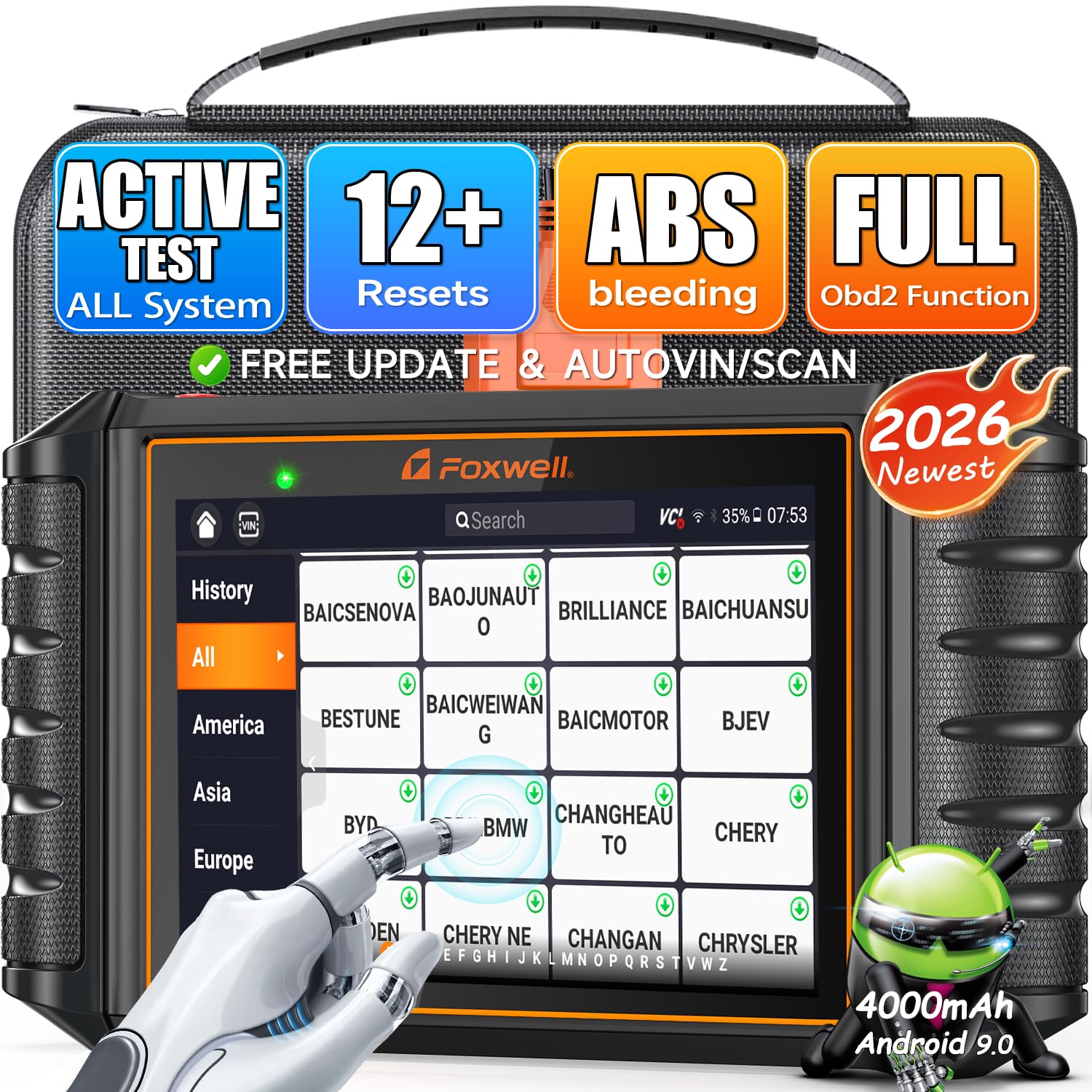
We recommend this if you want a pro-level scanner that handles deep system tests and common resets for buying used cars.
Pros
- Fast full-system scans and clear reports.
- Bidirectional tests let us activate parts to confirm repairs.
- Lots of reset functions save time and shop visits.
Cons
- Some advanced features depend on vehicle compatibility.
- Menu depth can feel complex the first few uses.
- Pricier than basic code readers.
We used the NT726 on several older and newer models and it found hidden faults quickly. The live data and one-click PDF reports helped us show sellers exactly what needed fixing. Connecting was smooth and AutoVIN sped up model detection.
Running bidirectional tests proved useful. We commanded ABS pumps and windows to see if components responded, which confirmed intermittent problems we could not feel during a short test drive. The screen and controls worked well while wearing gloves.
Reset routines saved us trips to the dealer. Oil, EPB, and TPMS resets completed on cars we inspected, and the I/M readiness check told us if emissions would pass. Updates are lifetime, so the scanner stayed current across the vehicles we checked.
TOPDON AD500
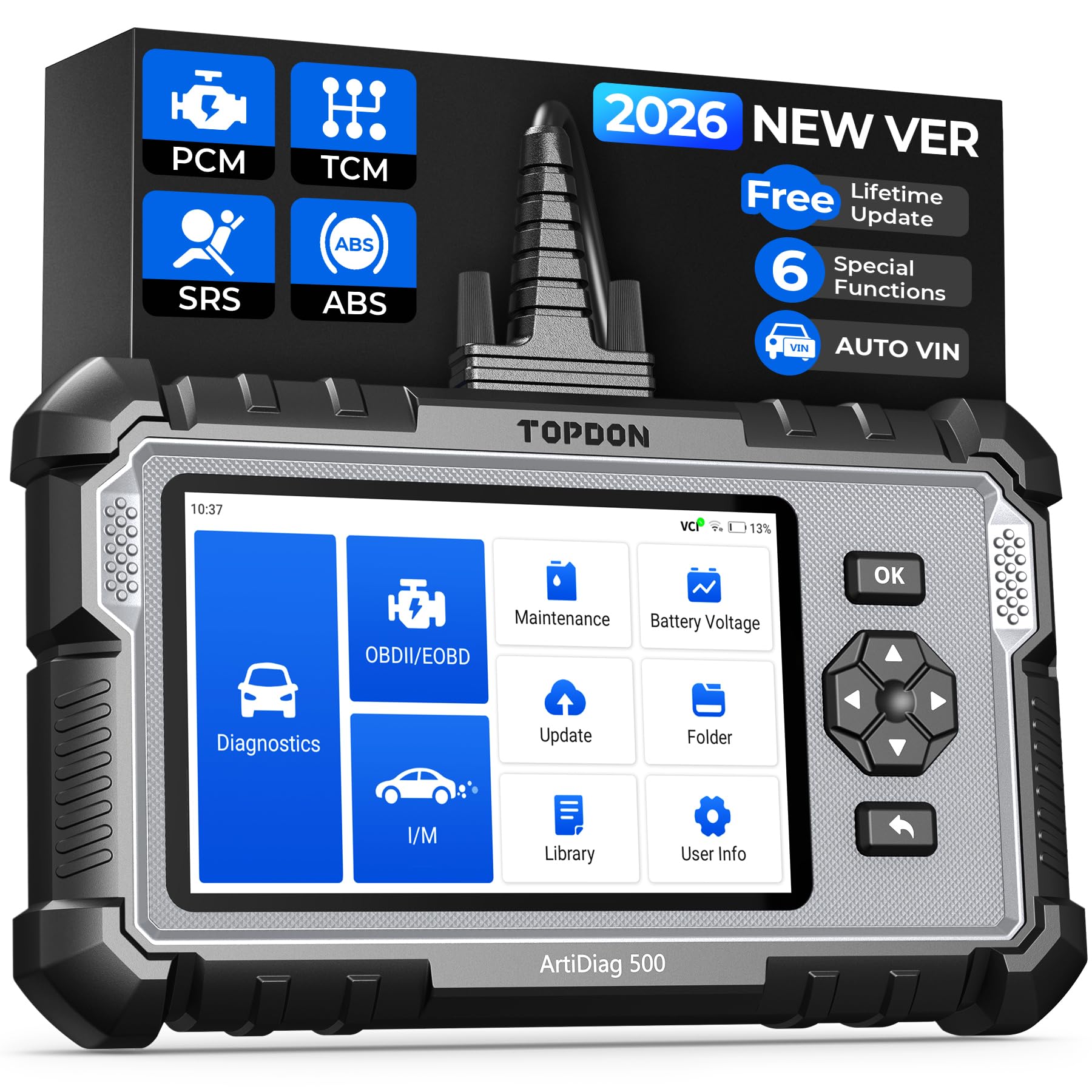
We recommend this scanner for used car buyers who want deeper checks than basic code readers because it covers engine, transmission, ABS, and SRS plus several reset services.
Pros
- Covers four major systems and useful reset functions.
- Large screen and solid build make it easy to use on the hood.
- Battery-powered and stores data for later review.
Cons
- Some operations feel slow compared with simpler tools.
- Initial software updates and setup take time.
- Occasional limits on full manufacturer coverage for some models.
We took the AD500 to a couple of cars and ran it through basic and advanced checks. Reading live data and viewing charts on the 5-inch screen helped us spot issues faster than on small handheld readers. The AutoVIN feature saved time by matching the car automatically.
Using the reset functions felt handy after service. We reset oil and EPB on one test car and performed a TPMS check on another without a shop visit. The touchscreen plus buttons works well when gloves or grease get in the way.
Updates fixed a few quirks, but the initial download can be slow and the tool itself sometimes lags when switching menus. Customer support and free Wi‑Fi updates kept it usable long term, though returns via Amazon were reportedly tricky for some buyers.
If you want a robust tool for inspecting used cars beyond check-engine codes, this one gives practical diagnostic depth without pro-level price. Consider it if you value multi-system checks and reset functions for pre-purchase inspections.
Buying Guide
We look for tools that give clear, reliable data when inspecting a used car. A good scanner reads stored and pending trouble codes, shows live data, and performs basic tests like oxygen sensor and EVAP checks.
We check compatibility first. Make sure the scanner supports the vehicle’s make, model year, and main systems (engine, transmission, ABS, airbag). Confirm the connector type and OBD-II protocols match the car.
We value ease of use. Large screen, simple menus, and clear code descriptions save time at the lot. Fast boot and quick code reads matter when inspecting multiple cars.
We want advanced features if we expect to dig deeper. Bi-directional control, live graphing, freeze-frame data, and mode 6 help diagnose intermittent problems. These features usually cost more, so consider how often we’ll use them.
Durability and support matter for frequent buyers. A solid build, regular firmware updates, and clear manuals reduce headaches. Look for good customer support and an easy update path.
We weigh wireless vs. handheld. Wireless adapters are compact and pair with phones or tablets. Handheld units are often more rugged and include built-in displays.
We compare price against needed features. Make a list of must-haves and nice-to-haves. Prioritize scanners that cover safety systems, emissions-related tests, and provide readable live data for confident buying decisions.
Editor’s Choice
Our editor’s choice is the FOXWELL NT604 Elite because it gives used car buyers a strong balance of price, coverage, and ease of use. It can scan important systems like engine, ABS, SRS, and transmission, which makes it more useful than a basic check engine light reader.
For used car inspections, this matters a lot. A car may look clean during a test drive but still have stored faults in the airbag, brake, or transmission system. The FOXWELL NT604 Elite helps reveal those hidden problems before you make a buying decision.
We also like that it is simple enough for beginners but still powerful enough for serious buyers. The clear screen, live data, AutoVIN support, and lifetime updates make it a practical tool for checking multiple vehicles.
If you want a reliable scanner for pre-purchase inspections without moving into very expensive shop-level tools, the FOXWELL NT604 Elite is the best overall choice.
Conclusion
Buying a used car always comes with risk, but the right professional OBD2 scanner can help you make a smarter decision. A scanner can show stored codes, pending codes, live data, freeze-frame information, and readiness status that may not appear during a short test drive.
For basic checks, tools like the ANCEL AD310, FOXWELL NT301, and ANCEL AD410 are simple and affordable. They are good for checking engine codes and emissions readiness before purchase.
If you want deeper diagnostics, scanners like the FOXWELL NT604 Elite, TOPDON AD600S, ANCEL DS500BT, Innova 5610, FOXWELL NT726, and TOPDON AD500 offer more system coverage and advanced features. These tools can help you check ABS, airbag, transmission, live sensor data, and reset functions depending on the vehicle.
The best professional OBD2 scanner for used car buyers depends on your budget and how much detail you need. For most buyers, a scanner that reads multiple systems and shows live data is the safest choice. It can help you avoid expensive repair surprises and negotiate with more confidence.
FAQs
What is the best professional OBD2 scanner for used car buyers?
The FOXWELL NT604 Elite is one of the best choices for most used car buyers because it scans major systems like engine, ABS, SRS, and transmission. It is easy to use and gives more useful information than a basic code reader.
Do I really need an OBD2 scanner before buying a used car?
Yes, an OBD2 scanner can help you spot hidden issues before buying a used car. It can reveal stored trouble codes, pending faults, emission readiness problems, and live data issues that may not show during a test drive.
Can an OBD2 scanner detect all problems in a used car?
No, an OBD2 scanner cannot detect every problem. It mainly reads data from the vehicle’s computer systems. It may not show mechanical issues like worn suspension, rust, weak brakes, oil leaks, or frame damage. A full inspection is still important.
What features should I look for in a used car OBD2 scanner?
Look for full-system scanning, live data, freeze-frame data, I/M readiness checks, clear code definitions, AutoVIN support, and regular updates. If possible, choose a scanner that can read engine, transmission, ABS, and airbag systems.
Is a basic OBD2 scanner enough for buying a used car?
A basic scanner is enough for checking engine codes and emissions readiness. However, it may miss ABS, airbag, transmission, and body control faults. For better protection, a multi-system scanner is usually a smarter choice.
Can a seller hide problems by clearing codes?
Yes, a seller can clear check engine codes before showing the car. That is why I/M readiness status is important. If readiness monitors are not complete, it may mean the codes were recently cleared or the car has not completed a full drive cycle.
What does I/M readiness mean on an OBD2 scanner?
I/M readiness shows whether the vehicle’s emissions systems have completed self-tests. If several monitors are incomplete, the car may not be ready for an emissions test, or someone may have recently cleared the codes.
Should I buy a wireless or handheld OBD2 scanner?
A wireless scanner is compact and works well with a phone app. A handheld scanner is usually more rugged and does not depend on phone battery or app connection. For quick used car inspections, both can work well if they support the systems you need.
Can an OBD2 scanner help me negotiate the price of a used car?
Yes. If the scanner finds stored codes, pending codes, or readiness problems, you can use that information to ask questions, request repairs, or negotiate a lower price. It gives you more confidence before making an offer.
Is a professional OBD2 scanner worth it for one used car purchase?
It can be worth it if the scanner helps you avoid one expensive repair. Even one hidden transmission, airbag, ABS, or emissions problem can cost more than the price of a good scanner.
