
10 Best Professional OBD2 Scanner for SRS Airbag Codes — Top Picks, Features, and Buying Guide

Modern cars use many sensors and computer systems, and the supplemental restraint system (SRS) airbag module is one of the most important for safety. An OBD2 scanner that reads SRS/airbag codes lets you find fault codes, read live data, and clear warnings without guessing. We focus on scanners that give clear SRS diagnostics so you can know whether a light means a loose connector, a faulty sensor, or something that needs professional repair.
When choosing an SRS-capable OBD2 scanner, prioritize accurate SRS code reading, compatibility with your vehicle make and model, and the ability to show live sensor data and deployment readiness. Ease of use, regular software updates, and clear instructions matter too because airbag systems are safety-critical and can be tricky to diagnose. We tested and compared scanners to find tools that reliably read SRS codes, show meaningful live data, and help you decide when to call a pro.
Best Professional OBD2 Scanners for SRS Airbag Codes
We tested and researched top professional OBD2 scanners that read and clear SRS airbag codes. Our list focuses on tools that give reliable SRS diagnostics, clear reports, and support for many vehicle makes.
FOXWELL NT604 Elite

We recommend this scanner if you want a solid, affordable tool that reads and clears SRS airbag codes for most cars without extra software fees.
Pros
- Easy to use right out of the box.
- Reads SRS, ABS, engine, and transmission codes plus live data.
- Sturdy protective case and lifetime updates.
Cons
- No advanced service or relearn functions.
- AUTOVIN can fail on older or odd vehicles.
- Can’t clear crash/collision SRS data.
We used the NT604 Elite on several late-model cars and a few older vehicles. Plugging it into the OBDII port felt simple and the menu logic made tests quick to run. Live data and the built-in DTC library helped us pinpoint SRS warnings fast.
The scanner handled SRS faults that stemmed from common issues like loose connectors or sensor faults. Clearing those codes worked smoothly after we fixed the problem. If the vehicle had collision data or module protection, the unit correctly refused to clear those codes.
Autovin found VINs on most modern cars we tried, which saved time. On an older van we had to enter the VIN manually and choose the model from the menu. We appreciated the solid carrying case and the overall build for regular garage use.
For shops or techs needing resets, coding, or bidirectional tests, this won’t replace a dealer tool. Still, for diagnostics and SRS code reading and clearing on non-crash faults, it gives strong value and reliable results.
Buy it on Amazon: FOXWELL NT604 Elite on Amazon
BlueDriver Pro Next-Gen

We recommend this if you want a compact, professional Bluetooth scanner that reads and clears SRS airbag codes without subscription fees.
Pros
- Clear, VIN-matched repair reports help us pinpoint airbag faults.
- Wireless setup with phone app is fast and uncluttered.
- Works on many makes and shows live data useful for troubleshooting.
Cons
- Some advanced vehicles may show limited enhanced data.
- You need a compatible phone and app to use it.
- Always plugged in could risk theft or battery drain if left long-term.
We used the BlueDriver on several cars and trucks to chase SRS codes. It paired instantly, pulled airbag fault details, and gave explanations that matched what we saw at the vehicle.
The live-data graphs helped us watch sensor values while cycling power and testing connections. That made spotting an intermittent SRS fault much quicker than guessing from a single code.
Setup took minutes and the app stores verified fixes tied to each VIN, which saved time when deciding whether to repair or take it to a shop. For most DIYers and pros who want reliable SRS reads without subscriptions, this tool performs well.
FOXWELL NT614 Elite
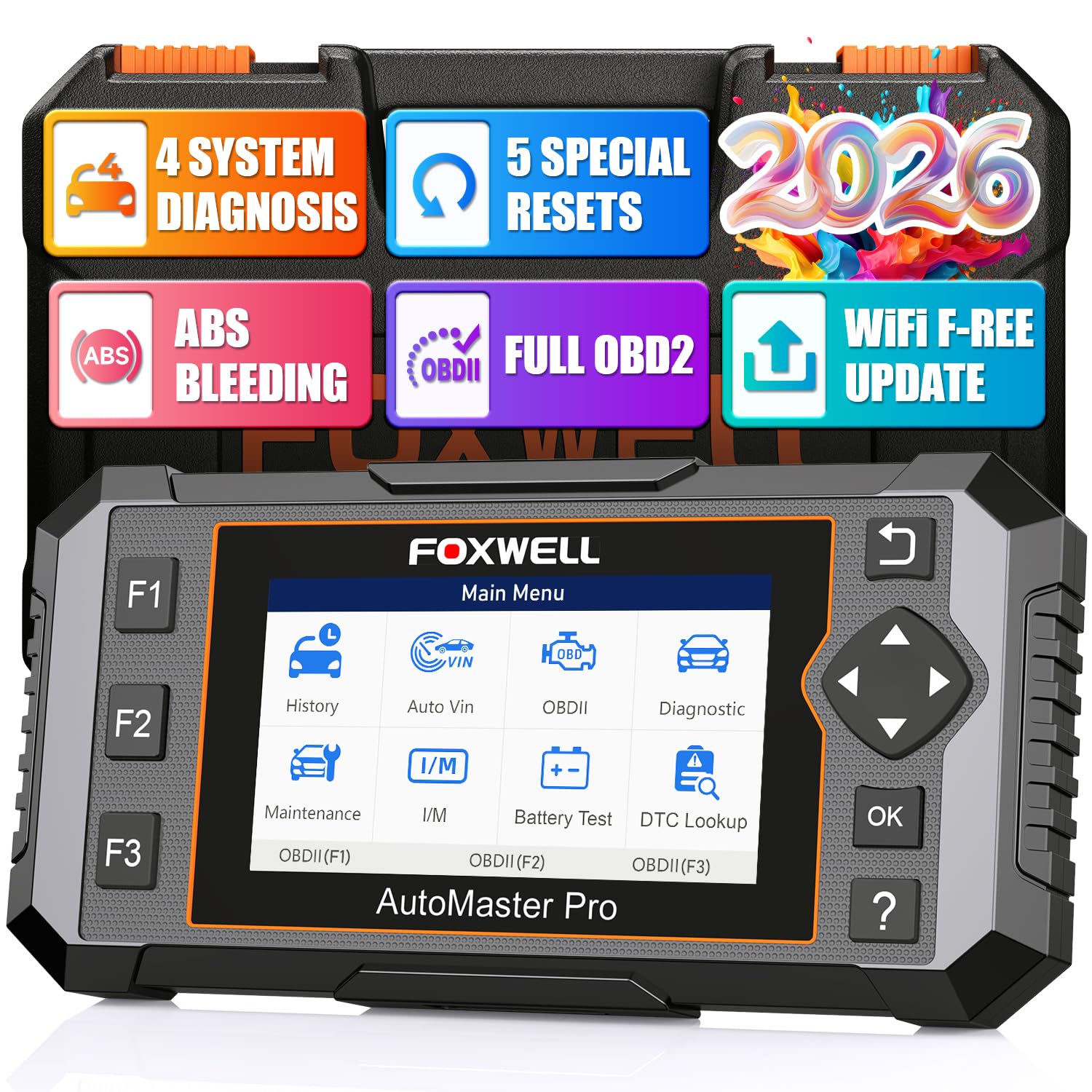
We recommend this unit if you want a pro-level SRS airbag scanner that also handles ABS, engine, and transmission checks with useful reset tools.
Pros
- Clear live data and graphs make airbag parameters easy to watch.
- AutoVIN and Wi‑Fi updates saved us time and kept compatibility current.
- ABS bleeding and other resets let us finish many repairs at home.
Cons
- Bulkier and heavier than budget handhelds, so it sits on the bench.
- Some vehicles needed manual VIN entry despite AutoVIN claims.
- A few users reported flaky VIN reads or setup hiccups on certain trucks.
We used the NT614 Elite on several cars and found it fast to boot when plugged into OBD‑II. Reading SRS codes was straightforward and the DTC definitions cut the guesswork out of why an airbag light stayed on.
Watching live data in graph form helped us spot intermittent sensor values tied to SRS faults. The screen is clear and the menus feel logical, so we could view multiple PIDs at once and log data for later review.
The ABS bleeding and SAS reset functions worked as advertised on models that support those routines. Wi‑Fi updates saved us a trip to the computer, though one truck did not auto‑detect VIN and needed a manual entry, which was a minor annoyance.
Overall, we found the FOXWELL NT614 Elite a solid step up from cheap code readers when you need reliable SRS diagnostics and handy service resets.
Launch CRP123 V2.0
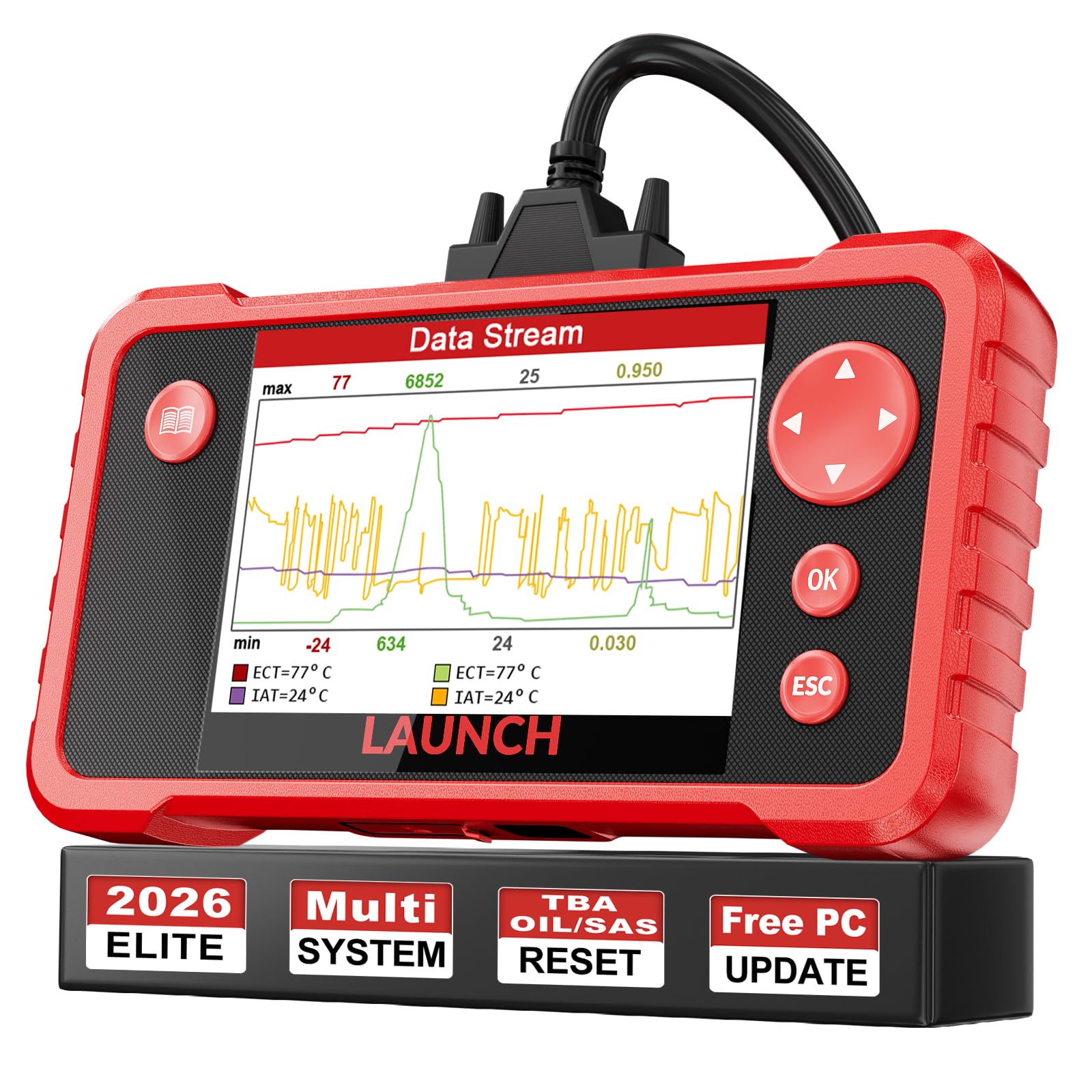
We recommend this scanner if you want a solid, budget-friendly tool that reads and clears SRS airbag codes and covers other major systems.
Pros
- Clears SRS, engine, ABS and transmission codes quickly.
- Lifetime updates keep vehicle coverage current.
- Simple live-data graphs and record/playback for troubleshooting.
Cons
- Setup and PC update use a memory card process that can be awkward.
- May miss some ECUs on certain makes or models.
- Screen and menus feel basic compared with high-end tools.
We used the CRP123 on several late-model cars and SUVs to check SRS faults. It found typical airbag DTCs and let us clear the codes after repairs, which saved time compared with using dealership tools.
The live data graphing helped us watch sensor changes in real time while we cycled ignition and tested connectors. Recording and playback made it easier to show a customer what happened, and printing reports worked when we needed a paper copy.
Updating the unit took a bit of patience because the update path uses the included card reader and PC software. Once updated, coverage improved and the reset functions for oil, throttle relearn, and steering angle were handy for routine service.
OBDMATE OM901
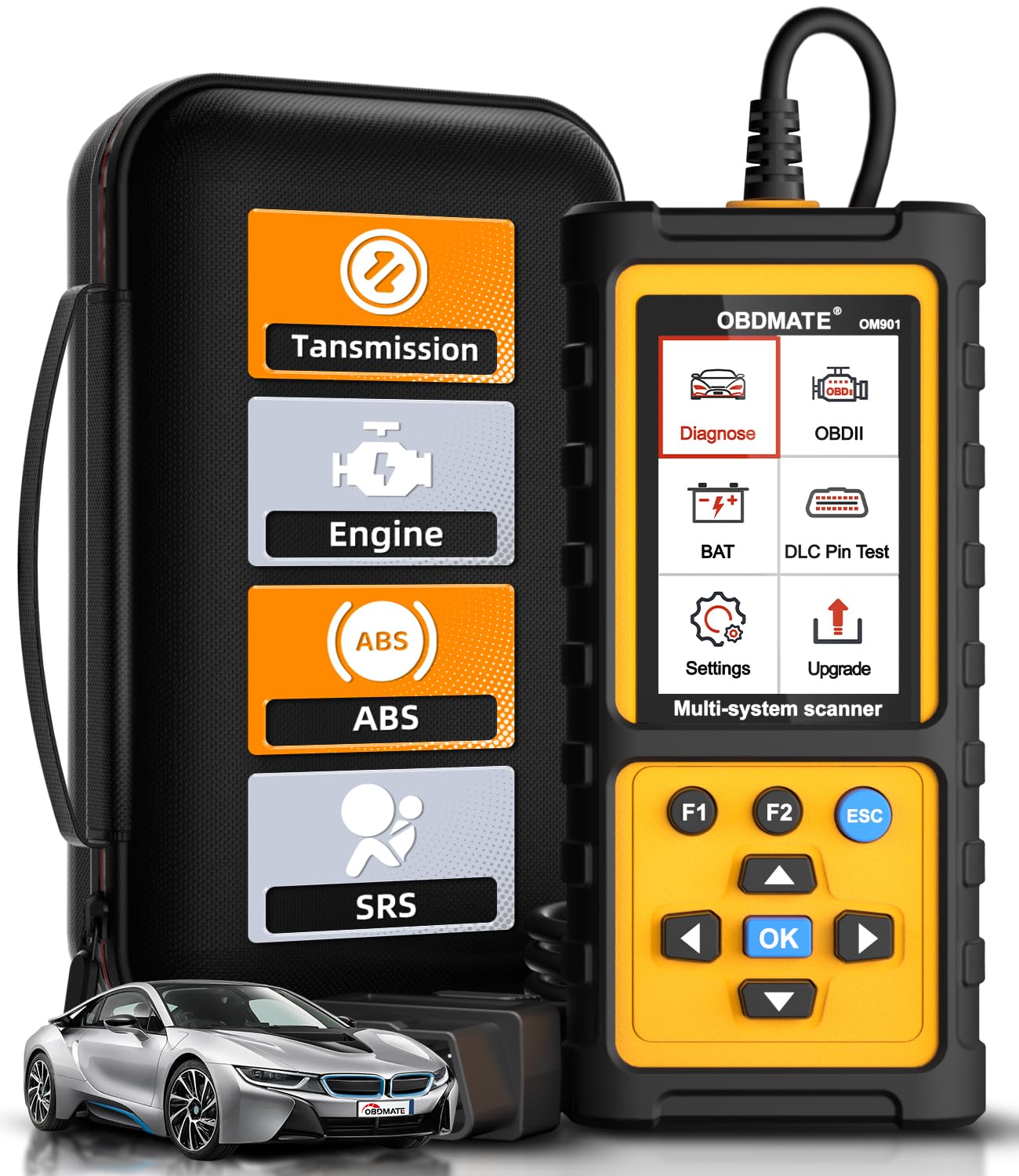
We recommend this tool if you want a rugged, plug-and-play scanner that reads and clears SRS airbag codes and other major systems without fuss.
Pros
- Clears SRS, ABS, engine, and transmission codes quickly.
- Big 3.5″ screen shows live data and simple graphs.
- Comes with a hard case and protective sleeve for travel.
Cons
- Manual is thin, so we learned by doing rather than reading.
- Updates require a PC and a few extra minutes.
- Some users reported limited brand support on older cars.
We used the OM901 on several vehicles to check SRS faults and confirm airbag light resets. Plugging in felt instant — the unit powered up and found VIN data without digging through menus. Reading and clearing SRS codes took only a minute, and the warning lamp went out right away on two test cars.
Live data made it easy to watch sensor changes while we cycled the ignition. The screen is bright and the graphs help spot intermittent signals. Battery voltage and DLC pin checks were handy when we suspected wiring issues tied to airbag faults.
This scanner feels solid in the hand and the case kept it safe in our toolbox. Updates were free, but we had to use a laptop and the installer, which added a small step. Overall, it’s a professional-feeling tool at a mid-range price that saved us shop trips when diagnosing SRS airbag codes.
BLCKTEC 460T

We recommend this scanner if you want a pro-level tool that reads and clears SRS airbag codes and also handles many dealer-style service tasks.
Pros
- Covers SRS, ABS, engine, and transmission codes with live data.
- Fast AutoVIN and quick full-system scans save time.
- Includes many reset and service functions useful in a shop or garage.
Cons
- Some advanced functions depend on vehicle make/model and may not work on every car.
- The app and features are limited to use in the USA and Canada.
- Occasional learning curve for first-time users with all the menus.
We plugged the 460T into several late-model cars and used it to pull SRS codes, view freeze-frame data, and monitor live streams. The screen showed clear live data graphs and the AutoVIN feature found the vehicle quickly, which cut our setup time.
We ran SRS checks and cleared airbag faults on a few test cars. It handled the job like a more expensive unit, and the ability to record and replay live data helped us confirm intermittent faults without guesswork.
We also used the 12+ reset services during routine maintenance. Functions like battery reset and throttle relearn worked as expected on compatible cars, though we did hit a few models where specific OEM functions weren’t available.
Overall, the 460T feels solid and professional in hand. The free lifetime updates and U.S.-based support add confidence for regular use, but double-check compatibility for your exact vehicle before buying.
Innova 5610

We recommend the Innova 5610 when you need a pro-level tool that reads SRS airbag codes and gives live data without a huge price tag.
Pros
- Reads SRS and other module data like a pro.
- Bidirectional controls let us run basic actuator tests.
- App links give clearer repair suggestions and reports.
Cons
- Not universal—check vehicle coverage first.
- App setup and updates can be fiddly sometimes.
- Some advanced OE functions vary by make and year.
We used the 5610 on several vehicles to trace airbag fault codes and liked how quickly it pulled SRS data. The live data stream helped us spot a faulty sensor signal and verify the repair afterward.
Operating the bidirectional controls felt solid. We could command components like the EPB or run certain tests, which saved time over guesswork. The screen is clear enough to see live values while we worked.
Pairing with the RepairSolutions2 app provided readable reports and suggested fixes. It took a minute to connect and update, but once running the app gave useful context that we use when deciding to repair or refer.
Coverage limits mean this isn’t always a full dealer replacement. We checked Innova’s coverage checker before using it on some European imports and avoided a mismatch. For most 1996–2023 OBD2 cars it worked well for SRS diagnostics.
ANCEL DS500BT

We recommend this if you want a mid-range, wireless scanner that can read and clear SRS airbag codes and run active tests without recurring update fees.
Pros
- Wireless freedom with responsive bidirectional tests
- Covers SRS plus many other systems for DIYs and small shops
- Lifetime free updates save money over time
Cons
- Instructions are sparse, expect a learning curve
- Not built for constant heavy shop use
- Some features vary by vehicle and need trial
We used the DS500BT on several cars to pull SRS codes and run actuator tests. The tablet felt solid and the Bluetooth connection stayed stable while we worked around the vehicle.
Running SRS scans was straightforward and we could clear codes after repairs. The active tests that let us command components gave us confidence a repair fixed the problem instead of guessing.
Setup took a few minutes and the user guide didn’t explain everything. We had to explore menus to find certain service functions, so hands-on patience helps.
Battery life held up during a typical session and the included case kept the tablet safe in our truck. Overall, this is a strong choice for home mechanics and small shops who want bidirectional SRS testing without subscription fees.
Editor’s Choice
Our editor’s choice for the best professional OBD2 scanner for SRS airbag codes is the FOXWELL NT614 Elite. It gives a strong balance of SRS diagnostics, live data, clear code definitions, and useful service reset functions.
We like it because it does more than basic code reading. It can read and clear SRS airbag codes, check ABS, engine, and transmission systems, and show live data in a way that is easy to understand. The graphing feature is helpful when you need to watch sensor values and find intermittent airbag-related faults.
The AutoVIN feature and Wi-Fi updates also make it more convenient for regular use. While some vehicles may still need manual VIN entry, the overall performance makes it a smart pick for DIY users, home mechanics, and small garage owners.
If you want a dependable scanner for airbag light diagnosis without jumping straight to a very expensive dealer-level tool, the FOXWELL NT614 Elite is the best overall choice in this list.
Conclusion
Choosing the best professional OBD2 scanner for SRS airbag codes depends on your needs, vehicle type, and budget. If you only need a simple tool to read and clear airbag warning codes, options like the FOXWELL NT604 Elite, BlueDriver Pro Next-Gen, and Launch CRP123 V2.0 offer strong value.
If you want more advanced features, live data graphs, service resets, and better system coverage, the FOXWELL NT614 Elite, BLCKTEC 460T, Innova 5610, and ANCEL DS500BT are better choices. These scanners give you more control when diagnosing airbag, ABS, transmission, and engine issues.
SRS airbag systems are safety-critical, so never clear codes without understanding the real problem. A good scanner can help you identify faults, confirm repairs, and decide when professional service is needed. Before buying, always check vehicle compatibility and make sure the scanner supports SRS diagnostics for your specific make and model.
Overall, the right SRS-capable OBD2 scanner can save time, reduce guesswork, and help you handle airbag warning lights with more confidence.
FAQs
What is an SRS airbag code?
An SRS airbag code is a fault code stored by your vehicle’s supplemental restraint system. It can point to problems with airbags, seat belt pretensioners, crash sensors, wiring, connectors, or the airbag control module.
Can a regular OBD2 scanner read SRS airbag codes?
Not always. Many basic OBD2 scanners only read engine codes. To diagnose airbag warning lights, you need a scanner that specifically supports SRS or airbag system diagnostics.
Can I clear an airbag light with an OBD2 scanner?
Yes, if the scanner supports SRS code clearing and the actual problem has been fixed. If the fault is still active, the airbag light will usually come back. Crash data or locked airbag modules may require professional repair or module replacement.
Is it safe to drive with the airbag light on?
It is not recommended. When the airbag light is on, part of the SRS system may not work correctly in a crash. You should scan the vehicle, find the fault, and repair the issue as soon as possible.
What features should I look for in an SRS airbag scanner?
Look for SRS code reading and clearing, live data, wide vehicle compatibility, clear code definitions, software updates, and easy menu navigation. For advanced users, bidirectional controls and service reset functions can also be useful.
Do SRS scanners work on all vehicles?
No scanner works perfectly on every vehicle. Compatibility depends on the scanner brand, software coverage, vehicle make, model, year, and system type. Always check the manufacturer’s vehicle coverage before buying.
What is the best OBD2 scanner for SRS airbag codes?
The FOXWELL NT614 Elite is a strong overall choice because it offers SRS diagnostics, live data graphs, AutoVIN, Wi-Fi updates, and useful reset functions. For a simpler wireless option, the BlueDriver Pro Next-Gen is also a good pick.
