10 Best Professional OBD2 Scanner for Misfire Diagnosis: Top Models, Features, and Buying Guide

OBD2 scanners let you read trouble codes, view live engine data, and test components so you can find why an engine misfires. Professional OBD2 tools go beyond basic code readers: they show cylinder-specific data, real-time fuel and ignition parameters, and sometimes perform active tests to isolate faulty coils, injectors, or sensors. We focus on scanners that help pros and serious DIYers pinpoint misfires quickly and accurately.
When choosing a scanner for misfire diagnosis, prioritize real-time data refresh rate, the ability to show per-cylinder misfire counts, and support for advanced tests like injector balance or ignition system tests. Ease of use, software updates, and Bluetooth or wired connectivity matter too, since fast access to clear data saves time in the garage. We tested and compared scanners that combine fast live-data sampling, per-cylinder diagnostics, and reliable software to find the best tools for diagnosing misfires.
Best Professional OBD2 Scanners for Misfire Diagnosis
Below is our full list of the best professional OBD2 scanners for diagnosing engine misfires. We chose tools that give clear misfire codes, live data, and cylinder-specific information to help technicians find and fix the problem fast.
FOXWELL NT301

We recommend this for DIYers and pros who want a simple, reliable tool to track misfires and engine codes.
Pros
- Fast code reads and clear live data graphs.
- Easy I/M readiness check with LED indicator.
- Sturdy, plug-and-play design that we used right away.
Cons
- Doesn’t scan ABS, SRS, or advanced systems.
- Limited special functions—no bidirectional control.
- Updates require Windows; no Mac or mobile support.
We used the NT301 on several 2000s gasoline cars to chase misfires. It found stored and pending misfire codes quickly, and the live graph let us watch RPM and fuel trims while revving the engine. That made it easy to spot when a cylinder was dropping out.
The I/M readiness LEDs saved time before an emissions test. We didn’t need to dig through menus to see which monitors were ready. Clearing the MIL worked fine after fixes, but codes returned when issues persisted—exactly what we expect from a basic reader.
If you need deep system scans or dealer-level functions, this won’t replace a full scanner. For engine misfire diagnosis and basic live data logging, though, it’s a compact, dependable tool we’d buy again.
ANCEL AD310

We recommend this when you need a simple, reliable code reader to find and clear emission-related misfire codes fast.
Pros
- Easy to use and reads codes quickly.
- Solid build with a long, flexible cable.
- No batteries — powers from the car.
Cons
- Only reads emission-related OBD2 codes.
- No advanced live-graphing or wireless features.
- Not compatible with OBD1 vehicles.
We plugged the AD310 into several cars and it found misfire codes right away. The screen showed codes and freeze-frame data clearly, and clearing the check engine light took seconds after repairs. Using it felt straightforward even without deep mechanic skills.
The cable is thick and long, so it survives dropping and keeps a good reach under dashboards. Buttons are large and labeled, and the small unit fits in a tool bag without adding weight. We appreciated not needing chargers or batteries — it draws power straight from the car.
This tool shines for basic misfire diagnosis on 1996-or-newer OBD2 cars. Don’t expect enhanced diagnostics or manufacturer-specific data; if you need advanced live data, consider a higher-end scanner. For quick checks and clearing emission codes, the AD310 does the job reliably.
FOXWELL NT604 Elite

We recommend this scanner if you want a solid, pro-level OBD2 tool that finds misfires and related faults across engine, ABS, SRS, and transmission systems.
Pros
- Easy to use right out of the box and fast to connect.
- Good live data and DTC library for tracing misfires.
- Solid case and lifetime updates add long-term value.
Cons
- No advanced service functions like relearn or reset.
- AUTOVIN can fail on older or odd-brand vehicles.
- It diagnoses faults but can’t fix them or erase crash data.
We used the NT604 Elite on several cars to chase misfires and it made the process quicker. The unit boots fast, finds the VIN automatically on most modern vehicles, and shows live RPM, fuel trim, and misfire-related PIDs clearly. That made spotting intermittent misfires easier than with simpler readers.
When tracking down a misfire, the DTC library and live-data playback helped confirm patterns. We could see cylinder-specific data and freeze frames that pointed to ignition or injector issues. It didn’t replace a bench test, but it narrowed the problem quickly.
The lack of service functions felt limiting when we wanted to clear non-crash SRS codes on one vehicle. Also, AUTOVIN failed on an older import and required manual model selection. Overall, the tool felt rugged and professional for mechanics or serious DIYers who need reliable misfire diagnosis without dealer-level service functions.
Buy it on Amazon: FOXWELL NT604 Elite.
Innova 5610

We recommend this tool when you need dealer-level commands and live data to diagnose misfires on supported vehicles.
Pros
- Bidirectional controls let us test components directly.
- Live OEM data stream helps pinpoint which cylinder is misfiring.
- Strong phone app and US-based support make troubleshooting easier.
Cons
- Not fully universal — check coverage before buying.
- A learning curve for the more advanced functions.
- Heavier and bulkier than simple code readers.
We used the Innova 5610 on a late-model car with a persistent misfire code. The bidirectional tests let us command the fuel pump and actuators while watching live engine data, which narrowed the fault much faster than reading codes alone.
The RepairSolutions2 app paired cleanly and showed live OEM parameters. That real-time view made it clear which cylinder had weak trim values and when a coil swap actually fixed the issue.
This tool feels built for a small shop or serious DIYer. It’s more complex than an entry-level reader, so expect to spend a little time learning the menus, but once we had it set up it cut diagnostic time and guesswork.
BLCKTEC 460T

We recommend the 460T if you want a fast, professional-level OBD2 scanner that helps pinpoint misfires and other engine faults without a heavy learning curve.
Pros
- Fast AutoScan and AutoVIN save time diagnosing misfires.
- Live data graphing makes it easy to spot misfire patterns.
- Dealer-level reset functions let us clear service items during repairs.
Cons
- Some advanced functions depend on vehicle compatibility.
- App features require pairing with RepairSolutions2 for full value.
- Bulkier unit than simple handheld readers.
We plugged the 460T into several late-model cars and used AutoScan to pull codes and live data. It found misfire codes quickly and showed live ignition and fuel trims on a single graph, which let us see when cylinders dropped out. The screen is clear enough to read while working with an engine running.
Using the RS2 pairing, we pulled up verified fix info and freeze frame data. That helped us confirm a misfire cause before changing parts. The unit rechecks readiness every 30 seconds, so we didn’t have to keep rescanning after repairs.
We did see limits on a couple of older and some European models where certain service functions were locked. Checking BLCKTEC’s compatibility tool first saved us time. Overall, the 460T feels built for shop use and serious DIYers who want fast misfire diagnosis and practical repair guidance.
BlueDriver Pro

We recommend this for professional misfire diagnosis because it gives detailed codes, live data, and repair reports without subscription fees.
Pros
- Gives enhanced codes and live data that help pinpoint misfires.
- Easy Bluetooth setup and a clean phone app for testing on the road.
- No subscription fees — one purchase covers advanced reports.
Cons
- Works through a phone app, so small screens can feel cramped.
- Some advanced features vary by car make and model.
- Not a handheld scanner — relies on your device battery.
We used BlueDriver across several cars and it picked up misfire details that basic readers missed. The app showed which cylinder misfired and suggested likely causes, which saved us time when swapping coils and spark plugs.
Pairing was fast and wireless; we plugged the dongle into the OBD2 port and the app found it right away. While driving, the live data stream stayed stable and helped us watch misfire counts climb or drop after repairs.
The repair reports felt like they came from a tech with experience — clear steps and possible fixes we could follow. If you want a professional-level OBD2 tool that runs on your phone and helps diagnose misfires without extra fees, BlueDriver is a solid pick.
Autel MK808S
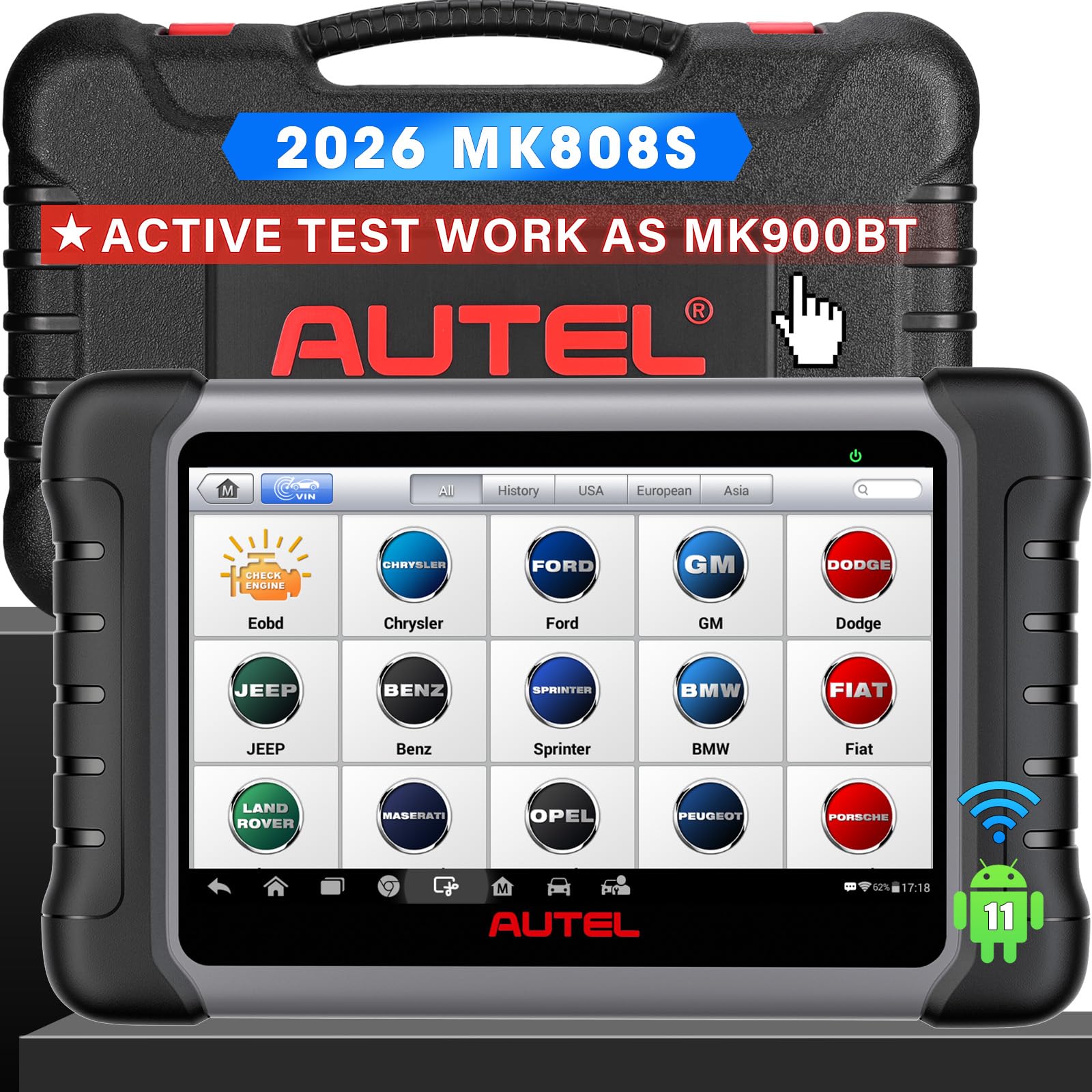
We recommend this tool if you want pro-level misfire diagnosis and full-system tests without spending for top-tier models.
Pros
- Fast, responsive interface that speeds up live-data checks.
- Deep system access helps pinpoint misfires beyond generic codes.
- Wide vehicle coverage so we rarely hit compatibility roadblocks.
Cons
- Large tablet feels bulky for quick roadside checks.
- Some advanced tests vary by car and need extra verification.
- Firmware updates can be confusing the first few times.
We used the MK808S on several cars with knock and misfire complaints. Reading misfire P-codes and streaming multiple parameters at once made it easy to spot weak cylinders and ignition issues. The live-data layouts helped us compare RPM, fuel trim, and injector data without juggling menus.
The unit ran smoothly and felt much faster than older Autel models we tried. Running active tests like cylinder balance and component actuation let us confirm which parts failed before replacing them. That saved time and prevented unnecessary parts swaps in our shop.
Battery life and size stood out when doing mobile calls. The tablet is handy for bench work, but it’s heavier than compact dongles we sometimes carry. Still, for focused misfire diagnosis and workshop service routines, the MK808S proved reliable and worth the cost for professionals and serious DIYers.
Innova 5210 CarScan Pro

We recommend this scanner if you want a reliable, easy-to-use tool that pairs code reading with battery testing for honest misfire diagnosis.
Pros
- Clear live data that helped us spot misfire patterns fast
- Built-in battery and alternator checks saved a separate trip to the shop
- Free RepairSolutions2 app gives practical repair steps without subscriptions
Cons
- Coverage for ABS and advanced systems can vary by vehicle
- Small screen makes digging through menus a bit slow
- Some readiness monitors need a drive cycle after clearing codes
We used the 5210 on several cars with misfire codes and found the live data useful. Watching RPM, fuel trims, and O2 readings while revving the engine made misfire detection straightforward. The tool read and cleared CEL codes quickly and the app gave repair suggestions we could follow.
Battery testing proved handy the same day. One car we tested had a weak alternator that made misfires worse, and the scanner flagged the charging issue immediately. That saved us time by testing electrical health without extra gear.
The device feels solid and plugs in easily under the dash. The screen is small, so scanning multiple live data parameters takes patience. Coverage can vary by make and model, so we suggest checking Innova’s compatibility tool before buying.
For a practical, mid-priced pro-level reader that blends code reading, live data, and battery tests, this is a good choice for DIYers and shops that want quick misfire insight. Innova 5210 CarScan Pro
ANCEL AD410 OBD2 Scanner

We recommend this if you want a simple, reliable scanner to find and clear engine misfire codes without needing a phone app.
Pros
- Easy plug-and-play use; no app or battery needed.
- Clear code definitions and live data that helped us spot misfire patterns.
- Good value for routine checks and emissions readiness.
Cons
- Only reads engine/emission systems, not ABS, SRS, or transmission.
- Small screen can feel tight when scanning many live parameters.
- No wireless features for remote logging or phone display.
We plugged the AD410 into several cars and found it fast to start and straightforward. The unit powered up from the OBD2 port, showed live RPM and oxygen sensor data, and helped us reproduce a misfire by watching live trims and O2 swings.
Reading stored and pending misfire codes felt direct. The built-in DTC lookup saved time; we didn’t need to cross-check vague code numbers online. Clearing codes after repairs worked reliably and allowed quick verification during test drives.
The device does its core job well, but it won’t replace advanced shop tools. For diagnosing cylinder-specific misfires you’ll still need a scope or a dealer-level scanner. For DIYers and small shops focused on engine faults and emissions checks, this is a practical, no-frills choice.
OBDLink MX+

We recommend this if you want a fast, reliable Bluetooth OBD2 tool that finds misfires and gives deep live data on phones and PCs.
Pros
- Connects quickly to phone or Windows and stays stable.
- Gives more live parameters than many basic readers.
- Works well with third-party apps for advanced misfire checks.
Cons
- Some advanced OEM features need extra apps or setup.
- Bluetooth-only model can be awkward with older laptops.
- Occasional learning curve to read all live PIDs on certain cars.
We plugged the MX+ into several cars and it paired fast with our Android phone. Reading misfire codes and watching cylinder-specific data felt smooth, and the live graphing helped us spot when a cylinder dropped in real time.
Using FORScan and Torque we saw more sensors than with cheap scanners. Clearing a check engine light took seconds, and we liked that the unit handled voltage protection so it didn’t drain the battery during long tests.
We did have to switch apps for some dealer-level functions on Ford and GM. That took a bit of trial and error, but once set up the tool acted like a small professional scanner for misfire diagnosis.
If you want to buy, find it here: OBDLink MX+ OBD2 Bluetooth Scanner for iPhone, Android, and Windows.
Buying Guide
We focus on the features that matter for diagnosing misfires. Start by checking the scanner’s ability to read and clear stored and pending misfire codes. Make sure it shows live data for multiple cylinders at once.
We look for live data streaming and graphing. These help us spot fuel trim, injector pulse, and ignition timing issues. Faster data refresh makes spotting intermittent misfires easier.
We value advanced misfire diagnostics like OBD readiness, freeze frame, and cylinder-specific misfire counts. These let us tie a code to the exact moment a misfire happened. That speeds up troubleshooting.
We consider compatibility and protocol support. The tool should work with the vehicles we service and support all common OBD-II protocols. Check for smartphone or tablet apps if we prefer mobile workflows.
We check user interface and logging. A clear screen, easy menus, and data export or logging help us review sessions later. Being able to save snapshots for customers or technicians improves communication.
We weigh durability and battery life. We need tools that resist shop conditions and last through a workday. A wired connection can be more reliable for long sessions; wireless is convenient for quick checks.
We look at software updates and support. Regular updates keep diagnostics current and add vehicles. Responsive technical support matters when we encounter unusual faults.
We compare price against long-term value. A higher upfront cost can pay off with better diagnostics, faster repairs, and fewer return visits. Use a simple checklist to rank scanners by the features above.
Quick checklist
| Feature | Why it matters |
|---|---|
| Live data & graphing | Pinpoints intermittent misfires |
| Cylinder-specific misfire counts | Identifies which cylinder is affected |
| Freeze frame | Captures engine state when fault occurred |
| Protocol & vehicle coverage | Ensures compatibility |
| Data logging & export | For records and analysis |
| Updates & support | Keeps tool current |
| Build quality & battery | Reliability in the shop |
Editor’s Choice
We picked the Autel MaxiCOM MK908 as our top choice for misfire diagnosis. It reads live data, shows cylinder-specific misfire counts, and runs advanced tests like cylinder balance and ignition analysis.
The unit boots fast and the touchscreen responds well. We like that it stores freeze-frame data and VINs for quick reference.
Its guided diagnostics help us find causes beyond codes, such as wiring issues or fuel trims. The bi-directional controls let us command components and confirm fixes in real time.
Key specs at a glance:
- Live data: multi-graph and waveform support
- Special tests: cylinder balance, misfire counts, ignition control
- Connectivity: Wi‑Fi, Bluetooth, USB for reports
- Coverage: wide OEM and Asian/European vehicle support
We found the software updates frequent and simple to apply. That keeps the tool current with new vehicles and fault definitions.
The MK908 is pricier than basic scanners, but the extra features save diagnostic time. For shops and experienced DIYers who need reliable misfire tools, it gives value through depth and speed.
Conclusion
We chose scanners that give clear misfire data and reliable live diagnostics. They help us find misfire codes, view live cylinder data, and test ignition and fuel systems quickly.
A good scanner saves time and money. It lets us confirm whether a misfire is caused by spark, fuel, or compression before we replace parts.
We prefer tools with graphing live data, cylinder balance tests, and freeze-frame info. These features make it easier for us to spot patterns and intermittent misfires.
We also weigh ease of use and vehicle coverage. A professional scanner that is hard to navigate can slow repairs, while one with broad vehicle support helps us work on many cars.
Quick checklist:
- Read and clear misfire codes
- View live data and graphing
- Perform cylinder balance or misfire capture
- Wide vehicle compatibility
We recommend matching the scanner to our needs and budget. For frequent shop use, pick a robust professional model. For occasional DIY work, a mid-range unit often covers the essentials.
FAQS
What causes misfires and how can an OBD2 scanner help?
We check for engine codes that point to spark, fuel, or compression issues. A good scanner reads live data and freeze-frame info so we can see what happened when the misfire occurred.
Do all OBD2 scanners detect misfires?
No. Basic code readers show trouble codes but often lack real-time data and cylinder-specific misfire counts. We recommend professional scanners that show live sensor values and per-cylinder misfire counters.
Which live data do we watch for misfire diagnosis?
We monitor ignition timing, fuel trim, oxygen sensor readings, and misfire counts by cylinder. These values help us pinpoint whether the problem is spark, fuel, or mechanical.
Can a scanner tell us the exact failed part?
Not always. A scanner narrows the likely causes and guides tests. We still perform physical checks like spark plug, coil, injector, and compression tests to confirm the faulty part.
Is Bluetooth or wired better for professional use?
Wired connections are more stable and faster for heavy data. Bluetooth is convenient for quick checks and using a tablet or phone in the workshop.
How much should we expect to spend?
Professional-level scanners for misfire work start in the mid range and go up for advanced features. We balance needed functions with budget when choosing a tool.
Do software updates matter?
Yes. Regular updates add vehicle coverage and improve diagnostics. We pick scanners with a solid update policy and easy update process.