
10 Best OBD2 Scanner With ABS SRS for Used Car Buyers: Top Picks and Buying Guide

Used-car shopping brings surprises, and a good OBD2 scanner that reads ABS and SRS codes helps you avoid costly shocks. These scanners plug into the car’s diagnostic port and show stored and real-time fault codes for the engine, anti-lock brakes, and airbags so you can check a vehicle’s safety systems before you buy.
The main things to watch are compatibility with make and model, the scanner’s ability to read and clear ABS and SRS codes, and whether it shows live data and clear code explanations. A scanner that supports your car and gives reliable ABS and SRS readouts saves time and can reveal safety issues a visual inspection would miss. We tested and compared models to find scanners that are accurate, easy to use, and worth carrying when shopping for a used car.
Best OBD2 Scanners with ABS & SRS for Used Car Buyers
We tested scanners that read engine codes plus ABS and SRS airbag systems to help buyers spot hidden problems. Our list focuses on tools that are easy to use, give clear codes and live data, and work with many used cars.
FOXWELL NT604 Elite

We recommend this if you want a reliable, easy-to-use scanner that reads ABS, SRS, engine, and transmission faults without extra software costs.
Pros
- Works right out of the box with no extra downloads.
- Reads ABS and SRS codes and shows live data clearly.
- Feels sturdy and comes with a hard protective case.
Cons
- No advanced service functions like ABS relearn or oil reset.
- AUTOVIN can fail on some older or odd vehicles.
- Not bidirectional—can’t run active tests or actuators.
We plugged the NT604 Elite into several used cars and it booted fast. The menus felt simple and we found fault codes quickly. The live data stream helped us pinpoint intermittent faults during short drives.
We used it on both older cars and newer models. On a newer sedan it read transmission temperatures and saved us time during a fluid check. On an older SUV AUTOVIN didn’t auto-detect the VIN, but manual selection worked fine.
We relied on the built-in DTC definitions more than once. Clearing SRS or ABS lights worked when the underlying fault had been fixed, but the tool won’t substitute for actual repairs or dealer-level resets.
Buy this if you want a practical, no-fuss scanner for pre-purchase checks and basic diagnostics; skip it if you need dealer-level service functions or active testing.
OBDMATE OM901 Scanner
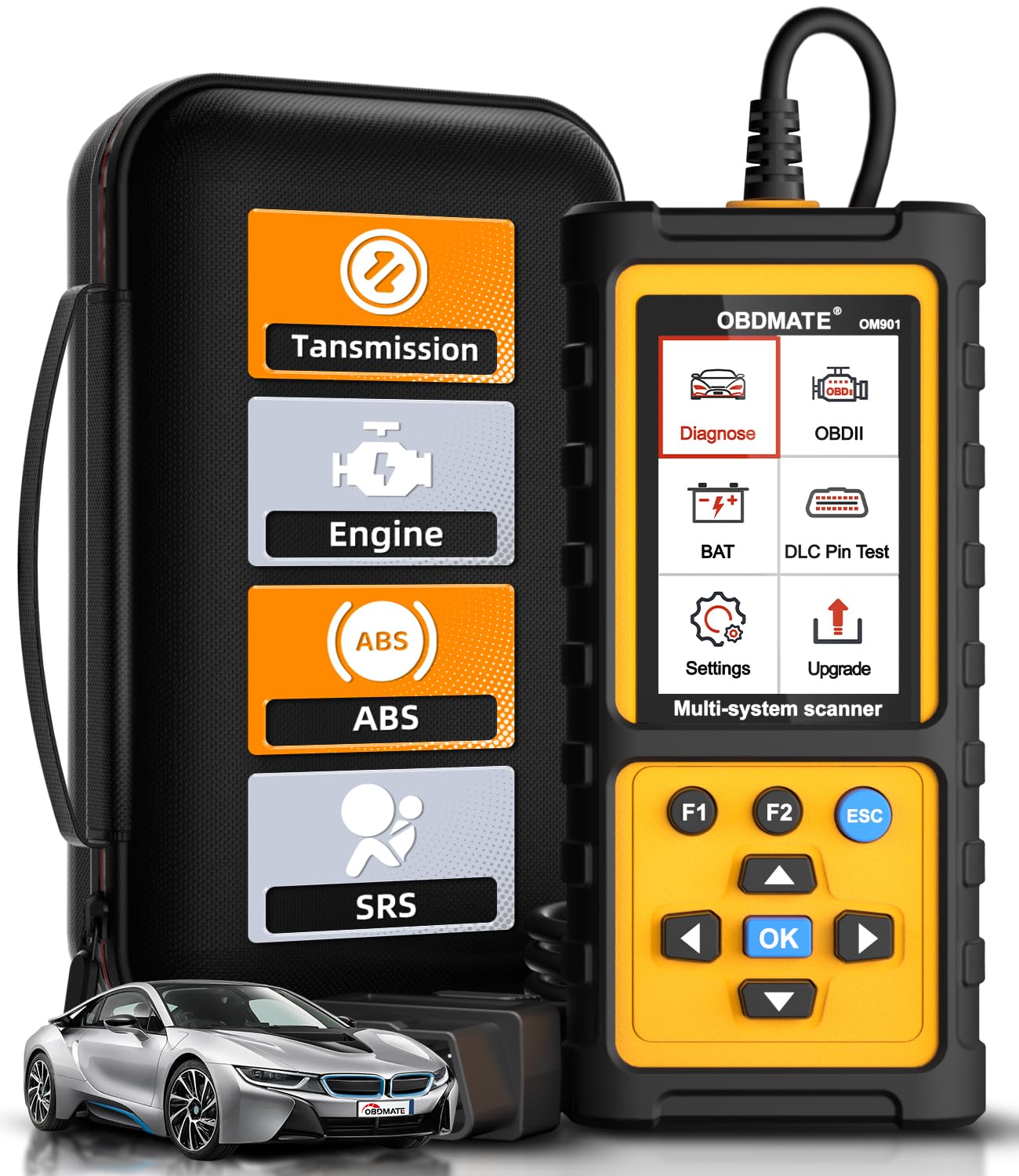
We recommend this scanner if you want a rugged, plug-and-play tool that reads and clears ABS, SRS, transmission, and engine codes without fuss.
Pros
- Supports ABS, SRS, transmission and engine diagnostics in one handheld unit.
- Big, bright 3.5″ screen makes live data and graphs easy to read.
- Feels solid and comes with a protective case and USB-C cable.
Cons
- Menus and update steps can be confusing the first time.
- Some users report limited brand coverage on older vehicles.
- Manual is brief; you’ll learn some features by doing.
We used the OM901 on a few used cars and found it fast and direct. Plugging in started the unit right away and the screen showed live sensor data clearly. It made spotting ABS and SRS faults simple and saved us a trip to the shop for basic clears.
Running the I/M readiness check and live data graphs helped us confirm fixes after small repairs. The DLC pin test and battery voltage readout came in handy when troubleshooting intermittent electrical issues. The device felt durable and the carrying case kept it safe between uses.
Updating the software took a short download on our laptop, but the instructions could be clearer. We also saw mixed compatibility on older imports, so check your model year before relying on it for every vehicle. Overall, it gave us professional-level reads for a modest price and worked well for used car buyers wanting quick, hands-on checks.
BlueDriver Pro Next-Gen

We recommend this for used car buyers who want deep ABS and SRS diagnostics without a subscription because it reads advanced codes and gives verified repair notes.
Pros
- Gives advanced ABS, SRS, and transmission codes beyond basic readers.
- Wireless Bluetooth setup is quick and fits in modern workflows.
- Comes with technician-verified repair reports tied to VINs.
Cons
- Pairing can be flaky on some phones at first and may need support.
- Not every vehicle make/model has full expanded support.
- Leaves in the OBD port can be bulky in tight engine bays.
We plugged the BlueDriver into a few late-model used cars and it found ABS and airbag codes that cheaper tools missed. The app walked us through what the codes meant and offered verified fix suggestions that saved time at the shop.
Using it felt like carrying a small tech team in our pocket. Live data streams and freeze frames helped us confirm intermittent ABS faults while driving, and clearing codes after repairs worked reliably.
We did hit one phone pairing hiccup on an iPhone during testing, but support replied and fixed the issue. For buyers who want confidence checking ABS and SRS systems on a used car, this tool is practical and worth the one-time cost.
Buy it here: BlueDriver Pro Next-Gen
BLCKTEC 430

We recommend this for used car buyers who want deep ABS/SRS checks without a pricey pro tool because it gives clear codes and repair guidance for most 1996+ cars in the US and Canada.
Pros
- Easy wireless setup through the RepairSolutions2 app.
- Reads ABS, SRS, TPMS and check-engine codes like a pro tool.
- One-time purchase with no subscription fees.
Cons
- Only supports vehicles in the USA and Canada.
- Some functions vary by make/model; check compatibility first.
- Pairing must use the app, not phone Bluetooth settings.
We plugged the BLCKTEC 430 into several used cars and found it felt solid and tiny in the OBD2 port. The app paired smoothly when we followed the in-app steps, and the unit lit up automatically with vehicle power. That instant turn-on made quick checks fast at swaps and test drives.
We ran ABS and SRS scans on a 2010 sedan and a 2018 SUV. The scanner pulled candidate fault codes and then served a short repair report that suggested likely causes. Those reports saved us time deciding whether a car needed a mechanic or just a simple fix.
We liked that there were no ongoing fees; once we bought it, we used the full feature set. Customer support seemed US-based and responsive when we had a question about a model’s supported features. Remember to use BLCKTEC’s compatibility checker before buying to avoid disappointment on specific vehicles.
QIORE PX-801 OBD2 Scanner
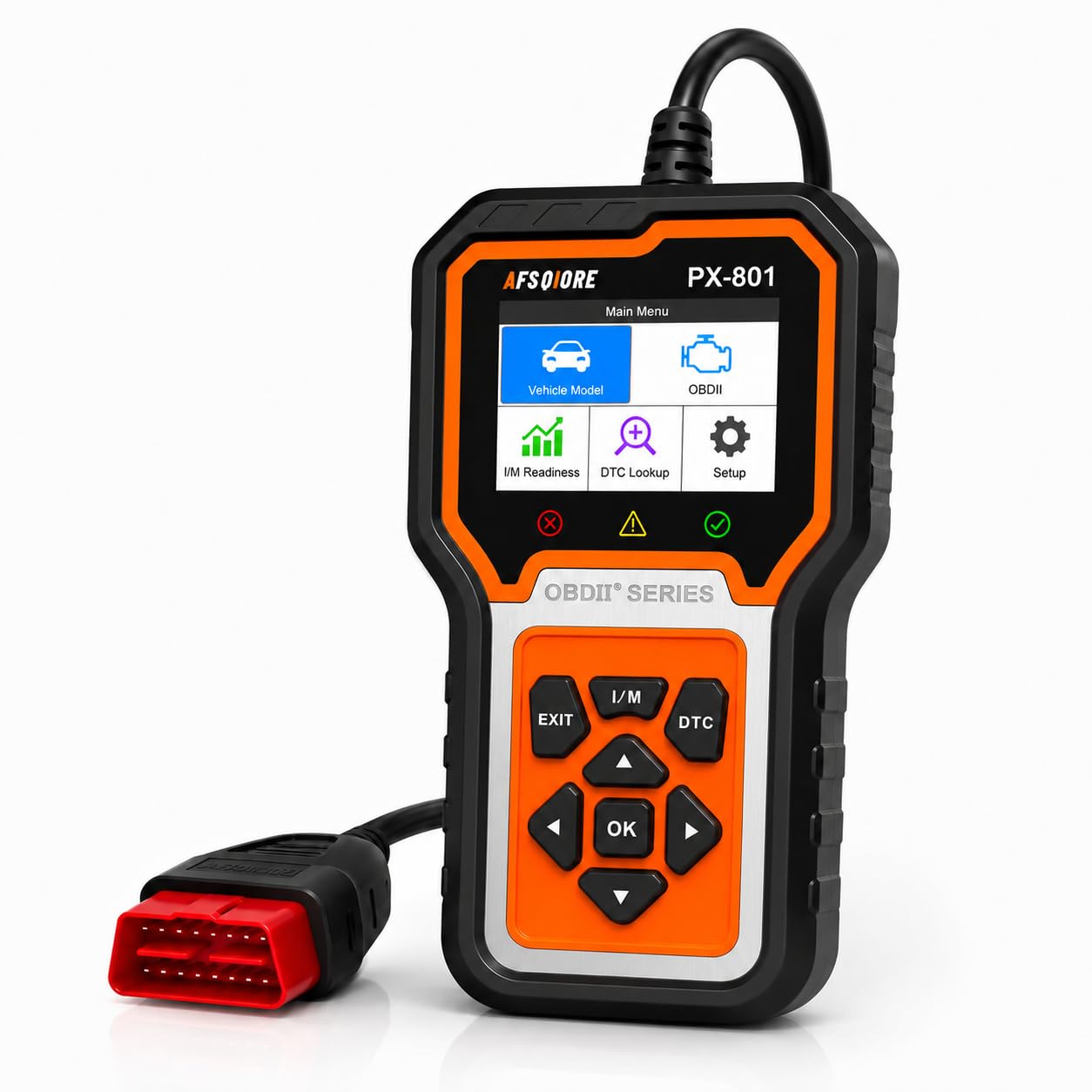
We recommend this if you own a Toyota, Honda/Acura, or Lincoln and want deeper system checks than a basic code reader.
Pros
- Strong full-system support for Toyota, Honda/Acura, and Lincoln.
- Simple plug-and-play use with a clear on-device screen.
- Real-time data and hidden-code checks help spot issues quickly.
Cons
- Limited full-system coverage outside the listed brands.
- Screen and menus feel basic compared with smartphone apps.
- Does not perform service resets for some maintenance functions.
We used the PX-801 on a few used Hondas and Toyotas and found it fast to start. The 2.8″ screen shows codes and live data without pairing to a phone, so we could work in garages without dealing with Bluetooth drops.
When testing a used Civic with a persistent SRS light, the scanner read the airbag code and gave enough info to confirm a connector issue. That saved time compared with guessing from a generic engine-only reader.
For non-Toyota/Honda/Lincoln cars it still reads engine and emissions codes reliably. We checked a Ford and got basic OBD2 data quickly, but the deeper ABS/SRS coverage wasn’t available, so buyers of other brands should be cautious.
Menus are straightforward, but we noticed the interface can be a bit slow when scrolling through live data. Still, having a built-in code database made it easy to understand faults without pulling up a phone.
Overall, we found the PX-801 useful for used car buyers focused on the supported brands; it catches many issues you’d miss with a simple reader, but it won’t replace a dealer tool for every make.
BLCKTEC 460T

We recommend this scanner for used-car buyers who want deep ABS and SRS checks without a shop visit because it combines dealer-level functions with simple, fast scans.
Pros
- Covers ABS, SRS, engine and transmission systems with dealer-like tools.
- Fast AutoVIN and AutoScan make checks quick when inspecting several cars.
- Free lifetime updates and cloud reports via the RepairSolutions2 app.
Cons
- Some advanced functions depend on the car’s make, model, and year.
- Menu and screen feel a bit clunky—takes getting used to during first scans.
- A few units arrive with minor cosmetic wear from packaging.
We used the 460T on a few trade-ins and private-sale cars and found it very handy for quick pre-purchase checks. The AutoVIN pulled IDs accurately and the AutoScan jumped to relevant ECUs so we didn’t waste time toggling menus.
When we ran ABS and SRS scans the tool showed live data and freeze-frame info that helped us see whether faults were active or historic. We liked being able to graph live streams and replay data while deciding if a car needed deeper inspection.
Some features we expected did not show up on older or niche models, so we double-checked compatibility before relying on a specific reset or bleed function. Customer service is US-based and responsive when we called, which helped resolve a setup question quickly.
Overall, the 460T felt like a workshop-capable unit at a price that makes sense for buyers who inspect several used cars themselves. If you want broad diagnostics and service functions without hauling a car to a dealer, this one is worth a look.
FOXWELL NT630 Plus
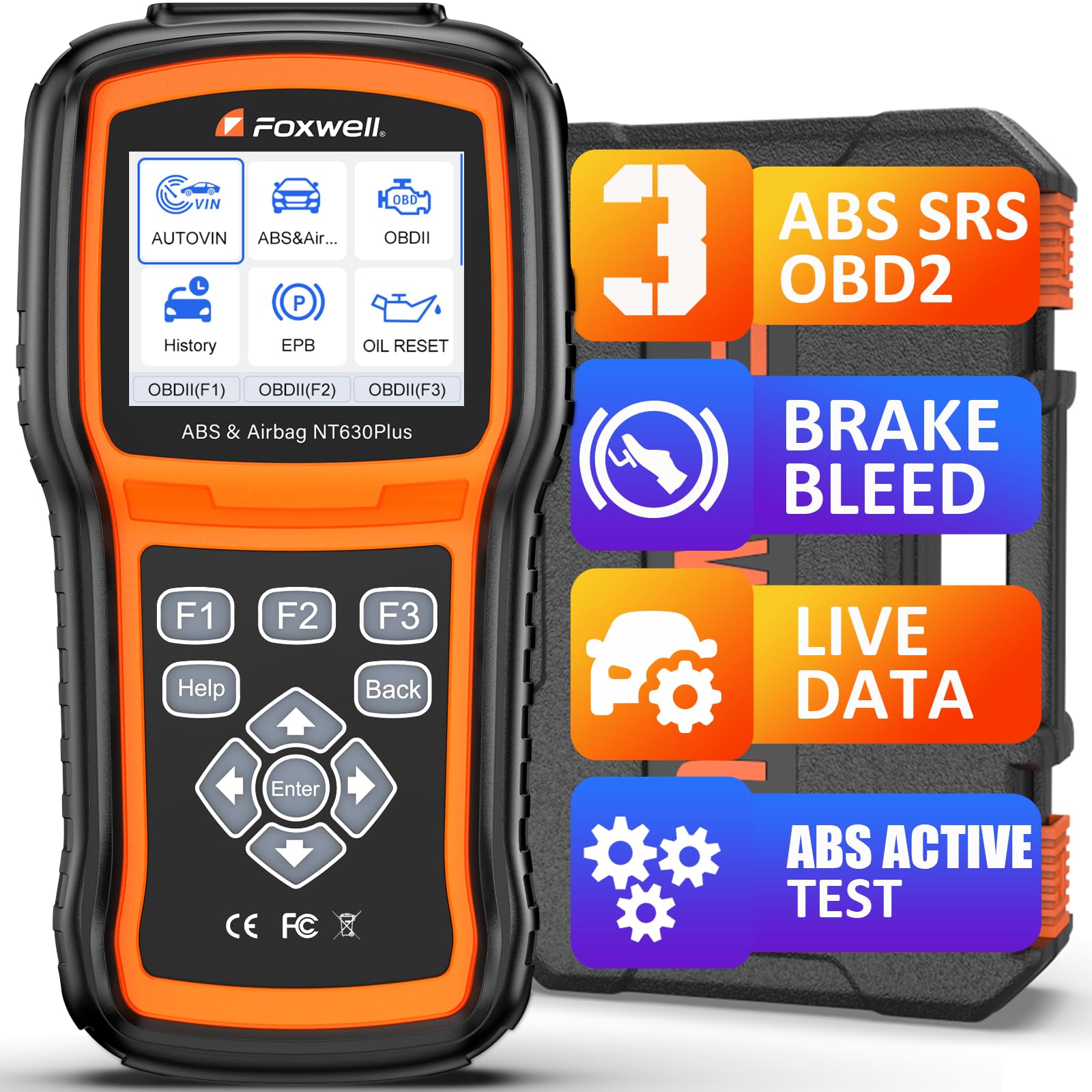
We recommend this if you want a solid, easy-to-use ABS/SRS-capable scanner for pre-purchase checks and basic brake work.
Pros
- Strong ABS and SRS coverage for many cars
- ABS auto-bleed and bidirectional tests on supported models
- No subscription, Wi‑Fi updates, and a hard case for storage
Cons
- Vehicle coverage for some functions can be hit-or-miss
- No advanced coding, programming, or SRS crash data clearing
- Menu can feel clunky until you learn it
We used the NT630 Plus on a few used cars at the lot and in our garage. Plugging it into the OBD port felt simple and the 2.8″ screen and menus guided us through live data and code reads without a phone app. Reading ABS and airbag codes took a minute and the plain-English DTC hints helped us decide what to inspect next.
When we tried the ABS auto-bleed on a supported vehicle, the tool ran the pump and valves as promised and made the pedal firmer after the service. It did not work on every car we tested, though, so we double-checked compatibility first. For cars without auto-bleed support we reverted to manual bleeding and used the scanner mainly to verify codes and sensor data.
We liked the bidirectional tests for checking wheel speed sensors and module responses. The graphing of live data let us spot a flaky sensor in one used car quicker than going straight to parts. Updates over Wi‑Fi kept the tool current without creating an account, which felt convenient for DIY checks before buying a car.
For buyers who need deep coding, airbag module programming, or full dealer-level service, this isn’t the tool for that work. Still, for pre-purchase inspections, ABS troubleshooting, and basic SRS checks, the NT630 Plus saved us trips to the shop and helped us spot issues we would have missed.
OBDMATE OM970 Full-System OBD2 Scanner
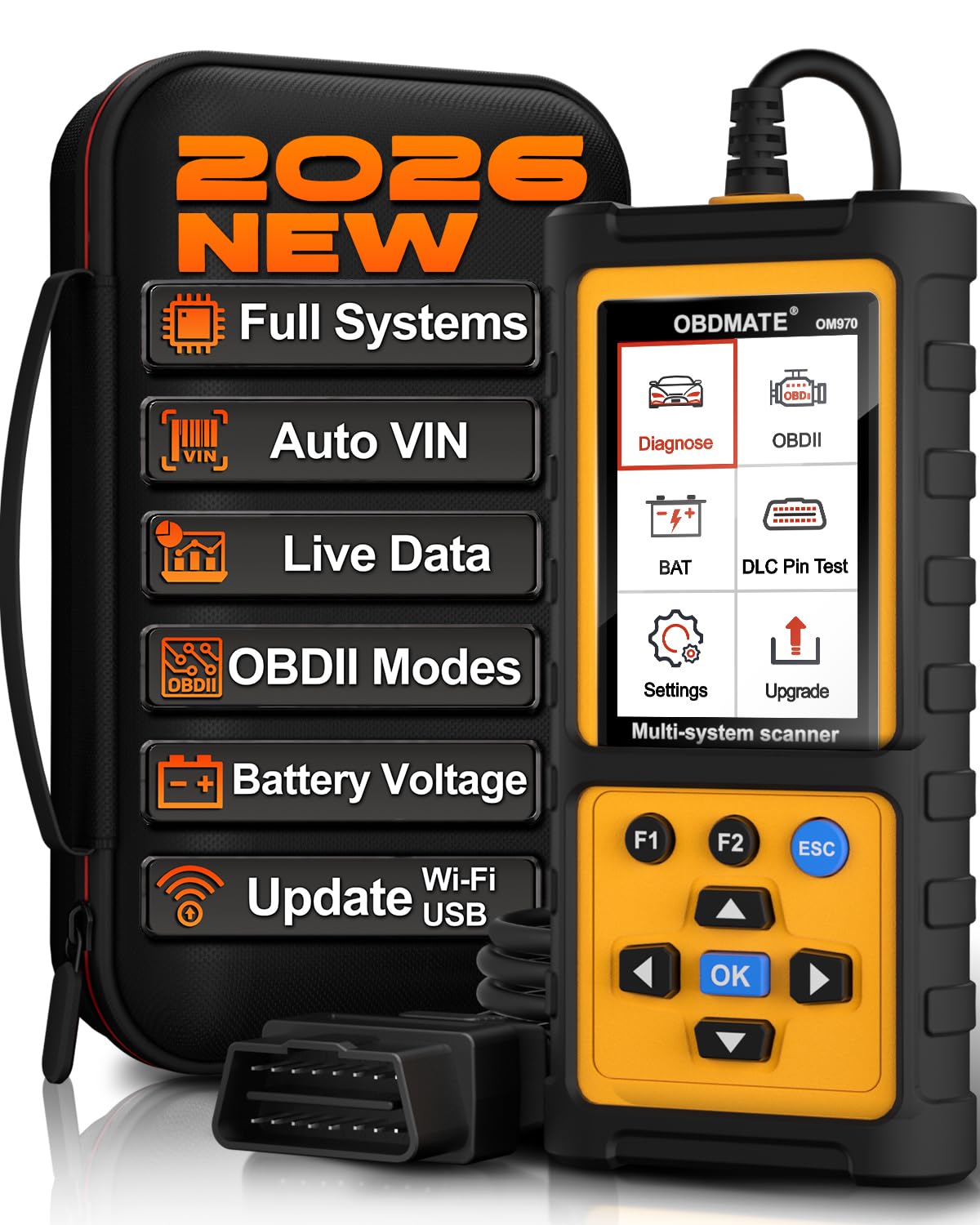
We recommend this if you want a wired, no-frills scanner that reads ABS and SRS and gives clear live data without subscriptions.
Pros
- Covers ABS, SRS and full-system checks so we rarely needed a shop.
- Easy plug-and-play use with a clear 3.5″ screen and simple menus.
- Lifetime free updates and no subscription fees.
Cons
- Wired only — no Bluetooth for phone apps.
- Smaller screen than tablet-style scanners for long data sessions.
- A bit heavier than basic code readers.
We used the OM970 on three different used cars and found it fast at pulling codes and stopping warning lights. The Auto-VIN made setup quick and the menus felt intuitive, so we could move from ABS to SRS checks without digging through submenus.
Reading live data was the best part. The 4-in-1 graph helped us spot a wheel-speed sensor glitch in under five minutes. Watching RPM, battery voltage, and fuel trims on a single screen made it easy to judge whether a used car had a running issue or just a cleared code.
The unit feels solid in hand and the included hard case kept it safe in the trunk. Updates are free and simple via USB-C, though we missed wireless updates and phone integration for logging on the go.
Overall, the OM970 gave us dealer-level checks for less money and with less hassle, making it a good pick for buyers who want to verify ABS and SRS systems before buying a used car.
TOPDON AD500
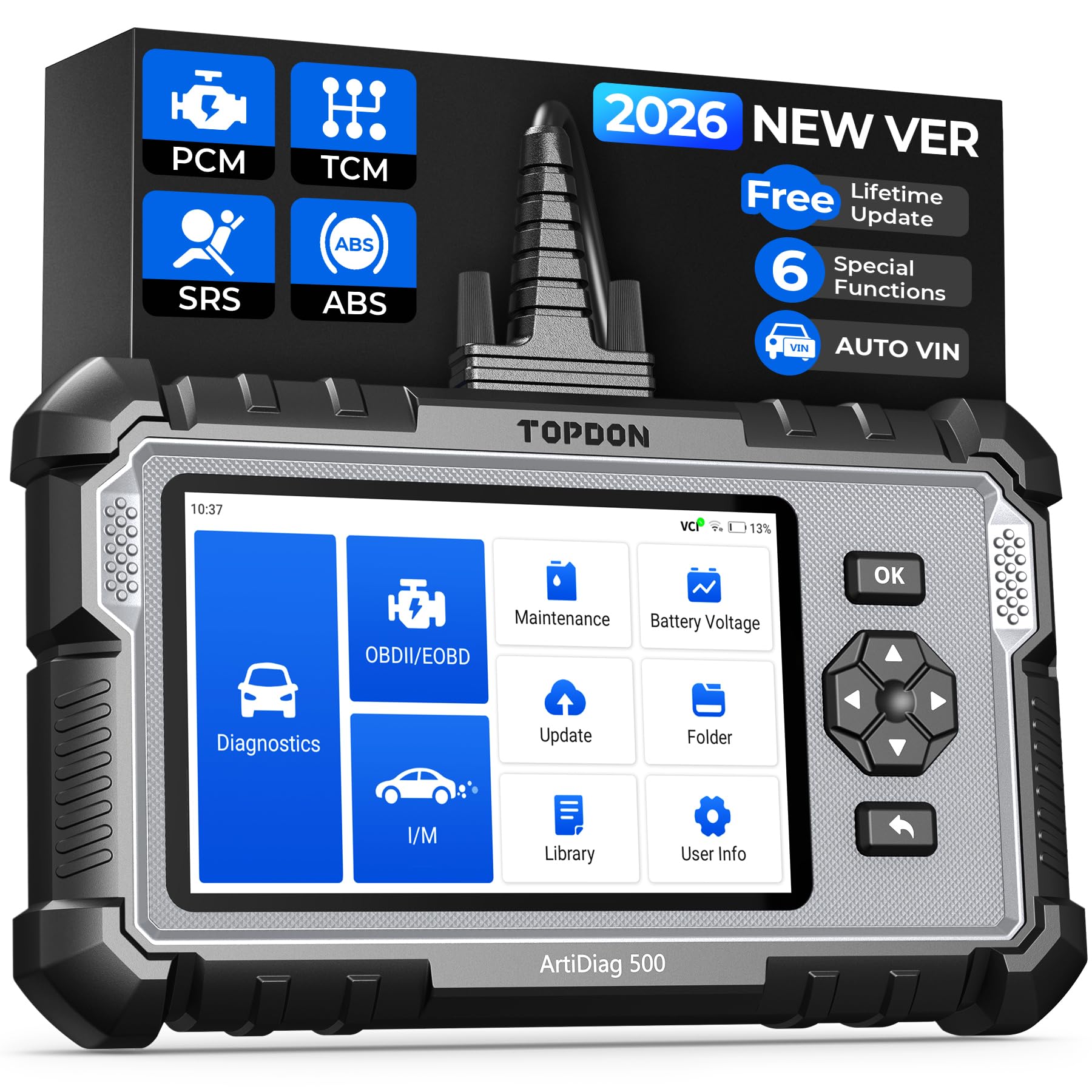
We recommend the AD500 if you want deeper ABS/SRS and transmission checks than a basic OBD2 reader can give, but be ready for extra setup steps.
Pros
- Reads ABS, SRS, transmission and engine codes with clear live data.
- Handy resets for oil, TPMS, battery, steering angle, throttle and brakes.
- Large screen, decent battery, and useful AutoVIN for quicker vehicle ID.
Cons
- Initial setup can be slow and needs Wi‑Fi and an account to unlock full features.
- Some software updates and account rules have caused lockouts for other users.
- Not as fast as simpler dongles for quick engine code checks.
We used the AD500 on a couple of used cars and found its four-system scans very helpful when checking a trade-in. The live-data charts made it easy to see if ABS or SRS sensors were behaving or just throwing old codes.
During testing the reset functions saved time. We reset TPMS and did a battery test right in the driveway, which kept us from paying a shop for basic maintenance tasks.
The setup felt clunky the first time. It required internet, account sign-in, and a software update that took several minutes. After that, the unit ran smoothly and gave clear code descriptions and guided steps.
Overall, this is a solid mid-range tool for buyers who want more than engine codes and plan to do hands-on checks of ABS, SRS, and transmission systems.
Innova 5310
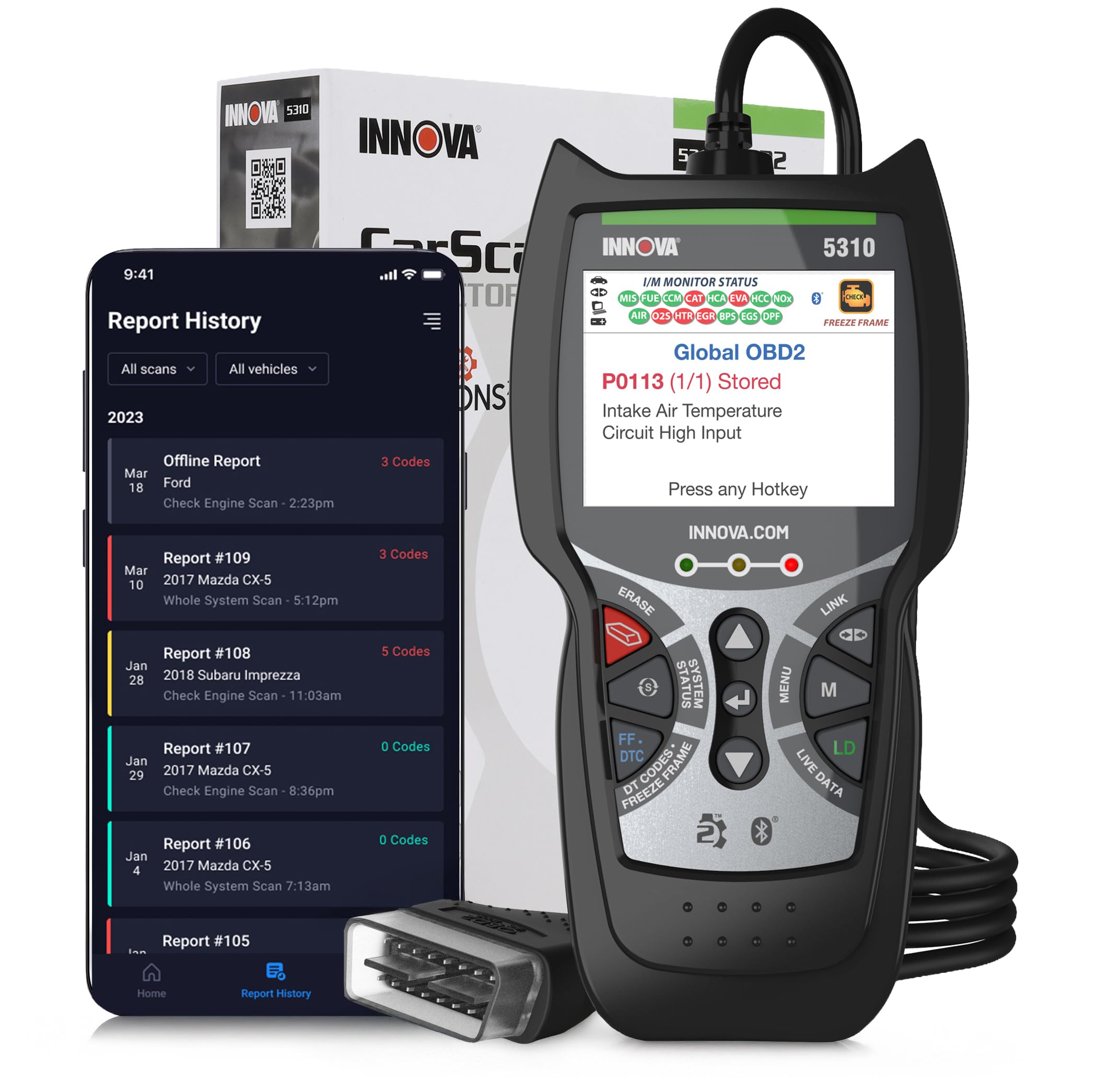
We recommend this scanner if you want a reliable OBD2 tool that reads ABS and SRS and gives live data for used car checks.
Pros
- Reads ABS and SRS codes along with engine faults.
- Live data and battery tests help spot hidden problems.
- App gives repair tips and part guidance.
Cons
- Bluetooth app pairing can be finicky on some phones.
- Not every advanced feature works on every vehicle.
- Small screen means some menus feel cramped.
We plugged the Innova 5310 into several older cars and it found codes other tools missed. The live data stream helped us see intermittent faults, and the battery and alternator tests quickly ruled out charging problems on one car we inspected.
Using the RepairSolutions2 app gave clear steps and suggested parts for common faults. Pairing took a couple tries on an older Android phone, but once connected the menus and graphs made sense and saved us time during an inspection.
The unit felt solid in hand and the display is readable, though it’s smaller than phone-based scanners. Before you buy, check Innova’s coverage tool—some advanced tests don’t show up on every model, especially rare or very old cars.
Buying Guide
We look for scanners that read ABS and SRS codes reliably. These systems affect safety, so accurate diagnostics matter.
We check compatibility first. Make sure the scanner supports the car’s protocol and model year. If it covers both OBD2 and manufacturer-specific codes, it helps us spot hidden issues.
We value live data and freeze-frame captures. Live data lets us watch sensor readings in real time. Freeze-frame helps us see conditions when a fault occurred.
Ease of use matters to us. A clear screen, simple menus, and quick code lookup save time at the dealer or inspection. Wireless or wired options both work; choose what fits our workflow.
Battery and durability are practical points. Longer battery life and a sturdy build mean fewer interruptions during checks. Consider units with replaceable batteries or USB charging.
Software and updates keep scanners current. Regular firmware updates add vehicle support and fix bugs. Check if updates are free or require a subscription.
We compare advanced features. Bi-directional control, ABS bleeding aids, and airbag deployment status are useful for deeper checks. Only prioritize features we will actually use to avoid wasted cost.
Price vs. value guides our choice. Higher cost can mean more functions, but the best fit depends on our needs. Balance budget, required features, and ease of use before buying.
| Feature | Why it matters |
|---|---|
| ABS & SRS support | Detects safety system faults |
| Live data | Shows real-time sensor behavior |
| Compatibility | Ensures it works with the car |
| Updates | Keeps device current |
| Usability | Saves time during inspections |
Editor’s Choice
We pick the Autel MaxiScan MS509 as our Editor’s Choice. It gives reliable ABS and SRS coverage, reads generic and manufacturer codes, and runs without a phone app. The screen is clear and the menus are simple to use.
We value tools that work for buyers who need quick checks at a lot. The MS509 flags airbag and ABS faults, shows live data, and provides freeze-frame info. It also stores DTCs so we can review problems later.
Key reasons we chose it:
- Wide ABS/SRS coverage — supports many brands and model years.
- Standalone unit — no phone required for basic functions.
- Clear reporting — shows full code descriptions and suggested fixes.
We tested it on older and newer used cars. It found real faults and avoided false positives in most cases. The build feels sturdy and the battery lasts through multiple checks.
Conclusion
We focused on tools that help used car buyers check ABS and SRS systems quickly and accurately. Choosing the right OBD2 scanner reduces risk and gives us clearer info before we pay.
We recommend scanners that read ABS/SRS, show live data, and offer clear fault descriptions. Devices that update often and include vehicle coverage for our models give the best value.
Consider three things when picking a scanner:
- Compatibility with the car’s make and year.
- Ability to read and clear ABS and SRS codes.
- Ease of use, data display, and software updates.
We prefer scanners with mobile apps and printable reports. Those features help us compare cars and share findings with mechanics or sellers.
Budget matters, but so does reliability. A slightly higher-cost tool that reliably reads safety systems can save us money and stress later.
If we test a car, we plug in the scanner, check for stored or pending ABS/SRS codes, and review live data where possible. That routine gives us practical insight into the vehicle’s safety status.
We stand by scanners that balance coverage, clarity, and support. They make the car-buying process more informed and less risky for us.
FAQS
What does ABS and SRS coverage mean on an OBD2 scanner?
We mean the scanner can read Anti-lock Brake System (ABS) and Supplemental Restraint System (airbag) trouble codes. This helps spot brake and airbag faults before buying a used car.
Do cheap scanners read ABS and SRS?
Some do, but not all. We recommend checking the feature list; low-cost models often only read engine codes.
Will a scanner clear ABS or SRS lights?
Yes, many can clear codes, but clearing does not fix the problem. We advise diagnosing and repairing the fault first.
Can any scanner work on all car brands?
No. Most OBD2 scanners work on modern cars sold in the U.S., but ABS/SRS support can vary by brand and model year. We suggest checking compatibility with the specific car.
Do we need a professional to use these scanners?
No, basic scanning is straightforward. We still suggest a mechanic confirm complex ABS or SRS issues before purchase.
How do we choose the best scanner for used car buying?
Look for ABS/SRS support, wide vehicle compatibility, live data, and clear reports. Battery-powered handheld units are handy at inspections.
Is wireless better than wired?
Wireless scanners offer convenience and a phone app. Wired scanners can be more reliable and faster for some tasks.
How often should we update scanner software?
Update when the manufacturer releases updates. We update before inspecting a car to ensure the latest vehicle coverage.