
UMEIJA V011 OBD2 Scanner Review: Is It Worth It?

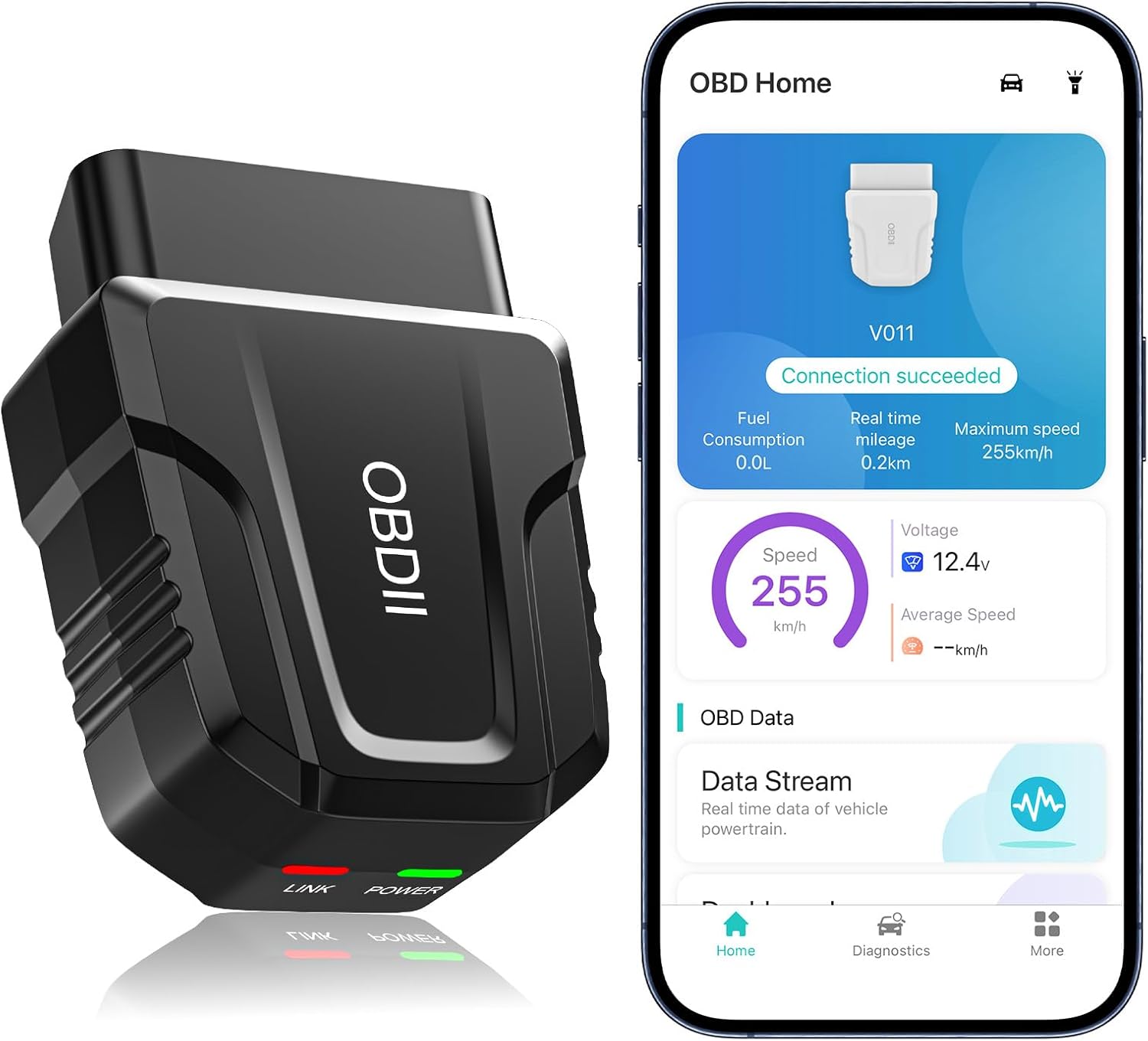
The UMEIJA V011 OBD2 Scanner is a compact Bluetooth 5.4 adapter aimed at drivers who want to diagnose a check-engine light without buying a full handheld scan tool. It works through the OBD Home mobile app, supports iOS and Android, reads and clears standard OBD-II trouble codes, streams live engine data, checks emissions readiness, and retrieves information such as freeze-frame data and VIN details. Based on current specifications and buyer feedback, its appeal is straightforward: useful everyday diagnostics at a budget-level price, provided you understand that it is not a professional full-system scanner.
Quick Overview and Specifications
| Product | UMEIJA V011 / obd-02 OBD2 Scanner |
|---|---|
| Connection | Bluetooth 5.4 |
| Mobile Support | iOS and Android |
| Supported Protocols | 9 OBD-II protocols |
| Main Functions | Read/clear DTCs, live data, freeze frame, emissions readiness, VIN and onboard monitoring |
| Stated Vehicle Coverage | More than 96% of compatible vehicles from 1996 onward |
| Dimensions | Approximately 3.8 × 2.5 × 3.8 inches |
| Weight | About 2 oz |
| Warranty | 90 days |
First Impressions
The V011 takes the minimalist approach: there is no display, keypad, cable, or internal battery to manage. Plug the adapter into the vehicle’s 16-pin OBD-II port, turn on the ignition, enable Bluetooth, and use the OBD Home app on your phone.
That phone-first design is its main convenience. Instead of navigating a small monochrome scanner screen, you get graphs and live sensor readings on a device you already know how to use. Buyers frequently describe the setup as beginner-friendly, although iPhone pairing differs slightly because connection is generally handled inside the app rather than through the normal Bluetooth settings screen. Our guide to Android versus iPhone OBD2 apps explains that distinction in more detail.
Performance & Feel
For standard engine diagnostics, the feature set is unusually broad for an inexpensive adapter. The V011 can read diagnostic trouble codes, erase them after a repair, check I/M emissions readiness, display freeze-frame information, retrieve the VIN, and stream sensor values such as engine RPM, coolant temperature, vehicle speed, and control-module voltage.
Live data is the feature that moves it beyond a bare-bones code reader. Instead of receiving only a P-code, you can watch changing sensor values while troubleshooting. That difference is useful when deciding between an OBD2 scanner and a basic code reader.
There is an important ceiling, however. This is primarily a generic OBD-II engine tool. Buyers requiring manufacturer-specific ABS, airbag, transmission, TPMS, immobilizer, coding, or active-test functions should look higher up the diagnostic-tool market.
App Experience & Bluetooth Connectivity
Bluetooth 5.4 is one of the V011’s defining features. The wireless design removes the cable between the diagnostic port and the display, letting you hold the phone where readings are easiest to see. The dedicated app presents codes and real-time information graphically rather than forcing the driver to interpret raw hexadecimal data.
The limitation is that much of the user experience depends on OBD Home. This is not the same open-ended ecosystem offered by adapters designed around numerous third-party apps. Correct setup also matters: the ignition must be on, the adapter firmly seated, and Bluetooth enabled.
Durability
The V011 weighs only about two ounces and has no screen or external cable to damage, which keeps the physical design simple. Long-term independent durability testing is limited, however, and the listed 90-day warranty is considerably shorter than warranties supplied with some established diagnostic tools.
The manufacturer also recommends unplugging the adapter after use. Because the OBD-II port supplies power, leaving an accessory connected for extended periods can contribute to battery drain on some vehicles. This is better treated as a scan-and-remove tool than a permanent dashboard accessory.
Value for Money
Value is where the V011 is most persuasive. Recent listings have generally placed it around the inexpensive $20–$30 range, yet it combines wireless operation, code reading and clearing, live data, emissions readiness information, and a dedicated mobile app.
That does not make it equivalent to a shop scanner. The useful question is whether you actually need advanced modules and bidirectional controls. Our comparison of cheap OBD2 scanners versus professional scanners covers where the extra money goes.
Comparison to Similar Competing Products
ANCEL AD310: The AD310 is a popular wired alternative with its own backlit screen. It reads and clears engine codes, displays live data, freeze frame and emissions readiness without requiring a phone. Choose that style if you prefer a self-contained tool; the UMEIJA is more convenient if you prefer wireless app-based graphs.
BlueDriver Pro: BlueDriver occupies a much higher price tier but adds enhanced diagnostics on supported vehicles, including systems such as ABS, airbags and transmission, plus repair reports and Mode 6 data. It is substantially more capable, while the UMEIJA makes more sense for inexpensive generic engine diagnostics.
The broader distinction between consumer scanners and dealer-level diagnostic tools is especially important if your goal involves immobilizers or key programming.
Pros & Cons
- Bluetooth 5.4 wireless connection
- iOS and Android compatibility
- Reads and clears standard engine codes
- Useful live-data graphs and freeze-frame information
- Low purchase price
- Compact two-ounce design
- No built-in display
- Depends heavily on the dedicated app
- Limited advanced/full-system diagnostics
- Short 90-day listed warranty
- Should be unplugged after use
Who Should Buy This?
The UMEIJA V011 is best suited to drivers who want an affordable tool for understanding a check-engine light before visiting a repair shop, checking emissions readiness, clearing a repaired fault, or monitoring basic engine sensor data. It also suits beginners who prefer a smartphone interface over a handheld scanner.
Skip it if your main objective is key-fob programming, immobilizer access, advanced module coding, ABS/SRS service or professional bidirectional testing.
Extended FAQ
Does the UMEIJA V011 work with iPhone?
Yes. The V011 supports both iOS and Android through its dedicated OBD Home app. On iPhones, connection is typically completed through the app rather than manually pairing the adapter in the phone’s Bluetooth menu.
Can it clear a check-engine light?
Yes, it can clear standard OBD-II engine fault codes. The underlying repair should be completed first; otherwise the fault and warning light can return.
Can it show live engine data?
Yes. Supported readings include parameters such as RPM, coolant temperature, vehicle speed, voltage and other sensor information exposed through the vehicle’s OBD-II system.
Will it program a replacement key fob?
No. Consumer OBD-II readers are not generally key programmers. Key and immobilizer work usually requires specialized security-capable equipment.
Will it work on a car made before 1996?
Generally no. Vehicles before standardized OBD-II commonly use manufacturer-specific OBD1 systems. See our guide to the difference between OBD1 and OBD2 scanners before purchasing for an older car.
Can I leave the scanner plugged in permanently?
The product guidance recommends disconnecting it after use to avoid unnecessary vehicle-battery consumption, so permanent installation is not its ideal use case.
Final Verdict
The UMEIJA V011 succeeds because it keeps the cost and complexity low while providing more useful information than a basic code-only reader. Bluetooth 5.4, live-data visualization, freeze-frame information, emissions readiness and straightforward code clearing give home users plenty of diagnostic capability for routine check-engine-light troubleshooting.
Its limits are equally clear: the app is central to the experience, the warranty is short, and advanced vehicle systems remain outside its intended scope. For basic DIY engine diagnostics, though, the feature-to-price balance is compelling.
As an Amazon Associate, we earn from qualifying purchases…
