
How to Read OBD2 Codes Without a Scanner

Quick Answer
You can read OBD2 codes without owning a scanner if your vehicle supports a built-in diagnostic display or an ignition-key sequence. Some older vehicles also communicate faults through dashboard light flashes, but most modern cars require a diagnostic reader to retrieve complete codes. If you cannot access the codes manually, ask a repair shop or participating auto parts store whether it offers a code-reading service, or consult AAA’s diagnostic code translator after obtaining the code.
Methods worth trying
- Ignition-key sequence: Some vehicles display diagnostic codes after a manufacturer-specific key cycle.
- Dashboard display: Certain models offer instrument-cluster test modes or built-in diagnostic screens.
- Flashing warning light: Some older diagnostic systems report numbered faults through timed flashes.
- Free code reading: Some repair facilities and auto parts retailers read basic engine codes without charging, depending on location and availability.
- Borrow a reader: A compatible OBD2 code reader can retrieve information that your dashboard cannot display.
Before you begin
- Check the owner’s manual for your exact year, make, and model before attempting a manual diagnostic procedure.
- Never bridge diagnostic-port pins with a paperclip or wire unless the manufacturer explicitly specifies the correct procedure.
- If the check engine light flashes or the vehicle runs roughly, loses power, or overheats, stop driving when safe and arrange appropriate assistance.
When a check engine light appears, the first question is usually simple: what is wrong with the car? As an automotive locksmith and key fob specialist, I know how important it is to identify the right system before replacing parts or attempting a repair.
This guide explains how to retrieve diagnostic trouble codes without buying a scanner, which older vehicles may support manual methods, and what to do when your car will not display its codes.
In This Guide
What Are OBD2 Codes, and Can You Read Them Without a Scanner?
Driver recording car diagnostic information before attempting OBD2 troubleshooting without a scanner.
OBD2 codes are diagnostic trouble codes stored by a vehicle’s onboard computer when it detects certain faults. You can retrieve them without a scanner on some vehicles, but most modern OBD2 cars need a compatible electronic reader to reveal the actual codes.
What is an OBD2 code?
On-board diagnostics II (OBD2) is a standardized vehicle diagnostic system used to monitor engine operation and emissions-related components. It helps technicians identify faults by recording diagnostic trouble codes, commonly abbreviated as DTCs.
A typical code looks like P0301 or P0420. These codes point toward a detected problem or condition, not necessarily a specific failed part.
For example, P0301 indicates a misfire detected in cylinder one, while P0420 indicates catalyst-system efficiency below the applicable threshold. Neither code alone proves which component needs replacement.
Why can’t every car display its own codes?
OBD2 standardizes important diagnostic functions and communication, but it does not require every vehicle to show complete trouble codes on its dashboard. Many vehicles simply illuminate a warning light and store the diagnostic information for a scan tool to retrieve.
Some older vehicles have special diagnostic modes that show codes through an odometer display or flashing warning light. Newer models may have service menus, but these often show system information rather than complete OBD2 trouble codes.
In the United States, OBD2 became mandatory for new light-duty vehicles beginning with the 1996 model year. Other countries and vehicle markets adopted different requirements, so do not assume every imported car follows the same rules.
What is the difference between OBD-I and OBD2?
OBD-I refers to earlier, manufacturer-specific diagnostic systems, while OBD2 provides a more standardized diagnostic interface and code structure. Older OBD-I vehicles are often more likely to support manual flash-code procedures than modern OBD2 vehicles.
| Feature | Older OBD-I systems | OBD2 systems |
|---|---|---|
| Diagnostic connector | May be manufacturer-specific | Generally uses a standardized 16-pin connector where applicable |
| Manual code retrieval | Available on some models | Limited to supported vehicles and functions |
| Code format | Varies by manufacturer | Standardized code formats for covered diagnostic functions |
| Best way to retrieve codes | Manufacturer’s manual procedure or compatible tool | Compatible OBD2 reader or professional scan tool |
The important distinction is your specific vehicle’s capabilities, not simply its age. Always verify the procedure against the owner’s manual or official service information.
Section Takeaway: Some cars reveal diagnostic codes without a scanner, but there is no universal no-tool method for every OBD2 vehicle.
How Can You Read OBD2 Codes Manually?
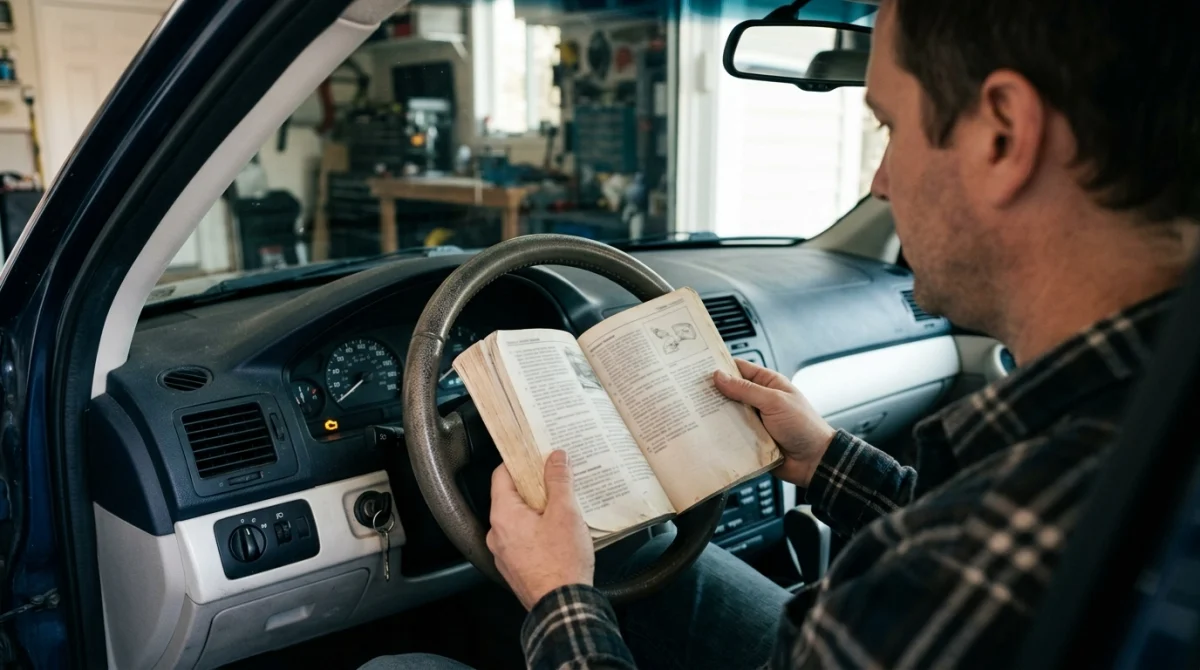
You may be able to retrieve codes through an ignition-key sequence, a dashboard diagnostic mode, or a flashing warning light. The correct method depends on the vehicle’s manufacturer, model year, and installed diagnostic system.
1. Check for an ignition-key sequence
Some vehicles can display stored diagnostic information after a specific ignition sequence. Certain Chrysler, Dodge, Jeep, and Ram models are known for key-cycle procedures, but the feature and sequence vary by model and year.
Use this safe approach to check whether your vehicle supports the feature:
- Park on level ground, select Park or Neutral as appropriate, and apply the parking brake.
- Consult the owner’s manual or official manufacturer information for the exact diagnostic procedure.
- Follow only the specified ignition sequence, keeping the engine off unless the instructions say otherwise.
- Watch the instrument cluster or odometer for diagnostic codes or a test-mode message.
- Write down any displayed codes exactly as shown before leaving the diagnostic mode.
Do not assume a key sequence that works on one model will work on another. Some procedures can activate unrelated vehicle functions or simply do nothing on unsupported models.
Expert tip: Confirm the exact year, make, model, and engine before trying any key-cycle procedure. Internet instructions for a similar vehicle may not apply to yours.
2. Look for an instrument-cluster diagnostic mode
Some vehicles include built-in instrument-cluster test modes accessed through dashboard buttons or other manufacturer-specific controls. These modes may display sensor readings, instrument checks, or limited fault information.
To investigate this option:
- Check the owner’s manual for instrument-cluster test or diagnostic functions.
- Look for manufacturer documentation specific to your model year.
- Determine whether the display provides actual diagnostic trouble codes or only general system information.
- Exit the mode using the manufacturer’s instructions.
A dashboard test screen is not necessarily an OBD2 code reader. If it shows a number, identify what that number represents before treating it as a repair code.
3. Check whether your vehicle supports flash codes
Some older diagnostic systems report trouble codes through a series of check engine light flashes. The computer signals a number through timed groups of flashes and pauses, which the driver must interpret using the vehicle’s documentation.
For example, a manufacturer might use separate flash groups to represent individual digits. Another system may use a completely different pattern, so there is no universal flash-counting rule for all vehicles.
Before trying to retrieve flash codes:
- Confirm that the exact vehicle supports this method.
- Obtain the correct manufacturer procedure and code chart.
- Record the complete sequence, including pauses and repeated patterns.
- Compare the result with the correct model-specific reference.
Never assume a flashing check engine light while driving is a diagnostic code sequence. A flashing warning light during normal operation can signal a serious engine problem that needs immediate attention.
4. Avoid guessing with diagnostic-port pins
Some older vehicles use connector-based diagnostic procedures, but the terminal locations and requirements vary. A standard 16-pin OBD2 connector does not mean you can safely bridge random pins to force codes to appear.
An incorrect connection can short electrical circuits or damage vehicle electronics. Use a jumper only when official documentation explicitly identifies the correct terminals and procedure for your exact vehicle.
Locksmith’s note: Vehicle electronics can share wiring or communicate with security-related modules. Guessing at connector pins is not a safe substitute for proper diagnostic information.
Section Takeaway: Manual retrieval is worth checking when the manufacturer documents it, but do not experiment with ignition sequences or connector pins.
