
How to Clear Check Engine Light With an OBD2 Scanner

Quick Answer
You can clear the check engine light with an OBD2 scanner by reading the trouble codes, diagnosing and fixing the underlying problem, then selecting the scanner’s Clear Codes or Erase Codes option. The warning light may turn off immediately, but it will return if the fault remains. For emissions-related guidance, consult the EPA’s vehicle inspection and OBD guidance.
Steps to clear the warning safely
- Check the warning: If the light flashes or the engine runs roughly, stop driving when safe and seek professional help.
- Connect the scanner: Locate the OBD2 port, usually beneath the driver’s dashboard, and connect the device.
- Read the codes: Retrieve stored and pending diagnostic trouble codes before changing anything.
- Record the evidence: Save the codes and freeze-frame data if available.
- Fix the fault: Diagnose the cause instead of replacing parts based on a code description alone.
- Erase and verify: Use the clear function after the repair, then rescan to check whether the warning returns.
Important reminder
- Clearing codes can reset emissions readiness monitors and erase useful diagnostic information. Avoid clearing them immediately before an emissions inspection.
If your check engine light has appeared, an OBD2 scanner can help you understand what’s happening before you spend money on repairs. The trick is knowing when to clear the warning and when to investigate further.
My automotive locksmith and key fob troubleshooting work has taught me an important lesson about vehicle electronics: a warning or fault code is a starting point, not a complete diagnosis. In this guide, I’ll explain the clearing process, common mistakes, and how to confirm the warning stays off.
In This Guide
- What Does Clearing the Check Engine Light Actually Mean?
- How to Clear the Check Engine Light With an OBD2 Scanner
- What Should You Check Before Erasing Codes?
- Why Does the Check Engine Light Come Back?
- Which OBD2 Scanner Do You Need?
- How to Verify the Repair and Avoid Common Mistakes
- Frequently Asked Questions
What Does Clearing the Check Engine Light Actually Mean?
Clearing the check engine light means erasing eligible diagnostic trouble codes stored in the vehicle’s computer. It does not repair the mechanical, electrical, or emissions problem that triggered the warning.
An OBD2 scanner communicates with the vehicle’s onboard diagnostic system to retrieve fault information. Many basic scanners can read and clear engine-related codes, although advanced functions depend on the tool and vehicle.
What is an OBD2 scanner?
An OBD2 scanner is a diagnostic tool that connects to a vehicle’s onboard diagnostics port and retrieves information about supported vehicle systems. OBD2 stands for On-Board Diagnostics, Second Generation.
The check engine light is also called the malfunction indicator lamp, or MIL. When the engine computer detects certain faults, it can store a diagnostic trouble code (DTC) and illuminate the warning.
For example, a code may indicate a detected misfire, an emissions-system leak, or a problem with a sensor circuit. The code helps narrow the investigation, but it does not always identify the failed part.
What happens when you erase a code?
When you use the scanner’s clear function, the vehicle attempts to erase eligible stored diagnostic codes. Depending on the vehicle and scanner, this can switch off the check engine light if the computer no longer commands it on.
However, clearing codes may also erase freeze-frame information and reset emissions readiness monitors. Some codes, including certain permanent diagnostic trouble codes, cannot be removed simply by issuing a clear command.
- Clearing a code: Removes eligible stored diagnostic information.
- Repairing a fault: Corrects the condition that caused the warning.
- Verifying a repair: Confirms the system operates correctly and checks whether the fault returns.
These are three different actions. A dashboard without a warning light does not automatically mean the vehicle is repaired.
How to Clear the Check Engine Light With an OBD2 Scanner
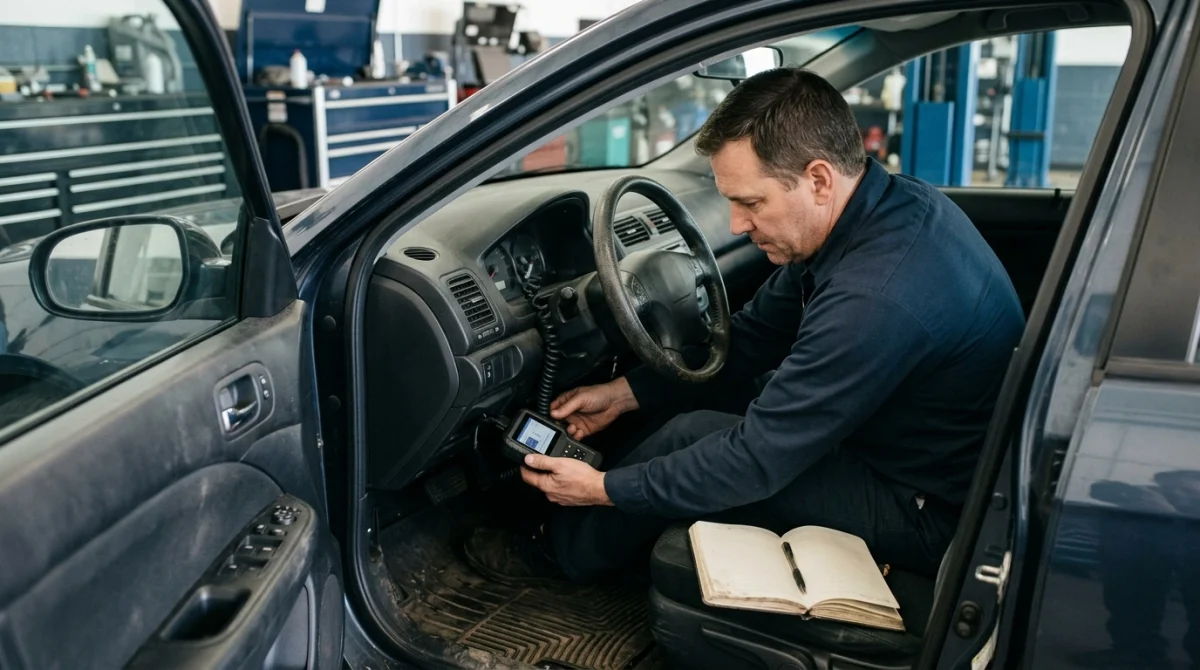
The usual process is to connect the scanner, record the diagnostic information, address the fault, and then use the erase function. Scanner menus differ, so follow the instructions supplied with your particular device and vehicle.
Step 1: Park safely and prepare the vehicle
Park on a level surface, apply the parking brake, and select Park or Neutral as appropriate. Switch off the engine before connecting the scanner unless your tool’s instructions specify otherwise.
Make sure the warning you are addressing is the check engine light. An oil-pressure warning, overheating warning, or brake warning may require a different and more urgent response.
Step 2: Find the OBD2 diagnostic port
The diagnostic port is commonly beneath the dashboard on the driver’s side, often near the steering column or lower dashboard panel. Its exact location varies by vehicle.
If you cannot find it, check the owner’s manual rather than pulling apart dashboard panels. Inspect the connector for visible damage before plugging in your scanner.
Step 3: Connect the scanner and read the codes
Insert the scanner connector firmly into the diagnostic port. Set the ignition to the position required by the scanner, which often means ignition on with the engine off for reading stored codes.
Power on the scanner and select an option such as Read Codes, Diagnostic Codes, or Scan. Some devices request vehicle information before displaying the results.
Record every displayed code before proceeding. If available, save the code status, freeze-frame data, and other relevant diagnostic information.
Step 4: Diagnose and fix the underlying problem
Use the codes to identify which system needs attention, then determine the cause through appropriate checks. A code describing a sensor circuit, for instance, does not prove the sensor itself has failed.
Depending on the code, diagnosis may involve inspecting a connection, checking for a leak, testing wiring, or measuring a component’s performance. Some repairs are straightforward, while others need professional diagnostic equipment.
Expert note: If the code involves engine misfires, fuel delivery, emissions controls, or complicated electrical faults, get a qualified technician to confirm the cause before replacing parts.
Step 5: Select Clear Codes or Erase Codes
Once the fault has been addressed, keep the scanner connected and select the function labeled Clear Codes, Erase Codes, or a similar option. Confirm the command when prompted.
Some scanners display a success message, while others return to the diagnostic menu. If the scanner reports that clearing failed, follow its troubleshooting instructions instead of repeatedly sending the command.
Step 6: Restart and check the dashboard
Follow the scanner’s instructions to switch the ignition off and restart the vehicle. Check whether the check engine light remains off and whether any new warning signs appear.
If the light returns immediately, the fault may still be active or the computer may have detected another problem. Read the codes again and investigate the new results.
What Should You Check Before Erasing Codes?
Before clearing codes, make sure you have preserved the diagnostic information and considered the vehicle’s symptoms. This step can save time because erasing the evidence too early may make an intermittent fault harder to investigate.
Record the codes and freeze-frame data
Freeze-frame data is a snapshot of certain operating conditions recorded when a fault was detected. Depending on the vehicle and scanner, it may include engine speed, temperature, or calculated load.
Photograph the scanner display or write down the complete codes. Include whether each code is stored, pending, or permanent if the scanner provides that information.
Check the symptoms before deciding to clear anything
Pay attention to how the vehicle behaves. The combination of symptoms and diagnostic codes helps determine whether the vehicle needs immediate attention.
- Flashing check engine light: Stop driving when safe, particularly if the engine is shaking or misfiring, and arrange professional assessment.
- Rough running or loss of power: Avoid continued driving if the vehicle runs badly, stalls, or struggles to accelerate.
- Overheating, smoke, or fuel smell: Stop safely and seek appropriate assistance rather than attempting a reset.
- Steady light with normal operation: Read the codes promptly and arrange diagnosis based on the results.
A steady warning does not guarantee the problem is minor. If you are unsure whether the vehicle is safe to drive, have it assessed before continuing.
Check simple causes without guessing
Some faults involve relatively simple issues, such as a loose fuel cap on vehicles that use one. Other faults involve leaks, wiring, ignition components, or emissions equipment.
Use the code and the vehicle manufacturer’s diagnostic guidance to narrow the cause. Do not replace an oxygen sensor, catalytic converter, or another expensive component solely because its name appears in a code description.
Expert note: Before authorizing a costly repair, ask the technician which tests support the diagnosis and whether any wiring, connector, or related-system fault could produce the same code.
Understand emissions readiness before a reset
Emissions readiness monitors are self-checks that evaluate supported emissions-related systems. After codes are cleared, some monitors may show Not Ready until the vehicle completes the conditions needed to run those tests.
If you have an upcoming emissions inspection, avoid clearing codes beforehand unless the repair or inspection procedure specifically calls for it. Check the applicable inspection rules and the vehicle’s readiness status first.
The U.S. Environmental Protection Agency’s inspection and maintenance guidance explains the role of onboard diagnostics in emissions testing.
Why Does the Check Engine Light Come Back?
The check engine light can return when the vehicle detects the original fault again or identifies another problem. Erasing the stored code does not change the condition that triggered it.
Some faults return almost immediately, while others appear only under particular temperatures, speeds, loads, or driving conditions. That is why a successful reset is not the same as a successful repair.
Common reasons the warning returns
- Unresolved fault: The original problem remains, so the computer detects it again.
- Intermittent electrical issue: A loose connection or damaged wire may fail only under certain conditions.
- Emissions-system leak: A leak or related fault may be detected when the appropriate monitor runs.
- Incorrect repair: The replaced part was not the true cause, or another fault remains.
- Incomplete testing: The computer has not yet completed the relevant self-checks after the reset.
What common OBD2 codes can tell you
Diagnostic codes provide a useful starting point, but the exact definition and diagnostic procedure depend on the code and vehicle.
| Example code | General meaning | Next step |
|---|---|---|
| P0300 | Random or multiple-cylinder misfire detected | Check symptoms and diagnose the misfire promptly. |
| P0420 | Catalyst system efficiency below threshold, Bank 1 | Test the related emissions system before replacing parts. |
| P0455 | Large evaporative emissions-system leak detected | Inspect the fuel cap where applicable and diagnose the EVAP system. |
| P0171 | System too lean, Bank 1 | Investigate possible intake leaks, fuel delivery, and sensor data. |
These are general examples, not complete diagnostic instructions. Manufacturer-specific information, other stored codes, and live data may change the recommended checks.
If a code returns after a repair, read it again and compare the results with your original notes. A technician can use that history to narrow down the remaining fault.
Which OBD2 Scanner Do You Need?
You generally need a scanner that supports reading and clearing the engine-related diagnostic codes for your vehicle. More expensive tools may provide additional data, but extra features do not automatically make a diagnosis correct.
| Scanner type | Typical capabilities | Best suited for |
|---|---|---|
| Basic handheld code reader | Reads and clears supported engine codes | Basic warning-light checks |
| Bluetooth OBD2 adapter | Uses a compatible phone app for supported codes and data | Drivers comfortable using a smartphone |
| Enhanced diagnostic scanner | May offer live data, additional modules, and advanced functions | More involved diagnostics |
What features should you look for?
- Vehicle compatibility: Confirm support for your vehicle’s make, model, year, and diagnostic protocol.
- Read and clear functions: Check that the tool supports the specific engine codes you need to address.
- Live data: Helpful for comparing sensor readings and investigating faults that basic code descriptions cannot explain.
- Freeze-frame access: Useful for reviewing the operating conditions recorded when a fault occurred.
- Readiness status: Helps you see whether supported emissions monitors have completed their checks.
- Software support: Check update availability, app requirements, and any ongoing subscription costs before buying.
For a simple check engine light, a compatible basic reader may be enough to retrieve the initial code. If the problem involves multiple modules, manufacturer-specific codes, or advanced testing, a more capable scanner or professional diagnostic service may be necessary.
Expert note: Check the scanner manufacturer’s compatibility list before purchasing. A tool that reads generic engine codes may not access every transmission, body, immobilizer, or keyless-entry function on your vehicle.
How to Verify the Repair and Avoid Common Mistakes
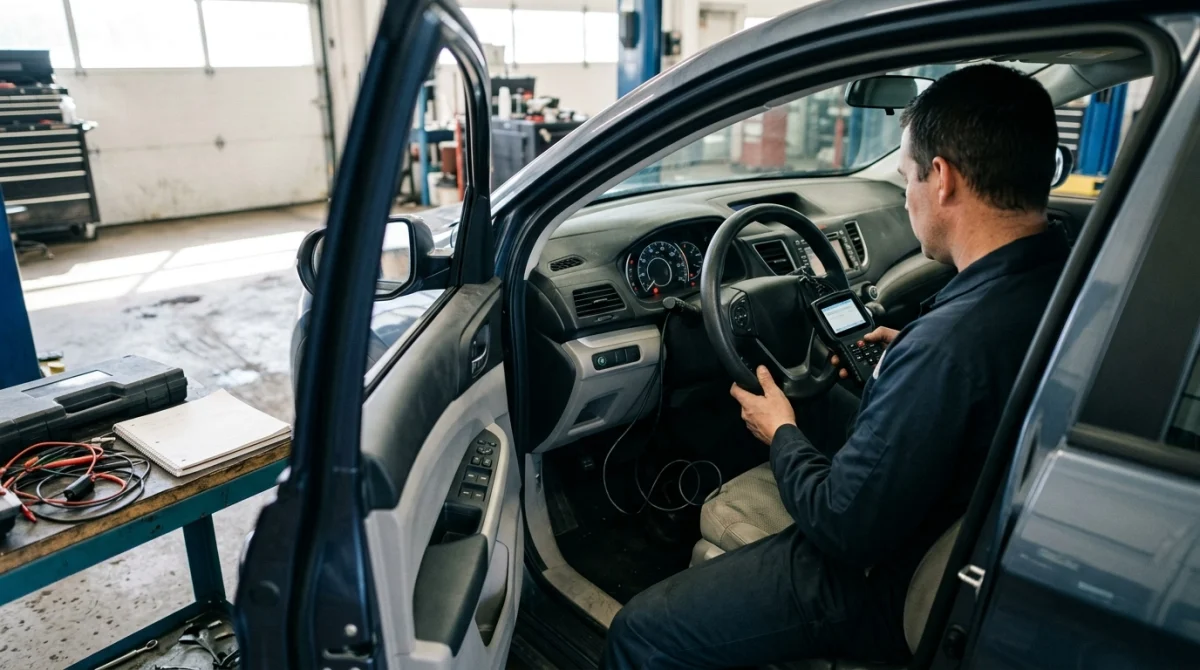
After clearing the codes, verify the repair instead of assuming the job is complete. The warning light, stored codes, pending codes, and readiness information can each provide different clues about the result.
Use this post-reset checklist
- Confirm the scanner reported that the clear command completed.
- Restart the vehicle as directed by the manufacturer or scanner instructions.
- Check the dashboard for warning lights and observe how the engine runs.
- Rescan for stored and pending codes when appropriate.
- Check readiness monitors if emissions testing is relevant.
- Follow the repair procedure’s recommended verification tests or drive cycle.
Some diagnostic monitors need specific driving conditions before they can finish their checks. There is no single drive cycle that works for every make, model, year, and fault.
Use the owner’s manual or manufacturer service information for the appropriate procedure. Never perform a drive cycle if the vehicle has symptoms that make driving unsafe.
Should you disconnect the battery instead?
Disconnecting the battery is not the preferred shortcut for clearing a check engine light. Depending on the vehicle, it may reset settings or learned values, affect other systems, and fail to remove certain codes.
A compatible scanner is usually the more controlled option because it lets you read the diagnostic information first. Follow the manufacturer’s battery-service instructions if battery disconnection is required for a repair.
When should you seek professional help?
Ask a qualified technician for help when the light flashes, the vehicle runs roughly, the same code keeps returning, or the scanner cannot communicate with the relevant system.
Professional diagnosis is also sensible when a fault involves engine performance, complicated wiring, emissions equipment, or electronic modules. A proper diagnosis can prevent unnecessary part replacement and repeated resets.
For broader vehicle safety information and maintenance resources, visit the National Highway Traffic Safety Administration. If you need roadside assistance or help deciding what to do next, the AAA website is another established resource.
Section takeaway: Clear the warning only after recording the diagnostic evidence and addressing the cause. Verify the repair with a rescan and the appropriate vehicle-specific checks.
Frequently Asked Questions
Can I clear the check engine light without fixing the problem?
A compatible OBD2 scanner may erase eligible stored codes without repairing the underlying fault. However, the warning can return when the vehicle detects the same problem again. Read and record the codes first, then diagnose the cause before clearing them.
Will the check engine light turn off immediately after clearing codes?
It often turns off after a successful clear command if the vehicle no longer commands the warning on. However, some faults may remain active, and certain permanent codes cannot be erased manually. A returning light means further diagnosis may be necessary.
How long does it take for the check engine light to come back?
The timing depends on the fault and when the vehicle runs the relevant diagnostic test. Some problems trigger the light quickly, while intermittent faults may take longer. If the warning returns, rescan the vehicle and compare the new codes with the original results.
Can a cheap OBD2 scanner clear the check engine light?
Many basic OBD2 readers can clear supported generic engine codes, but capabilities vary by device and vehicle. Before buying one, confirm that it supports your vehicle and includes an erase function. Advanced or manufacturer-specific diagnostics may require a more capable tool.
Does clearing the check engine light reset emissions readiness?
Clearing diagnostic codes can reset some emissions readiness monitors, leaving them marked Not Ready until the vehicle completes the required self-tests. Inspection requirements vary by jurisdiction. Check readiness before an emissions test rather than clearing codes immediately beforehand.
Why won’t my OBD2 scanner clear the check engine light?
The scanner may not support the required function, may have lost communication, or may be unable to clear a permanent or still-active fault. Check the connection and instructions, record the codes, and diagnose the problem. Seek professional help if the command continues to fail.
Is it safe to drive after clearing the check engine light?
Clearing the light does not establish that the vehicle is safe to drive. A flashing warning, rough running, overheating, smoke, or serious loss of power calls for stopping safely and seeking help. If the light is steady and the vehicle seems normal, arrange diagnosis promptly and follow the manufacturer’s guidance.
Final Takeaway: Clear the Code, Then Confirm the Fix
Using an OBD2 scanner to clear a check engine light is usually straightforward when the tool supports your vehicle. The important part is preserving the diagnostic information and correcting the underlying fault before resetting the warning.
Read the codes, record the available data, diagnose the problem, and use the scanner’s clear function after the repair. Then restart, rescan, and confirm the vehicle completes the appropriate checks without the fault returning.
If the warning comes back, don’t keep erasing it and hoping for a different result. Use the new diagnostic information to identify the cause, and consult a qualified technician whenever the symptoms or repair exceed your experience.
