
How to Check Emissions Readiness With an OBD2 Scanner

Quick Answer
To check emissions readiness with an OBD2 scanner, connect the scanner to your vehicle’s diagnostic port, switch the ignition on as directed by the scanner, and open the I/M Readiness or Readiness Monitors menu. Review each supported monitor and look for Ready, Complete, Not Ready, or Not Supported. Ready means the monitor has completed its self-test, but it does not guarantee that your vehicle will pass an emissions inspection.
What to check
- Monitor status: Identify which emissions self-tests are complete and which remain incomplete.
- Check engine light: Check whether the malfunction indicator lamp is illuminated.
- Trouble codes: Read stored and pending diagnostic trouble codes when your scanner supports them.
- Inspection rules: Check your local requirements for the number and type of incomplete monitors allowed.
- Recent repairs: Remember that a disconnected battery or cleared diagnostic codes can reset monitor readiness.
Tip: If a monitor shows Not Ready, use the vehicle manufacturer’s recommended drive cycle rather than repeatedly clearing codes or guessing at driving conditions.
Checking emissions readiness with an OBD2 scanner is a useful step before taking your car for an emissions inspection. It helps you see whether the vehicle’s onboard computer has completed the diagnostic checks required to evaluate its emissions-control systems.
In this guide, I’ll explain how to find the readiness screen, understand each status, and decide what to do when a monitor remains incomplete. I’ll also cover common scanner limitations and the difference between being ready for inspection and actually passing it.
In This Guide
- What Is Emissions Readiness on an OBD2 Scanner?
- How Do You Check Emissions Readiness With an OBD2 Scanner?
- What Do the Readiness Monitor Statuses Mean?
- Which Emissions Readiness Monitors Should You Check?
- What Should You Do If a Monitor Is Not Ready?
- Does Ready Mean Your Car Will Pass an Emissions Test?
- Frequently Asked Questions
What Is Emissions Readiness on an OBD2 Scanner?
Emissions readiness is the status of the vehicle’s onboard diagnostic system after it runs self-checks on supported emissions-related systems. An OBD2 scanner retrieves these statuses from the vehicle’s computer so you can see which checks have completed.
An OBD2 scanner is a diagnostic tool that communicates with a vehicle’s onboard computer through its diagnostic connector. Depending on the model, it can display readiness monitors, diagnostic trouble codes, and other information supported by the vehicle.
Readiness is not the same as a diagnosis. A monitor marked Not Ready means the computer has not completed that particular check, not necessarily that a component has failed.
Why does readiness matter?
Many emissions inspection programs use OBD information to determine whether a vehicle is ready for testing. If required monitors remain incomplete, an inspection station may reject the test or require the vehicle to return after completing the necessary checks.
The exact rules depend on your location, vehicle, model year, and applicable inspection program. The U.S. Environmental Protection Agency’s inspection and maintenance resources explain the role of OBD checks in emissions inspection programs.
Checking readiness before an appointment helps you identify incomplete monitors early. It can save an unnecessary trip, although it cannot guarantee an inspection result.
How Do You Check Emissions Readiness With an OBD2 Scanner?
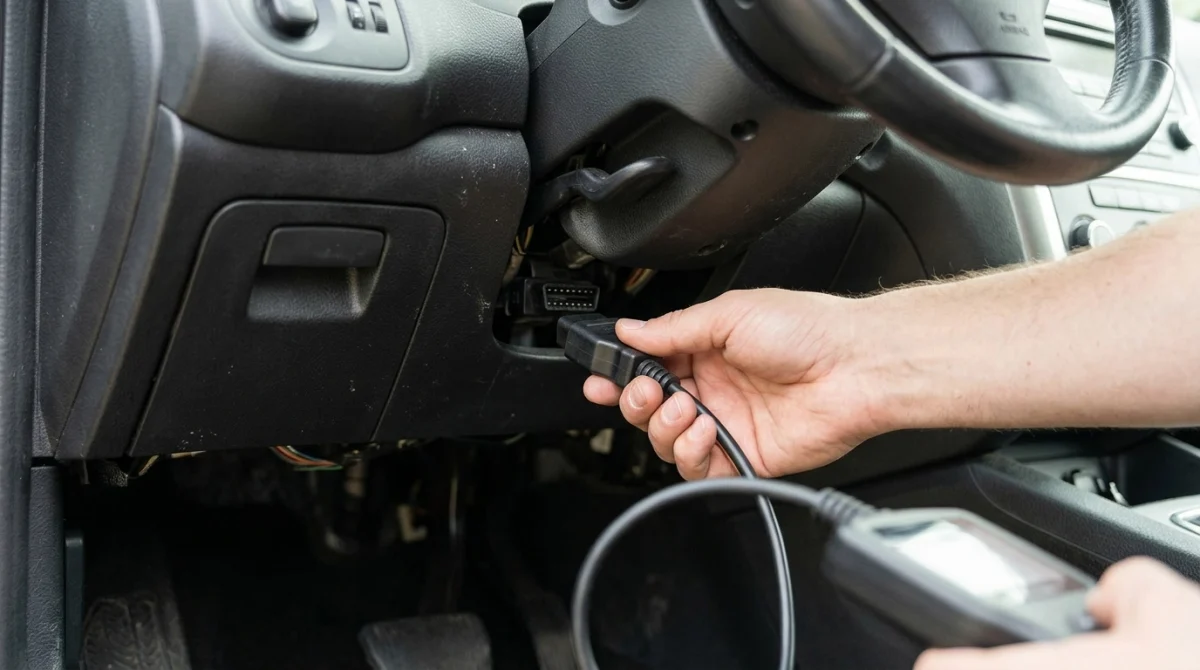
You can usually check emissions readiness in a few minutes with a compatible OBD2 scanner. The exact menu names and ignition instructions vary by scanner and vehicle, so follow the instructions supplied with your equipment.
Step 1: Locate the OBD2 diagnostic port
Find the vehicle’s diagnostic connector, commonly called the data link connector (DLC). On many vehicles, it sits beneath the dashboard near the steering column, although its location can vary.
Consult the owner’s manual if you cannot locate it. Avoid forcing the connector or inserting a plug that does not fit correctly.
Step 2: Connect the scanner
With the vehicle safely parked, connect the scanner to the diagnostic port. Follow the scanner manufacturer’s instructions for whether the ignition should be off or switched on before connection.
Some tools power up directly from the port, while others use a separate power source or communicate through a wireless adapter. Confirm that the tool supports OBD2 readiness information rather than assuming every basic code reader offers the same menus.
Step 3: Establish communication with the vehicle
Switch the ignition to the position specified by the scanner, which often means ignition on with the engine off. Some tools may require a different sequence, so follow their displayed instructions.
Choose the vehicle identification or automatic vehicle-detection option if prompted. If communication fails, check the connector, scanner power, and vehicle-specific instructions before proceeding.
Step 4: Open the I/M Readiness menu
Look for a menu called I/M Readiness, Emissions Readiness, Readiness Monitors, or a similar term. “I/M” stands for inspection and maintenance.
Select the menu and allow the scanner to retrieve the monitor information. Depending on the tool, results may appear as a list, symbols, check marks, or a summary screen.
Step 5: Review each monitor
Read every listed monitor and note its status. Pay particular attention to any monitor marked Not Ready or Incomplete, especially if you have an upcoming inspection.
- Record incomplete items: Write down the names of monitors that have not finished their tests.
- Check trouble codes: Use the scanner’s diagnostic-code menu to look for stored or pending codes.
- Check warning lights: Note whether the check engine light is illuminated.
- Save the results: Photograph or record the screen if you need to discuss it with a technician.
Step 6: Check the result against local requirements
Do not assume that every monitor must be ready on every vehicle or in every jurisdiction. Some inspection programs allow a limited number of incomplete monitors, while the permitted number and exceptions depend on the applicable rules.
For example, California publishes its own OBD test reference and readiness standards. Use the rules that apply to your vehicle’s registration and inspection location rather than relying on a general online checklist.
What Do the Readiness Monitor Statuses Mean?
OBD2 scanners typically report whether a monitor has completed its diagnostic check, remains incomplete, or does not apply to the vehicle. Understanding these labels is more useful than simply looking for a screen full of green check marks.
| Status | What It Means | What to Do |
|---|---|---|
| Ready / Complete | The monitor has completed its self-test. | Check the remaining monitors and any diagnostic codes. |
| Not Ready / Incomplete | The monitor has not completed the required diagnostic check. | Follow the manufacturer’s drive-cycle guidance and rescan. |
| Not Supported | The monitor is not supported or applicable to the vehicle’s configuration, as reported by the system. | Confirm the result against vehicle information and inspection rules. |
Ready does not mean fault-free
A completed monitor means the computer has performed that check; it does not mean every part of the emissions system is guaranteed to be problem-free. A vehicle can have a completed monitor and still have a stored diagnostic code or another issue that needs attention.
Not Ready does not automatically mean a failed component
A monitor may remain incomplete because the vehicle has not experienced the conditions needed to run its test. Recent repairs, battery disconnection, cleared diagnostic codes, or infrequent driving can contribute to incomplete readiness.
However, a monitor that repeatedly refuses to complete can also point to a vehicle-specific fault or another condition preventing the test from running. Diagnosis may be necessary if normal driving and the correct drive cycle do not resolve it.
Which Emissions Readiness Monitors Should You Check?
The monitors available depend on the vehicle’s engine and emissions-control equipment. Common OBD2 readiness checks cover combustion problems, fuel control, catalytic-converter performance, oxygen sensors, and other emissions-related systems.
| Monitor | What It Checks | Why It Matters |
|---|---|---|
| Misfire | Engine misfire conditions. | Misfires can affect emissions and engine operation. |
| Fuel system | Fuel-control operation. | Fuel delivery and mixture control affect combustion and emissions. |
| Comprehensive components | Supported electronic components and circuits monitored by the system. | Faults may affect engine or emissions-system operation. |
| Catalyst | Catalytic-converter performance under monitored conditions. | The catalytic converter helps reduce harmful exhaust pollutants. |
| Oxygen sensor | Operation of supported oxygen sensors. | Sensor feedback helps the engine manage its air-fuel mixture. |
| Heated oxygen sensor | The operation of the oxygen sensor heating system. | Heating helps the sensor reach its operating conditions. |
| EVAP | The evaporative-emissions system, which controls fuel-vapor emissions. | Fuel-vapor leaks or system faults can affect emissions compliance. |
| EGR or secondary air | Applicable exhaust-gas recirculation or secondary-air functions. | These systems help control emissions on vehicles equipped with them. |
Not every vehicle supports every monitor, and some vehicles have additional checks. Diesel engines and hybrid vehicles may report different monitor sets from conventional gasoline vehicles.
Some diagnostic checks operate continuously, while others run only when specific conditions are met. The EPA’s OBD inspection and maintenance guidance explains why monitor completion depends on the vehicle and its operating conditions.
What Should You Do If a Monitor Is Not Ready?
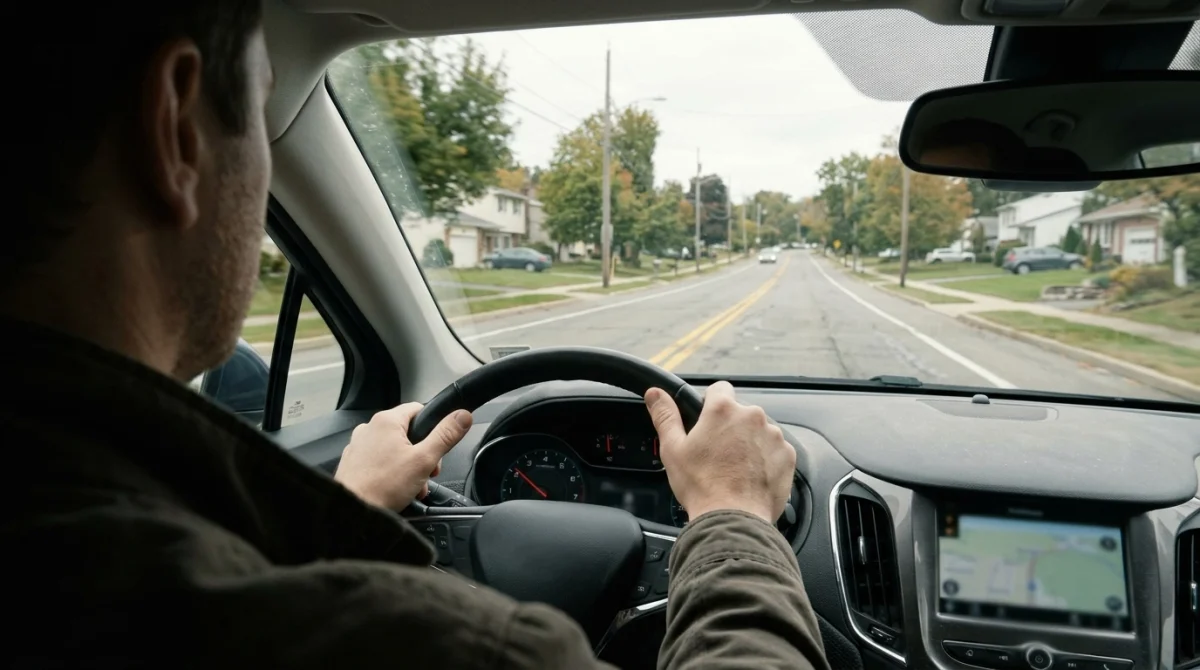
If your OBD2 scanner shows Not Ready, first determine whether the vehicle recently had its battery disconnected, its diagnostic codes cleared, or repairs performed. Then follow the manufacturer’s instructions for completing the monitor rather than trying random driving routines.
1. Check whether diagnostic information was recently reset
Disconnecting the battery or clearing trouble codes can erase readiness information on many vehicles. The computer may need to run its diagnostic checks again before the monitors return to Ready.
A recently reset system is not automatically defective. It does mean you should check readiness again before an emissions inspection.
2. Follow the correct drive cycle
A drive cycle is a pattern of operating conditions that allows particular diagnostic monitors to run. It may involve a cold start, a period of steady driving, changes in speed, or other conditions specified for the vehicle.
- Consult the owner’s manual: Look for emissions-system or OBD readiness instructions.
- Use manufacturer guidance: Seek model-specific service information if the manual does not explain the procedure.
- Drive safely: Follow traffic laws and never attempt a diagnostic driving routine that requires unsafe speeds or distractions.
- Rescan afterward: Check whether the incomplete monitor has completed.
There is no single drive cycle that reliably completes every monitor on every car. Conditions such as engine temperature, fuel level, ambient temperature, speed, and engine load can affect whether a particular test runs.
3. Read trouble codes before clearing anything
If the check engine light is on or the monitor remains incomplete, retrieve the available diagnostic trouble codes. These codes can help narrow down the system that needs attention, although they do not always identify a failed part by themselves.
Do not clear codes just to make the dashboard light go away before testing. Doing so may erase useful diagnostic information and reset readiness monitors, leaving the vehicle less prepared for inspection.
4. Know when to ask a technician
If a monitor remains incomplete after the correct operating conditions, or the scanner reports relevant trouble codes, have the vehicle diagnosed. A qualified technician can check whether a fault, sensor reading, wiring problem, or manufacturer-specific condition is preventing the test from completing.
Technician’s note: The correct drive cycle and diagnostic procedure can vary by make, model, year, and powertrain. Confirm the vehicle-specific requirements before attempting repairs or scheduling a retest.
Does Ready Mean Your Car Will Pass an Emissions Test?
No. Ready means the supported monitor has completed its diagnostic check; it does not certify that the vehicle meets every emissions-inspection requirement.
An inspection result can also depend on trouble codes, the malfunction indicator lamp, applicable monitor exceptions, vehicle eligibility, and local testing rules. A scanner’s readiness screen is one part of the picture.
Use this checklist before an inspection:
- Monitor status: Review every supported readiness monitor.
- Warning light: Check the check engine light and investigate if it is illuminated.
- Diagnostic codes: Read stored and pending codes when supported by your scanner.
- Recent work: Consider whether repairs or a battery reset have cleared readiness information.
- Local standards: Confirm which incomplete monitors, if any, your inspection program permits.
A vehicle with all applicable monitors ready may still fail for another reason. Conversely, a vehicle with an incomplete monitor may be treated differently depending on the inspection program and vehicle eligibility.
As of 2026, local inspection requirements remain the deciding factor. Verify the current rules with your local emissions authority or inspection station instead of relying solely on a generic OBD2 scanner result.
Section takeaway: Use the scanner to confirm monitor completion, but use the applicable inspection rules and diagnostic results to assess whether the vehicle is ready for testing.
Frequently Asked Questions
Can a basic OBD2 scanner check emissions readiness?
Many basic OBD2 scanners include an I/M Readiness or Readiness Monitors function. However, features vary, so check the product documentation before buying a scanner specifically for emissions preparation.
How long does it take for emissions monitors to become ready?
The time varies by vehicle, monitor, driving pattern, and operating conditions. Some checks may complete during ordinary driving, while others need specific conditions or manufacturer-prescribed procedures.
Why does my scanner show Not Ready after replacing the battery?
Disconnecting the battery can erase readiness information on many vehicles. The onboard computer may need to repeat its diagnostic checks during suitable operating conditions before the monitors show Ready again.
Should I clear trouble codes before checking readiness?
No. Read the available codes and monitor statuses first. Clearing codes can erase useful diagnostic information and reset readiness monitors, which may delay your inspection.
Can I pass an emissions inspection with one monitor Not Ready?
Possibly, but it depends on the vehicle and the inspection program’s rules. Some programs allow certain incomplete monitors, while others apply different requirements based on vehicle characteristics and model year.
Does a Ready status mean the catalytic converter is working properly?
A Ready catalyst monitor means the vehicle’s computer completed its applicable catalyst diagnostic check. It does not guarantee that every emissions component is fault-free or that the vehicle will pass all inspection criteria.
What should I do if a monitor never becomes ready?
Confirm the correct drive cycle and check for diagnostic trouble codes. If the monitor still does not complete, consult manufacturer-specific service information or a qualified technician to investigate possible faults or unmet test conditions.
Final Takeaway
Checking emissions readiness with an OBD2 scanner is straightforward once you know where to find the I/M Readiness menu and how to interpret the results. Connect the tool correctly, review every supported monitor, check for trouble codes, and confirm your local inspection requirements.
If a monitor remains Not Ready, use the correct vehicle-specific drive cycle and rescan before your appointment. Avoid clearing codes simply to change the display, and seek professional diagnosis when the monitor will not complete.
Disclosure: This article is for general informational purposes and is not a substitute for vehicle-specific service information or professional diagnosis.
