
10 Best Bidirectional Scan Tool for DIY Car Repair: Top Picks, Features, and Buying Guide

Car repairs have become more accessible for people who want to save money and learn about their cars. A bidirectional scan tool reads and sends commands to a vehicle’s systems, which lets us diagnose problems and test parts without a trip to the shop. These tools range from simple code readers to advanced handheld units that can run active tests, cycle relays, and reset service lights.
When choosing a bidirectional scan tool, you should focus on vehicle coverage, supported protocols, and the tool’s ability to run active tests and bi-directional controls. Ease of use, update frequency, and the quality of diagnostic data and live stream graphs also matter because they affect how quickly we find and verify faults. A good bidirectional scan tool gives accurate live data, reliable active tests, and broad vehicle support so we can confidently diagnose and fix issues ourselves. We tested a range of tools to find the ones that make DIY diagnostics practical and reliable.
Best Bidirectional Scan Tools for DIY Car Repair
Below is our list of the best bidirectional scan tools for DIY car repair. We chose tools that give reliable live data, active tests, and clear step-by-step functions to help you diagnose and fix common problems.
Innova 5610

We recommend this if you want a DIY-friendly bidirectional scan tool that gives dealer-level commands and live data without a big learning curve.
Pros
- Sends bidirectional commands for testing actuators and brakes.
- Clear live data for ABS, SRS, transmission, and engine systems.
- Solid US-based support and free updates.
Cons
- Not universal — check coverage before buying.
- Some advanced features need app setup to work best.
- Larger size than simple code readers.
We used the Innova 5610 on a few mid-2000s and newer cars. It connected quickly to the OBD2 port and showed live streams for engine and ABS without lag. Running a brake actuator test felt like using a shop tool.
The bidirectional controls saved time when we needed to activate the fuel pump and release an electronic parking brake for a service. The menu felt familiar and less flashy than some tablet-style tools, but it did the job reliably.
Using the RepairSolutions2 app added quick repair guidance and wiring info. Setup took a few minutes and the wireless pairing held through a range of basic garage work. Coverage limits mattered on one older import, so we verified compatibility before diving into repairs.
Overall, we found the 5610 practical for DIYers who want more than code reading but don’t need full dealer equipment. It balances ease of use, useful bidirectional tests, and solid support for a reasonable price.
ANCEL DS500BT

We recommend this for DIYers who want a powerful, wireless bidirectional scanner that covers lots of systems and includes lifetime updates.
Pros
- Strong active-test control lets us run and verify components without guessing.
- Covers many vehicle systems and useful service jobs we actually perform.
- Wireless VCI and lifetime updates make it convenient and low cost over time.
Cons
- The tablet UI can feel a bit clunky the first few times we use it.
- Some advanced functions vary by vehicle and may not work on every make.
- Battery life and charger setup require watching during long diagnostics.
We hooked this up to several cars in our garage and liked how the Bluetooth VCI freed us to move around while commanding injectors, fans, and pumps. Running active tests felt direct — we could push a command and see the component respond, which saved time and avoided unnecessary parts swaps.
Accessing full-system data beats a simple code reader. We used engine, ABS, SRS, and transmission scans in one session and appreciated the live data and freeze-frame when hunting intermittent faults. The service functions like oil reset and throttle relearn handled common jobs we do for friends and neighbors.
Using the tablet, we noticed the setup took a little patience at first. Once configured, updates downloaded without extra fees and compatibility checks from support were helpful. For the price, the DS500BT gave us professional-style tools in a package that suits home mechanics and small shops.
Autel MK808Z
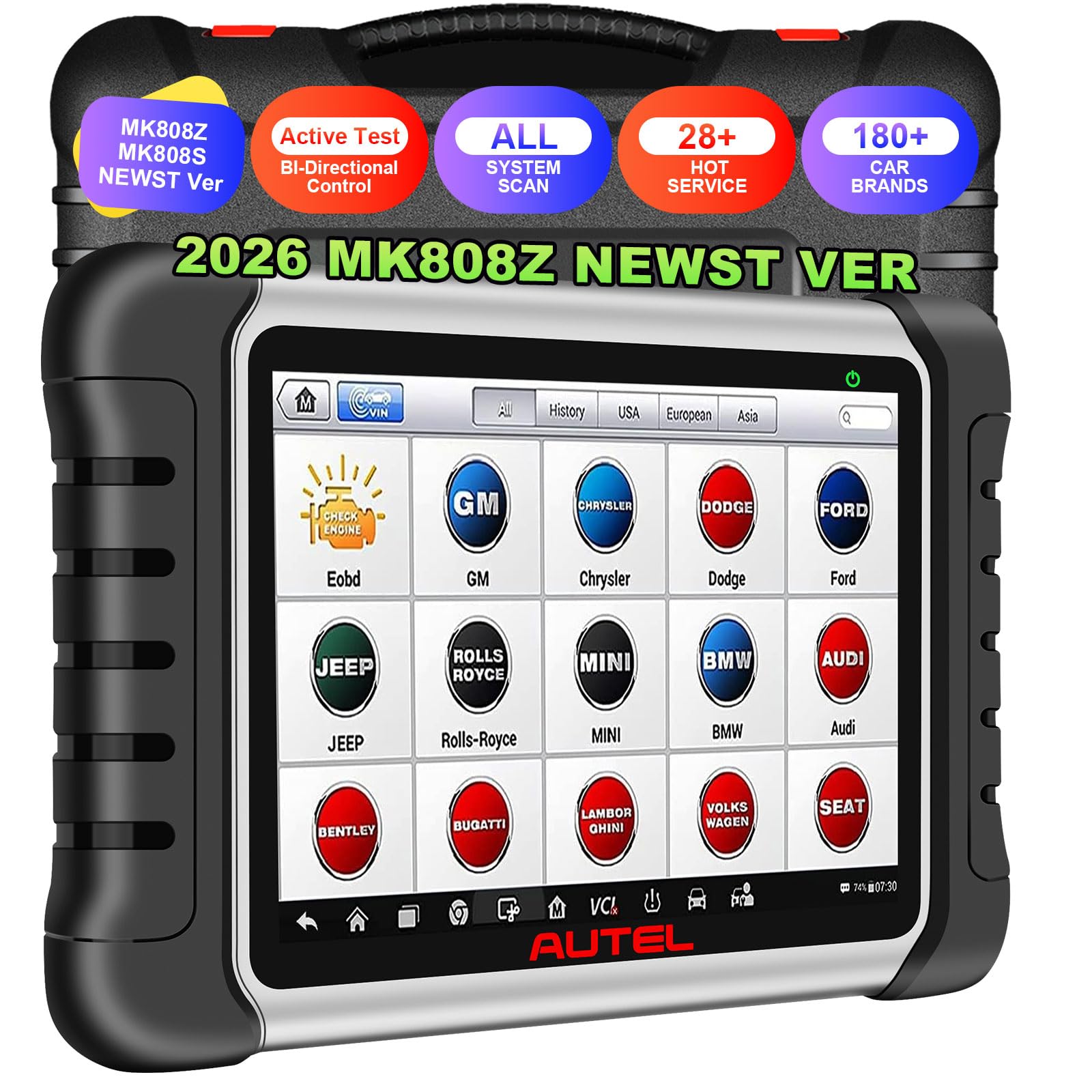
We recommend this if you want OE-level diagnostics and bidirectional tests without paying dealer prices.
Pros
- Deep all-system access feels professional.
- Bidirectional active tests let us confirm parts without taking things apart.
- Plenty of service resets save trips to the shop.
Cons
- Larger tablet can be awkward to handle during some tests.
- Initial setup and updates take time and a steady Wi‑Fi connection.
- Some advanced features require registration and extra steps.
We used the MK808Z on several cars and trucks and it handled complex module scans quickly. Auto-VIN and full-system Auto-Scan gave a fast picture of faults so we knew where to focus. Live data graphs made it easy to watch sensors respond when we ran active tests.
Running bidirectional commands felt solid. We cycled actuators, ran ABS pump and injector tests, and verified door lock triggers without removing panels. That confidence cut diagnostic time and reduced guesswork compared with simple code readers.
Service functions worked as advertised. Oil and EPB resets completed after maintenance, and throttle and crank relearns were straightforward. Expect a bit of patience during the first software updates and when using the FCA SGW features that need account steps.
The hardware is quick and the screen is clear, but the tablet size sometimes gets in the way under the hood. If you need dealer-level access at a DIY price, this tool gives most of it and feels like a real step up for serious home mechanics.
TOPDON AD800BT V2.0

We recommend this tool for serious DIYers who want near-dealer control without the dealer price.
Pros
- Real-time control of components speeds up troubleshooting.
- Covers lots of vehicle systems and many models.
- Wireless use and easy updates keep it current.
Cons
- Menu can feel cluttered the first few times we use it.
- AutoVIN misses on some cars, so we sometimes enter VIN manually.
- It’s heavier than small OBD2 dongles for pocket carry.
We used the AD800BT on several cars in my garage and found the bi-directional tests really helpful. Activating actuators and running resets let us confirm fixes quickly instead of guessing. The live data graphs made it easy to watch changes as we tested parts.
Setup took a few minutes but worked smoothly over Bluetooth. The wireless range meant we could stand back while triggering components. When AutoVIN failed on one older model, manual VIN entry fixed it fast.
The tool felt solid in our hands and survived a few drops on the workbench. Battery life held up for multiple jobs in a day. Updates over Wi-Fi kept new functions coming without fiddly cables.
We did notice the interface can be busy and takes practice to find specific service functions. If you want a true step-up from basic code readers and value active tests, this unit delivers dealer-level features for DIY budgets.
XTOOL A30M (A30M V2.0)

We recommend this if you want a wireless bidirectional tool with many reset functions and lifetime updates for DIY repairs.
Pros
- Strong bidirectional control for active tests.
- Lifetime free app updates—no subscription.
- Handy wireless range lets us work without cables.
Cons
- Some advanced vehicle access (FCA AutoAuth) needs extra registration and fees.
- Service functions vary by car, so not every reset always works.
- App setup and language change require contacting support.
We used the A30M on a few weekend jobs and found it fast to connect over Bluetooth. Running active tests on windows and the A/C clutch worked smoothly from across the garage, which saved us time moving around the car.
The live-data graphing for up to eight streams gave clear trends while we tested sensors during warm-up. That view helped us spot a slow-response throttle issue that basic code readers missed.
Setting up special services was a mixed bag. Oil and EPB resets ran fine on most cars we tried, but FCA-authorized functions required extra steps and a separate account payment for Chrysler/Jeep/Dodge models.
Overall, this unit feels built for DIY mechanics who want near-shop capability without subscriptions. It won’t replace dealer-level access for some makes, but for routine resets and active tests it proved very useful and cost-effective for our home repairs.
TOPDON ArtiDiag900 Lite

We recommend this when you want a solid bidirectional scanner that handles full-system checks and active tests without a steep learning curve.
Pros
- Fast wireless connection and real bidirectional commands.
- Long battery life and a responsive touchscreen that makes testing easier.
- Wide system coverage and useful reset services for DIY maintenance.
Cons
- Large tablet feels bulky in tight engine bays.
- Some advanced features need optional adapters or extra setup.
- Occasional software quirks during updates require patience.
We used the ArtiDiag900 Lite on a few cars and liked how quickly it paired via Bluetooth. The live data and active tests responded when we cycled actuators, which helped us pinpoint a bad coolant pump motor in one session.
Navigating menus felt familiar thanks to Android 11 and the 8-inch screen, but the unit’s size sometimes kept us from getting close to the fuse box or under dash connectors. Battery life lasted through a long diagnostic day, which spared us from hunting outlets mid-job.
Running resets and service functions handled routine tasks like oil reset and steering angle calibration without calling a shop. Updates added vehicle coverage over time, though a couple of updates needed extra patience and a stable Wi-Fi connection.
Overall, we found the TOPDON ArtiDiag900 Lite a practical choice for serious DIYers who want real active testing and broad system coverage without paying dealer prices.
XTOOL D7
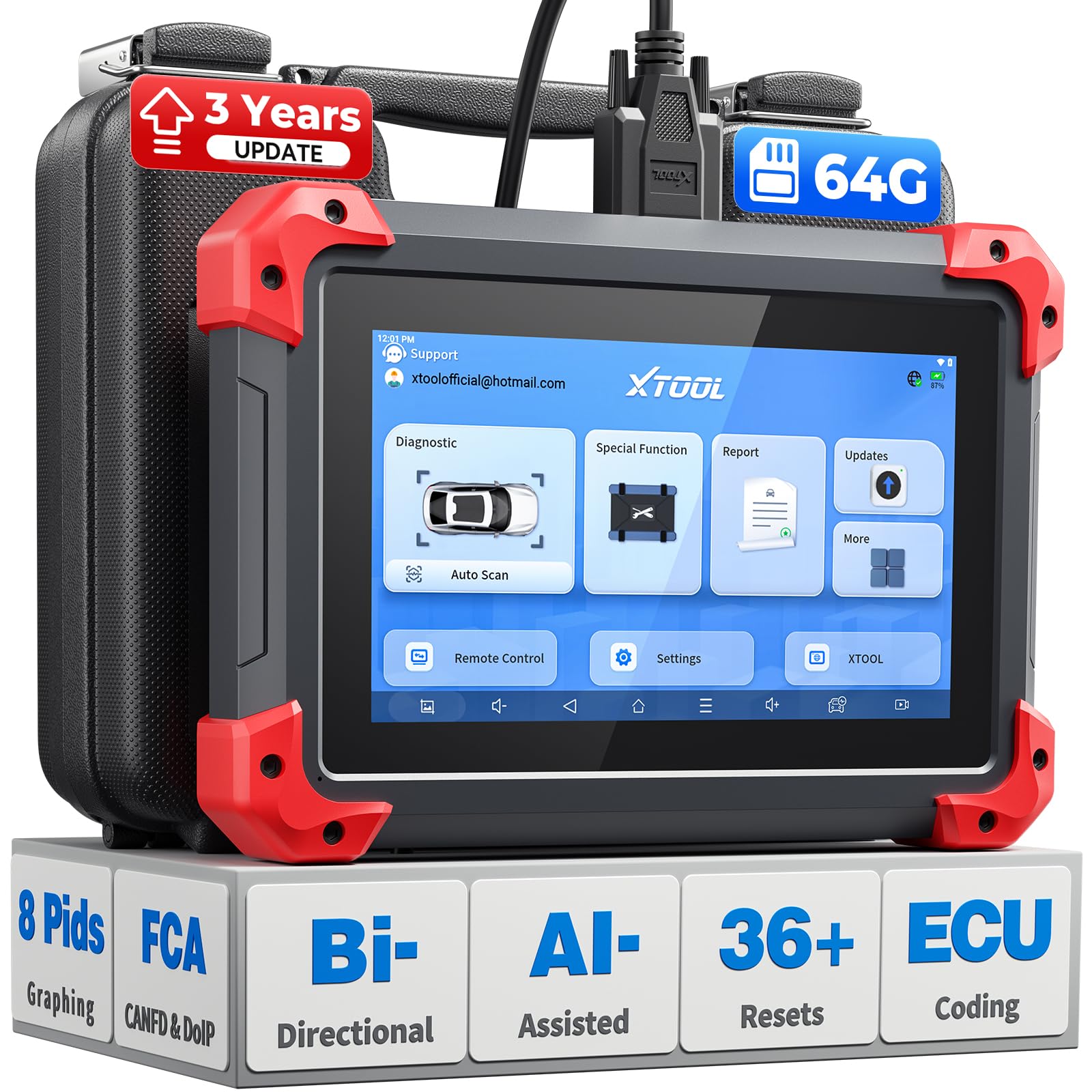
We recommend this for DIYers who want pro-level bidirectional tests without paying pro prices because it gives deep control and solid real-world value.
Pros
- True bidirectional control for active tests
- Fast, smooth operation with larger storage and long battery
- Covers many systems and offers lots of useful resets
Cons
- Interface can feel busy the first few uses
- Some advanced functions need learning or vehicle-specific steps
- Occasional updates and car compatibility checks required
We used the D7 on a couple of family cars and a shop loaner. Running an OE-style full system scan felt familiar, and commanding an actuator (fan on/off, injector pulse) showed immediate, clear responses on the live data. The eight-graph view helped us spot a slow-building sensor drift that a simple code reader would miss.
Setting up Wi-Fi, pairing, and the first update took a little time but then the unit ran smoothly. Battery life lasted a full day of testing in the garage, and the fast charge got it back to work quickly. We liked that the tool warned battery voltage before running heavy tests; that prevented one low-voltage hiccup.
We leaned on the D7 for routine resets like TPMS and throttle relearns and found those routines straightforward. More advanced tasks, such as FCA AutoAuth or DOIP checks, required patience and a读tle trial-and-error with vehicle setups, yet they worked when done correctly. Overall, it handled both quick DIY jobs and deeper troubleshooting with confidence.
Buy it if you want a hand-held scanner that steps up from basic readers and lets us run real bidirectional diagnostics without expensive shop time: XTOOL D7 on Amazon.
TOPDON ONE
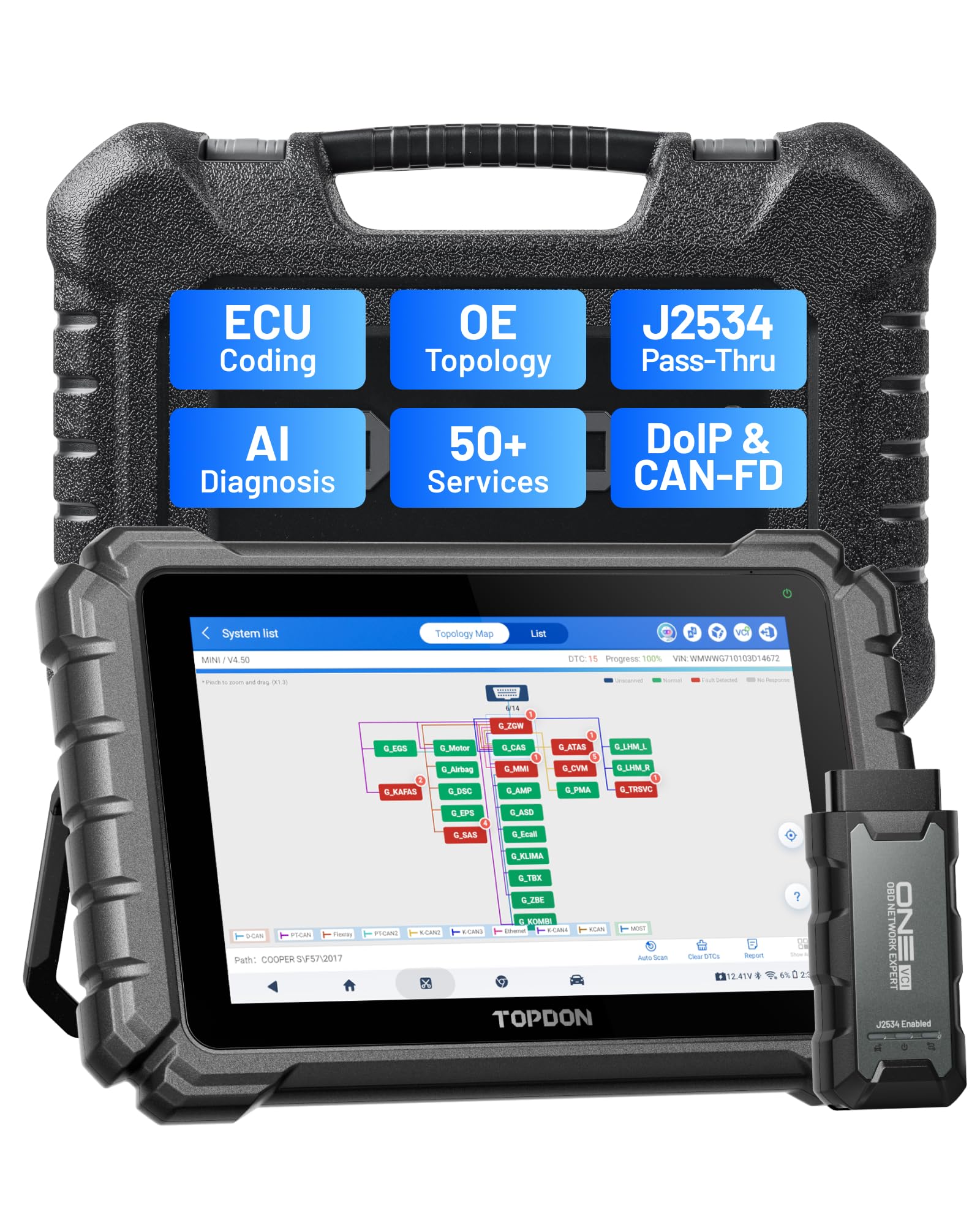
We recommend this if you want dealer-level bi-directional tools for a DIY garage without buying factory equipment.
Pros
- Fast touchscreen and Wi-Fi make scans quick and easy.
- J2534 pass-thru and ECU coding give dealer-style control.
- Topfix AI and topology maps cut down guesswork on complex faults.
Cons
- Learning curve for advanced coding and guided services.
- Subscription needed for the latest car coverage.
- Tablet size and price may be overkill for very small jobs.
We used the TOPDON ONE on several modern cars and found the screen and wireless link made setup painless. The 10.1″ display feels like using a phone but bigger, so reading live data and maps was simple while working under a hood.
We ran active tests and tried basic bi-directional commands. The tool responded smoothly and let us actuate components and run service resets without hunting through menus. J2534 pass-thru worked when we paired it with OEM software for a module reflash on one test vehicle.
Coding and topology mapping impressed us most. Mapping showed which ECUs talked to each other, which saved time when a module lost communication. The Topfix AI gave clear fault causes and wiring tips that matched what we found during hands-on checks.
Expect some setup time if you want to use coding or dealer-level functions. We had to read a few guides and follow prompts to avoid mistakes. Keeping an active subscription matters for newer cars; without it, core diagnostics still work but newer vehicle protocols won’t be added.
If you want a serious, shop-capable tool for DIY or small-shop work, the TOPDON ONE feels like a professional step up that actually performs in real use.
MUCAR 892BT
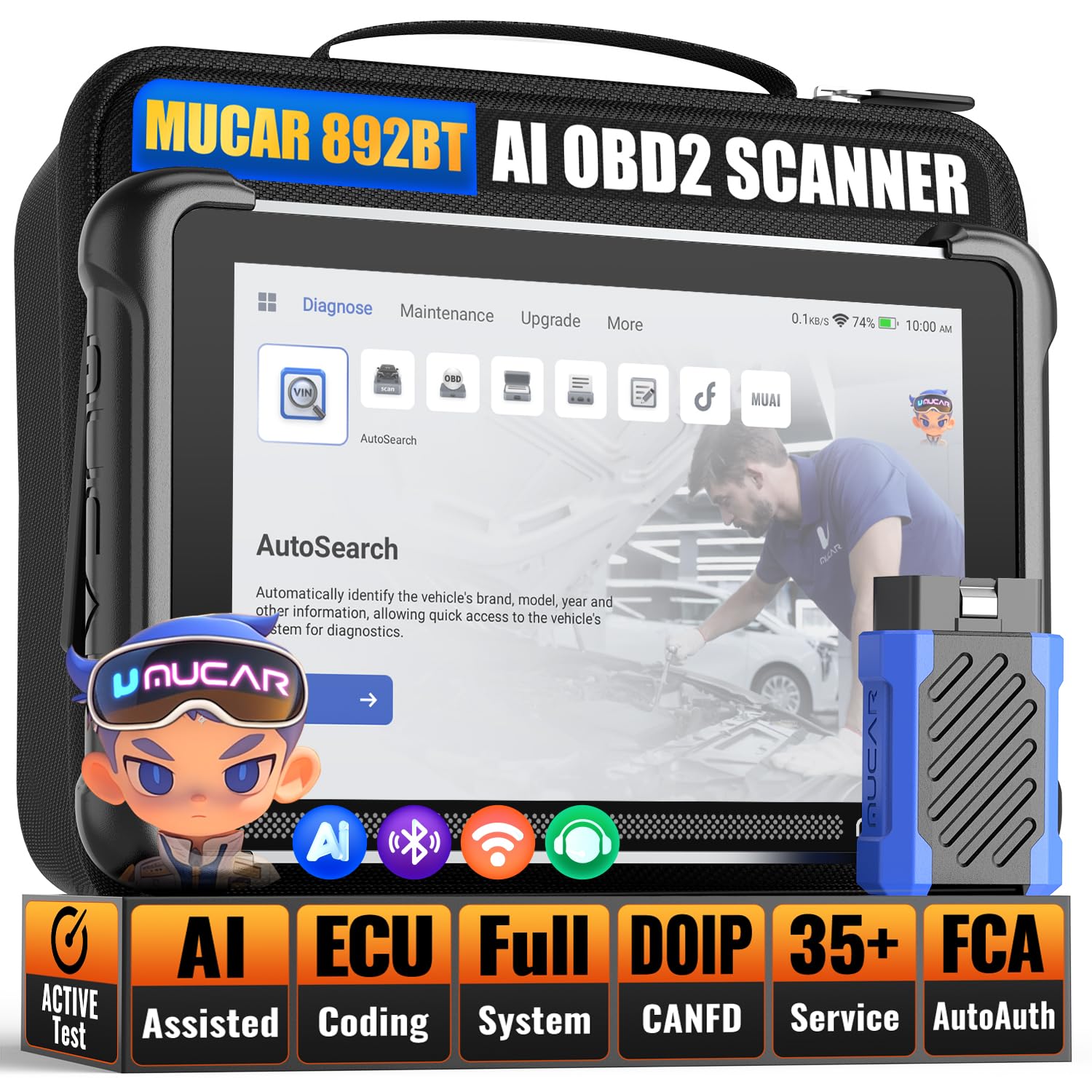
We recommend this if you want a fast, full-featured bidirectional scanner that feels like a shop tool but stays easy enough for DIY use.
Pros
- Fast performance and big screen make reading data and running tests simple.
- Bi-directional controls let us activate parts to confirm repairs on the spot.
- AI help and wide vehicle coverage speed up troubleshooting for both hobbyists and pros.
Cons
- Advanced features like ECU coding need care and can be risky without experience.
- The Android interface sometimes feels cluttered compared with simpler handheld units.
- Battery-powered use limits long sessions unless you keep a charger handy.
We used the 8-inch screen in bright daylight and found live data easy to scan at a glance. The tablet felt responsive when we opened menus and launched tests, and the quad-core hardware cut down lag during multi-tasking.
Running active tests impressed us — commanding actuators and watching immediate responses made it easy to confirm sensor or actuator faults. The AI-assisted fault guidance gave step-by-step tips that saved time on tricky codes, especially when we were working without a service manual.
The full-system coverage helped when we checked ABS and SRS systems on different cars in the garage. We did notice the interface can hide some advanced settings behind menus, so take time to explore before using ECU coding. Overall, this unit pairs pro-level capability with DIY-friendly handling, but respect the coding tools and keep a charger nearby.
TopScan Lite (TOPDON)

We recommend this for DIYers who want a powerful, phone-driven bidirectional tool that saves time on troubleshooting.
Pros
- Sends commands to actuators so we can see faults without disassembly
- Covers nearly all systems and a wide range of vehicles
- Helpful AI repair guidance and one-year advanced features included
Cons
- Advanced features require a paid subscription after the first year
- Some features need separate account access for gateway unlocks
- Bluetooth reliability can vary by phone and car
We plugged TopScan Lite into several cars and used our phone as the interface. It felt fast to connect and we could trigger fans, injectors, and lights to confirm which parts failed. That saved us a lot of guessing and prevented unnecessary teardown.
The app scans every system and shows live data in clear lists. We liked seeing a full health report and following TopFix steps when a code popped up. The one-year free access to advanced controls gave us time to test deep functions before deciding whether to subscribe.
Using resets and maintenance functions was straightforward for routine jobs like oil and ABS resets. On one project, the FCA gateway unlock let us access deeper diagnostics after we set up the required account. Bluetooth dropped once on an older phone, so we switched devices and it worked better.
Overall, the tool feels like something a home mechanic can rely on for detailed tests and guided fixes, as long as we accept the potential need for a subscription later.
Buying Guide
We look for tools that match our skill level and vehicle needs. Start by checking compatibility: make sure the tool supports your car’s make, model, and year.
We want bidirectional control and live data. Bidirectional means we can activate components and run tests, not just read codes. Live data helps us watch sensors and systems in real time.
We check supported protocols and update options. Tools that receive regular firmware or app updates will stay useful as cars change. Also note whether updates are free or paid.
We compare user interface and ease of use. A clear screen and simple menus help us work faster. Touchscreens and mobile app links can be handy but should not be required for basic functions.
We evaluate connection type and reliability. Wired OBD-II connections are stable; Bluetooth or Wi‑Fi give mobility. Battery life and antenna range matter if we use wireless modes.
We consider coverage of advanced functions. Look for the ability to run module coding, adaptations, active tests, and bi-directional commands for ABS, transmission, and other systems. Verify which functions are available for your specific vehicle before buying.
We weigh build quality and support. Durable housing and reliable connectors reduce failure. Good technical support, manuals, and tutorial resources help us troubleshoot.
We balance price and features. Choose the tool that gives the most useful functions for our typical repairs. Factor in warranty, update costs, and accessory needs.
| Feature to Check | Why it matters |
|---|---|
| Vehicle compatibility | Ensures functions work on our car |
| Bidirectional tests | Lets us activate and test components |
| Live data & graphing | Helps diagnose sensor issues |
| Update policy | Keeps tool current with new vehicles |
| Connection type | Affects convenience and reliability |
| Support & documentation | Helps when we run into problems |
Editor’s Choice
We picked the Autel MaxiCOM MK808BT as our top bidirectional scan tool for DIY repair. It balances professional-level functions with an easy interface, letting us run active tests, control actuators, and perform service resets without a shop visit.
The MK808BT connects wirelessly to its tablet and gives clear menus and live data graphs. It covers most OBD2 protocols and many special functions like ABS bleeding, DPF regeneration, and injector coding.
We liked the guided tests and one-touch fixes that reduce guesswork. The tool stores freeze frames and records data for later review, which helps us track intermittent faults and verify repairs.
Key features we value:
- Bidirectional control for active tests and component cycling
- Wide vehicle coverage for domestic and many import cars
- User-friendly tablet with clear visuals and touch controls
- Service functions for common DIY tasks
The MK808BT is not the cheapest, but it gives strong value for serious DIYers. It fits a garage toolset where we want reliable diagnostics and the ability to command systems, not just read codes.
Conclusion
We picked bidirectional scan tools that give the most value for DIYers. They let us read and clear codes, run active tests, and perform basic ECU functions without a shop visit. That saves time and money on routine repairs.
We recommend choosing a tool that matches our skill level and vehicle needs. For simple troubleshooting, a compact Bluetooth scanner works well. For deeper work, a handheld unit with bi-directional control is worth the extra cost.
We suggest checking for frequent software updates and good customer support. These keep the tool working with newer models and help when we hit confusing error codes. Warranty and return policies matter for peace of mind.
We advise balancing features against budget. Don’t pay for advanced dealer-only functions unless we need them. Focus on reliability, ease of use, and clear documentation.
Quick checklist:
- Bi-directional tests for active component checks
- Regular software updates and broad vehicle coverage
- Good support, clear manuals, and reasonable warranty
We believe the right tool makes DIY repairs safer and more effective. Choosing carefully helps us fix cars faster and with more confidence.
FAQS
What is a bidirectional scan tool and why do we need one?
A bidirectional scan tool can send commands to a vehicle’s modules and read data. We use it to test parts like fuel pumps, relays, and actuators without disassembly.
Can we use these tools on any car?
Most tools work on many makes and models, but compatibility varies. Always check the tool’s supported vehicle list before buying.
Do we need special training to use one?
Basic functions are easy for DIYers to learn. For advanced bidirectional commands, we suggest reading the manual and watching trusted tutorials.
Are professional-level features worth the extra cost?
They help when we work on complex problems or modern vehicles. If we only do simple fixes, a mid-range tool usually covers our needs.
How do we choose the right tool for our garage?
Look for vehicle coverage, bi-directional functions, software updates, and ease of use. Consider handheld vs. tablet-style units and whether we prefer a wireless or wired connection.
How often should we update the tool’s software?
Install updates when available to keep compatibility and add features. We should update before diagnosing a new vehicle model.
Is it safe to run active tests on a running engine?
Active tests can be safe if we follow the tool’s instructions carefully. We must take precautions to avoid moving parts and electrical hazards.
Where can we find reliable reviews and support?
Check trusted automotive forums, independent review sites, and the manufacturer’s support pages. We prefer sources with clear test results and repeatable procedures.
