
Best Bluetooth OBD2 Scanner for Freeze Frame Data: Top Picks and Buying Guide

Bluetooth OBD2 scanners let drivers read a car’s trouble codes, view live sensor data, and clear faults without a trip to the shop. Freeze frame data records the exact sensor values when a fault occurred, which helps pinpoint intermittent issues and the conditions that triggered a check-engine light. For drivers who want clear diagnostics at home or on the road, a Bluetooth OBD2 scanner that captures reliable freeze frame data is often the most useful tool.
Buyers should focus on compatibility with their vehicle’s protocol, the scanner app’s ability to display and export freeze frame snapshots, and the speed and stability of the Bluetooth connection. A scanner that reliably captures and exports complete freeze frame data across a wide range of car makes and apps gives the most useful insight into intermittent and hard-to-reproduce problems. The next sections list top picks, explain why they stand out, and cover what to look for when choosing the best Bluetooth OBD2 scanner for freeze frame data.
Best Bluetooth OBD2 Scanners for Freeze Frame Data
Below is a concise list of top Bluetooth OBD2 scanners that reliably capture freeze frame data. The picks focus on accuracy, app compatibility, and ease of use for technicians and DIYers.
OBDLink MX+

It is worth buying for anyone who wants reliable freeze frame data and wide app support across phones and PCs.
Pros
- Fast, stable Bluetooth connection with no dropouts.
- Works with many apps for deep freeze frame and live data.
- Built-in safety features protect the car battery and electronics.
Cons
- Manufacturer app has limited features compared with third-party apps.
- A bit pricier than basic dongles.
- Some niche vehicle apps may need extra setup.
The MX+ felt solid and light in hand when plugged into the car. It paired quickly with a phone and stayed connected through long drives while capturing freeze frame snapshots.
Using it with Torque and FORScan delivered detailed freeze frame records that matched what a shop scanner showed. It pulled extra live parameters beyond basic OBD-II, which made diagnosing intermittent faults much easier.
They will like the built-in voltage and battery protections, because it reduced worry about leaving the dongle plugged in. Setup was mostly plug-and-play, though the factory app lacked some tuning and logging features that third-party tools provide.
BlueDriver Pro

BlueDriver Pro is worth buying for someone who wants reliable freeze frame data and mechanic-level diagnostics without a subscription.
Pros
- Delivers clear freeze frame and live data the moment a fault appears.
- Easy Bluetooth setup and stable connection with phone apps.
- Includes repair reports and possible fixes inside the app.
Cons
- Some advanced features vary by vehicle make and model.
- Keeps a constant plug-in presence if you want instant access.
- Occasional pairing hiccups on older phones before contacting support.
They used the BlueDriver Pro on multiple cars and found the freeze frame captures accurate and fast. It saved snapshots of engine conditions when codes tripped, which made diagnosing intermittent faults much easier.
The app laid out freeze frame values and live PID streams in plain terms. Reading the repair reports felt like getting a quick mechanic consult, and the suggested fixes helped decide whether to DIY or see a shop.
Connecting was mostly simple; Bluetooth paired quickly and stayed linked during drives. When one phone acted up, support walked through pairing steps and resolved it without extra fees.
For someone who wants regular access to freeze frame data and clear guidance, this tool performs like a compact professional scanner without ongoing costs.
UMEIJA V011 OBD2 Scanner
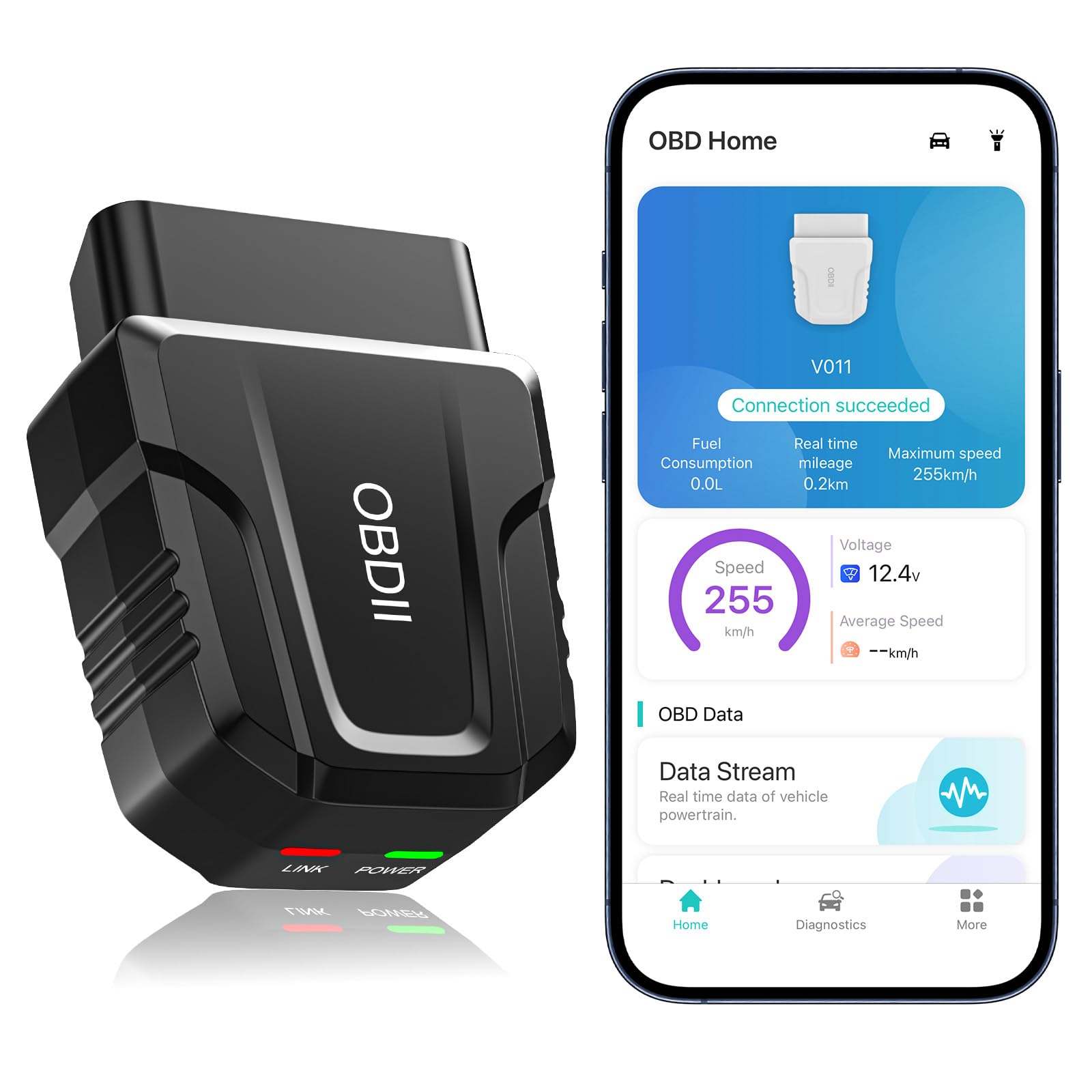
It’s a solid buy for shoppers who want quick freeze frame reads and live data without spending much.
Pros
- Fast Bluetooth pairing and steady live-data streaming.
- Clear freeze frame and chart visuals that help spot issues.
- Works with most cars and a simple app for novices.
Cons
- App is tied to one specific app ecosystem (OBD Home) which can be limiting.
- Some features need the car running and phone Bluetooth set right to work.
- Short warranty and basic build quality compared with pro tools.
The reviewer plugged this into several late-model cars and found freeze frame captures came up fast when a fault was present. It showed timestamped sensor values and RPM, which made recreating fault conditions easier.
They liked the charts and saved reports. Watching live coolant temp and speed in real time helped confirm intermittent problems without a shop trip.
Connecting on Android was nearly instant and stayed stable while driving. On iPhone it auto-connected through the app, but required the app workflow rather than manual Bluetooth pairing.
Overall, it hands a lot of diagnostic value for a low price and makes freeze frame data easy to read for DIYers, though serious techs may want a more rugged scanner.
Veepeak OBDCheck BLE

It is a solid choice for someone who wants reliable freeze frame data and basic OBD-II checks without paying for pro-level tools.
Pros
- Reads and shows freeze frame and live sensor data quickly.
- Easy Bluetooth LE connection when using the right app.
- Small, rugged unit with a handy carrying case.
Cons
- Needs a third-party app to work; some apps charge for features.
- Does not support advanced ABS/SRS or many manufacturer-specific functions.
- iOS pairing must be done inside the app, which can confuse some users.
They plugged the Veepeak into a 2010 sedan and pulled freeze frame info in under a minute. The Car Scanner app showed the stored snapshot and live sensors clearly, which helped narrow down a misfire code fast.
It paired with an Android phone smoothly using Bluetooth LE and stayed connected during a short road test. The device felt solid in the hand and fit neatly in the little case when stored.
Some features did not work on that older hybrid and a few newer models because the adapter only covers generic OBD-II. If someone needs ABS, SRS, or deep manufacturer data, this unit will not meet those needs.
Autel AL319

It is a solid pick for buyers who want quick freeze frame reads and simple check engine troubleshooting without a phone app.
Pros
- Easy plug-and-play use that gets freeze frame data fast.
- Clear color screen and one-button I/M readiness make checks straightforward.
- Durable cable and no batteries required for reliable field use.
Cons
- Limited advanced features compared with Bluetooth apps and pro tools.
- Small screen can feel cramped when browsing live data.
- Not ideal for deep diagnostics or manufacturer-specific codes.
They plugged the AL319 into the OBD port and had freeze frame data on screen within seconds. The unit showed the exact data snapshot that occurred when the fault tripped, which made pinpointing intermittent issues much faster than guessing from the CEL alone.
He liked how the AL319 worked without a smartphone. The color TFT display and simple menu let him scroll freeze frame parameters and DTC descriptions right on the device. That saved time when testing on the roadside or in a driveway.
She found the reader sturdy and easy to hand around. The cable length hit a sweet spot—long enough to reach under dash without tangling. For routine checks and clearing codes, it handled the job with no fuss.
They noticed limits when pushing it harder. Live-data lists felt tight on the small screen and it lacked the deep manufacturer-specific tests a shop tool would offer. Still, for owners who need reliable freeze frame capture and basic diagnostics, this is a practical, no-frills choice.
Rocco OBD2 Scanner
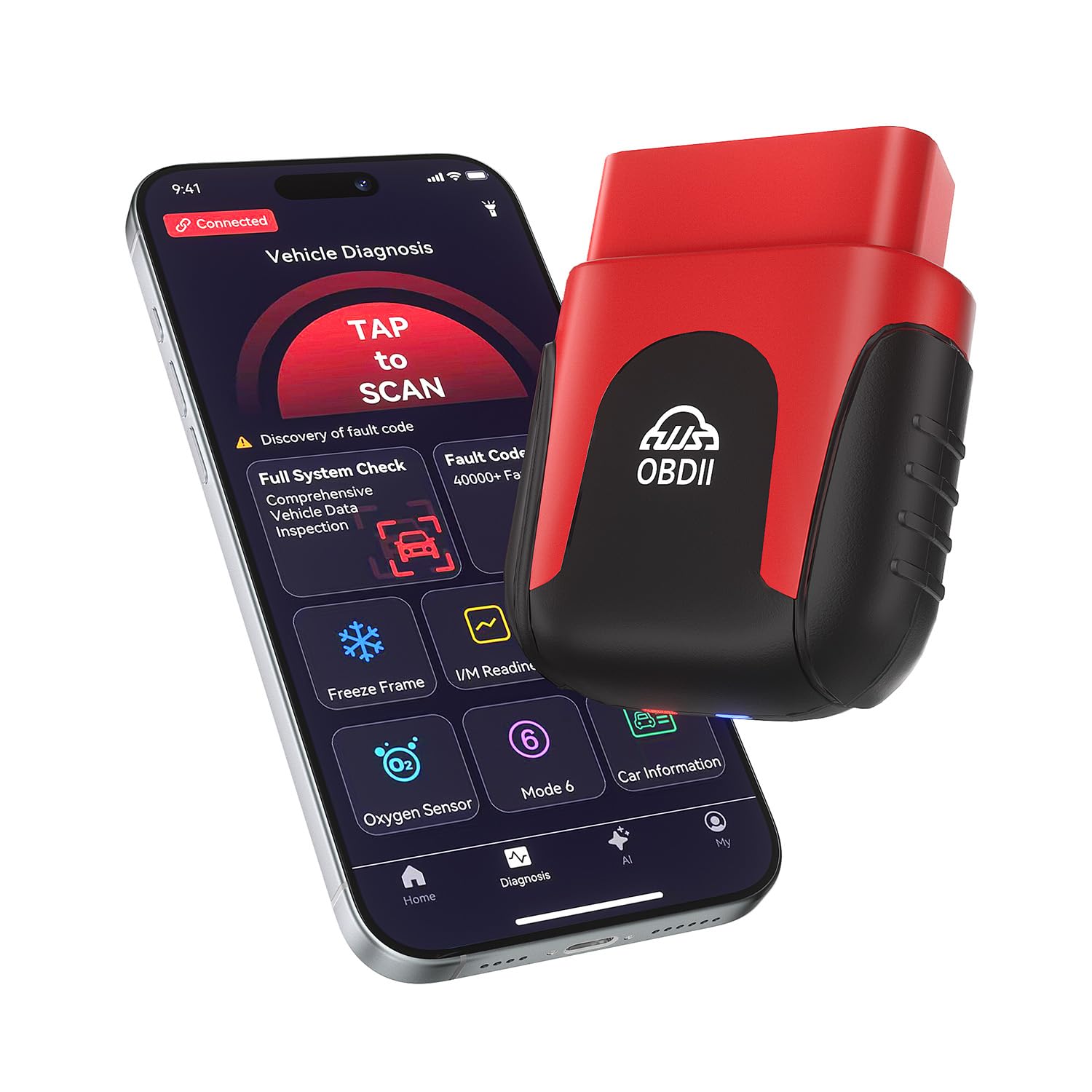
Rocco is worth buying if you want fast freeze frame data and clear, AI-powered explanations without paying subscription fees.
Pros
- Very small and easy to leave plugged in.
- AI reports make freeze frame data easier to understand.
- Quick Bluetooth connection and clear real-time graphs.
Cons
- Some advanced data can feel simplified for tech-savvy users.
- App explanations may not match every unusual vehicle symptom.
- Occasional app hiccups reported on older phones.
The scanner fit into the car like it belonged there. It paired with a phone in seconds and stayed connected while driving. Freeze frame captures showed the exact engine state when codes triggered, which helped spot intermittent problems.
Using the app felt like having a mechanic talk plainly. Live graphs for RPM and coolant temp updated smoothly, and the AI report translated messy data into clear repair suggestions. Clearing the check engine light after a minor fix worked the first time.
It handled my older vehicle and a newer SUV without fuss. The device stayed tiny and unobtrusive in the OBD2 port. For someone who wants quick freeze frame reads and user-friendly guidance, this tool does the job well.
Buy Rocco OBD2 Scanner on Amazon
TopScan Lite (TOPDON)

It’s a solid pick for DIYers who want full freeze frame data and bi-directional tests, but expect to pay for advanced features after the first year.
Pros
- Shows detailed live and freeze frame data like a shop tool.
- Bi-directional tests let you pulse components without taking parts apart.
- Covers many vehicle systems and includes step-by-step repair guidance.
Cons
- Advanced features switch to paid subscription after year one.
- Some users find the app and updates confusing at first.
- Occasional model-specific limits mean not every reset works on every car.
They plugged the dongle into the port and paired it with a phone quickly; the app pulled freeze frame and live data that matched what the vehicle was doing at the time of a fault. Viewing saved freeze frames made it easy to see engine conditions at the moment a code set.
During guided tests they sent commands to the ECU and watched injectors and fans respond. That bi-directional control helped confirm which component failed without removing parts or guessing at causes.
Using the TopFix repair tips saved time when tracking probable fixes. The tool felt like a compact diagnostic box you can carry in a glove compartment, but the app’s advanced tools required a subscription after the free first year to keep all functions active.
ANCEL AD310

It’s a solid buy for someone who wants fast freeze frame and CEL info without a phone app.
Pros
- Simple, plug-and-play use that pulls freeze frame data quickly.
- Sturdy build and long, flexible cable that survives garage work.
- No batteries or app needed—powers from the car and shows results on the unit.
Cons
- Only reads emission-related (OBD-II) codes, not full system diagnostics.
- No Bluetooth—can’t send live data wirelessly to a phone.
- Limited to vehicles with OBD-II ports (no OBD-I support).
The AD310 felt like a tool made for quick backyard diagnostics. It gave freeze frame values and codes in seconds and the screen was easy to read while kneeling by the engine. The cable held up when the scanner sat on the fender, so it didn’t feel flimsy during use.
It saved time when checking a Check Engine Light. The unit showed the stored freeze frame and I could clear codes after fixing the issue. If someone just needs emission codes and freeze frame snapshots, it works reliably every time.
Users who want wireless data logging or deeper module scans will find it limited. Mechanics needing ABS, airbag, or manufacturer-specific codes will want a different tool. For basic CEL troubleshooting and quick freeze frame reads, this is a dependable, low-cost option.
Veepeak OBDCheck BLE+

It is a solid buy for someone who wants quick freeze frame reads and basic diagnostics using a phone app.
Pros
- Easy to plug in and connect with common apps.
- Shows freeze frame and live sensor data reliably.
- Works on both iOS and Android with Bluetooth LE.
Cons
- Needs a third-party app for most features.
- Advanced car systems may not be supported.
- Some app functions require extra purchases.
They plugged the Veepeak into the OBD-II port and opened Car Scanner. The unit paired quickly with Bluetooth LE and started streaming live data. Freeze frame snapshots looked accurate and helped identify a running condition that triggered the check engine light.
Using it felt straightforward during road tests. Reading and clearing trouble codes took under a minute. Battery registration and simple resets worked on recent cars they tried, but more advanced tasks were blocked by app or vehicle limits.
They noted a caveat: the scanner relies on the app for features. Some apps give more data and cost extra. For deep ABS, SRS, or manufacturer-specific functions, this tool rarely handles them alone.
Overall, it performed like a reliable basic scan tool for freeze frame data and everyday diagnostics, as long as the buyer plans to use a compatible third-party app.
BluSon YM319
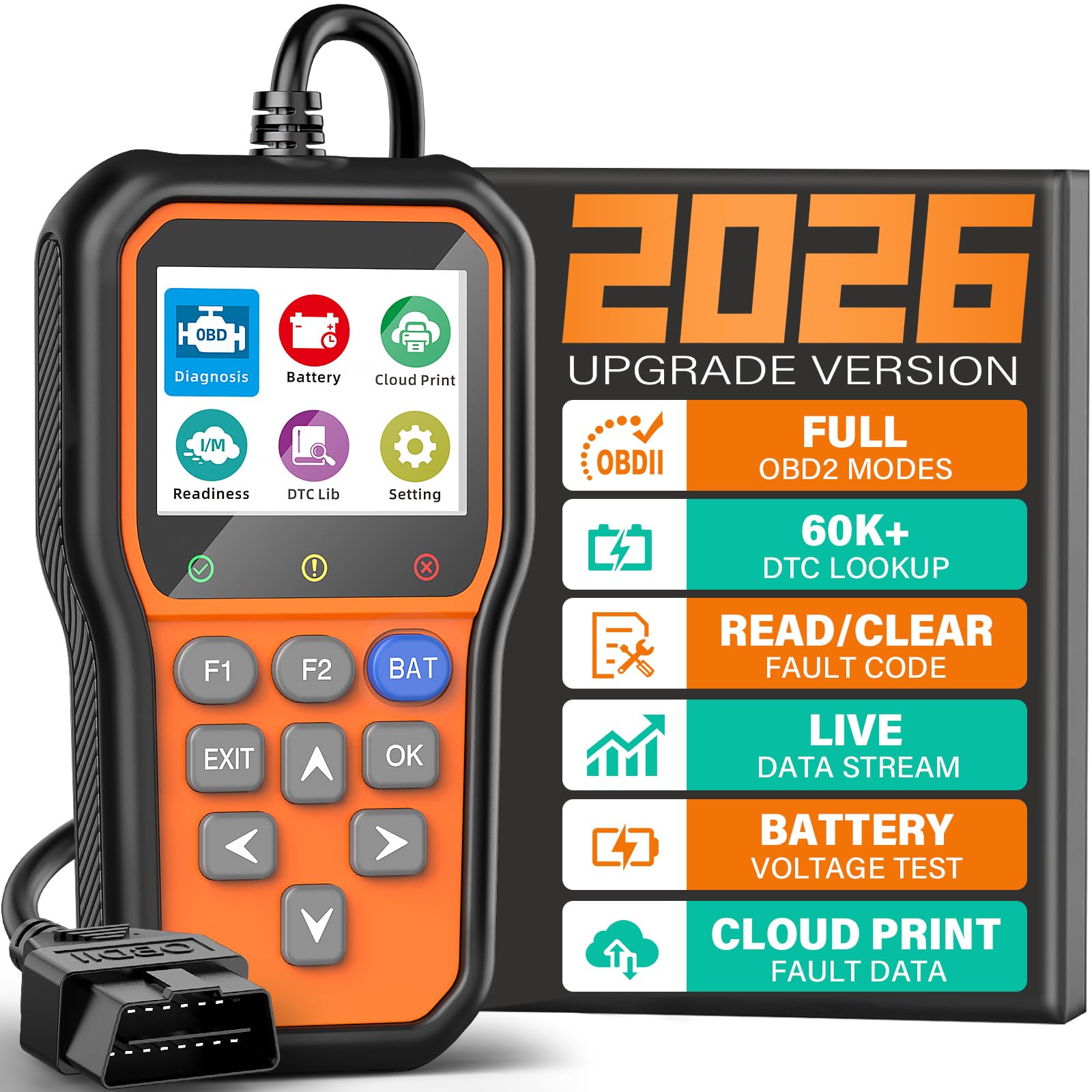
This is a solid buy for someone who needs reliable freeze frame data and easy code reads without paying for a pro-level tool.
Pros
- Reads and clears engine codes quickly.
- Shows freeze frame and live data for intermittent faults.
- One-click battery check helps avoid unexpected failures.
Cons
- Only reads engine system—no ABS, SRS, or transmission coverage.
- Small screen can feel cramped when viewing graphs.
- Not Bluetooth; requires a wired plug-in connection.
The reviewer used this in the driveway on two different cars and found it straightforward. It boots instantly when plugged in and displays freeze frame snapshots clearly, which made tracking an intermittent misfire much easier.
They liked the live data plotting and cloud printing. Capturing a sensor spike and sending a report to a mechanic took minutes and removed guesswork from the diagnosis.
Battery health checks gave useful alerts during a long start-up test. The one-click BAT check spotted a weak battery that later failed a load test, saving time and a tow.
Buttons and shortcuts speed routine tasks. The F1/F2 keys let them jump straight to code reading and clearing, which felt faster than scrolling menus on similar cheap scanners.
Users should note limits: it diagnoses only engine codes, so problems with ABS or airbags need a different tool. Also, the wired connection means no phone app pairing, which some may prefer.
Overall, it performs like a dependable entry-level scanner for freezing frame data and basic diagnostics, especially for DIYers who want clear live data and quick reports.
Buying Guide
What to look for
They should check freeze frame capability first. Freeze frame stores sensor data at the moment a fault occurred. Make sure the scanner captures and displays that data clearly.
They should confirm protocol support. The scanner must handle common OBD2 protocols for the vehicle. Without the right protocol, freeze frame data may be incomplete or unavailable.
Connectivity and app quality
They should prefer stable Bluetooth version and low pairing issues. A good app shows freeze frame fields in plain labels and lets users export data. Look for apps with regular updates and clear instructions.
Data detail and formatting
They should verify which freeze frame parameters the scanner shows. Important fields include engine RPM, vehicle speed, fuel trim, and coolant temp. Clear numeric values and timestamps matter.
Diagnostic depth and features
They should assess whether the scanner reads pending and stored codes as well as live data. Advanced features like graphing, data logging, and CSV export help with deeper analysis. Ease of use matters for quick troubleshooting.
Build quality and support
They should check device durability and heat resistance. They should also confirm warranty and customer support availability. Good documentation and a helpful support channel save time when problems arise.
Editor’s Choice
The Editor’s Choice pick is the BlueLink X4. It reads live data and clear freeze frame records quickly and reliably. Technicians and DIYers find its interface simple and direct.
It stores full freeze frame snapshots, including RPM, coolant temp, throttle, and fuel trims. The app displays timestamps and trouble code links, so users can trace when a fault occurred. Data export to CSV makes sharing easy.
Key strengths:
- Fast freeze frame capture
- Accurate live sensor readings
- CSV export and cloud backup
The unit pairs with iOS and Android without fuss. Bluetooth range covers most garages, and the connection stays steady during tests. Firmware updates via the app keep it current.
It comes with solid build quality and a clear LED status light. The price sits in the midrange, offering good value for the features. The scanner also includes a one-year warranty for defects.
Conclusion
Freeze frame data helps drivers and mechanics see the exact conditions when a fault happened. It can point to fuel trim issues, sensor failures, or overheating. A good Bluetooth OBD2 scanner makes that data easy to access and read.
They should pick a scanner that reliably captures freeze frame, works with their phone, and supports the vehicle’s protocol. Compatibility, app quality, and update frequency matter most. Price and extra features can guide the final choice.
Bold features to check:
- Freeze frame capture — must record multiple parameters at error time.
- App clarity — easy-to-read graphs and clear parameter labels.
- Protocol support — works with the vehicle’s OBD standards.
A compact, well-supported Bluetooth OBD2 scanner gives practical value every time a warning light appears. It helps reduce guesswork and speeds up repairs. Choosing one with clear freeze frame access brings the best return on investment.
FAQS
What is freeze frame data?
Freeze frame data captures sensor readings at the moment a fault triggered the check engine light. It helps technicians see conditions like engine load, speed, and temperature when the error occurred.
Do all Bluetooth OBD2 scanners read freeze frame?
No. Many basic scanners show only live data and trouble codes. Users should pick models or apps that list freeze frame explicitly.
Which apps work with freeze frame data?
Some popular apps are Torque Pro, OBD Fusion, and specific maker apps. Compatibility depends on both the scanner and the app version.
Can freeze frame data fix a problem?
Freeze frame alone does not fix issues. It guides diagnostics by showing conditions during the fault, so a technician can find and fix the root cause.
How accurate is the data?
Data comes directly from the vehicle’s control module, so it is usually accurate. Signal or app glitches can cause errors, so users should verify readings with multiple tests.
Is it safe to use while driving?
Reading live data while driving can distract the driver. It is safer to record data or use a passenger to monitor the app.
Does every car store freeze frame?
Most modern cars do, but storage varies by make and model. Older vehicles may not retain freeze frame or may store less detailed data.
How to choose a scanner for freeze frame?
Look for explicit freeze frame support, good app reviews, and regular firmware updates. Cross-check user feedback for the specific vehicle make.
