
10 Best OBD2 Adapter for iPhone in 2026

iPhone owners diagnosing check-engine lights face one hurdle universal Android-style OBD2 tools never mention: Apple’s Bluetooth stack won’t let you pair a scanner through the phone’s Settings app. Every adapter on this list has to connect through a companion app instead, and that single detail separates the ones that work reliably from the ones that leave you stuck on a spinning “connecting” screen. Getting this right matters whether you’re clearing a code before a smog check or logging live transmission temperature on a tow trip.
OBD2 (onboard diagnostics, second generation) is the standard port found in nearly every gas vehicle sold in the US since 1996. Plugging a Bluetooth adapter into that port and pairing it with an app on your iPhone turns the phone into a scan tool, showing trouble codes, sensor readings, and in some cases manufacturer-specific functions like battery registration or hidden menu unlocks.
The best OBD2 adapter for iPhone depends less on brand reputation and more on which app you plan to run and how deep you need to go into your vehicle’s systems. A casual driver clearing a check-engine light needs something different than a BMW owner coding hidden features through BimmerCode. We tested connection speed, app compatibility, and real-world reliability across a dozen adapters to sort out which ones are worth plugging in.
Best overall: OBDLink MX+ OBD2 Bluetooth Scanner
Best budget pick: Veepeak OBDCheck BLE
Best for BMW/Mini coding: OBDLink CX Bimmercode Adapter
Best for advanced diagnostics: Vgate iCar Pro Bluetooth 4.0
Easiest to set up: Veepeak OBDCheck BLE+
Veepeak OBDCheck BLE

This is the adapter to buy if you want reliable check-engine-light diagnostics without paying for extras you won’t use.
Pros
- True BLE pairing works smoothly through Car Scanner and other iOS apps
- Wide vehicle coverage for 1996-and-newer gas vehicles
- Compact size with a carrying case included
Cons
- No ABS, SRS, or airbag diagnostics
- Requires a third-party app purchase for full functionality
- Android head units aren’t supported
Setup runs through Car Scanner ELM OBD2 or OBD Fusion rather than a phone’s native Bluetooth menu, which trips up first-time buyers who try to pair it in Settings. Once connected inside the app, it reads and clears codes, pulls live sensor data, and checks I/M readiness for emissions testing. Owners running BMWs report solid results pairing it with BimmerCode and BimmerLink for basic functions, though deeper coding tasks need a more specialized adapter. For the price, it covers the fundamentals a DIY driver actually needs.
OBDLink MX+ OBD2 Bluetooth Scanner

This is the adapter for drivers who want professional-grade diagnostic depth without stepping up to shop-only equipment.
Pros
- Enhanced OEM support for Ford, GM, Toyota, Honda, Hyundai, and other major brands
- Reads ABS, SRS, and TPMS data beyond generic codes
- Built-in over-voltage and battery-drain protection
Cons
- Costs more than basic Bluetooth scanners
- Enhanced features vary by vehicle make
- Some configuration options assume familiarity with PIDs
The MX+ pairs quickly through FORScan, Carista, DashCommand, and similar apps, and stays connected without the dropouts some cheaper adapters show during longer diagnostic sessions. What sets it apart is manufacturer-specific coverage: on supported brands, it pulls transmission temperature, ABS sensor data, and other readings a generic ELM327 clone can’t touch. Owners towing heavy loads or monitoring hybrid battery health mention it holding a stable connection over long drives. It costs more, but the reliability and enhanced OEM support justify it for anyone doing more than clearing a single code.
OBDLink CX Bimmercode Adapter

This is the adapter built specifically for BMW and Mini owners who want to code hidden features through BimmerCode.
Pros
- Recommended directly by the BimmerCode team for full feature coverage
- Bluetooth 5.1 keeps the coding connection stable during longer sessions
- Includes the OBDLink app for basic live-data monitoring at no extra cost
Cons
- BimmerCode itself is sold separately and isn’t cheap
- Limited value on non-BMW/Mini vehicles
- Occasional Bluetooth hiccups reported on certain iPhone models
Owners use this to register new batteries, enable hidden drive modes, and adjust comfort settings that dealerships charge for. The Bluetooth 5.1 radio holds its connection through coding sessions where a dropped packet can cause real problems, which is why OBDLink markets it as safe to leave plugged in permanently. Coverage extends across E, F, and G-series BMWs, though very old E46-generation cars sometimes fall outside BimmerCode’s support window. For anyone serious about coding rather than just reading codes, this is the adapter the app developer itself points to.
Veepeak OBDCheck BLE+

This is the adapter for first-time buyers who want the fastest possible path from unboxing to a working connection.
Pros
- Pairing through Car Scanner or OBD Fusion takes under a minute for most users
- Supports both BLE and classic Bluetooth for wider Android compatibility
- Reads hybrid and EV-specific data when the app supports it
Cons
- No advanced ABS/SRS diagnostics
- Special functions like resets and relearns aren’t supported
- Slightly bulkier housing than the standard BLE model
Reviewers describe plugging it in, opening the app, and getting live data with no fumbling through menus. It shares most of its core diagnostic capability with the standard OBDCheck BLE but adds classic Bluetooth support, which helps on older Android devices even though this list focuses on iPhone use. Hybrid owners have used it successfully to check battery state of health through apps like Dr. Prius. It won’t satisfy anyone chasing manufacturer-specific coding, but as a plug-and-play code reader, it removes nearly all setup friction.
Vgate iCar Pro Bluetooth 4.0

This is the adapter for drivers who want low power draw combined with genuine multi-app flexibility.
Pros
- Auto-sleep mode drops to minimal current draw to protect battery health
- Works across Torque, Car Scanner, OBD Fusion, and vehicle-specific apps like Dr. Prius
- Firmware updates keep it compatible with new app versions over time
Cons
- Not built for 24V diesel vehicles
- Auto-wake can be unreliable on some EVs and hybrids
- LED status indicators take some getting used to
The auto-sleep feature matters more than it sounds: at just 3mA in standby, it won’t drain a battery on a car that sits for a week between drives, a real risk with adapters that stay powered at full draw. Owners running it with FORScan for Ford-specific data and Dr. Prius for Lexus hybrid battery checks both report stable connections. Firmware updates are handled through Vgate’s own app or a Windows PC, which is a nice touch for keeping an older adapter current as third-party apps evolve. It’s a strong pick for anyone who wants one adapter across multiple vehicles and apps.
LELink Bluetooth OBD-II Scanner
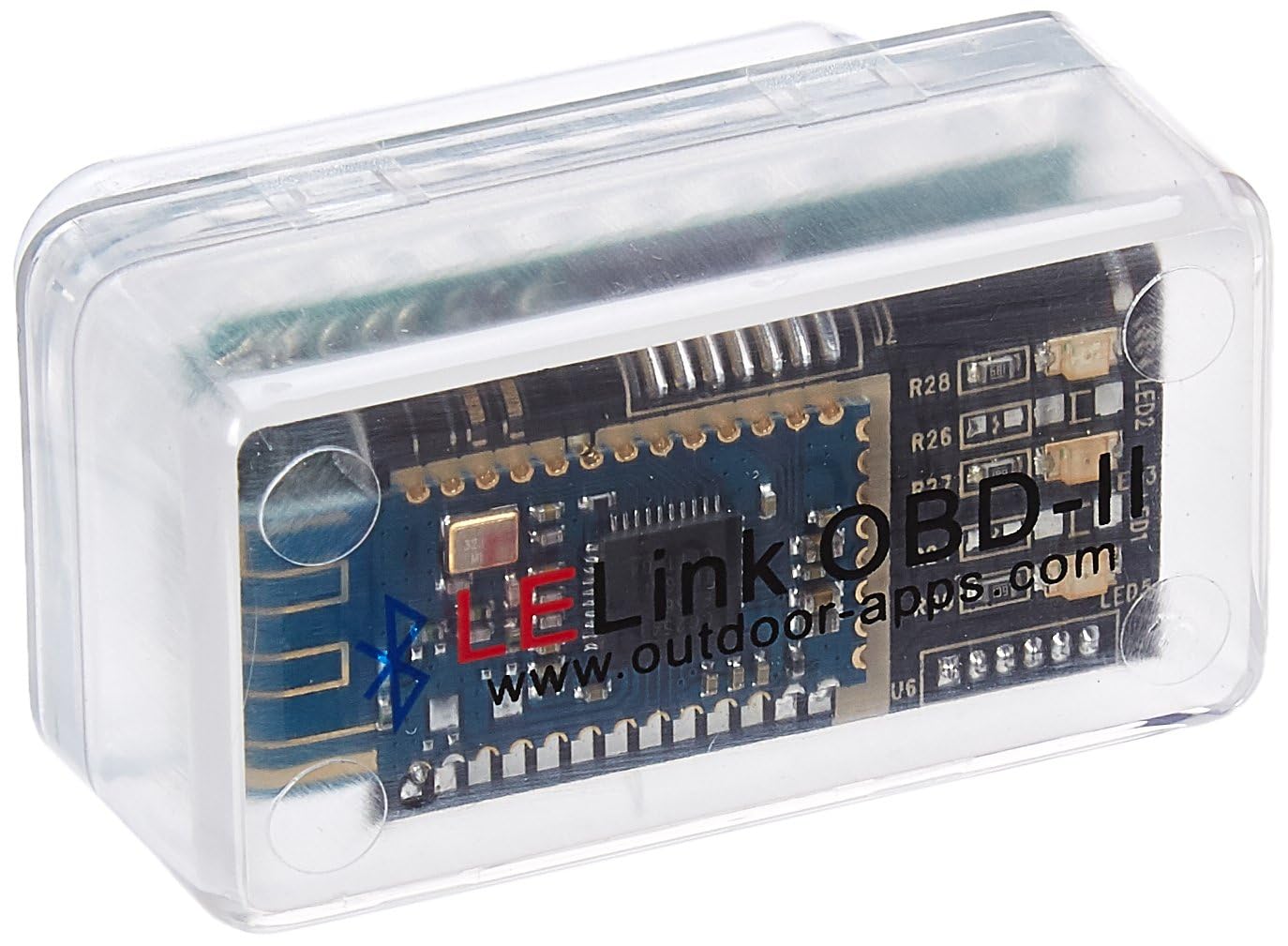
This is the adapter worth considering for Nissan Leaf owners who specifically need Leaf Spy compatibility.
Pros
- Configurable auto on/off with a near-zero power standby mode
- Long track record with Leaf Spy for EV battery monitoring
- No pairing required thanks to BLE plug-and-play design
Cons
- Older design compared to newer BLE adapters on this list
- Inconsistent results reported on some older non-EV vehicles
- Passcode protection setup isn’t intuitive for first-time users
Leaf Spy compatibility is the reason this adapter still sells years after its original release; used-EV shoppers rely on it to check battery degradation before buying a secondhand Nissan Leaf. Outside that niche, results get mixed, with a few owners reporting failed connections on older gas vehicles. The configurable auto on/off feature is a genuine advantage for anyone worried about parasitic battery drain from a permanently plugged-in scanner. For EV-specific diagnostics on a budget, it still earns its place.
UMEIJA OBD2 Scanner Diagnostic Tool
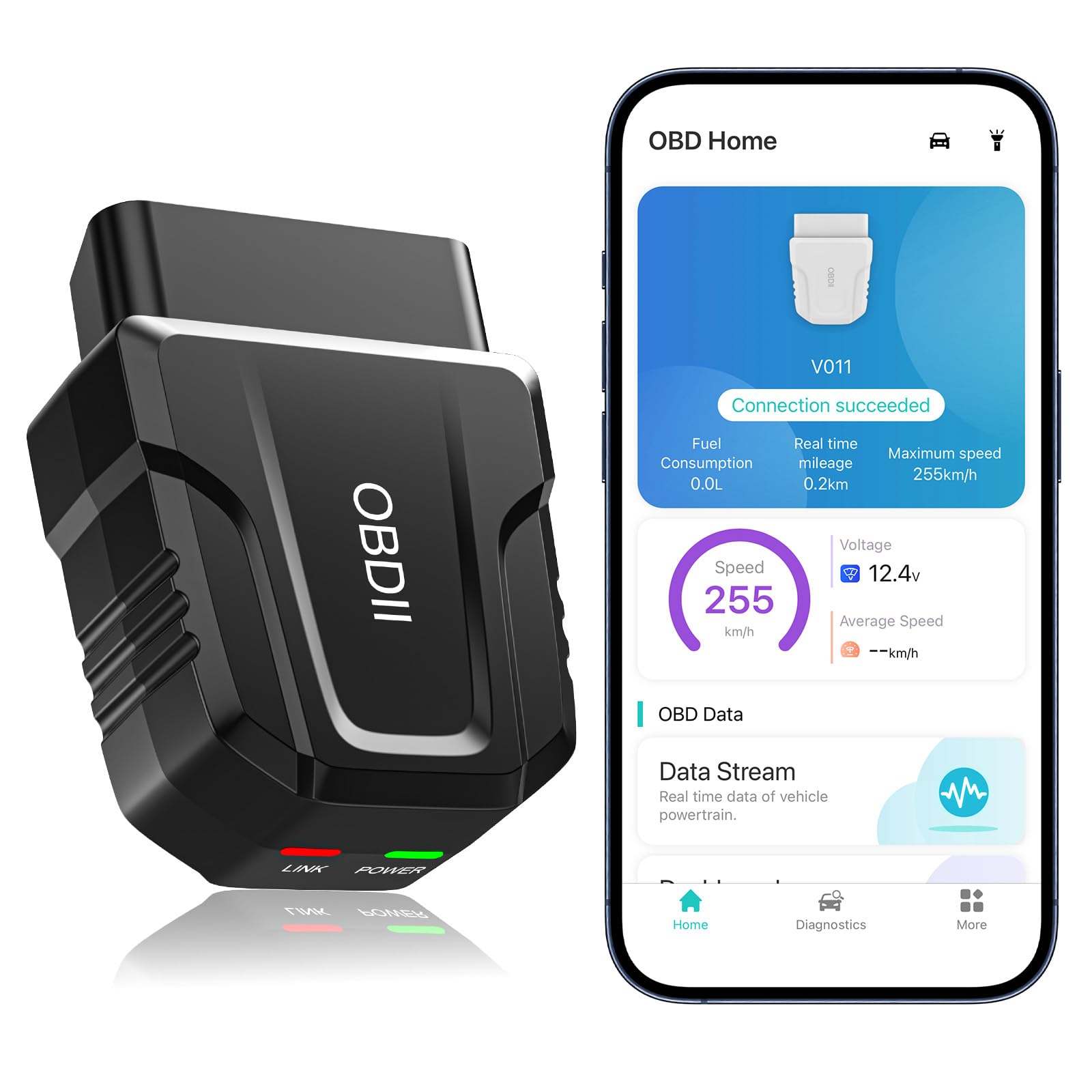
This is the adapter for buyers who want a modern Bluetooth 5.4 connection and don’t mind relying on the included app.
Pros
- Bluetooth 5.4 provides a fast, stable pairing process
- Broad vehicle coverage claimed across major brands from 1996 onward
- Includes visual data charts that make live readings easier to interpret for beginners
Cons
- Fault-code clearing can fail to stick if the underlying issue isn’t repaired
- Exclusive app has a learning curve for logging specific PIDs
- Best suited to basic diagnostics rather than advanced coding
Owners praise the price relative to the feature set, especially the live-data charts that translate raw sensor numbers into something readable for non-mechanics. A few reviewers note that clearing a code doesn’t always keep the check-engine light off if the underlying repair hasn’t happened, which is normal OBD2 behavior rather than a defect, but worth knowing going in. Bluetooth 5.4 lives up to its promise of a quick pairing process on iPhone. It’s a reasonable choice for casual monitoring, less so for anyone chasing ABS or SRS-level diagnostics.
NEXAS NexLINK Bluetooth OBD2 Scanner
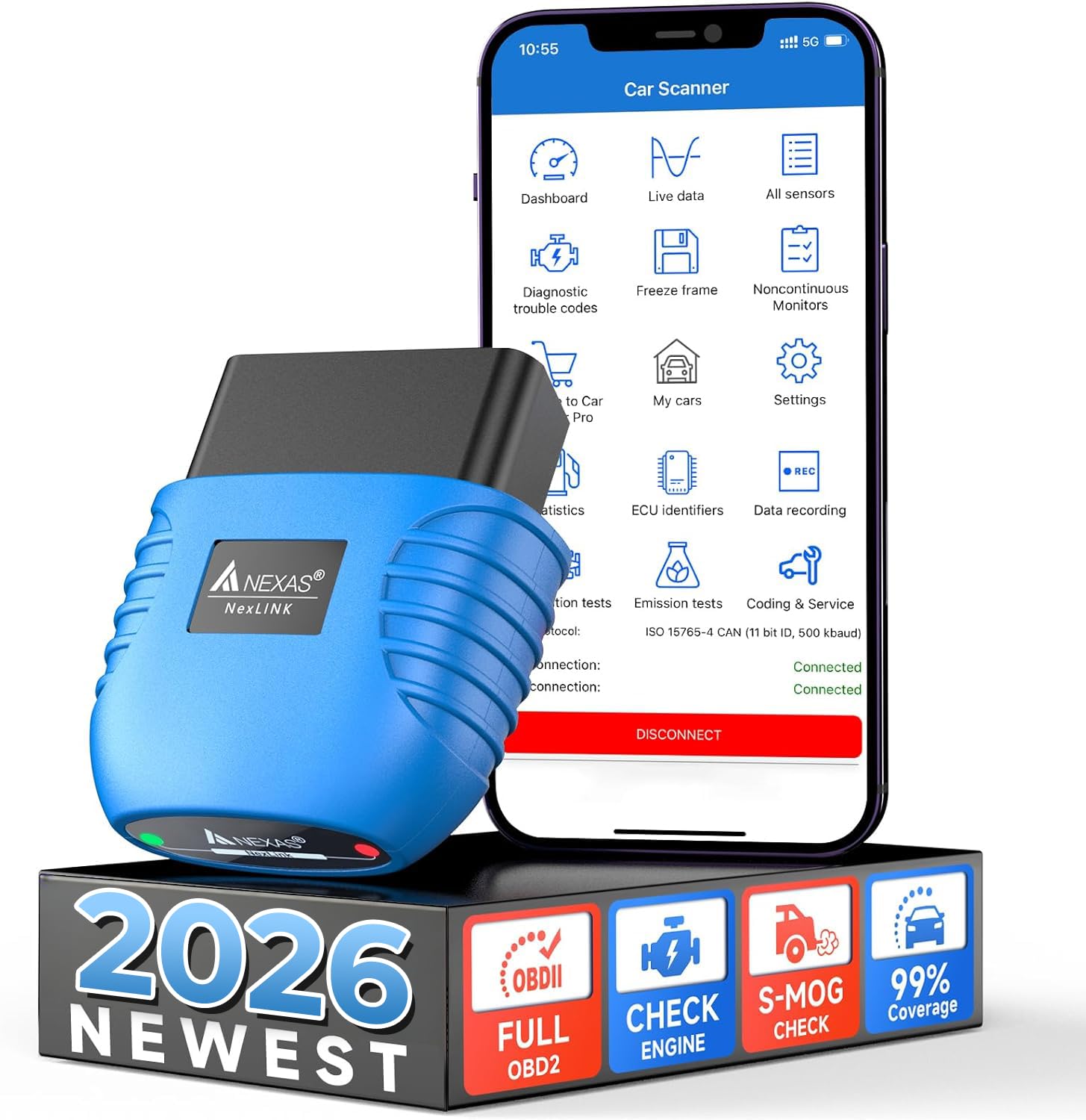
This is the adapter for drivers who also own a motorcycle and want one tool covering both.
Pros
- Doubles as a motorcycle scanner through Motoscan and TuneECU (Android only)
- ELM327 v2.x chip communicates faster than older v1.5 chips
- Over-voltage protection disconnects automatically if it detects abnormalities
Cons
- Motorcycle functions require Android, leaving iPhone owners without that feature
- Mixed reliability reports, including one case of a car failing to start after extended use
- Slower processor compared to some competitors, according to user feedback
The dual car-and-motorcycle angle is a real differentiator, though iPhone owners only get the automotive half of that equation since Motoscan and TuneECU are Android-exclusive. Reviews split between owners who found it accurate for diagnosing air conditioning and diesel regen issues and others who ran into connectivity problems or stale firmware with no updates available. The ELM327 v2.x chip is a genuine upgrade over budget v1.5 clones, but build quality and processor speed complaints show up often enough to warrant caution. Worth considering for the motorcycle crossover use case specifically.
Panlong OBD2 Scanner Bluetooth

This is a workable low-cost option, best suited to owners who plan to pair it with a dedicated third-party app rather than its native one.
Pros
- Fully ELM327-compliant with support for 9 OBDII protocols
- Confirmed working with Dr. Prius for Toyota Prius hybrid battery checks
- Straightforward automatic connection through its bundled YMOBD app
Cons
- Some users report it struggles connecting to certain ECUs, particularly Hondas
- Native app is described as basic compared to paid alternatives
- Pairing can be finicky on first attempt
Prius owners specifically call out reliable results pairing this with Dr. Prius for hybrid battery diagnostics, a common reason to buy a budget adapter in the first place. Reviewers who paired it with other third-party apps report better results than sticking with the bundled YMOBD app, which feels more like a basic proof-of-concept than a full diagnostic tool. Connection issues on certain makes show up in feedback, so this fits best as a backup adapter or a low-stakes entry point rather than a primary tool for a driver with multiple vehicles.
Vgate vLinker BM Plus

This is the second strong option for BMW/Mini coding, distinguished by its official BimmerCode recommendation for G-series cars.
Pros
- Supports E, F, G, I, and R-series BMWs through BimmerCode, including newer G-series models
- Bluetooth 4.0 with an expanded data buffer for smoother coding sessions
- Back-feeding protection and sleep mode allow it to stay plugged in safely
Cons
- Setup and instructions confuse some first-time coders
- iOS BimmerCode support excludes E/R-series models from 2008 and earlier
- Android users must select the correct device name during pairing or the connection fails
This adapter and the OBDLink CX serve the same buyer, but this one specifically markets its G-series compatibility, something older adapters can’t match due to hardware limitations. Owners doing battery registrations, exhaust flap adjustments, and DPF regeneration through BimmerLink report smooth results once paired correctly. The most common complaint involves confusing setup instructions rather than the hardware itself; several reviewers needed a second attempt after switching from the code-reader app straight to BimmerCode or BimmerLink. For G-series BMW owners specifically, this is one of the few adapters confirmed to unlock that generation’s hidden features.
Buying Guide
Choosing an OBD2 adapter for an iPhone comes down to matching hardware capability to the app you intend to run, since the adapter itself is only half the diagnostic picture.
Bluetooth Type Matters More Than the Version Number
iPhones require Bluetooth Low Energy (BLE) adapters, not classic Bluetooth. An adapter that only supports classic Bluetooth simply won’t appear as a pairing option in most iOS diagnostic apps. Check that a listing explicitly mentions BLE or “Bluetooth 4.0/5.0/5.1 LE” before buying.
App Compatibility Determines Real-World Function
The adapter is a communication bridge; the app decides what data you actually see. Before buying, confirm the specific app you want to use (Car Scanner, OBD Fusion, FORScan, BimmerCode, Dr. Prius) lists that adapter or its chipset as supported.
| App Type | Best Suited For |
|---|---|
| Generic OBD2 apps (Car Scanner, OBD Fusion) | Reading/clearing check-engine codes, live data |
| Vehicle-specific apps (Dr. Prius, FORScan) | Hybrid battery health, Ford-specific modules |
| Coding apps (BimmerCode, BimmerLink) | BMW/Mini hidden feature unlocks, battery registration |
Diagnostic Depth: Generic vs. Enhanced
Every OBD2 adapter reads generic powertrain codes. Fewer support enhanced diagnostics like ABS, SRS, and TPMS, and fewer still support manufacturer-specific coding. Decide whether a basic check-engine-light reading covers your needs or whether you need deeper system access.
Power Draw and Battery Safety
An adapter left plugged in continuously draws some current even at rest. Look for auto-sleep modes that drop current to single-digit milliamps, plus over-voltage protection, especially if the adapter will stay in the OBD port between drives.
Vehicle Coverage
Confirm your vehicle’s year, make, and model against the listed compatibility. Coverage for 1996-and-newer gas vehicles is close to universal, but hybrid, EV, and diesel support varies by adapter and by app.
Editor’s Choice
The OBDLink MX+ earns the top spot for most iPhone owners who want one adapter that handles everyday code reading and grows into more advanced diagnostics as needed. Its enhanced OEM support and stable Bluetooth connection outperform generic ELM327 clones, and the investment pays off for anyone monitoring more than a basic check-engine light.
BMW and Mini owners have a clearer path: the OBDLink CX or Vgate vLinker BM Plus, both purpose-built for BimmerCode and BimmerLink coding rather than general-purpose diagnostics. Budget-focused drivers who just want reliable code reading should look at the Veepeak OBDCheck BLE, which delivers consistent results without the premium price tag.
Conclusion
An OBD2 adapter is only as useful as the app pairing behind it, and iPhone owners need to check BLE compatibility before anything else. The right choice depends on what problem you’re solving: a check-engine light, a pre-purchase inspection on a used hybrid, or a full BMW coding session.
Start with your primary use case, confirm the adapter supports the specific app that use case requires, and check vehicle-year coverage before checkout. Getting those three details right avoids the most common return reason: an adapter that pairs fine but can’t talk to the app you actually wanted to use.
FAQS
Can I pair an OBD2 adapter directly through my iPhone’s Bluetooth settings?
No. iOS blocks direct pairing with most OBD2 adapters in the Settings app. Pairing happens inside the diagnostic app itself (Car Scanner, OBD Fusion, BimmerCode), not through iPhone’s native Bluetooth menu.
Do I need to buy a separate app to use these adapters?
Most adapters require a third-party app, and many core features sit behind a one-time purchase or subscription within that app. Free versions typically cover basic code reading; live data logging and advanced diagnostics often require the paid tier.
Will any of these adapters reset my oil light or perform an ABS bleed?
No adapter in this roundup supports special functions like oil resets, ABS bleeding, EPB resets, or injector coding. Those require dealer-level or professional-grade tools.
What’s the difference between a generic OBD2 adapter and a BMW coding adapter?
Generic adapters read and clear standard powertrain codes across most 1996-and-newer vehicles. Coding adapters like the OBDLink CX and Vgate vLinker BM Plus are built with hardware specifications required to modify hidden vehicle settings through apps like BimmerCode, a function generic adapters can’t perform.
Do these adapters work on electric and hybrid vehicles?
Support varies by adapter and app. Some, like the LELink, have a strong track record with Leaf Spy on the Nissan Leaf; others depend on app-specific compatibility that should be verified against your exact vehicle before buying.
