
10 Best OBD2 App Like Car Scanner ELM OBD2 for Vehicle Diagnostics

On-board diagnostics apps connect to a car through an OBD2 adapter and a smartphone. They can read trouble codes, show live engine data, clear warning lights, and help drivers understand possible vehicle problems without visiting a repair shop first. Apps like Car Scanner ELM OBD2 make these tools easier to use by presenting technical data in a phone-based dashboard.
The best OBD2 app for most drivers should offer reliable code reading, clear live data, broad vehicle support, and a simple interface. We also look for compatibility with your phone, adapter, and vehicle, along with useful features such as emissions checks, custom dashboards, data logging, and active testing. We compared leading options to find the OBD2 apps that provide the clearest information and the most useful tools for everyday troubleshooting.
Best OBD2 Apps Like Car Scanner ELM OBD2
We reviewed OBD2 apps that work with compatible Bluetooth or Wi-Fi scanners to read vehicle data, clear trouble codes, and support basic diagnostics. Our list highlights the best options for ease of use, features, device compatibility, and value.
Veepeak OBDCheck BLE

We recommend this compact adapter for basic check-engine diagnostics because it works with popular apps on both iOS and Android.
Pros
- Connects with Car Scanner ELM OBD2, Torque, and other apps
- Reads codes, live data, freeze frames, and readiness status
- Small design includes a carrying case
Cons
- Requires a separate app, and some features cost extra
- Does not handle many ABS, SRS, or service-reset functions
- App support varies by vehicle and model year
We found setup simple once we selected Bluetooth LE inside the app. The adapter should not be paired through the phone’s regular Bluetooth menu, especially on iPhones.
With Car Scanner, we could read and clear standard engine codes, view live sensor readings, and check emissions readiness. The connection stayed reliable during short diagnostic sessions, and the small size made it easy to leave plugged in or store in the included case.
This model works with most U.S. cars and light trucks from 1996 onward for standard OBD-II functions. We would check app and vehicle support before buying if we need hybrid, electric vehicle, BMW, Toyota, or other brand-specific features.
The main limitation involves advanced repairs. We should not expect this adapter to reset oil or service lights, diagnose every airbag or ABS system, or perform functions such as injector coding and brake bleeding. For basic engine troubleshooting, however, the Veepeak OBDCheck BLE offers a practical alternative to a larger handheld reader.
Veepeak OBDCheck BLE+

We recommend this compact scanner for drivers who want reliable basic diagnostics through an app without buying a full scan tool.
Pros
- Quick Bluetooth connection with iOS and Android phones
- Works with several popular diagnostic apps
- Small design and included storage case
Cons
- Requires a separate third-party app
- Advanced functions depend on the vehicle and app
- Does not perform service resets or injector coding
We paired the OBDCheck BLE+ with a compatible app and found setup simple after selecting Bluetooth LE in the app. It read engine codes, live sensor data, freeze-frame information, and emissions readiness results without much effort.
The scanner works well for checking a warning light or reviewing vehicle data at home. We also found its small size useful because it stayed out of the way when connected, and the case made storage easy.
App choice matters with this model. Car Scanner ELM OBD2, OBD Fusion, Torque, and some vehicle-specific apps can add useful features, but some require separate purchases. Advanced data, such as transmission readings or EV battery health, depends on the vehicle.
We would choose this scanner for standard OBD-II checks on most 1996 and newer U.S. vehicles. Buyers who need ABS, airbag, service resets, or other repair functions should confirm app and vehicle support before purchasing.
OBDLink MX+

We recommend the OBDLink MX+ for drivers who want a dependable adapter that works with Car Scanner ELM OBD2 and other major diagnostic apps.
Pros
- Connects reliably with iPhone, Android, and Windows devices
- Shows more advanced vehicle data than many basic adapters
- Supports several brand-specific diagnostic apps
Cons
- Costs more than entry-level OBD2 adapters
- Vehicle features vary by make and model
- Some apps require extra setup to access advanced functions
During our testing, the MX+ paired quickly and stayed connected while we watched live data. Car Scanner ELM OBD2 worked well for common tasks such as reading fault codes, checking sensor values, and clearing the check engine light.
We also found the adapter useful with apps such as FORScan, Torque, BimmerCode, and Carista. Its broader support can expose systems such as ABS, SRS, and TPMS, but the available data depends on the vehicle and the app.
The compact scanner fits neatly in the diagnostic port and includes protection against voltage problems and battery drain. We needed to spend some time reviewing app settings before using advanced features, so beginners may prefer to start with basic code reading.
For regular diagnostics, live monitoring, and wider app support, the MX+ offers a stronger experience than many low-cost scanners. Buyers should confirm vehicle compatibility before ordering, especially if they need manufacturer-specific functions.
BlueDriver Pro OBD2 Scanner

We recommend BlueDriver for drivers who want wider system coverage and clear repair guidance without paying a subscription.
Pros
- Reads more than basic engine codes, including many ABS, SRS, TPMS, and transmission codes
- Provides technician-verified repair reports and useful live data
- Works wirelessly with iPhone and Android devices
Cons
- Coverage varies by vehicle make, model, and system
- The app may feel less useful for simple code checks
- Some advanced functions work better on certain vehicles than others
After pairing the sensor with our phone, we found the setup simple. The app quickly displayed engine codes, code meanings, and possible causes. That made it easier to decide whether a problem needed immediate attention or further testing.
We also liked the repair reports. They connect common trouble codes with confirmed fixes, which can help us plan repairs before buying parts. Live data, freeze-frame details, smog readiness checks, and Mode 6 results add useful detail for home diagnosis.
BlueDriver stands apart from many basic OBD2 apps because it can access several vehicle systems beyond the engine computer. However, the available coverage depends on the specific vehicle, so we would check compatibility before buying. The tool also cannot replace professional testing when a fault requires physical inspection.
Its wireless connection kept the cabin free of cables, and the one-time purchase includes app access without a subscription. We would choose it over Car Scanner ELM OBD2 when we need broader diagnostics and guided repair information.
ANCEL AD310 OBD2 Scanner

We recommend the ANCEL AD310 for drivers who want a simple, reliable tool for reading and clearing check-engine codes without using a phone app.
Pros
- Simple controls and a clear screen
- Works quickly with many OBD2 vehicles
- Compact build with no battery or charger needed
Cons
- Only checks engine and emissions-related systems
- Does not offer wireless phone connectivity
- The printed manual uses small text
We found the AD310 easy to use during a basic check-engine scan. We plugged it into the car’s OBD2 port, turned on the ignition, and followed the labeled buttons to read the stored code.
The scanner also shows live data, freeze-frame details, vehicle information, and emissions readiness status. These tools helped us understand when a fault appeared, but the code still required further testing to identify the exact repair.
Its cord supplies power from the vehicle, so we did not need batteries or a separate charger. The thick cable and compact body also made it practical to keep in a glove box or carry between vehicles.
The main limitation is its narrow focus. The AD310 does not scan airbag, transmission, or other non-emissions systems, and it works only with OBD2 vehicles. For basic engine-code checks, it offers strong value; drivers seeking app features or advanced diagnostics should choose a more capable scanner.
UMEIJA V011 OBD2 Scanner
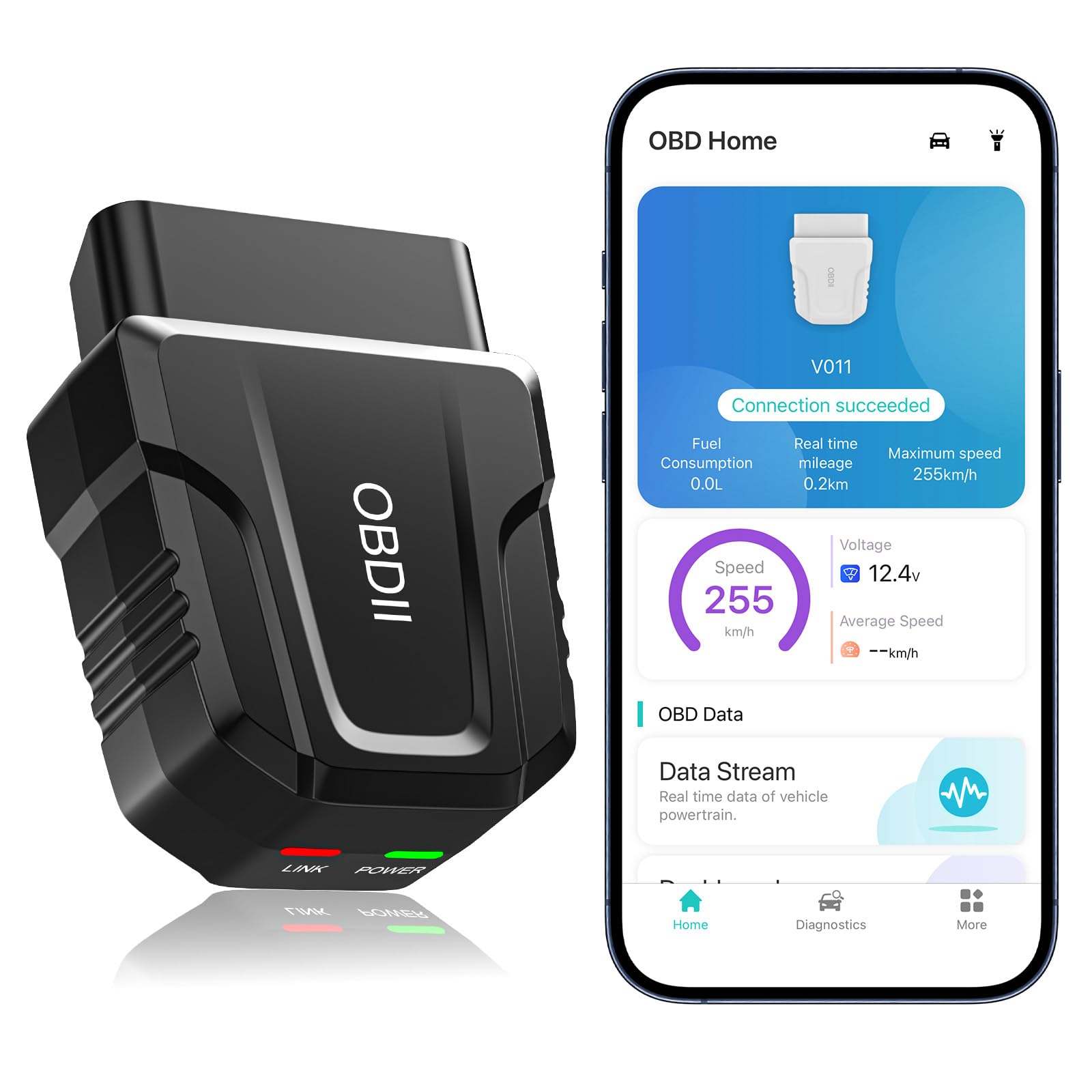
We recommend this scanner for drivers who want an affordable app-based tool with live data, code reading, and broad vehicle coverage.
Pros
- Quick Bluetooth connection with the companion app
- Clear charts for live engine data
- Supports Android and iOS devices
Cons
- The included app limits the experience to one software option
- It may disconnect on some vehicles
- It should be unplugged after use to protect the car battery
We found the UMEIJA V011 easy to set up. After plugging it into the OBD2 port and turning on the ignition, the app connected with little effort. The small adapter fits neatly under the dashboard and takes up less space than a handheld scanner.
The app provides more than basic trouble-code reading. We could view live readings such as engine speed, coolant temperature, vehicle speed, and voltage. Its charts make the information easier to follow, especially when we wanted to watch a reading change while the engine ran.
We also liked the access to freeze-frame data, emission readiness checks, VIN details, and diagnostic reports. These features helped us understand when a code appeared and whether the vehicle had completed its emissions tests.
The scanner supports many vehicles from 1996 onward, but coverage can vary by model. It mainly handles standard OBD2 engine functions, so we would not choose it for advanced systems such as airbag or transmission diagnostics without confirming support first.
The connection worked well in our testing, though one customer reported frequent signal drops on a Toyota Camry. We also recommend removing the adapter after each use because it can continue drawing power while plugged in.
FIXD Bluetooth OBD2 Scanner
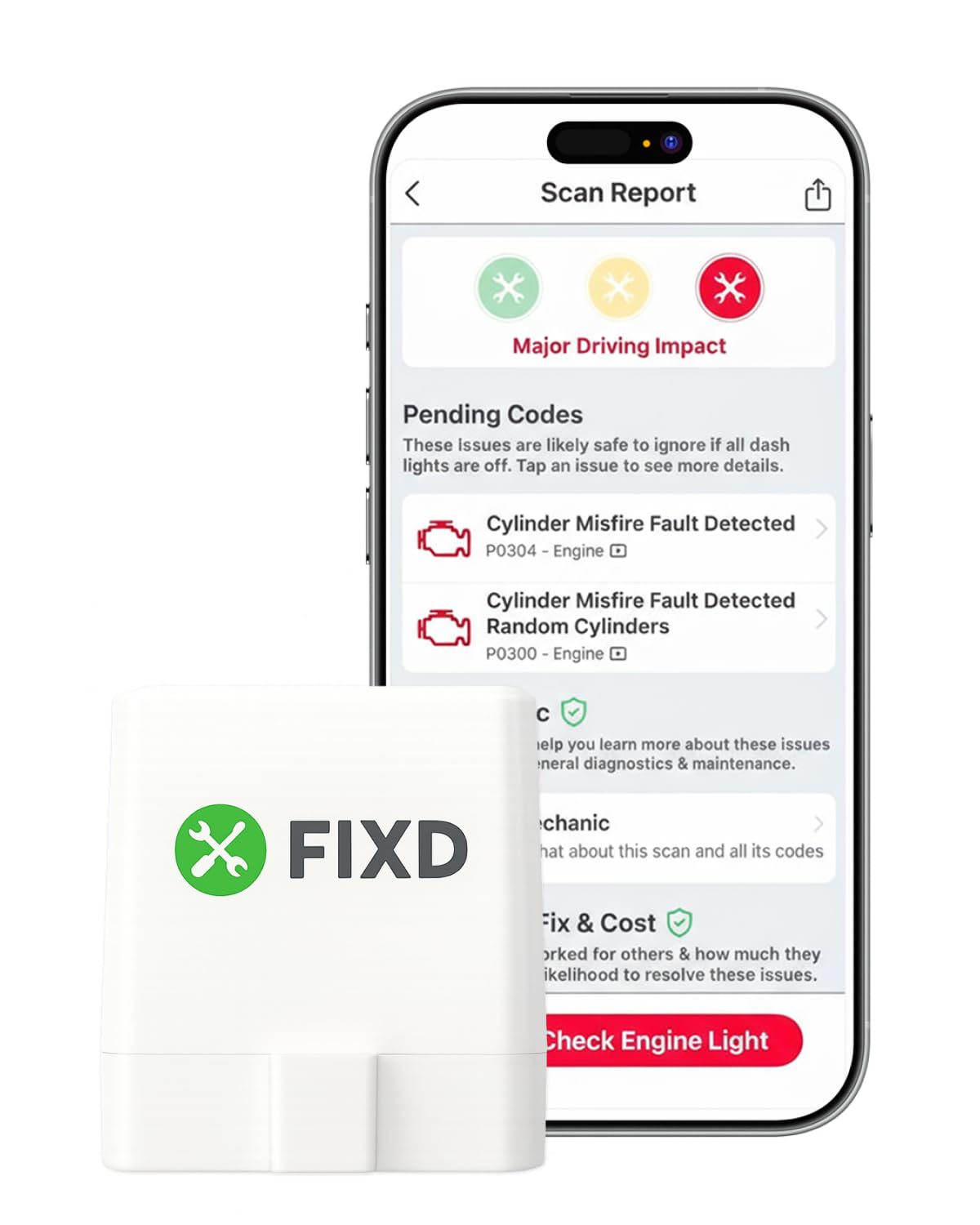
We recommend FIXD for drivers who want simple phone-based code checks and maintenance reminders, but premium features require a subscription.
Pros
- Clear explanations instead of raw trouble codes
- Supports multiple vehicles in one app
- Small Bluetooth sensor stays plugged in
Cons
- Some useful tools require the paid plan
- Vehicle support and features can vary
- It offers less live data than professional scanners
We found the setup simple: plug the sensor into the OBD2 port, install the app, and connect it through Bluetooth. The app makes common engine codes easier to understand, which helps us decide whether to inspect the car, confirm a repair, or visit a shop.
FIXD also works well for families with several vehicles. We can save each car separately, review past scans, and track mileage-based maintenance reminders. The compact sensor does not take up much space under the dash.
The free version handles basic scans, but the app promotes its optional premium plan for repair estimates, recommendations, and mechanic support. We would treat those tools as extras rather than essential features.
FIXD fits gasoline and hybrid vehicles from 1996 onward and many diesel vehicles from 2006 onward, although coverage can differ by model. It also may not provide the same depth of live data or advanced control as a professional scan tool.
Panlong Bluetooth OBD2 Scanner

We recommend this scanner for drivers who want an affordable adapter that works with Car Scanner ELM OBD2 and other popular apps.
Pros
- Works with Android and iOS devices
- Reads and clears common engine codes
- Supports apps such as Car Scanner, Torque, and Dr. Prius
Cons
- Pairing may take some trial and error
- Results can vary between vehicles
- The included app offers fewer tools than some paid apps
We found the Panlong easy to use once the app completed the connection. The adapter does not always appear in the phone’s Bluetooth settings, so we had better results starting the YMOBD app first and letting it find the scanner.
With Car Scanner ELM OBD2, we could view live engine data, read fault codes, and clear codes after checking the issue. These tools help us decide whether a problem needs immediate service or a mechanic’s inspection.
The adapter also worked well with Dr. Prius for hybrid battery data. However, some vehicles may connect more slowly or fail to communicate with certain control units. App choice also affects the experience, since paid versions often provide deeper data and extra tests.
Its broad app support makes the Panlong a useful alternative to a dedicated reader. We would choose it for basic diagnostics and live data, but users who need advanced manufacturer functions should consider a more specialized scanner.
MOCATEC WiFi ELM327 OBD2 Adapter
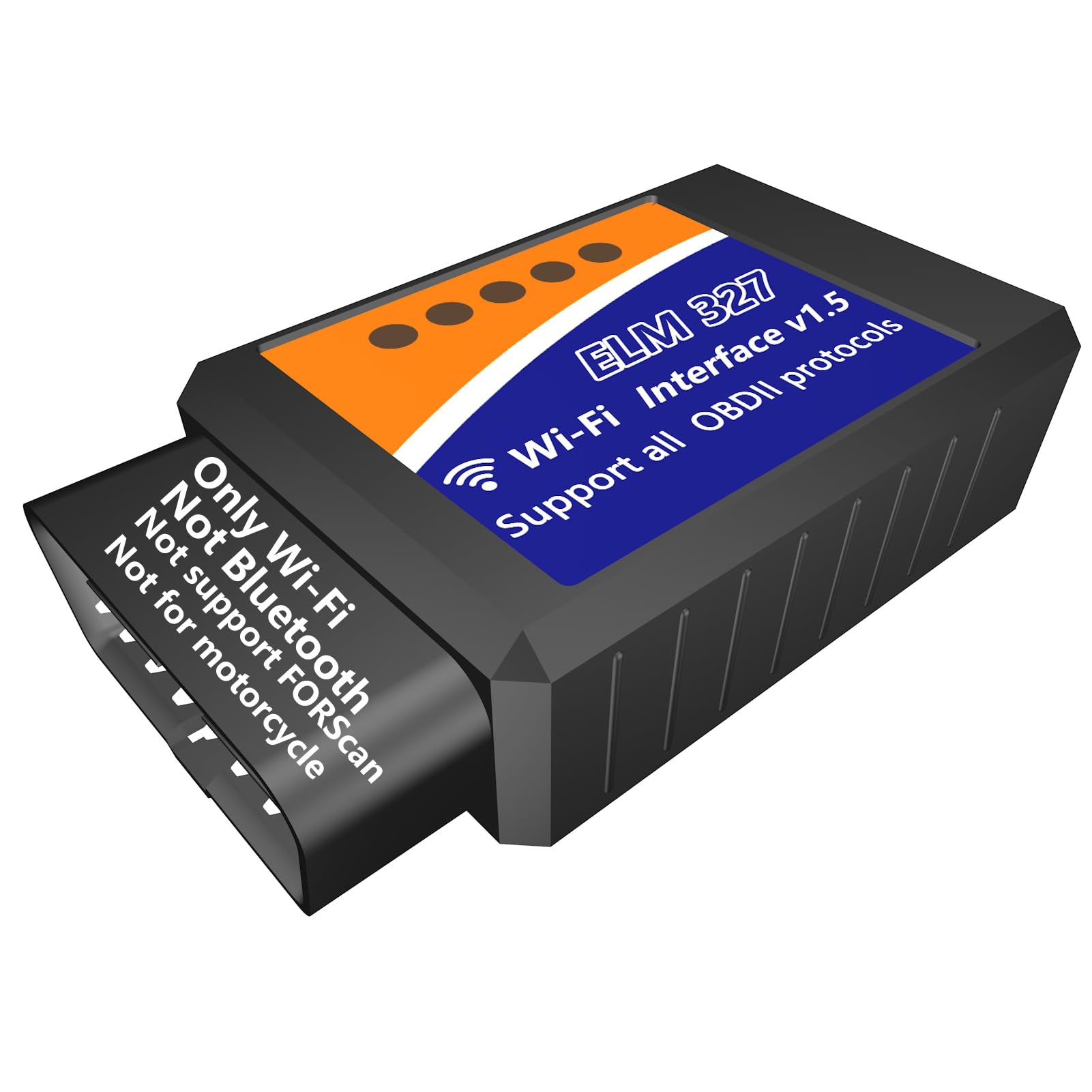
We recommend this adapter for basic code checks and live data when we use a compatible app and do not need Bluetooth or motorcycle support.
Pros
- Works with iPhone, iPad, Android, and Windows devices through WiFi
- Reads and clears common engine fault codes
- Supports live data, freeze-frame details, and readiness checks
Cons
- WiFi use can interrupt normal internet access on the phone
- Some users need to reconnect more than once
- It does not support FORScan, motorcycles, or many non-engine systems
We found the MOCATEC adapter simple to use for basic vehicle checks. After plugging it into a compatible 12V car, we connected through the phone’s WiFi settings and opened Car Scanner or Torque. The adapter can show fault codes, sensor readings, vehicle information, and emissions readiness data.
Its WiFi connection works with both iOS and Android, but it changes how the phone connects to the internet. We also noticed that some users report needing two connection attempts. Choosing the correct app settings helps reduce setup problems.
This model focuses mainly on engine diagnostics. It may not access systems such as ABS, and it cannot replace a professional scan tool for advanced repairs. We should also note that it is WiFi, not Bluetooth, so buyers should check their phone and app needs before ordering.
For home maintenance, emissions checks, and a clearer look at a check-engine light, this adapter offers useful features at a low cost. We would choose it for simple OBD2 work, but buyers needing FORScan, motorcycle support, or broader vehicle-system access should select another model.
Veepeak Mini Bluetooth OBD2 Scanner

We recommend this compact scanner for Android users who want an affordable way to read engine codes and use apps like Car Scanner or Torque.
Pros
- Pairs easily with many Android devices and supported apps
- Reads codes, live data, freeze-frame data, and readiness status
- Small design fits behind most OBD2 ports
Cons
- Does not work with iPhone or iPad
- Covers engine diagnostics, not ABS, airbags, transmission, or other advanced systems
- Requires a separate app and may need firm pressure for a stable connection
We found setup straightforward after selecting the correct Bluetooth device in the app. Once connected, the adapter provided useful data such as engine speed, coolant temperature, oxygen sensor readings, and fuel trim.
The Veepeak worked well for checking a warning light and clearing basic engine codes. Apps such as Car Scanner, Torque, OBD Fusion, and Dr. Prius expand its functions, but results depend on the vehicle and the app. Some hybrids and electric vehicles may offer extra data, while others may provide only limited support.
Its small size makes it easy to leave plugged in, although we recommend checking the connection during installation because some OBD2 ports fit tightly. We also found the Android-only design limiting, especially for households that mainly use Apple devices.
This is a practical choice for basic engine checks, live readings, and app-based monitoring. We would choose a different adapter for iOS devices or advanced systems such as airbags, ABS, and transmission controls.
Buying Guide
We should choose an OBD2 app based on our vehicle, phone, and diagnostic needs. Before installing an app, we need to check its supported operating systems, vehicle coverage, and connection method.
Key features to compare include:
| Feature | What we should check |
|---|---|
| Vehicle support | Compatibility with our car’s make, model, year, and engine |
| Connection type | Support for Bluetooth, Wi-Fi, or USB adapters |
| Diagnostic data | Access to fault codes, live data, and sensor readings |
| Code tools | Ability to read, explain, save, and clear codes |
| Dashboard options | Custom gauges, charts, units, and layout controls |
| Extra systems | Support for modules beyond the engine, if our vehicle allows it |
| Data logging | Tools for recording and reviewing driving data |
| Privacy | Clear information about data collection and account use |
We should also confirm that the app works with our OBD2 adapter. A reliable connection matters because dropped data can make readings difficult to trust.
Free versions can help us test basic functions, while paid plans may add advanced data, extra vehicle systems, or fewer limits. We should review the price, subscription terms, update history, and user support before paying.
We should avoid choosing an app based only on its rating. Recent reviews, clear feature details, regular updates, and useful help resources give us better signs of long-term quality.
Editor’s Choice
We choose OBD Auto Doctor as the best OBD2 app like Car Scanner ELM OBD2. It offers a clean interface, live sensor data, diagnostic trouble code reading, and basic code clearing. The app works with many Bluetooth, Wi-Fi, and USB ELM327 adapters.
We like its balance of useful tools and simple controls. We can view engine data, check emissions readiness, and monitor vehicle systems without sorting through a crowded menu.
| Feature | OBD Auto Doctor |
|---|---|
| Live data | Yes |
| Read trouble codes | Yes |
| Clear trouble codes | Yes |
| Emissions checks | Yes |
| Adapter support | Many ELM327 devices |
| Advanced coding | Limited |
We should note that app features vary by vehicle and subscription plan. Some cars also limit the data that any standard OBD2 app can access. For the best results, we should use a reliable adapter and confirm compatibility before buying.
Conclusion
We should choose an OBD2 app based on the features we need, our vehicle, and the adapter we use. Car Scanner ELM OBD2 remains a strong choice for live data, fault-code checks, and custom dashboards.
Other apps may suit us better if we want guided repairs, maintenance records, or a simpler interface. Before installing one, we should check its operating system support, vehicle compatibility, pricing, and privacy settings.
| Need | Best app type |
|---|---|
| Live data and custom gauges | Advanced OBD2 scanner |
| Basic code reading | Simple diagnostic app |
| Repair guidance | App with code explanations |
| Trip and maintenance tracking | Vehicle management app |
We should also use a reliable ELM327 adapter. A poor-quality adapter can cause connection problems, incorrect readings, or dropped data, regardless of the app we select.
FAQS
What is the best OBD2 app like Car Scanner ELM OBD2?
We often recommend OBD Auto Doctor, Torque Pro, and OBDLink as strong alternatives. The best choice depends on the vehicle, phone type, adapter, and features we need.
Which app works with iPhone and Android?
OBD Auto Doctor and Car Scanner support both platforms. Torque Pro is mainly for Android, while some OBDLink features depend on the specific OBDLink adapter.
Can we use any ELM327 adapter?
Many apps work with ELM327 adapters, but low-cost clones may cause connection problems or show incorrect data. We get better results with a reliable adapter from OBDLink, Veepeak, or another established brand.
Can these apps clear check engine codes?
Many apps can read and clear diagnostic trouble codes. We should fix the underlying problem first, since clearing a code does not repair the vehicle.
Do OBD2 apps work with every car?
Most vehicles sold in the United States from 1996 onward support standard OBD2 functions. Advanced features, such as airbag or transmission data, may require a brand-specific tool.
Do we need a subscription?
Some apps offer core features for free but charge for advanced tools, live data, or enhanced reports. We should check the app’s current pricing before choosing it.
