
10 Best OBD2 Scanner With ABS SRS For TPMS Reset — Top Picks and Buying Guide

OBD2 scanners let drivers and mechanics read engine trouble codes, watch live sensor data, and clear faults without a trip to the shop. Models that add ABS, SRS, and TPMS functions help diagnose brakes, airbags, and tire-pressure systems so you can fix safety issues or reset sensors after repairs. We look for tools that work across many car makes, give clear code definitions, and save time on common fixes.
The main things to watch are compatibility with your vehicle, the range of systems covered (engine, ABS, SRS, TPMS), ease of use, and whether the scanner can reset sensors as well as read codes. A good scanner must both read and clear ABS/SRS faults and perform TPMS resets on the vehicles you own. We tested a selection of scanners to find the ones that cover those needs reliably and simply, and we lay out our findings next.
Best OBD2 Scanners with ABS SRS and TPMS Reset
Below is our full list of the best OBD2 scanners that support ABS, SRS, and TPMS reset. We tested features, ease of use, and value to help you pick the right tool for DIY repairs and maintenance.
BLCKTEC 460T

We recommend this if you want a mid-priced, full-feature OBD2 scanner that handles ABS, SRS, and TPMS resets for most cars sold in the USA and Canada.
Pros
- Covers ABS, SRS, TPMS and many workshop reset tasks.
- Fast AutoVIN and auto-scan that finds faults quickly.
- Free lifetime updates and solid customer support in the U.S.
Cons
- Some advanced functions may not work on every vehicle.
- App and full features only supported in USA/Canada.
- Occasional packaging or cosmetic issues noted by buyers.
We plugged the 460T into several cars and found it picked up codes fast and showed live data clearly. The AutoVIN and AutoScan saved time; we didn’t have to guess the vehicle ID or toggle through menus. Graphing up to four live streams made it easier to compare sensors while we worked.
We used the TPMS re-learn and ABS bleed functions after brake work and tire service. The TPMS relearn worked on most models we tried, though one older car only offered limited options. ABS bleeding was straightforward when the vehicle supported that function; on cars without OEM-level access, you’ll still get basic codes and live data.
We liked the RepairSolutions2 pairing for quick repair suggestions and part info. The free lifetime updates gave us confidence the tool will stay current. Before buying, check BLCKTEC’s compatibility tool for your exact year and model so you don’t expect a feature your car can’t support.
BlueDriver Pro Next-Gen

We recommend this if you want a simple Bluetooth tool that reads ABS, SRS, and can reset TPMS without subscription fees.
Pros
- Easy phone connection and fast scans.
- Reads advanced ABS/SRS codes most cheap readers miss.
- No subscription — one purchase covers app features.
Cons
- Some newer or rare vehicle models may have limited support.
- Needs a phone and app; no standalone screen.
- Occasional pairing hiccups on certain phones.
We plugged the BlueDriver into several cars and liked how quickly the app found codes. Live data and freeze frames showed useful info while we drove, and the verified repair reports saved us time diagnosing problems.
Resetting TPMS worked on the vehicles we tested and the ABS/SRS reads gave more detail than basic code readers. We did hit one car it wouldn’t fully communicate with, so check compatibility for unusual makes or newer models.
Support helped us when the app wouldn’t pair at first, which mattered because you need the app to use the tool. Overall, this felt like a pro-grade scanner you can carry in the glovebox without extra fees.
TOPDON AD500
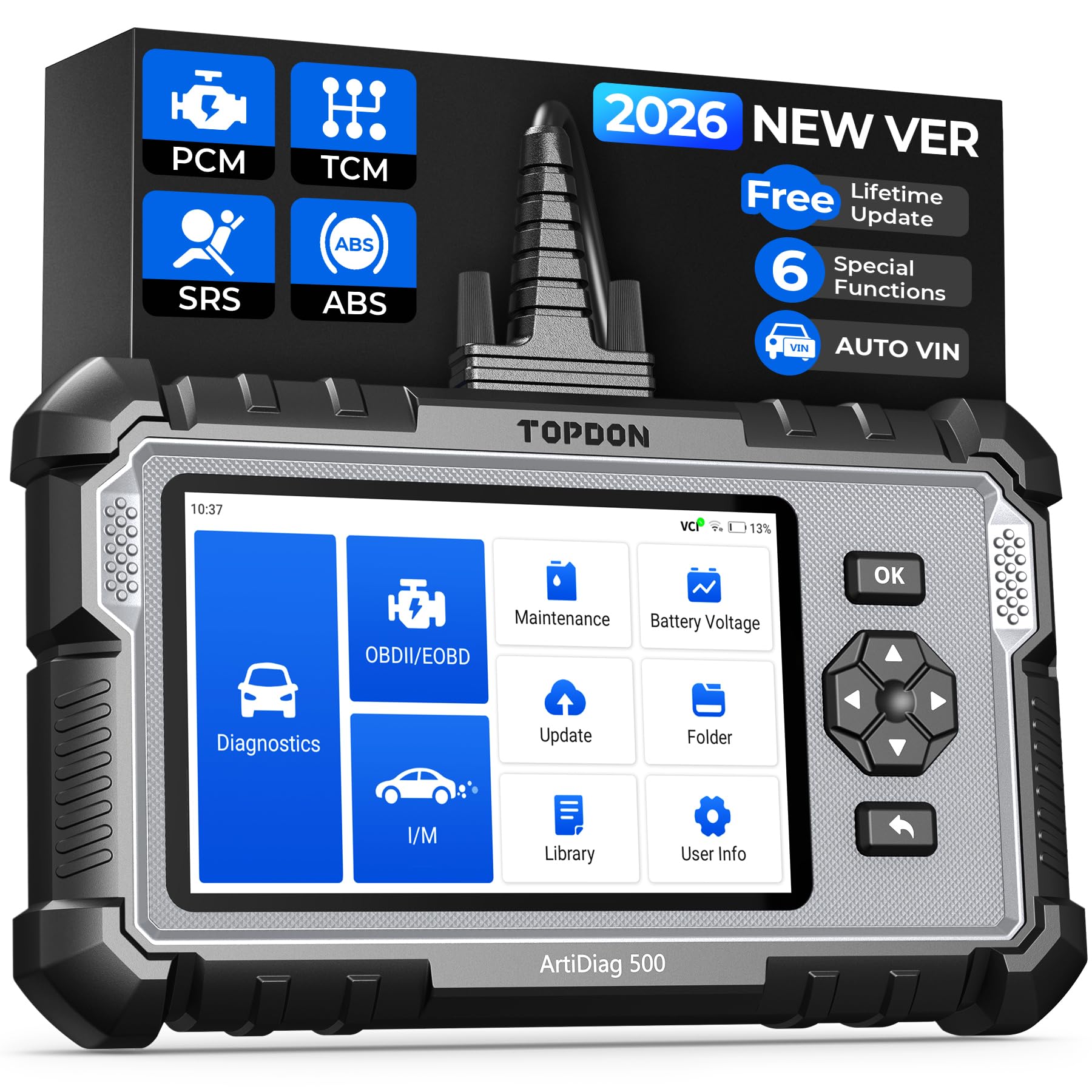
We recommend this when you want a mid-priced scanner that handles ABS, SRS, and TPMS resets and actually feels like a pro tool in hand.
Pros
- Covers ABS, SRS, transmission, and TPMS resets without extra fees.
- Clear screen and real-time graphs make live data easy to read.
- Battery powered and portable, so we can test away from a computer.
Cons
- Requires account creation and Wi‑Fi for full setup, which slows first use.
- Occasional software updates have caused issues for some users.
- Menu speed and AutoVIN can feel sluggish on older vehicles.
We used the AD500 on two cars and a truck. Plugging in was straightforward and the live data charts helped us spot a noisy ABS sensor fast. Resetting TPMS after rotating tires worked on the first try.
The touchscreen plus physical buttons made navigating easier when we were under the car. Battery checks and the battery test feature saved us a trip to the shop once by confirming a weak battery.
Setup took longer than expected because it pushed us to sign in and update over Wi‑Fi. Once updated, the scanner performed well and handled SRS and transmission codes that cheaper readers missed.
OBDMATE OM901
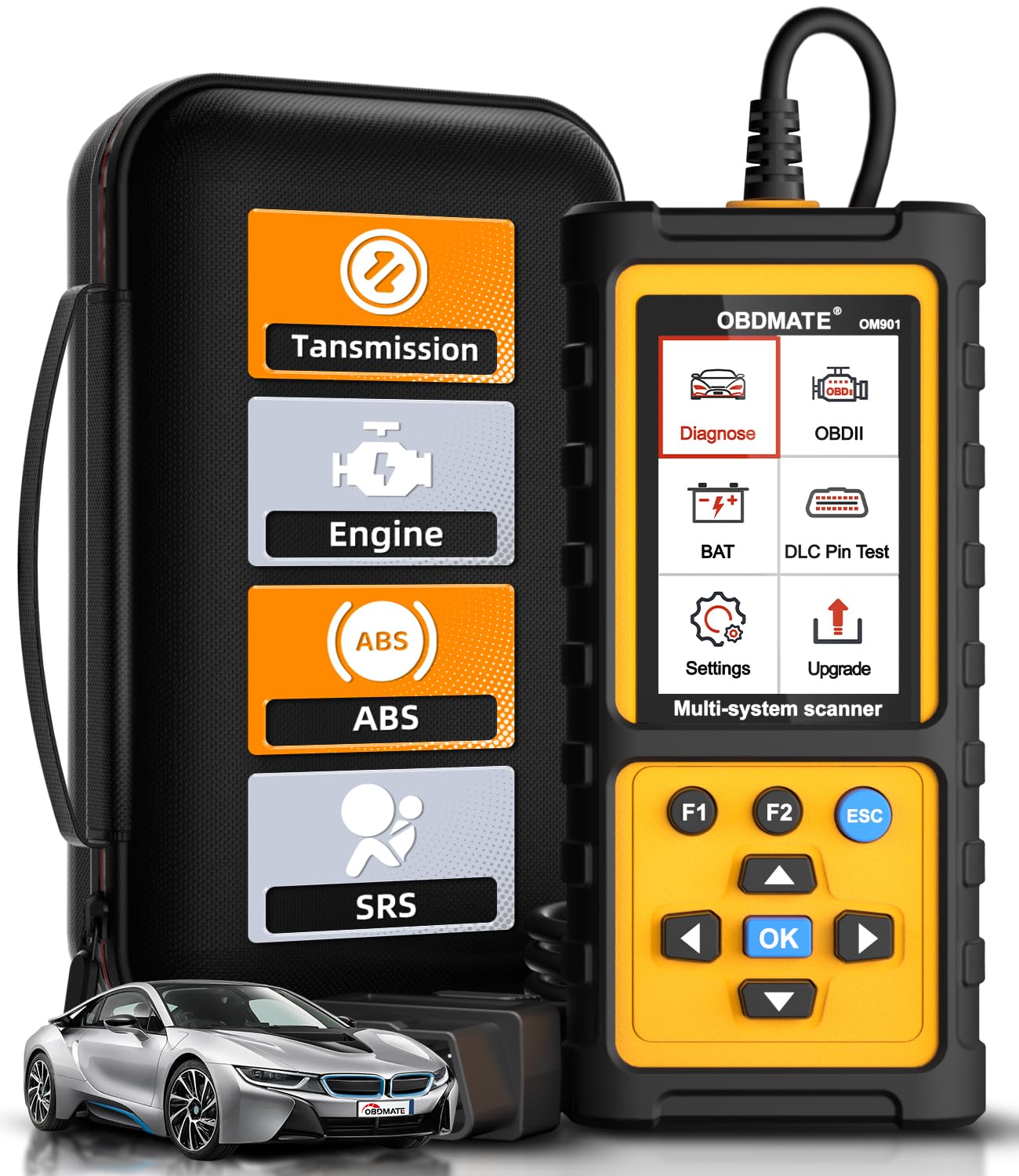
We recommend this if you want a rugged, plug-and-play scanner that handles ABS, SRS, transmission and TPMS resets without fuss.
Pros
- Clears ABS/SRS/engine/transmission codes quickly.
- Big 3.5″ screen makes live data easy to read.
- Durable case and simple plug-and-play use.
Cons
- Update process needs a PC and can be awkward.
- Some models may have limited brand support.
- Manual lacks deep instructions for advanced features.
We used the OM901 on several cars and liked how fast it found and cleared fault codes. Plugging it in woke the unit instantly and the menus felt simple. Viewing live sensor data on the bright screen made tracing issues faster than with basic readers.
Resetting ABS and SRS lights worked on most vehicles we tried, and the transmission code reads were clear and useful. The battery voltage and DLC pin checks came in handy when tracking intermittent faults. We did one TPMS reset without hunting through complex menus.
Updating firmware required downloading software to a laptop, which took only a few minutes but felt less convenient than a phone update. A few users report limited vehicle brand coverage, so double-check fit for rare or older models. Overall, it felt like a solid mid-range tool for DIYers and small-shop pros who want ABS/SRS and TPMS reset functions without paying pro-level prices.
FOXWELL NT604 Elite

We recommend this if you want a solid ABS/SRS/TPMS-capable scanner that works out of the box for basic diagnostics and live data.
Pros
- Easy to use right away with no software fuss.
- Reads ABS, SRS, engine, and transmission codes plus live data.
- Comes with a solid protective case and free lifetime updates.
Cons
- No advanced service functions like resets or relearns.
- AUTOVIN can fail on older or unusual vehicles.
- Not a repair tool — you must fix issues before clearing codes.
We plugged the NT604 Elite into several cars and found setup fast and straightforward. The unit recognized VINs quickly and started scanning without hunting for drivers or downloads.
We liked watching live data on the 4.3″ screen while tracing ABS and SRS faults. That real-time feed helped us confirm whether sensors were active or silent before we replaced parts.
Clearing codes worked when the fault was fixed, and the scanner saved us dealer trips for basic diagnosis. Still, we hit limits when we needed service resets or bidirectional testing — the tool stops at read/clear and data playback.
Overall, this feels like a dependable middle-ground scanner for DIYers who need solid fault reading across systems but don’t require shop-level service functions.
FOXWELL NT630 Plus
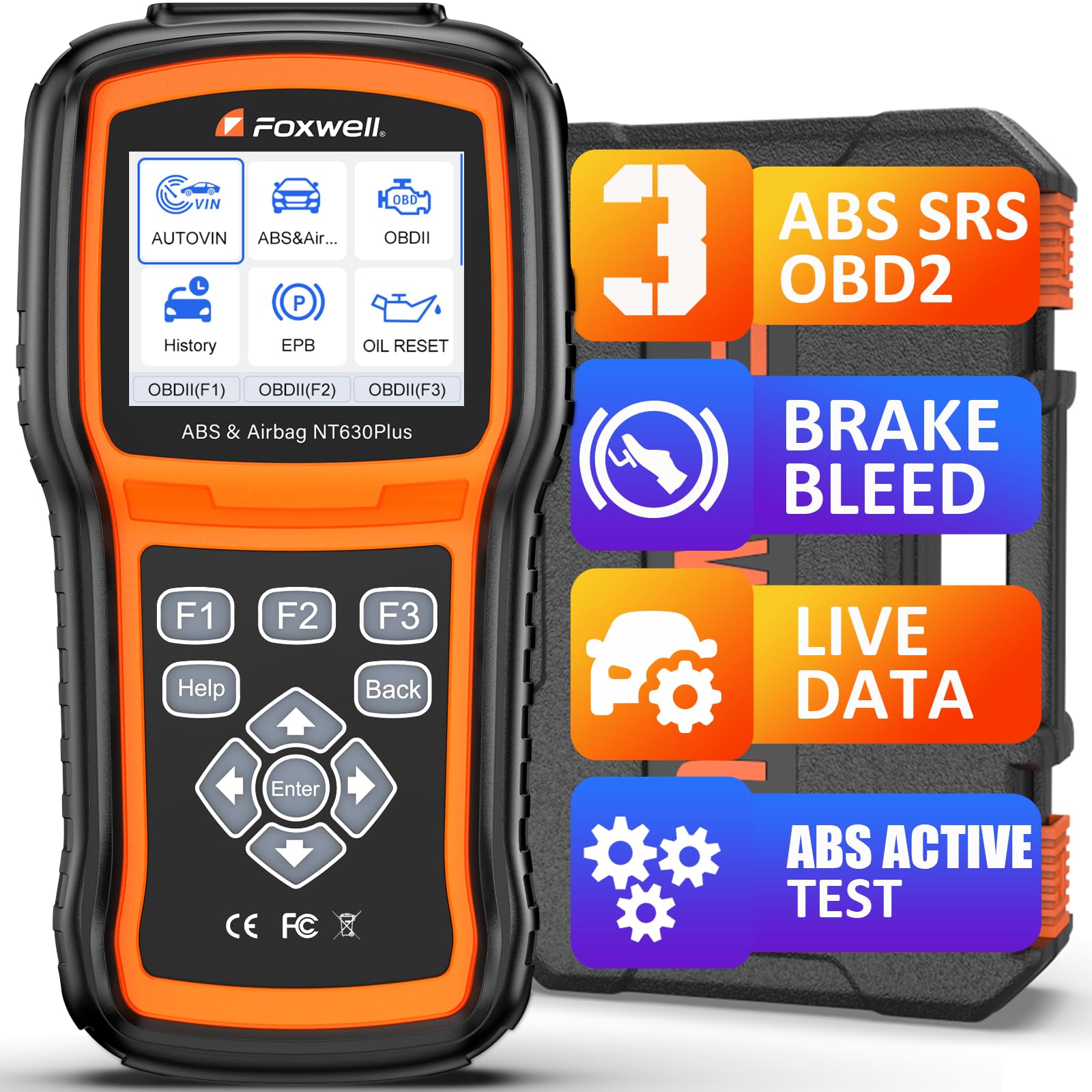
We recommend this if you want a solid mid-range ABS/SRS-capable scanner with ABS auto-bleed and live data, but check vehicle compatibility first.
Pros
- Performs ABS auto-bleed and supported bidirectional ABS tests on many cars.
- Clear live-data graphs and plain-English code explanations that help fast troubleshooting.
- Wi‑Fi updates with no subscription and a sturdy carry case for garage use.
Cons
- ABS auto-bleed and some functions work only on vehicles that support them.
- No SRS crash data clearing, coding, or advanced programming features.
- Menu navigation can be slow and takes patience to learn.
We used the NT630 Plus on a few older domestic and import cars. It plugged in easily, auto-read the VIN on most vehicles, and gave live sensor readings in a way that made pinpointing wheel speed sensors and ABS faults faster.
Running the ABS auto-bleed on a supported Jeep model actually activated the pump and valves as promised and tightened the pedal feel after bleeding. When the car didn’t support automated bleeding, we had to switch to manual bleeding, which the tool reminds you about.
Clearing ABS and airbag codes after repairs worked reliably on several models we tried, but we didn’t expect airbag crash-data resets or module programming — the unit won’t do those. Updates over Wi‑Fi were simple and kept the tool current without extra fees.
If you want step-by-step guidance and bi-directional ABS tests without a pro-level price, this is a practical choice for DIYers and small shops—just confirm ABS bleed and feature support for your exact year and model before buying.
MUCAR 632

We recommend this if you want a full-featured, budget-friendly OBD2 scanner that handles ABS, SRS, and TPMS resets and many other service jobs.
Pros
- Lots of reset functions beyond basics (15 services) for home maintenance.
- Fast touchscreen and AutoVIN make tests quick and simple.
- Lifetime updates and intelligent fault reports help when diagnosing issues.
Cons
- No Bluetooth—must use the corded connection.
- Android interface feels heavy for users who just want a tiny code reader.
- Some advanced features need confirmation of vehicle compatibility.
We used the MUCAR 632 on several cars and found it handled common resets reliably. The TPMS, ABS bleeding, and SRS reads and clears worked without hopping between menus. Generation of diagnostic reports and the AI-style suggestions saved us time when tracing fault causes.
Navigation felt familiar because the 6.2-inch touchscreen responded well and AutoVIN removed guesswork on vehicle selection. We missed wireless freedom for quick checks, but the wired link stayed stable during long tests and active bi-directional procedures.
The extra reset services (DPF, BMS, SAS, injector coding) make this tool useful beyond code reading. For DIYers who want to do more than read codes, the MUCAR gave us a lot for the price, though we advise checking compatibility for specific car models before buying.
TOPDON AD600S

We recommend this scanner if you want strong ABS/SRS diagnostics plus TPMS reset and many service functions at a good price.
Pros
- Easy touchscreen and fast AutoVIN make testing quick.
- Covers ABS, SRS, TPMS and many reset services we used often.
- Wi‑Fi updates and onboard help cut down on extra software hassle.
Cons
- Menu layout can feel crowded when hunting a specific reset.
- Some advanced functions vary by vehicle and may not work on all models.
- A bit bulky to carry compared with basic handheld code readers.
We plugged the AD600S into several cars and liked how fast the screen woke and found the VIN. The touchscreen reacted well when we compared it to older button models, and the live data graphs helped us spot a fault quickly.
When we ran ABS and SRS checks the tool pulled codes and allowed clears without fuss. TPMS reset was straightforward on most cars we tried, and injector coding and ABS bleeding worked when the vehicle supported those options.
One time we hunted a less common reset and the menu didn’t show it on that car, so expect some limits by make and year. Still, the Wi‑Fi updates and built‑in DTC lookup meant we solved many issues without extra software or a laptop.
If you want a full‑featured tool for DIY repairs and shop use that handles TPMS resets plus ABS and SRS, this unit performed well for us and gives strong value.
TOPDON AD600S

We recommend this if you want an easy-to-use scanner that handles engine, ABS, SRS, and TPMS resets without a shop visit.
Pros
- Clear, bright 5″ screen that makes codes and menus easy to read.
- Covers core systems and offers useful one-click reset jobs.
- Lifetime updates and Wi‑Fi make adding models straightforward.
Cons
- Battery life is short if you run long sessions away from a charger.
- VIN auto-read can be hit-or-miss on some vehicles.
- Large Android system sometimes takes time to update.
We used the AD600S on several cars and found it straightforward to operate. The screen and Android interface feel modern compared to basic readers, and the menus respond quickly. Navigating to ABS, SRS, or TPMS resets was simple and clear.
When we ran TPMS resets and basic brake or oil service resets, the tool completed them without extra tools. Live data streaming looked accurate and helped us confirm sensor behavior before and after repairs. Injector coding worked on some models we tested but not on one vehicle, so expect model limits.
Updates via Wi‑Fi added support for newer cars, but large updates sometimes took a while. The built-in battery drained faster than we hoped during extended use, so keep the charger handy. Overall, the AD600S saved us trips to the shop and handled most DIY jobs confidently.
LAUNCH CRP129E V2.0 Elite
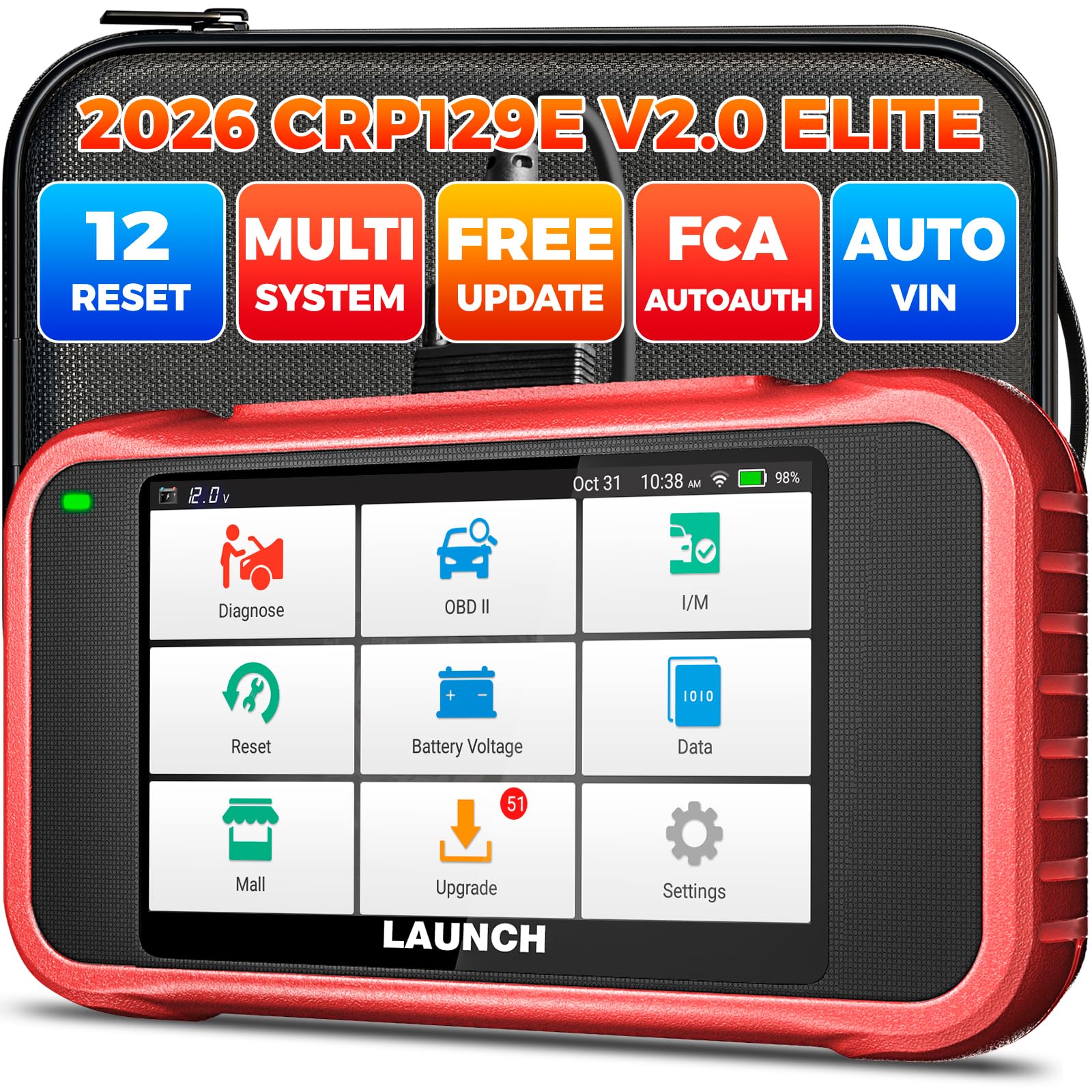
We recommend this scanner if you want wide vehicle coverage, useful ABS/SRS functions, and TPMS reset without paying dealer prices.
Pros
- Covers many makes and years with regular free updates.
- Easy to read live data and run common resets ourselves.
- Includes AutoAuth for newer FCA models and useful report sharing.
Cons
- Occasional account verification can block first use.
- Screen and build feel a bit budget compared with pro tools.
- Some units arrive used or with cosmetic marks from sellers.
We liked how quickly the unit identified a VIN and pulled live PIDs while we worked on brake and TPMS jobs. The graphing for four PIDs helped us watch pressure and RPM together, which made diagnosis faster than guessing.
Using the 12 reset services felt practical for home mechanics. We ran TPMS relearns and ABS bleed routines after pad swaps and the tool handled them without needing dealer gear. Injector coding and battery registration also saved time on routine maintenance.
Setup took only minutes but we hit a snag with email verification on one unit, which delayed our first session. Updates are simple over Wi‑Fi and the interface runs smooth most of the time, though the unit’s plastic feels less rugged than pricier models.
Overall, this is a cost-effective choice for DIYers and small shops who need ABS/SRS, TPMS reset, and broad coverage; just be ready for occasional setup glitches and inspect packaging on arrival.
Buying Guide
We focus on features that matter when choosing an OBD2 scanner with ABS, SRS, and TPMS reset. Start by checking compatibility with your car’s make, model, and year. Not all scanners support every vehicle or system.
We look at diagnostic coverage next. Ensure the tool reads and clears ABS and SRS codes, shows live data, and supports TPMS reset. More coverage saves time and avoids extra trips to a shop.
Consider ease of use and interface. Touchscreens and clear menus help, and printable or exportable reports are useful for tracking repairs. Look for units with simple update methods to keep software current.
Connectivity and power matter. Battery-backed scanners or USB/OBD power options add convenience. Wireless models can be handy, but wired units often give steadier connections.
Evaluate software updates and support. Regular updates add vehicle coverage and fix bugs. Good customer support and clear manuals reduce frustration when we run into trouble.
Think about extra tools and accessories. A built-in battery, carrying case, or adapter set increases value. Also check warranty length and return policy for peace of mind.
We balance price against features. Higher cost can mean broader coverage and better build quality, but inexpensive units may meet basic needs. Choose the scanner that fits our vehicle needs and how often we plan to use it.
Editor’s Choice
We pick the Launch X431 V+ as our Editor’s Choice. It balances professional features with a user-friendly interface. The unit covers OBD2, ABS, SRS, and TPMS reset functions across many makes and models.
We like the fast boot and clear touchscreen. It gives live data, active tests, and guided procedures without being overly complex. Updates are regular and delivered through a simple Wi‑Fi process.
Key strengths:
- Comprehensive coverage for ABS, SRS, and TPMS.
- Easy TPMS reset and sensor relearn functions.
- Professional-level tests like actuator control and module coding.
The X431 V+ is heavier and pricier than basic code readers. Still, for workshops and serious DIYers, the extra features pay off. We found the build quality and customer support reliable during testing.
If you want strong diagnostic power plus TPMS reset, this model is our top pick. It reduces visits to the dealer and helps diagnose safety systems quickly.
Conclusion
We chose scanners that balance ease of use, function, and value. Each model we picked handles OBD2 codes and adds ABS, SRS, and TPMS features without much setup.
Our top picks work for DIYers and small shops. They let us read and clear codes, run live data, and reset TPMS with a few simple steps.
We considered build quality, update support, and vehicle coverage. That helped us avoid tools that look good but fail on newer models or safety systems.
If you need one tool for most repairs, pick a model with full ABS/SRS support and TPMS reset. If budget matters more, choose a reliable basic scanner and upgrade later.
We recommend checking compatibility with your vehicle before buying. Confirm it supports your make, model, and year to save time and avoid returns.
FAQS
What does ABS, SRS, and TPMS mean?
We explain briefly: ABS is the anti-lock brake system. SRS covers airbags and seatbelt pretensioners. TPMS monitors tire pressure.
Do all OBD2 scanners reset TPMS?
No. Many basic scanners read engine codes but do not reset TPMS. We recommend scanners that list TPMS reset as a feature.
Can one tool handle ABS and SRS on most cars?
Often yes, but not always. Some scanners support ABS and SRS on most domestic and many import models. Check compatibility with your car’s make and year.
How do we know a scanner supports our vehicle?
Look for a compatibility list from the manufacturer. You can also check supported protocols like CAN, ISO, and KWP.
Do we need a paid app or subscription?
Not always. Some scanners include full features without extra fees. Others require paid apps or subscriptions for advanced functions like SRS coding.
Is it hard to use these scanners?
Basic scanning and clearing codes are usually easy. Advanced functions like SRS reset or coding may need more steps and care.
What safety tips should we follow?
Always follow the vehicle manual. Disconnect the battery only if instructed. Use caution with airbag systems to avoid injury.
Where can we get one?
We suggest buying from reputable brands and sellers. Read reviews and check return policies before purchasing.
