
10 Best Professional OBD2 Scanner for Fuel Trim Analysis — Top Picks and Buying Guide

OBD2 scanners help us read and clear engine codes, monitor live data, and dig into systems that tell why a car is running poorly. For technicians and serious DIYers, fuel trim analysis is one of the most useful features because it shows how the engine adjusts fuel delivery over time. A professional OBD2 scanner built for fuel trim work gives accurate short- and long-term fuel trim numbers, real-time waveform graphs, freeze-frame data, and reliable PID logging so we can pinpoint vacuum leaks, injector problems, or sensor failures.
Choosing the right scanner means focusing on scan tool accuracy, data-logging speed, and the clarity of live graphs and numerical readouts. Look for a tool with proven live-data refresh rates, support for advanced fuel trim PIDs, stable Bluetooth or wired connections, and the ability to save and export logs for later analysis. We tested and compared models based on those criteria to find the best options for fuel-trim troubleshooting and diagnostics.
Best Professional OBD2 Scanners for Fuel Trim Analysis
Below is our list of the best professional OBD2 scanners for fuel trim analysis. We chose scanners that give accurate fuel trim data, clear live graphs, and advanced diagnostic features that pros need. Our picks work with most vehicles and help speed up fuel system troubleshooting.
FOXWELL NT301

We recommend this for DIYers and pros who need clear fuel trim and live data without paying for a full scan tool.
Pros
- Easy live-data graphs for short-term fuel trim and O2 sensor checks.
- Quick readiness checks with simple red-yellow-green indicator.
- Rugged, plug-and-play handheld that works out of the box.
Cons
- No ABS, SRS, or advanced reset functions.
- Lacks bidirectional controls and deep dealer-level features.
- Updates and PC support are Windows-only.
We used the NT301 on a few cars to check fuel trims and O2 behavior. The live-data graphs helped us spot a lean condition quickly, and the screen stayed readable in daylight. It felt solid in hand and booted up right when we plugged it in.
Reading and clearing codes was fast and reliable if the ignition was on and the vehicle supported OBDII. The I/M readiness keys and LED made pre-test checks painless. We did see the same old codes return until repairs were done, which is normal.
This unit won’t replace a full professional scanner. We tried it on vehicles needing ABS or airbag info and hit the tool’s limits. For fuel trim work and basic diagnostics, though, it saves time and shows the trends we need.
Innova 5210

We recommend this scanner if you want solid fuel-trim live data and basic shop-level checks without subscriptions.
Pros
- Clear live fuel trim and O2 data in real time.
- Built-in battery and alternator checks save time.
- Free RepairSolutions2 app gives repair steps without extra fees.
Cons
- Screen is small and menus can feel cramped.
- Some advanced ABS or maker-specific features may not work on all cars.
- Requires a full drive cycle after battery disconnect to repopulate readiness monitors.
We plugged the Innova 5210 into several cars and immediately saw fuel trim lines and O2 readings update as we blipped the throttle. The live-data screen lets us watch short and long-term fuel trims change; that helped pinpoint a rich-running bank on one vehicle without guessing.
We used the battery tester between scans and caught a weak alternator that only showed subtle voltage drops under load. That dual tool saved us a second trip to the shop and kept diagnostics focused on fuel delivery instead of an electrical problem.
We liked the RepairSolutions2 app for verified fixes and parts guidance while working on cars in the bay. Navigation through codes to likely causes felt practical, though the device’s small display slowed in-tool browsing. For pros who need deep OEM-level features, check coverage for your specific models before buying.
Innova 5610

We recommend this tool if you need professional fuel trim data and bidirectional controls at a mid-priced level.
Pros
- Shows live fuel trim and OEM data for deep diagnostics.
- Bidirectional commands let us actuate pumps and valves.
- Integrates with RepairSolutions2 app and offers ASE support.
Cons
- Not truly universal—check vehicle coverage first.
- Mobile app pairing can be finicky on some phones.
- Learning curve for advanced reset and relearn functions.
We used the 5610 on several late-model cars and liked how clearly it showed short and long term fuel trims. Live stream updates were steady, which helped us watch changes while making adjustments.
Running bidirectional tests felt like a pro feature; we could command a fuel pump on/off and verify sensor responses without guessing. That saved time compared with basic code readers.
Setup took a few minutes and the RepairSolutions2 app added useful repair tips. At times the Bluetooth reconnected slowly, so plan a little extra time when swapping vehicles.
Overall, the Innova 5610 is solid for shops and serious DIYers who need fuel trim analysis plus bi-directional control, as long as you confirm it supports your exact make and model.
BLCKTEC 460T

We recommend this tool if you want fast, dealer-level fuel trim analysis and live data without paying shop prices.
Pros
- Clear live fuel trim graphs and real-time data streaming.
- Fast AutoVIN and quick full-vehicle scans.
- Lots of service resets for shop-style maintenance.
Cons
- Some advanced functions depend on vehicle make and year.
- Menus feel a bit cluttered until you learn the flow.
- App features require RepairSolutions2 and work only in USA/Canada.
We plugged the 460T into several cars and watched short-term and long-term fuel trims update in real time. The graphing is handy for spotting a stuck fuel trim or a slow lean condition, and we could overlay multiple PIDs to compare fuel trim against oxygen sensor readings.
Scanning was quick. AutoVIN picked up the car right away and AutoScan cycled through modules without extra button presses. That saved time when we were diagnosing intermittent drivability issues across different vehicles.
We used the reset tools after swapping sensors and noticed the throttle relearn and battery reset functions did what they promised. The interface takes a few runs to master, and some features simply won’t work on every make — we double-checked compatibility before testing.
ANCEL AD310

We recommend this if you want a simple, reliable OBD2 tool for fuel trim checks and basic emission diagnostics.
Pros
- Easy to use and reads live data quickly.
- Tough cable and compact body for garage work.
- Plugs into the car—no batteries or charging needed.
Cons
- Only covers emission-related codes, not full engine systems.
- Limited to OBDII vehicles (no OBDI support).
- Basic display and no advanced graphing features.
We plugged the AD310 into several cars and watched short-term and long-term fuel trims appear right away. The live data felt responsive and it helped us spot rich or lean trends without scrolling through complex menus.
The build stood out during hands-on use. The cable is thick and long enough to move around the engine bay, and the unit survived a few drops to a concrete floor without damage. Buttons are clear and the screen is readable in most light.
This scanner saved time when we cleared codes after basic repairs and then rechecked readiness monitors. It won’t replace a full-featured professional scan tool for advanced systems, but for fuel trim checks and emission code work it gave us fast, accurate results.
Autel MK808S
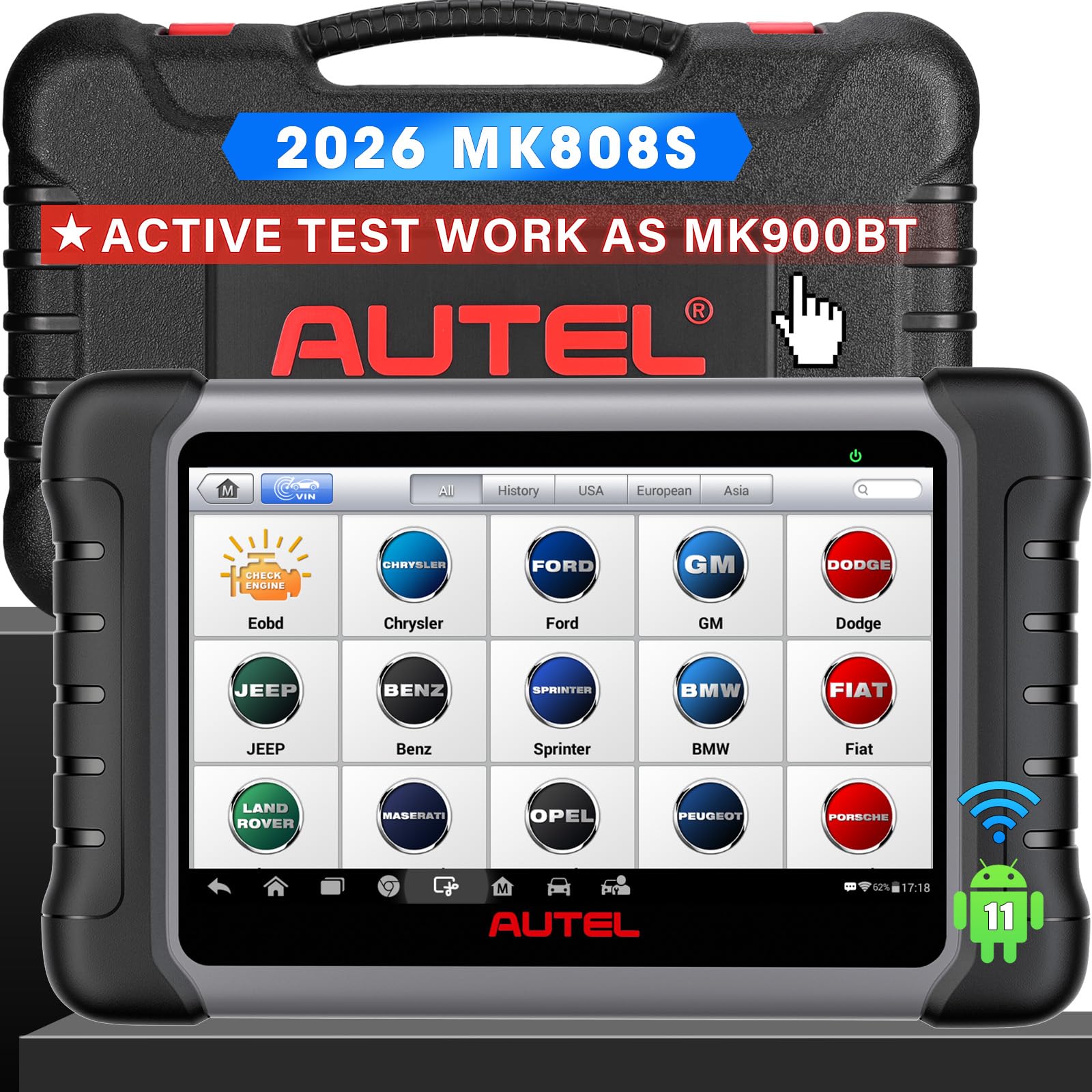
We recommend this if you need fast, full-system fuel trim analysis and workshop-level tests without buying multiple tools.
Pros
- Very fast live data and smooth graphs for fuel trim checks.
- Covers full systems and many service functions in one tablet.
- Solid build and easy to hold during under-hood work.
Cons
- Some advanced functions vary by vehicle and need extra setup.
- Large tablet can feel bulky for one-handed use.
- Occasional software updates require internet and time.
We used the MK808S on several cars to watch short- and long-term fuel trim while running the engine. The live-data refresh stayed steady and the charts made it easy to spot when the trims were drifting. That cut down on guesswork during diagnostics.
Running OE-level codes and the 5-in-1 data display let us compare fuel trims against other sensors quickly. We liked being able to run active tests (like purge valve or injector tests) right from the tablet to see immediate fuel trim reaction.
The reset and service functions helped when we needed to clear learned values after repairs. Setup and vehicle coverage were straightforward for common brands, though a few makes needed an update or extra activation to unlock certain bi-directional controls.
FOXWELL NT604 Elite

We recommend this scanner if you need reliable fuel trim and live-data checks without paying dealer prices.
Pros
- Clear live data and fuel trim streams for quick diagnosis
- Works out of the box with AUTOVIN and many car brands
- Sturdy case and lifetime software updates
Cons
- No advanced service functions like relearns or resets
- AUTOVIN can fail on older or rare models
- Limited to diagnostics — you must fix the issue to clear codes
We used the NT604 Elite on several late-model cars to watch short- and long-term fuel trim while tuning and chasing vacuum leaks. The screen updates smoothly and the live-data graph made comparing trims between cylinders easy. We liked that it showed engine, ABS, SRS, and transmission data in one session.
Setup took seconds: plug in and it boots with current software, so we started reading fuel trims immediately. AUTOVIN found most vehicles and saved time, though on one older import we had to pick the model manually. The user interface feels straightforward for techs and DIYers.
The unit won’t run adaptations, relearns, or service resets, so plan to do mechanical fixes before clearing codes. Battery-powered scanners with those functions cost more, so this is a good trade for focused fuel-trim work. Overall, we found it a solid, professional-level tool for fuel trim analysis and general module diagnostics.
XTOOL D7
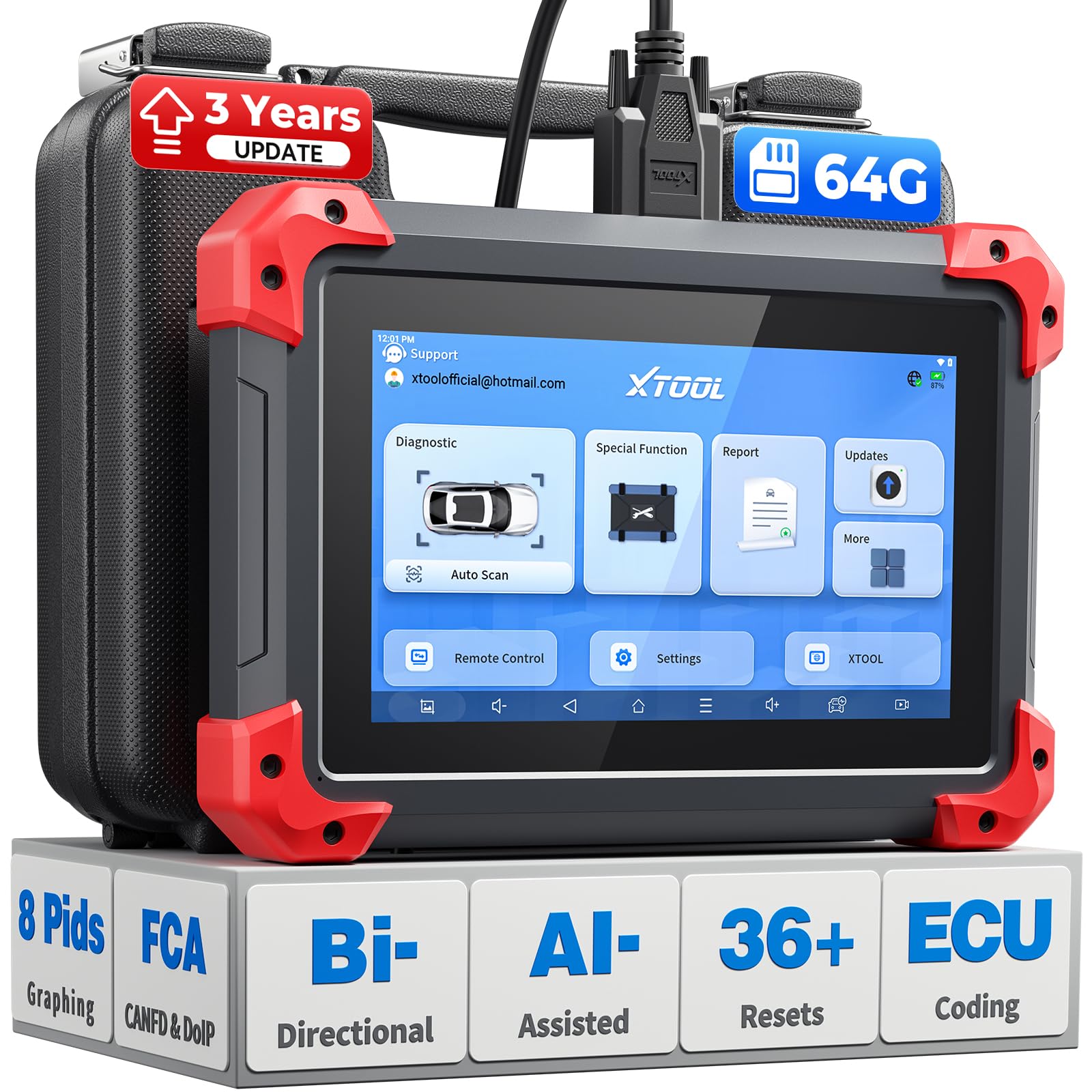
We recommend this if you need pro-level fuel trim testing and bidirectional control without paying Snap-on prices.
Pros
- True bidirectional controls that let us command injectors and watch trims change.
- Fast live data and 8-PID graphing make fuel trim trends easy to spot.
- Lots of special functions and 3 years of updates add long-term value.
Cons
- The unit feels a bit heavy for handheld use all day.
- Menu depth can be confusing the first few times we use advanced resets.
- Some vehicle makes require extra steps for full module access.
We used the D7 on several cars to check short- and long-term fuel trims while running active injector tests. It reacted quickly when we changed throttle and load, and the live graphs helped us see trim shifts in real time. That made it simple to tell if the issue was a sensor or fuel delivery related.
Connecting was smooth on modern CAN FD and DoIP vehicles, and the battery voltage readout kept us from starting deep tests with low battery risk. The bidirectional PIDs let us toggle components and watch trims respond, which saved guesswork during diagnostics.
Navigating deep menus took time at first, but once we learned the layout the special functions became handy for maintenance work. For shop use, the storage and fast charging are useful, though the tool’s weight can tire a tech during prolonged handheld use.
Overall, we found the XTOOL D7 a strong choice for fuel trim analysis when you need bidirectional control and clear live data without a huge price tag.
OBDLink MX+

We recommend this if you want fast fuel trim data and solid OEM support across many makes.
Pros
- Fast live data refresh and stable Bluetooth connection
- Works with iPhone, Android, and Windows apps we already use
- Extra OEM parameters give deeper fuel-trim insight
Cons
- App features vary by third-party software
- A bit pricier than basic scanners
- Occasional setup quirks on older vehicle models
We plugged the MX+ into a few cars and watched short- and long-term fuel trims update quickly. The screen refresh stayed smooth in our apps, and we could compare trims while revving and idling without lag.
We liked seeing OEM-level PIDs for Ford and GM that cheaper dongles missed. That helped us pinpoint lean vs rich conditions faster than guessing from generic data. Battery protection and firmware updates gave us peace of mind during longer diagnostic sessions.
Connecting on iPhone and Android was easy, though one older truck needed a quick phone Bluetooth reset before the app saw all sensors. Expect the best results when you pair it with apps that support advanced PIDs like FORScan or Torque.
Overall, the MX+ felt like a professional tool in our hands — responsive, reliable, and worth the extra cost if you need detailed fuel-trim analysis.
MUCAR 892BT AI Scanner
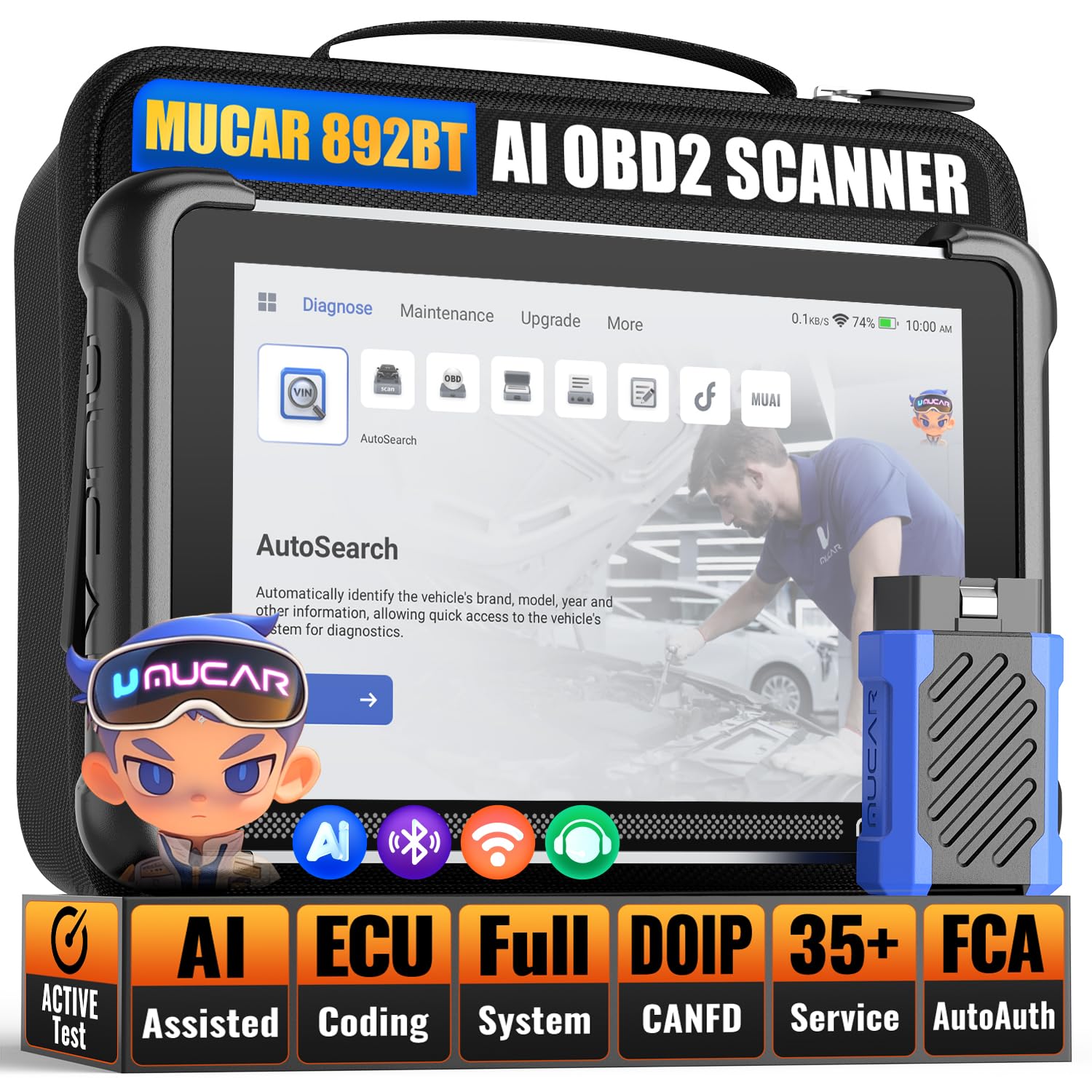
We recommend this if you want fast fuel-trim reads and pro-level controls in a compact, shop-ready unit.
Pros
- Large screen and snappy performance make live fuel-trim graphs easy to read.
- Bi-directional tests let us activate parts and watch trim change in real time.
- AI help speeds up code interpretation when time is tight.
Cons
- Android interface sometimes feels cluttered compared to simpler scanners.
- Battery life drops with long live-data sessions.
- Advanced ECU coding needs care and some learning to avoid mistakes.
We used the 8-inch display in a busy shop and the wide live-data screens made short-term and long-term fuel trim swings clear at a glance. The processor kept graphs smooth while we toggled sensors and watched trim respond.
Running active tests, we could command injectors and actuators and immediately see fuel-trim corrections. That real-time feedback helped confirm whether a repair fixed a fuel delivery or vacuum issue without guessing.
The AI diagnosis often gave useful, concise steps that saved time when a code list was long. Still, the Android layout sometimes hid functions under menus, so we had to hunt a bit during the first few uses.
Wireless pairing worked well for quick checks on customer cars. Expect to plug in for long sessions, though; battery drains faster when streaming multiple PIDs.
Overall, the MUCAR 892BT felt like a pro tool we could trust for fuel-trim analysis and verification, as long as we stayed cautious with ECU coding and kept it charged.
Buying Guide
We look for scanners that read live fuel trim numbers accurately. Accurate sensor readings let us spot mixture problems fast. Check for steady data refresh rates so values update smoothly while driving.
We want wide protocol support so the tool works on many vehicles. That includes support for OBD-II standards and common manufacturer protocols. Compatibility keeps the scanner useful across different cars and model years.
We check screen clarity and data layout. A clear display and the ability to view multiple PIDs at once saves time. Backlit screens help when working in dim garages.
We value graphing and logging features for fuel trim trends. Graphs let us spot short- and long-term trim shifts. Logging to a file helps share data with technicians or compare before/after repairs.
We consider connection type and build quality. Wired and wireless options each have pros and cons; pick one that fits our workflow. Durable construction matters if we use the tool in harsh shop conditions.
We rate software and firmware update support as essential. Updatable tools gain new vehicle coverage and bug fixes. Easy update processes reduce downtime.
We weigh extra features like freeze-frame capture, live data playback, and adjustable PID sampling rates. These features help diagnose intermittent issues. Prioritize the features we use most to keep cost and complexity reasonable.
We compare price against the tool’s core capabilities. Higher cost can be justified by better accuracy, faster sampling, and stronger update support. Choose the best fit for our needs and budget.
Editor’s Choice
We pick the Autel MaxiSys MS908S as our Editor’s Choice for fuel trim analysis. It gives fast live data, accurate fuel trim graphs, and advanced ECU coverage for most cars and light trucks.
The MS908S shows short-term and long-term fuel trim on clear, zoomable charts. We can compare trims across cylinders and time. That helps pinpoint vacuum leaks, injector issues, or air-fuel problems faster.
This unit also offers bi-directional control and active tests. We use those to exercise components while watching trim change in real time. The tablet interface is responsive, which keeps our workflow smooth.
Key specs at a glance:
- Displays: Live graphing of STFT/LTFT
- Coverage: Wide OEM and OBDII support
- Extras: Bi-directional tests, ECU coding, auto-updates
We chose this tool because it balances depth and ease of use. Technicians get professional features without a steep learning curve. The MS908S fits shop environments and serious DIYers who need reliable fuel-trim data.
Conclusion
We chose scanners that give accurate fuel trim data and reliable diagnostics. Each tool we picked helps us find lean or rich conditions fast, so we can make smart repairs.
We look for live PID display, graphing, and wide vehicle coverage. These features help us spot trends and compare short-term and long-term fuel trim numbers.
We value easy-to-read screens and solid data logging. That saves time and reduces guesswork when we test repairs.
We suggest matching the scanner to your needs and budget. A pro-level unit costs more but pays off with deeper data and faster troubleshooting.
Key buying points:
- Live fuel trim graphs for trend spotting
- Data logging to compare before/after fixes
- Wide vehicle support for shop versatility
- Accurate sensors and updates for long-term use
We recommend trying a demo or checking user reviews before buying. That helps confirm the scanner works well on the vehicles we service.
FAQS
What is fuel trim and why it matters?
We use fuel trim to see how the engine control unit adjusts fuel delivery. Short-term (STFT) and long-term (LTFT) readings show immediate and learned changes. These help diagnose lean or rich conditions.
Do all OBD2 scanners read fuel trim?
No. Basic code readers show trouble codes only. We recommend professional scanners that list live PIDs and fuel trim percentages. Look for models that support Mode 01 and manufacturer-specific PIDs.
How accurate are fuel trim readings?
Fuel trim data comes from the vehicle’s sensors, so accuracy depends on those sensors and the scanner’s PID support. We cross-check readings with O2 sensor voltages and other live data for confidence.
Can fuel trim fix engine problems by itself?
Fuel trim is a diagnostic tool, not a fix. We use it to pinpoint issues like vacuum leaks, bad MAFs, or leaking injectors. Then we perform repairs based on the evidence.
Which features should we prioritize?
Look for live data graphing, datalogging, freeze-frame, bi-directional controls, and wide vehicle coverage. Wi‑Fi or Bluetooth and a clear screen help field work.
How often should we check fuel trim?
We check fuel trim whenever drivability issues appear and after repairs. Periodic checks during maintenance can catch slow-developing problems.
Can we use fuel trim on older cars?
Yes, if the car supports OBD2 (1996+ in the U.S.). Some older vehicles may lack full PID support, so verify compatibility before buying.
