
How Many Miles to Reset Readiness Monitors?

Quick Answer
Most vehicles need a few normal driving trips over roughly 50–100 miles to complete some OBD2 readiness monitors, but this is only a general estimate, not a guarantee. Some monitors may become ready sooner, while others can require several days or more because the engine computer must detect specific driving conditions. Check your vehicle’s manufacturer-recommended drive cycle and verify each monitor with an OBD2 scanner before an emissions test.
What determines how quickly monitors reset?
- Driving conditions: A combination of city traffic, steady cruising, and suitable engine temperatures helps trigger different monitor tests.
- Vehicle requirements: Each make, model, and year can have different conditions for completing its diagnostic tests.
- Monitor type: Catalyst, oxygen sensor, and evaporative-system monitors may need different conditions.
- Recent repairs: Clearing trouble codes or disconnecting the battery can change readiness status to incomplete.
- Verification: Use an OBD2 scanner to check which monitors are ready, incomplete, or unsupported.
Before an emissions test
- Don’t rely on mileage alone: Confirm the required monitors are ready and check your local inspection rules.
- Address warning lights: If the check engine light returns, diagnose the underlying problem instead of repeatedly clearing codes.
If you’ve cleared a check engine code, replaced a battery, or finished an emissions-related repair, you may be wondering how far you need to drive before your car is ready for inspection. An OBD2 scanner can show the answer, but the mileage alone won’t tell the whole story.
I’ll explain what affects monitor readiness, which driving conditions matter, and how to check your results without wasting fuel or making unnecessary trips.
In This Guide
- How Many Miles Does It Take to Reset Readiness Monitors?
- Why Does Readiness Depend on More Than Mileage?
- What Driving Conditions Help Reset OBD2 Monitors?
- How Do You Check Readiness with an OBD2 Scanner?
- Why Are Readiness Monitors Still Not Ready?
- Can You Pass an Emissions Test with Incomplete Monitors?
- Frequently Asked Questions
How Many Miles Does It Take to Reset Readiness Monitors?
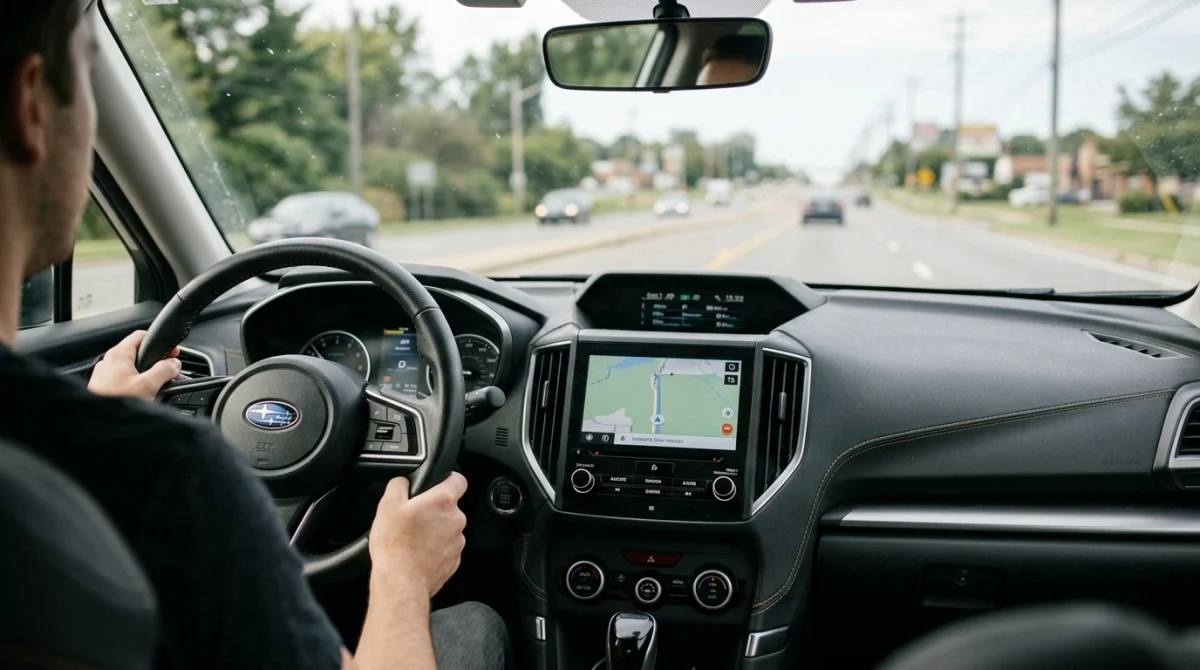
There is no universal mileage requirement for resetting OBD2 readiness monitors. As a rough planning estimate, 50–100 miles of varied driving may be enough for some vehicles to complete several monitors, but others need more distance, additional trips, or specific operating conditions.
In practice, I would treat that mileage as a starting point rather than a deadline. The vehicle’s onboard computer must complete its own diagnostic checks before reporting each applicable monitor as ready.
Typical mileage and time expectations
| Driving pattern | What to expect |
|---|---|
| Short local trips | Some monitors may remain incomplete if the engine never reaches the required conditions. |
| Mixed city and highway driving | May help complete multiple monitors over several trips. |
| Several days of normal driving | Often provides more opportunities for the computer to run its tests. |
| Manufacturer-specific drive cycle | Targets the operating conditions needed by that particular vehicle. |
Ohio’s E-Check guidance explains that everyday driving may restore readiness within two or three days, although older vehicles can take longer. Its suggested general drive cycle may need repeating two to five times, depending on the vehicle.
These are useful reference points, not guarantees for every car. Your manufacturer’s instructions take priority when a particular monitor requires specific conditions.
What does resetting readiness actually mean?
An OBD2 readiness monitor is a self-check that evaluates an emissions-related system or component. The vehicle reports the monitor’s status after its computer has completed the required diagnostic test.
- Ready: The applicable diagnostic test has completed.
- Not ready: The computer has not completed that test since readiness was reset, or the necessary conditions have not occurred.
- Not supported: The vehicle does not support that particular monitor, so it may not be required for that configuration.
A monitor showing not ready does not automatically mean a component is defective. It means the computer has not finished evaluating that system.
Section takeaway: Plan for several varied trips, not a guaranteed mileage target. Use the scanner’s readiness screen to decide whether you need more driving or further diagnosis.
Why Does Readiness Depend on More Than Mileage?
Readiness monitors depend on the vehicle’s operating conditions, not simply the number on the odometer. The computer may wait for a suitable combination of engine temperature, speed, fuel level, and driving time before running a particular test.
That explains why two vehicles driven the same distance can show different readiness results. Their manufacturers may use different diagnostic strategies, and their recent driving conditions may not match.
What can affect monitor completion?
- Cold starts: Some tests require the engine to begin from a particular temperature range.
- Engine warm-up: Other tests need the engine and related components to reach normal operating conditions.
- Steady cruising: Certain monitors need sustained driving within a specified speed range.
- Stop-and-go traffic: Urban driving can provide conditions that steady highway cruising does not.
- Fuel level: The evaporative-emissions monitor may require a specific fuel level before its test can run.
- Recent fault codes: An active problem may prevent a monitor from completing successfully.
These requirements differ by vehicle. Do not assume that every car needs the same fuel level, speed, warm-up period, or number of stops.
Which monitors may take longer?
Some OBD2 monitors run continuously or frequently, while others only run when their enabling conditions are met. The latter can be the reason a scanner still shows incomplete results after several trips.
- Catalyst monitor: Evaluates the catalytic converter’s emissions-control performance under suitable conditions.
- Oxygen sensor monitor: Checks aspects of oxygen-sensor operation and response.
- Evaporative system monitor: Checks parts of the fuel-vapor control system, often under specific conditions.
- EGR or secondary-air monitor: Runs only on vehicles equipped with the relevant system and when its test conditions are met.
The exact set of monitors varies by model and powertrain. A hybrid, a conventional gasoline vehicle, and a diesel vehicle may not follow the same readiness pattern.
Section takeaway: Mileage creates opportunities for diagnostic tests, but the correct operating conditions determine whether those tests can run.
What Driving Conditions Help Reset OBD2 Monitors?
A drive cycle is a sequence of operating conditions that allows the onboard diagnostic system to test emissions-related components. The best cycle is the one specified for your exact vehicle, not a generic routine copied from another model.
If you do not have the manufacturer’s procedure, normal mixed driving is a reasonable starting point while you check the incomplete monitors. Avoid aggressive driving or unsafe maneuvers just to force a test to run.
How to approach a readiness drive cycle
- Check for stored trouble codes. Scan the vehicle before driving so you know whether a fault needs attention.
- Review the owner’s manual or service information. Look for the prescribed drive cycle for your make, model, year, and engine.
- Start with normal operating conditions. Follow any specified cold-start or warm-up requirements when it is safe to do so.
- Include appropriate road conditions. Some procedures call for steady-speed driving, while others require urban driving or deceleration periods.
- Recheck readiness. After the trip, use your OBD2 scanner to see which monitors completed.
- Repeat only when appropriate. Follow the manufacturer’s instructions if a particular monitor remains incomplete.
Never follow a drive-cycle procedure that conflicts with traffic laws, road conditions, or safe vehicle operation. Some manufacturer procedures require controlled conditions or specialized service equipment.
Can highway driving alone reset all monitors?
No. Highway driving may help complete monitors that need sustained cruising, but it does not guarantee that every monitor will run. Some tests depend on cold starts, fuel level, deceleration, or other conditions that a highway trip may not provide.
Similarly, short trips around town may not satisfy monitors that require steady-speed driving. A combination of suitable conditions is often more useful than repeatedly driving the same route.
Expert tip: If one monitor remains incomplete, identify that monitor first and look up the correct drive-cycle requirements instead of adding random miles.
For a general explanation of monitor readiness and drive-cycle conditions, consult the Ohio EPA OBD readiness guidance.
Section takeaway: Follow the vehicle-specific drive cycle whenever possible. Safe, varied driving is more useful than assuming a certain number of highway miles will complete every test.
How Do You Check Readiness with an OBD2 Scanner?
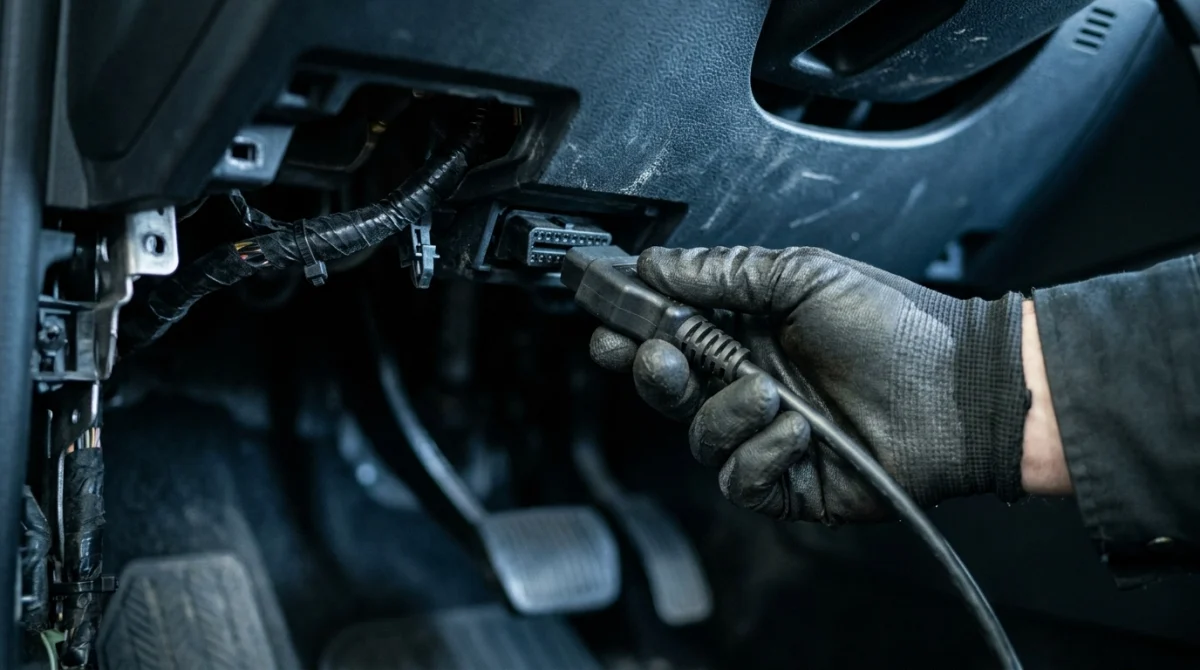
An OBD2 scanner lets you check readiness directly instead of guessing from distance driven. Many basic scanners display the status of supported emissions monitors, while more advanced tools may also show diagnostic codes and other live data.
What to check on the scanner
- Connect the scanner to the vehicle’s diagnostic port according to the tool’s instructions.
- Turn the ignition on or start the engine as directed by the scanner and vehicle manufacturer.
- Open the I/M readiness or monitor-status menu.
- Review each listed monitor and note whether it shows ready, not ready, or not supported.
- Check stored and pending diagnostic trouble codes if any monitor remains incomplete or the check engine light is on.
Menu names vary by scanner. Some tools use the term “I/M Readiness,” which refers to inspection and maintenance readiness rather than a separate mechanical component.
What if your scanner shows one monitor incomplete?
Do not immediately assume the vehicle needs another 100 miles. First, determine which monitor is incomplete and whether your local inspection program allows any monitors to remain unset.
If the catalyst monitor is incomplete, for example, the next step is to check its enabling conditions and the manufacturer’s procedure. If several monitors remain incomplete after a battery disconnect, the computer may simply need more suitable driving conditions.
Expert tip: Avoid clearing codes just to refresh the scanner display. Clearing codes can reset readiness again and erase useful diagnostic information.
Does a key fob or remote start affect readiness?
A key fob is a remote or proximity device used to authorize access or starting on equipped vehicles. Its battery replacement or routine remote-button use does not normally reset emissions readiness by itself.
However, disconnecting the vehicle’s 12-volt battery during electrical work may erase readiness information on many vehicles. Remote-start systems can also change how a vehicle is started or warmed up, so follow the manufacturer’s requirements if a specific drive cycle calls for a particular start procedure.
Section takeaway: Use the scanner to identify the exact incomplete monitor, then follow the appropriate instructions. Readiness status is more reliable than estimating by mileage alone.
Why Are Readiness Monitors Still Not Ready?
If you’ve driven well over 100 miles and a monitor still shows not ready, the answer may be more complicated than insufficient distance. The vehicle may not have encountered the required conditions, or a fault may be preventing the test from running or completing.
Common reasons for incomplete monitors
- Mostly short trips: The engine may not reach the required temperature or operating conditions.
- Incorrect drive cycle: The route or driving pattern may not match the manufacturer’s requirements.
- Battery disconnection: The computer may have lost stored readiness information.
- Codes recently cleared: The monitors may need to rerun their self-tests.
- Existing emissions fault: A sensor, wiring, fuel-vapor system, or other fault may prevent a monitor from completing.
- Low fuel or unsuitable conditions: Certain tests may be postponed until their enabling criteria are met.
What should you do next?
Use a step-by-step diagnostic approach rather than repeatedly resetting the computer.
- Read stored and pending codes before clearing anything.
- Identify which monitors are incomplete and which are not supported.
- Check the manufacturer’s drive-cycle requirements for the affected monitor.
- Complete the required conditions safely and rescan the vehicle.
- Arrange professional diagnosis if a monitor repeatedly fails to complete or a warning light returns.
A readiness monitor marked not ready is different from a monitor that has completed and detected a fault. The first indicates that a test has not finished; the second may indicate a problem that needs repair.
If the check engine light flashes, stop driving when it is safe and seek prompt professional advice, because a flashing light can indicate a serious engine misfire. If the light stays on steadily, read the codes and follow appropriate diagnostic guidance.
Locksmith’s note: When battery work or vehicle electrical repairs are involved, confirm what was disconnected and whether the vehicle manufacturer’s service instructions require any special reset or relearning procedure.
For further information on OBD inspection readiness, the U.S. Environmental Protection Agency’s emissions inspection guidance provides background on inspection and maintenance programs.
Section takeaway: If readiness does not improve after suitable driving, investigate the incomplete monitor and any stored codes instead of assuming more miles will fix it.
Can You Pass an Emissions Test with Incomplete Monitors?
It depends on the inspection program, the vehicle’s model year, and which monitors remain incomplete. Some programs allow a limited number of supported monitors to remain not ready, while others apply different rules to specific vehicle categories.
Even if your vehicle’s monitors are ready, that alone does not guarantee a passing result. The inspection may also check the malfunction indicator lamp and diagnostic trouble codes.
What to verify before the inspection
- Local requirements: Confirm how many incomplete monitors your inspection program permits for your vehicle.
- Check engine light: Determine whether the OBD system has commanded the malfunction indicator lamp on.
- Stored codes: Investigate emissions-related faults before the inspection.
- Monitor status: Verify that the required monitors show ready on a scanner.
- Recent repairs: Allow the vehicle to complete its required diagnostic checks after work that reset readiness.
For example, Texas guidance states that newer vehicles in its emissions inspection program may have only one non-continuous monitor not ready under the applicable rules. Other jurisdictions can use different criteria, so do not apply one state’s allowance everywhere.
Check the Texas Department of Public Safety emissions-testing FAQ if you’re subject to Texas inspection requirements, or consult your own state’s official inspection agency.
Should you clear codes just before testing?
No. Clearing diagnostic trouble codes immediately before an inspection can reset readiness monitors, leaving the vehicle unprepared for testing. It can also erase information that a technician needs to diagnose the original problem.
Repair the cause of a fault, follow the appropriate drive cycle, and verify readiness before returning. If your inspection is urgent, contact the inspection authority or a qualified repair shop for guidance rather than trying to hide an unresolved fault.
Section takeaway: Check the rules for your location and verify the required monitors before scheduling a retest. A fixed mileage target cannot guarantee an inspection pass.
Frequently Asked Questions
1. Will 50 miles reset readiness monitors?
It might complete some monitors, but 50 miles is not a guaranteed threshold. The computer needs the right driving conditions for each test, and some vehicles require more trips or a specific drive cycle. Check the monitor status with an OBD2 scanner.
2. Will 100 miles make all OBD2 monitors ready?
Not necessarily. A vehicle can still show incomplete monitors after 100 miles if the required conditions have not occurred or a fault is preventing a test. Use the manufacturer’s drive-cycle procedure and verify readiness before an emissions inspection.
3. How long after disconnecting the battery should I drive?
Many vehicles need several normal driving trips over a few days, but the time varies by make, model, year, and monitor. Follow the manufacturer’s drive cycle and use a scanner to confirm readiness instead of relying on a fixed number of days.
4. Does idling reset readiness monitors?
Idling alone usually does not complete every required monitor. Some tests need road speed, steady cruising, deceleration, or other operating conditions. Follow the manufacturer’s instructions and never leave a running vehicle unattended in an enclosed space.
5. Can I reset readiness monitors without driving?
In normal use, the vehicle must complete its onboard diagnostic tests under the required operating conditions. A scan tool may clear codes or reset information, but doing so does not make the monitors ready. It may reset them to not ready instead.
6. Why is my catalyst monitor still not ready after driving?
The catalyst monitor may need a specific combination of engine temperature, driving speed, load, and other conditions. Check the vehicle-specific drive cycle and scan for stored or pending codes. If it repeatedly remains incomplete, a qualified technician can investigate further.
7. Can I pass emissions testing with one monitor not ready?
Possibly, depending on your location, vehicle model year, and the monitor involved. Some programs permit a limited number of incomplete monitors, while others impose stricter requirements. Check the official inspection rules for your jurisdiction before testing.
Final Takeaway
For planning purposes, expect that some readiness monitors may complete within roughly 50–100 miles of varied driving, but don’t treat that range as a rule for every vehicle. A few suitable trips may be enough, while a specific monitor can take longer.
The best approach is straightforward: check the codes, follow your vehicle’s recommended drive cycle, and scan the readiness status again. If a monitor stays incomplete despite suitable driving, investigate the cause before attempting an emissions test.
If you need to prepare your car for inspection, an OBD2 scanner that displays I/M readiness can save time by showing exactly which tests have completed. Pair that information with your manufacturer’s instructions for the most reliable result.
