How to Program HomeLink to a Chamberlain or LiftMaster MyQ Opener

This post contains affiliate links. As an Amazon Associate, ReplaceKeyFob earns from qualifying purchases, at no extra cost to you.
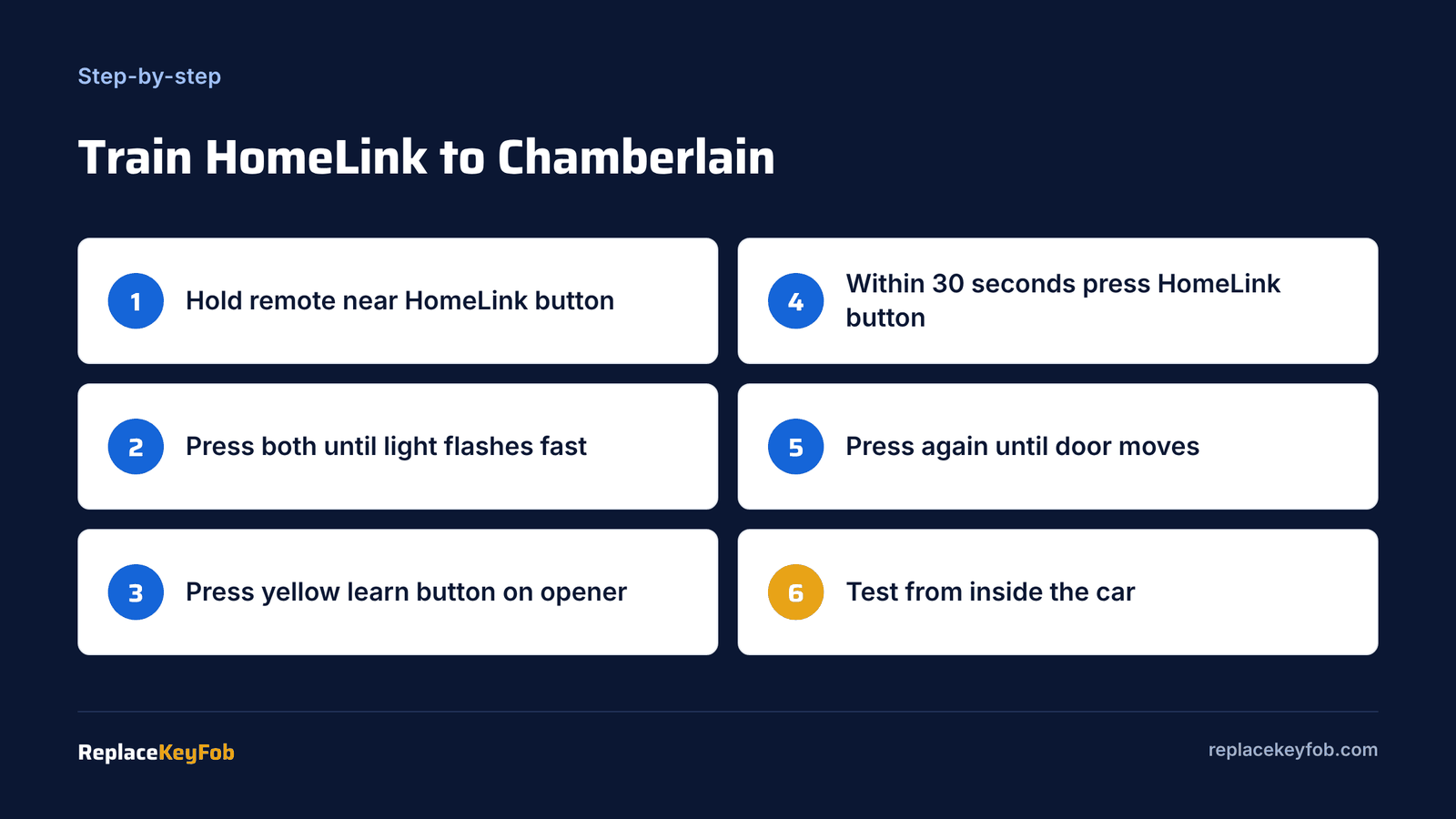
To program HomeLink to a Chamberlain or LiftMaster myQ opener, first hold your handheld remote near the HomeLink button and press both until the indicator flashes fast. Then press and release the yellow learn button on the opener motor, and within about 30 seconds press and hold the HomeLink button for 2 seconds, two or three times, until the door moves.
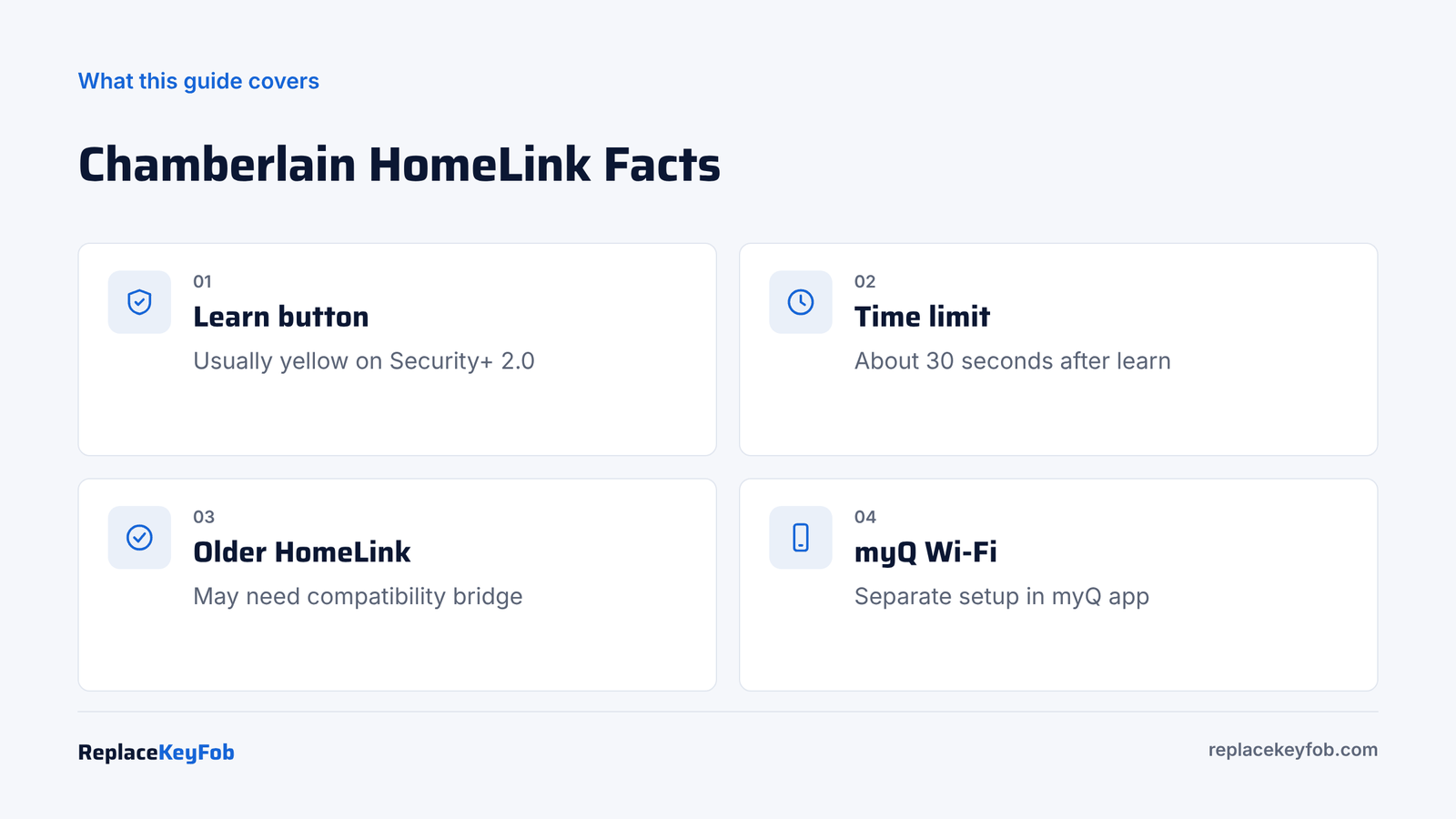
Chamberlain and LiftMaster make most of the garage door openers in US homes, and nearly all of their openers sold since about 2011 use Security+ 2.0 rolling code. You can spot them by the yellow learn button and the myQ logo on many models. Rolling code changes the signal every time you press, so HomeLink cannot simply copy the remote. It needs to be introduced to the opener through the learn button.
The myQ name adds one more layer. myQ is Chamberlain’s Wi-Fi and app system. It is separate from HomeLink. You can use HomeLink, myQ in the app, or both, and setting up one does not set up the other. This guide covers HomeLink training first, then the myQ Wi-Fi setup people often search for alongside it.
Before You Start
- A ladder to reach the opener motor on the ceiling.
- A working handheld remote for the opener, with a fresh battery.
- The car parked outside the garage, facing the door, with the ignition ON. Keep the engine off, or the garage door open, if the car is inside.
- A helper is useful. One person on the ladder, one in the car, makes the 30 second window easy.
Find the learn button and its color
The learn button is on the back or side of the motor unit, often near the hanging antenna wire, sometimes under the light cover. Its color tells you the technology:
| Learn button color | Technology | Typical years |
|---|---|---|
| Yellow | Security+ 2.0 rolling code | About 2011 to today |
| Purple | Security+ 315 MHz | About 2005 to 2011 |
| Orange or red | Security+ 390 MHz | About 1997 to 2005 |
| Green | Billion Code 390 MHz | About 1993 to 1997 |
This post focuses on yellow, because that is what myQ openers use. Purple and orange buttons follow the same steps and are usually easier for HomeLink.
Chamberlain-compatible remote
If your original remote is lost, a compatible Security+ 2.0 remote lets you train HomeLink and gives you a spare; confirm it lists yellow learn button support.
As an Amazon Associate, ReplaceKeyFob earns from qualifying purchases.
Step-by-Step: HomeLink to a Yellow Learn Button
- Optional: clear the HomeLink button. If the button was used before, you can erase all buttons by holding 1 and 3 until the light flashes fast. Our guide on how to clear HomeLink buttons has details.
- Train the car to the remote. Hold the Chamberlain remote 1 to 3 inches from the HomeLink button you want to use. Press and hold both the remote button and the HomeLink button at the same time.
- Watch the light. The HomeLink indicator flashes slowly, then changes to rapid flashing (on some cars it turns solid). Release both. The car has now recognized the signal type.
- Test. Press the HomeLink button. If the light stays solid and the door does not move, that is expected for rolling code. Continue.
- Press the learn button. On the opener, press and release the yellow learn button once. Do not hold it. Holding for about 6 seconds erases all remotes. The learn light comes on and stays lit for about 30 seconds.
- Press HomeLink within 30 seconds. Back in the car, press and hold the trained HomeLink button for 2 seconds and release. Repeat two or three times until the door moves or the opener lights blink.
- Final test. Press the HomeLink button once. The door should open or close.
Why the learn button step exists: a Security+ 2.0 opener only accepts transmitters it has paired with. Pressing learn opens a short pairing window, and the HomeLink presses send the code it needs to store.
When HomeLink and Chamberlain Do Not Get Along
Older cars, roughly pre-2012 depending on brand, can have earlier HomeLink versions that do not support Security+ 2.0. In those cars, the steps above end with the door never moving. The usual fix is a small compatibility bridge sold by Chamberlain and LiftMaster (often listed as an “External Universal Receiver” or “HomeLink Compatibility Bridge”). You plug it in near the opener, train HomeLink to the bridge, and the bridge talks to the opener.
To check your car:
- Look for the HomeLink compatibility tool on homelink.com, which asks for your vehicle and opener.
- Check the date on the HomeLink indicator style. Newer units often show a small house logo.
- Try the steps above first. If training completes but the door never responds, the bridge is the likely answer.
Some of Chamberlain’s newest openers have changed how they work with third-party car systems. If you have a brand-new opener and HomeLink will not pair, check the current compatibility notes on Chamberlain’s and HomeLink’s support pages before buying anything.
Setting Up myQ Wi-Fi (Separate From HomeLink)
If your opener has the myQ logo or a Wi-Fi light, you can also control it from your phone.
- Download the myQ app and create an account.
- Tap the plus sign to add a device, choose Garage Door Opener, and follow the prompts.
- Have your 2.4 GHz Wi-Fi name and password ready. Many myQ openers do not connect to 5 GHz-only networks.
- When prompted, press the learn button (or the Wi-Fi button on some models) to put the opener into Wi-Fi setup mode. A blue light usually blinks.
- Join the opener’s temporary network if asked, enter your home Wi-Fi details, and wait for the app to confirm.
The app and HomeLink do not conflict. Some car brands also offer myQ in the infotainment system or app, which works over the internet rather than radio, and may require a subscription.
Troubleshooting Table
| Problem | Likely cause | Fix |
|---|---|---|
| HomeLink light flashes fast but door never moves | Learn step missed or timed out | Press learn, then HomeLink within 30 seconds |
| Learn light goes out immediately | Button held too long, memory erased | Press briefly; reprogram other remotes |
| Training never reaches fast flash | Weak remote battery or wrong distance | New battery; try 1 to 6 inches away |
| Works once, then stops | Interference or opener reset | Retrain; check LED bulbs near opener |
| Older car never works with yellow button | HomeLink version too old | Use the compatibility bridge |
LED light bulbs in or near the opener can jam the receiver and shorten remote range. If problems started after new bulbs, try an opener-rated LED. For more fixes, see car garage door opener (HomeLink) not working.
Adding a Second Car or a Keypad
Each car needs its own pass through the learn button. A Security+ 2.0 opener can store a limited number of remotes and keypads (often around eight remotes, plus keypads, depending on the model), and the oldest entries may be dropped when you go over. If one car stops working after you add another, retrain it and count how many remotes you actually use.
If you want hands-free control for a second driver without another car, a wireless keypad on the outside of the garage is often cheaper than a new remote. It programs to the same learn button. After adding new devices, test every remote and every HomeLink car once, so you know nothing was pushed out.
Mistakes to Avoid
- Holding the learn button too long and wiping every remote and keypad.
- Running out of time. The 30 second window is short if you climb down a ladder. Use a helper.
- Doing it with the car running inside a closed garage.
- Assuming myQ app setup also sets up HomeLink. It does not.
When to Call a Pro
A garage door technician can help when the opener logic board is failing, the learn button does nothing, or you want a new opener installed. Typical 2026 US costs: a service call around $90 to $180, a compatibility bridge or receiver about $40 to $80 for the part, and a new Chamberlain or LiftMaster opener installed often about $350 to $750.
For the general training steps on other brands of opener, our main HomeLink programming guide is the place to start.
Related guides: How to Clear (Erase) HomeLink Buttons.
Frequently Asked Questions
Yes, most HomeLink-equipped cars from about 2012 onward work with Chamberlain and LiftMaster Security+ 2.0 openers, including myQ models. Older HomeLink versions may need a compatibility bridge.
On the motor unit, usually on the back or side near the antenna wire, sometimes under the light lens. On most myQ openers it is yellow.
The car learned the signal type, but the opener has not learned the car. Press the learn button and then the HomeLink button within about 30 seconds.
Use the myQ app, add a garage door opener, and follow the prompts. You will press the learn or Wi-Fi button to enter setup mode and connect to a 2.4 GHz network.
No, as long as you press the learn button briefly. Holding it for about 6 seconds erases all remotes, so press and release.