
What Does I/M Readiness Mean on a Scanner?

Quick Answer
I/M readiness on an OBD2 scanner shows whether your vehicle’s onboard computer has completed its self-tests for supported emissions-control systems. “Ready” means a monitor has completed its check, while “Not Ready” means the check is incomplete. A not-ready status does not automatically mean a part is broken, and all-ready monitors do not guarantee that the vehicle will pass an emissions inspection.
How to interpret the results
- Ready: The monitor has completed its diagnostic check.
- Not Ready: The monitor has not completed the required check yet.
- Not Supported: The vehicle does not support that particular monitor.
- All Ready: The supported monitors have completed their checks, but other inspection requirements still apply.
- After a reset: Recent battery disconnection or diagnostic-code clearing can leave some monitors incomplete.
What to check next
- Check stored and pending diagnostic trouble codes (DTCs), along with the check-engine light.
- If monitors remain incomplete, consult the owner’s manual for the manufacturer’s drive-cycle requirements.
If you’ve connected an OBD2 scanner to your car and noticed “I/M Readiness,” you might wonder whether it indicates a problem. The good news is that this screen usually reports diagnostic progress rather than identifying a failed part.
I’ll explain what the individual statuses mean, why monitors sometimes remain incomplete, and what to check before an emissions inspection. I’ll also show you how to distinguish readiness information from actual engine fault codes.
In This Guide
- What Does I/M Readiness Mean on an OBD2 Scanner?
- What Do Ready, Not Ready, and Not Supported Mean?
- Which Readiness Monitors Does Your Car Have?
- Why Does My Scanner Show I/M Readiness Not Ready?
- How Do You Check I/M Readiness With a Scanner?
- Can You Pass an Emissions Test With Not-Ready Monitors?
- How Do You Fix an I/M Readiness Problem?
- Frequently Asked Questions
What Does I/M Readiness Mean on an OBD2 Scanner?
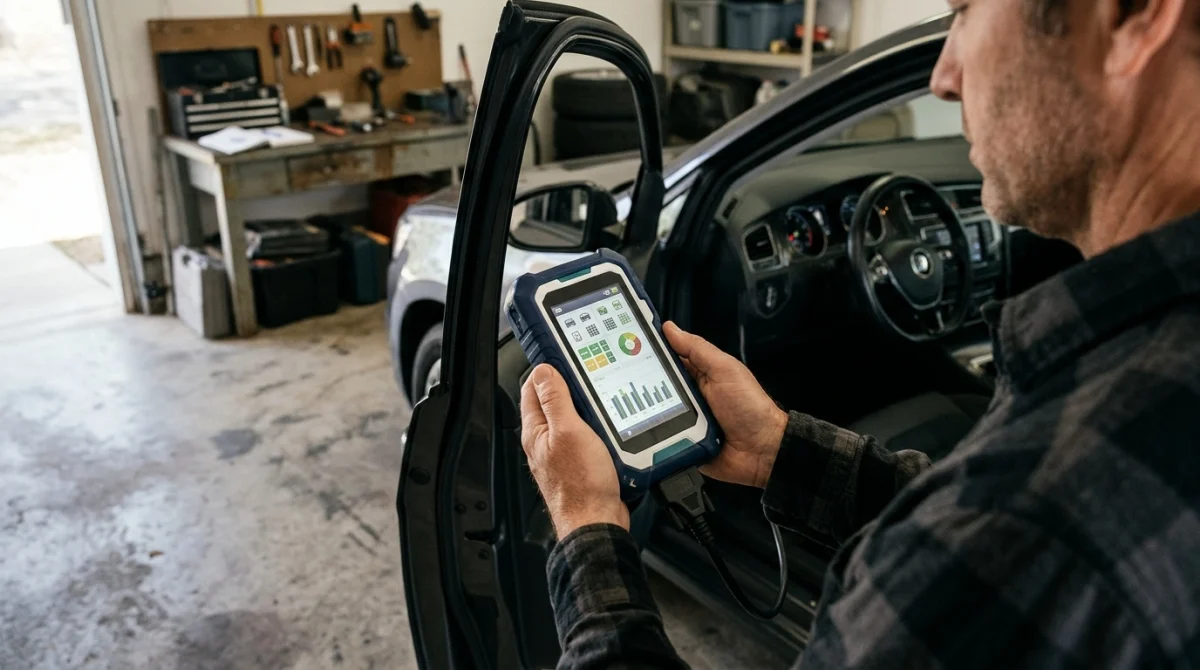
I/M readiness is a status report showing whether your car’s onboard diagnostic system has completed its required emissions-related self-tests. I/M stands for Inspection and Maintenance, a term used in vehicle emissions-testing programs.
Your car’s onboard computer checks certain engine and emissions-control systems under specific operating conditions. When a monitor completes its test, the scanner reports that monitor as ready or complete.
What is an I/M readiness monitor?
An I/M readiness monitor is a programmed diagnostic routine that evaluates a particular emissions-related system. It helps the vehicle’s computer determine whether the monitored system has completed its required checks.
For example, the catalytic converter monitor evaluates catalytic-converter performance using information from the vehicle’s sensors. The monitor must meet its operating conditions before the computer can complete that evaluation.
These results are different from diagnostic trouble codes, or DTCs. A DTC identifies a detected condition, while readiness tells you whether the relevant diagnostic check has been completed.
Why does I/M readiness matter?
Readiness information helps technicians and inspection programs determine whether the vehicle’s onboard diagnostic system has completed its emissions checks. It can also help owners identify when a car needs more driving or further diagnosis.
In the United States, applicable emissions-inspection programs may use these results to determine whether a vehicle is eligible to complete an OBD inspection. Requirements vary by jurisdiction and vehicle category.
The U.S. Environmental Protection Agency explains the broader role of vehicle emissions inspection and maintenance programs in its official I/M policy and technical guidance.
Section takeaway: I/M readiness tells you whether a diagnostic self-test has completed, not whether every component is guaranteed to be fault-free.
What Do Ready, Not Ready, and Not Supported Mean?
The exact wording depends on your scanner, but most OBD2 tools display readiness results using terms such as ready, complete, not ready, incomplete, or not supported.
Understanding these labels helps you decide whether to continue normal driving, investigate a fault, or check local inspection requirements.
| Scanner status | What it means | What to do |
|---|---|---|
| Ready / Complete | The monitor has completed its diagnostic check. | Check other monitors and any stored or pending codes. |
| Not Ready / Incomplete | The monitor has not completed its required check. | Check for recent resets, fault codes, and required driving conditions. |
| Not Supported / N/A | The vehicle does not support that monitor, or the monitor is not applicable. | Confirm the result against your vehicle’s specifications. |
Does “Not Ready” mean something is broken?
No. A not-ready status means the diagnostic routine has not completed, so it does not confirm a component failure by itself.
However, a malfunction may prevent a monitor from running or completing. If the status persists, check the available fault-code information instead of assuming the vehicle only needs more driving.
Does “Ready” mean the car is healthy?
Not necessarily. A completed monitor means the diagnostic test ran, but it does not prove that every vehicle system is working perfectly or that every possible fault has been ruled out.
A vehicle can have ready monitors and still show stored codes, pending faults, mechanical problems, or other conditions that need attention. Readiness is one piece of diagnostic information.
Section takeaway: Interpret readiness labels alongside DTCs, warning lights, and the vehicle’s symptoms rather than using a single status as a complete diagnosis.
Which Readiness Monitors Does Your Car Have?
Most OBD2-equipped vehicles monitor several emissions-related systems, but the available monitors depend on the vehicle’s design, engine, fuel type, and emissions equipment.
Some monitors run continuously under suitable operating conditions. Others need specific temperatures, speeds, engine loads, or other conditions before the computer can perform its tests.
| Monitor | What it checks | Why it may remain incomplete |
|---|---|---|
| Misfire | Detects engine misfires. | The monitor may not have completed its required evaluation. |
| Fuel system | Evaluates fuel-control operation. | Operating conditions or a related fault may affect completion. |
| Comprehensive components | Checks supported electronic components and related circuits. | A required condition may not have been met. |
| Catalyst | Evaluates catalytic-converter performance. | The engine and exhaust system may not have met the test conditions. |
| Oxygen sensor | Evaluates supported oxygen-sensor operation. | The required operating conditions may not have occurred. |
| Oxygen sensor heater | Checks the sensor-heating system. | The computer has not completed its applicable test. |
| Evaporative system (EVAP) | Checks the fuel-vapor emissions system for specified conditions. | Fuel level, temperature, or other enable conditions may not be suitable. |
| EGR / VVT | Checks supported exhaust-gas recirculation or variable valve timing systems. | The system may need specific engine operating conditions. |
| Secondary air / heated catalyst | Checks these systems when fitted. | The vehicle may not have the system, or its test conditions may not be met. |
This table describes common monitor functions, not a list that every car must display. Some newer vehicles and diesel models use additional or different emissions monitors.
Continuous versus non-continuous monitors
Continuous monitors evaluate certain engine functions while the engine operates under suitable conditions. Misfire detection, fuel-system monitoring, and comprehensive-component monitoring are common examples.
Non-continuous monitors need particular operating conditions to run their diagnostic routines. Catalyst, EVAP, oxygen-sensor, and EGR-related checks are examples on vehicles equipped with those systems.
That distinction explains why one monitor may show ready while another remains incomplete after the same journey.
Section takeaway: Focus on the monitors your vehicle supports. An absent or unsupported monitor is different from a supported monitor that has not completed its test.
Why Does My Scanner Show I/M Readiness Not Ready?
The most common explanation is that the vehicle’s computer has not completed the monitor’s required self-test. This often happens after a battery disconnect, a diagnostic reset, or a period of driving that did not meet the necessary conditions.
Several situations can produce the same scanner message, so the cause depends on the monitor and the vehicle’s recent history.
- Battery replacement: Disconnecting the battery can erase or reset stored readiness information on many vehicles.
- Cleared trouble codes: Using a scanner to erase DTCs can reset affected readiness monitors.
- Recent repairs: Repairs involving engine or emissions systems may require monitors to run again.
- Short trips: Brief journeys may not provide the conditions needed for certain tests.
- Unsuitable conditions: Temperature, fuel level, speed, and engine load can affect whether a monitor runs.
- An unresolved fault: A component or system problem may prevent the computer from completing a test.
Can clearing codes make readiness show not ready?
Yes. Clearing diagnostic trouble codes can reset readiness status, even when the original repair has addressed the problem.
This is why checking readiness immediately after erasing codes can be misleading. The computer may need time and the right operating conditions to repeat its diagnostic checks.
Clearing codes also removes useful diagnostic evidence, so record any existing codes and freeze-frame information before resetting anything.
Why is the EVAP monitor often difficult to complete?
The evaporative-emissions monitor checks parts of the system that control fuel vapor, including the system’s ability to detect certain leaks. It may require a narrow combination of fuel level, ambient temperature, vehicle temperature, and other conditions.
Consequently, a vehicle can complete several monitors while EVAP remains not ready. That result does not prove that the gas cap, purge valve, or any other EVAP component has failed.
If the EVAP monitor stays incomplete, consult the manufacturer’s requirements and check for related codes before replacing parts.
Section takeaway: Recent resets and unmet operating conditions are common explanations for incomplete readiness, but persistent problems deserve further diagnosis.
How Do You Check I/M Readiness With a Scanner?
You can usually check readiness through the I/M Readiness, Emissions, or Monitor Status menu on an OBD2 scanner. The precise menu names vary by scanner brand and model.
- Locate the OBD2 port. Check your owner’s manual for its location, commonly beneath the dashboard.
- Connect the scanner. Follow the scanner manufacturer’s instructions and use the correct ignition state for your tool.
- Open the readiness menu. Select I/M Readiness or the equivalent emissions-monitor option.
- Review each supported monitor. Note which monitors show ready, not ready, or not supported.
- Check diagnostic codes. Review stored and pending DTCs and any available freeze-frame information.
- Record the results. Save the statuses before clearing codes or disconnecting the battery.
Not every basic scanner displays the same information. Some tools show only a simplified readiness summary, while more capable models offer additional emissions and diagnostic data.
What should you check besides readiness?
Readiness status makes more sense when you compare it with other diagnostic information. Check the following items before deciding what to do next.
- Check-engine light: Note whether the malfunction indicator lamp is illuminated, flashing, or off.
- Stored DTCs: These codes may identify a fault that the computer has detected.
- Pending DTCs: These may reveal a problem that has not yet met all the criteria for a confirmed code.
- Recent maintenance: Consider whether the battery was disconnected or codes were erased.
- Vehicle symptoms: Rough running, poor performance, or unusual fuel consumption may warrant diagnosis.
For example, suppose you replace a weak battery and then scan your car. The catalyst and EVAP monitors show not ready, but no warning light appears.
That combination may indicate that the computer needs to complete its tests. However, you should still check for pending codes and follow the vehicle-specific requirements rather than assuming everything is fine.
Section takeaway: Read the complete scan report before deciding whether your vehicle needs more driving, a repair, or a professional diagnostic check.
Can You Pass an Emissions Test With Not-Ready Monitors?
Possibly, but it depends on the inspection program, vehicle model year, fuel type, and which monitors remain incomplete. Some programs allow limited exceptions, while others apply stricter readiness requirements.
There is no single rule that guarantees a vehicle will pass with one or more not-ready monitors. Check the requirements for your local inspection program before scheduling a test.
What if the check-engine light is off?
An off check-engine light does not automatically mean that all readiness monitors are complete. The light and the monitor statuses provide different information about the vehicle’s diagnostic system.
A vehicle may have no illuminated warning light while one or more monitors remain incomplete. Conversely, a completed readiness test does not guarantee that the vehicle has no stored or pending diagnostic codes.
Should you clear codes before an inspection?
Clearing codes simply to turn off the check-engine light or prepare for an inspection can reset readiness monitors. That can leave the vehicle unprepared for testing and erase information that would help diagnose the original problem.
Address the underlying fault first, if one exists, and confirm the applicable inspection rules. Do not assume that a recently cleared code means the emissions system is functioning correctly.
The Texas Department of Public Safety explains the difference between readiness status and diagnostic trouble codes in its readiness monitor guidance.
Section takeaway: Passing depends on local inspection rules and the vehicle’s overall results, not simply on whether the scanner displays all ready.
How Do You Fix an I/M Readiness Problem?

Start by identifying which monitor is incomplete and whether any diagnostic codes or symptoms accompany it. A not-ready status alone is not enough information to justify replacing a component.
What should you do if the monitor is not ready?
- Check recent resets. Determine whether the battery was disconnected or codes were erased recently.
- Read all available codes. Look for stored and pending DTCs that could explain why a monitor has not completed.
- Check the owner’s manual. Find any manufacturer guidance about emissions readiness and required operating conditions.
- Drive under appropriate conditions. If the vehicle is safe to drive and no warning requires immediate attention, normal driving may allow pending self-tests to complete.
- Rescan the vehicle. Check whether the incomplete monitors have changed to ready.
- Seek diagnosis if needed. If a monitor repeatedly fails to complete or relevant codes return, arrange an appropriate inspection.
There is no universal drive cycle that works for every vehicle. A procedure suitable for one make, model, and year may not work for another.
Do not attempt a special driving procedure if it would require unsafe speeds, unsuitable road conditions, or ignoring a serious warning light. Follow the manufacturer’s instructions and local traffic laws.
When should you contact a mechanic?
Professional diagnosis is appropriate when the same monitor stays incomplete despite suitable driving, when fault codes return, or when the vehicle shows symptoms.
A technician can check relevant sensor data, enabling conditions, system faults, and manufacturer-specific diagnostic procedures. This helps distinguish an ordinary incomplete test from a fault that prevents the test from finishing.
The California Bureau of Automotive Repair provides an OBD test reference explaining how readiness requirements interact with vehicle inspection and why some monitors need specific operating conditions.
Technician’s note: Before replacing an emissions component, verify the vehicle’s stored and pending codes and follow the appropriate diagnostic procedure for its make, model, and year.
Section takeaway: Work from the scanner evidence and the manufacturer’s guidance. Avoid replacing parts or repeatedly clearing codes based on a not-ready message alone.
Frequently Asked Questions
What does I/M readiness mean on a scanner?
I/M readiness indicates whether the vehicle’s onboard diagnostic computer has completed its emissions-related self-tests. Ready means a monitor has completed its check, while not ready means the test remains incomplete. The status does not, by itself, confirm that a component is good or bad.
How long does it take for I/M readiness to become ready?
It depends on the vehicle, the monitor, and the conditions needed to complete the test. Some monitors may complete during ordinary driving, while others require particular temperature, fuel-level, speed, or engine-load conditions. Consult the manufacturer’s guidance rather than relying on a fixed mileage or number of days.
Can a car run normally with I/M readiness not ready?
Yes, a vehicle may run normally while one or more monitors remain incomplete. However, normal driving does not prove that every emissions system is functioning correctly. Check for warning lights, stored or pending codes, and unusual symptoms before deciding that no further investigation is necessary.
Does disconnecting the battery reset I/M readiness?
It can. On many vehicles, disconnecting the battery resets readiness information or other stored diagnostic data. The computer may then need suitable operating conditions to complete the affected monitors again. The exact behavior depends on the vehicle’s design.
Can I pass an emissions test if one monitor is not ready?
Possibly. Acceptance depends on the applicable inspection rules, vehicle category, model year, and monitor involved. Some programs permit limited exceptions, but others require more monitors to be complete. Verify your local requirements before assuming that a single incomplete monitor is acceptable.
Does all I/M readiness showing ready mean there are no trouble codes?
No. Readiness status and diagnostic trouble codes are separate pieces of information. A monitor can be ready while the scanner still reports stored or pending codes. Review the full diagnostic report and check the malfunction indicator lamp before concluding that the vehicle has no problems.
Why is my catalyst or EVAP monitor still not ready?
These monitors may need specific operating conditions before their diagnostic tests can run. Recent code clearing, a battery disconnect, unsuitable temperatures, fuel level, or an unresolved system fault may affect completion. Check the manufacturer’s requirements and relevant DTCs before replacing components.
In short, I/M readiness tells you whether your car’s onboard computer has completed its emissions self-checks. When you see not ready, identify the affected monitor, check for diagnostic codes, and allow the required tests to run under appropriate conditions.
If the status persists or the vehicle shows warning signs, have the underlying cause diagnosed before an emissions inspection. Understanding the difference between readiness and fault codes can save time, prevent unnecessary parts replacement, and help you make a better-informed repair decision.
