
KINGBOLEN Ediag Link Review: Is This OBD2 Scanner Worth It?
The KINGBOLEN Ediag Link is a Bluetooth OBD2 scanner with full-system diagnostics, bidirectional testing, and smartphone-based vehicle maintenance functions. It helps DIY mechanics and automotive technicians investigate fault codes, examine live vehicle data, and perform supported service procedures.
This KINGBOLEN Ediag Link review examines its diagnostic capabilities, subscription requirements, compatibility, and everyday usability. Its strongest appeal is advanced functionality in a compact, app-connected device.
🏆 My Quick Verdict
💡 Best For: DIY car owners and technicians who need smartphone-based all-system diagnostics, active tests, and maintenance resets.
⚡ Key Specs:
Bluetooth OBD2 adapter, iOS and Android support, 10+ maintenance services, CAN FD, FCA AutoAuth, four-stream graphing, and one year of premium access.
✅ Bottom Line: The Ediag Link offers a compelling combination of advanced diagnostic functions and portable hardware. Its biggest purchasing consideration is the ongoing subscription required to retain premium functionality after the first year.

KINGBOLEN Ediag Link at a Glance
- Full-system diagnostics access supported electronic control modules beyond basic engine codes.
- Bidirectional testing commands compatible components during troubleshooting.
- More than ten maintenance services support common repair procedures.
- Bluetooth connectivity works through the Ediag smartphone application.
- CAN FD and FCA AutoAuth expand potential modern-vehicle coverage.
- Advanced diagnostic access requires renewal after one included year.
KINGBOLEN Ediag Link Specifications
The Ediag Link combines a compact wireless interface with software-driven diagnostics. These published specifications describe its supported hardware and service platform.
| Specification | Details |
|---|---|
| Brand | KINGBOLEN |
| Model | Ediag Link |
| Connection | Bluetooth |
| Mobile compatibility | Android 5.0+, iOS 9.0+ |
| Diagnostic systems | Full-system, vehicle-dependent |
| Active testing | Bidirectional control |
| Maintenance | 10+ service functions |
| Protocols | OBD2, CAN FD, FCA AutoAuth |
| Wireless range | Up to 30 ft (10 m), advertised |
| Live-data display | Four-stream graphing |
| Included premium access | One year |
Design and Build Quality
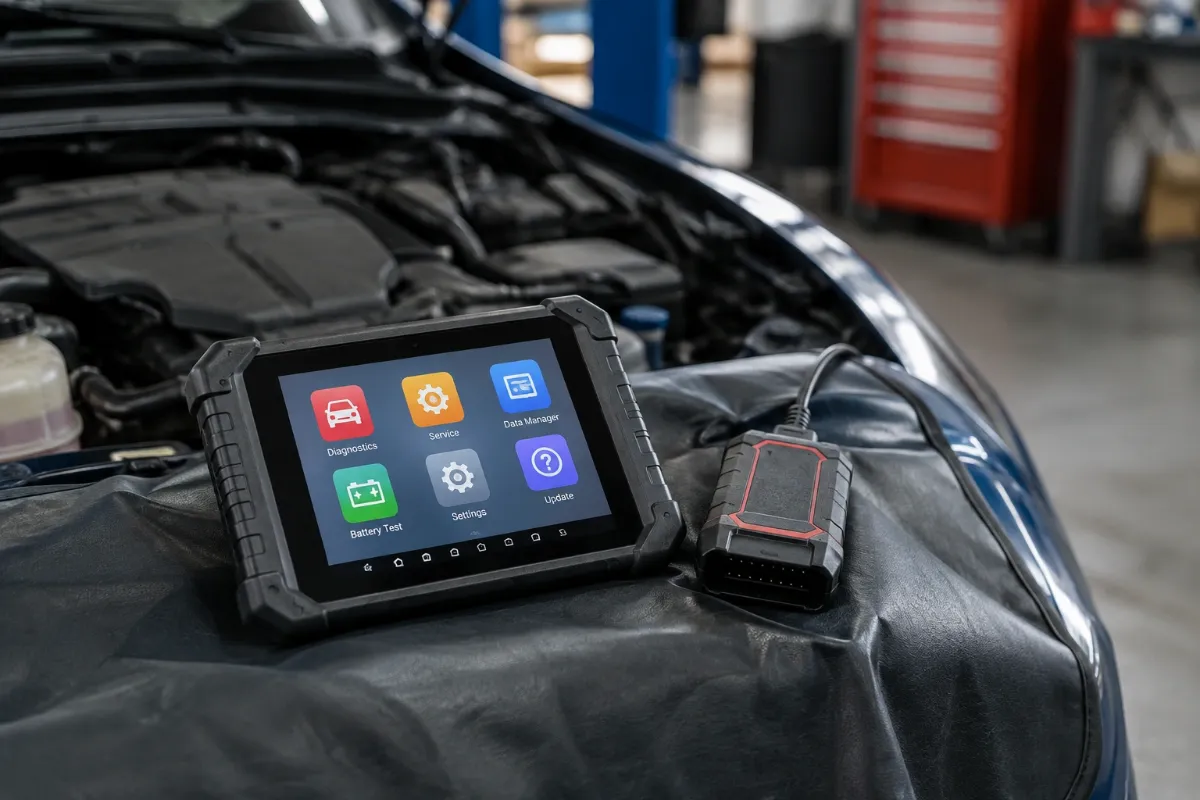
The Ediag Link uses a compact adapter design rather than a traditional handheld scanner. Its red-and-black housing connects directly to a compatible vehicle’s diagnostic port.
The manufacturer lists dimensions of approximately 2 × 1.7 × 0.8 inches. This small footprint makes storage practical, although connector clearance depends on the vehicle’s port position.
There is no integrated diagnostic display. Your smartphone supplies the interface, processing environment, and screen space needed for reading results.
- The compact housing reduces equipment carried between vehicles.
- Wireless operation allows viewing data outside the driver’s seat.
- A protective carrying case is included in the manufacturer’s package description.
The construction appears convenient for portable work, but long-term durability cannot be established from published specifications alone.
Setup, Installation, and Ease of Use
- Unpack the adapter, activation information, user guide, and supplied carrying case.
- Confirm that your smartphone meets the Ediag application’s operating-system requirements.
- Download the official Ediag application from your phone’s app store.
- Create an account and enter the supplied activation information.
- Locate your vehicle’s 16-pin OBD2 diagnostic connector.
- Insert the adapter securely without forcing the connector.
- Switch the ignition to the state specified by the application.
- Enable Bluetooth and complete pairing through the Ediag setup process.
- Download the appropriate vehicle diagnostic software using reliable internet access.
- Store the adapter and activation materials safely when diagnosis is complete.
Core Performance and Diagnostic Capabilities
The Ediag Link’s main advantage is its ability to investigate multiple vehicle systems through one mobile interface. Standard OBD2 code reading is only its starting point.
Full-System Diagnostic Scanning
Supported vehicles can expose electronic systems beyond the engine computer, potentially including transmission, ABS, and airbag modules. Actual module access depends on the vehicle’s installed equipment and diagnostic permissions.
This broader visibility helps distinguish engine-related faults from problems involving braking, transmission control, or other electronic systems. It is particularly useful when dashboard warnings appear without an obvious mechanical explanation.
Bidirectional Active Testing
Bidirectional control allows the application to send diagnostic commands to supported vehicle components. Manufacturer examples include cooling fans, injectors, air-conditioning equipment, and ABS pumps.
An active test can help determine whether a component responds to a commanded operation. It cannot independently prove that every associated wire, sensor, or mechanical assembly is healthy.
Expert Insight
A component responding to an active test does not automatically eliminate related electrical or mechanical faults. Combine commanded testing with fault-code interpretation, service information, and appropriate electrical measurements before replacing parts.
Live Data and Diagnostic Graphing
The application can display four live-data streams simultaneously as graphs. Comparing related signals can make unusual behavior easier to recognize than examining individual numerical readings.
Recorded diagnostic data can also support later troubleshooting. This is especially useful when symptoms occur intermittently and cannot be reproduced during every inspection.
Maintenance and Reset Functions
Advertised service capabilities include oil, battery, brake, DPF, ABS bleeding, injector, TPMS, throttle, steering-angle, and EGR-related functions. These are software-dependent procedures rather than universally available operations.
Before purchasing, confirm that your exact vehicle supports the specific reset or calibration you need. A supported brand alone does not guarantee every advertised maintenance function.
Key Features Explained
CAN FD and FCA AutoAuth
CAN FD support addresses diagnostic communication used by certain newer vehicles, while FCA AutoAuth supports authorized access to compatible Stellantis security-gateway systems. Neither feature guarantees unrestricted access to every protected module.
Automatic VIN Identification
AutoVIN can identify supported vehicles without manually entering every vehicle detail. Manual selection may still be necessary when automatic recognition is unsuccessful or incomplete.
Vehicle Health Reports
The diagnostic software provides health-report functionality that organizes scanned information for review. Such reports help document fault findings, but they do not replace mechanical inspections or manufacturer-approved diagnostic procedures.
One-Year Premium Access
The purchase includes one year of premium diagnostic access and updates. After expiration, advanced functions require a subscription, while basic OBD2 operations remain available.
Real-World Usability and Maintenance
The smartphone-based workflow is convenient for vehicle owners who already carry a compatible phone. However, app updates, wireless pairing, phone battery life, and software downloads become part of routine ownership.
For intermittent faults, saving data before clearing codes is advisable. Erasing diagnostic information too early can remove useful evidence and reset emissions-readiness monitors.
Keep the connector clean and dry, protect it from impact, and avoid leaving it where it interferes with pedals. Maintain your application through official updates and store activation credentials securely.
KINGBOLEN Ediag Link Pros and Cons
Pros
- Full-system access provides broader diagnostics than basic engine-only readers.
- Bidirectional testing supports more targeted component troubleshooting.
- Compact Bluetooth hardware reduces dependence on bulky scan tablets.
- CAN FD and FCA AutoAuth improve potential coverage for compatible newer vehicles.
Cons
- Premium diagnostic features require paid renewal after one year.
- Advanced service coverage varies by vehicle and control module.
- The scanner requires a compatible smartphone rather than operating independently.
Common Issues and Fixes
Bluetooth Connection Problems
Pairing may fail when app permissions, ignition state, or adapter activation are incomplete. Verify the setup sequence, enable required permissions, and reconnect through the official application.
Missing Service Functions
A reset option may be unavailable because the selected vehicle or module lacks support. Confirm the exact vehicle profile and request a function-level compatibility check before assuming a hardware fault.
Unsuccessful Software Activation
An incorrect or previously registered activation code can prevent initial registration. Check the supplied documentation and contact the seller with purchase details if activation remains unsuccessful.
What to Know Before You Buy
Confirm your vehicle’s make, model, year, engine, and desired diagnostic function before ordering. Manufacturer support can provide a more specific coverage assessment using your VIN.
- Check whether the precise active test or reset you need is supported.
- Confirm your phone can install and run the official application.
- Understand that premium access expires after the included year.
- Verify warranty and return terms with your selected seller.
The manufacturer’s published renewal options include monthly, quarterly, and annual plans, with terms subject to change. Consider recurring software costs when comparing this scanner against alternatives.
Who Should Buy the KINGBOLEN Ediag Link?
✅ Who Should Buy It
- DIY mechanics diagnosing multiple electronic vehicle systems.
- Experienced owners comfortable interpreting live diagnostic information.
- Technicians seeking a compact supplementary scanning device.
- Buyers who need supported component activation and maintenance procedures.
✗ Who Should Skip It
- Drivers needing only occasional check-engine-light code reading.
- Buyers unwilling to maintain advanced-function subscriptions.
- Users who prefer a dedicated scanner with an integrated screen.
- Owners requiring guaranteed support for an unverified procedure.
Alternatives to Consider
Two smartphone-based alternatives deserve consideration: TOPDON TopScan Pro and Autel MaxiAP AP200. Their software access arrangements and diagnostic capabilities differ from the Ediag Link.
TOPDON TopScan Pro
Best For: Users seeking bidirectional diagnostics with a broader predefined service-function menu.
Main Advantage: Supports 13 advertised maintenance resets alongside two-way diagnostic control.
Trade-off: Advanced software access has ongoing renewal costs.
Key Spec: 13 maintenance functions.
Autel MaxiAP AP200
Best For: DIY owners prioritizing app-based diagnostics and one frequently serviced vehicle brand.
Main Advantage: Includes standard OBD2 functions and one free vehicle software package.
Trade-off: Additional vehicle coverage and specialized capabilities can require purchases.
Key Spec: Bluetooth smartphone adapter with AutoVIN functionality.
Is the KINGBOLEN Ediag Link Worth It?
The Ediag Link is worth considering when its advanced functions match work you regularly perform. Access to bidirectional testing and multiple electronic systems can justify choosing it over an ordinary code reader.
Its long-term value depends on how often you need premium features. Occasional users should compare renewal costs against buying a simpler scanner with fewer ongoing software requirements.
Final Verdict
The KINGBOLEN Ediag Link is a capable option on paper for smartphone-based automotive diagnostics, particularly for buyers needing full-system access and supported active testing. Check vehicle-specific coverage and subscription terms before purchasing, because these determine its practical long-term usefulness.
Frequently Asked Questions
Does KINGBOLEN Ediag Link work with all cars?
No, compatibility is vehicle-dependent. It supports many OBD2/EOBD-compliant vehicles, but individual modules, active tests, and maintenance functions require separate coverage confirmation.
Does Ediag Link require a subscription?
Yes, continued premium functionality requires renewal after the first year. Basic OBD2 diagnostics remain accessible without the premium subscription.
Does it work with iPhone and Android?
Yes, the manufacturer specifies Android 5.0+ and iOS 9.0+ support. Users must install the Ediag application and complete device activation.
How large is the Ediag Link scanner?
The published dimensions are approximately 2 × 1.7 × 0.8 inches. Its compact design fits directly into a compatible diagnostic connector.
What warranty does the Ediag Link include?
The exact warranty must be confirmed with the seller. Published product information does not establish a universal warranty term for every sales channel.
How should I maintain the scanner?
Keep the connector clean, dry, and protected from physical damage. Update the official application, safeguard your activation credentials, and disconnect the adapter safely after diagnostic work.
Affiliate disclosure: ReplaceKeyFob earns a small commission when you purchase through links on this page — at no extra cost to you. Our editorial process is independent: affiliate relationships never influence which products we recommend or how we rank them.
