
OBDMATE OM7770 Review: Full Systems OBD2 Scanner

The OBDMATE OM7770 is a full systems OBD2 scanner with oil reset functionality, designed for vehicle diagnostics and routine maintenance. It helps car owners and DIY mechanics read diagnostic trouble codes, examine live vehicle data, and investigate warning lights before arranging repairs.
Unlike basic engine-only code readers, this handheld scanner advertises access to several electronic control systems, including the engine, transmission, ABS, and airbags. Its combination of diagnostic functions and maintenance support makes it an appealing option for home garages.
However, advertised system coverage does not guarantee every function on every vehicle. Buyers should confirm compatibility before purchasing.
🏆 My Quick Verdict
💡 Best For: DIY vehicle owners seeking a standalone diagnostic scanner with oil reset and multi-system fault-code access.
⚡ Key Specs:
3.5-inch TFT display, 320 × 480 resolution, 16-pin OBD2 connection, four-parameter live-data graphing, oil reset, and USB-C software update cable.
✅ Bottom Line: The OM7770 offers a useful advertised combination of fault-code diagnosis, maintenance support, and readable live data. Its main purchasing consideration is vehicle-specific support, particularly for advanced modules and oil-service procedures.

At a Glance
- Advertises diagnostics across multiple electronic vehicle systems.
- Includes oil-life reset support for compatible vehicles.
- Displays live sensor readings with four-parameter graphing.
- Provides emissions readiness checks and standard OBD2 functions.
- Operates through a wired vehicle connection without phone pairing.
- Includes a protective carrying case and manufacturer-advertised free updates.
OBDMATE OM7770 Specifications
| Specification | Manufacturer Listing |
|---|---|
| Brand / Model | OBDMATE OM7770 |
| Display | 3.5-inch TFT |
| Resolution | 320 × 480 pixels |
| Power | Vehicle-powered |
| Connection | 16-pin OBD2 connector |
| Service Function | Oil-life reset |
| Live Data | Four-parameter graphing |
| Weight | 9.38 oz listed |
| Dimensions | 6.89 × 1.18 × 6.69 inches listed |
| Updates | Free software updates advertised |
Design & Build Quality
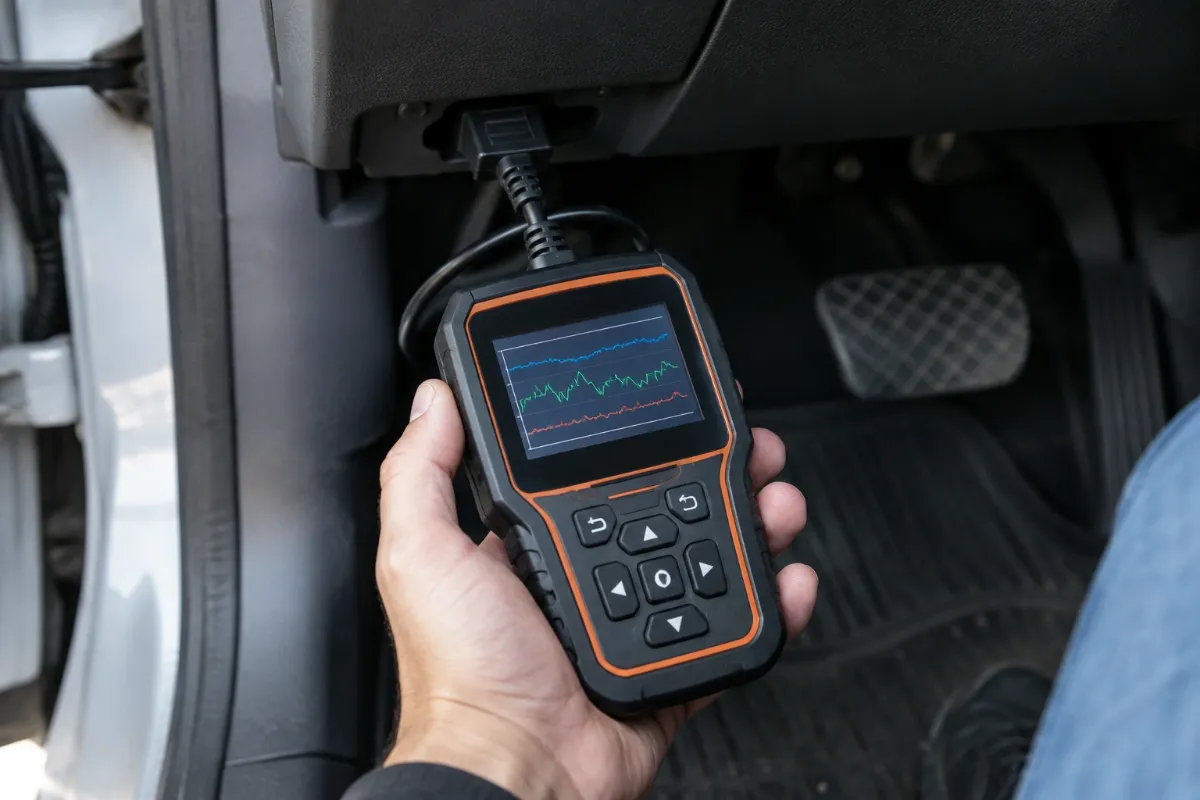
The OBDMATE OM7770 uses a handheld design with physical controls and a built-in color screen. Its yellow housing should make it easy to identify among other automotive tools.
The 3.5-inch TFT display provides more viewing area than the smallest entry-level code readers. Its 320 × 480 resolution is adequate on paper for menus, diagnostic codes, and numerical readings.
The manufacturer includes a silicone protective cover and hard carrying case. These accessories help with storage and ordinary handling, although independently verified drop-resistance figures are unavailable.
Setup, Installation & Ease of Use
- Remove the scanner, instruction manual, USB-C cable, and carrying case from the package.
- Locate your vehicle’s standard 16-pin diagnostic connector.
- Connect the scanner securely while following the vehicle and tool instructions.
- Switch the ignition to the position required for your diagnostic procedure.
- Allow the scanner to initialize and attempt communication with the vehicle.
- Use the on-screen menus to select fault codes, live data, or maintenance functions.
- Record diagnostic codes before clearing them so useful troubleshooting information remains available.
- Disconnect the tool carefully and store it inside its protective case.
Core Performance & Diagnostic Capabilities
The OM7770’s principal advantage over basic code readers is its advertised access to multiple vehicle systems. That broader diagnostic scope could help owners investigate problems beyond the check-engine light.
Multi-System Fault Diagnosis
The manufacturer’s listing identifies engine, transmission, ABS, SRS, battery-management, and tire-pressure-related systems among its supported diagnostic categories. Actual communication depends on the vehicle’s electronic architecture and available software coverage.
This distinction matters because standard OBD2 emissions communication is not the same as manufacturer-specific module access. Confirming supported systems for your exact model year is essential.
Live Sensor Data
Live-data capability helps users investigate changing sensor readings while the vehicle operates. Advertised examples include engine speed, fuel trims, battery voltage, and transmission-fluid temperature.
The four-parameter graphing function could make relationships between readings easier to recognize. However, displaying sensor values does not automatically identify the underlying mechanical problem.
Emissions Readiness
The scanner includes a dedicated I/M readiness function for checking emissions monitor status. This is particularly useful before an inspection requiring completed onboard diagnostic monitors.
A readiness result indicates monitor status, not guaranteed inspection approval. Vehicle faults, inspection rules, and other requirements still matter.
Expert Insight
A diagnostic trouble code identifies a detected condition, not necessarily a defective component. Verify the cause through appropriate testing before replacing parts, and avoid clearing codes before collecting useful diagnostic evidence.
Key Features Explained
Oil-Life Reset
The oil reset function is intended to reset the maintenance reminder after an oil change on compatible vehicles. It does not physically change the oil or repair an underlying lubrication-system problem.
Auto-VIN Detection
Auto-VIN technology attempts to retrieve vehicle identification information electronically. It may reduce manual selection effort, but automatic identification is not guaranteed across every supported vehicle.
Battery Voltage Testing
Battery voltage information provides a convenient initial electrical-system observation. A voltage reading alone cannot establish battery health or replace a proper load and charging-system test.
Free Software Updates
OBDMATE advertises free software upgrades without recurring subscription charges. Owners should verify the supported computer setup, update instructions, and currently available firmware before relying on future coverage improvements.
Real-World Usability & Maintenance
The wired design suits users who prefer a self-contained tool without smartphone pairing. This can simplify occasional garage use and reduce dependence on mobile applications.
Keep the diagnostic connector clean, avoid sharply bending the cable, and protect the display during storage. Follow the manufacturer’s environmental guidelines rather than leaving the scanner exposed to extreme cabin temperatures.
For repeated troubleshooting, maintain a written record of codes, operating conditions, and repairs. This creates a more useful diagnostic history than clearing warning lights without documenting their causes.
Pros & Cons
Pros
- Advertised multi-system diagnostics extend beyond basic engine-code reading.
- Oil reset adds a practical routine maintenance function.
- Graphing and readiness information support more informed troubleshooting.
- Included storage accessories make organization more convenient.
Cons
- Advanced functions require model-specific compatibility confirmation.
- A wired handheld interface offers less mobility than wireless scan tools.
- Independent diagnostic performance testing was unavailable for this review.
Common Issues & Fixes
Scanner Cannot Communicate
The scanner may fail to connect when the ignition state, diagnostic connector, or supported protocol is unsuitable. Verify the vehicle’s OBD2 compliance, connector condition, and correct ignition procedure.
Oil Reset Is Unavailable
The maintenance reset menu may not support the selected vehicle configuration. Confirm model-specific service coverage and follow the manufacturer’s documented reset procedure.
Warning Light Returns
A warning light can reappear after codes are cleared if the triggering condition remains unresolved. Retrieve the new codes, document the operating conditions, and diagnose the underlying fault.
What to Know Before You Buy
The most important purchasing check is compatibility at the individual vehicle level. Model year, market, engine, and control-module configuration can affect diagnostic and service coverage.
Do not interpret full-system access as a promise of bidirectional controls, ECU programming, key programming, or unrestricted manufacturer-level functions. Those capabilities require separate verification and should never be assumed.
Also check the seller’s current warranty terms, return policy, and update instructions. The listing’s free-update claim does not establish every aspect of long-term technical support.
Who Should Buy It / Who Should Skip It
✅ Who Should Buy It
- DIY owners investigating recurring dashboard warning lights.
- Home mechanics needing compatible oil-maintenance resets.
- Drivers wanting live data without a smartphone application.
- Owners who prefer a dedicated diagnostic device.
✗ Who Should Skip It
- Technicians requiring confirmed advanced bidirectional testing.
- Buyers needing guaranteed programming or immobilizer functions.
- Users seeking Bluetooth-based mobile diagnostics.
- Owners whose vehicles lack confirmed system coverage.
Alternatives to Consider
Two established entry-level readers deserve consideration when full-system diagnostics are unnecessary. Both concentrate primarily on standard OBD2 troubleshooting rather than comprehensive manufacturer-specific service functions.
FOXWELL NT301
Best For: Drivers concentrating on engine diagnostics and emissions readiness.
Main Advantage: Dedicated readiness controls, code lookup, and live-data graphing.
Trade-off: Not a replacement for the OM7770’s advertised multi-system and oil reset functions.
Key Spec: 2.8-inch TFT color display.
ANCEL AD310
Best For: Beginners needing straightforward check-engine diagnostics.
Main Advantage: Simple wired operation focused on retrieving and clearing engine trouble codes.
Trade-off: Does not provide the OM7770’s advertised comprehensive system coverage.
Key Spec: Standard 16-pin OBD2 connection.
Is the OBDMATE OM7770 Worth It?
The OM7770 is worth considering when its confirmed vehicle coverage matches your actual diagnostic needs. Its strongest value proposition is combining multiple troubleshooting functions within a dedicated handheld device.
However, an exact value judgment depends on the current selling price and the systems your vehicle supports. A simpler reader may be sufficient for occasional check-engine diagnosis.
Final Verdict
The OBDMATE OM7770 is a promising choice for DIY owners wanting broader diagnostic access and oil-reset capability without relying on a phone. Confirm the vehicle-specific functions before purchasing, particularly when maintenance service access is your primary reason for buying.
Frequently Asked Questions
Does the OBDMATE OM7770 work with every vehicle?
No, universal compatibility is not guaranteed. The manufacturer advertises broad OBD2 vehicle coverage, but advanced functions differ by make, model, year, and system.
Can this scanner reset the oil service reminder?
Yes, oil-life reset is an advertised feature. Successful operation requires support for the vehicle’s specific maintenance reset procedure.
Does the scanner need batteries?
The OM7770 uses vehicle-supplied power through its diagnostic connection. Follow the manufacturer’s instructions concerning ignition state and connection.
How large is the display?
The listed display measures 3.5 inches. The manufacturer specifies a 320 × 480 pixel TFT screen.
What warranty comes with the scanner?
A specific warranty duration could not be independently confirmed. Check the current seller and manufacturer terms before purchasing.
How should I maintain the OM7770?
Keep the connector clean and store the scanner inside its carrying case. Protect it from moisture, cable strain, and temperatures outside the manufacturer’s specified limits.
Affiliate disclosure: ReplaceKeyFob earns a small commission when you purchase through links on this page — at no extra cost to you. Our editorial process is independent: affiliate relationships never influence which products we recommend or how we rank them.
