
Professional OBD2 Scanner Elite Edition Review: Worth It?

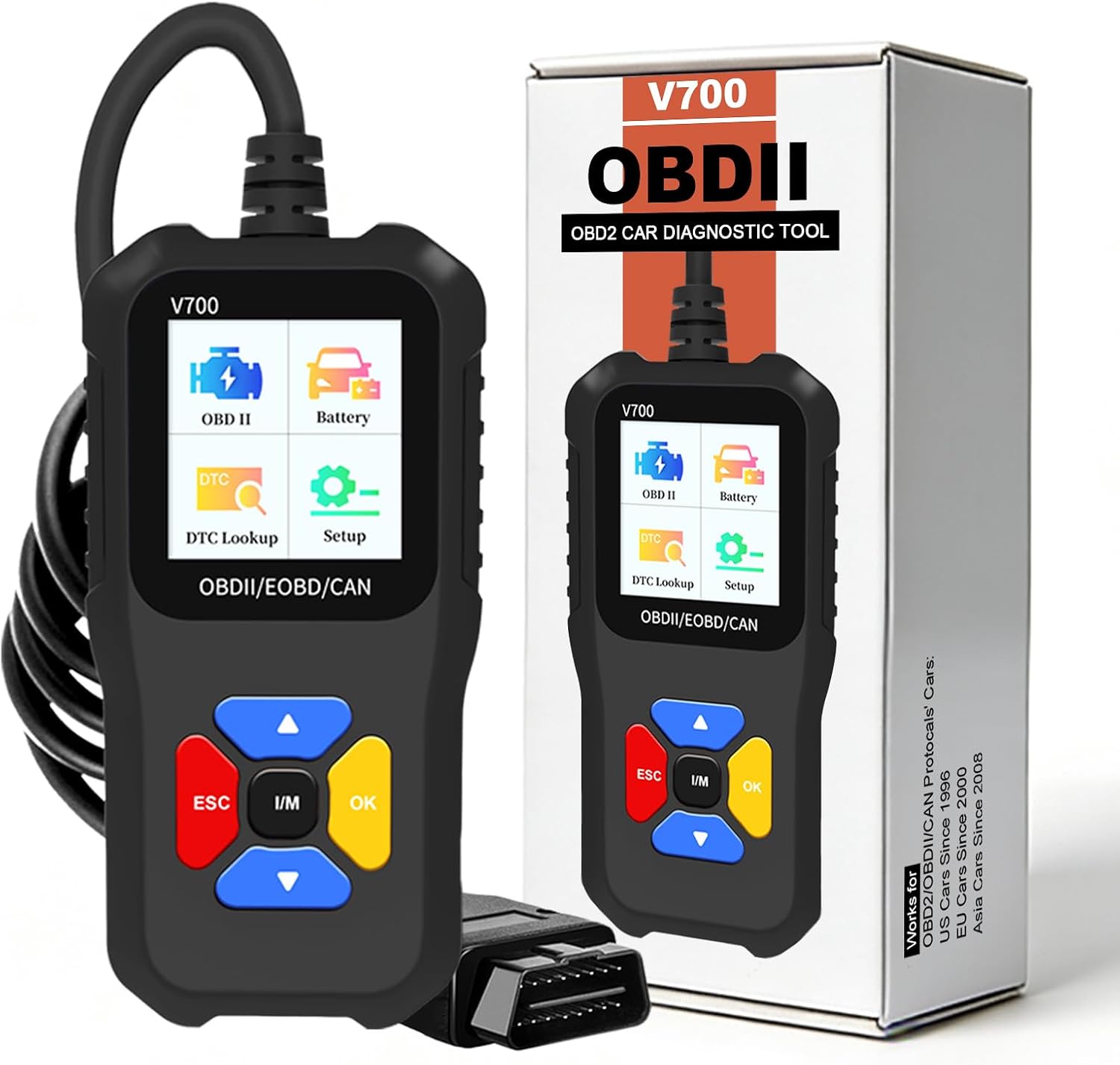
The iKiKin Professional OBD2 Scanner Elite Edition is a handheld car diagnostic tool designed to read engine trouble codes, monitor live sensor data, and check emissions readiness.
Its primary purpose is helping drivers investigate check engine light warnings without immediately visiting a repair shop. This Professional OBD2 Scanner Elite Edition review examines its practical features, compatibility, limitations, and overall buying value.
Positioned as a standalone diagnostic scanner, it targets DIY car owners and drivers who prefer a dedicated device over a smartphone application. It provides useful engine information, although it cannot replace a professional full-system scan tool.
🏆 My Quick Verdict
💡 Best For: DIY car owners seeking straightforward engine-code diagnostics and live sensor monitoring without additional software.
⚡ Key Specs:
1.8-inch display; 2.5-foot cable; OBDII/EOBD compatibility; DTC lookup; freeze-frame data; live sensor readings; I/M readiness.
✅ Bottom Line: The iKiKin Elite Edition offers a useful collection of everyday engine diagnostic functions in a standalone package. Its main limitation is the absence of ABS and airbag diagnostic coverage, making it better suited to basic troubleshooting than advanced repairs.
At a Glance
- Reads and clears supported engine-related diagnostic trouble codes.
- Displays live vehicle sensor values and freeze-frame information.
- Includes built-in trouble-code definitions for initial investigation.
- Checks emissions monitor readiness before an inspection.
- Operates through the OBD2 connection without a smartphone application.
- Does not provide ABS or airbag system diagnostics.
Professional OBD2 Scanner Elite Edition Specifications
| Specification | Details |
|---|---|
| Brand | iKiKin |
| Model | OBD2 Scanner Elite Edition |
| Display | 1.8 inches |
| Cable Length | 2.5 feet |
| Power | Vehicle OBD2 connection |
| Protocols | CAN, KWP2000, ISO9141 and other supported OBDII protocols |
| Main Functions | DTC reading, clearing, live data, freeze frame, VIN information, I/M readiness |
| System Coverage | Engine-related OBD2 diagnostics; ABS and airbag unsupported |
Design and Build Quality
The iKiKin scanner uses a compact, corded handheld design with an integrated display. Its physical arrangement is intended for diagnostic work near the driver’s seat.
The advertised 2.5-foot cable provides a connection between the vehicle diagnostic port and scanner. However, cable routing may become less convenient when the port sits deep beneath the dashboard.
The manufacturer describes the exterior as a rugged casing. Independent drop resistance, protective certifications, and long-term durability results have not been established.
Its 1.8-inch screen offers a self-contained reading surface without requiring a phone. Buyers accustomed to larger displays should consider whether this screen size meets their readability needs.
Setup, Installation and Ease of Use
- Check the packaging for the scanner and inspect its connector before use.
- Locate the vehicle’s OBD2 diagnostic port, commonly beneath the dashboard.
- Turn the ignition off before connecting the scanner.
- Insert the connector fully without forcing its alignment.
- Switch the ignition to the position required for vehicle communication.
- Select the diagnostic function using the scanner’s onboard menu.
- Record detected trouble codes before attempting to erase them.
- Disconnect the tool after completing diagnostics and store its cable loosely.
Core Performance and Diagnostic Capabilities
The scanner’s strongest practical function is accessing standard engine diagnostic information. This makes it useful for investigating warning lights associated with emissions and powertrain monitoring.
Engine Trouble-Code Reading
Diagnostic trouble codes provide identifiers for problems detected by a vehicle’s onboard systems. The scanner retrieves supported codes and offers accompanying definitions through its lookup library.
However, a code identifies a monitored fault condition rather than necessarily naming a failed component. Accurate repairs often require additional checks, service information, and mechanical diagnosis.
Live Sensor Monitoring
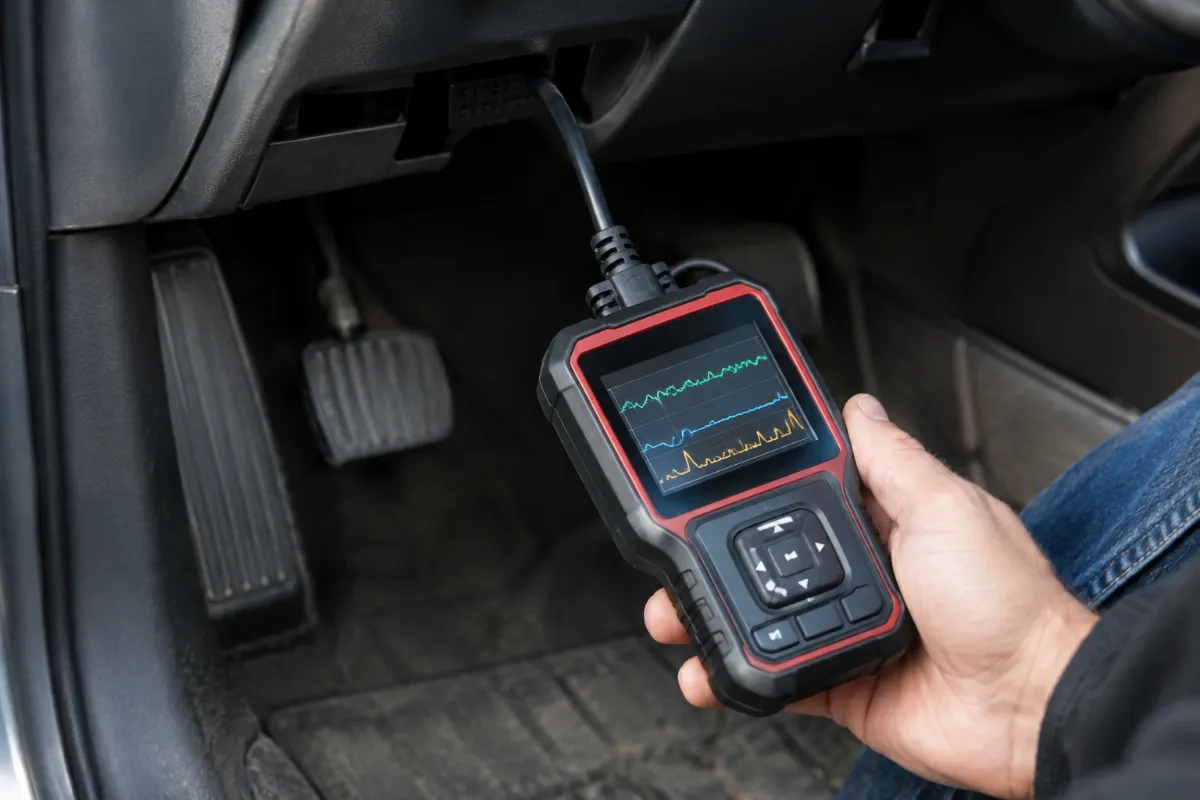
Live data helps users observe changing engine parameters during vehicle operation. Examples include engine speed, coolant temperature, and calculated engine load when supported by the vehicle.
These readings can help establish whether a symptom occurs under particular operating conditions. Available parameters depend on the vehicle’s electronic control system.
Freeze-Frame Information
Freeze-frame data preserves selected operating conditions associated with a recorded fault. This information may help explain the circumstances surrounding a check engine light warning.
For example, recorded engine temperature and operating load can provide useful diagnostic context. Not every vehicle supplies identical freeze-frame information.
Expert Insight
Always save diagnostic codes and freeze-frame information before clearing faults. Erasing codes can remove useful evidence and reset emissions readiness monitors without resolving the underlying mechanical problem.
Key Features Explained
1. Built-In DTC Lookup
The integrated diagnostic trouble-code library explains supported fault identifiers directly on the scanner. It provides an accessible starting point, although definitions alone cannot establish a complete repair diagnosis.
2. Emissions Readiness Checking
I/M readiness displays the status of supported emissions-related self-tests. It helps drivers determine whether monitors have completed their checks, but it does not guarantee that a vehicle will pass inspection.
3. Vehicle Information Retrieval
The advertised vehicle-information function can retrieve identification details from compatible control modules. Availability depends on what the vehicle reports through its OBD2 interface.
4. Standalone Operation
The scanner operates without installing a mobile application or creating a wireless connection. This reduces setup requirements, although the dedicated display provides less viewing space than a tablet-based diagnostic platform.
Real-World Usability and Maintenance
For occasional troubleshooting, a standalone code reader can remain stored in a glove compartment or garage toolbox. Keeping the connector clean and the cable free from sharp bends helps protect the device during storage.
When using live data, position the scanner where it cannot interfere with driving controls. A second person should observe diagnostic readings whenever active driving would otherwise distract the driver.
Before replacing expensive parts, compare the stored codes with manufacturer service procedures. Diagnostic tools support troubleshooting decisions, but they do not independently confirm which component requires replacement.
Pros and Cons
Pros
- Combines engine-code reading with live diagnostic information.
- Works without a smartphone, account, or wireless connection.
- Provides emissions readiness information for inspection preparation.
- Includes an onboard library of diagnostic trouble-code definitions.
Cons
- Cannot diagnose ABS or airbag systems.
- The 1.8-inch screen may feel restrictive for detailed data viewing.
- Vehicle-specific functions depend on supported OBD2 communication.
Common Issues and Fixes
Scanner Cannot Communicate
A communication failure may occur when the connector is loose or the ignition is incorrectly positioned. Check the connection, verify OBD2 compatibility, and follow the vehicle’s ignition procedure.
Check Engine Light Returns
A warning light may return after codes are cleared if the original fault remains. Retrieve the new codes and investigate their underlying causes rather than repeatedly erasing them.
Some Sensor Values Are Missing
Unavailable live-data parameters may reflect limitations in the vehicle’s supported diagnostic information. Select another supported parameter and consult the vehicle’s technical documentation.
What to Know Before You Buy
Compatibility deserves attention because OBD2 compliance varies by model, region, and production year. The listing describes support for most US vehicles from 1996 onward and many European or Asian vehicles from approximately 2000 onward.
Those dates are general guidelines, not universal compatibility guarantees. Verify the exact vehicle and protocol before purchasing, especially for older imports and unusual powertrain configurations.
Also consider the difference between engine diagnostics and manufacturer-specific service functions. This model should not be purchased specifically for transmission programming, airbag resets, or advanced bidirectional testing.
Finally, check the seller’s current return terms and warranty documentation. The available product information does not establish a warranty duration that can be confidently quoted here.
Who Should Buy It and Who Should Skip It?
✅ Who Should Buy It
- Drivers investigating occasional check engine light warnings.
- DIY owners who want a standalone OBD2 code reader.
- Users checking emissions monitor readiness.
- Home mechanics gathering basic engine operating information.
✗ Who Should Skip It
- Technicians requiring comprehensive vehicle-system diagnostics.
- Owners needing ABS or airbag fault-code access.
- Buyers specifically seeking advanced service reset functions.
- Users who prefer large displays and detailed diagnostic reports.
Alternatives to Consider
Two established OBD2 scanners deserve consideration before choosing the iKiKin model. Both provide engine diagnostic capabilities but differ in their controls and additional features.
ANCEL AD310
Best For: Drivers who want a straightforward wired diagnostic scanner.
Main Advantage: Established interface with code reading, live data, and freeze-frame functions.
Trade-off: Intended primarily for conventional OBD2 engine troubleshooting.
Key Spec: Approximately 2.5-foot connecting cable.
FOXWELL NT301
Best For: Drivers wanting a larger display and dedicated emissions readiness controls.
Main Advantage: Includes graphical live data and dedicated diagnostic shortcut buttons.
Trade-off: Does not replace a comprehensive manufacturer-specific diagnostic platform.
Key Spec: 2.8-inch TFT color display.
Is the Professional OBD2 Scanner Elite Edition Worth It?
The iKiKin scanner is worth considering when its asking price reflects the capabilities of an entry-level handheld code reader. The strongest argument for purchasing it is straightforward access to engine diagnostic information without software subscriptions or app installation.
Its value becomes less compelling when similarly priced alternatives provide better documentation, easier controls, or a larger screen. Comparing the current listing against established models is therefore important.
Buyers expecting advanced workshop functions should invest in an appropriate higher-level scanner instead. Matching diagnostic coverage to the intended task matters more than the product’s professional branding.
Final Verdict
The iKiKin Professional OBD2 Scanner Elite Edition is a practical candidate for basic engine troubleshooting and emissions readiness checks. It is best suited to drivers who understand the limits of standard OBD2 diagnostics and want a standalone reader for occasional maintenance.
Frequently Asked Questions
Does the Professional OBD2 Scanner Elite Edition work with every car?
No, it works with supported OBD2-compliant vehicles. Compatibility depends on model year, region, and diagnostic protocol, so check your exact vehicle.
Does the scanner require a particular screen size or vehicle size?
No vehicle dimensions are required for compatibility. The scanner has a 1.8-inch display, and vehicle fit depends on diagnostic communication rather than physical vehicle size.
Can this scanner diagnose ABS and airbag faults?
No, ABS and airbag diagnostics are not supported. Those systems generally require a diagnostic tool with additional module coverage.
Can clearing codes permanently fix a check engine light?
No, clearing a code does not repair the underlying fault. The warning may return when the vehicle detects the problem again.
How should I maintain and store the scanner?
Keep its connector clean and cable protected from damage. Store the unit in a dry location and avoid sharply bending the cable.
What warranty comes with the scanner?
A specific warranty duration could not be confirmed. Check the current seller documentation and return policy before purchasing.
Affiliate disclosure: ReplaceKeyFob earns a small commission when you purchase through links on this page — at no extra cost to you. Our editorial process is independent: affiliate relationships never influence which products we recommend or how we rank them.
