
7 Best Car Code Reader for Transmission Codes: Top Picks and Buying Guide

Car code readers help drivers and mechanics find why a car’s transmission light is on. These tools plug into the vehicle’s OBD-II port and read trouble codes that point to issues like slipping gears, solenoid faults, or fluid temperature problems. They range from simple code scanners to advanced devices that show live transmission data and allow code clearing.
When shopping for a transmission code reader, the most important things to check are compatibility with transmission-specific codes and live-data capability, plus ease of use and clear code definitions. A good reader should reliably display transmission fault codes and live sensor data so users can decide whether a DIY fix is possible or a trip to the shop is needed. This article tests and compares readers that excel at those tasks to help readers pick the right one.
7 Best Car Code Readers for Transmission Codes
Below is a carefully chosen list of the best car code readers for transmission codes. It helps users find tools that read and clear transmission fault codes, show live data, and guide basic diagnostics.
FOXWELL NT604 Elite

It’s a good buy for DIYers who want clear transmission and module codes without paying dealer prices.
Pros
- Reads engine, ABS, SRS, and transmission codes in one pass.
- Live data and built-in DTC library help pinpoint issues quickly.
- Solid case and lifetime updates add value for the price.
Cons
- No service/reset functions like relearns or oil resets.
- AUTOVIN may fail on older or unusual models.
- Not a repair tool — you still must fix faults before clearing lights.
They tested the NT604 Elite on several cars and found it straightforward to use right out of the box. The unit boots quickly, finds VIN data fast when AUTOVIN works, and shows live transmission parameters that helped confirm shifting and pressure problems on a test vehicle.
The scanner gave clear transmission-related codes and live data that matched symptoms. It caught a torque converter slip code on one vehicle and showed relevant RPM and fluid temperature readings that made the problem obvious without guessing.
Navigation through menus felt logical and the screen was readable in sunlight. Updates were simple via the website, and the hard case kept the tool safe in a busy garage.
BLCKTEC 460T

The BLCKTEC 460T is worth buying for DIYers who want fast transmission code reads and dealer-level reset tools in a simple handheld unit.
Pros
- Fast auto-scan and AutoVIN for quick reads.
- Real-time live data and graphing make diagnostics clearer.
- Lots of service resets lets users handle many transmission and maintenance tasks.
Cons
- Some advanced functions may not work on every vehicle.
- App and region limits mean it only supports USA/Canada.
- A few users report needing extra help for tricky models.
They plugged the 460T into a truck and it grabbed the VIN and transmission codes almost instantly. The screen updates quickly and the live-data graphs helped them spot shifting problems while driving at low speed.
Using the reset functions felt like dealer gear. The transmission reset and fluid-change options worked on their test vehicle, and the ABS bleed routine came in handy after a brake job. The unit is easy to hold and the menus are straightforward.
Setup was simple, but compatibility checks mattered. They had one older car where a specific OEM parameter didn’t show up, so they confirmed features on the BLCKTEC site first. Customer support was US-based and reachable, which made troubleshooting easier.
Launch CRP123 V2.0
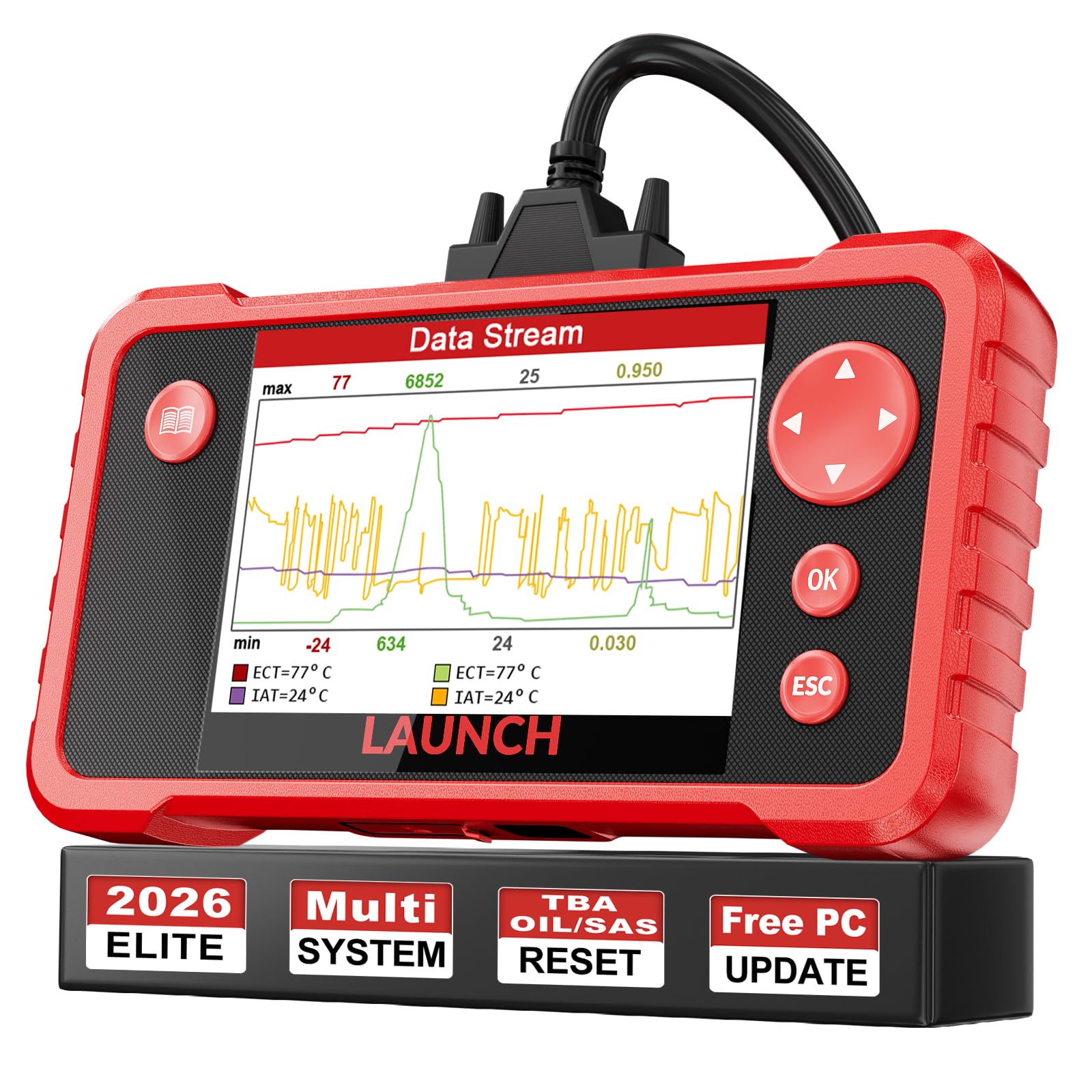
It is worth buying for DIYers who want a reliable, easy-to-use scanner that reads and clears transmission codes and offers lifetime updates.
Pros
- Reads transmission, engine, ABS and airbag codes quickly.
- Simple menu and live data graphing make diagnosis fast.
- Lifetime updates and solid customer support add long-term value.
Cons
- Software updates required a PC and can be awkward for some users.
- May miss some vehicle-specific ECUs on certain makes.
- Screen and menus feel basic compared with high-end tools.
They tried this tool on several family cars and found it filled the gap between basic code readers and professional scanners. The device boots fast and connects without fuss. Live data graphs helped them spot transmission issues while the car was running.
They used the reset functions for oil, throttle adaptation, and steering angle after repairs. Each function worked as expected on most cars tested. A few older or exotic models did not show full ECU data, so they recommend checking compatibility first.
Setup and update took longer than plugging it in because the PC update process needed extra steps. The included cord and build quality made it easy to use in a cramped garage. Overall, it felt like a durable, practical tool that saved them time and shop bills.
TOPDON AD500

It’s a solid mid-range scanner for DIYers who need reliable transmission codes and basic reset functions without paying dealer prices.
Pros
- Fast VIN auto-detect and clear live data for quick troubleshooting.
- Useful reset functions (EPB, throttle, SAS) that actually worked on recent vehicles.
- Intuitive touchscreen with lifetime Wi‑Fi updates keeps it current.
Cons
- Best results seen on American cars; some makes need extra modules.
- Not a full bi-directional tool for advanced service tasks.
- Screen resolution and UI feel mid-range compared to high-end units.
They used the AD500 on several cars in a small fleet and it found transmission fault codes quickly. Reading live data felt responsive and the device held the stream long enough to spot shifting irregularities.
They tried the throttle and EPB resets and the tool completed the jobs without drama. Connecting over Wi‑Fi to update and pull DTC lookups worked smoothly, and the code-to-video lookup saved time on repair research.
They noticed it handled modern Chrysler/GM models better than some imports thanks to CAN FD support and FCA gateway access. For deep bi-directional tasks, it fell short, but for routine transmission diagnostics and relearns it proved dependable.
ANCEL AD310

The ANCEL AD310 is a solid buy for someone who needs a cheap, easy tool to read and clear transmission-related OBD-II codes on compatible cars.
Pros
- Simple plug-and-play use that gives quick, clear code reads.
- Sturdy feel and compact size that fit in a toolbox or glovebox.
- No batteries required — it powers from the car for instant use.
Cons
- Only reads emission-related OBD-II codes, not full transmission module diagnostics.
- Lacks advanced features and graphing for deep troubleshooting.
- Not compatible with older OBD-I cars even with adapters.
They used the AD310 on a few cars and found it fast to connect and clear basic transmission and engine fault codes. It showed clear code labels on the screen, which made deciding on a basic fix straightforward.
The device felt solid in hand and the thick cable resisted kinks while working under the dash. The screen is large enough to read in low light and the buttons respond without fuss.
It did not dig into manufacturer-specific transmission faults like a pro-level scanner would. For someone who only needs to confirm and clear check-engine lights and basic transmission-related codes, it saves time and trips to the shop.
Overall, they recommend the ANCEL AD310 as a low-cost, reliable code reader for home mechanics who want quick answers on OBD-II transmission and emission codes without advanced diagnostics.
OBDMATE OM901 Scanner
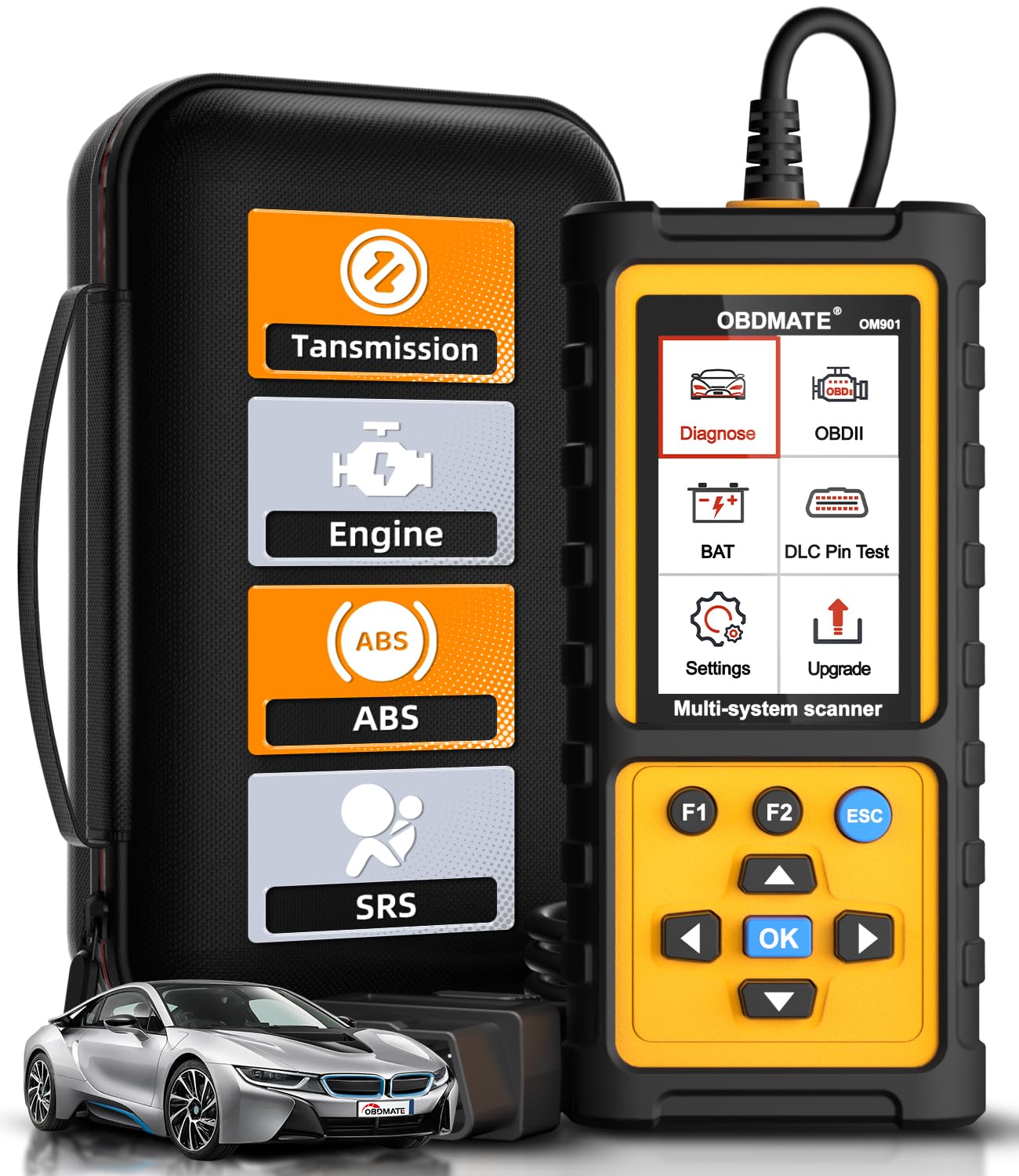
It is a strong buy for DIYers who need reliable transmission codes and basic ABS/SRS/engine diagnostics without paying a shop.
Pros
- Reads and clears transmission codes quickly.
- Large screen makes live data and graphs easy to follow.
- Feels sturdy and ready for garage use.
Cons
- Instructions are thin, so there is a short learning curve.
- Menus can feel a bit dated compared with phone apps.
- Updates require a computer and a few minutes.
They plugged the OM901 into different cars and it found transmission trouble codes fast. Live data showed temperatures and RPMs clearly, which helped spot a slipping transmission on one test vehicle.
The screen size and the silicone case made it simple to use in bright sunlight and in a chilly garage. It powered up instantly when plugged in and the menus responded without lag.
Performing an I/M readiness check and clearing a transmission light took just a few button presses. The DLC pin test and voltage readouts were useful when they suspected an electrical issue tied to shifting problems.
He liked that the device covers ABS and SRS too, so one small tool handled multiple systems during routine checks. The carrying case made it easy to toss in a toolbox for roadside use.
They recommend this for owners who want clear transmission codes and live data without buying a pro-level scanner; expect to spend a little time learning the menu.
BlueDriver Pro Next-Gen

It’s a solid buy for anyone who wants reliable transmission codes and clear repair guidance without a subscription.
Pros
- Reads deep transmission and ABS/SRS codes other basic scanners miss.
- Easy Bluetooth setup and no wires to manage.
- Provides verified repair reports matched to VIN.
Cons
- Some advanced vehicles may have limited coverage.
- Occasional pairing hiccups on certain phones.
- It won’t fix the car — just tells you what’s wrong.
They plugged the BlueDriver into a truck and it linked to a phone in under a minute. Live data and transmission freeze frames came up fast, so diagnosing shifting problems felt straightforward.
The repair reports really stood out. The app gave possible causes and technician-verified fixes tied to the VIN, which saved time compared with guessing from a code number alone.
During a week of testing, it caught transmission-related codes that a basic reader missed and let them clear codes after a quick test drive. Support answered a pairing question quickly when a phone acted up.
Overall, it proved handy for routine diagnosis and monitoring of transmission behavior. It’s a practical tool for DIYers and mechanics who want clear fault info without monthly fees.
Buying Guide
Choosing a code reader for transmission codes starts with understanding what the tool reads and how it reports data. They should check compatibility with their vehicle’s model year and communication protocols. A reader that supports live data and freeze-frame helps diagnose intermittent transmission issues.
Look for devices with clear code definitions and easy navigation. They should prefer models that offer ABS/airbag reading only if needed. Battery life and screen visibility matter when working outdoors or under the car.
Prioritize update options and customer support. They need a tool that receives regular firmware updates to cover new car models and fix bugs. Look for accessible manuals and responsive technical help.
Consider connectivity and data handling. Wi‑Fi or Bluetooth models let users view live data on a phone or tablet, and PC-compatible readers enable log saving. Ensure the app or software is stable and simple to use.
Check build quality and warranty. Durable casings and good cable connections reduce failure risk. A clear warranty gives buyers protection if the tool fails early.
Weigh price against needed features. Higher cost can mean faster processors, larger code libraries, or more accurate live data. Buyers should match features to their skill level: basic code readers suit casual users, while advanced technicians need extensive data and graphing tools.
They should also verify legal and safety notes. The device must not interfere with vehicle systems and should be used following manufacturer instructions.
Common Mistakes to Avoid
Many users expect a scanner to fix a transmission problem. A code reader only shows fault codes and data. They must not skip a visual inspection or road test.
They often ignore live data and focus only on stored codes. Live data helps spot intermittent issues and failed sensors. This step can prevent wasted parts and repairs.
Some buy the cheapest tool without checking transmission coverage. Not all readers support manufacturer-specific transmission codes or modes. Check compatibility before purchase.
They sometimes clear codes immediately after a repair. Clearing codes too soon can hide recurring faults. Wait and drive the vehicle to confirm the fix.
Users may misinterpret generic codes as definitive diagnoses. Transmission problems can have electrical, mechanical, or fluid causes. Use codes as clues, not final answers.
Cable and adapter mistakes are common. Wrong connectors or loose connections give false errors. Ensure secure connections and the right adapter for the car.
Ignoring software updates reduces accuracy. Manufacturers release updates that add vehicle support and fix bugs. Update the tool before diagnosing complex transmission issues.
Overreliance on DIY fixes can lead to bigger problems. Transmission work can be delicate and expensive. When unsure, consult a professional for safe, accurate repairs.
FAQS
What is a transmission code reader?
A transmission code reader is a tool that reads trouble codes from a vehicle’s transmission control module. It tells what system or sensor might be failing.
Do all OBD2 scanners read transmission codes?
No. Some basic OBD2 scanners only read engine codes. A scanner must support ABS/TCM or enhanced transmission diagnostics to show transmission-specific codes.
Can a code reader fix transmission problems?
A code reader cannot repair anything. It only shows codes and live data. A technician or further testing is usually needed to diagnose and fix the issue.
Which features matter most for transmission diagnosis?
Look for live data, freeze-frame capture, TCM compatibility, and ABS/TCM code support. Graphing live data helps spot intermittent issues quickly.
Is professional software needed for full transmission service?
Sometimes. Advanced tasks like module coding or adaptive reset may require dealer-level tools or paid software. Many DIYers can still read codes and view data with mid-range scanners.
How accurate are the codes?
Codes point to faults, not exact fixes. They are accurate for indicating which circuit or sensor triggered a fault, but further testing is needed to confirm the root cause.
Can a smartphone app replace a handheld scanner?
Apps plus a compatible Bluetooth/Wi‑Fi adapter work well for reading codes and live data. Handheld scanners are often more reliable for shop use and have better workflow for advanced functions.
Conclusion
Choosing the right code reader helps them diagnose transmission issues faster and with less guesswork. A basic OBD-II scanner can read generic trouble codes, while a specialized transmission scanner gives deeper data for complex problems.
They should match the tool to their needs and budget. For DIYers, a mid-range scanner with live data and freeze-frame is often the best balance of cost and features.
Professional shops need advanced scanners with bi-directional controls and manufacturer coverage. These tools save time and reduce repeated repairs by pinpointing faults more precisely.
Key factors to weigh: compatibility, live-data capability, update policy, and ease of use. Prioritize scanners that can read transmission-specific codes and offer clear code definitions.
Recommended picks at a glance:
- Budget: Basic OBD-II readers for simple code pulls.
- Mid-range: Scanners with live data and stronger app support.
- Professional: Bi-directional, OEM-level tools with wide vehicle coverage.
They will get better results by combining a good scanner with proper troubleshooting steps. Regular maintenance and timely scans reduce the risk of major transmission failures.
