
How to Find the FCC ID on a Key Fob (and Use It to Buy the Right One)
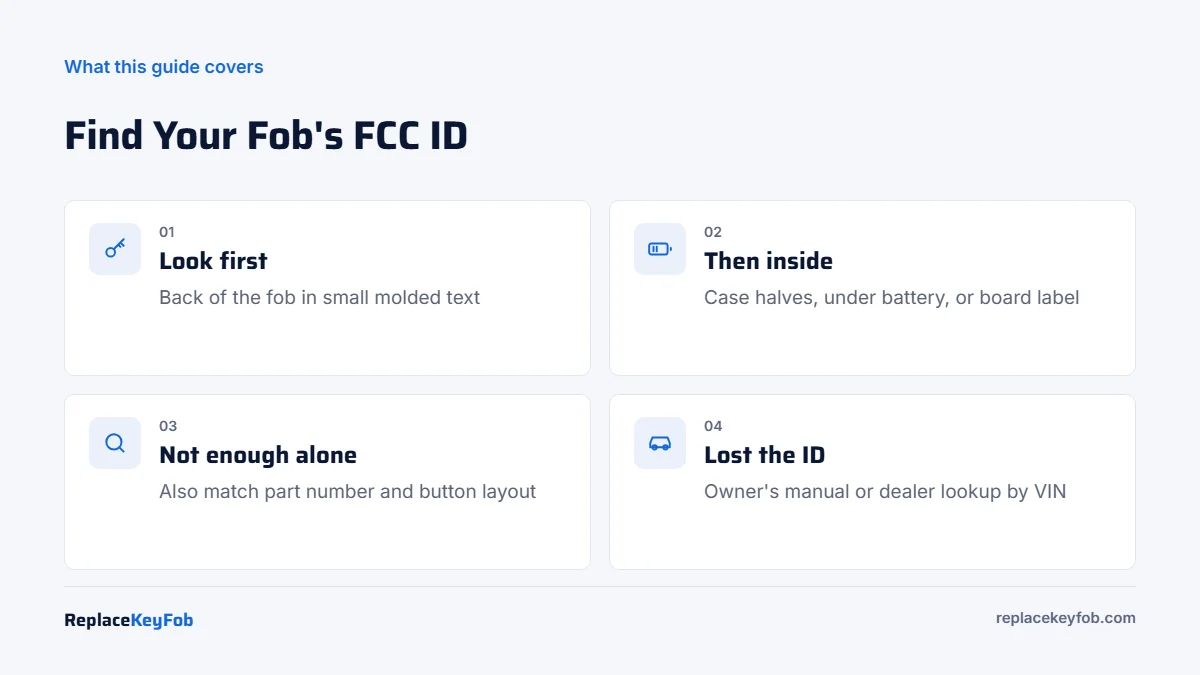
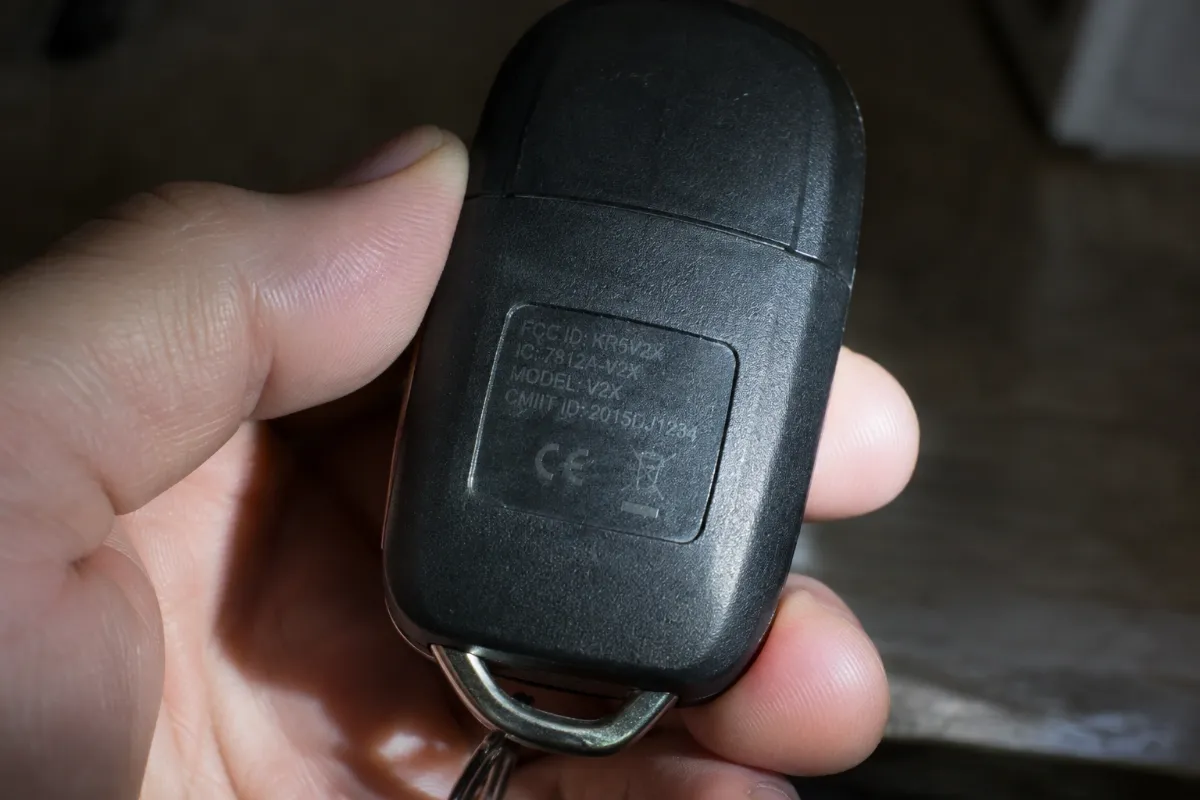
The FCC ID is usually molded or printed on the back of the key fob, often in small raised letters. If you can’t see it, open the fob and check inside the case, under the battery, or on the circuit board. Match this ID plus the part number and button layout when buying a replacement.
Buying a replacement fob online is a guessing game unless you know your FCC ID. Two fobs that look identical can run on different frequencies or use different chips, and only one of them will ever pair with your car.
This guide shows exactly where to find the FCC ID on a key fob, how to read it, and how to use it with the part number to buy a fob that will actually program.
Where to Find the FCC ID on a Key Fob
The location depends on the key style. Use a flashlight held at a low angle, since many IDs are molded into black plastic and hard to read. A phone camera on zoom helps.
| Key type | Most likely location | Second place to check |
|---|---|---|
| Separate remote (keyless entry only) | Back of the case | Inside, on the board or battery cover |
| Remote head key | Back of the plastic head | Inside the head after separating the halves |
| Flip key | Back of the remote body | Inside, next to the battery |
| Smart key / proximity fob | Back of the case or under the emergency key | Inside on the board label |
| Worn or scratched fob | Circuit board label | Owner’s manual, original box, or dealer records |
Where Do I Find the FCC ID on My Key Fob if It’s Worn Off?
- Open the fob gently at the seam with a plastic pry tool or remove the screw. Our guide on how to open a key fob shows the common methods.
- Look on the inside of the case halves and on any sticker on the circuit board.
- Check the owner’s manual. Many list the FCC ID in the radio frequency compliance section.
- Ask a dealer parts counter. With your VIN they can give you the factory part number, which sellers can cross-reference to an FCC ID.
How to Read an FCC ID
An FCC ID has two parts. The first is the grantee code, 3 or 5 characters that identify the company that certified the device, usually the electronics supplier rather than the carmaker. The rest is the product code that identifies the specific transmitter. For example, many Toyota and Lexus fobs carry FCC IDs that start with HYQ, the grantee code used by supplier Denso.
You may also see an “IC” number. That is the Canadian equivalent and can help confirm a match. You can look up any FCC ID in the FCC’s equipment authorization database at fcc.gov to see the frequency, photos, and the company behind it.
FCC ID vs Part Number: Which Should You Match?
| Identifier | What it tells you | Where it appears | Enough on its own? |
|---|---|---|---|
| FCC ID | Radio transmitter design and frequency | Back or inside of the fob | No |
| OEM part number | Exact factory key for specific models and years | Inside the fob, label, or dealer records | Best single match |
| Button layout | Which functions the fob controls | Front of the fob | No |
| Chip type / frequency | Immobilizer and remote compatibility | Seller listing or locksmith lookup | No |
| Blade profile | Whether the emergency or main blade fits your locks | Physical key | No |
The same FCC ID is often used across several model years with different internal chips or software versions. That is why a fob with the right FCC ID can still fail to program. Match the FCC ID first, then confirm the part number and buttons.
Your Options for Buying the Right Fob
Option 1: Dealer Parts Counter
- Pros: exact match by VIN, genuine part, no FCC ID detective work.
- Cons: highest price, still needs cutting and programming.
- Who it suits: newer and luxury vehicles, or anyone who wants zero guesswork.
Option 2: Automotive Locksmith
- Pros: they look up the correct fob for you and program it on the spot.
- Cons: part markup is built into the price.
- Who it suits: most owners who want a working key the same day.
Option 3: Online Seller Using Your FCC ID
- Pros: lowest part cost, wide selection, good for spares.
- Cons: mislabeled listings exist; programming is extra and not every shop will program supplied parts.
- Who it suits: owners comfortable checking FCC ID, part number and photos, or whose car supports DIY programming.
Buying Guide: Use the FCC ID to Buy the Right One
Replacement Key Fob (Search by FCC ID)
Type your exact FCC ID into the search, then confirm the part number, button layout and frequency in the listing photos before you buy.
As an Amazon Associate, ReplaceKeyFob earns from qualifying purchases.
- Search the full FCC ID exactly as printed, including letters like O and 0 that are easy to confuse.
- Compare the listing photos with the back and front of your fob.
- Check the listed frequency (commonly 315 MHz for many US-market vehicles, 433 MHz for many European ones).
- Look for the OEM part number in the listing and match it to yours.
- Read the return policy. Unprogrammed fobs are often returnable; programmed ones usually are not.
- Ask your locksmith if they will program it before ordering.
If your fob still works and only the case is damaged, you may not need a new fob at all. A key fob shell replacement keeps your original board. For full replacement options and prices, see how much is a new key fob, and for spares see how to get a spare key fob.
Common Mistakes When Matching by FCC ID
- Misreading characters. Molded text is small. The letter O and the number 0, or I and 1, are easy to swap. Search both versions if you are unsure.
- Ignoring the button count. A 4-button fob with remote start and a 3-button fob without it may share the same FCC ID family but are not interchangeable in practice.
- Assuming push-button and turn-key fobs are the same. They use different electronics even on the same model year.
- Buying a used smart key. Many smart keys lock to the first car they are programmed to. A matching FCC ID will not help if the fob cannot be reprogrammed.
- Forgetting regional versions. A fob from a European or Asian-market version of your car may use a different frequency even if it looks identical.
If the listing does not show the FCC ID in a clear photo, message the seller and ask. A good seller answers quickly and will confirm compatibility with your VIN.
Checklist Before You Order
- FCC ID written down exactly.
- Part number found or confirmed by the dealer.
- Button count and functions match.
- Key style matches (remote, remote head, flip, smart).
- Blade profile matches, if the fob has a blade.
- Programming plan confirmed: onboard steps, tool, locksmith or dealer. The key fob programming guide covers each method.
Frequently Asked Questions
It is usually on the back of the fob in small molded or printed text. If it is not there, open the case and check the inside surfaces, under the battery, and the circuit board label.
Not always. The FCC ID confirms the transmitter design, but chips, software and part numbers can differ. Match the part number and button layout too.
Not directly, but a dealer parts department can give you the factory part number from your VIN, and that part number can be cross-referenced to the FCC ID.
IC is the Industry Canada certification number. It identifies the same device for the Canadian market and can help confirm that a replacement matches.
Often, yes. Many manuals list it in the radio frequency or regulatory section, which helps when the ID on the fob has worn off.