
Mercedes Key Fob Battery Replacement: CR2025 or CR2032, and How to Open the SmartKey Without Breaking It

Most Mercedes keys take a CR2025: the chrome SmartKey used from about 2001 to 2014 holds two CR2025 cells stacked in its cover, and the slimmer chrome key of 2015 to 2018 holds one. The flat black key fitted from 2016 on (E-Class, newer C-Class and GLC, A-Class, GLB, 2021 S-Class, EQ models) takes a single CR2032. To open any of them, slide the latch and pull out the emergency key blade, then press the tip of the blade into the slot it came from to push the battery cover off. No reprogramming is needed afterwards.
Mercedes keys are not hard to work on, but they do not open where people expect. There is no seam to pry; the battery sits in a small tray or cover that slides out of the end once the emergency key is removed. Pry the chrome body with a screwdriver and you will scratch it without getting any closer to the battery. The other thing worth knowing before you start is that Mercedes changed the battery count across generations, so the two-cell key in a 2010 ML and the one-cell key in a 2016 C-Class look nearly identical from the outside. This guide covers which battery each key takes, how to open each type, and how to start the car if the key is already dead.
Which battery your Mercedes key fob takes
Mercedes keys rarely carry a readable FCC ID on the outside, so go by the shape of the key and the year of the car, and then confirm with the code printed on the old cell once the cover is off.
| Key style | Typical FCC ID | Common on | Battery |
|---|---|---|---|
| Chrome SmartKey with hidden key blade, older rounded body | IYZ3312, IYZ3317, IYZDC07, IYZDC10 | C-Class W203/W204, E-Class W211/W212, ML W164, GL X164, S-Class W221, CLK, SLK, R-Class, roughly 2001 to 2014 | 2 x CR2025 (some one CR2025) |
| Chrome SmartKey, slimmer body with the three-pointed star on the back | IYZDC11, NBGDM3 | C-Class W205 2015 to 2018, GLC 2016 to 2019, S-Class W222 2014 to 2017, GLE and GLS 2016 to 2019, CLA and GLA 2014 to 2019 | CR2025 |
| Flat black key with chrome edge and lift-out blade | NBGDM3, IYZDC12K | E-Class W213 2017 on, C-Class 2019 on, GLC 2020 on, A-Class and CLA 2019 on, GLB, S-Class W223 2021 on, EQS, EQE, EQB | CR2032 |
| Separate black remote or key with buttons on the head | Various | 1990s models and early-2000s SLK and ML before the SmartKey | CR2032 (check the cell) |
The older chrome key is the one that catches people out. Two CR2025 cells sit stacked in the slide-out cover, both with the + side facing the same way, and both must be replaced at once. Fit a single CR2032 in that cover and the stack is the wrong height, so the key works intermittently. On the 2015 to 2018 chrome key there is one CR2025, and Mercedes forums are full of owners who fitted a CR2032 instead; it often works, but the cover sits tight and the contact spring is stressed. Buy what the old cell says.
The code tells you the size: the first two digits are the diameter in millimetres and the last two are the thickness in tenths of a millimetre, so a CR2025 is 20 mm wide and 2.5 mm thick while a CR2032 is the same width and 3.2 mm thick. Our key fob battery size chart lists every size by brand.
What you need
- New batteries of the exact code printed on the old one: two CR2025 for the older chrome key, one CR2025 for the 2015 to 2018 chrome key, one CR2032 for the black key (Panasonic, Energizer, Duracell, Murata or dealer branded all work)
- The emergency key blade from the fob, which doubles as the tool that opens it
- A clean table and good light, so the small battery cover and the cells do not vanish
You do not need a screwdriver for a Mercedes key, and using one on the chrome body is how most of the scratched and cracked keys we see got that way. Avoid rechargeable LIR cells: they are the right shape but a higher voltage than the key was designed for.
Changing the battery in a Mercedes chrome SmartKey
These steps cover both chrome keys, the older two-cell version and the 2015 to 2018 one-cell version. They open the same way.
Push the small latch on the back of the key toward the end and pull the metal key blade straight out. It is held firmly, so pull along the length of the key rather than levering it.
Look at the end the blade came out of. There is a small square opening beside the blade slot. Push the tip of the key blade into that opening and press. The battery cover at the back of the key pops free and slides off toward the end. Do not pry at the cover from outside; the latch is inside the slot.
On the older key, two CR2025 cells sit in the cover itself, stacked with the + side facing the same way. On the 2015 to 2018 key a single CR2025 sits in the key body with + facing up. Take a photo before you touch anything.
Tip the cover so the cells slide out, or lift them by the edge with the tip of the key blade. Avoid touching the contact strip inside with anything metal.
Hold each cell by its edge and place it exactly as the old one sat. On the two-cell key, stack both with + the same way, matching your photo. A cell the wrong way round does no damage but the key will not work.
Slide the cover back on until it clicks, push the emergency key home, and press lock and unlock near the car. The small LED on the key should flash with each press.
If the cover will not click shut, one of the cells is sitting proud or you have fitted a CR2032 where a CR2025 belongs. Take the cover off and look at the stack height before forcing it; the plastic clips on the cover are thin and do not survive being forced.
Changing the battery in the newer flat black key
The black key fitted from 2016 on (first on the W213 E-Class, then across the range) takes one CR2032. It opens from the end too, with a slightly different cover.
- Slide the release on the back of the key and pull the emergency key blade out.
- Look into the opening the blade came from. Push the tip of the blade into the small slot inside it; the battery cover on the back of the key lifts and slides off.
- Note that the CR2032 sits with the + side and the printed code facing up, then lift it out by the edge with the tip of the blade or a plastic tool.
- Press the new CR2032 in the same way round, slide the cover back on until it clicks, and refit the key blade.
The transponder that lets the car start does not need the battery, so a dead key still starts the car by the method described below. The battery only powers the remote buttons and the keyless-go function.
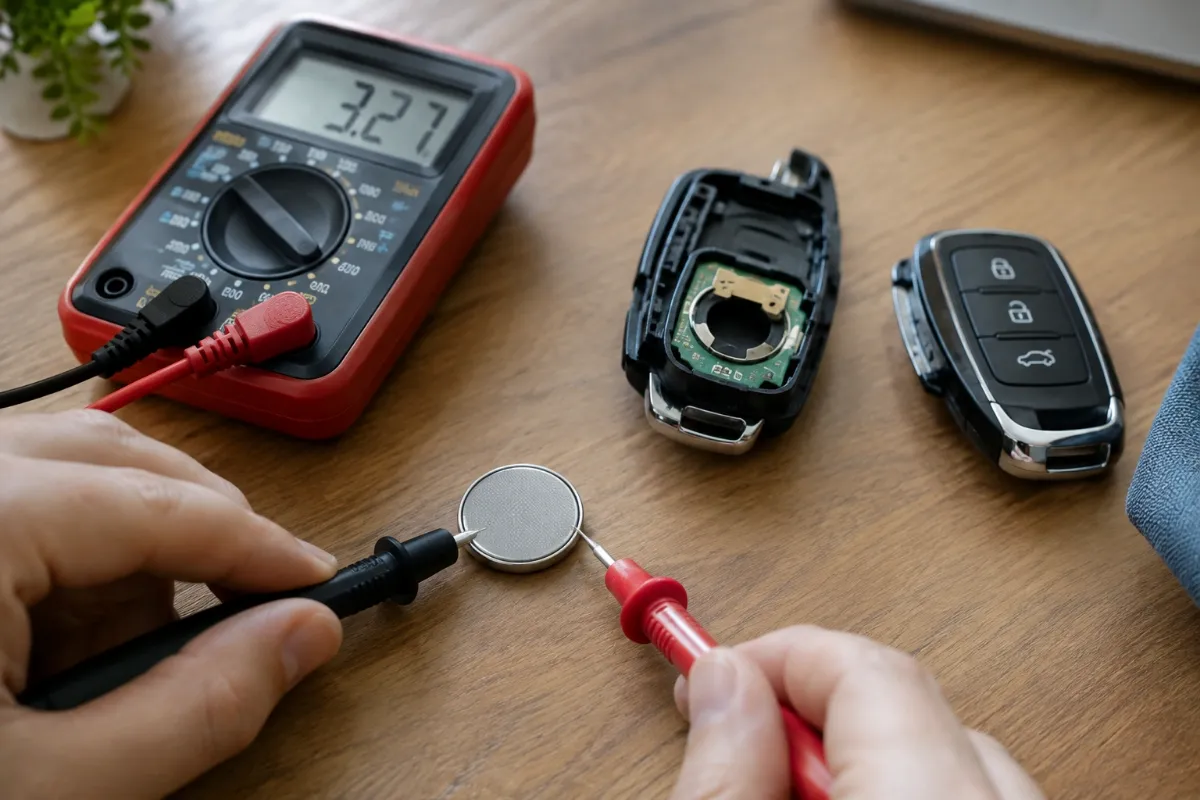
3V lithium CR2025 coin cell
Both chrome SmartKeys use the CR2025, and the older one needs two at a time, so buy a small multi-pack of a name brand. The flat black key takes the CR2032 instead.
Other size: CR2032
As an Amazon Associate, ReplaceKeyFob earns from qualifying purchases.
Do you need to reprogram a Mercedes key after a battery change?
No. The key’s pairing with the car’s electronic ignition switch is permanent and does not depend on the battery. The key works the moment the new cells are in. The Key battery low or Replace key battery message in the instrument cluster normally clears on the next start; on some models it takes a couple of drive cycles. If the key has been completely dead for weeks, press a button once near the car to wake it. There is no owner-level programming on a Mercedes key at all; if a key ever needs pairing, only a dealer can order and code it.
If the car still does not see the key
First, get moving. On a Mercedes with a slot in the dash, push the key into the slot and turn it as normal; the slot powers the chip, so a dead key battery does not stop it. On a push-button model up to about 2020, pull the Start/Stop button straight out of the dash (it is a cap over a keyhole), push the key into the opening behind it and turn. On the newest models (W223 S-Class, EQS and others without a keyhole), hold the key against the marked spot in the centre console or cup holder while you press Start. The emergency key blade opens the driver’s door if the remote does not respond.
Then work through the usual causes, in order of how often they turn out to be the problem:
- Wrong size or wrong count. A single CR2032 in a two-cell cover, or a CR2032 forced in where a CR2025 belongs, gives patchy contact. Compare with the old cells.
- Upside down. If the key does nothing at all and the LED does not flash, open it and check the + side matches your photo.
- Bent or dirty contact. The contact strip in the cover can be flattened or tarnished. Clean it with a dry cotton bud and lift it gently with a plastic tool. See how to clean key fob battery contacts.
- Tired new battery. Cells that sat in a drawer or came from an unbranded multi-pack can be flat out of the packet. Try a second one from a fresh pack.
- The car’s 12 V battery. If the car was also slow to crank or showed warnings on start-up, the problem is the car, not the key. See can a bad car battery cause key fob problems.
- Damage inside the key. A key that has been through a wash or dropped hard can have a cracked solder joint. Mercedes keys cannot be repaired by a locksmith in the normal way, so a dealer test is the next step.
If the buttons work but the car does not respond, see Mercedes key fob not working. The general checklist is in key fob not working after a battery replacement.
What it costs
A battery change is the cheap end of Mercedes ownership. A replacement key is not: it has to be ordered through a dealer against the car’s VIN and proof of ownership, often from Germany, and it can take one to two weeks to arrive. Independent locksmiths generally cannot cut or code Mercedes keys for anything newer than the early 2000s. That is a strong reason to change the battery before the key fails completely and to keep the second key working rather than in a drawer with a dead cell.
How long the new battery will last
A chrome SmartKey used mainly with the buttons will go two to four years on a set of cells. Keys on keyless-go cars answer the car every time you touch a door handle, so expect one to two years, and less if the key lives within a few feet of the car overnight where the car keeps polling it. Cold weather and carrying the key in a pocket with things that press the buttons both shorten that. Change both cells on the older key at the same time; a fresh cell stacked on a tired one drains to match it. More detail is in how long key fob batteries last.
Safety: keep coin batteries away from children and pets
A swallowed coin cell can cause serious internal burns within hours. Keep spares and the old cells out of reach, and dispose of old batteries at a drop-off point rather than in household waste. If you think a child has swallowed a battery, go to the emergency room straight away and call the National Battery Ingestion Hotline at 1-800-498-8666, or Poison Help at 1-800-222-1222.
Frequently Asked Questions
The older chrome SmartKey (about 2001 to 2014) takes two CR2025 cells, the slimmer chrome key of 2015 to 2018 takes one CR2025, and the flat black key fitted from 2016 on takes one CR2032. Confirm with the code on the old cell.
Slide the latch on the back and pull out the emergency key blade. Push the tip of the blade into the small opening at the end the blade came from. That releases the battery cover, which slides off the back of the key. Do not pry the chrome body.
No. The key keeps its pairing without battery power and works as soon as the new cells are in. The Key battery low message clears after the next start or a couple of drive cycles.
On cars with a dash slot, push the key into the slot and turn. On push-button cars up to about 2020, pull the Start button out of the dash and push the key into the keyhole behind it. On the newest models, hold the key against the marked spot in the centre console while pressing Start.
It is 0.7 mm thicker, so it may fit tightly and work for a while, but the cover strains and the contact is stressed. On the older two-cell key it will not replace two CR2025s at all. Use the size printed on the old cell.
The car usually needs one or two start cycles to update. If it stays on, check that the new cells are the right size and count, the right way up, from a fresh pack, and that the contact strip in the cover is clean and not flattened.