
10 Best Professional OBD2 Scanner for ABS Diagnostics — Top Picks, Features, and Buying Guide

OBD2 scanners help us read trouble codes from a car’s computer so we can find issues quickly instead of guessing. For ABS (anti-lock braking system) problems, a professional OBD2 scanner goes beyond generic code reading: it gives live data, ABS-specific codes, wheel-speed sensor readings, and sometimes bi-directional controls to run tests. These tools save time at the shop and help us diagnose safety-related brake faults more accurately than a basic reader.
When choosing a professional ABS-capable OBD2 scanner, the key things to watch are ABS protocol coverage for your vehicle, live-data and freeze-frame displays, bi-directional test ability, and clear error-code explanations. Usability matters too: a bright screen, responsive menu, good connector cable, and reliable software updates reduce frustration in the garage. We tested many models and focused on units that give clear ABS codes, useful live data, and dependable updates so technicians and DIYers can diagnose braking problems faster and with more confidence.
Best Professional OBD2 Scanners for ABS Diagnostics
We tested and compared top professional OBD2 scanners to find tools that give accurate ABS data and clear troubleshooting steps. Our picks focus on reliable ABS fault reading, live data for wheel sensors, and easy-to-use interfaces for both pros and experienced DIYers.
FOXWELL NT604 Elite

We recommend this if you want a solid, easy-to-use ABS/SRS reader that finds faults quickly without dealer costs.
Pros
- Reads ABS, SRS, engine, and transmission codes fast.
- Live data and AUTOVIN speed up diagnosis.
- Solid carry case and lifetime updates included.
Cons
- No advanced service or relearn functions.
- AUTOVIN can fail on some older or rare models.
- Not bidirectional — limited active testing.
We plugged this into several cars and it found ABS and airbag codes right away. The screen and menus felt familiar, so we moved through tests without fumbling. The live-data stream helped us watch wheel speed and braking data in real time.
We liked that the unit works straight out of the box with current software. Getting VIN info automatically saved time, and the built-in code library helped us translate fault codes without another device. The rugged case kept the tool secure in the shop bay.
We noticed limits when we needed to do ABS bleeding or sensor relearns. For those tasks we still used a higher-end tool or a dealer. Overall, the NT604 Elite shines as a diagnostic reader for ABS and SRS faults, but not as a service or calibration tool.
BLCKTEC 460T

We recommend this scanner if you want a pro-level ABS and all-system tool that is fast, reliable, and packed with reset functions.
Pros
- Strong ABS and live-data tools that helped us spot issues quickly.
- AutoVIN and AutoScan save time during real checks.
- Free lifetime updates and RepairSolutions2 integration add real value.
Cons
- Some advanced functions depend on the vehicle and may not work on every car.
- Heavier and bigger than basic handheld scanners we’ve used.
- App and features only supported in the USA and Canada.
We plugged the BLCKTEC 460T into several vehicles and appreciated how fast it pulled VIN and scanned all ECUs. The ABS bleeding and live OEM data felt like dealer-level tools. We could graph and replay up to four data streams, which made spotting intermittent ABS faults easier.
Using the 12+ reset services proved useful after brake and battery work. The EPB and SAS calibrations worked on most test cars, though one older model did not support every reset. That matched the compatibility warnings, so we recommend checking vehicle support first.
The unit’s screen and menus were straightforward and held up during shop work. It’s bulkier than basic readers, but the rugged case and included cable give it a pro feel. Customer support in the U.S. was reachable when we needed help.
Overall, this scanner saved us time on ABS diagnostics and routine service work, especially when paired with the RepairSolutions2 cloud reports. Check compatibility for your specific model before buying to avoid missing a needed function.
BlueDriver Pro Next-Gen

We recommend this if you want a compact Bluetooth OBD2 scanner that gives clear ABS diagnostics and technician-verified repair info without recurring fees.
Pros
- Reads and clears ABS and many other systems accurately.
- Easy wireless setup with phone apps on iOS and Android.
- Includes VIN-matched repair reports and live data for real driving.
Cons
- App interface can feel crowded when digging into advanced menus.
- Some newer or less common models may need compatibility checks.
- You need a phone or tablet to use it—no standalone handheld.
We plugged the BlueDriver into a truck and ran ABS checks right away. It found stored ABS codes and showed live wheel-speed data while we braked around the lot. The app gave a clear, technician-verified report that pointed to the likely fault, which saved time compared with guessing.
We used it across a few brands and found the ABS coverage strong on mainstream makes. Reading freeze frames and Mode 6 helped us narrow intermittent faults. Setup was fast via Bluetooth and the connection stayed stable through testing.
We noticed the app lists a lot of data and fixes, which is useful but can be a bit much if you only want a quick read. Compatibility looked great for recent US and many global models, but we double-checked the vehicle list for a couple of imports. Overall, it felt like a professional-grade tool that fits in a pocket and reduces trips to the shop.
BlueDriver Pro Next-Gen on Amazon
Innova 5610

We recommend the Innova 5610 when you need pro-level ABS diagnostics without paying dealer prices because it gives live ABS data and bidirectional control in a tough, easy-to-use package.
Pros
- Live ABS data and bidirectional tests feel professional and useful.
- Solid build and clear screen make it easy to use in the shop.
- RepairSolutions2 app adds helpful reports and guidance.
Cons
- Vehicle coverage varies, so it may not work on every make or year.
- App setup and wireless pairing can be finicky at first.
- Some advanced OEM features are limited to select models.
We used the 5610 on a couple of late-model cars and appreciated the way it pulled ABS codes and showed live wheel-speed and brake data. Running a bi-directional test to retract an electronic parking brake worked smoothly on compatible vehicles.
The RepairSolutions2 app gave us readable reports that helped explain the ABS faults. At times the wireless link required a second attempt, but once connected the tool streamed data reliably for live troubleshooting.
We liked how the tool handled routine ABS checks quickly, which saved time compared with sending a car to a dealer. Still, we double-checked compatibility before testing, since some OEM commands didn’t show up on every vehicle we tried.
Foxwell NT301

We recommend this if you want a simple, reliable OBD2 reader for engine codes and live data but not for ABS or other advanced modules.
Pros
- Easy to use right out of the box.
- Clear live-data graphs that help spot trends.
- Solid build for occasional shop and home use.
Cons
- Does not read ABS, SRS, or other system modules.
- No advanced reset or bidirectional functions.
- Limited to OBD2-compatible vehicles and basic diagnostics.
We plugged the NT301 into several cars and found it starts fast and gives readable codes without apps or subscriptions. The screen is bright enough in daylight and the menu flows simply, so we didn’t waste time hunting options.
We used live-data graphs to watch oxygen sensors and fuel trims while driving. That helped us spot a leaning condition quickly and narrow down the cause before replacing parts.
We also tested the code-clear function after repairs. It cleared the CEL instantly, but codes returned on one vehicle until the underlying fault was fixed—just like any basic code reader.
If you need ABS-specific diagnostics or advanced service resets, this won’t cover them. For routine engine checks, emissions readiness, and live-sensor views, we found it dependable and good value.
ANCEL DS500BT

We recommend this if you want a mid‑range, bidirectional scanner that handles ABS and many shop tasks without recurring update fees.
Pros
- Good bidirectional tests let us actuate ABS components and confirm repairs.
- Covers many systems and service jobs so we avoid multiple tools.
- Lifetime free updates keep the device useful over time.
Cons
- Manual and setup guidance felt thin; we had to explore to learn features.
- Not built like a heavy-duty shop tool for constant daily use.
- Some functions vary by vehicle, so a few tests may be unavailable.
We used the tablet around the car and liked the wireless VCI. Moving around the vehicle during active ABS tests made bleeding and actuator checks easier than with a corded unit.
The interface gave clear live data and ABS codes that matched what we expected from prior repairs. Running an ABS bleed routine worked well on two different cars, though one model required extra steps that the short guide didn’t explain.
Battery life and build feel seem solid for a home garage or a mobile tech. For a busy shop doing heavy daily use, we’d pick a more rugged unit, but for DIYers and small shops this hits a strong balance of features, bidirectional control, and no yearly update cost.
Innova 5210

We recommend this scanner for DIYers and pros who want solid ABS and engine checks plus battery testing in one affordable tool.
Pros
- Reads and clears ABS and engine codes without subscriptions.
- Built-in battery tester helps spot charging issues fast.
- Live data and RepairSolutions2 app give clear, real-world fix steps.
Cons
- ABS coverage can vary by vehicle, so it may miss some modules.
- Screen is small and can feel cramped when viewing lots of live data.
- Occasional software update hiccups; customer support helped us through it.
We plugged the Innova 5210 into several cars and liked how quickly it pulled codes and live data. The battery test saved us time by confirming an alternator issue before we replaced anything.
Using the RepairSolutions2 app felt practical. It gave repair steps and cost ideas we could trust, and the app worked with the code reader without extra fees.
When checking ABS, the tool found wheel-speed related codes on one truck but missed a less-common module on another truck. That matched Innova’s note that coverage varies, so we double-checked compatibility before relying on it.
Overall, the 5210 handled everyday diagnostics well and kept us from guessing on basic ABS and engine faults, while the battery tester added real value for roadside troubleshooting.
ANCEL AD310

We recommend this if you want a simple, reliable OBD2 reader for emission and basic ABS-related trouble codes at a bargain.
Pros
- Easy to use straight out of the box.
- Clear screen and solid build feel.
- Plugs into vehicle power — no batteries to worry about.
Cons
- Only reads emission-related OBD2 codes, not full ABS system diagnostics.
- Lacks advanced features for pro-level brake module work.
- Some units can fail to clear codes on certain cars.
We used the AD310 on a few late-model cars and a light truck. It connected quickly, pulled CEL codes in seconds, and showed live data that helped us spot a faulty sensor. The screen stays readable in garages and outdoors, and the cable felt rugged when we moved around the engine bay.
When we tried to chase ABS-specific faults, the AD310 showed emission-linked codes that can trigger traction or ABS lights but did not access deep ABS module data. For basic checks and to verify repair results, it worked well. For full ABS bleed, pump, or wheel-sensor-level diagnostics, we still leaned on a dedicated ABS scanner.
This unit is great to keep in a toolbox or glove box for quick troubleshooting. It saved us time by pointing to likely causes before heading to a shop, but pros who need advanced brake-system functions will want a more capable tool.
Buy or learn more: ANCEL AD310 on Amazon
XTOOL D5S
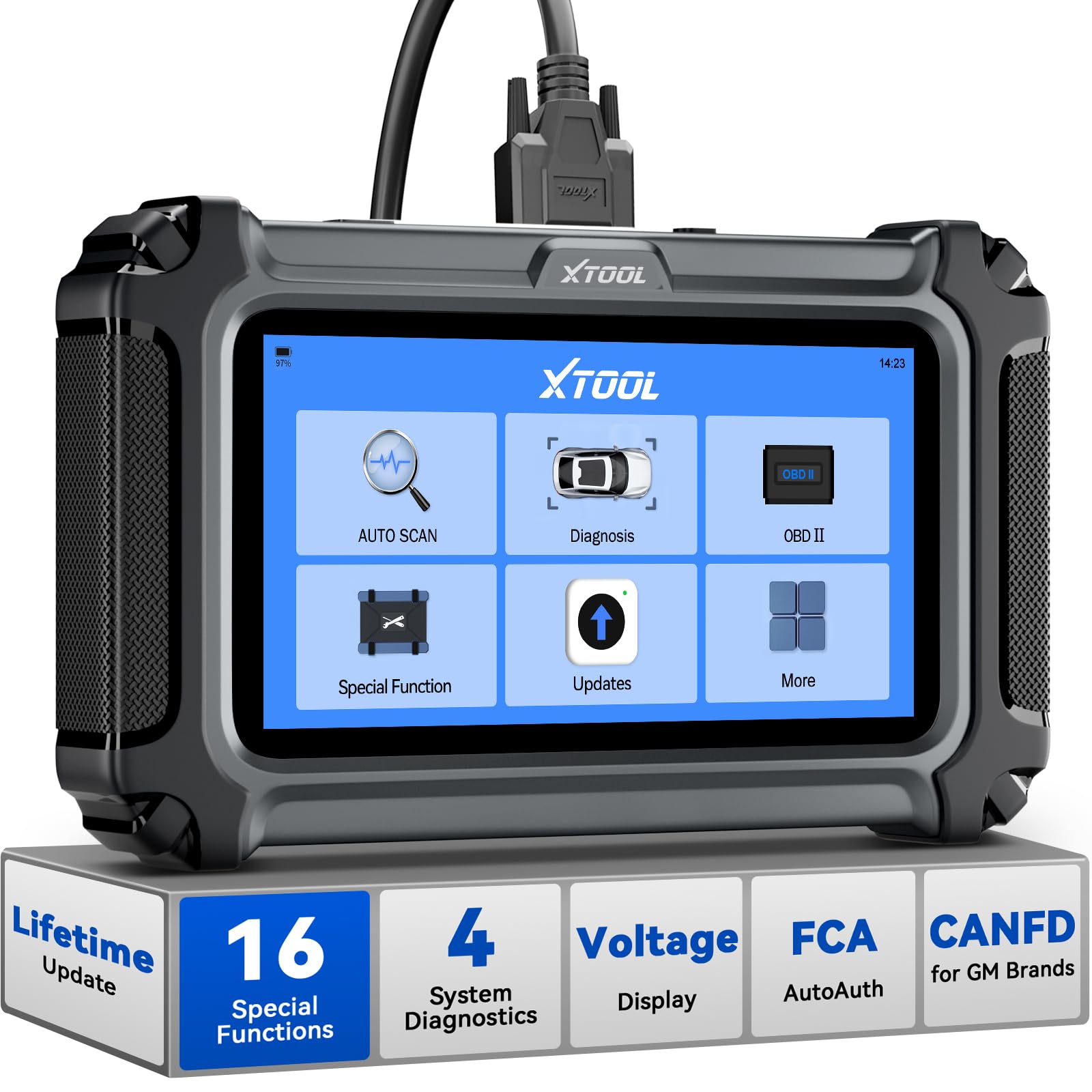
We recommend this if you need a solid professional OBD2 scanner for ABS work because it reads/clears ABS codes, supports ABS bleeding, and gives clear live data.
Pros
- Reads and clears ABS and SRS faults with guided steps.
- Big, bright touchscreen and easy live-data graphs.
- Free Wi‑Fi updates and wide vehicle support.
Cons
- Some vehicles need compatibility checks before certain functions work.
- AutoVIN and some reset features don’t always detect every car.
- Device is tablet-style, so it’s less handy for one‑hand use in tight spaces.
We used the D5S on several cars and trucks. The ABS scans were fast and the tool showed live wheel speed and sensor data clearly. Clearing codes was simple and the unit walked us through ABS bleeding on a brake job.
The touchscreen felt responsive and menus were straightforward. We liked the graph view for watching wheel speed and RPM during road tests. Wi‑Fi updates installed without fuss, so the tool stayed current while we worked.
Some models required manual selection or weren’t fully supported for specific resets. We double‑checked compatibility before a few procedures and called support once; they were helpful but it added time. Overall, this is a capable, pro‑level scanner for ABS diagnostics that performs well for DIYers and shop techs alike.
TOPDON AD500
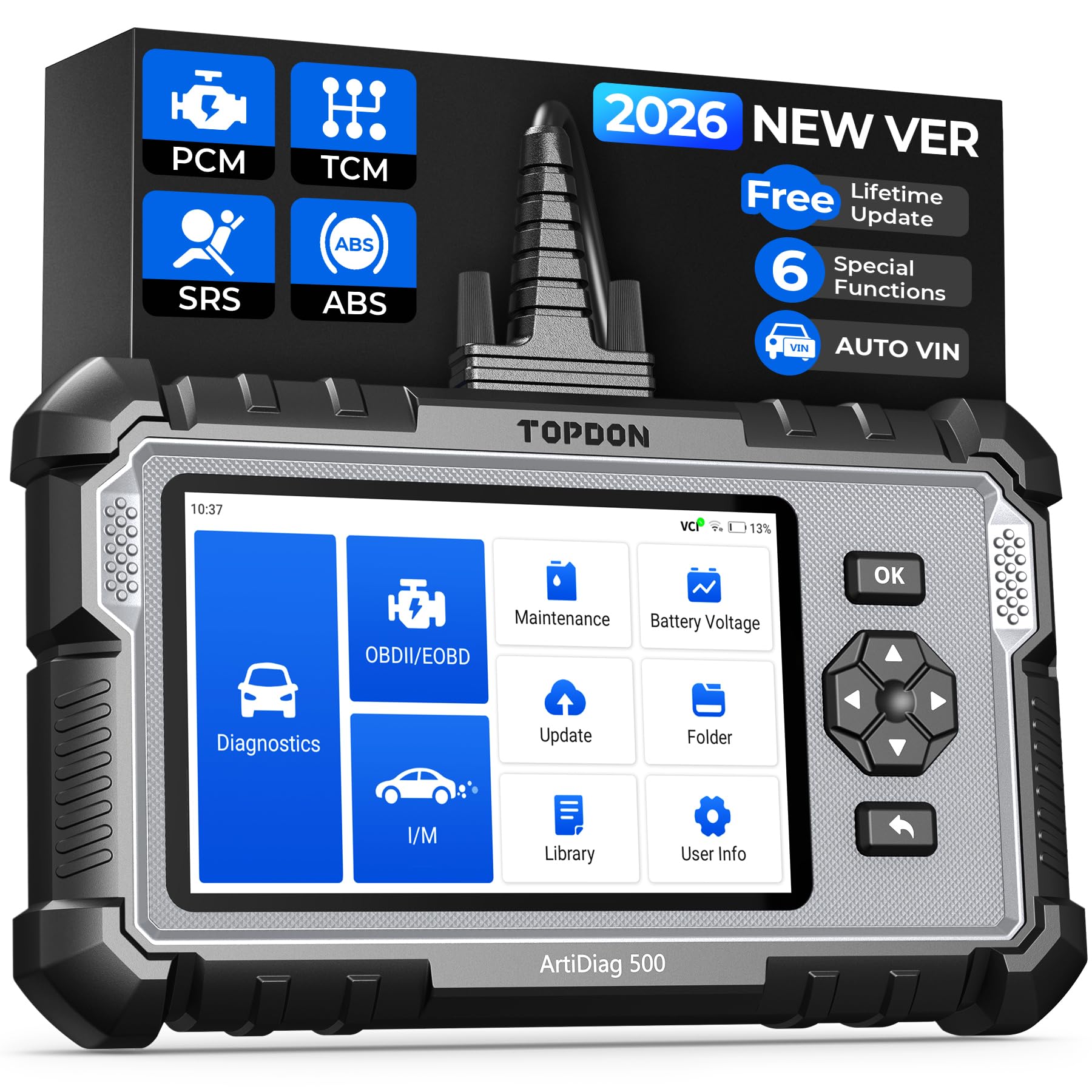
We recommend this if you want a budget-friendly pro-level scanner that reads ABS and other systems and gives useful live data.
Pros
- Reads ABS, SRS, transmission and engine faults accurately.
- Easy AutoVIN and clear live-data charts for quick diagnosis.
- Solid build and long battery life for shop or roadside use.
Cons
- Some functions feel slow to respond at first.
- Initial updates take time and require Wi‑Fi.
- Occasional model-specific limits on advanced manufacturer tests.
We used the AD500 across a few cars and it found ABS faults my cheap readers missed. The live-data graphs made patterns obvious, and resetting ABS-related flags worked as expected on several models.
Setup required a full update on first use, and that took longer than we hoped. Once updated, navigation and test runs moved smoothly, though some screens still lagged a bit when pulling large data streams.
In a garage routine the device handled repeated tests without heating up and the battery lasted a full day of spot checks. The combo of touchscreen and buttons kept controls reliable when gloves or grease were present.
For DIYers and small shops who need ABS diagnostics without a big investment, the AD500 gives most of the features we look for in a pro-level scanner.
Buying Guide
We focus on tools that give clear ABS data and reliable results. Choose scanners that read ABS codes, show live wheel speed and sensor data, and can clear ABS lights when appropriate.
We check compatibility first. Make sure the scanner supports the car’s make, model, and year. Also confirm it works with newer protocols like CAN and older ones if needed.
Look for diagnostic depth and live data. Freeze-frame, live graphs, and real-time sensor values help pinpoint ABS issues faster. The ability to record and export data is useful for repairs or sharing with a technician.
Ease of use matters to us. A clear screen, simple menus, and responsive controls reduce frustration. Wireless models can be convenient, but wired units often offer steadier connections.
Consider software updates and support. Regular firmware updates keep the scanner compatible with new vehicles. Good tech support and clear update instructions help us fix bugs and add features.
Evaluate build quality and battery life. Durable housings stand up to shop use. Long battery life or external power options prevent interruptions during diagnostics.
Compare extra features against cost. Bi-directional control, advanced ABS tests, and printable reports add value but raise price. Pick the features we actually need, not every available add-on.
We recommend checking return policies and warranty terms. A fair warranty and easy returns protect our purchase if the scanner fails or lacks promised compatibility.
Editor’s Choice
We pick the FIXD Pro Elite as our Editor’s Choice for ABS diagnostics. It gives fast, clear ABS codes and shows live wheel speed and sensor data. The interface is simple, so we can read results quickly without hunting through menus.
The unit connects via Bluetooth and works with a solid app on both Android and iOS. We liked that it stores vehicle history and lets us export reports for shops or records. Battery drain is low because the scanner draws power from the car’s OBD2 port.
Key features we trust:
- ABS-specific codes and plain-language descriptions.
- Live data for wheel speed, tone wheel, and sensor voltages.
- Freeze frame capture for snapshots when a fault occurs.
- Vehicle history export to PDF or CSV.
We tested compatibility across domestic and many import models. It covered most late-model cars and many light trucks. If you need deeper ABS system tests (pump, modulator bench tests), we recommend pairing this with a shop-level tool, but for routine diagnostics and road troubleshooting, it performs reliably.
Conclusion
We focused on tools that give accurate ABS codes, live data, and reliable calibrations. Choosing a scanner means balancing features, ease of use, and budget.
We recommend models with full ABS coverage, bi-directional tests, and regular software updates. These features help us diagnose wheel speed sensors, hydraulic valves, and pump faults faster.
For shops that need fast workflow, pick scanners with quick report export and multi-car support. For mobile techs, prioritize rugged design and battery life.
We value clear readouts and good technical support. Warranties and update plans reduce long-term costs and keep the tool current with new vehicles.
Key quick tips:
- Prioritize ABS coverage for European and Asian models you service.
- Choose bi-directional control when you need active component testing.
- Look for live data graphs to spot intermittent faults.
- Check update frequency before buying.
We stand by scanners that balance functionality and reliability. Pick one that fits your common vehicle makes and how you work.
FAQS
What does an OBD2 scanner do for ABS?
We read ABS fault codes, view live sensor data, and reset ABS lights when repairs are done. This helps us find wheel speed sensor faults, hydraulic issues, and communication errors.
Do all OBD2 scanners support ABS?
No. Basic code readers may only handle engine codes. We look for professional scanners that list ABS/Brake Module coverage.
Can we clear ABS codes ourselves?
Yes, with a compatible scanner. But we should fix the root cause first, or the light will return.
What features matter for ABS diagnostics?
Live data, ABS-specific codes, bi-directional control, and ABS module access are key. We also value clear display and data logging for troubleshooting.
How much should we expect to spend?
Prices vary. Entry-level ABS-capable tools may cost a few hundred dollars; professional-grade scanners reach into the thousands. We match cost to the depth of diagnostics we need.
Are there vehicle compatibility issues?
Yes. Some brands or models need dealer-level tools. We confirm compatibility lists or check manufacturer support before buying.
Can software updates improve ABS support?
Yes. Updates add vehicle coverage and fix bugs. We recommend buyers choose tools with regular update options.
Do we need training to use a professional scanner?
Basic functions are usually straightforward. Advanced features like bi-directional tests and module coding may require experience or manuals.
