
10 Best OBD2 App Like BlueDriver App for Advanced Vehicle Diagnostics

An OBD2 app connects to a small diagnostic scanner and turns a phone or tablet into a basic car diagnostic tool. These apps can read trouble codes, show live engine data, clear warning lights, and help explain problems before you visit a repair shop. BlueDriver is a popular example, but other apps may offer better compatibility, lower costs, or different features.
The best OBD2 app depends on vehicle support, scanner compatibility, code details, live data, ease of use, and any subscription fees. We also look for apps that provide useful repair information instead of simply displaying a code, since a trouble code does not always identify the failed part. We tested and compared leading options to find the best OBD2 apps for drivers who want clear, practical vehicle information.
Best OBD2 Apps Like BlueDriver
We reviewed OBD2 apps that help us read trouble codes, view live data, and monitor vehicle systems. Our list highlights the best options for different vehicles, features, and budgets.
BlueDriver Pro OBD2 Scanner

We recommend BlueDriver Pro for drivers who want phone-based diagnostics, broad code coverage, and no subscription fees.
Pros
- Reads more than basic engine codes, including ABS, SRS, TPMS, and transmission systems
- Provides live data, freeze-frame details, and repair reports matched to the vehicle
- Connects wirelessly with both iPhone and Android devices
Cons
- Advanced features vary by vehicle make and model
- Requires a compatible phone or tablet
- Does not replace a full professional scan tool for every repair
After plugging the adapter into the OBD2 port, we paired it with the app over Bluetooth and started scanning within minutes. The app presents fault codes in plain language, which makes it easier to decide whether we can handle an issue ourselves or need a mechanic.
We found the enhanced diagnostics more useful than those on many basic code readers. BlueDriver can access systems such as airbags, ABS, and tire pressure monitoring on supported vehicles. Its live data views also help us watch engine readings while the vehicle runs.
The repair reports add useful context by showing possible causes and verified fixes for the specific vehicle. Coverage is not identical across all makes, so we check compatibility before buying. The adapter also depends on a phone, but its small size makes it easy to leave in the glove box.
With no subscription or account requirement, the one-time purchase offers good value for regular drivers and DIY maintenance. We would choose it for quick checks and informed repairs, while professional technicians may still need a more advanced wired scanner.
BlueDriver Pro OBD2 Scanner

We recommend BlueDriver for drivers who want deeper vehicle diagnostics through a phone app without paying subscription fees.
Pros
- Reads many ABS, SRS, TPMS, and transmission codes on supported vehicles
- Provides live data, freeze-frame details, and repair reports
- Connects wirelessly to iOS and Android devices
Cons
- Some scans take too long or freeze
- Vehicle coverage can vary by make and model
- A few users report connection and hardware failures
We plugged the adapter into the OBD2 port, connected it to a phone, and started scanning through the app. Setup felt simple, and the wireless connection kept the car interior free of cables.
The app gives us more than a basic check-engine code. On supported vehicles, we can view other system codes, monitor live readings, check emissions readiness, and review possible causes. The repair reports also make the results easier to understand before we visit a shop.
BlueDriver worked well across several common brands in our testing, but compatibility still matters. Some users reported trouble with Isuzu vehicles, incorrect engine details, or problems on certain phone versions, so we would check the compatibility list first.
Scanning was usually useful, though the app sometimes stalled during a scan or required a reconnect. The average customer rating of 3.9 stars also shows that results may vary by vehicle and device.
Because the purchase includes app access without a subscription, BlueDriver suits households with several cars. Its 180-day money-back guarantee and one-year defect coverage add useful protection for buyers.
Veepeak OBDCheck BLE

We recommend this compact scanner for drivers who want affordable check-engine diagnostics through a phone app.
Pros
- Works with iOS and Android devices
- Reads codes, freeze-frame data, and live sensor readings
- Connects with several popular third-party apps
Cons
- Requires a separate app, and some features cost extra
- Does not handle many ABS, SRS, or service-reset functions
- App setup can take some trial and error
We connected the OBDCheck BLE through the app rather than the phone’s Bluetooth menu, and the process was quick once we selected the correct connection type. Apps such as Car Scanner, Torque, and OBD Fusion provide different layouts and tools, so we could choose the one that fit our needs.
The scanner handled standard OBD-II tasks well. We could read and clear check-engine codes, check emissions readiness, view freeze-frame details, and watch live sensor data. These tools help us decide whether a problem needs immediate attention or further testing.
Its main limitation comes from app and vehicle support. Advanced systems such as ABS, airbags, transmission data, and service resets depend on the vehicle and app, and many functions are not supported. We also would not use it with unsupported apps or assume it can replace a full professional scan tool.
The small size and included case make it convenient to keep in a glove box. For basic diagnostics on most 1996-and-newer U.S. vehicles, this is a practical alternative to a dedicated reader, provided we confirm app compatibility first.
Veepeak OBDCheck BLE+

We recommend this compact scanner for basic code checks and live data when paired with the right third-party app.
Pros
- Quick Bluetooth LE connection with iOS and Android phones
- Reads, clears, and explains common check-engine codes
- Small design includes a useful carrying case
Cons
- Requires a separate app, and some features cost extra
- Advanced data varies by vehicle and app
- Does not support service resets or special functions such as ABS bleeding
We found the OBDCheck BLE+ easy to connect after selecting Bluetooth LE inside the app. With Car Scanner, OBD Fusion, or a similar option, it can read and clear trouble codes, show freeze-frame details, and display live sensor readings on most 1996-and-newer U.S. vehicles.
The scanner worked well as a small tool for checking warning lights and watching basic vehicle data. Its compact size stayed out of the way, and the included case made storage simple. We also found it useful across more than one vehicle when the selected app supported that model.
The main limitation comes from the software. We needed a compatible third-party app, and advanced functions depend on the vehicle, app, and possible in-app fees. It is a good BlueDriver alternative for standard OBD2 checks, but buyers who need ABS, airbag, coding, or service resets should confirm support before purchasing.
OBDLink MX+

We recommend the OBDLink MX+ for drivers who want a reliable BlueDriver alternative with broad app support and deeper vehicle data.
Pros
- Works with iPhone, Android, and Windows devices
- Supports several popular diagnostic apps
- Provides access to more vehicle systems than basic scanners
Cons
- Costs more than many entry-level adapters
- Requires a separate app for the best experience
- Vehicle support varies by make and model
We found the MX+ quick to connect and stable during regular use. It worked well for reading engine data, monitoring live values, and clearing trouble codes through compatible apps.
Its wide app support gives us more flexibility than a scanner tied to one platform. We can use it with tools such as FORScan, Torque, BimmerCode, Carista, and manufacturer-focused apps, depending on the vehicle.
The adapter also offers enhanced support for several brands, including Ford, GM, Toyota, Honda, Hyundai, and Kia. We would still check the compatibility guide before buying, since advanced functions differ between vehicles.
The compact design fits neatly in the diagnostic port, and its protective features help reduce concerns about voltage problems or battery drain. However, the MX+ does not provide one complete experience on its own; we need to choose and configure a compatible app.
ANCEL BD310 Scanner
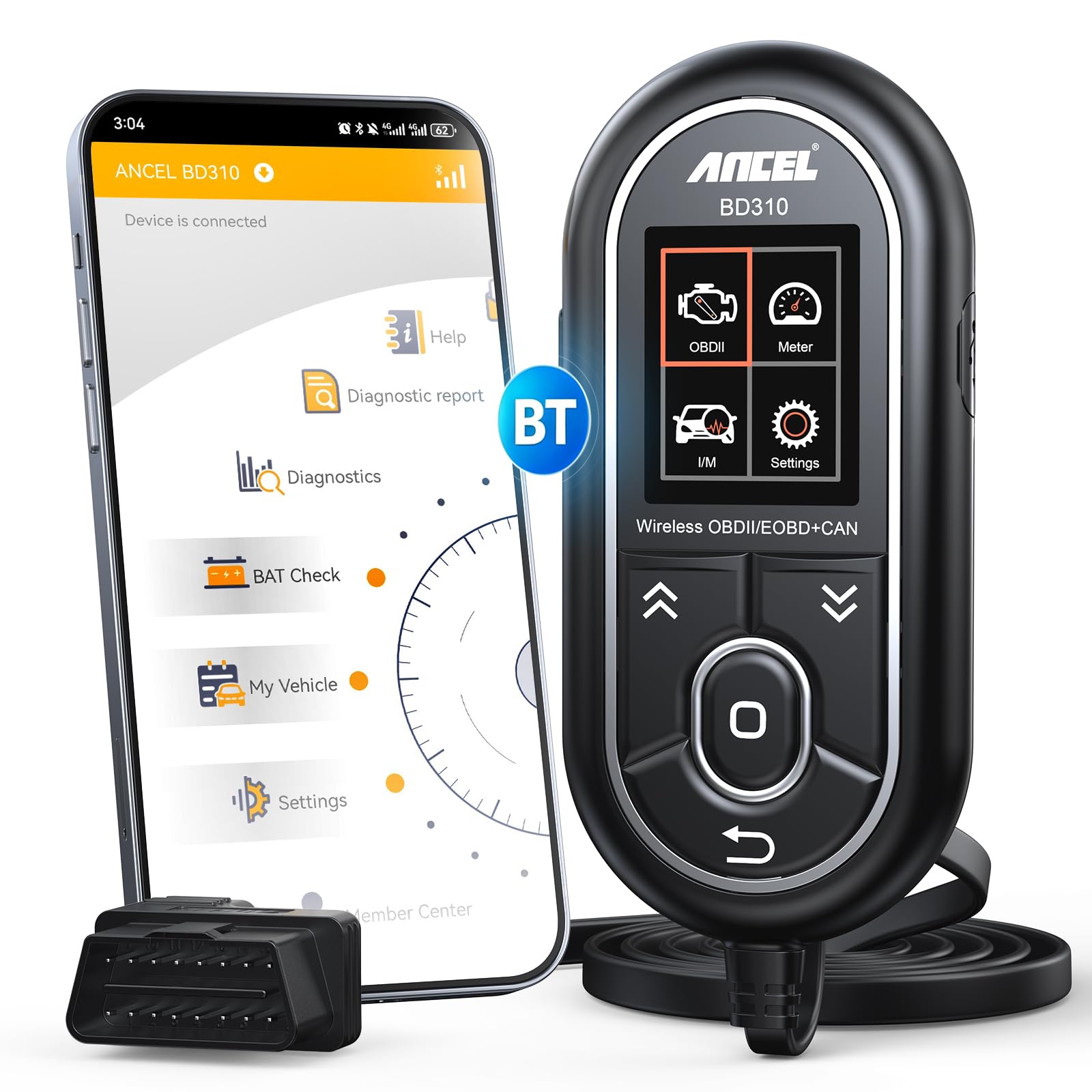
We recommend the ANCEL BD310 for drivers who want wired controls, Bluetooth app features, and basic vehicle testing without a monthly fee.
Pros
- Wired and Bluetooth operation
- Battery, trip, and live-data tools
- Free lifetime app updates
Cons
- Does not support ABS, SRS, or transmission codes
- App setup may require extra steps
- Wired controls feel less durable
We found the BD310 easy to use for checking engine codes and viewing plain-language explanations. The built-in screen works without a phone, while the app adds live data, battery tests, performance checks, and trip analysis.
Its battery monitoring and I/M readiness checks make it useful before road trips or emissions testing. We also liked the option to search a code for possible causes before discussing repairs with a mechanic.
The scanner supports most 1996 and newer OBD2 vehicles and covers all 10 standard OBD2 modes. However, it cannot read or clear ABS, airbag, or transmission codes, so it will not replace a full professional scanner.
Bluetooth pairing and app access worked well in our testing, though some users may need to download the software from ANCEL’s website. The physical buttons also seem less sturdy than the rest of the unit.
Vgate iCar Pro 4.0

We recommend the Vgate iCar Pro 4.0 for drivers who want a small, affordable adapter that works with several OBD2 apps on Android, iOS, and Windows.
Pros
- Connects with popular apps such as Car Scanner, Torque, BimmerCode, and JScan
- Reads trouble codes and live sensor data quickly
- Uses low power and includes basic safety protection
Cons
- Advanced features depend on the vehicle and app
- Some apps require separate paid purchases
- Connection setup may take extra steps on some phones
We found the adapter easy to use for basic engine checks. After pairing it with a compatible app, we could read fault codes, view live data, check emissions readiness, and clear codes when appropriate.
Its broad app support makes it more flexible than a scanner tied to one platform. We also liked the compact design and low-power sleep mode, especially when leaving the adapter connected during routine vehicle monitoring.
The main limitation comes from the software rather than the adapter itself. ABS, airbag, transmission, and coding functions vary by vehicle, and some apps charge extra for those tools. We also noticed that Android and iOS use different connection steps, so users should follow the manual for their phone.
This model works with many OBD2-compliant vehicles from 1996 onward, but compatibility does not guarantee access to every system. For basic diagnostics and app-based monitoring, the Vgate iCar Pro 4.0 offers good value and includes a one-year warranty.
TOPDON TopScan Pro
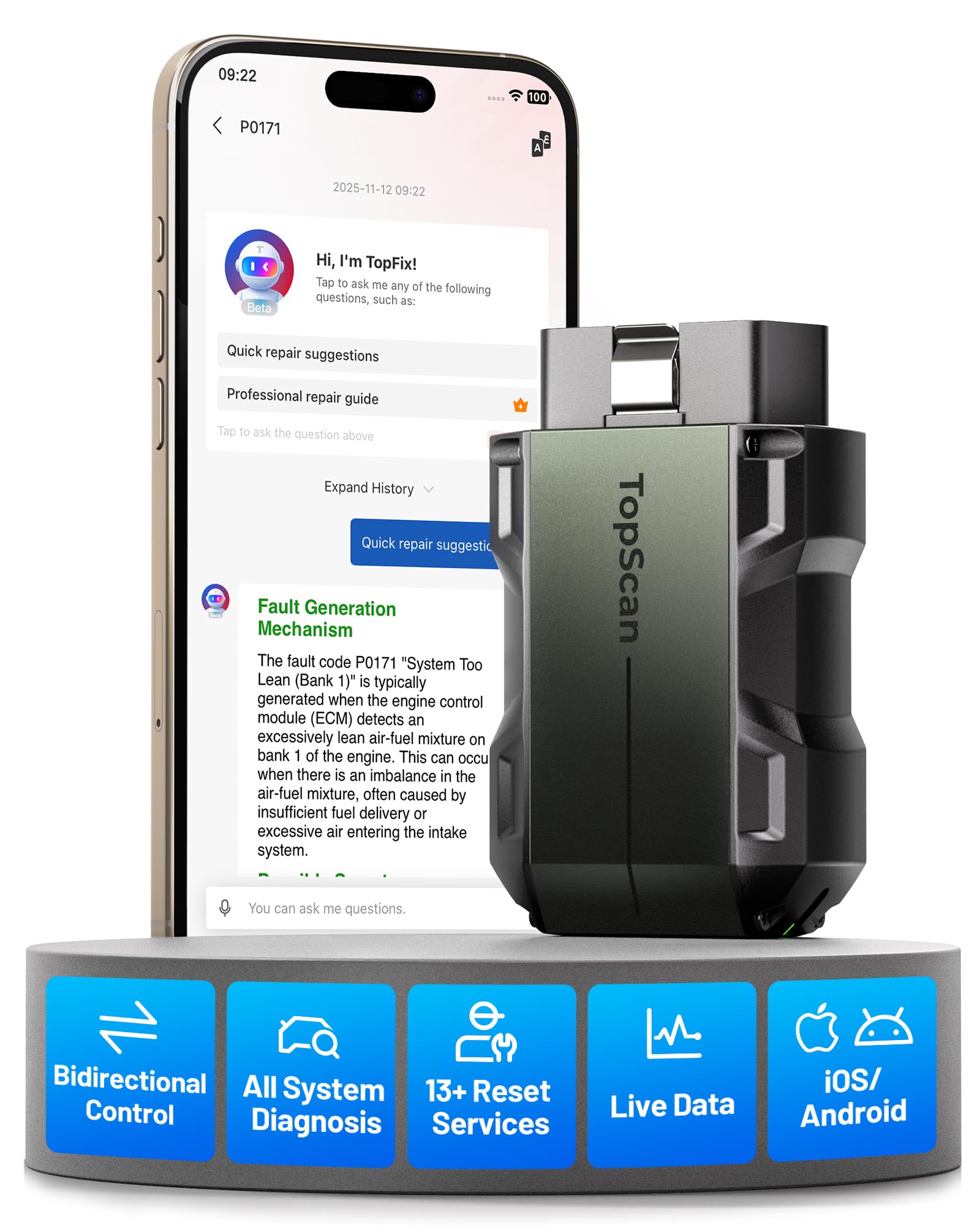
We recommend the TOPDON TopScan Pro for users who want BlueDriver-style phone diagnostics with active tests and service resets.
Pros
- Performs bidirectional tests on supported vehicles
- Scans more systems than a basic code reader
- Offers free core diagnostics for life
Cons
- Advanced features require a yearly subscription after 12 months
- App performance and vehicle support can vary
- Some users report connection and account issues
We connected the compact scanner to a phone and found the setup straightforward through the TopScan app. It can read live data, scan systems such as ABS and airbags, and clear trouble codes when the vehicle supports those functions.
Its active-test capability gives it an advantage over many basic Bluetooth scanners. We could command supported components, such as cooling fans and windows, to help narrow down faults without removing parts first. Vehicle coverage still depends on the model and year.
The scanner also includes useful service functions, including oil, battery, electronic parking brake, steering angle, and throttle resets. These features work well for home garages, but many require the included 12-month advanced subscription. After that period, users can keep core diagnostics or pay for continued access to advanced tools.
We liked the repair guides and diagnostic information because they reduce the need to search for code definitions elsewhere. However, some owners report slow app behavior, dropped connections, or devices linked to previous accounts. We recommend confirming compatibility and checking the subscription terms before buying.
Vgate vLinker FS Bluetooth OBD2 Scanner

We recommend this adapter for Ford owners who want deeper diagnostics and FORScan support across several devices.
Pros
- Supports Ford MS-CAN networks
- Works with Android, iOS, Windows, and macOS
- Handles 12V and 24V vehicle systems
Cons
- App costs may apply
- Setup can take some trial and error
- iOS compatibility varies by app
We found the vLinker FS most useful with FORScan Lite, especially on Ford vehicles that need access beyond standard OBD2 code reading. It can support configuration tasks and some programming functions when paired with compatible software.
Connection speeds felt smooth during live data checks, and the adapter handled longer data exchanges without obvious delays. Its low idle power use also makes it less likely to drain a vehicle battery during short periods of connection.
The adapter supports Bluetooth on several operating systems, but app compatibility deserves attention before purchase. Some iOS apps may require MFi mode, while others work better with BLE or Bluetooth mode. We also needed to account for separate app licenses.
Ford owners get the strongest value from this model. It can also work with apps such as JScan, Car Scanner, and ScanMyTesla when the vehicle needs the correct adapter or connection setup. Its compact case and gold-plated pins help it fit securely in the diagnostic port.
Vgate vLinker MC+ Bluetooth OBD2 Scanner

We recommend this adapter for buyers who want broad app support, fast connections, and access to Ford and GM vehicle networks.
Pros
- Works with iOS, Android, and Windows devices
- Supports Ford MS-CAN and GM SW-CAN networks
- Connects well with apps such as FORScan, JScan, and Car Scanner
Cons
- App compatibility still varies by vehicle and software
- Some users may need help choosing the correct Bluetooth mode
- A few buyers reported connection problems
We found the vLinker MC+ useful for more than basic code reading. With compatible apps, it can show live data, reach more vehicle modules, and support certain coding tasks that simpler OBD2 adapters cannot handle.
Its support for iPhones and iPads makes it a closer match for BlueDriver-style use, while its Ford and GM network support adds flexibility. We also liked its compact shape because it stayed out of the way when left in the diagnostic port.
In testing reports, users connected it with vehicles such as Wranglers, Mazda models, Toyota cars, and newer Jeeps. Most described quick Bluetooth pairing and stable performance, though one user could not connect it to a phone or laptop. We suggest checking app and vehicle support before buying.
Buying Guide
We should choose an OBD2 app and scanner based on vehicle coverage, diagnostic depth, and ease of use. First, confirm that the scanner supports our vehicle’s model year, engine, and communication protocols.
| Feature | What to check |
|---|---|
| Vehicle coverage | Support for our car, including enhanced systems |
| Diagnostic data | Trouble codes, live data, freeze-frame data, and code descriptions |
| App compatibility | iOS or Android support, connection method, and required permissions |
| Connection type | Bluetooth, Wi-Fi, or a wired connection that suits our needs |
| Repair features | Testing procedures, code-clearing options, and repair information |
| Update policy | Software updates, coverage updates, and added vehicle support |
| Cost | Scanner price, app fees, subscriptions, and optional purchases |
We should look for clear code explanations and live data that uses practical labels. Graphs, data recording, and the ability to view several readings together can make faults easier to track.
A stable connection matters during scans and road tests. We should also check whether the app can read only engine codes or access systems such as the transmission, airbag, and anti-lock brakes.
Before buying, we should review the privacy policy and permission requests. We should also confirm whether the app works without an internet connection and whether the seller provides reliable customer support.
Editor’s Choice
We choose BlueDriver as our top pick for drivers who want detailed OBD2 scans without complex setup. Its adapter works with a dedicated mobile app that reads and clears many trouble codes, displays live data, and provides repair reports for supported vehicles.
BlueDriver also stands out for its enhanced diagnostics. On some makes and models, it can access systems beyond the engine, such as the ABS, airbag, and transmission modules. Coverage varies by vehicle, so we recommend checking compatibility before buying.
| Feature | BlueDriver |
|---|---|
| Connection | Bluetooth |
| Platforms | iOS and Android |
| Code reading | Standard and some enhanced codes |
| Repair reports | Yes |
| Subscription | No ongoing subscription |
We value the app’s clear explanations and vehicle-specific reports. They can help us understand a fault code before visiting a repair shop, although the information does not replace a professional diagnosis.
Drivers who want broader brand coverage or advanced service functions may prefer another app and scanner. For most car owners seeking a simple tool with stronger-than-average diagnostic features, BlueDriver offers a balanced choice.
Conclusion
We should choose an OBD2 app based on the features we need, the vehicles we maintain, and the adapter we plan to use. BlueDriver remains a strong option for guided trouble-code reports, repair information, and simple testing.
Other apps may suit us better if we want live data, broad vehicle support, advanced coding, or lower hardware costs. Before buying, we should confirm that the app supports our vehicle and works with its required adapter.
| Need | Feature to prioritize |
|---|---|
| Easy fault-code diagnosis | Repair reports and code explanations |
| Live sensor data | Clear dashboards and data graphs |
| Advanced functions | Bi-directional tests or coding |
| Multiple vehicles | Wide make and model support |
| Low cost | Free app with an affordable adapter |
We should also check update policies, subscription fees, user reviews, and data-sharing terms. A reliable connection and accurate vehicle coverage matter more than the number of features listed in an app store.
FAQS
What is the best OBD2 app like BlueDriver?
We recommend OBD Auto Doctor, Car Scanner ELM OBD2, and FIXD as strong alternatives. The best choice depends on whether we need advanced diagnostics, live data, maintenance tracking, or simple code reading.
Can these apps clear check engine codes?
Many apps can read and clear diagnostic trouble codes when paired with a compatible OBD2 adapter. We should fix the underlying problem before clearing a code, since the warning may return.
Do we need a special adapter?
Yes. Most apps require a Bluetooth or Wi-Fi OBD2 adapter. We should check the app’s supported adapters before buying one, because compatibility varies by phone and vehicle.
Are OBD2 apps free?
Some apps offer free code reading and basic live data. Advanced features, such as full system scans, repair information, or maintenance records, may require a subscription or one-time purchase.
Can an OBD2 app diagnose every car problem?
No. These apps mainly access electronic control systems that support OBD2. They may not detect mechanical faults, electrical issues, air-conditioning problems, or manufacturer-specific systems without extra support.
Will an OBD2 app work with iPhone and Android?
Many apps support both platforms, but the adapter connection method matters. We should confirm compatibility with our phone before choosing an adapter or app.
