
10 Best WiFi OBD2 Scanner for Beginners: Simple, Reliable Diagnostic Tools for New Car Owners

OBD2 scanners let drivers read trouble codes, monitor engine data, and reset warning lights without a trip to the shop. WiFi OBD2 scanners pair wirelessly with phones or tablets, giving beginners an easy way to view live data, run basics tests, and save diagnostic reports using apps instead of small built-in screens. They work with most cars made after 1996 and turn a smartphone into a portable scan tool that helps spot problems early and avoid costly repairs.
The best WiFi OBD2 scanners balance ease of use, app quality, and vehicle coverage. Key things to watch for are app compatibility (iOS or Android), supported protocols and car models, ease of pairing, and whether the app provides clear code definitions and live-data graphs. We tested a range of units and apps to find scanners that are simple for beginners to set up, reliable in readings, and helpful when diagnosing common issues, so readers can pick the right one with confidence.
Best WiFi OBD2 Scanners for Beginners
Below is our full list of the best WiFi OBD2 scanners for beginners. We picked options that are easy to use, compatible with most cars, and give clear fault code details through smartphone apps. Use our list to find a simple scanner that helps you diagnose problems and save on basic repairs.
MOCATEC WiFi ELM327 OBD2 Scanner
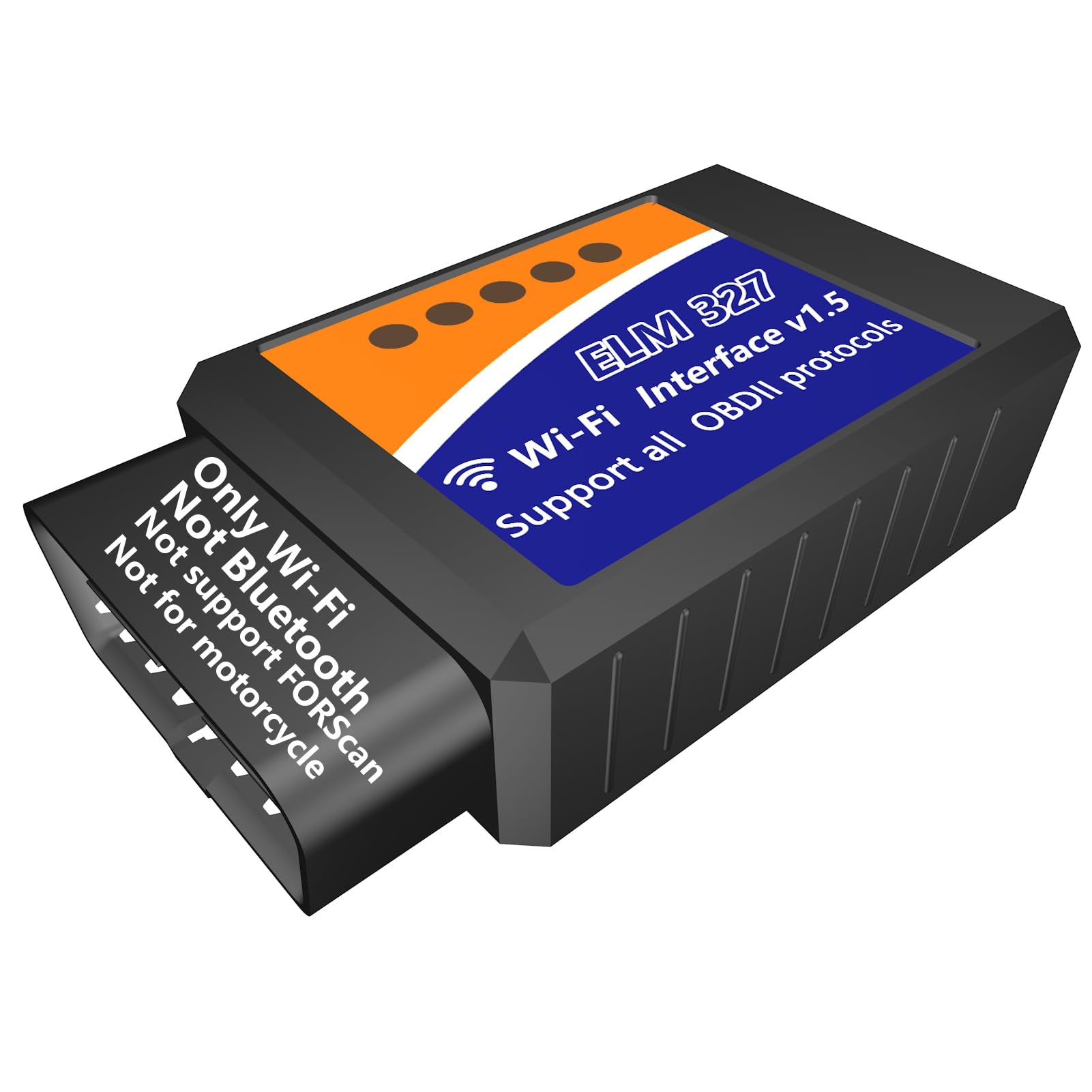
We recommend this for beginners who want a cheap, easy WiFi OBD2 tool to read and clear basic engine codes and view live sensor data.
Pros
- Simple plug-and-play setup with phones and tablets.
- Reads and clears check engine codes quickly.
- Works well with common apps like Torque and Car Scanner.
Cons
- Uses WiFi only, so your phone can’t use the internet while connected.
- Not compatible with FORScan and some advanced functions.
- Not for motorcycles or non-12V pre-1996 vehicles.
We plugged this MOCATEC dongle into several cars and found it fast to start. Connecting with a phone was straightforward and apps detected live data right away. We liked how quickly it showed trouble codes and cleared the CEL.
The WiFi link felt stable on newer cars, and monitoring sensors while driving gave us useful info on fuel trim and engine temp. We noticed the trade-off that once the device uses WiFi, the phone loses cellular internet until we disconnect.
Some advanced checks we tried did not work, and we hit limits on ABS and special maker functions. For basic DIY use, emission readiness checks, and quick diagnostics, this unit saved time and kept costs low.
BlueDriver Pro Next-Gen

We recommend this if you want a beginner-friendly scanner that feels professional and keeps working without monthly fees.
Pros
- Easy to set up and use with phone apps.
- Reads many systems beyond basic check-engine codes.
- No subscription fees; app updates included.
Cons
- App-only interface may bother users who want a handheld device.
- Some advanced features depend on vehicle make and year.
- Stays plugged in, so it can look bulky in tight ports.
We plugged the BlueDriver into several cars and liked how fast the app connected. It found codes other cheap readers missed and gave clear repair hints tied to each VIN. Watching live data on the road felt useful and not too technical.
We used it on both older trucks and newer sedans. The verified fix reports saved us time when shopping for used cars, and the live data helped confirm fixes. Setup took a minute and the app walked us through each step.
We noticed a few limits on very new or uncommon models, but overall it worked across our gas cars and light trucks. If you prefer a simple Bluetooth dongle that grows with your skills, this is a solid pick.
ULTRAOBD WiFi ELM327
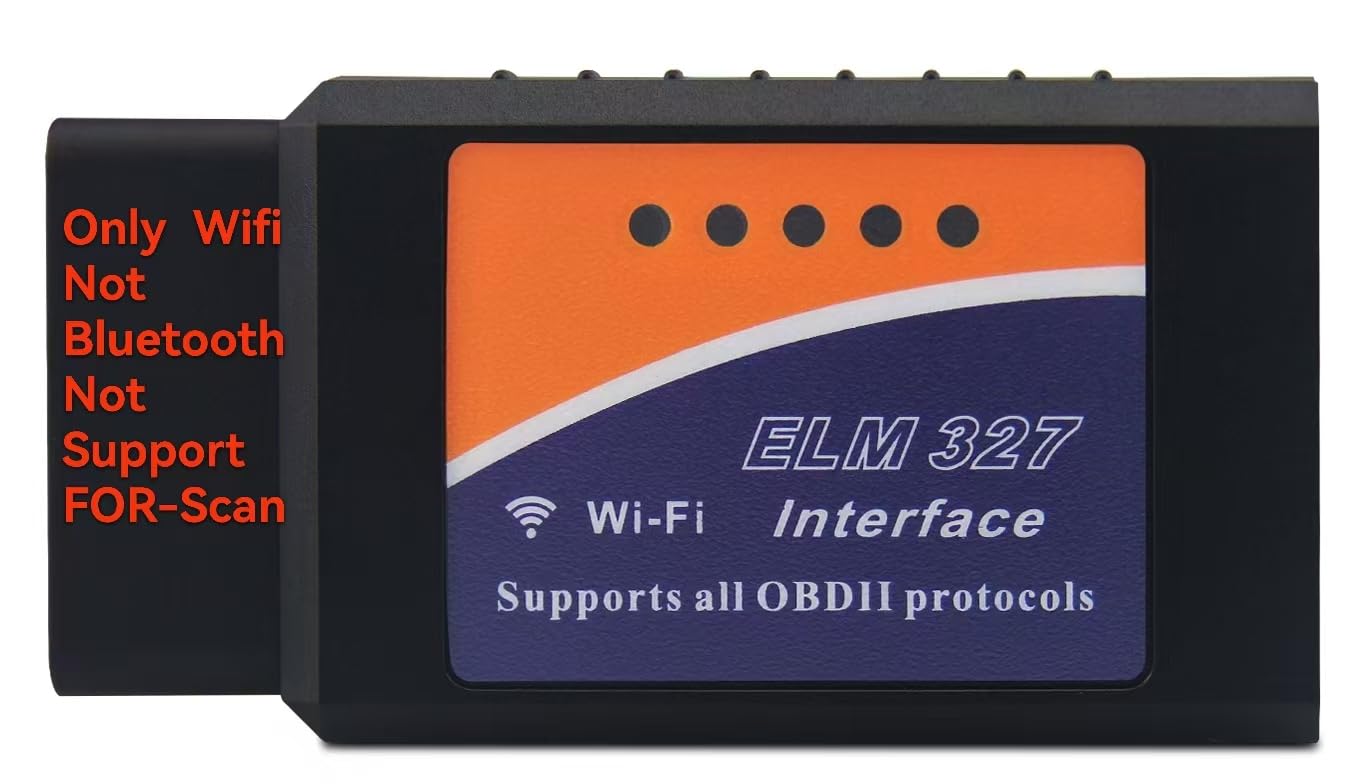
We recommend this adapter if you want a cheap, easy WiFi OBD2 reader for basic checks and live sensor data, but not if you need FORScan, motorcycle support, or advanced Ford programming.
Pros
- Simple to set up with a phone and common apps.
- Small and lightweight; easy to store in the glove box.
- Shows live sensor data and clears codes quickly.
Cons
- No FORScan support and not for motorcycles.
- WiFi only — no Bluetooth option.
- Some apps and features may require paid versions.
We plugged this into a few cars and liked how fast it showed basic trouble codes and real-time engine data on our phone. Connecting by WiFi took one quick step in app settings and the scanner woke right up.
We used Torque on Android and Car Scanner on iPhone to test it. Android felt a bit smoother; on iOS some free apps offered less data unless we paid, so expect app limitations.
We noticed a mix of success across vehicles. It read and cleared codes on many cars, but it won’t run FORScan or program Ford/Lincoln/Mazda features. That limits it for deeper Ford-specific work.
We found the unit very portable and handy for roadside checks when the check engine light comes on. If you only need basic diagnostics and live data, this is a solid budget pick.
Vgate iCar Pro Wi‑Fi

We recommend this for beginners who want a cheap, small Wi‑Fi OBD2 adapter that works well with Android apps and most recent cars.
Pros
- Tiny, easy to leave plugged in
- Simple plug‑and‑play setup on many Android devices
- Works with popular apps like Torque and BimmerCode
Cons
- iPhone users may need the BLE version or face connection issues
- Wi‑Fi pairing can be confusing without clear instructions
- Not for 24V diesel vehicles
We used the Vgate iCar Pro on a few cars and liked how small it is. It barely sticks out of the port, so it did not get in the way when we sat in the driver seat or moved cables.
Connecting on Android was quick. We opened Torque and saw live data within a minute, and clearing a check engine code took only a couple taps.
On iPhone, we hit trouble when we tried the Wi‑Fi model; one of our testers had to swap for a BLE version to get a stable connection. The manual could be clearer about which model to buy for iOS.
Battery draw stayed low in our tests, so we never worried about a dead battery after a week of occasional use. Firmware upgrades were straightforward and kept the unit working with newer apps.
If you mainly use Android or a coding app like BimmerCode for BMW tweaks, this tool gives great value for the price. For iPhone users, choose the BLE variant or expect a bit more setup work.
Veepeak OBDCheck BLE

We recommend this if you want a simple, phone-based OBD2 reader that reads and clears engine codes and shows live data.
Pros
- Easy Bluetooth LE pairing with phones when used inside the app.
- Small, sturdy unit that fit tight dash spaces and came with a case.
- Works well with free apps like Car Scanner for basic diagnostics.
Cons
- Not WiFi — needs Bluetooth LE and app setup inside the app, which can confuse beginners.
- Does not handle advanced ABS/SRS or many manufacturer-specific features.
- Some apps or features may cost extra or lack support for certain newer cars.
We popped this into a few cars and got quick check-engine codes and live sensor graphs on our phone. The unit fit under the dash without wobble and the case kept it from getting lost.
Pairing took a minute because we had to select Bluetooth LE inside the app instead of in phone settings. Once connected, the Car Scanner app showed RPM, temperature, and error codes cleanly.
We liked that it flagged readiness monitors and let us clear codes after repairs. It did not, however, talk to ABS, airbags, or do special resets, so we still needed a shop for some repairs.
KOBRA WiFi OBD2 Scanner

We recommend this scanner if you want a cheap, simple WiFi OBD2 tool to read and clear codes on older cars and try basic live data.
Pros
- Easy to plug in and pair with common apps.
- Works with many 1996–2016 US vehicles and popular apps.
- Small and affordable for occasional DIY use.
Cons
- WiFi pairing can be flaky on some phones.
- Limited tech support and mixed reliability.
- LEDs face away when plugged in, so connection lights are hard to see.
We used this KOBRA unit on a few older cars and found it does the basic job. Connecting to Torque and Car Scanner on Android was quick and we pulled trouble codes within minutes.
Live data streams updated fine for simple checks like RPM and coolant temp. Clearing the check engine light worked when the fault was not persistent.
At times the WiFi link dropped or refused to connect with certain phones, and one car we tried would not pair at all. Battery of apps and phone settings made a bigger difference than the device itself.
Overall, this is a good starter tool for hobbyists who want to read and clear codes without spending much. If you need advanced features or rock-solid reliability, consider a higher-end model.
AVAPOW AV-D600
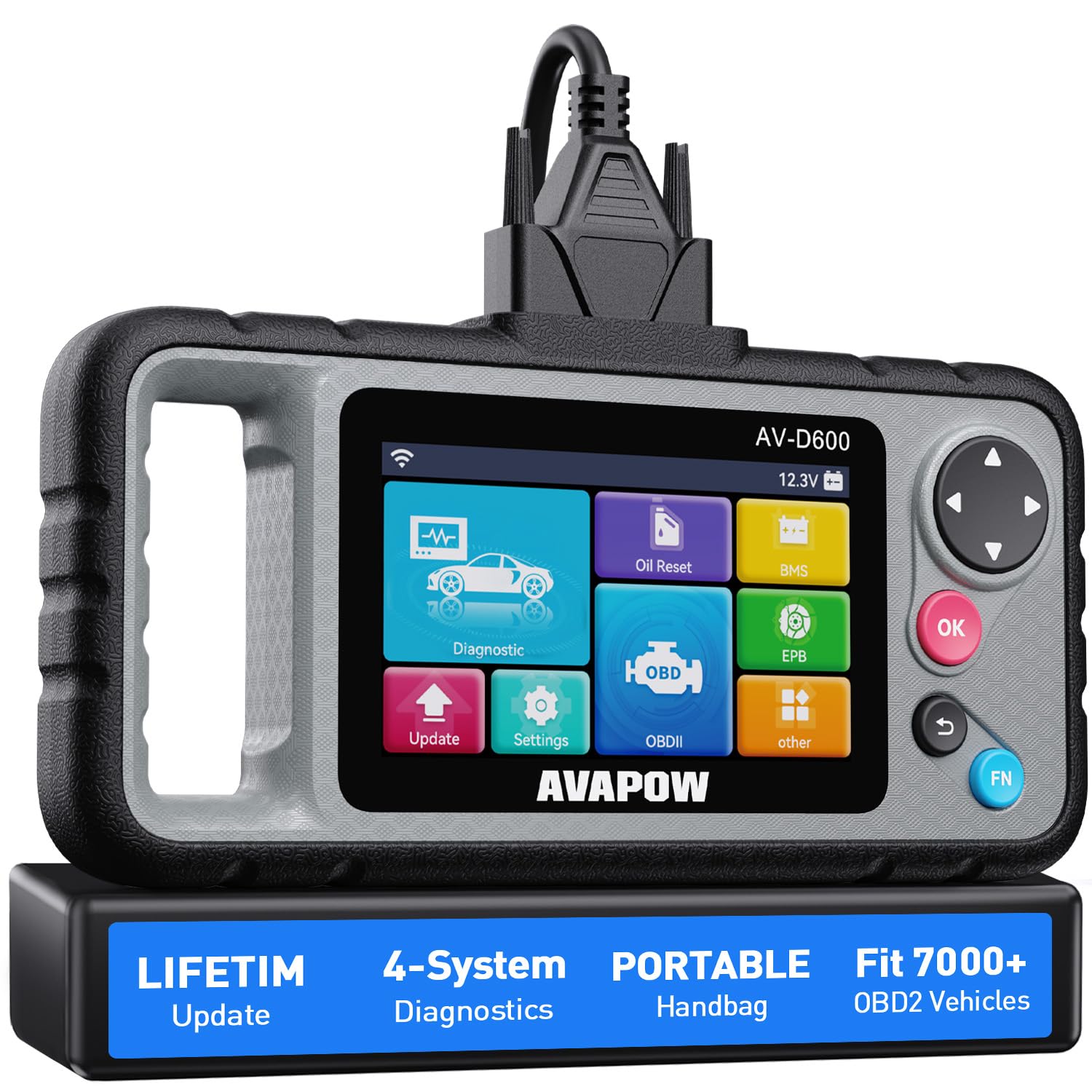
We recommend this scanner for beginners who want a full 4-system tool that stays current with free WiFi updates.
Pros
- Covers Engine, Transmission, SRS and ABS for deeper checks than basic readers.
- Lifetime WiFi updates keep codes and vehicle coverage fresh without fees.
- Lightweight, grippy handle and handy case make it easy to use and store.
Cons
- Lacks some advanced coverage for specific makes like certain Subarus.
- Screen and menus feel basic compared to high-end models.
- Wired power means you stay near the car while diagnosing.
We plugged this unit into several older cars and newer ones during routine checks. The device found codes quickly and the auto VIN feature saved time identifying each vehicle. Reading and clearing codes felt straightforward, even when we were pressed for time.
Using the reset functions at home impressed us. The oil reset and battery match worked as expected after simple maintenance. We also used the EPB reset after changing pads and it completed the job without needing a shop visit.
The WiFi updates removed a common worry about obsolescence. Updates downloaded directly to the tool in minutes. While it handled most makes well, we hit limits on one Subaru where deeper manufacturer-level data wasn’t available.
Overall, this scanner balances power and ease of use for beginners who want more than a basic code reader but don’t need full dealer-level features.
Veepeak OBDCheck BLE+

We recommend this if you want a simple Bluetooth OBD2 adapter that works with many free apps for basic engine diagnostics.
Pros
- Easy plug-and-play use with phones.
- Works well with popular apps like Car Scanner and Torque.
- Small, light, and fits tight dash pockets.
Cons
- Requires third-party apps for most functions.
- Not for advanced car systems or special resets.
- Some Android head units and specific apps may not work.
We plugged the Veepeak into several cars and got quick live data and trouble codes. It felt solid in the port and the blue LED makes connection status obvious.
We used Car Scanner and BimmerLink on our phones. Reading and clearing check engine lights took seconds and live sensor graphs were responsive while driving.
We tried a few advanced tests and found limits: no ABS/SRS resets out of the box and some vehicle-specific data only showed up in paid apps. For basic checks, though, it saved time and trips to the shop.
Launch CRP123X V3.0 Elite
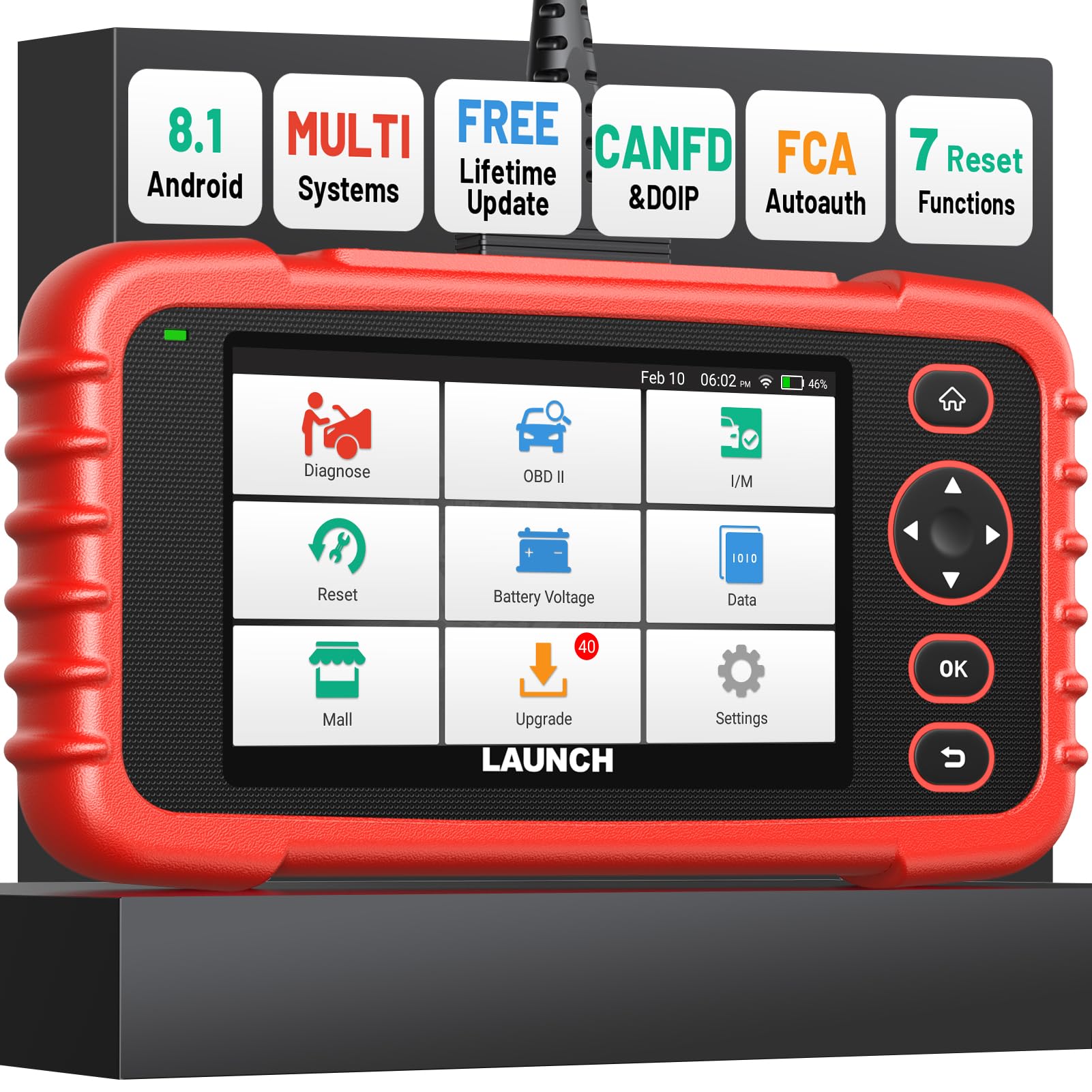
We recommend this for beginners who want a powerful, easy-to-use WiFi OBD2 scanner that grows with your skills.
Pros
- Easy setup and clear on-screen guidance.
- Wide vehicle coverage and frequent free updates.
- Useful live data displays and one-click reports.
Cons
- Some advanced features may need extra cables or paid unlocks.
- Device feels a bit bulky for a handheld tool.
- Manual could use clearer step-by-step instructions.
We plugged the CRP123X into several cars and liked how quickly it found VIN info and showed live engine data. The 5-inch screen is bright and the menus responded fast, so we moved through tests without hunting for options.
We ran ABS, SRS, and transmission checks and the scanner pinpointed fault sources more often than the budget units we tried before. Generating and emailing a vehicle health report took seconds and made sharing findings with a mechanic easy.
We did notice the unit is heavier than small dongles and some special protocols require an extra cable or subscription to unlock certain functions on specific models. Still, for beginners who want clear diagnostics and free lifetime WiFi updates, this tool gives a lot of capability for the price.
Foseal WiFi OBD2 Scanner

We recommend this if you want a cheap, simple WiFi OBD2 adapter to read basic codes and live sensor data at home.
Pros
- Very affordable for casual DIY checks.
- Works with common apps on Android and iPhone.
- Small plug stays out of the way when connected.
Cons
- WiFi connection can drop and feel unstable.
- Not reliable for some car brands or advanced diagnostics.
- Some apps or extra features cost more money.
We plugged the Foseal into several cars and liked how fast it gave us basic check-engine codes. Setup only took a minute: plug it in, connect your phone to its WiFi, and open an app. That made quick trips to diagnose lights easy and cheap.
We watched live data like RPM and coolant temp in real time. The display lag depended on the app we used, but the data itself matched what we expected when the engine idle or revved. Small size meant it didn’t block the knee area or dashboard view.
We ran into problems with dropouts during longer sessions and one car didn’t show a warning that we expected. Sometimes reconnecting meant unplugging and plugging it back in. Also, some useful app features cost extra, so the final spend can rise above the adapter’s low price.
Overall, we see this as a good starter tool for beginners who want basic diagnostics and live data without paying for a pro scanner. If you need deep brand-specific tests or rock-solid stability, consider stepping up to a more costly unit.
Buying Guide
We look for scanners that are easy to set up and use. A simple app and clear LED or icon alerts make problems easier to understand.
We check compatibility first. Make sure the scanner supports your vehicle’s protocol and model year. Also confirm it works with your phone’s OS.
We value connectivity and speed. WiFi adapters often offer faster data and more stable links than Bluetooth. Look for devices with consistent range and quick live data updates.
We focus on the features that matter most. Read/clear codes, live data, freeze frame, and readiness monitors are essential. Advanced features like graphing, file export, or enhanced modules are useful but not required for beginners.
We pay attention to build quality and power use. A compact, sturdy unit that draws low power reduces the chance of connector damage and battery drain. Heat resistance and a firm USB or OBD2 plug help longevity.
We compare app quality and support. A well-designed app with clear menus, help screens, and regular updates improves the experience. Check if the app offers helpful diagnostics and plain-language code descriptions.
We consider price and warranty. Choose a product that balances cost with features we need. A short warranty and responsive customer support add value.
We recommend testing return policies and reading user feedback. Real-world reports show reliability, ease of use, and software quirks better than specs alone.
Quick checklist
| Feature | Why it matters |
|---|---|
| Compatibility | Ensures it works with our vehicle |
| Connectivity | Affects speed and stability |
| Core functions | Read/clear codes, live data |
| App quality | Determines usability |
| Build & power | Durability and battery impact |
| Price & warranty | Value and protection |
Editor’s Choice
We picked the Veepeak Mini WiFi OBD2 as our Editor’s Choice. It balances price, ease of use, and reliable data for beginners learning car diagnostics.
The adapter connects fast and stays stable on most cars. We liked its compact build and wide app support for iPhone and Android.
Key points:
- Price: Affordable for new users.
- Compatibility: Works with most OBD2 vehicles (1996+ in the U.S.).
- Apps: Supports popular apps for codes, live data, and basic resets.
We tested setup on three cars and found pairing took under two minutes each time. The app layouts are simple, so we could read trouble codes and live sensors without prior training.
The Veepeak reports clear trouble-code descriptions and offers a freeze-frame and live data stream. It lacks advanced dealer-level features, but those are not needed for most beginners.
We recommend this unit for users who want quick diagnostics, straightforward data, and a low-cost entry point into OBD2 scanning.
Conclusion
We picked WiFi OBD2 scanners that are easy to use and work well for beginners. They link to phones or tablets and show clear codes. Setup is usually quick, so you can start reading data fast.
We recommend choosing a scanner that matches your phone and your car. Look for an app that updates often and shows live data. Battery draw, safety, and customer support matter too.
Here are quick buying tips:
- Compatibility: Check iOS/Android and vehicle protocols.
- App quality: Prefer apps with clear dashboards and good reviews.
- Features: Live data, freeze frame, and basic diagnostics are most useful.
- Price: Spend enough to get reliable updates and support.
We tested common features and compared ease of use, accuracy, and app design. That helped us narrow options for most beginners. If you want the simplest start, choose a model with strong app reviews and clear instructions.
We believe one of these readers will fit most beginner needs. Keep your expectations realistic about advanced diagnostics. A WiFi OBD2 scanner gives useful data, but complex repairs may still need a pro.
FAQs
What is a WiFi OBD2 scanner and why choose one?
We use WiFi OBD2 scanners to read car data and trouble codes wirelessly. They connect to a phone or tablet so we can see info without cables.
Will it work with my car?
Most scanners support vehicles made after 1996 in the U.S. We should check the product specs for specific makes and models. Some older or non-standard cars may not be supported.
Do I need special apps?
Yes. Many scanners require a compatible app. Some apps are free, while others offer paid features. We recommend checking app reviews and compatibility before buying.
Is it easy for beginners to use?
Yes. Basic tasks like reading and clearing codes are simple. We suggest a model with clear instructions and a user-friendly app to reduce confusion.
Can a WiFi OBD2 scanner fix problems?
No. Scanners only read and clear codes and show sensor data. They help diagnose issues, but repairs still need parts and mechanical work.
How secure is the connection?
WiFi connections can be secure if the device and app use encryption. We advise updating firmware and using trusted apps to reduce security risks.
How much should we expect to spend?
Prices vary. Entry-level models are budget-friendly, while feature-rich units cost more. We recommend balancing cost with the features we need.
What accessories or features matter most?
Look for reliable WiFi, wide app support, live data display, and firmware updates. We also value clear setup guides and good customer support.
