
Why Your Key Fob Low Battery Warning Won’t Go Away After Replacing the Battery

If your car keeps showing a key fob low battery warning after you already changed the battery, you are not alone. I’ve seen this problem trip up plenty of drivers: the fob still works, but the dash message refuses to disappear. That usually means the issue is not as simple as “battery dead, battery replaced, problem solved.”
In most cases, the warning hangs around because the car hasn’t yet recognized the new battery correctly, the replacement battery is not making solid contact, or the fob itself has another issue. On some vehicles, the alert can also be stored until the system sees a clean signal again after a lock/unlock cycle or restart. A low-battery warning is often an early alert, but the exact behavior can vary by vehicle, so the fob may still function for a while even when the message stays on. NHTSA also has helpful owner-safety information for vehicle electronics and warning messages if you want a broader reference point.
First, make sure the warning is for the key fob
Before you tear the fob apart again, confirm what the car is actually warning about. Some dashboard messages point to the key fob battery, while others are about the vehicle battery, the keyless entry system, or even a start authorization problem.
That distinction matters because the fix changes completely. If the car is warning about the vehicle battery or a system fault, changing the coin cell in the remote won’t clear it. If the message appears only when you use one fob and not your spare, that strongly points to the fob itself. If the warning shows up regardless of which fob you use, the vehicle’s receiver or related system may be involved.
A quick example: if your dashboard says “Key battery low” and the remote still locks the doors from close range, the fob battery or its contacts are the first things to inspect. If the message is more general, like a keyless system warning, the problem may sit deeper in the car.
Key fob battery warning vs. vehicle 12V battery warning
It’s easy to mix these up, but they are not the same problem. A key fob battery warning usually refers to the small coin cell inside the remote. A vehicle 12V battery warning points to the car’s main battery, charging system, or related electrical issues.
That means the fix is different too: a new CR2032 or CR2025 may solve a fob warning, but it will not help if the instrument cluster is warning about low vehicle voltage. If the dashboard message mentions the main battery, starting system, or charging system, check the car’s 12V battery and charging health instead of focusing only on the fob.
Check the replacement battery type and installation
This is the highest-probability DIY fix, and it’s worth doing carefully. The battery has to be the exact type the fob expects, commonly a CR2032 or CR2025, and it has to be installed with the correct polarity. A battery that is the wrong size, wrong thickness, or flipped backward can still let the fob behave strangely enough to confuse the car.
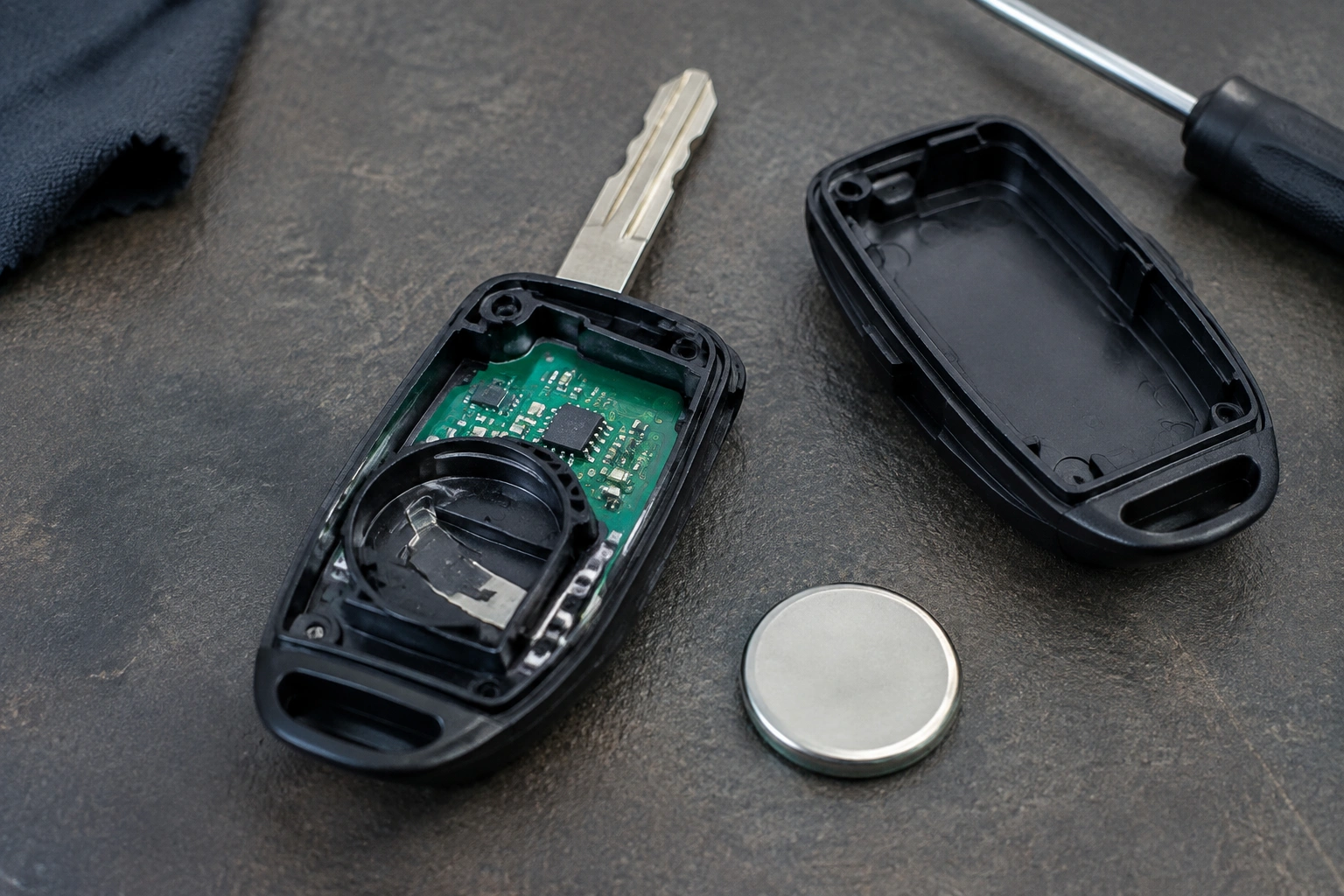
Here’s what I check first:
- Confirm the battery code printed on the old cell and the owner’s manual.
- Match the new battery exactly, not just “a coin battery that looks close.”
- Make sure the positive and negative sides face the same way as the old battery.
- Press the battery fully into the holder so it sits flat.
A battery can be “new” and still cause problems if it is old stock, low quality, or counterfeit. I’ve also seen cheap coin cells test poorly right out of the package. If the replacement battery seems suspicious, it’s worth using a reputable brand or checking the battery voltage before assuming the fob is at fault.
Inspect the battery contacts and fob shell
If the battery is correct and the warning still won’t clear, look at the metal contacts inside the fob. They need firm pressure against the battery to deliver stable power. If a contact is bent, dirty, or corroded, the remote can act like the battery is weak even when it isn’t.
Check for:
- White or green corrosion on the contacts
- A contact spring that no longer presses the battery tightly
- Dirt, moisture, or debris inside the shell
- A cracked case that lets the battery shift around
A loose battery can create intermittent power loss. That’s a big deal because the car may see a weak or unstable signal and keep the low-battery alert active. If the shell is damaged, the battery might move just enough to break contact every time you press a button.
If you spot corrosion, handle it carefully. You’re dealing with a small circuit board, and it doesn’t take much force to bend a contact out of shape or damage a trace. In some cases, a simple battery-contact cleaning or slight contact bend correction after replacement can help restore reliable contact.
Compare the warning behavior with a spare fob
This is one of the fastest ways to separate a fob problem from a vehicle problem. If you have a spare key fob, test it on the same car.
- If the spare works normally and does not trigger the warning, the original fob is the likely problem.
- If both fobs trigger the same warning, the car or its receiver system may be the issue.
- If the spare works only intermittently, the vehicle may be struggling to read fobs consistently.
That comparison saves time because it tells you where to focus. I’ve seen owners replace two batteries before learning the first fob had a worn internal contact and the second fob was fine all along.
If you do not have a spare, try to note whether the issue is limited to one behavior. For example, if the fob unlocks the car but only at very short range, that points more toward weak power delivery or a tired fob than a vehicle-wide fault.
Try a reset, resync, or reprogramming step
Some vehicles clear a persistent warning after the fob is recognized again, while others need a model-specific relearn or programming step. There is no universal procedure that works across all makes and models, so this is where the owner’s manual or manufacturer service info matters most.
A simple reset attempt often includes things like:
- Locking and unlocking the vehicle with the fob
- Starting the car and turning it off again
- Leaving the vehicle off for a short period, then retrying
- Using the fob in the normal start location if the car has a backup start slot or sensing area
If the battery and contacts are good but the warning still stays on, the fob may need to be resynced with the vehicle. Depending on the vehicle, some newer or higher-end models may use security coding that requires a dealer tool or manufacturer-specific programming. That’s not something you can always handle with a generic button sequence.
For a related troubleshooting path, see our guide on what to check when a key fob is not detected after replacing the battery.
How long should it take for the warning to disappear?
This is where expectations help. On some vehicles, the message clears quickly after the car sees a healthy fob signal again. On others, the alert may linger until the car completes another lock/unlock cycle or is restarted. In a few cases, the warning can remain even though the fob is working normally until the system updates its status.
What matters is the trend. If the warning disappears after a few uses, that is a good sign. If it stays on through several drives, multiple restarts, and a confirmed battery replacement, treat it as a real fault rather than a delayed notification.
A useful rule: if the fob still works but the warning does not change after you’ve confirmed battery type, polarity, and contact fit, move on to the spare-fob test or professional help. Don’t keep swapping batteries blindly.
Signs the key fob is failing beyond the battery
A persistent warning is sometimes the first clue that the fob itself is wearing out. The battery may be fine, but the electronics inside the remote are not delivering a stable signal.
Watch for these signs:
- Shorter range than before
- Buttons that need extra pressure
- Intermittent locking or unlocking
- A warning that returns soon after each battery change
- The need to stand unusually close to the car for the fob to work
If a fresh battery only buys you a few days or weeks, the fob may be drawing power too quickly or losing signal because of damaged internal parts. In that case, replacing the battery again usually just repeats the same cycle.
When to replace the fob or get professional help
If you’ve confirmed the right battery, checked the contacts, and tried a spare fob or resync without improvement, the fob may be past the point where a battery swap will help.
That is when a locksmith or dealer makes sense, especially if:
- The vehicle uses immobilizer security that needs programming
- The fob is not recognized consistently
- The shell or circuit board is damaged
- Both fobs are acting up
- The car requires model-specific programming steps
A locksmith can often help with diagnosis, battery-contact issues, or fob replacement depending on the locksmith’s equipment and the vehicle model. A dealer is more likely to be necessary if the car uses a manufacturer-specific programming process that cannot be done with standard tools.
As a rule of thumb, start with a locksmith if you mainly need a replacement, a battery/contact check, or basic programming support. Choose a dealer if the vehicle is picky about coding, the immobilizer won’t accept the fob, or the locksmith confirms the car needs manufacturer-level tools.
If your fob is also failing to unlock or start the car, our guide on key fob not detected with a new battery may help you narrow down the next step.
Quick troubleshooting checklist
Use this order so you don’t skip the easy fixes:
- Confirm the warning really refers to the key fob.
- Check the battery model, orientation, and seating.
- Inspect the contacts for corrosion, dirt, or weak spring tension.
- Test the spare fob if you have one.
- Try a basic resync or restart cycle.
- If the warning persists after a few uses, note whether the car still recognizes the fob normally.
- If the message stays, suspect the fob electronics or vehicle receiver.
- Call a locksmith or dealer if the vehicle needs programming or the fob is failing internally.
When a persistent warning is a real problem
If the warning never goes away, treat it as more than an annoyance. A fob that is already struggling may work today and fail tomorrow, especially on push-button start vehicles that rely on the remote for immobilizer authorization. That’s why I always tell drivers to keep a spare key available and not wait until the last minute.
A fresh battery should improve behavior quickly. If it doesn’t, the issue is usually one of three things: the battery was installed wrong, the contacts are not making solid connection, or the fob itself needs repair or replacement. Once you narrow it down, the fix becomes much easier.
