
10 Best OBD2 Scanner With Live Data for SRS Airbag Codes: Top Diagnostic Tools

OBD2 scanners read vehicle fault codes, but not every model can access the supplemental restraint system (SRS). Airbag faults may involve sensors, wiring, seat-belt pretensioners, or the control module, so basic code readers often miss important details. Live data can show sensor readings and system status while we diagnose the problem.
The best OBD2 scanner for SRS airbag codes should support the vehicle’s SRS system, display useful live data, and provide clear code definitions. We also look for wide vehicle coverage, reliable connections, simple controls, and safety features that help prevent accidental changes to the airbag system. A scanner that can clear codes is useful, but only after we fix the cause of the fault.
We compared scanners with SRS access and live-data functions to find models that offer dependable coverage and practical tools for home users and professionals.
Best OBD2 Scanners With Live Data for SRS Airbag Codes
We reviewed OBD2 scanners that can read SRS airbag codes and display live data. Our list focuses on useful features, broad vehicle coverage, and clear diagnostic results.
FOXWELL NT604 Elite OBD2 Scanner

We recommend the FOXWELL NT604 Elite for drivers who want live data and access to engine, ABS, SRS, and transmission codes without paying for advanced repair functions.
Pros
- Reads and clears many common SRS, ABS, engine, and transmission codes
- Displays live data and stores diagnostic reports
- Includes a sturdy protective case and lifetime updates
Cons
- Does not perform resets, relearns, or bidirectional tests
- Cannot clear crash or collision data from SRS modules
- Vehicle coverage varies by make, model, and year
We found the scanner easy to start with because it works from the vehicle’s OBD2 port and comes ready to use. Its menus make it simple to select the needed system, while the 4.3-inch screen shows codes and live readings clearly.
During testing, the NT604 Elite handled common airbag and ABS fault checks well. It can clear some SRS codes after the underlying problem has been fixed, but it will not remove crash data or repair an airbag system.
The live data feature helps us watch sensor readings while the vehicle runs. Data playback and printing also make it easier to save findings for later or share them with a repair shop.
We should note the limits before buying. This tool does not support oil resets, battery registration, ABS bleeding, throttle relearn, or other service procedures. We also recommend checking FOXWELL’s vehicle coverage, since features can differ across model years.
BlueDriver OBD2 Scanner

We recommend BlueDriver for DIY users who want live data and access to many ABS, airbag, SRS, and TPMS codes without paying a subscription fee.
Pros
- Reads and clears supported SRS and airbag codes
- Shows live vehicle data through a clear phone app
- Provides repair reports with possible causes and fixes
Cons
- Requires an iPhone or Android device
- Coverage for advanced systems varies by vehicle
- App-based use may feel slower than a dedicated scanner
We found the Bluetooth setup simple. After plugging the small adapter into the OBD2 port, we connected it to the BlueDriver app and scanned the vehicle from our phone. The wireless design kept the cabin free of cables.
For SRS work, BlueDriver offers more than basic check-engine code readers. We could check supported airbag and ABS systems, view fault details, and clear codes after addressing the problem. Vehicle coverage differs, so we would confirm compatibility before buying.
The live data display helped us watch vehicle readings while the engine ran. Repair reports added useful context, though they should not replace service information or a proper safety inspection.
We also liked the lack of subscription fees. The main drawback is that the scanner depends on the app and phone connection. It works best for owners who want guided diagnostics rather than a standalone shop-grade scan tool.
BLCKTEC 430 OBD2 Scanner

We recommend the BLCKTEC 430 for DIY users who want wireless live data and access to SRS, airbag, ABS, and other systems, provided their vehicle supports these features.
Pros
- Reads more than basic check-engine codes
- Wireless phone and tablet connection
- Includes repair reports and no subscription fee
Cons
- Vehicle functions vary by make and model
- Requires the RepairSolutions2 app for pairing
- Supports only the United States and Canada
After plugging the small adapter into the OBD2 port, we used the RepairSolutions2 app to connect it. The scanner powers on from the vehicle, and the app provides live data along with stored trouble codes. Pairing must happen inside the app rather than through the phone’s regular Bluetooth menu.
We found the extra system coverage useful for checking SRS and airbag codes, but support depends on the vehicle. The manufacturer recommends checking compatibility before buying, especially if airbag, ABS, or TPMS access matters to us. It supports many vehicles from 1996 through 2023, but no scanner can provide identical functions on every model.
The repair reports add helpful context by listing possible causes and suggested solutions. We also liked the included repair videos for basic maintenance tasks. The compact design stores easily in a glove box, while the wireless connection keeps the diagnostic process less cluttered.
The main limits involve app dependence and regional support. The device works with iOS 15 or later and Android 10 or later, and BLCKTEC lists use in the United States and Canada only. We should also treat airbag codes carefully; clearing a code does not repair the underlying safety problem.
FOXWELL NT604 OBD2 Scanner
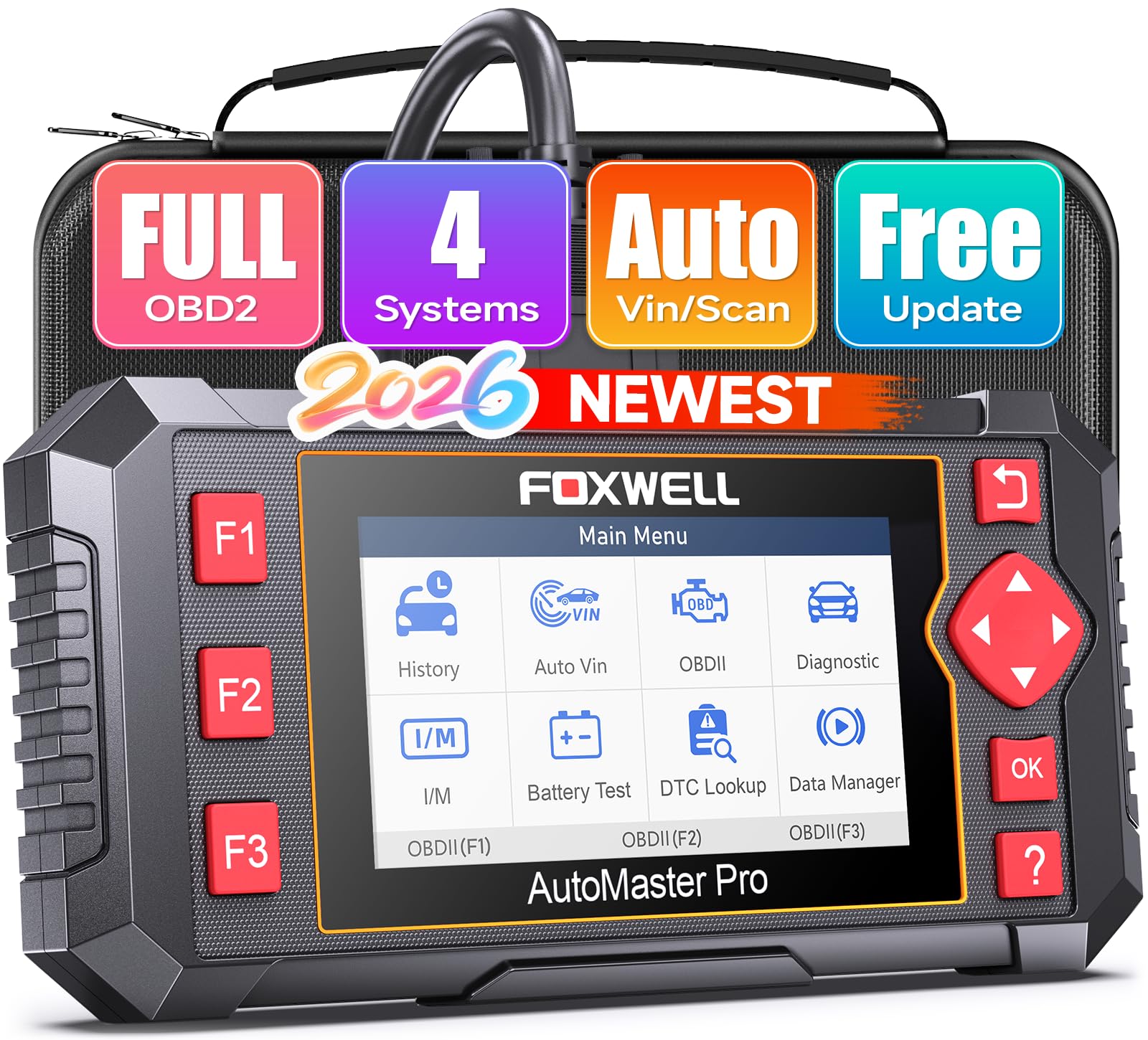
We recommend the FOXWELL NT604 for home mechanics who need live data and access to SRS, ABS, engine, and transmission codes without a subscription.
Pros
- Reads and clears SRS, ABS, engine, and transmission codes
- Shows live data and supports AutoVIN
- Includes lifetime software updates
Cons
- Non-touchscreen controls feel dated
- Coverage may vary by vehicle and model year
- Not a full professional-level diagnostic tool
We found the NT604 easy to connect and use. Its automatic VIN feature saved time, and the scanner grouped results from the four supported systems after a scan. That makes it more useful than a basic check-engine reader when an airbag warning appears.
The live-data display helps us view sensor readings while the vehicle runs. We could also save codes, review data later, and print diagnostic reports. These tools can help us explain a problem to a repair shop before paying for testing.
The SRS function worked on supported vehicles, but coverage depends on the car. We would check FOXWELL’s compatibility information before buying, especially for older or less common models. One user reported trouble with a 2002 Mitsubishi Pajero, while others used the scanner successfully on several vehicles.
Its 4.3-inch screen is clear, though the physical buttons and non-touch design take more effort than newer tablet-style scanners. We also see it as a strong DIY tool rather than a replacement for advanced shop equipment. FOXWELL lists support for more than 60 makes, free lifetime updates, and a one-year warranty.
BLCKTEC 460T OBD2 Scanner

We recommend the BLCKTEC 460T for DIY users who need SRS live data, full-system scans, and several service resets in one tool.
Pros
- Reads SRS, ABS, engine, and transmission codes
- Displays, graphs, records, and replays live data
- Includes useful reset and relearn functions
Cons
- Some functions depend on the vehicle
- Compatibility covers the USA and Canada
- The screen may feel small for detailed graphs
When we used the 460T, it quickly scanned multiple control modules instead of stopping at the check-engine system. We could view SRS codes, freeze-frame details, and live readings from supported modules. That makes it more useful than a basic code reader when an airbag warning appears.
The live-data tools provide several viewing options. We could graph and compare up to four data streams, then record or replay the results. This helps us watch sensor changes while testing a suspected fault, although the available SRS data varies by vehicle.
We also found the service functions useful after routine repairs. The scanner supports tasks such as ABS bleeding, steering-angle calibration, battery registration, electronic parking-brake service, and oil resets. Not every function works on every model, so we would check BLCKTEC’s compatibility tool before buying.
AutoVIN and automatic system scanning reduce setup time. The included RepairSolutions2 app can add repair information, maintenance details, recalls, and saved scan reports without a subscription. Free lifetime updates add value, while the two-year limited warranty provides basic coverage.
OBDMATE OM901 OBD2 Scanner
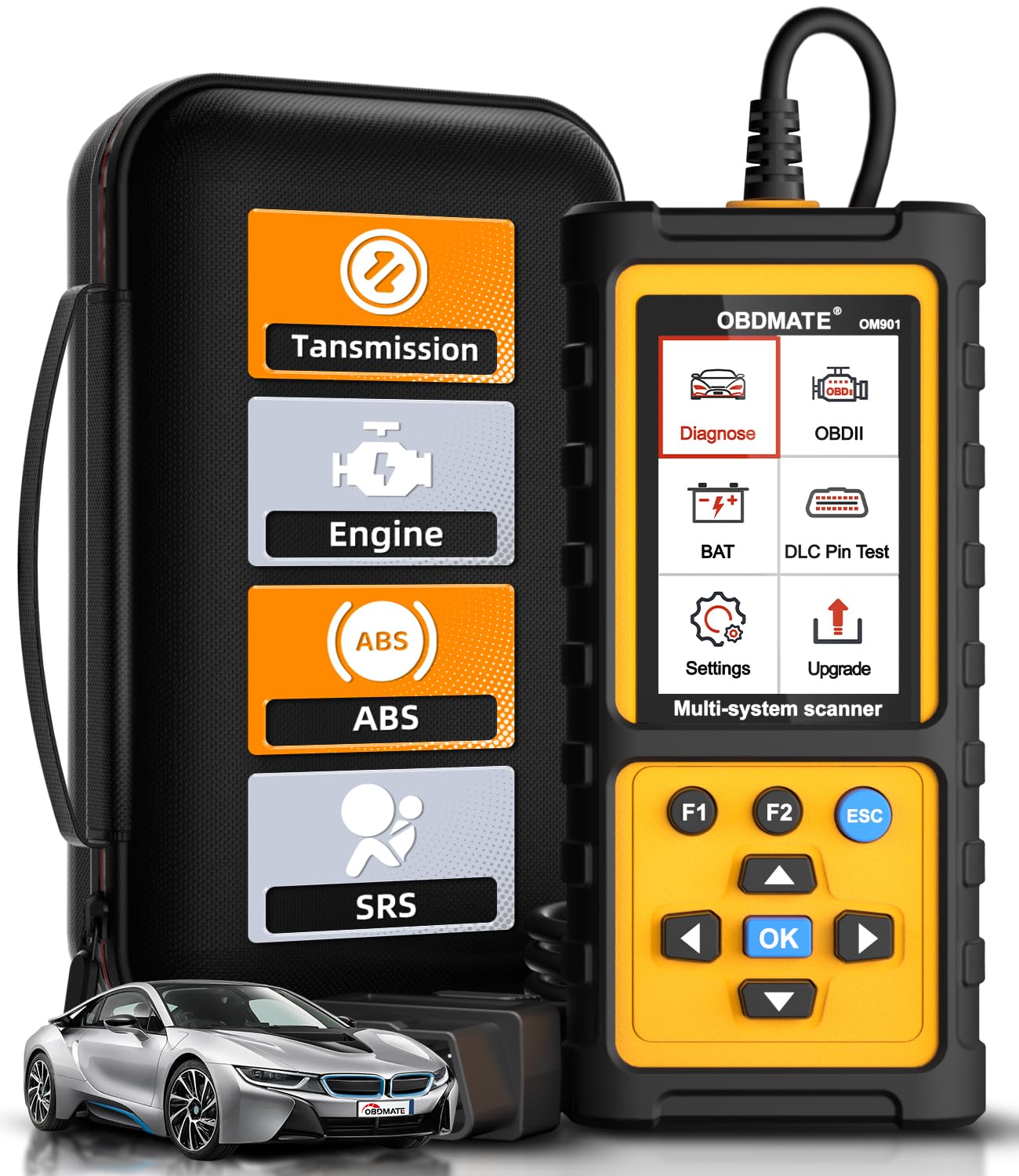
We recommend the OBDMATE OM901 for drivers who want live data and access to engine, ABS, SRS, and transmission codes in one affordable handheld scanner.
Pros
- Reads live data from four major vehicle systems
- Clears ABS, SRS, engine, and transmission fault codes
- Includes a protective case and free software updates
Cons
- Vehicle coverage may vary by make and model
- The user guide provides limited detail
- Updates require access to a Windows or Mac computer
We found the 3.5-inch screen easy to read while checking sensor values. The menu felt simple to follow, and the scanner started as soon as we plugged it into the vehicle. Its graphing feature also helped us watch live data changes instead of relying only on stored codes.
The OM901 goes beyond basic check-engine diagnostics. We could scan SRS airbag, ABS, transmission, and engine systems, then clear codes after completing repairs. However, coverage for these systems depends on the specific vehicle, so we would confirm compatibility before buying.
The corded design means we did not need to charge a battery. The included hard case made storage easier, while the battery-voltage check and DLC pin test added useful options for basic electrical checks.
We also liked the free update support, but the process requires a computer and some setup. The short manual may leave new users looking for extra guidance. With a 4.4-star rating from 204 customers and a three-year warranty, the OM901 offers useful coverage for home mechanics who need more than a standard OBD2 code reader.
OBDMATE OM970 Full-Systems Scanner
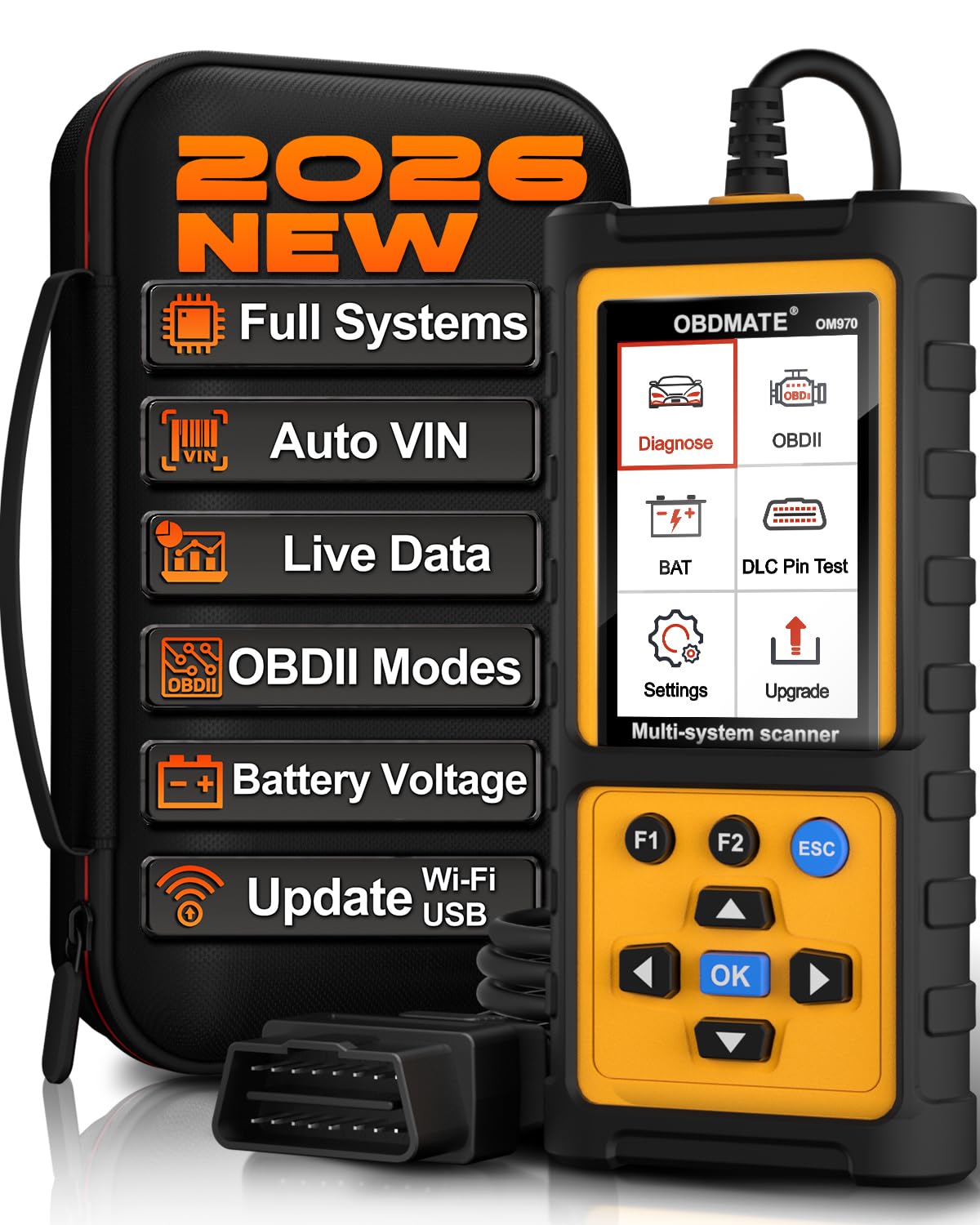
We recommend the OBDMATE OM970 for DIY users who need live data and access to SRS airbag, ABS, transmission, and other vehicle systems without a subscription.
Pros
- Reads and clears SRS, ABS, and engine codes
- Shows live sensor data with four-way graphs
- Includes free software updates and a protective case
Cons
- Wired use limits mobility around the vehicle
- Advanced functions may vary by vehicle
- The display is smaller than a tablet-style scanner
We found the OM970 easy to start because it uses a wired connection and does not require Bluetooth pairing or an app. Its menus are clear, and the 3.5-inch screen presents codes and sensor readings without much searching.
For SRS diagnosis, the scanner can access airbag system codes on supported vehicles. We could also view live information such as battery voltage, wheel speed, engine speed, fuel trims, and transmission fluid temperature. The four-in-one graph helps us compare readings while a fault occurs.
The full-system scan reaches beyond basic check-engine functions. We can check several electronic modules, clear stored codes, and review whether emissions monitors are ready for inspection. Auto-VIN can reduce setup time, though vehicle coverage still depends on the make, model, and system.
The included hard case makes storage easier, while the silicone cover adds protection during garage work. We also like the battery voltage and 16-pin connector tests for quick checks before deeper diagnosis.
This scanner works with many 12-volt vehicles from 1996 onward, but SRS coverage can differ by model year and region. We should confirm compatibility before buying, especially when airbag functions are the main reason for the purchase.
FOXWELL NT630 Plus
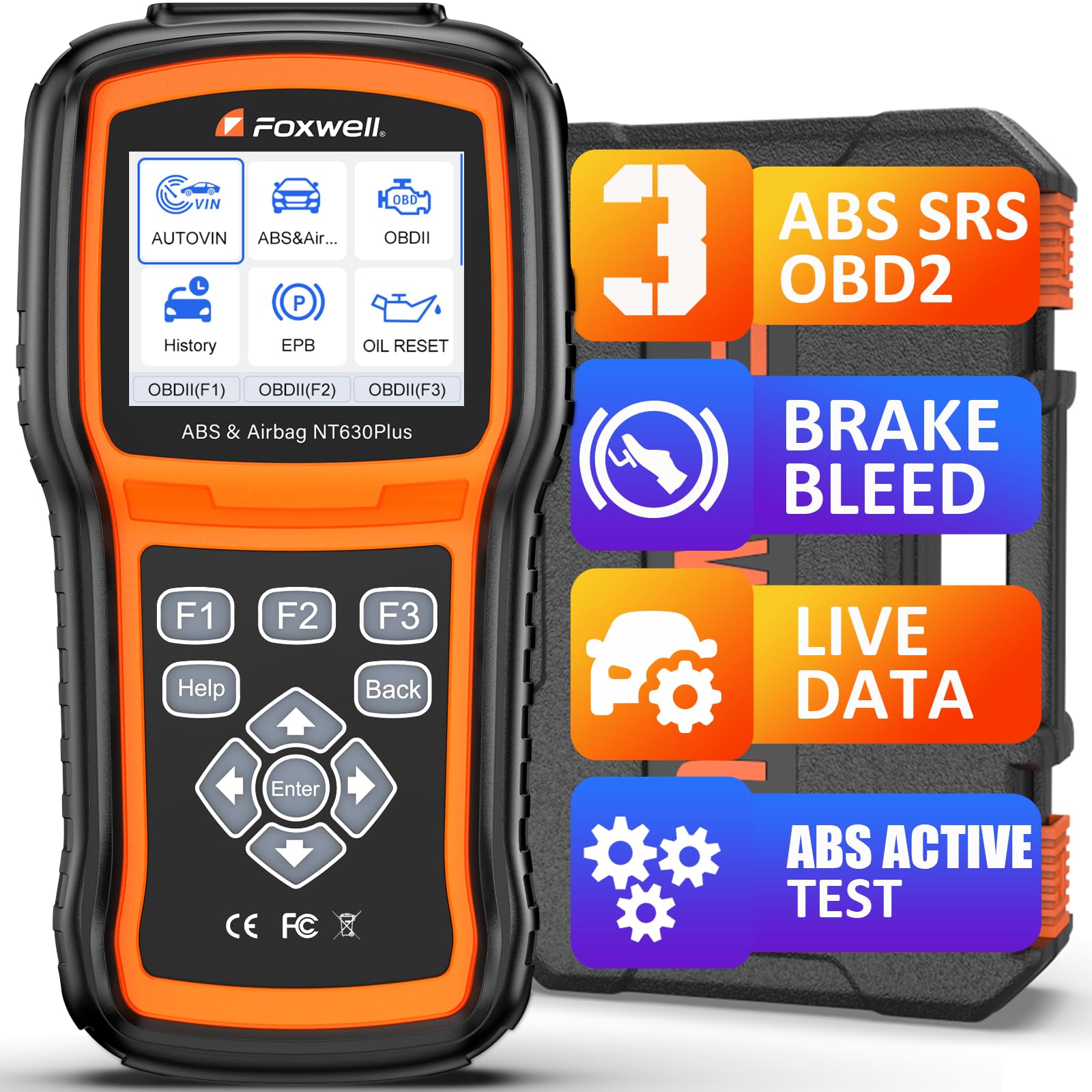
We recommend this scanner for DIY users who need ABS and SRS code access, live data, and selected brake service functions, but buyers must confirm vehicle compatibility first.
Pros
- Reads and clears supported ABS and SRS codes
- Shows live data with graph views
- Includes ABS auto bleed and Wi-Fi updates
Cons
- SRS crash-data clearing and airbag module programming are not supported
- Coverage varies by vehicle year, make, and model
- The menus can take time to learn
We found the NT630 Plus useful for checking warning lights beyond the basic engine system. It can display live readings from supported ABS and SRS modules, which helps us compare sensor signals and look for wiring or wheel-speed problems.
The live-data graphs make changes easier to follow than a list of numbers. We also found the built-in code definitions helpful when deciding whether a fault likely involves a sensor, wiring, or control module. However, the scanner does not replace proper electrical testing or physical inspection.
Its ABS auto-bleed function can help after brake repairs, but only when the vehicle supports that procedure. Coverage also differs across SRS functions. This tool cannot clear crash data, reset airbag modules, perform coding, or program components.
The scanner connects through the vehicle’s 16-pin port and does not require a phone app or paid subscription. Wi-Fi updates add convenience, while the case and sturdy design suit home garages. We suggest checking support with FOXWELL using the vehicle identification number, year, make, model, and engine before buying.
ANCEL FX2000

We recommend the ANCEL FX2000 for drivers who want live data and access to engine, ABS, SRS airbag, and transmission codes in one tool.
Pros
- Reads and clears SRS, ABS, engine, and transmission codes
- Shows live data for easier fault tracking
- Simple plug-in design with a clear menu
Cons
- Does not offer advanced functions such as key programming
- Vehicle coverage can vary by make and model
- The corded design limits mobility around the vehicle
After connecting the FX2000 to a vehicle, we found the setup simple. The tool draws power through the OBD2 port, so there is no battery to charge. Its menu makes it easy to select the airbag system and check stored faults.
Live data helps us look beyond a warning light. We can compare sensor readings and operating conditions while checking an SRS or ABS issue. That information can make a repair discussion more useful, although the scanner does not replace service information or a proper safety inspection.
The FX2000 also covers the engine and transmission, making it more useful than a basic code reader. Its four-inch screen is easy to read, but the tool remains larger than compact handheld scanners. We should also confirm compatibility before buying, especially for less common models or brand-specific airbag systems.
FOXWELL NT630 Plus
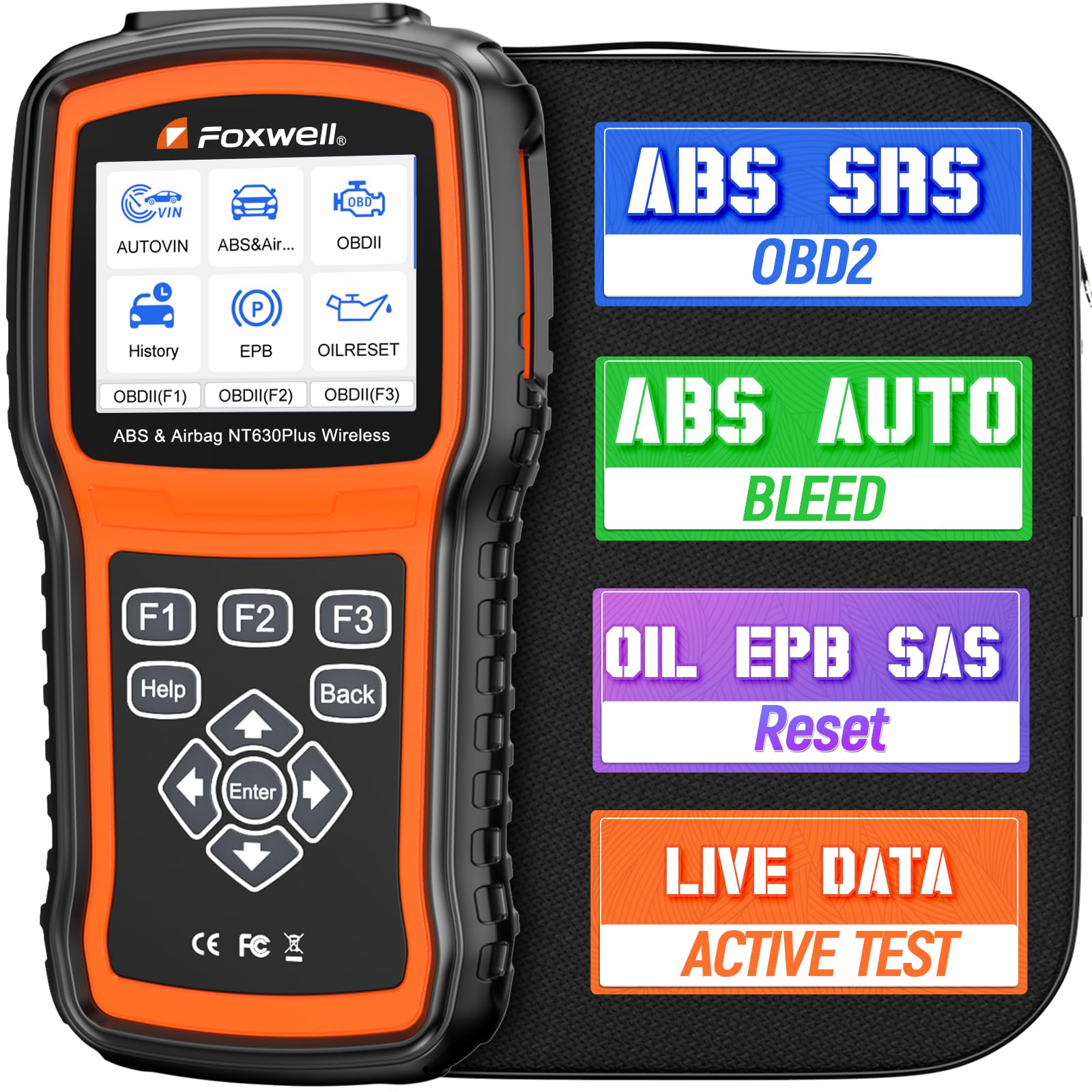
We recommend the NT630 Plus for home users who need live data and access to ABS and SRS codes, but buyers should confirm vehicle coverage before ordering.
Pros
- Reads ABS, SRS, and standard OBD2 codes
- Shows useful live data with graphing
- Includes ABS bleeding and several service resets
Cons
- Cannot erase airbag crash-related codes
- Does not support transmission diagnostics or battery registration
- Some functions depend on the vehicle model
We found the NT630 Plus more useful than a basic check-engine reader. It can scan SRS systems, display fault codes, and show live sensor data. That makes it easier to track an airbag warning or find changes in system readings.
The live-data graphs help us compare readings while testing the vehicle. The scanner also covers ABS data, including wheel speed and brake system information. Its active tests can operate some ABS pumps and valves, but support varies by vehicle.
We also used the service functions for oil resets, electronic parking brake work, and steering angle calibration. ABS auto bleeding worked on supported vehicles, though we would check the VIN before relying on this feature.
The main limitation affects airbag repairs. This scanner can read SRS codes, but it cannot clear crash-related airbag faults. It also lacks transmission scans, ECU coding, and battery registration. Wi-Fi updates do not require an SD card, but some owners may find setup or registration less smooth than expected.
Buying Guide
We should choose an OBD2 scanner that clearly supports SRS or airbag diagnostics, not just engine codes. Standard OBD2 functions often cannot access airbag control modules.
| Feature | What to check |
|---|---|
| SRS coverage | Confirms access to airbag and restraint systems |
| Live data | Displays sensor and module readings in real time |
| Vehicle support | Matches the make, model, year, and region of our vehicles |
| Code functions | Reads, explains, and clears SRS fault codes |
| Data recording | Saves or captures readings for later review |
| Connection type | Offers a stable wired or wireless connection |
| Updates | Includes current software and a clear update process |
We should look for live data that shows values from crash sensors, seat-belt systems, occupant sensors, and other related modules. The scanner should identify the data source and use clear labels rather than unclear abbreviations.
We also need to check whether the tool can clear codes after repairs. Some scanners read SRS faults but cannot erase them or reset related service procedures.
Before buying, we should confirm coverage in the manufacturer’s vehicle list. We should also review update costs, warranty terms, screen readability, cable quality, and the tool’s ability to save diagnostic reports.
Airbag systems involve safety equipment. We should use a scanner with clear safety instructions and follow the vehicle service manual before testing, disconnecting, or repairing any SRS component.
Editor’s Choice
We choose the Autel MaxiCOM MK808S for drivers and technicians who need live data and SRS airbag code support. It can read and clear codes from many airbag control modules, display sensor data, and show the status of safety-system components.
We value its ability to view live data while the vehicle runs. This helps us compare sensor readings, monitor system changes, and narrow down faults before replacing parts. Support depends on the vehicle make, model, year, and software coverage.
| Feature | Autel MaxiCOM MK808S |
|---|---|
| SRS code reading | Yes, on supported vehicles |
| Live data | Yes |
| Code clearing | Yes, after repairs |
| Full-system scanning | Yes, with vehicle coverage |
| Best for | Home users and repair shops |
The tablet uses a clear touchscreen and provides guided test functions on some vehicles. We still verify every code with the vehicle service manual because an SRS code does not always identify the failed part.
We should disconnect the battery and follow the manufacturer’s safety steps before working near airbags or seat-belt pretensioners. Clearing a code without fixing the cause can leave the safety system disabled.
Conclusion
We should choose an OBD2 scanner that supports SRS or airbag diagnostics, not just engine codes. Live data helps us view sensor readings, monitor system status, and check whether repairs fixed the fault.
Before buying, we should confirm vehicle coverage, connector support, and access to SRS codes. A scanner with clear menus, code descriptions, and data recording can make testing easier.
We should also check whether the tool can:
- Read and clear SRS codes
- Display live airbag system data
- Show freeze-frame details
- Support the vehicle’s year and model
- Provide software updates
We must treat airbag faults as safety issues. Clearing a code without finding its cause may leave the system disabled. We should use the scanner with the vehicle service manual and follow proper safety steps when working near airbags or seat-belt pretensioners.
FAQs
Can any OBD2 scanner read SRS airbag codes?
No. Many basic scanners only read engine and emissions codes. We need a scanner with SRS or airbag system support to access these faults.
Does live data help diagnose airbag problems?
Yes. Live data can show information from seat-belt sensors, impact sensors, passenger-seat sensors, and other SRS parts. We should compare the readings with the vehicle maker’s service data.
Can a scanner clear an SRS code?
A compatible scanner can often clear the code after we fix the problem. If the fault remains, the warning light may return, and the scanner may not erase the code.
Will one scanner work with every vehicle?
No. Vehicle coverage varies by brand, model, and year. We should check the tool’s coverage list before buying it, especially for older vehicles and advanced SRS functions.
Is it safe to test airbag wiring with a scanner?
We should follow the vehicle repair manual and the scanner’s instructions. We must not probe airbag connectors or wiring with test equipment unless the manufacturer specifically allows it.
What features should we look for?
- SRS and ABS coverage
- Live data with graphing
- Vehicle-specific code descriptions
- Code reading and clearing
- Updates for our vehicle’s model year
- A clear display and reliable support
