
10 Best OBD2 Scanner With Live Data for TPMS Reset: Top Picks for 2026

OBD2 scanners help us read vehicle fault codes and understand what may be causing a warning light. Models with live data go further by showing sensor readings while the engine runs, such as tire pressure sensor status, wheel speeds, and system voltage. This information can make diagnosis more precise than relying on codes alone.
For TPMS service, we need a scanner that supports the vehicle’s specific reset or relearn procedure. The best OBD2 scanner for TPMS reset combines broad vehicle coverage, clear live-data readings, and reliable TPMS service functions. We should also check sensor activation support, software update costs, display quality, and whether the tool can program sensors or only perform resets.
We compared leading scanners and considered their features, ease of use, coverage, and long-term value to identify the options that make TPMS diagnosis and reset work simpler.
Best OBD2 Scanners With Live Data for TPMS Reset
We reviewed OBD2 scanners that display live vehicle data and support TPMS reset functions. Our list focuses on tools with broad vehicle coverage, clear controls, and useful features for home and professional use.
BLCKTEC 460T OBD2 Scanner

We recommend the BLCKTEC 460T for DIY users who want live data and several service functions, including TPMS relearn, in one scanner.
Pros
- Displays, graphs, records, and replays live data
- Includes TPMS, ABS, EPB, battery, oil, and other reset functions
- Offers free lifetime updates and RepairSolutions2 access
Cons
- Some functions depend on the vehicle’s make, model, and year
- Advanced features may take time to learn
- Support and app use are limited to the USA and Canada
We found the 460T more capable than a basic code reader. It scanned engine, transmission, ABS, and SRS systems, then showed live readings that helped us review sensor behavior instead of only viewing stored fault codes.
The TPMS relearn function adds useful value after replacing a sensor or rotating tires. However, coverage varies by vehicle, so we would check BLCKTEC’s compatibility tool before buying. The same limitation applies to ABS bleeding, EPB service, battery registration, and other resets.
Its AutoVIN and AutoScan features reduce setup time. We also liked the ability to graph up to four live data streams, which made it easier to compare readings during a test drive or while the engine ran.
The included RepairSolutions2 app can provide repair information, maintenance details, recalls, and stored scan reports without a subscription. We would still treat its repair suggestions as a starting point and confirm the cause before replacing parts.
With a 4.3-inch screen, storage case, OBD2 cable, and two-year limited warranty, the 460T suits home garages well. It may feel more advanced than needed for simple check-engine-light scans, but its free updates make it a practical long-term option.
TOPDON AD500 OBD2 Scanner
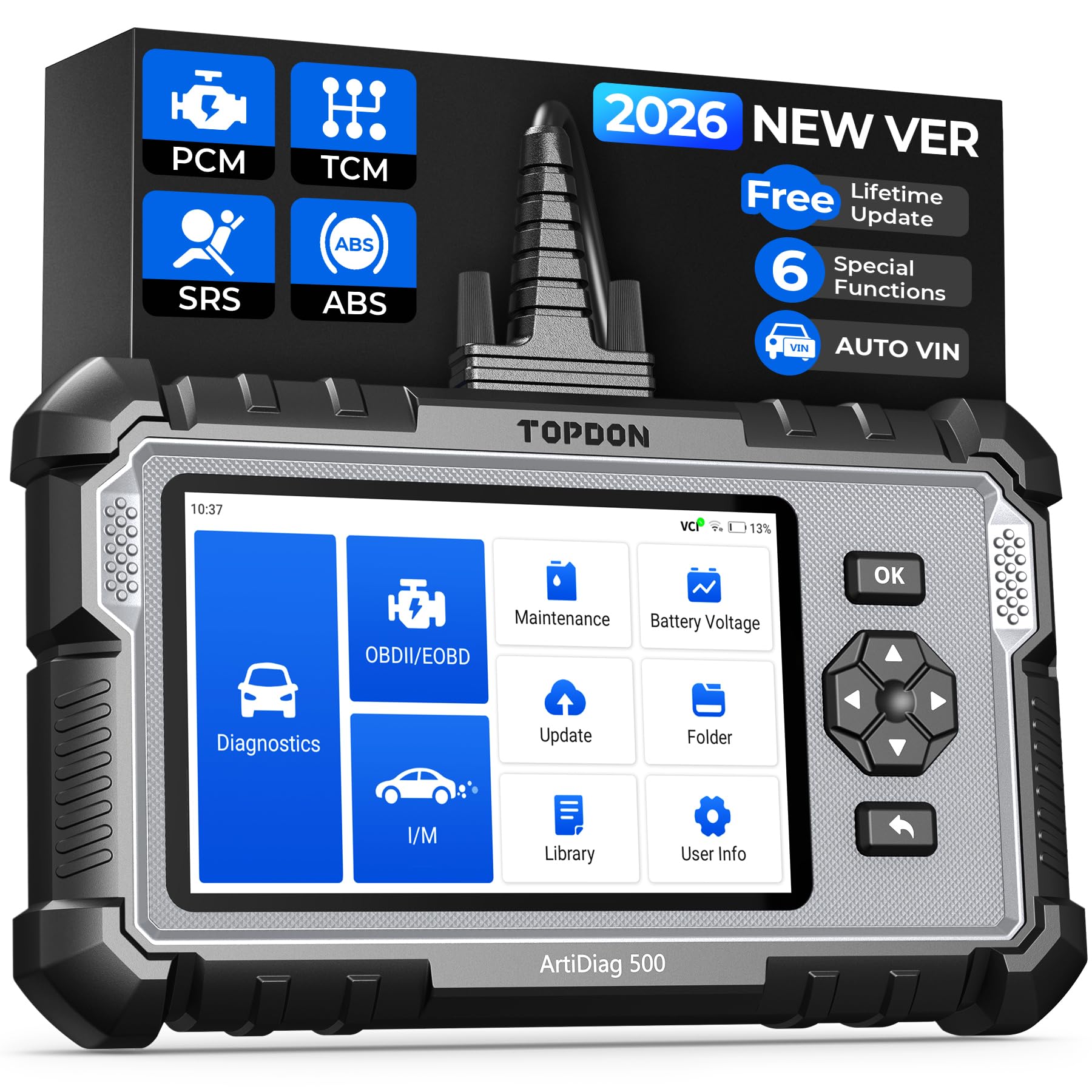
We recommend the TOPDON AD500 for DIY users who want live data, four-system diagnostics, and TPMS reset support in one tool.
Pros
- Shows up to four live data streams in chart form
- Supports TPMS, oil, battery, SAS, EPB, and throttle resets
- Covers engine, transmission, ABS, and SRS systems
Cons
- Setup and updates may take time
- Some users report connection or account issues
- Advanced functions depend on vehicle compatibility
We found the AD500 easy to handle, with a clear five-inch screen and both touchscreen controls and physical buttons. Its AutoVIN feature helped guide us to the right vehicle menu, while the live data charts made sensor readings easier to follow during testing.
For TPMS work, the scanner can reset the system after a repair or sensor change when the vehicle supports that function. It also provides battery voltage data, which helped us check whether a weak battery might affect warning lights or diagnostic results.
The AD500 goes beyond basic engine-code reading. We used it to check transmission, ABS, and SRS systems, which can make it more useful than a low-cost code reader. Its six maintenance resets also cover oil, battery, steering angle, electronic parking brake, and throttle functions.
Software updates require Wi-Fi and may take some time before the first use. Most menus felt straightforward, but coverage varies by make, model, and year. We recommend checking TOPDON’s compatibility information before buying, especially if TPMS or a specific reset function is your main reason for purchasing it.
MUCAR 632 Elite OBD2 Scanner
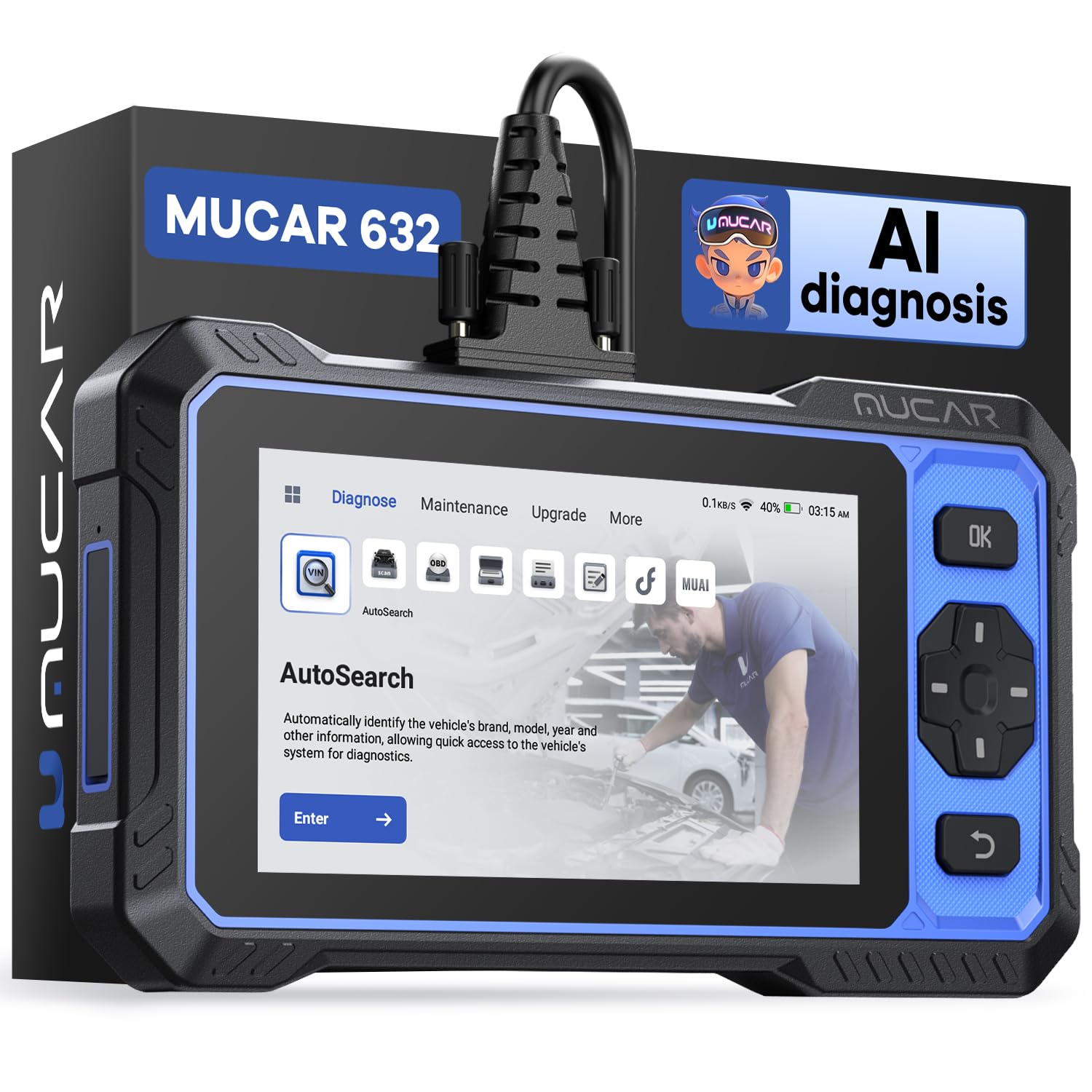
We recommend the MUCAR 632 for drivers who want live data, TPMS reset, and several advanced service tools without subscription fees.
Pros
- Supports TPMS reset and more than 15 service functions
- Shows live data from engine, ABS, SRS, and transmission systems
- Includes lifetime software updates at no added cost
Cons
- Vehicle compatibility varies by make, model, and function
- AI guidance requires an internet connection
- The scanner does not include a storage case
We found the 6.2-inch touchscreen easy to read while checking sensor readings and fault codes. AutoVIN also reduced setup time because we did not need to enter vehicle details manually.
Live data covers useful readings such as engine temperature, wheel speed, and transmission temperature. The scanner also supports bidirectional tests, which let us check certain vehicle components instead of only reading codes.
For TPMS work, the reset function can help after tire service or sensor replacement. We would still check the vehicle compatibility list before buying because reset coverage differs across vehicles.
The AI analysis offers repair suggestions for selected trouble codes, but it needs an internet connection. We also noticed that some users found the interface frustrating, and the protective screen film may look scratched until removed.
With its broad service coverage, CAN FD support, FCA AutoAuth compatibility, and free updates, the MUCAR 632 suits home mechanics who want more than a basic code reader.
MUCAR 632 AI Bidirectional Scan Tool

We recommend the MUCAR 632 for drivers who want live data, TPMS reset support, and advanced system checks in one wired scanner.
Pros
- Supports TPMS reset and 14 other maintenance services
- Shows live data from engine, ABS, SRS, and transmission systems
- Includes bidirectional tests, AutoVIN, and lifetime updates
Cons
- Requires a cable connection instead of Bluetooth
- Reset functions depend on vehicle compatibility
- Internet access is needed for AI reports and updates
We found the 6.2-inch touchscreen easy to read while checking engine temperature, wheel speed, and transmission data. AutoVIN also saved time because we did not need to enter the vehicle details manually.
The scanner reads and clears codes from the engine, ABS, SRS, and transmission systems. Its TPMS reset function adds useful value for home maintenance, but we would still check the compatibility list before buying. Coverage can vary by vehicle make, model, and year.
We also used the maintenance menu for functions such as oil reset, battery matching, brake pad reset, steering angle reset, and throttle adaptation. The bidirectional tests can activate supported vehicle components, which helps us confirm whether a part responds as expected.
Its MUAI system offers possible causes and repair suggestions after we select a trouble code. These results can guide basic checks, but they should not replace service information or a trained technician’s diagnosis. The scanner supports report export and printing when connected to the internet, and its 12-month warranty adds some protection.
BlueDriver Pro Next-Gen

We recommend the BlueDriver Pro Next-Gen for DIY users who want live data, code explanations, and TPMS access without paying a subscription.
Pros
- Reads live data and several enhanced vehicle systems
- Provides repair reports with possible fixes
- Works wirelessly with iPhone and Android devices
Cons
- TPMS functions depend on the vehicle
- Bluetooth connection may drop for some users
- The app may take time to connect or scan
We plugged the scanner into the OBD2 port and paired it with the BlueDriver app. The setup felt simple, and the app made it easy for us to read and clear codes without using a bulky handheld tool.
During testing, live data helped us watch sensor readings while the vehicle ran. We could also check freeze-frame details, readiness monitors, and Mode 6 results. These tools give us more context than a basic code reader.
The scanner can access TPMS, ABS, SRS, and transmission codes on supported vehicles. However, TPMS reset coverage varies by make and model, so we would check BlueDriver’s compatibility list before buying.
Its repair reports were useful when a code had more than one possible cause. The suggestions did not replace testing with a meter or service manual, but they gave us a practical starting point.
Connection quality appears to vary. Most users report quick setup, while some mention Bluetooth drops, failed updates, or trouble connecting to certain vehicles. We also would not rely on it for every brand, especially when coverage differs by region.
The one-time purchase and free app updates make the BlueDriver Pro Next-Gen a practical choice for regular vehicle checks. We would choose it for live data and broad diagnostic access, but confirm TPMS support for our exact vehicle first.
Innova SD35 OBD2 Scanner
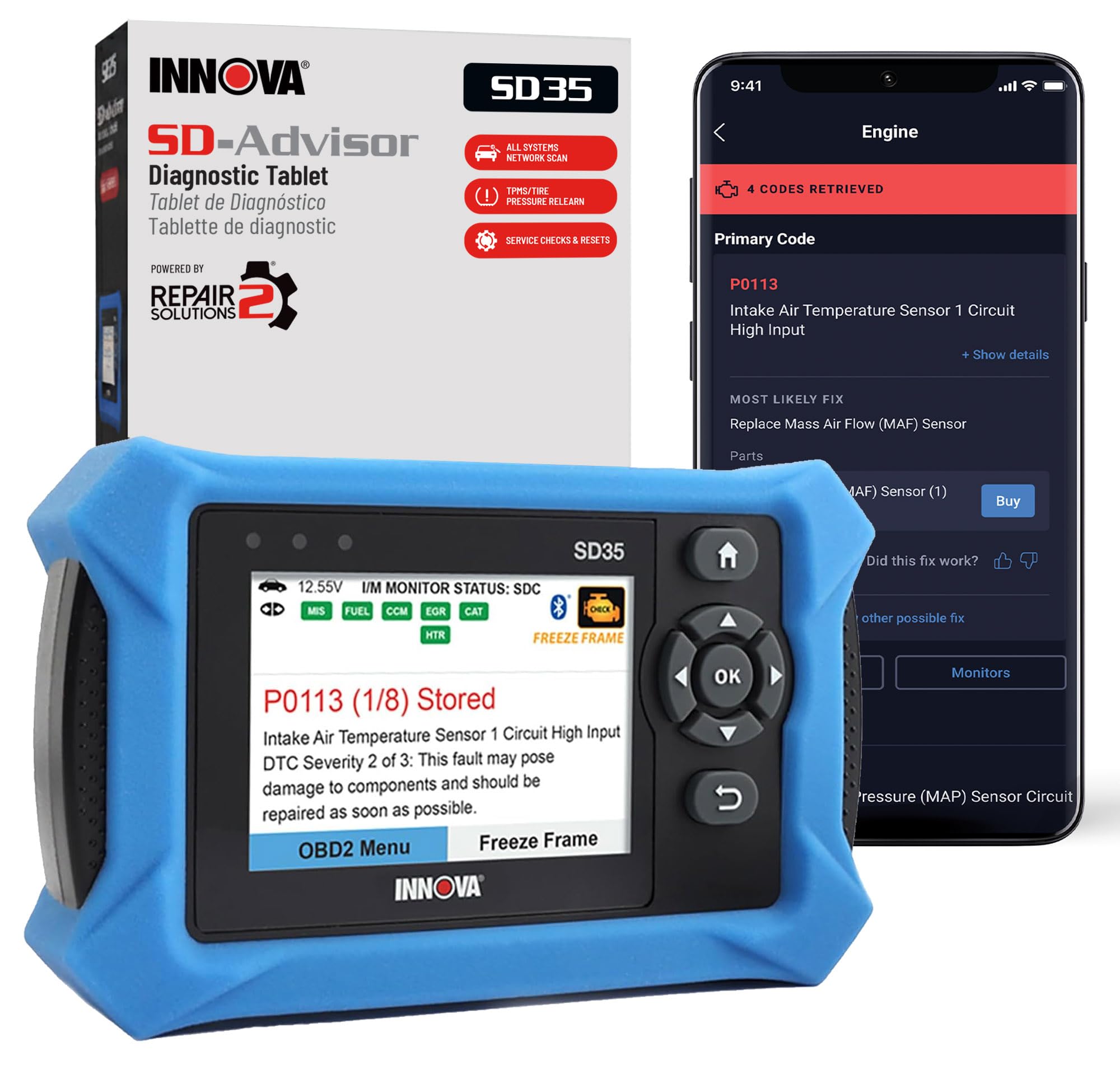
We recommend the Innova SD35 for DIY users who want live data, full-system scans, and TPMS service tools in one corded tablet.
Pros
- Reads engine, ABS, SRS, and TPMS codes
- Shows useful live data, including RPM, voltage, and sensor readings
- Includes TPMS checks, oil reset, and repair guidance without a subscription
Cons
- Transmission data may not appear on every vehicle
- Feature support varies by make, model, and year
- The 3.5-inch screen may feel small for detailed data
We found the SD35 simple to connect and easy to use. Its color display helped us move through system scans, and the tool showed more than basic trouble codes. We could view data such as engine speed, voltage, temperatures, fuel trims, and oxygen sensor readings when the vehicle supported them.
The TPMS functions add useful value for home maintenance. We could check tire pressure sensor information and perform supported reset or relearn tasks. However, Innova notes that coverage varies, so we would check the company’s vehicle coverage tool before buying.
We also liked the ABS and SRS scanning because many low-cost readers only handle the engine computer. RepairSolutions2 added code explanations, possible fixes, parts suggestions, and cost estimates without a subscription. Some users may find the amount of live data more than they need, while others may miss specific readings, such as transmission temperature, on certain vehicles.
ANCEL AD310 OBD2 Scanner

We recommend the ANCEL AD310 for basic engine-code checks and live data, but not for dedicated TPMS resets.
Pros
- Clear display and simple controls
- Reads live engine data and clears codes
- Compact, durable design with a long cable
Cons
- Does not perform dedicated TPMS resets
- Covers emission-related engine faults only
- Lacks wireless use and printing
We found the AD310 easy to connect and operate. It draws power from the vehicle’s OBD2 port, so we did not need batteries or a charger. The labeled buttons and bright screen made basic code checks quick.
Live data helps us watch engine readings while the vehicle runs. We could also view freeze-frame details and check emissions readiness before an inspection. Its sturdy cable gave us enough reach to use the scanner from the driver’s seat.
The main limitation matters for this roundup: the AD310 does not directly reset tire-pressure sensors or program TPMS sensors. We would choose it for check-engine diagnostics, then use a TPMS tool or a vehicle-specific reset procedure for tire-pressure service.
It works with many 1996-and-newer OBD2 vehicles, including several domestic, European, and Asian models. We would still confirm compatibility before buying, especially for vehicles with limited manufacturer-specific functions.
TOPDON AD600S OBD2 Scanner

We recommend the TOPDON AD600S for drivers who want live data, TPMS resets, and several useful service functions without paying for ongoing software fees.
Pros
- Live data appears as text or four-in-one graphs.
- TPMS reset joins eight other service functions.
- Wi-Fi updates and a clear touchscreen simplify use.
Cons
- Supported functions vary by vehicle.
- The scanner does not support 5G.
- Some vehicles may not support automatic VIN detection.
We found the AD600S easy to connect and navigate. Its 5-inch touchscreen responds quickly, and the clear icons remain readable in a dim garage. Automatic VIN detection can save time, though it does not work with every vehicle.
For TPMS work, the scanner can reset supported tire pressure systems after repairs or sensor service. We also used the live-data display to watch sensor-related readings and compare changes during testing. The available menu depends on the vehicle’s make, model, and year.
Beyond TPMS, the AD600S covers oil, brake, BMS, SAS, DPF, throttle, and injector functions. It also supports ABS bleeding and scans the engine, transmission, ABS, and SRS systems on compatible vehicles.
The tool records live data and lets us save, share, print, or email reports. Lifetime software updates add value, but we still recommend checking TOPDON’s coverage for your vehicle before buying.
FOXWELL NT604 Elite OBD2 Scanner

We recommend this scanner for drivers who want live data and access to engine, ABS, SRS, and transmission codes, but it does not support TPMS reset or relearn functions.
Pros
- Covers four major vehicle systems, not just engine codes
- Shows live data and supports code playback and printing
- Includes a sturdy protective case and lifetime updates
Cons
- Does not perform TPMS reset or relearn tasks
- Lacks oil reset, battery registration, and ABS bleeding
- Vehicle coverage depends on the make, model, and year
We found the NT604 Elite simple to use from the start. Its corded design powered on through the vehicle’s OBD2 port, and the menus made it easy to scan the engine, ABS, SRS, and transmission systems.
The live data feature helps us watch sensor readings while the vehicle runs. That makes it more useful than a basic code reader when we need to compare readings or track an issue before replacing parts.
We also liked the built-in vehicle identification feature, though it may not work with every older vehicle. When it failed, manual vehicle selection provided a practical backup.
The main limitation matters for this roundup: this scanner cannot reset or relearn TPMS sensors. It can help with some vehicle diagnostics, but we would choose a different model for direct tire-pressure sensor service.
The NT604 Elite can clear eligible fault codes after we repair the underlying problem. It does not repair faults, and it cannot clear crash data from SRS systems. Check FOXWELL’s vehicle coverage before buying, especially if we need brand-specific functions.
FOXWELL NT301 OBD2 Scanner

We recommend the FOXWELL NT301 for basic engine diagnostics and live data, but not for TPMS resets or other advanced service functions.
Pros
- Shows live sensor data in graphs
- Reads and clears basic engine codes
- Simple plug-and-play design
Cons
- Does not reset TPMS sensors
- Cannot scan ABS, SRS, or other advanced systems
- Requires a Windows computer for updates
We found the NT301 easy to use in a home garage. It powered on through the vehicle’s OBD2 port, displayed codes quickly, and showed readings such as RPM, coolant temperature, oxygen sensor data, and fuel trims.
The live graph feature helps us spot changing sensor values while the engine runs. Its readiness check also shows whether the vehicle may pass an emissions test, using clear color indicators and a dedicated button.
This scanner works with many 1996 and newer U.S. vehicles, along with many 2000 and newer European and Asian models. We recommend checking the vehicle and VIN details before buying because supported functions can vary.
The main limitation matters for this roundup: the NT301 does not support TPMS resets. It also cannot access ABS, airbag, parking brake, air-conditioning, battery, or other non-engine systems. We would choose it for check-engine troubleshooting, not full vehicle service.
Its 2.8-inch color screen is readable, and the compact body feels suitable for regular DIY use. Lifetime updates add value, but updating requires a Windows XP, 7, 8, or 10 computer; Mac and iOS devices are not supported.
Buying Guide
We should choose an OBD2 scanner that supports both live data and TPMS service functions. Confirm that the tool can read tire pressure sensor information, display sensor IDs, and perform relearn or reset procedures for the vehicles we service.
| Feature | What to check |
|---|---|
| Vehicle coverage | Make sure it supports the makes, models, and years we need. |
| TPMS functions | Look for relearn, reset, sensor ID reading, and fault-code clearing. |
| Live data | Check for clear readings from engine, ABS, and TPMS systems. |
| Update policy | Review update costs, frequency, and coverage details. |
| Connection type | Choose wired or wireless operation based on our work area. |
| Data storage | Consider reports, scan history, and export options. |
We should also check how the scanner displays data. A clear screen, simple menus, and graphs can help us spot changes in tire pressure, sensor signals, and related fault codes.
Vehicle coverage often changes by model year and system type. We should verify compatibility using the manufacturer’s coverage list before buying, especially if we work on several vehicle brands.
Battery life matters for wireless tools, while a wired scanner should have a cable long enough for comfortable use. We should also review update fees, warranty terms, technical support, and the tool’s return policy.
For regular shop use, we may benefit from advanced diagnostics, service resets, and report features. For occasional work, a simpler scanner with accurate TPMS functions and the required vehicle coverage may meet our needs.
Editor’s Choice
We choose the Autel MaxiTPMS TS508WF for drivers who need live data and reliable TPMS service in one tool. It can read tire pressure, temperature, sensor ID, battery status, and fault codes. It also supports relearn procedures for many vehicles.
The scanner connects to the vehicle through the OBD2 port and displays sensor data in a clear format. We value its guided steps because they reduce guesswork during TPMS resets and sensor replacement.
| Feature | Autel MaxiTPMS TS508WF |
|---|---|
| TPMS fault codes | Yes |
| Live sensor data | Yes |
| TPMS relearn | Yes |
| Sensor activation | Yes |
| OBD2 diagnostics | Yes |
| Wireless updates | Yes |
We should check vehicle coverage before buying, since relearn methods and supported sensors vary by make, model, and year. The tool may also need current software to support newer vehicles and sensor types.
For home users and small repair shops, the TS508WF offers useful TPMS functions without requiring a separate basic code reader. Its color display, built-in instructions, and service reports make routine testing easier.
Conclusion
We should choose an OBD2 scanner that supports TPMS relearn, live sensor data, and the vehicle systems we service. A basic code reader may show faults, but it may not reset the TPMS system or display each wheel’s pressure and sensor status.
Live data helps us confirm whether a sensor sends accurate readings. Look for tools that show tire pressure, temperature, sensor ID, battery condition, and relearn status in clear menus.
Before buying, we should confirm vehicle coverage and update support. Some scanners require a paid subscription, while others include updates for a set period. A reliable warranty and simple instructions also make regular use easier.
The best choice depends on our needs. For occasional repairs, an affordable scanner with TPMS functions may be enough. For frequent diagnostic work, we may benefit from a professional model with wider coverage, faster testing, and more service functions.
FAQs
Can an OBD2 scanner reset the TPMS light?
Some scanners can reset the TPMS system, but not every OBD2 model supports this function. We should check the tool’s vehicle coverage and TPMS features before buying.
Does live data show tire pressure?
A scanner may display tire pressure, sensor IDs, battery status, and temperature when the vehicle sends this information through its control module. Some vehicles show only sensor faults or system status.
Do we need a separate TPMS tool?
We may need a dedicated TPMS tool if the scanner cannot activate or relearn tire sensors. Many advanced scanners combine OBD2 diagnostics with TPMS functions, which can reduce the need for extra equipment.
Will a TPMS reset fix low tire pressure?
No. We must inflate each tire to the pressure listed on the vehicle’s door-jamb label first. A reset only clears the warning after we correct the cause.
How do we relearn TPMS sensors?
The required method depends on the vehicle. We may use an automatic relearn, manual driving procedure, or a scan tool with sensor activation. The vehicle service instructions provide the correct steps.
What should we check before purchase?
- Vehicle make, model, and year coverage
- TPMS reset and relearn support
- Live data options
- Software update policy
- Sensor activation compatibility
- Display size and battery life
