
10 Best WiFi OBD2 Scanner for DIY Car Repair: Top Picks, Features, and Buying Guide

Wi-Fi OBD2 scanners let car owners read engine codes, monitor live data, and reset warnings without a shop visit. They connect to a car’s diagnostic port and send data to a phone or tablet, so DIYers can diagnose problems, track sensors, and save on basic repairs. For many people, a Wi‑Fi OBD2 tool replaces a costly trip to a mechanic for simple issues.
Choosing the right unit comes down to app compatibility, data display, update frequency, and whether the scanner supports your car’s protocols and advanced codes. The most important thing is that the scanner reliably connects to your phone and shows the trouble codes and live data you need in a clear, accurate way. We tested and compared models to find the best options for DIY repairs and to help you pick the one that fits your car and skill level.
Best WiFi OBD2 Scanners
We tested and compared top WiFi OBD2 scanners for DIY car repair to find reliable, easy-to-use options. Our list highlights scanners that give clear codes, live data, and good app support so you can diagnose and fix problems with confidence.
MOCATEC WiFi ELM327 OBD2 Scanner
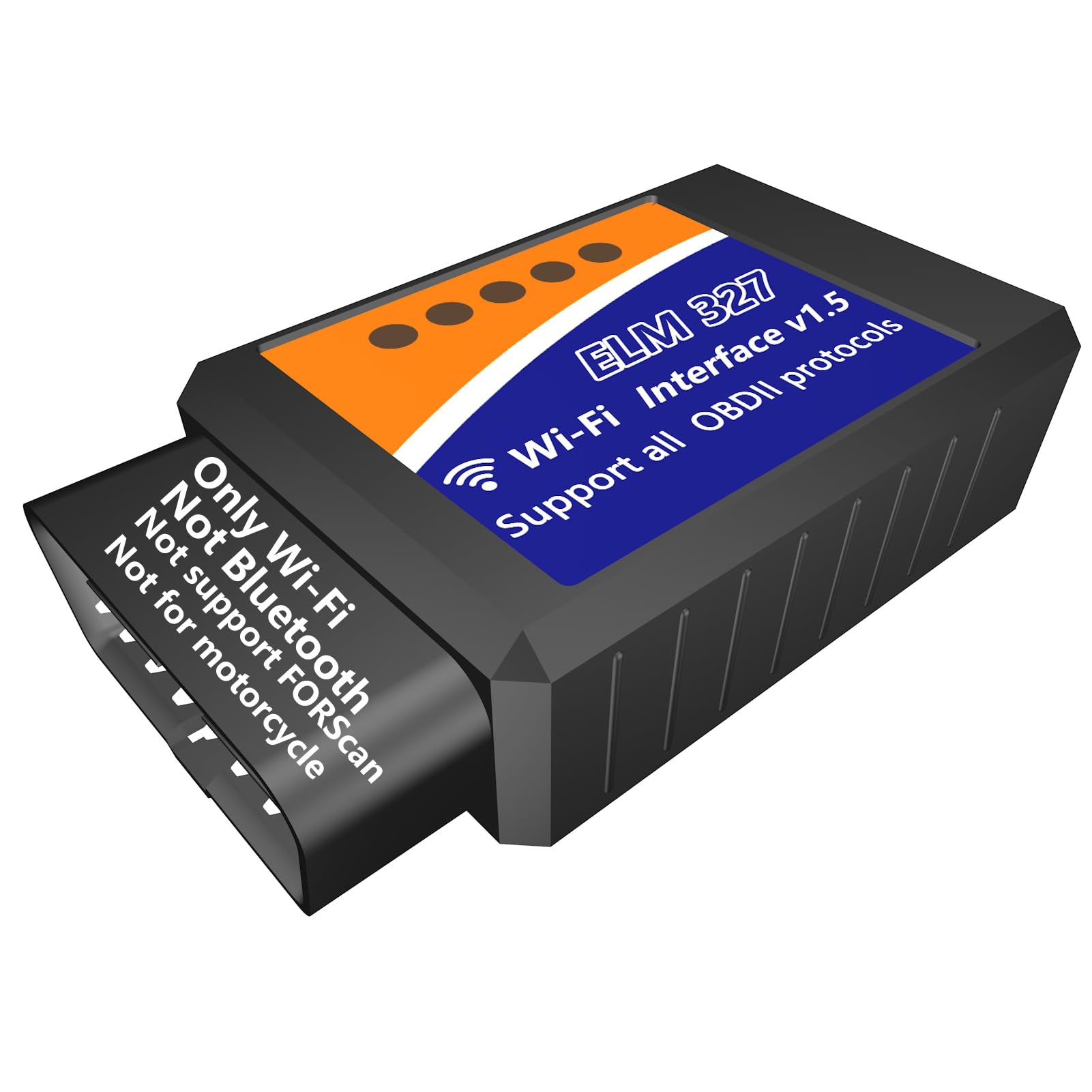
We recommend this if you want a cheap, simple WiFi OBD2 dongle to read and clear engine codes using a phone or tablet.
Pros
- Easy to set up and use with phone apps like Torque or Car Scanner
- Good for reading codes, live data, and emissions readiness
- Works with both iOS and Android devices
Cons
- Uses WiFi, so your phone can lose internet while connected
- Not compatible with FORScan and not for motorcycles
- Limited advanced features compared to pro scan tools
We plugged this MOCATEC dongle into several cars and it started pulling codes fast. The app connected reliably and we saw live sensor data within seconds. Setup felt like plug-and-play after selecting the WiFi network the adapter created.
We liked how quick it confirmed readiness tests and how it helped us find issues without guesswork. Reading freeze frame and live RPM, coolant temp, and O2 data made small repairs easier to plan. It saved time when we told a mechanic what part to check.
We noticed limits when testing older or specialty vehicles. It won’t run FORScan, so some Ford-specific functions won’t work. Also, while the price is low, you shouldn’t expect dealer-level features — this fits DIY diagnostics and basic repairs.
BlueDriver Pro Next-Gen

We recommend this if you want a no-nonsense WiFi/Bluetooth OBD2 scanner that reads deep system codes and gives real repair guidance.
Pros
- Reads advanced codes (ABS, SRS, transmission) beyond basic check-engine data
- App shows verified fixes tied to your VIN for clear next steps
- No subscription required — buy once and use the full app
Cons
- App-only workflow may feel slow for users who prefer a handheld unit
- Some newer model coverage varies by make and year
- Must be plugged in to the car to use, so not truly portable on its own
We plugged the BlueDriver into a few of our cars and trucks and it booted up fast. The phone app paired easily and started pulling live data right away. We liked how the live graphs and freeze-frame data helped us see problems while the engine was running.
Reading ABS and SRS codes felt like using a shop tool. The app gave short repair reports and possible causes that matched our VIN, which saved us guesswork. We used those reports when deciding whether to DIY a fix or call a mechanic.
The BlueDriver stayed in our truck for weeks without issue, which made it handy when a check engine light popped up on a short trip. Coverage was excellent on common makes, though we hit one newer model where some enhanced data wasn’t available. Overall, it’s a solid buy for DIYers who want deeper diagnostics without subscriptions.
BlueDriver Pro Next-Gen on Amazon
AVAPOW AV-D600
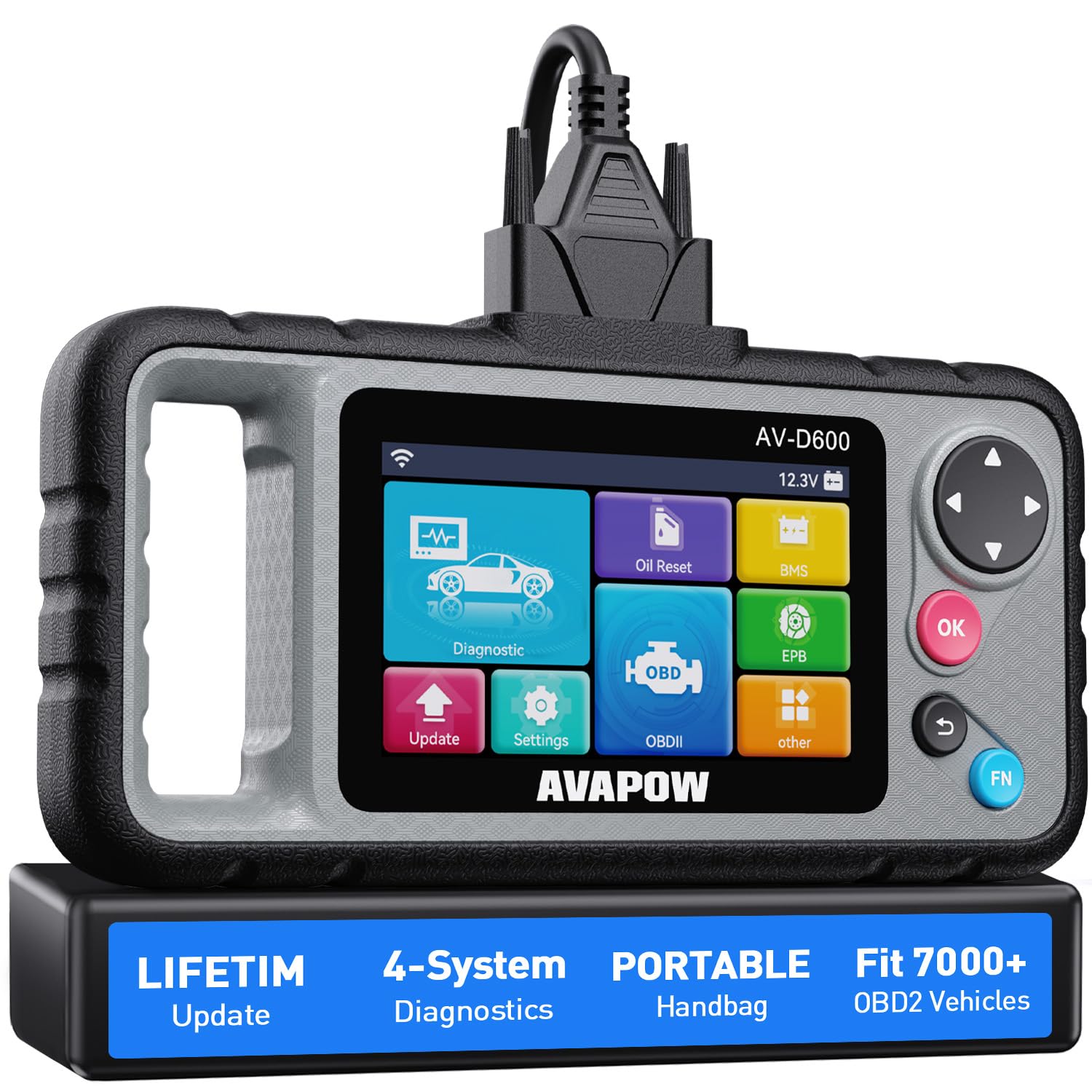
We recommend this scanner for DIYers who want four-system diagnostics and easy WiFi updates without subscription costs.
Pros
- Covers engine, transmission, ABS, and SRS so we catch most faults.
- Lifetime WiFi updates keep it current without fees.
- Ergonomic handle and solid build make it easy to use and hold.
Cons
- Some advanced manufacturer-specific features may be limited on certain brands.
- Setup can be a little slow if WiFi update is required first.
- Screen and menus feel basic compared with high-end pro tools.
We plugged the AVAPOW into several of our older cars and a small truck to see how it holds up for weekend repairs. It found codes quickly, showed live data, and let us clear faults fast. The auto VIN detect saved time and avoided guessing the vehicle profile.
Reset functions worked well during routine tasks. We reset the oil light and calibrated a new battery in under five minutes. The EPB reset handled a brake-pad job smoothly, though cars from some brands gave only basic info.
Updates felt reassuring since the unit uses WiFi and promises lifetime updates. We hit a slow patch once during the first update, but customer support responded and helped finish it. For DIY use, it balances useful features, a hand-friendly design, and ongoing compatibility without extra fees.
TOPDON AD500
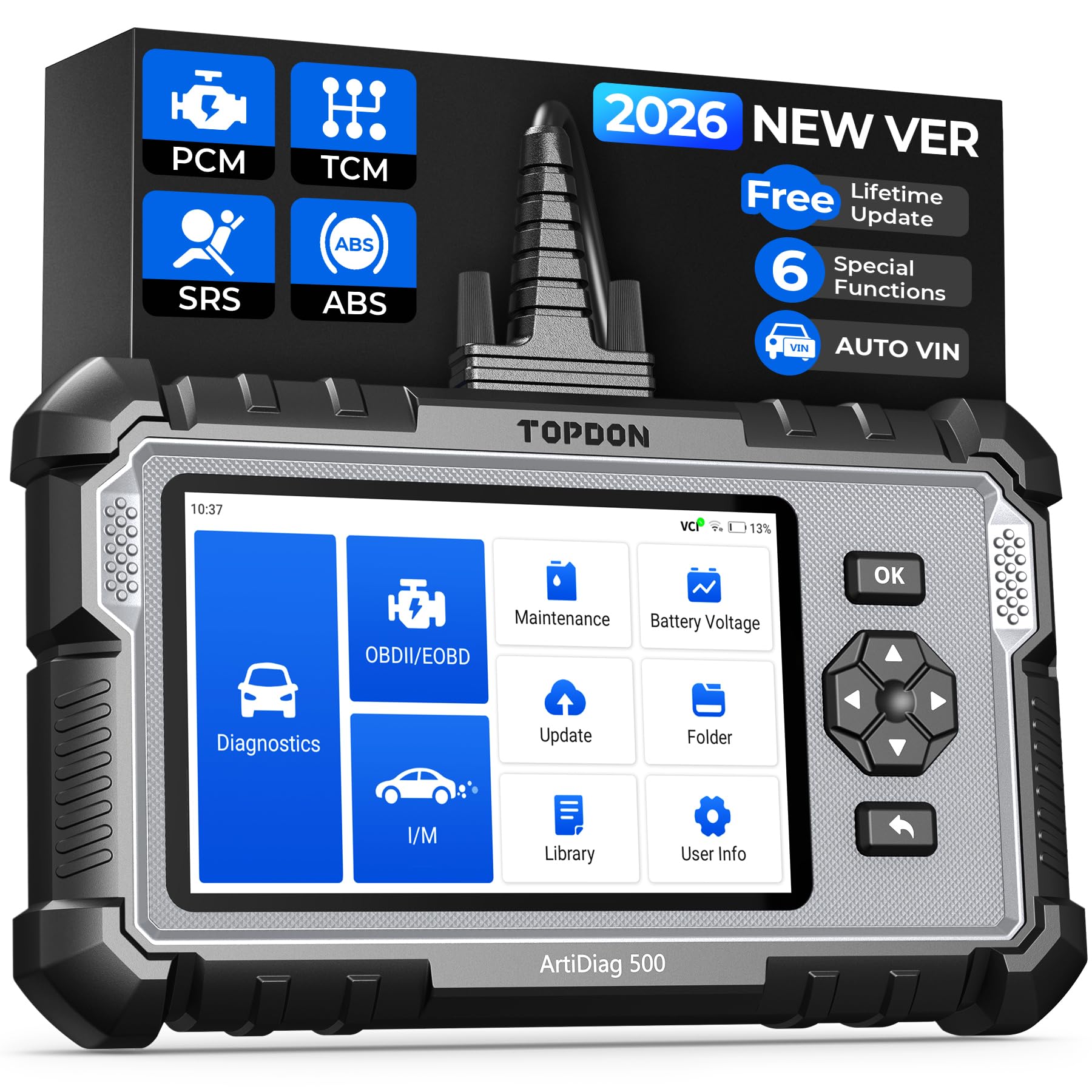
This tool is worth buying if you want an easy-to-use WiFi OBD2 scanner that covers engine, ABS, SRS, and transmission plus six useful reset services for DIY repairs.
Pros
- Covers four major systems and useful resets so we can fix more than just engine lights.
- Large touchscreen with battery lets us work untethered in the garage.
- Free lifetime Wi‑Fi updates and decent customer support when setup goes wrong.
Cons
- Initial setup and updates require internet and can be clunky.
- Not as deep as professional shop tools for advanced manufacturer-specific repairs.
- Some returns or shipping issues reported when buying through third parties.
We used the AD500 on a few cars and liked how it finds the vehicle automatically and shows live data in charts. Reading ABS and SRS codes felt straightforward, and the live data helped us confirm sensor behavior without guessing.
Battery checks and the battery management functions were handy during roadside troubleshooting. The touchscreen plus physical buttons make it easy to operate while leaning into tight engine bays, and the handheld feel seems solid and durable.
Reset functions for oil, TPMS, SAS, and throttle adaptation worked for routine maintenance after we replaced parts. Expect setup time for software updates and occasional quirks with manufacturer-specific codes that need a deeper tool or dealer-level access.
FIXD Bluetooth OBD2 Scanner
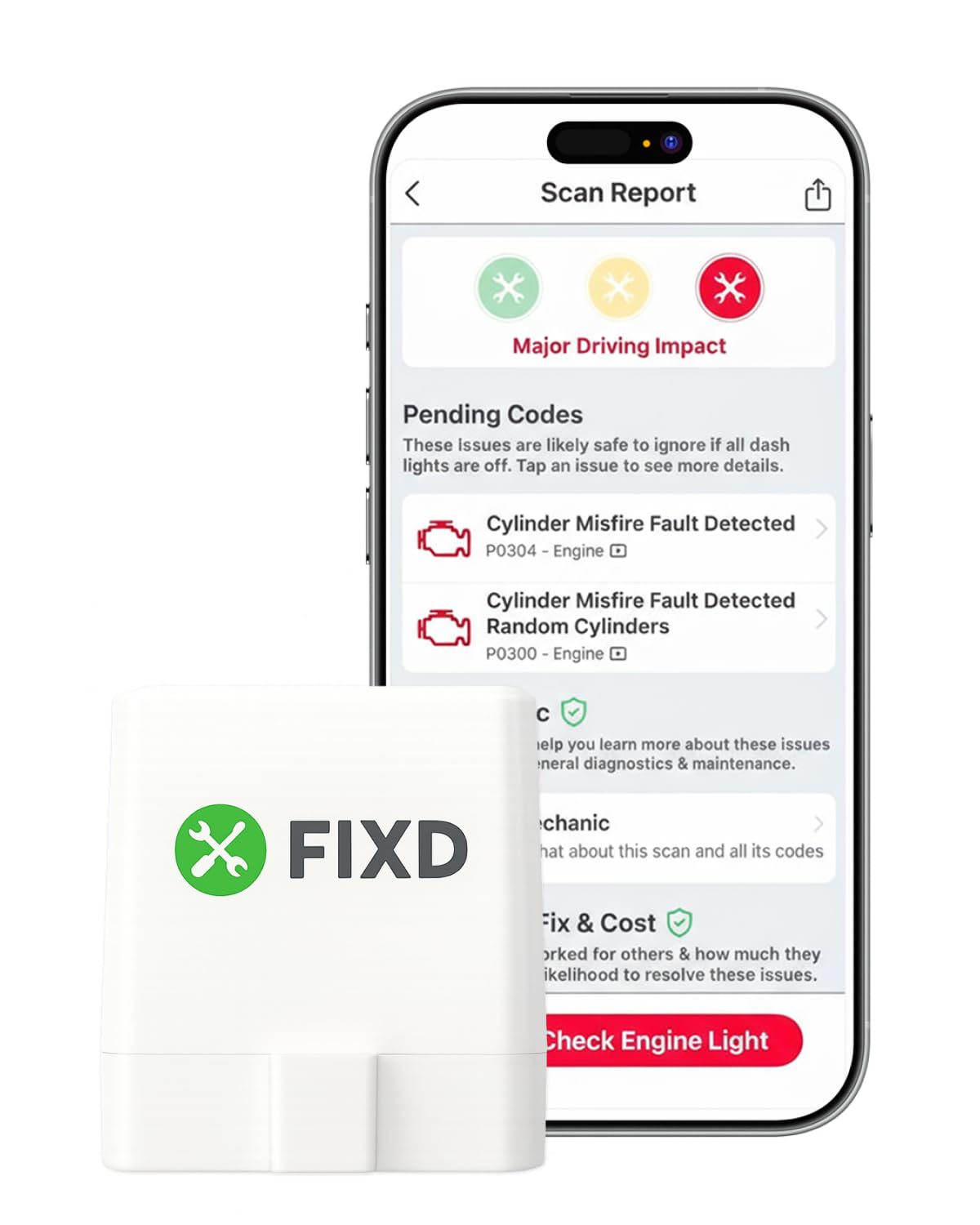
We recommend this for DIYers who want a simple, phone-based way to find and clear check-engine codes without paying a shop.
Pros
- Easy to install and pairs quickly with our phone.
- Plain-language explanations make codes less confusing.
- Small sensor hides under the dash and works on many cars.
Cons
- Some advanced features require a paid subscription.
- Not every vehicle returns every enhanced code.
- Bluetooth can be picky on older phones or cars.
We plugged the FIXD into a few family cars and liked how fast it paired and showed the problem. The app explains issues in plain words, so we didn’t need a mechanic to tell us what a code meant.
When we used it after a repair, the reset function worked and the light stayed off. The sensor’s tiny size keeps it out of the way, and we could save scans per vehicle for future checks.
A few times the app asked us to try premium features to see repair costs or deeper info. It still finds common faults and gives safe/unsafe warnings, but we noticed some enhanced data was missing on one older model.
If you want a low-cost tool to diagnose and reset basic engine codes from your phone, this is an easy choice for DIY car repair.
ANCEL AD310

We recommend this if you want a simple, rugged OBD2 reader that finds emission-related check engine codes fast and won’t overcomplicate DIY repairs.
Pros
- Fast code reads and clears for emission-related problems
- Solid build with a thick, flexible cable that handles garage work
- Plug-and-play—no batteries or phone app needed
Cons
- Only reads emission/OBD2 codes, not advanced systems
- No wireless/Wi‑Fi—corded only
- Can fail to clear codes on some cars
We used the AD310 on a handful of older cars and trucks. It boots instantly when plugged in and shows clear code descriptions on the backlit screen. Reading live data and freeze frame was straightforward and useful for quick diagnostics.
The heavy cable and compact body stood up to working around the engine bay. Buttons feel firm and the display is easy to scan while kneeling or leaning into the car. It felt like a tool built to survive being dropped once or twice.
Clearing codes usually worked, but one vehicle refused to clear until we fixed the underlying issue. Keep in mind this unit only covers OBD2 emission codes—no ABS, airbag, or manufacturer-specific modules. For basic check engine troubleshooting, it’s a reliable, no-frills tool we’d keep in the glove box.
Foxwell NT301

We recommend this small, plug-and-play OBD2 reader if you want a reliable basic tool to read and clear check-engine codes and watch live data without fuss.
Pros
- Quick to plug in and read codes.
- Clear live-data graphs help spot trends.
- Simple I/M readiness check with LED indicators.
Cons
- Doesn’t handle ABS, SRS, or advanced system resets.
- No Bluetooth or mobile app support.
- Windows only for updates, not Mac or iOS.
We used the NT301 on several cars and found it very straightforward. It boots up as soon as you plug it into the OBDII port and shows codes and live sensor data on the bright 2.8″ color screen. The device feels solid in hand and the menu is easy to follow.
Reading codes and clearing the check-engine light worked every time on the gasoline cars we tested. The live-data graphs made it easy to watch RPM, coolant temp, and oxygen sensor trends while we drove briefly. The I/M readiness keys and the red-yellow-green LED saved time when checking emissions readiness.
This unit does not replace a professional scanner. We missed ABS and airbag diagnostics for some repairs, and there’s no wireless phone app for quick on-the-go viewing. Still, for basic DIY troubleshooting and pre-test readiness checks, the NT301 is a dependable, no-frills choice.
UMEIJA V011 OBD2 Scanner
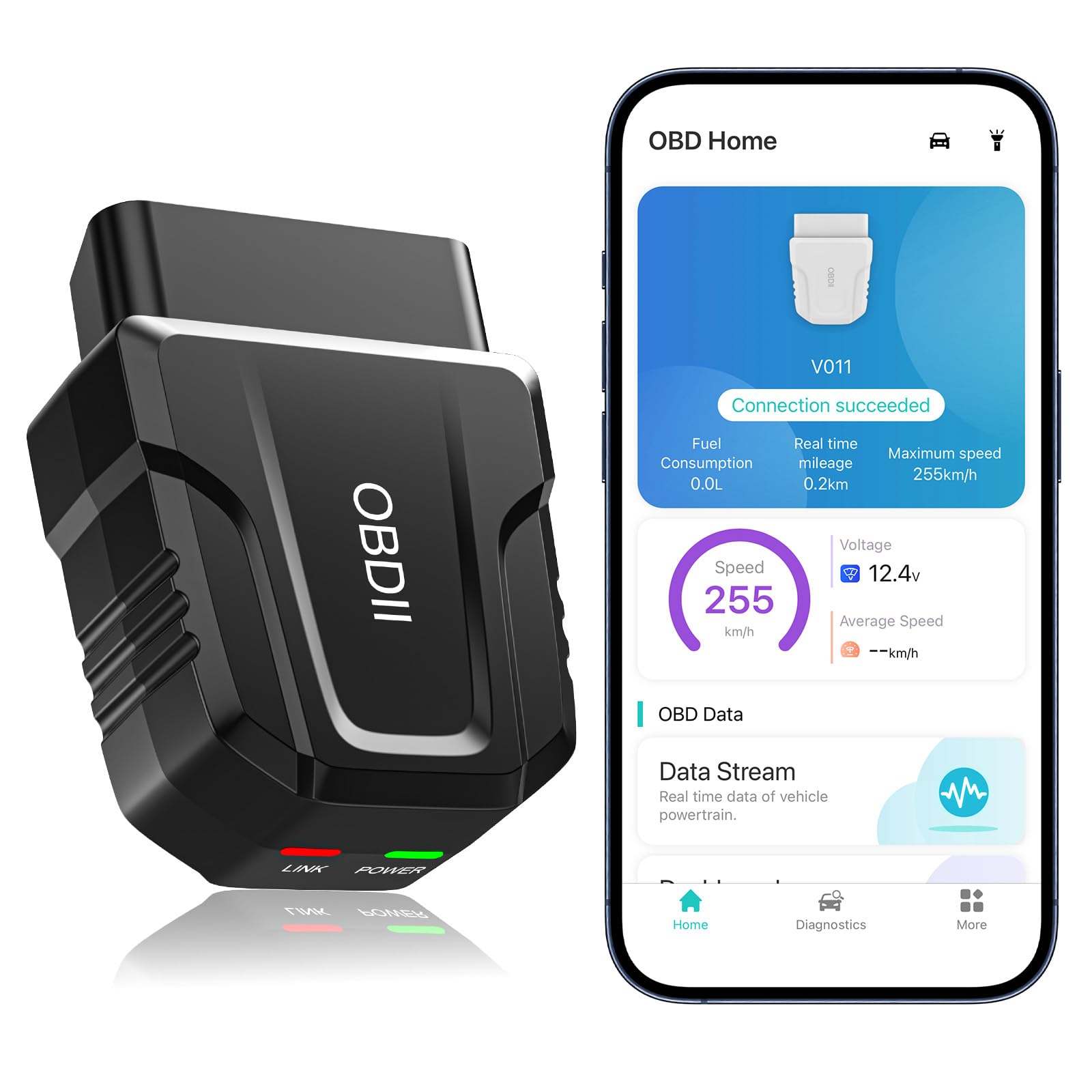
We recommend this if you want a simple, cheap WiFi/Bluetooth OBD2 scanner that reads codes, shows live data, and helps DIYers avoid unnecessary shop visits.
Pros
- Fast pairing and steady connection on our phones.
- Clear live data and helpful app guidance for basic fixes.
- Works with most cars from 1996 onward so one tool fits many vehicles.
Cons
- App limits advanced features compared with pro tools.
- Some data views are basic; no deep PID selection.
- Clears codes only after the issue is fixed or may need dealer reset for some faults.
We used the UMEIJA V011 on a few family cars and a friend’s used purchase. Plugging it in and opening the app got us live readings within seconds. It showed engine speed, coolant temp, and saved past scans so we could compare before and after repairs.
In real use the device handled routine code pulls and cleared the CEL on a couple of cars after we fixed the issues. The Bluetooth 5.4 link felt reliable and the app’s explanations steered us toward cheap fixes like a loose gas cap and a bad O2 sensor before we spent money at a shop.
The scanner does not replace a shop-level tool when you need in-depth PID logging or bi-directional tests. We found the visuals handy but basic, and some advanced readiness or dealer-only resets still required professional gear.
Buy it if you want an easy, budget-friendly scanner for everyday DIY diagnostics and saving on simple repairs; skip it if you need advanced diagnostic features.
FOXWELL NT624 Elite
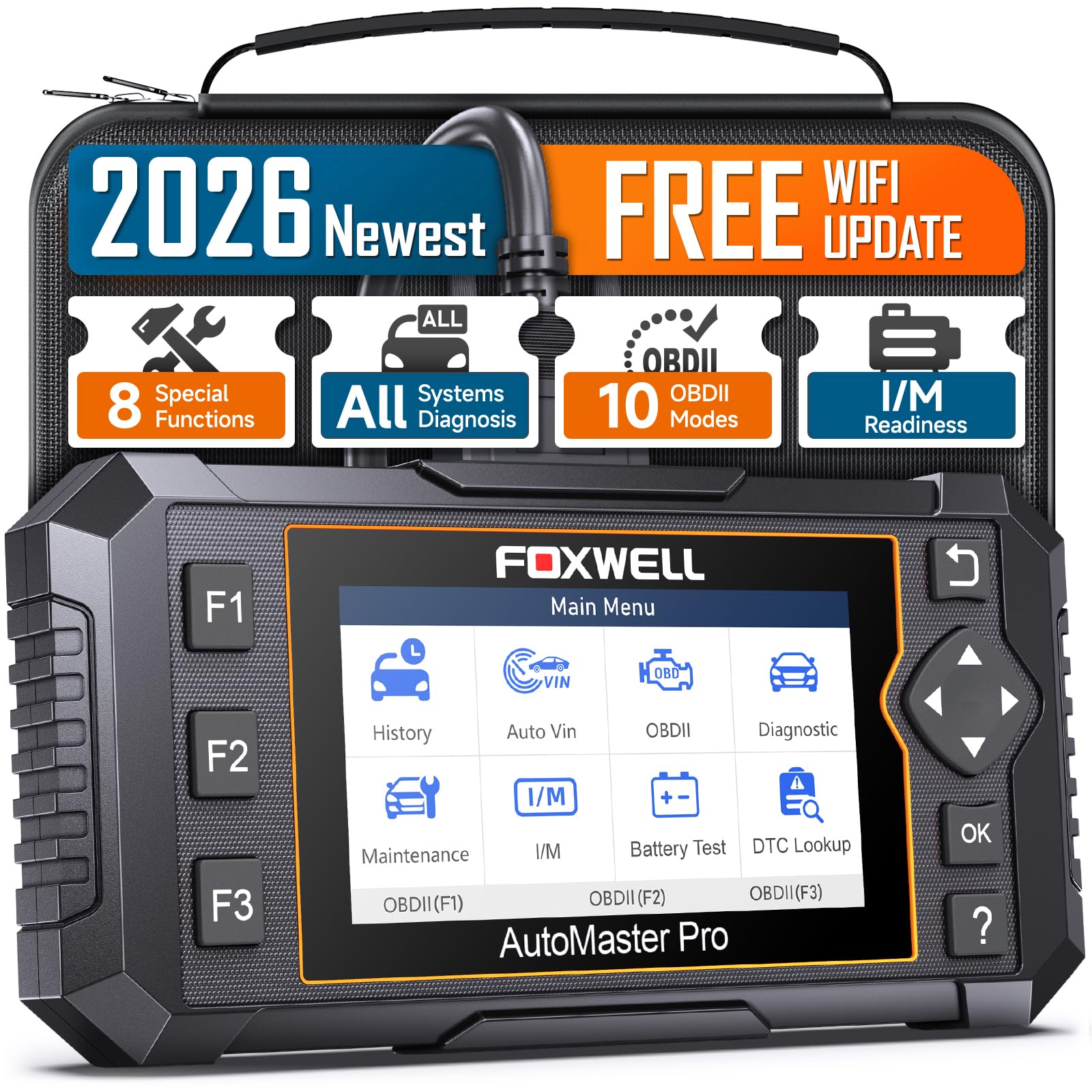
We recommend this if you want a hand-held, full-system scanner that lets you diagnose and do common resets at home without subscription fees.
Pros
- Deep, dealer-like access to many systems.
- Lifetime WiFi updates keep it current.
- Solid live-data graphs that helped us spot intermittent faults.
Cons
- Some advanced functions depend on vehicle make/model.
- Not every advertised reset works on all cars.
- Bulky compared with small Bluetooth dongles.
We plugged the NT624 into several cars and liked how fast it auto-detected VIN and showed live sensor data. The graphs made it easy for us to compare readings while we drove, so intermittent issues became clearer.
Using the reset services saved us time on common jobs like oil resets and EPB service. The tool handled ABS and battery registration on vehicles we own, though one car failed a specific EPB mode — so check compatibility for your model first.
The unit feels rugged and the menus run smoothly thanks to the Linux system. WiFi updates were simple and free, which we appreciated after seeing other tools lock useful features behind subscriptions.
Foxwell NT614 Elite

We recommend this for DIYers who want deeper diagnostics and useful reset functions without paying shop rates.
Pros
- Gives quick live data and clear fault reads.
- Handy 5 reset functions for common DIY jobs.
- Wi‑Fi updates and Auto VIN make it simple to use.
Cons
- Special functions vary by vehicle, so compatibility can fail.
- Build feels plastic; buttons and screen aren’t premium.
- Occasional software issues reported require vendor help.
We plugged this into several cars and found it very practical for routine work. Reading ABS, SRS, transmission, and engine faults took seconds and the graphs helped us spot odd sensor data fast.
Using the EPB and oil reset saved real time on brake and service jobs. Some models accepted resets immediately; others would not, so we double‑checked compatibility before relying on it.
The Wi‑Fi update and built‑in storage made software updates quick, but one unit we tested needed vendor support after a firmware hiccup. Customer support was responsive when we reached out.
For the price, this gives more capability than a basic OBD2 dongle. We’d buy it again for home repairs, but we’d verify the car model’s reset support first.
Buying Guide
We look for scanners that give clear, reliable information without extra fuss. Start by checking compatibility with your car’s make, model, and year. Also confirm the app works on your phone or tablet.
We focus on the features that matter most to DIY repair. Essential items include live data streaming, reading and clearing codes, and freeze-frame data. More advanced needs may require graphing, PID support, and emission readiness tests.
We pay attention to connection type and speed. WiFi usually gives a strong, stable link and faster data than Bluetooth for many devices. Ensure the unit supports secure connections and has a straightforward pairing process.
We consider the app user interface and update policy. A clear, regularly updated app reduces confusion and helps with new car models. Look for apps with easy code definitions and steps for simple fixes.
We weigh build quality and power handling. The adapter should be compact and durable since it stays in the car. Check that it won’t draw excessive battery power when the engine is off.
We compare price against long-term value. A slightly higher price can be worth it if the tool covers more features and gets frequent software updates. Also consider warranty and customer support options.
Editor’s Choice
We pick the Veepeak OBDCheck BLE as our Editor’s Choice. It balances price, features, and ease of use for DIY car repair. The app connects fast and shows clear codes and live data.
We like its wide app support on iOS and Android. Setup takes minutes and the device fits most cars with standard OBD2 ports. The adapter stays compact and durable.
Key strengths:
- Affordable: Low cost for the features offered.
- Reliable diagnostics: Reads and clears check engine codes, shows freeze frame and live data.
- User-friendly app: Simple menus, readable graphs, and export options.
We also note limitations. It lacks some advanced manufacturer-specific tests and ABS/SRS coverage on certain models. For deep, dealer-level diagnostics, a wired professional tool is better.
We recommend this for hobby mechanics who want clear fault codes, basic live data, and simple freezes/frame captures. It helps us diagnose common issues without expensive shop visits.
Conclusion
We picked WiFi OBD2 scanners that balance price, ease of use, and features for DIY repairs. Each model we covered works well for reading codes, clearing faults, and checking live data on smartphones or tablets.
We recommend choosing a scanner that fits your car and your comfort with apps. If you want simple code reads, pick a basic unit. If you want deeper diagnostics, choose one with advanced live-data and freeze-frame support.
We advise checking app compatibility before buying. Some scanners work better with Android or iOS, and app quality affects your experience. A strong app makes diagnosis faster and less confusing.
We suggest keeping expectations realistic about what OBD2 tools can do. They help identify problems, but they don’t replace hands-on repair skills or a professional mechanic for complex issues. Use scanner data to guide repairs, not to guarantee fixes.
We include a short checklist to help final decisions:
- Vehicle compatibility: Make sure the scanner supports your car’s protocol.
- App support: Confirm the app is stable and updated.
- Feature set: Look for live data, freeze frame, and readiness monitors if you need them.
- Price vs. use: Match features to how often we’ll use it.
We believe a good WiFi OBD2 scanner will save time and money for DIYers. Choose one that fits your needs, learn its app, and it will become a useful tool in our toolbox.
FAQS
What is a WiFi OBD2 scanner and why use one?
We connect a small device to the car’s OBD2 port. It talks to our phone or tablet over WiFi to read trouble codes and live data. WiFi often gives faster, more reliable links than Bluetooth.
Will a WiFi OBD2 scanner work on any car?
Most cars made after 1996 in the U.S. use OBD2 and will work. Some older or very new models may need a specific protocol. We should check compatibility with the car make and year before buying.
Do we need a paid app to use it?
Many scanners work with free apps for basic code reading and clearing. Paid apps add advanced features like freeze frame, live graphing, and advanced diagnostics. We recommend starting with a free app to test the scanner.
Can we clear fault codes ourselves?
Yes, we can clear most generic codes with the scanner. Clearing codes may hide symptoms without fixing the problem. We advise diagnosing the root cause first.
Is setup hard?
Setup is usually simple: plug in the device, join its WiFi network, and open the app. A few models need app settings or PIN codes. We include setup notes in product choices.
How do we pick the best one?
Look for compatibility, app quality, update support, and range. Battery-free units that draw from the car are lighter and more reliable for DIY use. We weigh these factors in our picks.
