
Car Remote Not Pairing? A Practical Troubleshooting Guide to Get It Working Again

If your car remote is not pairing, the problem usually falls into one of a few buckets: a weak battery or poor battery contact, lost synchronization, an incompatible replacement fob, or a vehicle-side issue. The fastest way to avoid wasting time is to narrow the symptom first. A remote that won’t unlock anything is a different problem from one that unlocks doors but won’t start the car.
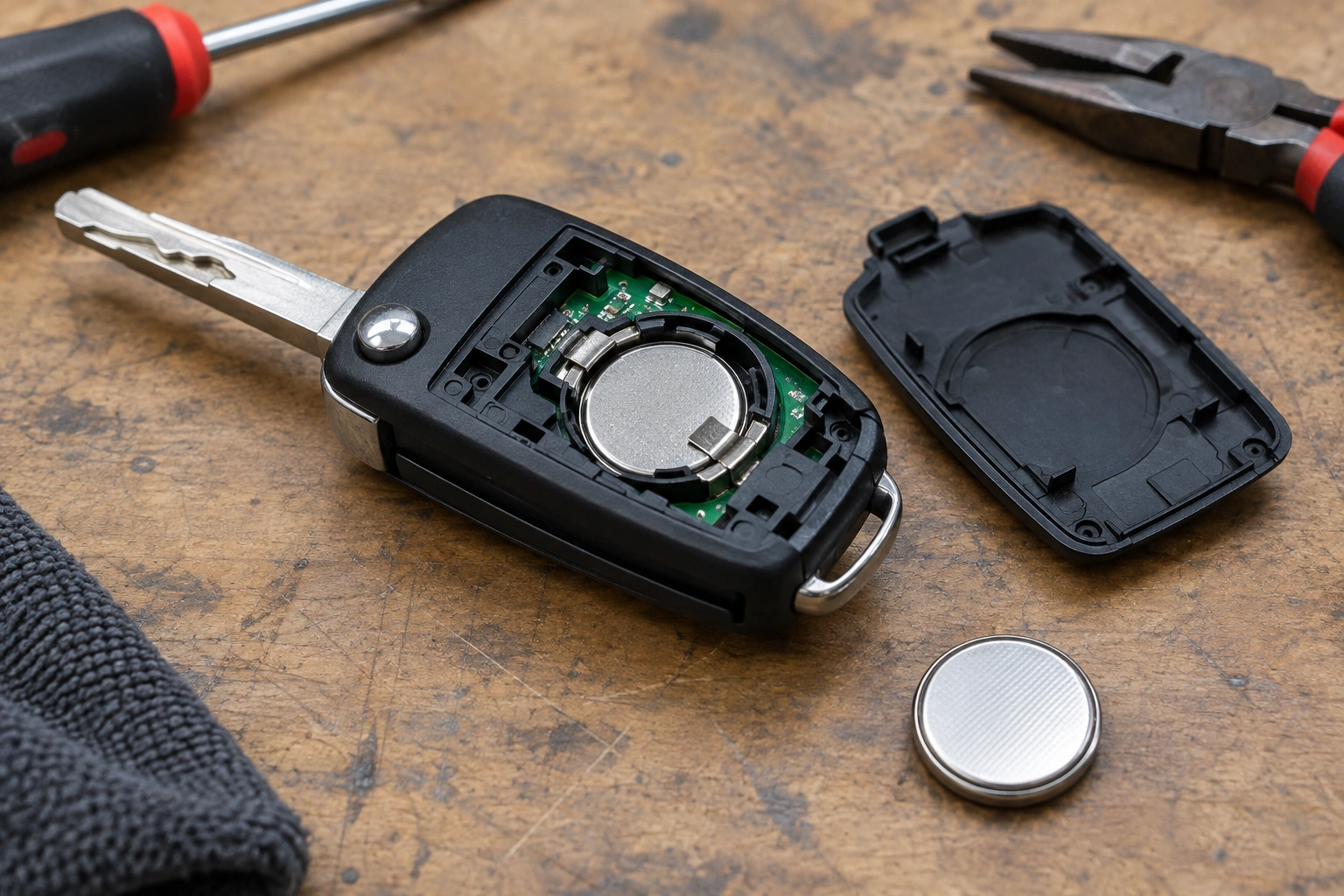
Quick decision tree:
– No response at all: check the fob battery and battery contacts first.
– Works after a battery change but now won’t pair: likely lost sync or a model-specific reprogramming step.
– Replacement fob won’t pair: verify compatibility before assuming the car is at fault.
– All fobs fail the same way: suspect the vehicle receiver, immobilizer, or programming procedure.
Here’s the good news: many pairing problems are simple. I’ve seen plenty of cases where a battery swap, a reset, or a correct programming sequence brought the fob back to life. The trick is knowing which fix matches your symptom before you buy parts or assume the whole system failed.
Quick Diagnosis: What the Symptom Usually Means
The exact behavior tells you a lot.
| Symptom | What it often points to | Best next step |
|---|---|---|
| Remote does nothing at all | Dead battery, bad battery contact, failed fob, or receiver issue | Replace the battery first, then test a spare fob |
| Remote worked after battery change, then stopped | Lost sync or programming issue | Try the vehicle’s re-sync or pairing procedure |
| Unlock works, but start does not | Transponder or immobilizer issue | Check whether the fob is recognized for starting |
| One fob works, another does not | Problem with the original fob | Compare batteries and test the non-working fob again |
| Both fobs fail the same way | Vehicle receiver, programming, or system issue | Look at the car side, not just the remotes |
| Replacement fob looks right but won’t pair | Compatibility mismatch | Verify exact year, model, trim, and fob type |
A useful rule: if the remote still has some function, the problem is often not a completely dead fob. For example, a key fob that unlocks the doors but won’t start the engine can be sending enough signal for one job but not another. That usually shifts the diagnosis toward the transponder or immobilizer side.
Most Likely Causes, Ranked by Probability
When a car remote is not pairing, I’d usually check these in order:
1. Weak or newly installed battery
A weak battery can cause intermittent behavior, short range, or failed pairing attempts. The battery may also be installed incorrectly, or the contacts may not be seated well after the swap.
This is why battery replacement is often the first move. A weak or dying battery is a common cause of intermittent fob issues, and a backup fob can help confirm whether the original remote is the problem. If the spare works and the original doesn’t, the original fob is the likely culprit. Keyless Entry Remote
2. Lost synchronization
Sometimes the fob and vehicle simply fall out of sync. That can happen after a battery change, after the car battery dies, or after the remote sits unused for a while.
In those cases, the fob may not be “dead” at all. It may just need to be re-synced or reprogrammed using the vehicle’s procedure.
3. Wrong or incompatible replacement fob
A replacement can look identical and still be wrong for your vehicle. Frequency, chip type, button layout, and model-year compatibility all matter. An OEM remote and an aftermarket remote may both physically fit the case, but only one may actually program correctly.
4. Fob damage
Dropped fobs, water exposure, worn buttons, and cracked solder joints can all cause pairing trouble. If the battery is good and the car recognizes other remotes, the circuit board may be failing.
5. Vehicle receiver or immobilizer problem
If multiple remotes fail in the same way, the issue may be on the car side. That can mean the receiver, the learning process, or the immobilizer system is not responding correctly.
Start With the Easiest Fixes
Before you touch any programming steps, do the basic checks that solve a surprising number of cases.
Replace or recheck the battery
Install the correct battery type, and make sure the polarity is right. A battery that is slightly off-center or a bent contact can act like a dead battery.
If you just replaced the battery and the remote stopped working afterward, don’t assume the new battery is bad. The fob may simply need to be re-synced. Some vehicles also need both the fob battery and the car battery to be healthy before pairing or programming will succeed.
Clean the battery contacts
If the battery terminals look dull, dirty, or corroded, clean them gently with a dry cloth or a cotton swab. Avoid soaking the board. You’re trying to restore contact, not wash the fob.
Try the spare fob
This is one of the fastest ways to isolate the problem. If the spare works normally, the vehicle is probably fine and the original remote needs attention. If both fail, suspect the car-side system or a procedure issue.
That one test can save you from buying the wrong replacement.
How to Re-Sync or Reprogram the Key Fob
There isn’t one universal sequence for every vehicle, so use your owner’s manual when possible. Some cars have a DIY programming mode, while others require dealer-level tools.
What a DIY pairing attempt usually involves
Many vehicles use a learning mode entered by a sequence such as:
– inserting the key,
– turning the ignition on and off,
– pressing a lock/unlock button,
– or opening and closing the driver door in a specific order.
The exact steps and timing vary by make, model, and year. If your manual gives a procedure, follow it exactly. If it says programming requires a scan tool or dealer equipment, that usually means DIY programming is not possible for that vehicle.
Practical tips that matter
- Keep the battery fresh before you begin.
- Use all fobs you want to keep programmed if the procedure requires it.
- Work quickly when the timing window is short.
- Make sure the vehicle battery is healthy enough to stay powered through the sequence.
If the car never enters programming mode, the problem may not be the fob at all. It may be the procedure, the vehicle battery, or a system that simply cannot be programmed at home.
For a related issue, see our guide on what to check when a car key is not detected after a battery change.
Check Compatibility Before Buying or Replacing the Fob
This is where a lot of people lose time and money. Two remotes can look nearly identical and still be incompatible.
Match the exact vehicle details
Check:
– make
– model
– year
– trim
– button count
– smart key versus standard remote
– transponder or immobilizer requirements
If the listing does not match your exact vehicle details, don’t assume it will work just because the shell looks right.
OEM versus aftermarket
An OEM fob is built to the vehicle’s original specification. An aftermarket fob may work, but compatibility is more variable. Some aftermarket units are solid; others are frustratingly hit-or-miss.
The trade-off is simple:
– OEM: usually safer for compatibility, often easier to trust
– Aftermarket: can be cheaper, but requires more careful verification
Used fobs
A used fob may still be programmable, but it may also be tied to another vehicle or incompatible with your system. Don’t buy one just because it came from the same model family.
Use a Spare Fob to Isolate the Problem
If one remote works and the other doesn’t, you’ve already learned something important.
When the spare works
That usually points to the original fob:
– weak battery
– damaged buttons
– failing circuit board
– lost sync
When both fail
That pushes the diagnosis toward the vehicle:
– receiver issue
– programming problem
– immobilizer issue
– learning mode not being entered correctly
That distinction matters because it changes the next step. If the car is the problem, replacing another fob won’t help.
Why the Remote Unlocks the Car but Won’t Start It
This is a classic sign that the remote and the start authorization system are not doing the same job.
Many key fobs have more than one function. One part handles lock and unlock. Another part, often a transponder or similar security component, communicates with the immobilizer so the car will start.
If the doors unlock but the engine won’t start:
– the battery may be strong enough for remote functions but not the start authorization signal
– the transponder chip may be damaged
– the immobilizer may not be reading the fob correctly
– the vehicle may need a reprogramming step for the start function
In other words, a working lock button does not prove the whole fob is healthy.
For a deeper look at related symptoms, our article on a car key remote that stopped working suddenly walks through the same isolation process.
What to Do If the Car Won’t Enter Pairing or Learning Mode
If the vehicle refuses to enter programming mode, stop and check the basics before assuming the remote is bad.
Common reasons this happens
- wrong procedure for your exact vehicle
- vehicle battery too weak
- driver door or ignition not in the required state
- too much delay between steps
- the vehicle requires a scan tool or security access
What to do next
- Re-read the owner’s manual or verified programming instructions.
- Confirm the vehicle battery is healthy.
- Try again with all steps timed carefully.
- If the manual says special equipment is required, don’t keep forcing it.
Repeated failed attempts can waste time, and some vehicles may temporarily limit additional learning attempts after several failures.
When to Replace the Fob, When to Replace the Battery, and When to Stop Troubleshooting
Use this simple decision rule:
- Replace the battery first if the fob is intermittent, recently got worse, or stopped working after sitting unused.
- Try re-syncing if the battery is good but the remote stopped after a battery change or car battery issue.
- Replace the fob if the battery is good, the contacts are clean, and the circuit board or case is damaged.
- Stop DIY troubleshooting if the car will not enter learning mode or both remotes fail the same way.
That last point matters. At that stage, the issue may be with the receiver, immobilizer, or a security procedure that needs professional tools.
When to Consult a Locksmith
A qualified automotive locksmith is often the next step when:
– the vehicle needs programming equipment
– the fob must be cut and programmed together
– the car uses an immobilizer system that won’t accept DIY pairing
– you have a used or aftermarket fob that needs proper setup
– the spare fob works, but the main one still won’t pair
A locksmith can often diagnose whether the issue is the remote or the car much faster than trial-and-error replacement. In some cases, that’s a better path than buying another remote that may not fit the system.
If you want a broader comparison of symptoms, see our guide on car remote won’t lock doors.
Common Mistakes That Make Pairing Problems Worse
A few mistakes come up again and again:
- Buying a replacement before checking compatibility. Matching the shell is not enough.
- Using the wrong programming steps. One model year can differ from the next.
- Skipping the spare-fob test. That test quickly separates a remote problem from a vehicle problem.
- Assuming a battery swap never changes anything else. Some vehicles need re-syncing afterward.
- Pushing ahead when the manual says dealer programming is required. That usually ends in frustration.
If you take one thing from this guide, let it be this: diagnose the symptom before replacing parts. A fob that won’t pair is not always a dead fob. Sometimes it’s just out of sync. Sometimes it’s the wrong remote. And sometimes the car itself needs attention.
FAQ
Why is my car remote not pairing after a battery change?
The fob may have lost synchronization with the vehicle. In that case, a re-sync or reprogramming step may be needed even though the battery is new.
Can I reprogram the key fob myself?
Sometimes. Some vehicles have a DIY programming procedure, but others require dealer or locksmith tools. Check the owner’s manual before trying random button sequences.
Does a weak battery always cause pairing problems?
Not always, but it is one of the first things to check. A weak battery can cause short range, intermittent operation, or failed pairing attempts.
Why does one fob work and the other doesn’t?
That usually points to the non-working fob itself rather than the car. The battery, contacts, or circuit board may be the issue.
Will a used or aftermarket fob work?
Sometimes, but only if it matches the exact vehicle and system type. Compatibility is the part most people miss.
What if my car won’t enter learning mode?
That can mean the procedure is wrong, the vehicle battery is weak, or the car needs special programming equipment. At that point, a locksmith or dealer is usually the next step.
