
Eonon V0056 OBD2 Bluetooth Scanner Review: Worth It?
The Eonon V0056 is a Bluetooth OBD2 adapter made for compatible Android car stereos and Android phones. With suitable OBD2 software, it shows live engine data and reads trouble codes. It works best if you already have an Android head unit, and it is a basic engine tool, not a full-system scanner.
The Eonon V0056 OBD2 Bluetooth Diagnostic Scanner is a wireless vehicle diagnostic adapter designed for compatible Android car stereos and Android phones. Its primary purpose is to display vehicle diagnostic information and live engine data through suitable OBD2 software.
This Eonon V0056 review examines compatibility, Bluetooth setup, diagnostic usefulness, limitations, and overall buyer value. It is particularly relevant to drivers who already own an Eonon Android head unit.
The scanner uses ELM327-based OBD-II communication rather than a dedicated handheld display. That distinction matters because the connected Android device and diagnostic application determine how information appears.
🏆 My Quick Verdict
💡 Best For: Drivers with compatible Eonon Android stereos who want basic engine diagnostics displayed on their existing screens.
⚡ Key Specs:
Bluetooth connectivity; ELM327 OBD-II diagnostic interface; Android device support; real-time vehicle information.
✅ Bottom Line: The Eonon V0056 is a sensible choice for compatible Eonon Android stereo owners. Its practical appeal comes from integrating basic diagnostics into an existing dashboard display, although compatibility restrictions limit its universal usefulness.

At a Glance
- Designed for Eonon Android head units and compatible Android phones.
- Uses a Bluetooth ELM327 interface for OBD-II communication.
- Supports displaying real-time vehicle operating information.
- Does not support Eonon P3, P4, X3, X3 Plus, or other Linux stereos.
- Requires suitable diagnostic software to present useful information.
- Best suited to everyday engine diagnostics rather than professional workshop procedures.
Eonon V0056 Specifications
| Specification | Verified Detail |
|---|---|
| Brand | Eonon |
| Model | V0056 |
| Device Type | OBD-II diagnostic adapter |
| Connection | Bluetooth |
| Interface | ELM327 OBD-II |
| Supported Platform | Android |
| Primary Function | Real-time vehicle information and diagnostic access |
| Excluded Stereos | Eonon P3, P4, X3, X3 Plus and Linux units |
Design & Build Quality
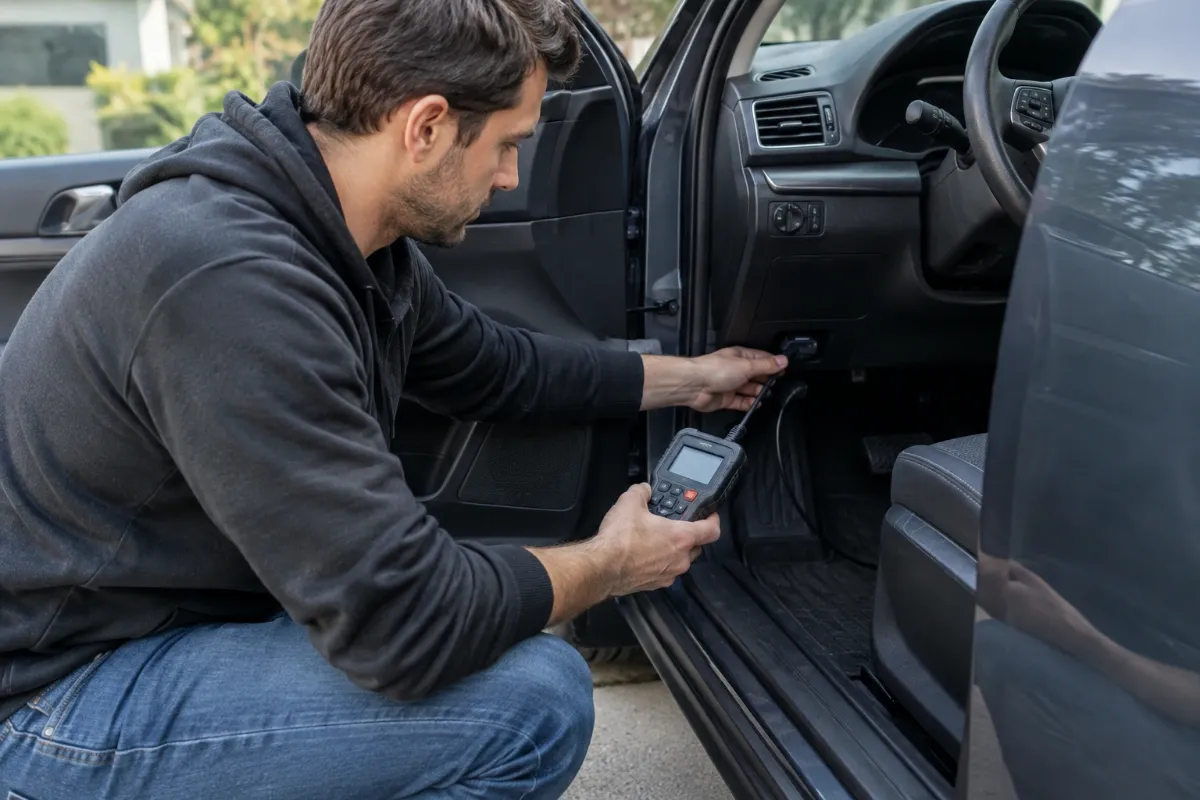
The Eonon V0056 uses a compact plug-in adapter design intended for a vehicle’s OBD-II diagnostic socket. This arrangement eliminates the separate display, diagnostic cable, and handheld controller associated with traditional scan tools.
The important physical consideration is socket clearance. OBD-II connectors are commonly located beneath the dashboard, where surrounding trim and driver legroom can affect accessibility.
Eonon’s published overview does not establish detailed construction materials or independent durability results. Consequently, claims about premium housing strength, waterproofing, or exceptional long-term toughness would be premature.
For routine ownership, connector fit matters more than decorative design. The adapter should remain securely seated without interfering with pedals, wiring, or normal driving movements.
Setup, Installation & Ease of Use
- Check that your vehicle has a compatible OBD-II diagnostic port.
- Confirm your stereo runs Android rather than an excluded Linux operating system.
- Inspect the supplied adapter for connector damage before installation.
- Locate the diagnostic socket using your vehicle owner’s manual.
- Connect the adapter securely without forcing its connector.
- Switch the vehicle ignition to the appropriate diagnostic operating position.
- Enable Bluetooth on your supported Android device.
- Follow Eonon’s pairing instructions for the relevant stereo and software.
- Open a compatible diagnostic application and select the adapter.
- Verify that the software successfully receives vehicle information.
- Disconnect and store the scanner somewhere dry when it is not needed.
Core Performance & Feature Breakdown
Bluetooth Diagnostic Communication
The V0056 communicates through Bluetooth rather than requiring a physical cable between the adapter and Android screen. This enables diagnostic information to appear on a compatible dashboard system.
Bluetooth eliminates one connection cable, but it does not eliminate setup requirements. The stereo must recognize the adapter and communicate properly with the diagnostic application.
Real-Time Vehicle Monitoring
Real-time vehicle information is the scanner’s principal manufacturer-advertised capability. With compatible software, supported parameters can help drivers understand changing engine operating conditions.
Available readings depend on the vehicle, control modules, and selected application. An unsupported data parameter cannot be created simply by connecting a Bluetooth scanner.
Diagnostic Trouble Code Access
ELM327-compatible diagnostic applications can provide access to supported engine-related diagnostic trouble codes. These codes help identify the systems associated with a reported fault.
A trouble code does not automatically identify the exact defective component. Proper diagnosis may require inspecting wiring, connectors, sensors, and related mechanical conditions.
Expert Insight
An OBD-II adapter is a communication interface, not a complete diagnostic system. Always distinguish a confirmed fault code from a verified repair, and avoid clearing stored information before documenting the original problem.
Responsiveness and Diagnostic Depth
Communication performance depends on more than the adapter itself. Vehicle electronics, Bluetooth conditions, application configuration, and requested data frequency all influence the experience.
No independently verified update-rate benchmark is available for this review. Buyers should therefore avoid assuming professional-level logging speed or manufacturer-specific diagnostic coverage.
Key Features Explained
1. Eonon Android Head Unit Integration
Compatibility with Eonon Android car stereos is this adapter’s defining advantage. It allows supported drivers to access vehicle information through an existing in-dash interface, although Eonon’s excluded Linux models remain incompatible.
2. ELM327 Communication Interface
The ELM327-based interface provides a familiar communication method used by many OBD-II applications. Actual application support must still be checked, since sharing an interface standard does not guarantee every app and device combination works.
3. Wireless Information Display
Bluetooth connectivity separates the diagnostic port from the information display. This is convenient for installations where the socket is hidden beneath the dashboard, although Bluetooth pairing and software selection introduce additional setup variables.
4. Software-Based Diagnostics
The connected application determines how diagnostic codes and vehicle readings are presented. Appropriate software can make basic troubleshooting more understandable, but advanced service functions should not be assumed without explicit confirmation.
Real-World Usability & Maintenance
The most practical ownership benefit is occasional access to engine information without purchasing a separate screen. Drivers can inspect supported data when investigating a warning light or changing vehicle behavior.
Keeping the Bluetooth connection reliable requires attention to software settings and device pairing. If the stereo receives an operating-system update, confirm that the diagnostic application still communicates correctly.
Inspect the connector periodically for dirt, bending, or visible damage. Unplugging the scanner before lengthy vehicle storage is a sensible precaution when its standby electrical consumption has not been established.
Pros & Cons
Pros
- Integrates diagnostic information with compatible Eonon Android stereos.
- Bluetooth communication avoids running another cable to the display.
- Supports manufacturer-advertised real-time vehicle information.
- Uses an established ELM327-style diagnostic interface.
Cons
- Not compatible with specified Eonon Linux head units.
- Requires a suitable Android device and diagnostic application.
- Professional diagnostic coverage and independent speed benchmarks are unverified.
Common Issues & Fixes
Bluetooth Pairing Fails
The Android device may fail to discover or connect to the adapter. Verify Bluetooth settings, check Eonon’s pairing instructions, and restart the connection process.
Application Shows No Vehicle Data
An application may connect through Bluetooth without establishing communication with the vehicle. Confirm the ignition state, application adapter selection, and vehicle compatibility.
Some Readings Are Missing
Certain dashboard parameters may appear unavailable or remain blank. Check whether the vehicle and application support those specific data items before treating the adapter as defective.
What to Know Before You Buy
Confirm the exact operating system of your Eonon head unit before ordering. Android compatibility should never be inferred solely from a touchscreen display or similar-looking dashboard interface.
Next, distinguish vehicle compatibility from software compatibility. A vehicle may provide standard OBD-II data while a particular application lacks the features needed for your intended diagnostic task.
Buyers seeking ABS bleeding, transmission programming, immobilizer functions, or bidirectional component control should investigate a different class of diagnostic equipment. Those capabilities are not established by the V0056’s published core specifications.
Also confirm the seller’s warranty terms and return conditions. Protection and eligibility may differ between direct manufacturer purchases and third-party marketplace listings.
Who Should Buy It / Who Should Skip It
✅ Who Should Buy It
- Owners of compatible Eonon Android head units.
- Drivers interested in monitoring supported engine information.
- DIY owners who want basic diagnostic accessibility.
- Users comfortable configuring Bluetooth applications.
✗ Who Should Skip It
- Owners of excluded Eonon Linux stereos.
- iPhone users requiring confirmed iOS compatibility.
- Professional technicians needing advanced service functions.
- Buyers wanting a standalone scanner with its own display.
Alternatives to Consider
Veepeak OBDCheck BLE
Best For: Drivers who use both iOS and Android devices.
Main Advantage: Supports Bluetooth Low Energy and Classic Bluetooth connectivity.
Trade-off: Compatibility with Android car head units is not guaranteed.
Key Spec: Bluetooth LE and Classic Bluetooth.
OBDLink LX Bluetooth
Best For: Android and Windows users prioritizing established diagnostic hardware.
Main Advantage: Provides manufacturer-documented security and power-management features.
Trade-off: iOS compatibility is not supported, and head unit support requires verification.
Key Spec: Operating voltage of 8–18V DC.
Is the Eonon V0056 Worth It?
The Eonon V0056 offers its strongest value when the buyer already owns a supported Android head unit. In that situation, an additional diagnostic interface can expand an existing screen’s practical usefulness.
However, evaluating value requires looking beyond the adapter itself. Software compatibility, available vehicle parameters, and the intended diagnostic tasks determine whether the purchase meets expectations.
For someone building a general-purpose diagnostic setup from scratch, a broader compatibility-focused adapter may offer greater flexibility. Existing Eonon Android owners have a clearer reason to consider this model.
Final Verdict
The Eonon V0056 is a worthwhile option for supported Android stereo owners who want convenient access to basic OBD-II information. Its focused compatibility makes it more appealing as an Eonon accessory than as a universal professional scanner.
Frequently Asked Questions
Does the Eonon V0056 work with every Eonon car stereo?
No, the scanner is designed for compatible Eonon Android head units. Eonon specifically excludes its P3, P4, X3, X3 Plus, and other Linux stereos.
Can I use the Eonon V0056 with an iPhone?
Official product information specifies Android device support, not iPhone compatibility. iOS users should choose an adapter with explicitly documented iPhone support.
Does the Eonon V0056 work with every vehicle?
Universal vehicle compatibility is not guaranteed. Confirm that your vehicle supports the relevant OBD-II communication requirements and that your chosen application supports its available data.
What size is the Eonon V0056?
Exact physical dimensions were not independently verified for this review. Check the current manufacturer’s dimensional information if clearance beneath your dashboard is limited.
Does the scanner require maintenance?
The adapter requires basic connector care and occasional software checks. Keep the diagnostic connector clean, avoid physical damage, and remove the device before extended storage when appropriate.
Does the Eonon V0056 have a warranty?
Warranty coverage should be confirmed with the actual seller. Eonon advertises warranty and support benefits on its own product pages, but marketplace-specific eligibility and conditions may differ.
Affiliate disclosure: replacekeyfob.com earns a small commission when you purchase through links on this page — at no extra cost to you. Our editorial process is independent: affiliate relationships never influence which products we recommend or how we rank them.