How to Program HomeLink to a Community or Apartment Gate
This post contains affiliate links. As an Amazon Associate, ReplaceKeyFob earns from qualifying purchases, at no extra cost to you.
To program HomeLink to a community gate, hold the gate remote 1 to 3 inches from the HomeLink button, press and hold the HomeLink button, and press and release the gate remote every 2 seconds until the HomeLink light flashes fast. Test at the gate. If the gate uses rolling code or a registered remote list, the property manager must add your car.
Gated communities and apartment complexes use commercial gate operators and access receivers, not home garage openers. That changes two things. First, many gate remotes send a short signal and then stop, which can confuse the normal HomeLink training. Second, you usually cannot reach the gate’s control box, so any step that needs a learn button needs the office or HOA.
This guide walks through the gate-specific method, explains how to tell what kind of system your community has, and covers what to ask management so you are not stuck at the gate with a car that will not talk to it.
Step 1: Find Out What System the Gate Uses
Before you sit in the car pressing buttons, ask the leasing office, HOA or gate company three questions:
- What brand and type of remote does the gate use? The remote itself often shows a brand on the back, such as LiftMaster, Linear, Doorking or another commercial brand, plus a frequency.
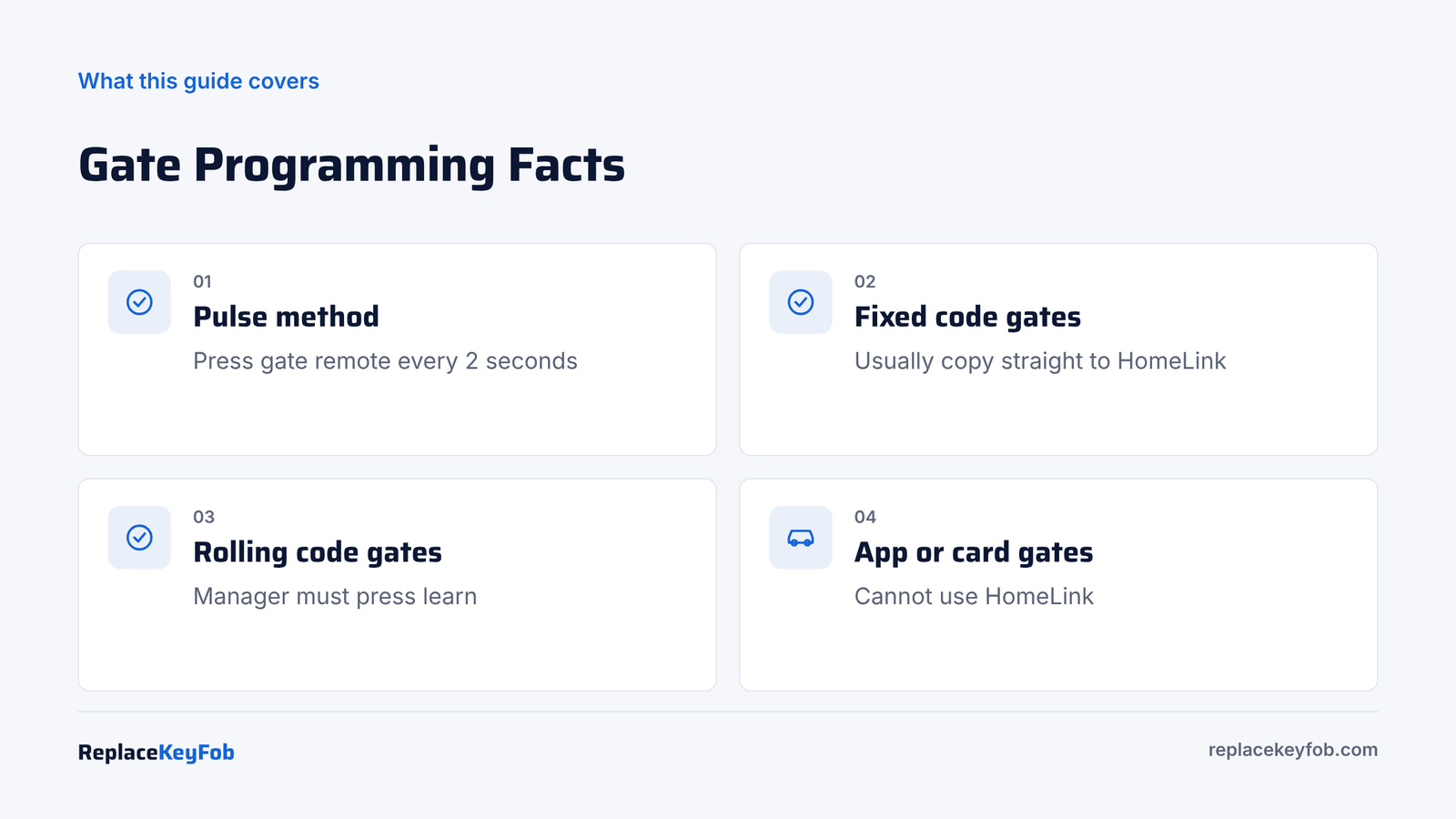
- Is it fixed code or rolling code? Older dip-switch and many commercial “transmitter ID” systems are fixed code. Newer residential-style rolling code needs a learn step.
- Do they register remotes by ID? Many communities keep a database of every remote so they can disable lost ones. If yours does, they may need to add your HomeLink as a new transmitter.
The answers decide which of the methods below will work.
| Gate system type | Will HomeLink work? | What it needs |
|---|---|---|
| Fixed code (dip switch or fixed ID) | Usually yes | Copy remote with pulse method |
| Commercial ID-based receiver | Often yes | Copy remote; office may need to register |
| Rolling code (learn button) | Usually yes | Office presses learn at the gate receiver |
| Keypad or call box only | No radio to copy | Use the keypad or app |
| App, Bluetooth or card access | No | Use the system’s own app or card |
Visor clip for remote
A sturdy visor clip keeps the gate remote handy while you train HomeLink and as a backup if the community changes systems later.
As an Amazon Associate, ReplaceKeyFob earns from qualifying purchases.
Step 2: Prepare the Car and Remote
- Fresh battery in the gate remote. HomeLink copies what it hears. A weak remote can train partly and then fail at the gate.
- Park away from the gate. Training near a gate receiver can open it again and again. Park in your space or on the street nearby.
- Ignition ON. Most HomeLink systems need power to learn. Keep the engine off if you are inside a closed garage.
- Clear the button if it was used before. Hold the two outer buttons until the light flashes fast to erase. Our guide on how to clear HomeLink buttons explains this.
Step 3: Use the Gate Pulse Method
Many gate operators and commercial remotes stop transmitting after a second or two, even if you keep holding the button. HomeLink needs a steady signal to learn, so the factory instructions for gates describe a pulse method:
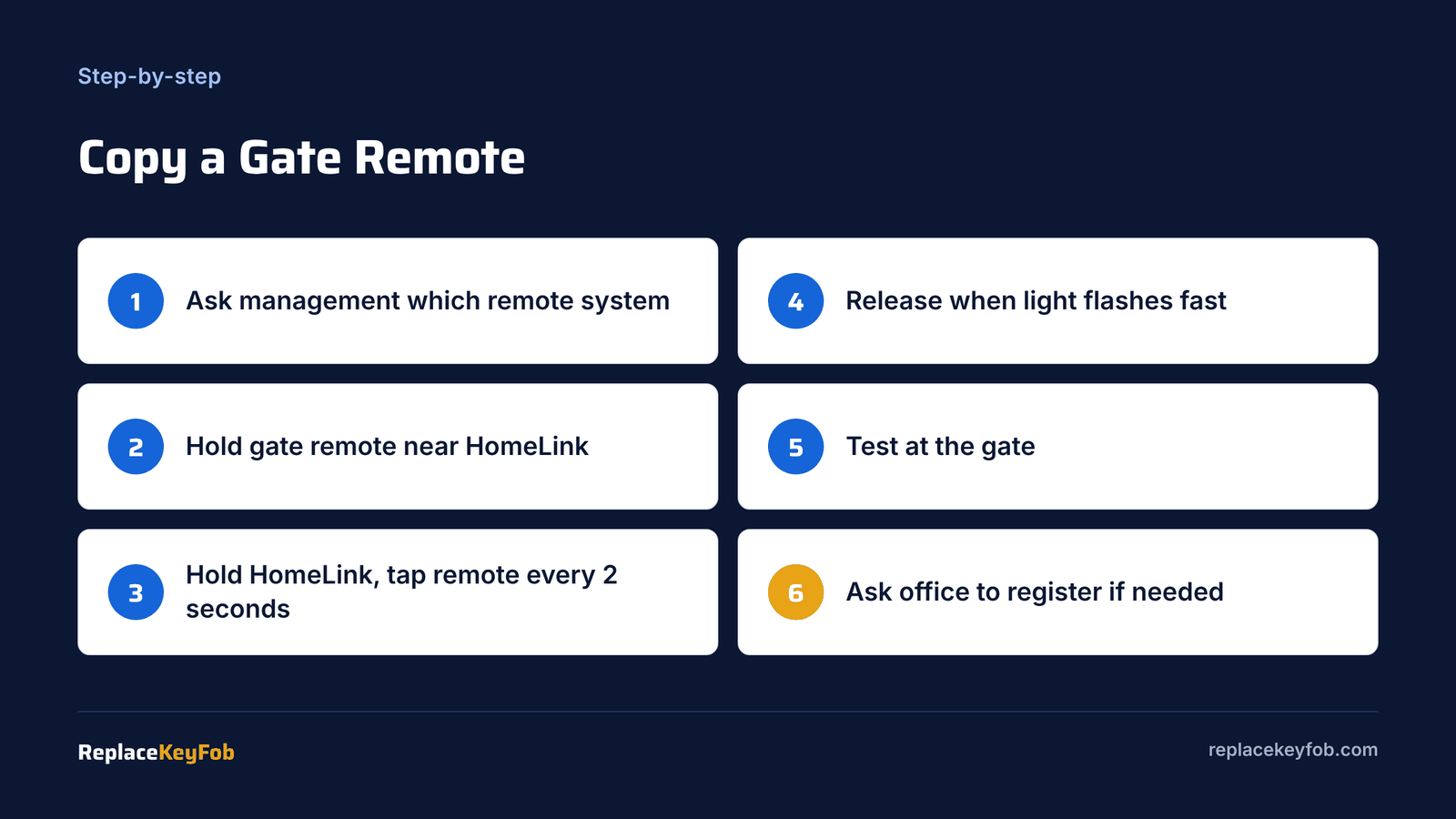
- Hold the gate remote 1 to 3 inches from the HomeLink button you want to use.
- Press and hold the HomeLink button. Keep holding it the whole time.
- While holding HomeLink, press and release the gate remote button every 2 seconds (press for about 1 second, release for about 1 second).
- Keep going until the HomeLink indicator changes from slow to rapid flashing. This can take up to about 20 seconds or more.
- Release both buttons.
- Drive to the gate and press the HomeLink button. Hold it for a couple of seconds.
Why the pulse method works: each fresh press starts a new transmission, so HomeLink keeps getting a clean signal long enough to identify the frequency and code.
If the light goes to rapid flashing and the gate opens, you are done. If the light flashes fast but the gate ignores you, the gate probably uses rolling code or a registered list. Go to Step 4.
Step 4: Rolling Code and Registered Gates
Rolling code gates
A rolling-code gate receiver has a learn button inside the gate operator or receiver box. You train HomeLink to the remote as above, then someone presses the learn button and you press HomeLink within about 30 seconds, two or three times. Since you usually cannot open the gate box, ask the office or gate technician to meet you. Many will do it during office hours or on a scheduled day.
ID-based access systems
Larger communities often use commercial receivers that keep a list of approved remote IDs. When HomeLink copies a fixed-code remote, it usually sends the same ID as the remote, so it may work right away. If the system expects a new ID for each device, the office needs to add your car. Some systems also log every opening by ID, so ask whether using the same ID in the car and remote is allowed.
When the answer is no
Some systems cannot be copied at all, such as gates that only open by keypad code, phone app, Bluetooth, RFID tag on the windshield or access card. In those cases, HomeLink is not the right tool. Ask about a windshield tag or the app.
Model and Brand Notes
HomeLink works the same in most cars, but where the buttons are and how the light behaves varies:
- Toyota, Honda, Subaru, Nissan, Hyundai and Kia: buttons are usually in the mirror or overhead console. The pulse method is in many of their manuals for gates.
- GM (Universal Remote System): similar steps; GM manuals describe a gate and Canadian programming procedure.
- BMW and Mercedes: the integrated opener follows the same principle. Mercedes indicators may change color when learning.
- Tesla: HomeLink is set from the touchscreen. If a gate will not train in Standard mode, Tesla’s HomeLink setup offers other modes on some cars.
- Ford with Car2U: some Ford models use Car2U rather than HomeLink, with different steps. Check your manual.
Our main HomeLink programming guide covers home garage door steps, which differ slightly from gates.
Troubleshooting Gate Programming
| Problem | Likely cause | Fix |
|---|---|---|
| Light never reaches fast flash | Remote stops transmitting | Use pulse method every 2 seconds |
| Light flashes fast, gate ignores car | Rolling code or ID list | Ask office to press learn or register |
| Works at short range only | Weak HomeLink signal or antenna angle | Hold button longer; aim windshield toward receiver |
| Gate opened during training | Parked too close | Train away from the gate |
| Worked, then stopped | Community changed codes or system | Ask office; retrain with new remote |
| Car opens neighbor’s garage | Copied a fixed code shared by others | Tell management; it is a security issue |
Range is a common complaint with gates. Gate receivers are often set back from the road, and the HomeLink antenna sits behind the windshield. Approach slowly and press as you get closer. If a dealer-tinted windshield has metallic film, it can also reduce range. For more general fixes, see car garage door opener (HomeLink) not working.
Rules and Etiquette
- Get permission. Copying a community remote into a car is normally fine for residents, but some HOAs require registration. Follow the rules so your access is not disabled.
- Do not share codes. A copied fixed code works for anyone who has it. Do not program a friend’s car without approval.
- Clear it when you move. Erase HomeLink before you sell the car or move out, and return the remote if the community asks.
- Keep the remote. If the community changes systems or HomeLink is cleared by a repair, you need the remote to retrain.
When to Call the Gate Company
Gate operators are commercial equipment, and residents should not open control boxes. Call the office or gate company if the gate does not respond to any remote, if you need a learn step, or if your remote stopped working. Replacement community gate remotes often cost about $25 to $75 each in 2026, and some HOAs charge a programming fee. A gate service call is billed to the community, not to you, in most cases.
If you are setting up your own home opener as well, see our Phase 5 guide on programming HomeLink to a Chamberlain or LiftMaster myQ opener.
Frequently Asked Questions
Often yes, if the gate uses a radio remote. Copy the remote with the pulse method. If the gate uses rolling code or a registered ID list, the office must press learn or add your car.
The car learned the signal, but the gate receiver does not accept it. That usually means rolling code or ID registration. Ask the property manager to complete the learn step.
Hold the gate remote 1 to 3 inches from the HomeLink button. Hold the HomeLink button and tap the remote every 2 seconds until the light flashes fast, then test at the gate.
No. HomeLink only copies radio remotes. Cards, RFID tags, Bluetooth and app-based gates need their own credentials.
In most communities residents can, but some HOAs require registration or charge a fee. Check the rules so your access is not disabled.