
How to Read Live Data on an OBD2 Scanner

Quick Answer
To read live data on an OBD2 scanner, connect the scanner to your vehicle’s diagnostic port, switch on the ignition as instructed, and select the live data or data stream menu. Choose a few relevant parameters, such as engine RPM, coolant temperature, short-term fuel trim, and airflow, then observe how their readings change under the correct operating conditions. Compare the results with manufacturer specifications instead of assuming one universal value applies to every vehicle.
Start With These Live Data Readings
- Engine RPM: Shows how fast the engine is turning and provides context for other readings.
- Coolant temperature: Helps you assess warm-up behavior and whether the engine has reached the required test conditions.
- Fuel trims: Show how the engine computer adjusts fueling to maintain the intended mixture.
- MAF or MAP: Reports airflow or intake manifold pressure, depending on the vehicle’s engine-management system.
- Oxygen or air-fuel sensor data: Helps assess exhaust feedback when interpreted according to the sensor type.
- Operating status: Indicates whether the engine is in a state suitable for interpreting the readings you selected.
Before You Diagnose a Fault
- Save existing diagnostic trouble codes and freeze-frame information before clearing anything.
- Record the engine temperature, RPM, and other conditions when you observe an unusual value.
- Use vehicle-specific service information to confirm whether the reading is abnormal.
Learning how to read live data on an OBD2 scanner can help you understand engine behavior, investigate a check-engine light, and decide what needs further testing. The key is knowing what each number represents and how different readings relate to one another.
In my automotive troubleshooting work, I treat scanner readings as diagnostic evidence rather than automatic instructions to replace a part. This guide explains the main parameters, how to interpret changing values, and when a professional diagnosis makes sense.
In This Guide
- What Is Live Data on an OBD2 Scanner?
- How Do You Access Live Data on an OBD2 Scanner?
- Which Live Data Parameters Should You Read First?
- How Do You Interpret Live Data Values?
- How Can Live Data Help Troubleshoot Engine Problems?
- What Mistakes Should You Avoid When Reading Live Data?
- Frequently Asked Questions
What Is Live Data on an OBD2 Scanner?
OBD2 live data is a stream of operating values and statuses reported by a vehicle’s electronic control module through its diagnostic connection. These values help you see what the computer is reporting at the time of the scan, rather than relying only on stored trouble codes.
A PID (Parameter ID) identifies an individual data item, such as engine speed, coolant temperature, or calculated engine load. The scanner requests supported parameters and displays their reported values in readable formats.
Live data versus diagnostic trouble codes
A diagnostic trouble code (DTC) identifies a system or condition that the vehicle’s diagnostic system has detected. Live data provides additional context that may help you investigate why that code appeared.
- Diagnostic trouble codes: Identify detected faults or conditions that require investigation.
- Live data: Shows current reported values and operating states.
- Freeze-frame data: Preserves selected operating conditions associated with a fault, when supported.
For example, a lean-mixture code does not automatically mean the oxygen sensor has failed. Fuel trims, airflow readings, operating status, and additional tests may help narrow the possible causes.
What can an OBD2 scanner display?
Basic scanners commonly focus on supported engine and emissions-related parameters. More capable tools may offer additional manufacturer-specific data or access to other control modules, depending on the vehicle and scanner.
The U.S. Environmental Protection Agency explains the role of onboard diagnostics in monitoring vehicle emissions systems and identifying potential malfunctions. Its vehicle and engine certification resources provide background on emissions-related requirements.
Section takeaway: Live data shows what the control module reports, not independent proof that a sensor or mechanical component is working correctly.
How Do You Access Live Data on an OBD2 Scanner?
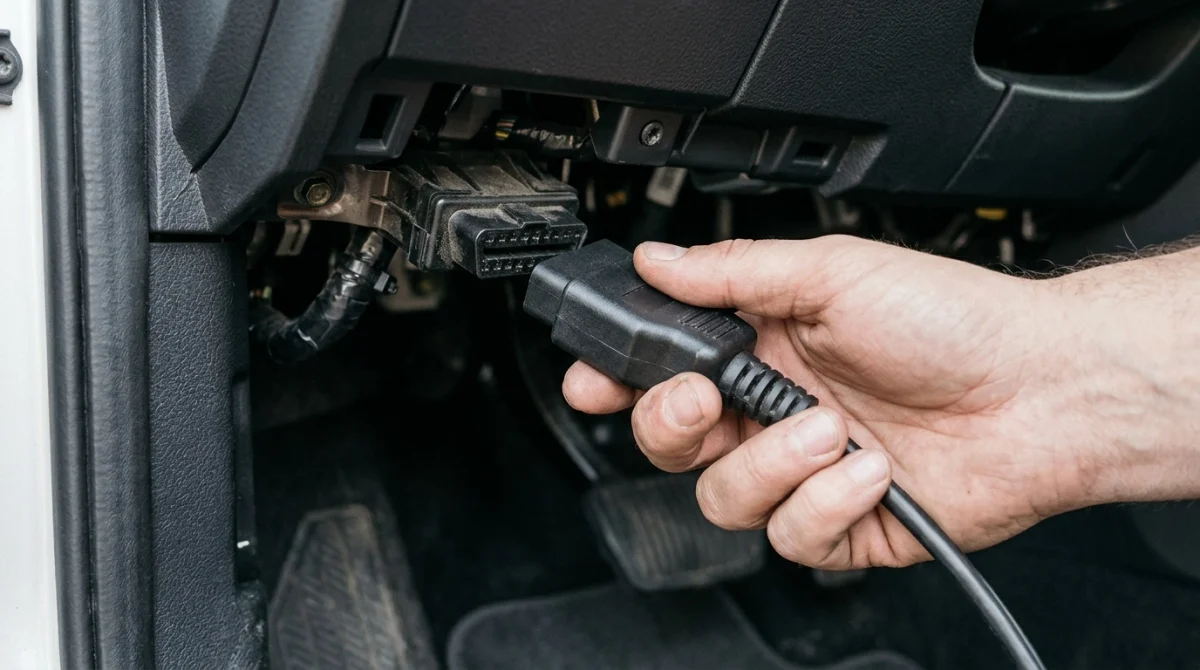
To access live data, connect a compatible scanner to the vehicle’s diagnostic connector and select its live data function. The exact menu names and ignition requirements depend on the scanner and vehicle.
Step 1: Locate the diagnostic connector
The OBD2 diagnostic connector is commonly located beneath the dashboard, often on the driver’s side. Check the owner’s manual if you cannot find it, and never force the scanner plug into the connector.
Step 2: Connect the scanner correctly
With the vehicle safely parked, connect the scanner and follow its instructions for switching on the ignition or starting the engine. Some checks require ignition-on engine-off conditions, while others need the engine running.
Locksmith’s note: If the connector is damaged, loose, or has pushed-back pins, stop forcing the adapter and have the connection inspected.
Step 3: Open the live data menu
Depending on the tool, the menu may be called Live Data, Data Stream, Current Data, or View Data. Select the appropriate vehicle system and choose the available parameters relevant to your concern.
Step 4: Select a small group of parameters
Start with a few related PIDs instead of selecting every available reading. Requesting too many values can make updates slower on some scanners, making brief changes harder to observe.
- Choose the parameter related to your symptom.
- Add supporting values that help explain it.
- Check units, sensor positions, and bank labels.
- Record the values and operating conditions.
Step 5: Observe the readings under appropriate conditions
Watch how the selected values behave during the test conditions specified by the vehicle manufacturer. A cold-start reading, warm idle reading, and steady higher-RPM reading may tell different parts of the same diagnostic story.
Do not operate a scanner while driving if doing so distracts you from traffic. Have a passenger monitor the display or use a safe stationary test whenever the diagnostic procedure permits.
Section takeaway: A repeatable test with a small set of relevant PIDs is usually more useful than a screen filled with unrelated numbers.
Which Live Data Parameters Should You Read First?
The most useful live data parameters depend on the problem you’re investigating. For many gasoline-engine concerns, RPM, coolant temperature, fuel-system status, fuel trims, airflow, and oxygen-sensor feedback provide a practical starting point.
Use this table to understand what each reading means and which conditions help you interpret it.
| Parameter | What it means | What to check |
|---|---|---|
| RPM | Reported engine speed in revolutions per minute. | Stability at idle and response to changing engine conditions. |
| ECT | Engine coolant temperature. | Cold-start plausibility and warm-up progression. |
| STFT | Short-term fuel correction. | Whether the computer is adding or removing fuel. |
| LTFT | Long-term learned fuel correction. | Persistent correction patterns under comparable conditions. |
| MAF | Mass of intake air reported per unit of time. | Whether airflow changes plausibly with engine operation. |
| MAP | Absolute pressure in the intake manifold. | Pressure changes relative to engine state and load. |
| O2 / A/F | Oxygen or air-fuel sensor feedback. | Sensor type, reported units, and expected operating behavior. |
| Fuel-system status | The reported fuel-control operating mode. | Whether conditions support interpreting fuel trims and exhaust feedback. |
Engine RPM and calculated load
RPM provides context for nearly every engine-related reading. A value observed at idle may not tell the same story as one recorded during acceleration or under a steady higher load.
Calculated engine load estimates how heavily the engine is working according to the control module’s calculation. It isn’t a direct measurement of engine power or a universal indicator of engine health.
Coolant temperature
Compare coolant temperature with ambient conditions before starting a cold engine, then observe its progression during warm-up. An implausible starting value, abrupt jump, or unexpected temperature trend deserves further investigation.
Temperature behavior can help direct testing toward the sensor circuit, thermostat, cooling system, or another cause. The reading alone cannot establish which component is faulty.
Fuel trims and oxygen-sensor data
Fuel trims are particularly useful when investigating mixture-related symptoms. Positive fuel trims generally indicate that the control module is adding fuel, while negative trims indicate that it is removing fuel, where conventional percentage-based fuel-trim PIDs are supported.
Oxygen and air-fuel ratio sensors provide additional context, but their signals differ by sensor design. Identify the sensor type before comparing its voltage, current, lambda, or equivalence-ratio reading with a reference.
Expert tip: Check the exact vehicle’s service information before applying a numerical limit or deciding that a particular sensor has failed.
How Do You Interpret Live Data Values?
To interpret live data correctly, examine the reading’s meaning, units, operating conditions, and relationship with other parameters. A single unusual value is a reason to investigate, not sufficient proof of a failed component.
Understand units and operating states
Before judging a number, confirm whether the scanner displays Celsius or Fahrenheit, kilopascals or another pressure unit, and percentages or another measurement. Also check whether the engine is cold, warm, idling, or operating under a particular load.
- Temperature: Compare the value with ambient conditions and the expected warm-up pattern.
- Pressure: Identify whether the value represents absolute pressure or another pressure measurement.
- Percentage: Determine whether it represents fuel correction, throttle position, calculated load, or a different parameter.
- Sensor status: Check whether the module reports the relevant sensor as supported and whether the test conditions are appropriate.
Compare related readings instead of isolated numbers
Imagine a vehicle with rough idle and a lean-mixture code. Positive fuel trims may show that the computer is adding fuel, but they do not identify the cause by themselves.
Compare the fuel trims with airflow, engine speed, exhaust feedback, and the change in readings between appropriate operating conditions. That combination can help narrow the diagnostic direction before any parts are replaced.
Graphing related PIDs can make changing patterns easier to recognize. It is particularly helpful when a reading fluctuates too quickly to interpret from a scrolling list of numbers.
Use manufacturer specifications for confirmation
Generic OBD2 data is useful, but the available parameters and expected behavior vary by engine design, model year, fuel type, and control strategy. Manufacturer-specific diagnostic information may provide additional definitions, test conditions, and limits.
The Ford OBD-II system operation reference illustrates how vehicle-specific diagnostic monitoring and operating conditions influence the interpretation of engine data. Its specifications apply to the documented vehicles and systems, not every car.
Section takeaway: Read every PID in context, compare related signals, and verify unusual patterns against the correct service information.
How Can Live Data Help Troubleshoot Engine Problems?
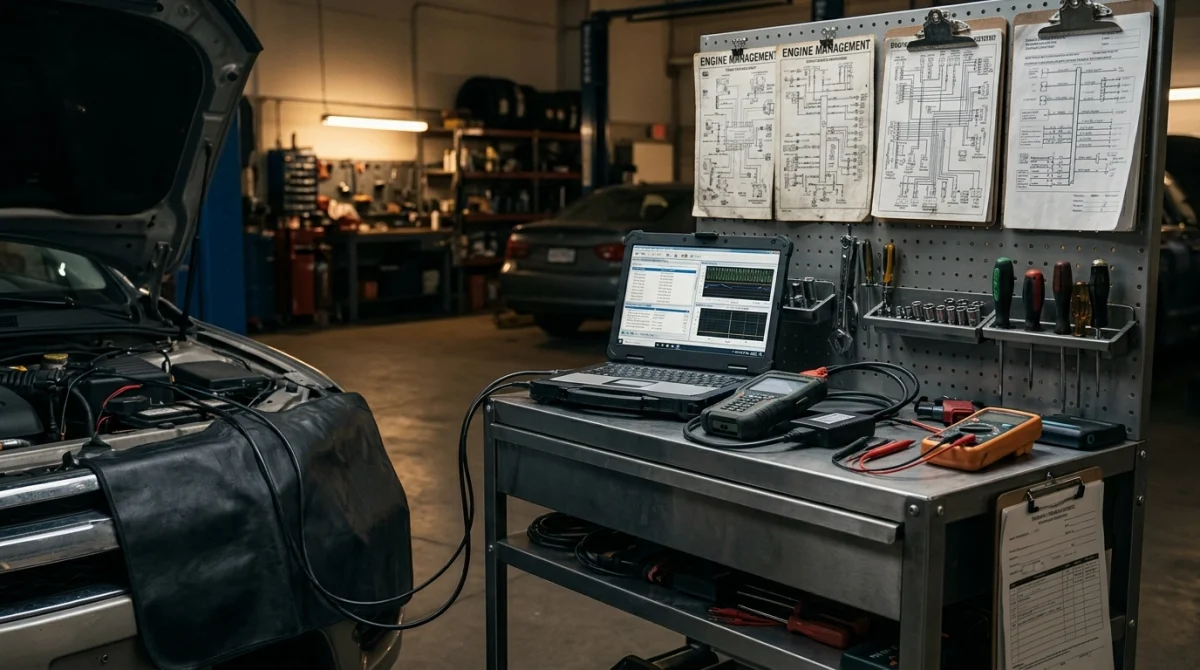
Live data helps you narrow possible causes by showing how the engine computer responds to current operating conditions. It works best alongside trouble codes, freeze-frame records, physical inspections, and appropriate diagnostic tests.
Rough idle or unstable engine speed
If the engine idles unevenly, monitor RPM alongside fuel trims and relevant airflow or pressure readings. Look for repeatable changes that occur with the symptom rather than relying on one snapshot.
Potential causes may include intake leaks, ignition problems, fuel-delivery issues, or other engine-management faults. Confirm the cause with the appropriate tests before replacing a component.
Lean-mixture or rich-mixture concerns
Fuel trims can help show whether the control module is compensating for a mixture imbalance. Compare short-term and long-term corrections under matching conditions, and check whether the pattern differs between engine banks when applicable.
- Positive correction concentrated at idle: Investigate possible unmetered air and other idle-related causes.
- Positive correction across multiple conditions: Investigate airflow measurement, fuel delivery, and other possible mixture causes.
- Different patterns between banks: Consider bank-specific issues and confirm the sensor and bank labels.
- Negative correction: Investigate possible rich-mixture causes using supporting measurements and service procedures.
These are diagnostic directions, not definitive rules. Engine strategy, sensor design, and operating conditions can change how a fault appears in live data.
Temperature-related concerns
If coolant temperature appears implausible, compare the initial reading with ambient temperature before starting the engine. Then observe whether the reported temperature changes consistently as the engine warms.
A sensor or wiring issue may produce an implausible signal, while an abnormal warm-up pattern may point toward a different cooling-system concern. Confirm the distinction with manufacturer-recommended tests.
Check the full diagnostic picture
In my troubleshooting approach, I avoid treating a sensor-related code as an automatic replacement instruction. A sensor can report a real problem elsewhere in the system, or its own circuit can be faulty.
Save the codes and freeze-frame data, document the live readings, and verify the likely cause before authorizing repairs. For repairs involving emissions controls, the EPA’s Freedom to Fix resources explain the importance of access to diagnostic and repair information.
Expert-referral note: If the engine runs severely rough, overheats, loses power dangerously, or has a flashing check-engine light, stop the test when safe and seek qualified assistance.
Section takeaway: Live data narrows the possibilities; a confirmed diagnosis requires evidence that identifies the actual cause.
What Mistakes Should You Avoid When Reading Live Data?
The biggest mistake is assuming that every vehicle should display the same values under every condition. Live data becomes useful when you account for the specific engine, the selected PID, and the conditions of the test.
- Using universal limits: Don’t apply a generic internet value as a pass-or-fail specification for every vehicle.
- Replacing parts from one reading: Confirm suspicious values with supporting evidence and appropriate tests.
- Ignoring operating conditions: Compare cold readings with cold conditions and warm-engine readings with the required test conditions.
- Misreading sensor types: Don’t interpret wideband air-fuel sensor data using a narrowband oxygen-sensor rule without confirmation.
- Selecting too many PIDs: Begin with a small group so important patterns remain clear.
- Clearing codes too early: Preserve trouble codes and available freeze-frame information before resetting diagnostic memory.
- Assuming missing data means failure: A parameter may be unsupported or unavailable through a particular scanner.
Safety matters, too. Keep clear of belts, fans, hot exhaust parts, and other moving or hot components when observing a running engine, and follow the manufacturer’s test procedure.
Section takeaway: Consistent test conditions, correct PID definitions, and supporting evidence are more reliable than guessing from a single number.
Frequently Asked Questions
Can I read OBD2 live data with a basic scanner?
Yes, if the scanner supports live data and your vehicle provides the parameters you need. Basic models may display fewer PIDs or lack graphing, recording, and enhanced manufacturer-specific functions.
Should the engine be running to read live data?
Not always. Some parameters can be viewed with the ignition on and the engine off, while other tests require a running engine or particular operating conditions. Follow the scanner’s instructions and the vehicle-specific procedure.
What are normal OBD2 live data values?
Normal values depend on the parameter, vehicle, engine, temperature, load, and operating strategy. Use generic values only as preliminary context, and confirm expected ranges with the manufacturer’s specifications for the exact vehicle.
Why does my OBD2 scanner show zero or unavailable data?
The vehicle may not support the selected PID, the scanner may lack access to that parameter, or the required operating conditions may not be present. Check compatibility, units, vehicle selection, and scanner documentation before assuming a component has failed.
Can live data tell me which sensor is bad?
Live data can help identify suspicious behavior and narrow the possible causes, but it rarely proves sensor failure by itself. Electrical checks, physical inspections, related readings, and manufacturer-specific diagnostic tests may be needed to confirm the fault.
Is graphing live data better than viewing numbers?
Graphing can make trends, fluctuations, and relationships between parameters easier to recognize. However, a graph still needs correct units, suitable sampling, appropriate test conditions, and comparison with reliable diagnostic information.
Should I clear trouble codes after checking live data?
Not before saving the existing codes and freeze-frame information. Clearing codes may remove useful diagnostic evidence and reset readiness monitors, so clear them only when appropriate for the repair and follow-up procedure.
Final Takeaway
Reading live data on an OBD2 scanner is about understanding patterns rather than memorizing numbers. Start with the symptom, select a few relevant PIDs, compare their behavior under controlled conditions, and confirm your findings with vehicle-specific service information.
If the readings remain confusing or point toward a safety-critical fault, consult a qualified automotive technician. A careful diagnosis can help prevent unnecessary parts replacement and lead to a more reliable repair.
Disclosure: This article is for general educational purposes and does not replace vehicle-specific service information or professional diagnosis.
