
iCarzone MA200 Plus Review: Is This OBD2 Scanner Worth It?

The iCarzone MA200 Plus is a handheld all-system OBD2 scanner with bidirectional tests and six maintenance functions. It can read and clear codes across vehicle modules, show live data and run supported active tests and service resets. It suits serious DIY mechanics and small shops, but check coverage for your exact car before you buy.
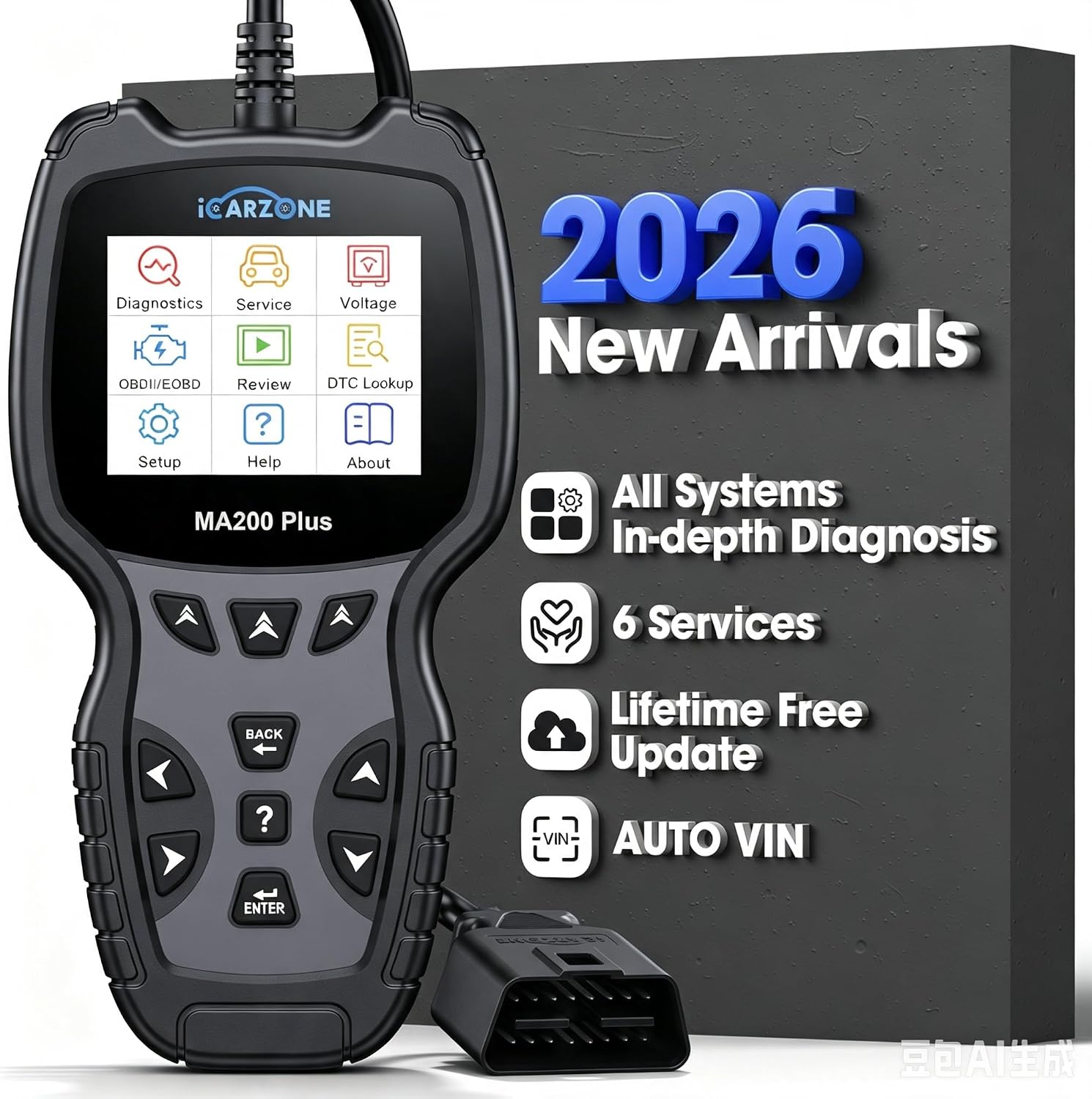
The iCarzone MA200 Plus is a handheld, all-system OBD2 diagnostic scanner with bidirectional testing and six maintenance functions. It helps car owners and technicians investigate faults, access vehicle modules, and perform supported service procedures.
This iCarzone MA200 Plus review examines its diagnostic capabilities, usability, vehicle coverage, and limitations. It targets serious DIY mechanics and small workshops needing more than a basic engine code reader.
Quick Verdict
🏆 My Quick Verdict
💡 Best For: Advanced DIY mechanics and independent technicians requiring multi-system diagnostics and active tests.
⚡ Key Specs:
2.8-inch TFT display, 320 × 240 resolution, 58 vehicle makes, six service functions, CAN FD, AutoVIN, 9–18V operating range.
✅ Bottom Line: The MA200 Plus offers useful diagnostic depth in a compact wired device. Its greatest attraction is combining active testing, service resets, and full-system scanning without recurring software subscriptions; vehicle-specific coverage remains essential.
At a Glance
- Provides manufacturer-listed full-system diagnostics across 58 vehicle makes.
- Supports bidirectional active testing on compatible vehicle modules.
- Includes oil, EPB, SAS, DPF, BMS, and TPMS service functions.
- Offers AutoVIN identification and newer CAN FD communication support.
- Displays live sensor readings, trouble codes, and diagnostic history.
- Includes lifetime software updates through a PC-based process.
iCarzone MA200 Plus Specifications
| Specification | Verified Detail |
|---|---|
| Manufacturer | iCarzone |
| Model | MA200 Plus |
| Display | 2.8-inch TFT LCD |
| Resolution | 320 × 240 pixels |
| Vehicle Coverage | 58 makes advertised |
| Maintenance Functions | 6 categories |
| Active Testing | Bidirectional, vehicle-dependent |
| Operating Voltage | 9–18V |
| Dimensions | 205 × 113 × 31 mm |
| Net Weight | Approximately 310 g |
| Updates | Lifetime free software updates |
Design & Build Quality
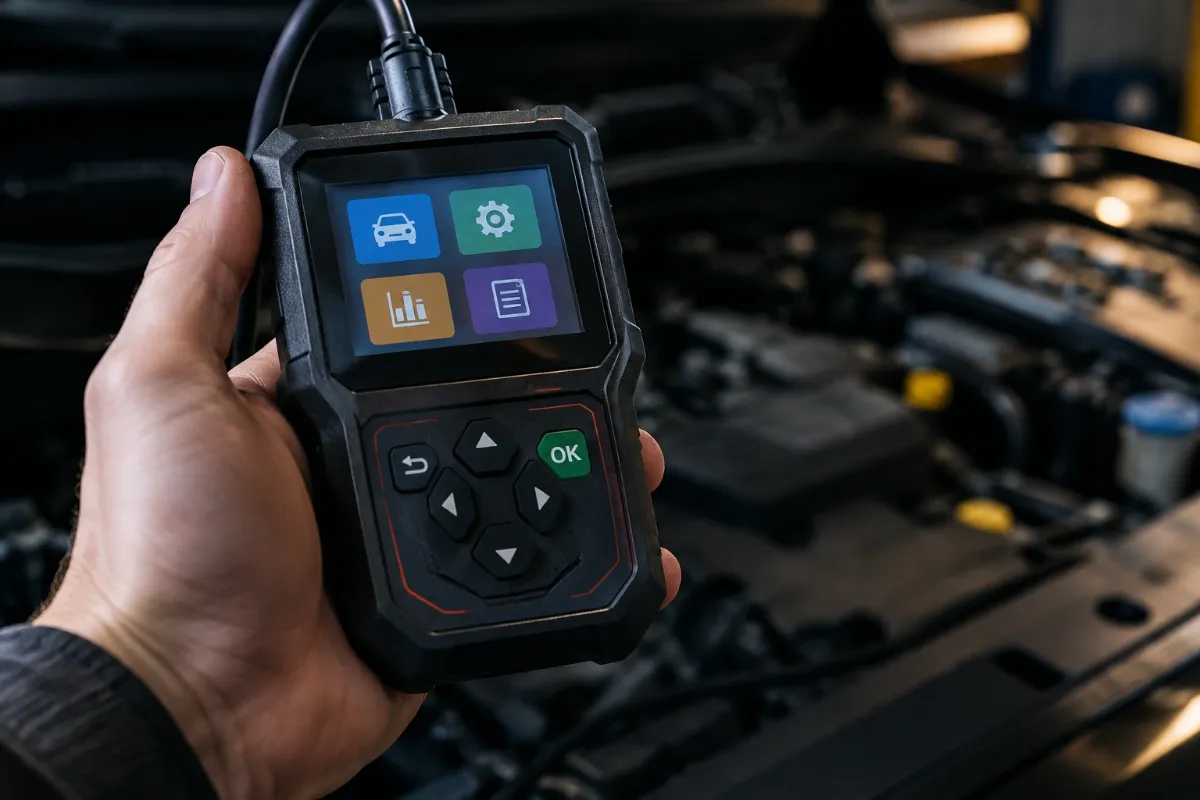
The MA200 Plus uses a compact handheld format with physical navigation buttons and a built-in color screen. Its wired connection eliminates smartphone pairing and reduces the number of components needed during diagnosis.
The manufacturer’s listed dimensions make it suitable for a small workshop drawer or portable diagnostic kit. Its approximately 310-gram weight also supports convenient handling around vehicles.
The 2.8-inch display prioritizes portability over screen space. Technicians frequently examining multiple data streams may prefer a larger tablet interface.
Setup, Installation & Ease of Use
- Check the packaging and supplied accessories against the manufacturer’s packing list.
- Locate the vehicle’s 16-pin diagnostic connector before beginning.
- Connect the scanner securely without forcing the connector.
- Follow the vehicle’s recommended ignition position for scanning.
- Allow AutoVIN to identify the vehicle when supported.
- Select the vehicle manually if automatic identification fails.
- Choose Auto Scan, Control Unit, or Service from the diagnostic menu.
- Record existing fault codes before performing any clearing operation.
- Store the scanner with its cable loosely coiled to reduce connector strain.
Core Performance & Diagnostic Capabilities
The MA200 Plus distinguishes itself through full-system scanning and bidirectional commands. Unlike basic readers, it can investigate supported modules beyond the engine computer.
Full-System Fault Detection
The manufacturer’s documentation identifies engine, ABS, airbag, transmission, and additional vehicle systems within its diagnostic coverage. Available modules depend on the particular vehicle’s electronic architecture.
Its automatic scan can identify accessible control units and report detected faults. Selecting an individual module can be more efficient when troubleshooting a known problem.
Live Data Analysis
Live data provides real-time information reported by compatible vehicle sensors and controllers. This is valuable when a fault appears only under particular operating conditions.
For example, comparing sensor readings with expected behavior can help narrow a diagnostic investigation. Measurements still require technical interpretation and appropriate reference values.
Bidirectional Active Tests
Bidirectional control allows supported components to receive diagnostic commands from the scanner. A technician may use an available output test to distinguish electrical control problems from mechanical failures.
However, command availability varies by ECU, make, model, and software coverage. Users should never assume every actuator or special function is supported.
Expert Insight
Bidirectional testing is most valuable when paired with a diagnostic procedure, wiring information, and known-good reference data. An actuator responding to a command does not automatically establish that its entire system operates correctly.
Diagnostic History and Reporting
Recorded information helps users compare faults before and after repairs. The manufacturer also lists diagnostic report printing through a connected Windows computer.
This feature is useful for workshop records and documenting recurring problems. Reports should preserve relevant fault information before stored codes are erased.
Key Features Explained
Six Maintenance Service Functions
The six categories include oil reset, electronic parking brake, steering angle sensor, diesel particulate filter, battery management, and tire pressure monitoring. These functions support common maintenance procedures, although exact operations differ substantially between vehicles.
AutoVIN Vehicle Identification
AutoVIN attempts to retrieve identifying vehicle information automatically, reducing manual selection. When identification fails, the manufacturer’s guidance recommends selecting the vehicle through the menu instead.
CAN FD Communication
CAN FD support expands communication possibilities on newer compatible vehicle platforms, including certain GM and Chrysler applications. Protocol support alone does not guarantee access to every protected control module or diagnostic function.
Lifetime Software Updates
iCarzone advertises lifetime free software updates for the MA200 Plus through a computer-based process. Owners must still follow the manufacturer’s update instructions and maintain access to compatible equipment.
Real-World Usability & Maintenance
The wired design suits users who prefer a dedicated diagnostic device instead of a phone application. Physical controls can also provide consistent navigation while working around a vehicle.
Keep connectors clean and avoid pulling the tool by its cable. Store it away from excessive heat, liquids, and locations where tools could damage the screen.
Regular software updates may expand supported functions or address compatibility problems. Always save important diagnostic information before resetting a module or changing service settings.
Pros & Cons
Pros
- Full-system access supports troubleshooting beyond ordinary engine codes.
- Bidirectional commands enable more targeted diagnostic procedures.
- Six maintenance categories make the tool useful during regular servicing.
- Lifetime updates avoid mandatory annual software renewal fees.
Cons
- The small display limits simultaneous viewing of complex information.
- Advanced functions are not universally available across supported vehicles.
- Software updating requires following a computer-based procedure.
Common Issues & Fixes
AutoVIN Does Not Identify the Vehicle
Automatic identification may fail on certain supported or unusual vehicle configurations. Select the correct make, model, and year manually, then verify compatibility.
Fault Codes Return After Clearing
Persistent mechanical or electrical problems can immediately trigger stored fault codes again. Investigate and repair the underlying problem before repeating code clearance.
A Service Function Is Unavailable
Some vehicle modules do not support every advertised diagnostic service. Confirm the exact function against the manufacturer’s vehicle coverage information and available updates.
What to Know Before You Buy
The manufacturer’s vehicle-make count does not represent universal compatibility with every model and production year. Check engine type, ECU generation, and individual service coverage before purchasing.
Battery management services should not be confused with comprehensive standalone battery load testing. Likewise, TPMS functions should be evaluated against the particular vehicle’s sensor system.
Protected gateway systems may introduce additional access requirements. The scanner’s published capabilities do not establish universal authorization for manufacturer-secured procedures.
For a simpler comparison, our LAUNCH G700 review explains the difference between everyday OBD2 diagnosis and advanced scanner capabilities.
Who Should Buy It / Who Should Skip It
✅ Who Should Buy It
- DIY mechanics managing several compatible vehicles.
- Small workshops requiring portable multi-system diagnostics.
- Users who need supported maintenance reset procedures.
- Technicians comfortable interpreting advanced vehicle data.
✗ Who Should Skip It
- Owners who only need basic check-engine code reading.
- Technicians requiring a large touchscreen interface.
- Buyers expecting universal programming or ECU coding.
- Anyone whose vehicle lacks the required function coverage.
Alternatives to Consider
ANCEL FX2000
Best For: Buyers primarily diagnosing engine, transmission, ABS, and airbag systems.
Main Advantage: Established four-system coverage with a straightforward handheld interface.
Trade-off: Narrower system coverage than the MA200 Plus.
Key Spec: 480 × 272 TFT display resolution.
Autel AutoLink AL519
Best For: Drivers needing standardized engine and emissions diagnostics.
Main Advantage: Ten OBD2 test modes and one-touch emissions readiness checking.
Trade-off: Not a substitute for full-system bidirectional diagnostics.
Key Spec: 320 × 240 TFT color display.
Is It Worth It?
The MA200 Plus offers compelling value when its advanced functions match the vehicles you maintain. Several supported repair and service tasks may otherwise require access to more specialized diagnostic equipment.
However, purchase value should be judged by actual vehicle coverage rather than the longest feature list. A less expensive scanner may suffice for occasional check-engine investigations.
Final Verdict
The iCarzone MA200 Plus is a capable midrange handheld diagnostic scanner for technically confident owners and independent workshops. Its combination of full-system access, active testing, and maintenance functions makes it worth considering after confirming compatibility.
Frequently Asked Questions
Does the iCarzone MA200 Plus work with every car?
No, compatibility depends on the specific vehicle and diagnostic operation. The manufacturer advertises coverage across 58 makes, but functionality varies by model, production year, and ECU.
Does it support bidirectional testing?
Yes, bidirectional active testing is a published MA200 Plus capability. Available commands depend on the supported control modules within the connected vehicle.
Can it register a replacement battery?
Yes, battery registration is included within its BMS service category for supported vehicles. Check your exact make and model before relying on this function.
Does the scanner require a subscription?
No, the manufacturer advertises lifetime free software updates. Updates use a computer-based process, and continued compatibility depends on the manufacturer’s software support.
How should I maintain and store the scanner?
Keep the device dry, clean, and protected from impact. Avoid sharp cable bends, inspect its connector regularly, and follow the published storage-temperature guidance.
What warranty comes with the MA200 Plus?
The exact warranty terms should be confirmed with the seller before purchase. Check the warranty duration, regional coverage, and return conditions in the current listing.
Affiliate disclosure: replacekeyfob.com earns a small commission when you purchase through links on this page — at no extra cost to you. Our editorial process is independent: affiliate relationships never influence which products we recommend or how we rank them.