
Why a Key Fob May Need Reprogramming After a Battery Change — and What to Check First

If your key fob stopped working right after a battery swap, don’t assume it needs dealer programming right away. In most cases, a battery replacement does not erase the fob’s memory. What usually happened is simpler: the new battery is the wrong type, installed backward, not making solid contact, or the fob needs a quick resync on a vehicle that’s picky about syncing.
I’ve seen plenty of fobs come back to life after one careful check of the battery and contacts. I’ve also seen owners spend money on a new fob or a dealer visit when the real problem was a bent battery tab or a coin cell that looked new but was weak.
Quick answer: does a key fob need reprogramming after a battery change?
Usually, no. A normal battery change should not wipe out the key fob’s programming.
That said, some vehicles do need a resync, reset, or model-specific relearn after the battery is replaced. In other words, the battery swap may not have caused a programming problem, but it can make an existing one show up.
The practical rule is this: check the battery installation first, then try a simple sync/reset if your vehicle supports it, and only then think about programming help.
Quick troubleshooting order
- Recheck the battery and contacts: polarity, battery code, fit, and case closure.
- Test the fob at close range: see whether the vehicle recognizes it, locks/unlocks, or detects it for start.
- Try a simple resync/reset: only if your vehicle’s owner steps support it.
- Get dealer or locksmith help: if the fob still fails after the basic checks.
Symptoms to check after the battery change
The symptom tells you where to look next.
If the fob does nothing at all
No lock, unlock, trunk, panic, or start response usually points to one of these:
– battery installed backward
– battery not seated tightly
– dirty or bent contacts
– wrong battery size or type
– dead replacement battery
– internal fob damage
If it works only sometimes
Intermittent operation is often a contact issue, not a programming issue. A fob that works when you squeeze the case or press the battery into place usually has poor contact inside.
If range got worse
Short range often means a weak battery, poor contact, or a fob case that isn’t fully closed. It can also mean the battery is the wrong spec even if it fits physically.
If the locks work but the car won’t start
That points more toward a smart key or proximity key issue than a basic remote problem. The remote functions may still work because those use one part of the system, while starting depends on the vehicle detecting the fob correctly.
A useful comparison is this: a traditional remote fob can still lock and unlock even when the start function is irrelevant, while a smart key may be “seen” by the car for entry but not for push-button start.
Most likely causes, in order of probability
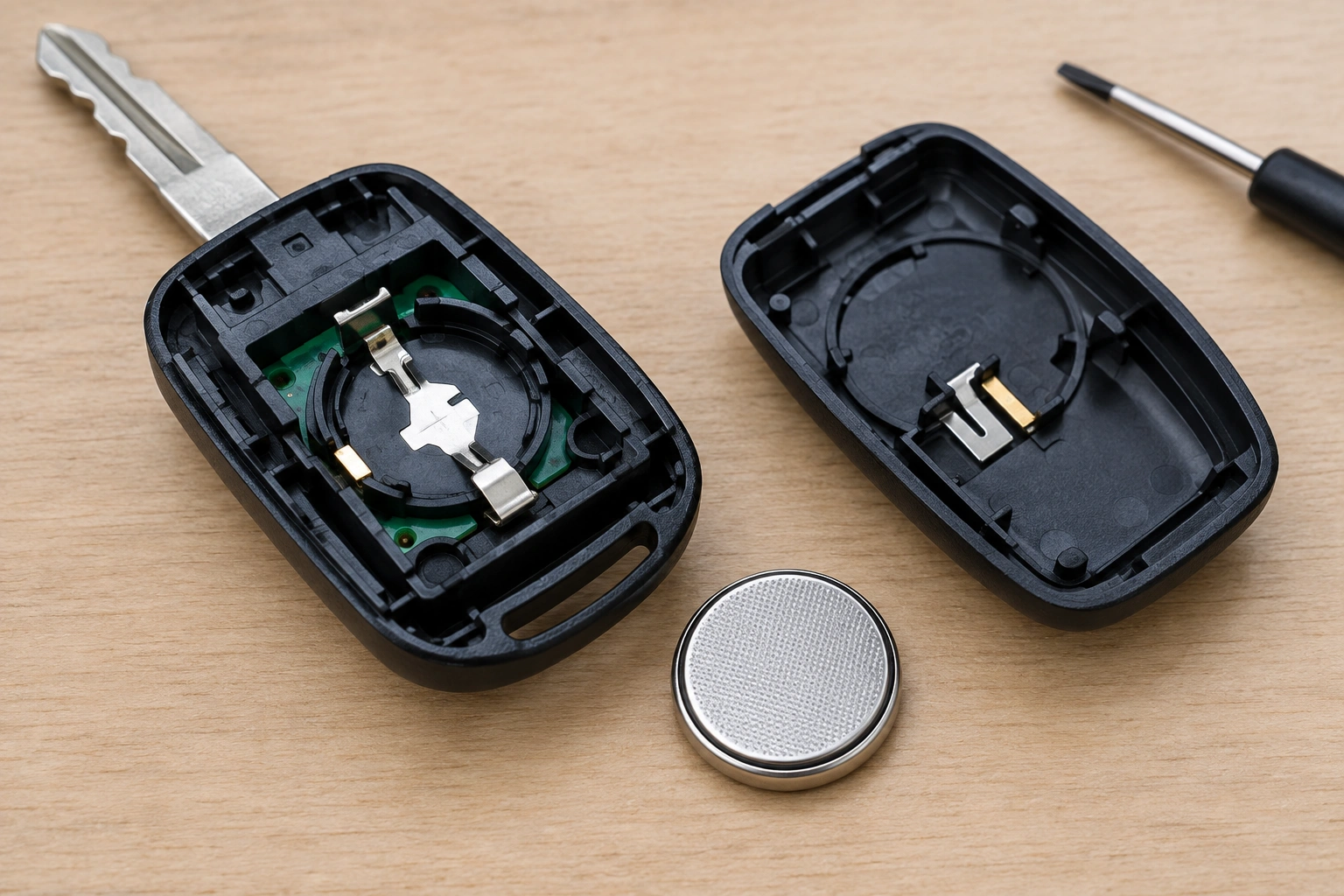
When a fob quits after a battery swap, I’d look at the simplest causes first.
1) Wrong battery type
The battery may fit but still be wrong.
2) Battery installed backward
This is one of the easiest mistakes to make. The positive and negative sides must match the markings inside the fob.
3) Battery not making solid contact
Even a correct battery can fail if the spring tab or metal contact is flattened, bent, dirty, or slightly out of position.
4) Case not fully snapped together
If the shell is loose, the battery can shift. That tiny movement can make the fob act dead.
5) The fob already had an internal problem
A battery change can expose a weak board, cracked solder joint, water damage, or corrosion that was already there.
6) The vehicle needs a resync
Some systems are more sensitive than others. That’s different from full reprogramming, and it’s usually less involved.
Step-by-step troubleshooting: start with the battery and contacts
Before you chase programming, make sure the fob can actually power up.
1) Confirm the battery code
Open the fob and read the battery number printed on the old cell. Match it exactly if possible.
2) Check polarity
Look for the plus sign and the orientation marks inside the fob. If there’s any doubt, pull the battery and reinstall it carefully.
3) Inspect the contacts
Look for:
– bent tabs
– corrosion
– grime
– a contact that sits too far away from the battery edge
If a tab is flattened, it may need to be gently raised so it presses the battery firmly. Be careful here. Overbending can crack the contact.
4) Snap the shell together fully
If the case halves don’t close cleanly, the battery can shift. That tiny movement can make the fob act dead.
5) Try a known-good battery
If you have another fresh battery from a reliable source, test it. A battery that is new but weak or poorly stored can still cause trouble.
Reprogramming vs resyncing vs resetting: what’s the difference?
These terms get mixed together a lot, but they are not always the same thing.
Reset or resync
This is usually a simple procedure that helps the fob and vehicle talk again after a battery change. It may involve button presses, ignition cycles, or a short sequence in the car.
Reprogramming
This is more involved. It usually means teaching the vehicle to recognize the fob again through a specific programming mode. Some cars let owners do this; others require professional tools.
What matters for you
If the fob stopped working only after the battery swap, a resync is more likely than a full programming failure. If the fob is lost in the system entirely, or if the vehicle security system is more complex, then you may need dealer or locksmith help.
Traditional remote fob vs smart/proximity key after a battery swap
These two systems can behave very differently.
Traditional remote fob
This type usually handles lock, unlock, panic, and trunk release. If it stops working after a battery change, the problem is often local to the fob itself: battery, contacts, or a simple sync issue.
Smart or proximity key
This type is more complex. The car has to detect the fob for entry and, in many vehicles, for push-button start. A weak battery may still let the car see the fob at close range, but not reliably enough to start the vehicle.
If your smart key unlocks the doors but the car says it can’t detect the key, that points toward a weak battery, a poor contact, or a vehicle-specific backup-start procedure rather than a dead remote section.
How to tell whether the problem is the fob or the car
This is where you avoid buying parts you don’t need.
The fob is more likely the problem if:
- the issue started right after battery replacement
- pressing the battery into place changes the behavior
- the fob has visible damage or corrosion
- the fob does not work even at close range, with a known-good battery
The car is more likely the problem if:
- both fobs suddenly stop working the same way
- the vehicle does not recognize the fob at close range, even though the battery and contacts are good
- the car only fails on one function, like remote locking, while other functions still work
- the vehicle has a receiver or keyless-entry issue
A good test is to stand close to the vehicle and try every fob function you expect to work. If the car still does not detect the fob, or if all functions fail consistently, that is a stronger clue that the issue is not just the battery.
If you have a spare key, compare the two. If the spare works normally, the car side is probably fine. If no spare is available, close-range recognition is one of the best non-spare-key checks.
When a battery change exposes an existing internal fault
Sometimes the battery change just reveals a weak fob that was already on its way out.
Watch for these signs:
– corrosion inside the case
– water exposure
– cracked circuit board
– buttons that feel mushy or don’t click consistently
– a battery compartment that no longer holds the cell firmly
– no response even with a known-good battery and tight contacts
Signs that point more to a simple battery/contact issue:
– the fob works when you press the battery or case together
– the problem comes and goes
– range is weak but not completely dead
– the fob starts working again after reseating the battery
Signs that point more to internal damage:
– no response with a known-good battery
– visible corrosion or liquid damage
– a broken battery clip or cracked board
– one button works while others do not, without any obvious contact issue
If the fob only works when you press on one corner, that often means an internal contact or board issue, not a programming issue.
When to consult a locksmith
If the battery, contacts, and simple reset steps don’t solve it, this is the point to bring in help.
A dealer or automotive locksmith is usually the right call when:
– the vehicle requires a security-system programming procedure
– the fob must be paired with the car again
– the car uses a complex smart-key system
– you’ve confirmed the battery and contacts are good, but the fob still won’t communicate
A locksmith can often be faster than a dealer for diagnosis, especially if the issue is a sync problem rather than a full replacement key situation. For broader vehicle-security context, the NHTSA is a good place to understand why modern key systems are so tightly tied to vehicle security.
How to prevent future key fob problems after battery changes
A few habits make the next battery swap much easier:
- buy the exact battery code the old cell uses
- install the battery with the correct polarity
- inspect the contacts before closing the case
- avoid forcing the shell shut if something doesn’t line up
- test the fob before putting the cover screws back, if your design allows it
- keep a spare battery in the glove box if your vehicle uses a common coin cell
That last step saves time when the fob starts acting weak in cold weather or after long storage.
FAQ
Will replacing the battery erase key fob memory?
Usually no. The battery powers the fob, but the programming is typically stored separately.
Why did my key fob stop working right after I changed the battery?
The most common reasons are wrong battery type, reversed polarity, poor contact, or a case that isn’t fully closed.
Can I reprogram the key fob myself?
Sometimes. It depends on the vehicle. Some cars allow a simple owner-side resync, while others need professional programming equipment.
Why does my smart key unlock the car but not start it?
That often means the fob battery is weak, the contacts are poor, or the vehicle needs the fob placed in a backup start location.
Can the fob itself be dead even with a new battery?
Yes. If the fob still fails with a known-good battery and clean contacts, the internal electronics may be damaged.
Should I keep trying different batteries?
Try one known-good battery first. If that doesn’t help, repeated swaps usually won’t fix a contact or programming issue.
If you want a related walkthrough, our guides on why a key fob won’t unlock the car after a battery change and what to do when a car key is not detected after battery change cover the next most common failure points.
