
Key Fob Not Detected on Push-Button Start: What to Check and How to Get Moving Again

When your dash says key fob not detected push button start, the car is telling you it can’t confirm that the smart key is close enough, powered well enough, or communicating clearly enough to authorize the start. On a push-button system, the fob, the vehicle’s receiver, and the start/authentication circuit all have to agree before the engine will fire.
That’s why this problem can feel confusing. A fob may still unlock doors but fail to start the car. A weak car battery may let the lights come on but still interfere with detection. And sometimes the fix is as simple as moving the fob out of a bag full of electronics or using the backup start method built into the vehicle.
Why Your Car Says “Key Fob Not Detected”
On push-button start vehicles, the start button is part of the authentication process. If the system can’t read the fob, it blocks starting as a theft-prevention measure.
The warning usually points to one of four areas:
- the fob battery is weak
- the car battery voltage is low
- the fob is too far away or being blocked by interference
- the fob, receiver, or start-button electronics have a fault
A useful way to think about it: the car is not always saying “your key is dead.” It may be saying, “I can’t reliably read your key right now.”
That distinction matters because the fix can be very different. Replacing a CR2032 battery is a quick DIY job. Diagnosing a weak vehicle battery or a failing receiver usually takes testing.
For a general overview of smart-key and starting-system behavior, NHTSA’s vehicle safety resources are a solid place to understand how modern vehicle electronics fit together.
Fastest Emergency Start Workarounds
If you need the car running now, use the vehicle’s backup start method before you assume the fob is dead.
Most push-button start vehicles use one of three common backup-start patterns:
- Touch the fob to the start button. Some vehicles can read the fob when it is held directly against the button while your foot is on the brake.
- Place the fob in a marked backup slot or pocket. This may be in the center console, cupholder area, or another labeled location.
- Hold the fob near a reader area. On some models, the reader is in the steering-column area or another marked spot on the dash or console.
Try this order:
- Put the fob directly against the start button, in the backup slot, or in the marked reader area shown in the owner’s manual.
- Keep your foot on the brake, then press the start button as usual.
- If the car still won’t recognize it, remove other electronics from the area and try again.
- If you have a spare fob, test that one next.
Some vehicles require the fob to touch the start button, while others use a marked slot or pocket. The exact location varies by make and model, so the owner’s manual is the best source for the correct backup position. If you don’t have the paper copy, the manufacturer’s online manual usually spells it out.
A good emergency workaround gets you moving. It does not solve the underlying cause, so treat it as a bridge to diagnosis, not the final fix.
Check the Key Fob First: Battery, Damage, and Range
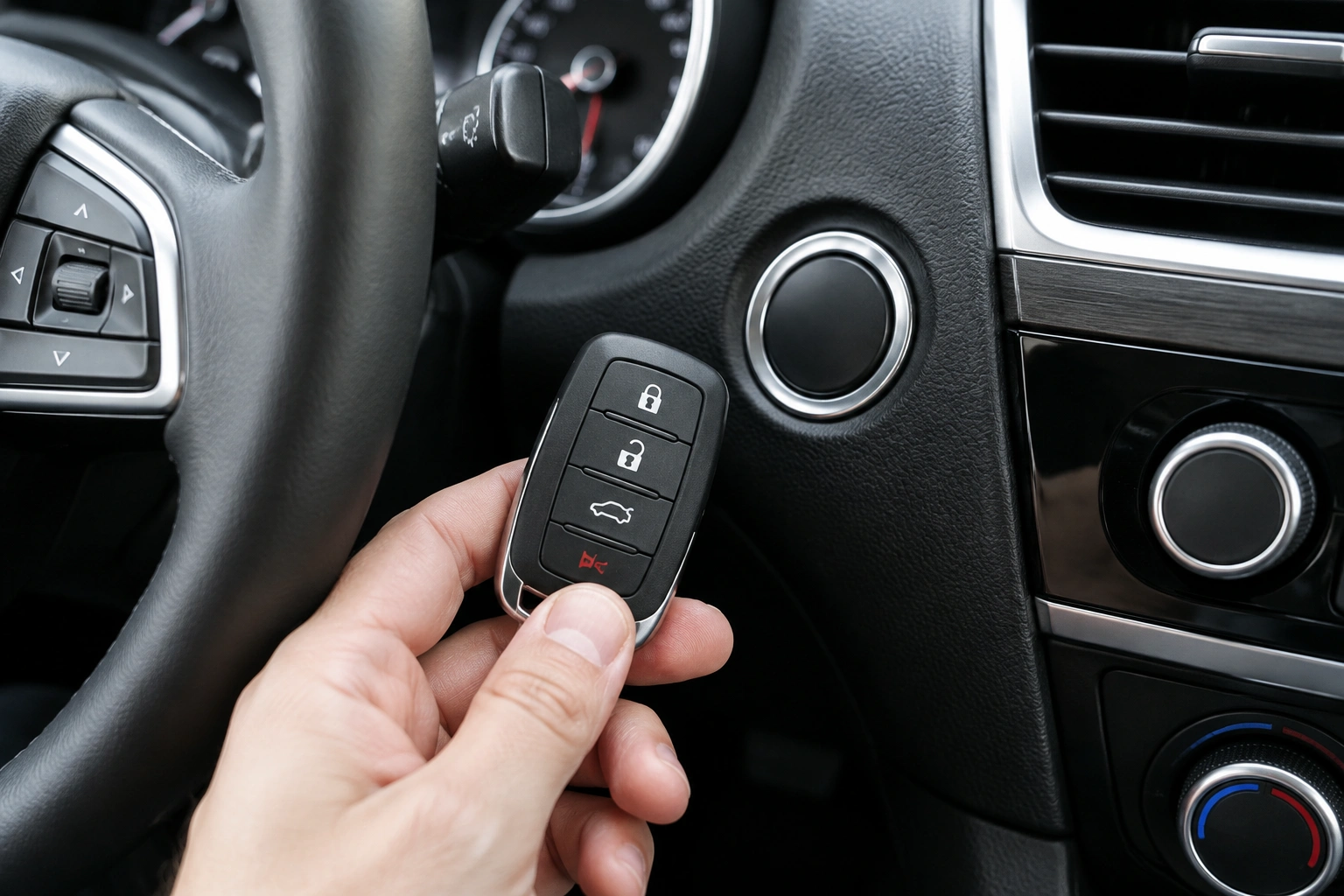
The fob itself is the easiest place to begin because it’s the simplest part to inspect.
Signs the fob battery may be weak
A weak fob battery often shows up as:
– shorter operating range than usual
– intermittent lock/unlock response
– the car detecting the fob only sometimes
– a warning that appears after the vehicle has sat overnight
If your fob uses a CR2032 battery, that’s a common coin-cell type, but not every fob uses the same size. Open the fob carefully and confirm the battery type before buying a replacement.
Physical damage matters too
A fob that has been dropped, soaked, or cracked can behave like a battery problem even when the battery is new. Corrosion on the contacts, loose buttons, or a damaged circuit board can all interrupt signal transmission.
Range clues that help narrow it down
If the fob works only when it’s inches from the car, the battery or antenna in the fob may be weakening. If it works normally for locking and unlocking but not for starting, the issue may be more about how the vehicle is reading the fob during authentication.
That’s why a battery replacement is a smart first move, but not the only one.
Rule Out Interference and Positioning Problems
Radio frequency interference can block the car from detecting the fob, especially when the warning comes and goes.
Common troublemakers include:
– a smartphone sitting next to the fob
– another key fob in the same pocket or bag
– metal objects that shield the signal
– electronic devices or chargers near the fob
If the warning is intermittent, try this simple test:
- Take the key fob out of your pocket, purse, or cupholder.
- Move your phone and other electronics away.
- Stand close to the driver door or start button.
- Try starting again.
This is worth doing before you buy parts. A number of owners find that the problem is caused by a phone, a second fob, or a crowded key ring creating signal problems.
If the problem disappears when the fob is held alone, interference was likely the culprit.
Key Fob Battery vs. Car Battery: How to Tell the Difference
A weak fob battery and a weak vehicle battery can produce similar-looking symptoms, but the rest of the car usually gives clues.
| Symptom | More likely key fob battery | More likely car battery |
|---|---|---|
| Door unlock range is reduced | Yes | No |
| Car starts only when fob is held near start button | Yes | Sometimes |
| Dash lights are dim | No | Yes |
| Multiple electrical warnings appear | No | Yes |
| Car clicks but won’t fully start | No | Yes |
| Spare fob works normally | Yes, on the original fob | Less likely |
| Problem shows up after the car sits overnight | Yes or yes | Yes |
A weak vehicle battery can affect the smart key system because modern cars are voltage-sensitive. If the battery is low, the car may not power the receiver and start logic consistently, even if some accessories still work.
A few quick checks help:
– Are the interior lights dim?
– Does the dash flicker?
– Does the car crank slowly or click instead of starting normally?
– Do you need repeated no-start attempts after short trips?
– Are there warning lights beyond the key or ignition system?
– Does the car struggle after sitting for a day or two?
If the answer is yes to several of those, test or charge the vehicle battery before chasing the fob too hard. If the battery is clearly weak, low, or recently discharged, start there first.
For broader battery and starting guidance, Edmunds’ car battery advice can help you understand how low voltage affects vehicle behavior.
Try the Spare Key Fob
A spare fob is one of the best diagnostic tools you have.
If the spare works and the main fob does not, the vehicle is probably fine. That points to a problem with the original fob battery, internal electronics, or programming.
If both fobs fail in the same vehicle, the issue is more likely with the car itself:
– weak vehicle battery
– receiver or antenna problem
– start button electronics
– synchronization problem in the smart key system
That comparison saves time and money. It also helps you decide whether to keep troubleshooting at home or move to professional service.
If you don’t have a spare, that’s a good reason to consider getting one once the immediate problem is solved. It’s a simple backup that can prevent a roadside headache later.
When Replacing the Fob Battery Solves It — and When It Won’t
Replacing the fob battery is the right first DIY repair when the fob is old, inconsistent, or obviously weak.
It may solve the issue if:
– the fob unlocks the car weakly or intermittently
– the warning appears occasionally
– the backup start method works after the battery is replaced
But a fresh battery will not fix everything. If the warning continues after replacement, the problem may be:
– a damaged fob
– a loose battery contact
– a synchronization issue in the passive entry/passive start system
– RF interference
– a vehicle-side receiver fault
A common mistake is assuming a new battery guarantees a healthy fob. It doesn’t. The battery is only one part of the system.
When the Fob Needs Reprogramming or Replacement
If the fob battery is good, the spare works, and the car still refuses to detect the main fob, the original may need reprogramming or replacement.
That can happen when:
– the fob has internal damage
– the transponder chip has failed
– the buttons or battery contacts are worn
– the fob lost synchronization with the car’s smart key system
This is where the distinction between a temporary workaround and a permanent repair matters. Holding the fob near the start button may get you home, but it won’t fix a dead chip or a broken circuit board.
If the fob is physically damaged, replacement is often more practical than repeated attempts to revive it. If it seems healthy but simply won’t sync, a locksmith or dealer can verify whether reprogramming is possible.
When to Consult a Locksmith
Call a locksmith, dealer, or mechanic if:
- both fobs fail
- the backup start method does not work
- the warning keeps returning after a battery change
- the car shows other electrical symptoms at the same time
- the fob is damaged or water-exposed
- you suspect the vehicle battery is weak and the car won’t hold a charge
A locksmith is often the best first call when the issue appears to be fob-related, especially if you need testing, reprogramming, or a replacement key on the spot. On many vehicles, a locksmith can replace and program the fob. On others, immobilizer or security restrictions mean dealer-level programming or access is required. A mechanic is a better fit when the car battery, start button, or receiver system needs diagnosis. A dealer may be necessary for certain model-specific programming or security procedures.
If you want a deeper look at key programming and tooling options, see our guide to OBD2 scanners with key programming support. For a broader starting point on batteries and remote issues, our key fob battery replacement guides can also help.
How to Prevent Repeat Detection Problems
A few habits reduce the odds of seeing this warning again:
- replace the fob battery before it is completely dead
- keep the fob away from phones and heavy metal key rings when possible
- store a spare fob in a safe place
- check the vehicle battery if the car has been sitting for a while
- avoid ignoring intermittent warnings
Intermittent detection problems usually get worse before they get better. If the car starts acting flaky, treat that as an early warning instead of waiting for a full no-start.
Quick Decision Guide
If you want the shortest path to a fix, use this order:
- Try the backup start method.
- Replace the fob battery if it’s old or weak.
- Test the spare fob.
- Check for interference from phones or other electronics.
- Inspect the vehicle battery and look for low-voltage symptoms.
- If none of that works, contact a locksmith or dealer.
That sequence covers the most useful checks without wasting time on the wrong repair.
FAQ
Can I still start my car if the key fob is not detected?
Often yes, using the vehicle’s backup start method. The exact placement varies by model, so check the owner’s manual for the designated spot or slot.
Will replacing the key fob battery fix the problem?
Sometimes. It helps when the fob battery is weak, but it will not fix a damaged fob, a weak car battery, or a receiver problem.
Why does my car detect the fob sometimes and not others?
Intermittent detection often points to a borderline fob battery, RF interference, low vehicle voltage, or a loose internal connection in the fob.
What if the spare key fob works?
That usually means the vehicle is fine and the original fob is the issue. The main fob may need a battery, repair, or replacement.
Could my phone really block the signal?
Yes. Phones and other electronics can interfere with detection, especially when they’re pressed right against the fob in a pocket or bag.
Do I need a dealer for this?
Not always. A locksmith or mechanic can often handle battery-related troubleshooting, testing, and many reprogramming jobs. Dealer help is more likely if the vehicle needs model-specific security procedures.
Can a weak car battery cause a key fob warning?
Yes. Low voltage can affect the smart key and start system, even if some lights or accessories still work.
What if the warning appears after the car sits overnight?
That pattern often suggests a borderline fob battery, a weak vehicle battery, or both. It’s a strong clue to test voltage rather than assuming the fob is bad.
What if the warning appears intermittently but the car still starts?
Treat it as an early warning. Try the spare fob, check for interference, and test the vehicle battery before the problem becomes a no-start.
