
KONNWEI KW906 Bluetooth OBD2 Scanner Review: Worth It?

The KONNWEI KW906 Bluetooth OBD2 Scanner is a compact wireless diagnostic adapter that connects a vehicle’s OBD-II port to a compatible phone or tablet. Its primary use is reading and clearing engine-related diagnostic trouble codes, checking emissions readiness, and viewing live sensor data through an app.
This KONNWEI KW906 review is aimed at DIY drivers who prefer smartphone-based diagnostics over a dedicated handheld screen. It sits in the entry-level wireless scanner category, prioritizing portability and standard OBD-II coverage rather than advanced workshop functions.
🏆 My Quick Verdict
💡 Best For: DIY drivers wanting compact smartphone-based engine and emissions diagnostics.
⚡ Key Specs:
Bluetooth 5.0; Android and iOS support; approximately 5 × 4 × 2.5 cm; ON/OFF switch; standard OBD-II protocol support.
✅ Bottom Line: The KW906 is practical for everyday check-engine and emissions troubleshooting. Its main limitation is that verified documentation focuses on standard OBD-II functions rather than advanced full-system diagnostics.

At a Glance
- Bluetooth 5.0 connects the scanner to compatible Android and iOS devices.
- The compact body measures approximately 5 × 4 × 2.5 cm.
- It reads and clears supported OBD-II diagnostic trouble codes.
- Live data, freeze-frame information, and I/M readiness are supported.
- A built-in ON/OFF switch reduces the need for repeated unplugging.
- Published capabilities center on engine and emissions diagnostics.
Specifications
| Specification | Verified Detail |
|---|---|
| Brand | KONNWEI |
| Model | KW906 |
| Connection | Bluetooth 5.0 |
| Devices | Android and iOS |
| Interface | 16-pin OBD-II |
| Approximate Size | 5 × 4 × 2.5 cm |
| Core Functions | Read/clear codes, live data, freeze frame, I/M readiness |
| Protocol Families | J1850 PWM/VPW, ISO 9141-2, ISO 14230-4 KWP, ISO 15765-4 CAN |
Design & Build Quality
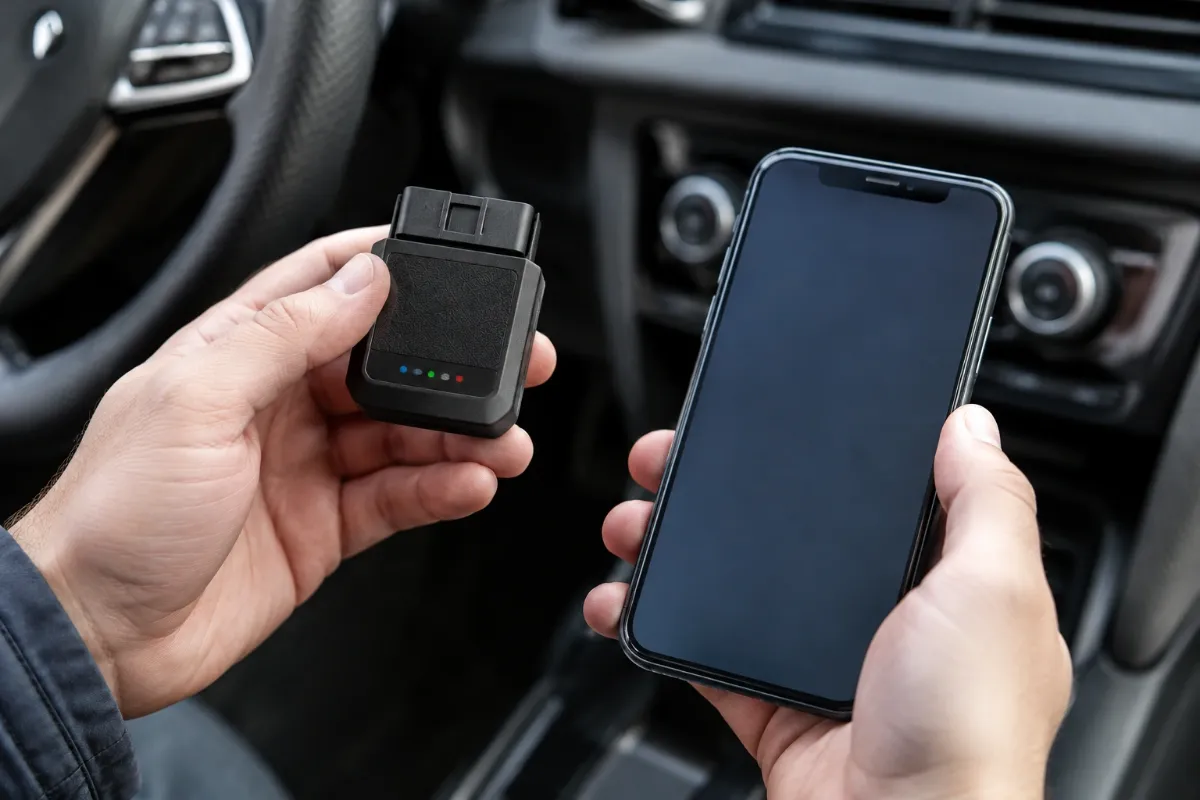
The KW906 uses a very small plug-in adapter format rather than a cable and handheld display. Its footprint makes it easy to store in a glove box or toolbox.
The built-in power switch is particularly useful. It lets you control the adapter without repeatedly removing it from the diagnostic connector during short troubleshooting sessions.
No verified impact or water-resistance rating was found. Treat the KW906 as an electronic accessory that should be protected from moisture, drops, and extreme temperatures.
Setup, Installation & Ease of Use
- Locate the vehicle’s 16-pin OBD-II connector, commonly found beneath the dashboard.
- Insert the KW906 firmly into the diagnostic port and switch it on.
- Install a compatible OBD-II application on your phone or tablet.
- On Android, pair through Bluetooth settings when required and select KONNWEI in the app.
- On iOS, compatible apps may establish the Bluetooth LE connection from inside the application.
- Turn the ignition on and confirm that both adapter and ECU connections are active.
- Keep the adapter dry and switch it off or remove it when diagnostics are finished.
Core Performance & Feature Breakdown
The KW906’s strongest role is standard OBD-II engine and emissions troubleshooting. It retrieves supported diagnostic trouble codes and can clear them after the underlying repair has been completed.
Live-data support can include engine RPM, vehicle speed, coolant temperature, calculated engine load, throttle position, intake temperature, fuel trim, and other parameters. The available data depends on the vehicle and diagnostic application.
Emissions functions include I/M readiness and freeze-frame information, plus supported O2, EVAP, onboard-monitor, and vehicle-information data. These tools are useful for understanding check-engine warnings and emissions-monitor status.
Expert Insight
The adapter is the communication bridge between your vehicle and diagnostic software. Missing data can result from vehicle PID support or app configuration, not necessarily a faulty scanner.
The phone functions as both the display and user interface. That keeps the hardware compact, although the experience depends partly on app compatibility and correct Bluetooth settings.
Key Features Explained
Bluetooth 5.0 Connectivity
Bluetooth 5.0 sends diagnostic information to compatible Android and iOS devices without a built-in display. A compatible phone and diagnostic app are therefore required.
Code Reading and Clearing
The scanner retrieves supported OBD-II trouble codes and clears them when requested. Clearing codes does not repair faults and can reset emissions readiness monitors.
Live Data
Compatible apps can display real-time ECU parameters including RPM, speed, temperature, fuel trim, and engine load. Individual PID availability varies between vehicles.
Emissions Readiness Tools
I/M readiness and freeze-frame information help drivers understand emissions-monitor status. They are useful before inspections but cannot guarantee an emissions-test pass.
Real-World Usability & Maintenance
The KW906 suits occasional troubleshooting because it is small enough for permanent glove-box storage. There is no dedicated scanner display or battery to maintain.
App selection has a major effect on usability. Different applications can organize identical ECU information differently, and connection procedures vary between Android and iOS.
Keep the connector clean and dry and avoid severe heat, impact, or moisture. Follow vehicle-specific precautions whenever the adapter is connected.
Pros & Cons
Pros
- Compact hardware is easy to store and carry.
- Supports compatible Android and iOS devices.
- Covers codes, live data, freeze frame, and I/M readiness.
- The ON/OFF switch improves everyday convenience.
Cons
- A compatible phone and diagnostic app are required.
- Verified documentation focuses mainly on standard OBD-II diagnostics.
- Bluetooth setup differs between operating systems and apps.
Common Issues & Fixes
The App Cannot Find the Scanner
The adapter may be off or the incorrect Bluetooth mode may be selected. Confirm power and choose the correct Bluetooth or Bluetooth LE connection inside the app.
The Adapter Connects but No ECU Data Appears
The ignition state, protocol selection, or app configuration may be incorrect. Reconnect with the ignition on and make sure only one diagnostic application is communicating with the adapter.
A Cleared Trouble Code Returns
The underlying vehicle fault is probably still present or has reoccurred. Diagnose the cause instead of repeatedly erasing the code.
What to Know Before You Buy
The KW906 is centered on standard OBD-II diagnostics, so do not assume universal ABS, SRS, key programming, coding, or bidirectional functions. Buyers requiring those capabilities should choose a scanner with verified vehicle-specific support.
Compatibility also depends on the vehicle actually supporting the required OBD-II protocol and data. Model year alone should not be treated as an absolute compatibility guarantee.
For buyers wanting a dedicated screen, see our V380 OBD2 Scanner review. For substantially deeper smartphone diagnostics, compare our XTOOL Anyscan A30M V2.0 review.
Who Should Buy It / Who Should Skip It
✅ Who Should Buy It
- DIY drivers investigating check-engine lights from a smartphone.
- Owners wanting live engine and emissions data.
- Drivers prioritizing small, easily stored diagnostic hardware.
- Users comfortable configuring mobile diagnostic applications.
✗ Who Should Skip It
- Buyers wanting a scanner with its own screen.
- Technicians needing bidirectional tests or coding.
- Users requiring verified full-system module access.
- Anyone unwilling to configure Bluetooth and mobile apps.
Alternatives to Consider
V380 OBD2 Scanner
Best For: Drivers preferring a standalone wired code reader.
Main Advantage: Built-in color display without Bluetooth pairing.
Trade-off: It lacks the KW906’s compact wireless-phone approach.
Key Spec: OBD-II codes, live data, freeze frame, and I/M readiness.
XTOOL Anyscan A30M V2.0
Best For: Serious DIY users needing deeper diagnostics.
Main Advantage: Full-system scanning and bidirectional functions on supported vehicles.
Trade-off: Greater complexity than a basic OBD-II adapter.
Key Spec: Smartphone-based full-system diagnostics and active tests.
Is It Worth It?
The KW906 is worth considering when you want portable access to standard OBD-II information through a phone. It covers the everyday tools needed to investigate many check-engine and emissions-related situations.
Its value depends on realistic expectations. It makes sense for basic wireless diagnostics, while advanced module access and professional service procedures require a more capable scanner.
Final Verdict
The KONNWEI KW906 is a strong fit for DIY drivers wanting compact Bluetooth diagnostics for codes, live data, freeze frame, and emissions readiness. Choose a higher-level tool instead if verified full-system or bidirectional capability is essential.
Frequently Asked Questions
Does the KONNWEI KW906 work with iPhone and Android?
Yes, verified documentation supports both iOS and Android devices. Connection steps can differ by operating system and diagnostic application.
Will the KW906 work with every 1996-and-newer car?
No scanner should be assumed compatible solely from model year. The vehicle must support OBD-II communication and the diagnostic data you want to access.
Can the KW906 read and clear check-engine codes?
Yes, it supports reading and clearing standard OBD-II diagnostic trouble codes. Clearing codes should follow diagnosis or repair of the underlying problem.
Does it read ABS, airbag, or transmission codes?
Those are not verified as universal KW906 functions. The documentation reviewed primarily describes standard OBD-II engine and emissions diagnostics.
What maintenance does the KW906 require?
Keep the adapter clean, dry, and protected from severe impact or temperatures. Switch it off or remove it when appropriate after diagnostic work.
What warranty does the KONNWEI KW906 include?
A specific warranty duration could not be reliably verified for the supplied listing. Confirm the exact seller or manufacturer warranty terms before purchasing.
Affiliate disclosure: replacekeyfob.com earns a small commission when you purchase through links on this page — at no extra cost to you. Our editorial process is independent: affiliate relationships never influence which products we recommend or how we rank them.