
LAUNCH CRP123 V2.0 Review: Is It Worth Buying?

The LAUNCH CRP123 V2.0 OBD2 Scanner is a handheld automotive diagnostic tool covering four major vehicle systems and three maintenance reset services. It helps vehicle owners and independent technicians investigate warning lights, retrieve fault codes, and examine live sensor data.
This LAUNCH CRP123 V2.0 review examines its diagnostic capabilities, usability, limitations, and overall buying value. It targets users needing more information than a basic engine-code reader provides.
🏆 My Quick Verdict
💡 Best For: DIY mechanics and small-workshop users needing engine, ABS, airbag, and transmission diagnostics without purchasing an extensive professional scan platform.
⚡ Key Specs:
Four-system diagnostics, oil reset, steering angle sensor reset, electronic throttle adaptation, OBD2 live data, and advertised lifetime software updates.
✅ Bottom Line: A sensible upgrade from basic fault-code readers when supported vehicle systems matter. Its main limitation is selective maintenance coverage rather than comprehensive bidirectional service functionality.

LAUNCH CRP123 V2.0 at a Glance
- Diagnoses supported engine, ABS, SRS airbag, and automatic transmission systems.
- Includes oil service, steering angle sensor, and electronic throttle reset functions.
- Displays live diagnostic information for analyzing vehicle operating conditions.
- Provides standard OBD2 functions including emissions readiness and freeze-frame information.
- Uses a dedicated handheld interface without requiring a phone during scanning.
- Vehicle-specific diagnostic and reset availability must be confirmed before purchase.
LAUNCH CRP123 V2.0 Specifications
| Specification | Details |
|---|---|
| Brand | LAUNCH |
| Model | CRP123 V2.0 |
| Tool category | Handheld OBD2 diagnostic scanner |
| Main systems | Engine, ABS, SRS, transmission |
| Maintenance services | Oil, SAS, throttle adaptation |
| Data functions | Live data, freeze frame, diagnostic codes |
| Connection | Vehicle OBD2 diagnostic port |
| Updates | Advertised lifetime software updates |
| Display | Integrated color screen |
Design & Build Quality
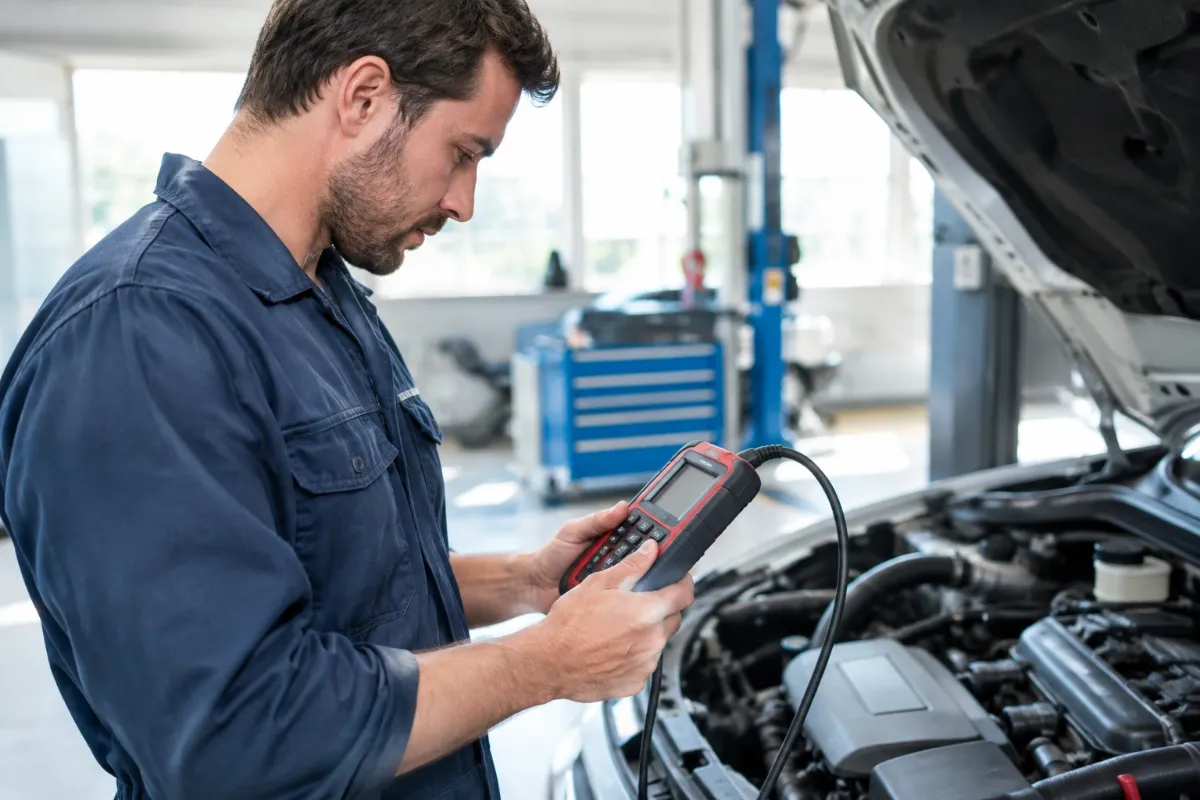
The CRP123 V2.0 uses a dedicated handheld layout with a built-in display and physical navigation controls. This design keeps diagnostic operations separate from smartphone applications.
The attached diagnostic cable allows a direct connection to the vehicle. Physical buttons also provide a predictable menu-navigation method when working with automotive gloves or in garage environments.
Its portable design suits storage alongside ordinary automotive tools. However, buyers should verify the specific screen version, cable arrangement, and supplied accessories because online listings sometimes combine older and newer CRP123 configurations.
Setup, Installation & Ease of Use
- Unpack the scanner and compare the included accessories with the seller’s packing list.
- Locate the vehicle’s diagnostic connector, usually beneath the dashboard.
- Connect the diagnostic cable securely without forcing the connector.
- Switch the ignition to the position specified by the selected diagnostic procedure.
- Choose the vehicle manufacturer or standard OBD2 diagnostic menu.
- Select the appropriate control system before retrieving fault information.
- Record displayed diagnostic codes before considering any clearing operation.
- Follow the manufacturer-approved procedure when performing supported service resets.
- Disconnect carefully and store the scanner in a clean, dry location.
- Check available software updates periodically using the instructions for your exact hardware version.
Core Performance & Diagnostic Capabilities
The CRP123 V2.0’s main advantage is diagnostic access beyond ordinary emissions-related engine codes. Its four-system coverage can make troubleshooting more targeted when supported modules report faults.
Engine Diagnostics
Engine diagnostics allow users to retrieve fault codes and examine available operating parameters. This information can help narrow an investigation involving ignition, fuel delivery, emissions, or sensor-related concerns.
However, a trouble code identifies a detected condition rather than proving a particular component has failed. Mechanical inspection and additional testing may still be necessary.
ABS and Airbag Diagnostics
ABS and SRS coverage provides access to safety-system fault information that many basic OBD2 readers cannot retrieve. This is useful when warning lights appear without a conventional engine-code explanation.
These systems require particular caution. Clearing a warning indicator does not establish that brakes, airbags, or related components are operating safely.
Transmission Diagnostics
Transmission-system access helps investigate electronically reported faults associated with shifting and transmission operation. Available diagnostic data may support decisions about further inspection or professional repair.
The scanner is not a mechanical transmission tester. Its diagnostic usefulness depends on which transmission functions the vehicle manufacturer exposes.
Live Data Analysis
Live data provides changing electronic readings while supported vehicle systems operate. This can reveal patterns that are difficult to understand through stored fault codes alone.
Comparing relevant readings against manufacturer specifications is more reliable than judging isolated values. Interpretation remains an important part of the diagnostic process.
Expert Insight
Before clearing stored codes, document freeze-frame readings and relevant live data. Erasing diagnostic information prematurely can remove valuable evidence, reset emissions readiness monitors, and complicate further troubleshooting.
Key Features Explained
1. Four-System Diagnostic Access
Four-system coverage extends troubleshooting to engine, braking, restraint, and transmission electronics. The practical benefit is reduced dependence on separate basic scanners, although manufacturer-specific module access still varies.
2. Three Maintenance Reset Services
Oil service reset, steering angle sensor calibration, and electronic throttle adaptation address selected maintenance procedures. These functions can be useful after relevant service work but do not replace mechanical repairs or support every vehicle.
3. Standard OBD2 Test Functions
Standard OBD2 capabilities include diagnostic trouble codes, emissions readiness, freeze-frame information, and available monitor data. They are particularly relevant when investigating check-engine warnings or preparing for an emissions inspection.
4. Software Update Support
LAUNCH advertises lifetime software updating for this version, potentially improving supported diagnostic coverage over time. Update procedures and newly supported vehicles should still be checked against the exact scanner hardware.
Real-World Usability & Maintenance
The dedicated screen and cable-based operation make the scanner suitable for occasional home troubleshooting. Keeping the tool accessible in a vehicle or garage can simplify preliminary checks before arranging repairs.
Maintenance mainly involves protecting the display, cable, and connector from damage or contamination. Avoid storing the unit in damp environments or subjecting it to extreme temperatures.
Software maintenance also matters. Periodically reviewing official update instructions helps preserve the tool’s usefulness, particularly when diagnosing different vehicle models over several years.
LAUNCH CRP123 V2.0 Pros & Cons
Pros
- Four-system access provides broader troubleshooting than basic engine-code readers.
- Three reset services add useful maintenance capabilities on supported vehicles.
- Live data helps users investigate changing vehicle operating conditions.
- Advertised lifetime updates support longer-term software maintenance.
Cons
- Service functions and vehicle-system access are not universally supported.
- Advanced programming and extensive bidirectional testing are not established capabilities.
- Different CRP123 generations can complicate specification comparisons.
Common Issues & Fixes
Scanner Cannot Communicate
A communication failure may result from an unsuitable ignition position, unsupported vehicle function, or loose connection. Check the connection and vehicle requirements before retrying the correct diagnostic menu.
Warning Light Returns
A warning light may reappear when the underlying fault remains unresolved. Record the returning code and investigate its cause rather than repeatedly erasing diagnostic information.
Reset Function Is Unavailable
A listed maintenance service might not appear for a particular vehicle configuration. Confirm manufacturer-specific support and use an appropriate alternative tool or repair facility if necessary.
What to Know Before You Buy
Vehicle compatibility is the most important purchase consideration. Standard OBD2 support does not guarantee successful access to every ABS, SRS, transmission, or maintenance function.
Check your vehicle’s manufacturer, model, year, engine, and required service procedure with the seller or LAUNCH support. Buyers should also distinguish the CRP123 V2.0 from CRP123E, CRP129, and other similarly named products.
Consider the jobs you actually need to perform. If battery registration, injector coding, ABS bleeding, or extensive active testing is essential, verify those specific functions on a different scanner before buying.
Who Should Buy It / Who Should Skip It
✅ Who Should Buy It
- DIY owners investigating multiple vehicle warning systems.
- Home mechanics needing supported service reset capabilities.
- Small workshops seeking a secondary diagnostic tool.
- Users preferring dedicated hardware over smartphone-based scanners.
✗ Who Should Skip It
- Technicians requiring extensive ECU programming.
- Buyers needing comprehensive bidirectional actuator controls.
- Owners requiring unsupported manufacturer-specific reset services.
- Drivers needing only occasional basic check-engine code retrieval.
Alternatives to Consider
LAUNCH CRP129 EVO+
Best For: Users requiring a broader maintenance-service selection.
Main Advantage: Adds more specialized service functions.
Trade-off: May be unnecessary for basic four-system diagnosis.
Key Spec: Four-system diagnostics with additional maintenance functions.
LAUNCH CRP123 Advanced
Best For: Buyers preferring an updated diagnostic platform.
Main Advantage: Standalone Android-based operation.
Trade-off: Different hardware and function coverage require comparison.
Key Spec: Four-system diagnostics and ten OBD2 test modes.
Is the LAUNCH CRP123 V2.0 Worth It?
The CRP123 V2.0 offers its strongest value when owners regularly investigate faults outside the engine management system. Its four-system scope can justify choosing it over an inexpensive, engine-only reader.
However, value depends on actual vehicle compatibility and the features needed. For specialized professional repairs, a more capable diagnostic platform may prove more economical.
Final Verdict
The LAUNCH CRP123 V2.0 is a practical diagnostic choice for informed DIY mechanics and small-workshop users. It earns consideration for its combination of four-system diagnostics, live data, and selected maintenance resets, provided compatibility is verified before purchase.
Frequently Asked Questions
Does the LAUNCH CRP123 V2.0 work with all cars?
No, complete diagnostic compatibility is not universal. Although it supports standard OBD2 diagnostics, access to specific vehicle modules and maintenance services varies by manufacturer, model, and year.
Can this scanner reset the ABS or airbag warning light?
It can clear supported system fault codes after the underlying problem has been repaired. Clearing a code does not repair defective safety components or guarantee the warning will remain off.
Does the LAUNCH CRP123 V2.0 require a subscription?
The CRP123 V2.0 is advertised with lifetime software updates. Confirm the applicable update policy, registration requirements, and exact hardware version with the seller.
How large is the scanner?
It is a handheld diagnostic device with an integrated display and physical controls. Published CRP123 configurations differ in screen and housing specifications, so confirm the dimensions of the supplied unit.
What warranty does the scanner include?
Warranty coverage depends on the seller, region, and specific product version. Review the written warranty and return terms before ordering rather than assuming coverage advertised for another CRP123 model.
How should I maintain the LAUNCH CRP123 V2.0?
Keep the scanner dry, protect its connector, and follow applicable software update instructions. Store the unit away from excessive heat and inspect the cable before each diagnostic session.
Affiliate disclosure: ReplaceKeyFob earns a small commission when you purchase through links on this page — at no extra cost to you. Our editorial process is independent: affiliate relationships never influence which products we recommend or how we rank them.
