
Why Is the OBD2 Port Not Getting Power? Causes and Fixes

Quick Answer
An OBD2 port that isn’t getting power usually has a blown fuse, a damaged connector, a poor electrical ground, or a wiring problem. The diagnostic scanner itself or its cable may also be faulty. Start by checking the vehicle’s fuse diagram and testing the port’s power supply before replacing parts.
Common causes to check
- Blown fuse: The OBD2 connector may share a circuit with the cigarette lighter or an accessory power outlet.
- Weak ground: A poor ground connection can prevent the scanner from powering up or working correctly.
- Damaged connector: Bent, corroded, loose, or pushed-back terminals can interrupt the electrical connection.
- Wiring fault: A broken wire, loose connection, or previous electrical modification can interrupt the power supply.
- Faulty scanner or cable: A defective diagnostic tool or damaged extension cable can imitate a vehicle-side power failure.
How to confirm the problem
- Check the fuse: Consult the owner’s manual for the correct circuit and fuse rating.
- Test the connector: A suitable multimeter can help check power at pin 16 and ground at pins 4 and 5.
- Compare equipment: If safe and practical, test the scanner on another compatible vehicle.
If your OBD2 scanner suddenly won’t turn on, the problem may be simpler than it seems. A failed fuse can leave the diagnostic connector without power, even when the car starts and drives normally.
I’ll explain how to narrow down the cause, what the connector’s electrical readings mean, and when a wiring fault needs professional attention. The goal is to identify the actual problem rather than replace a working scanner or the wrong fuse.
In This Guide
Why Is My OBD2 Port Not Getting Power?
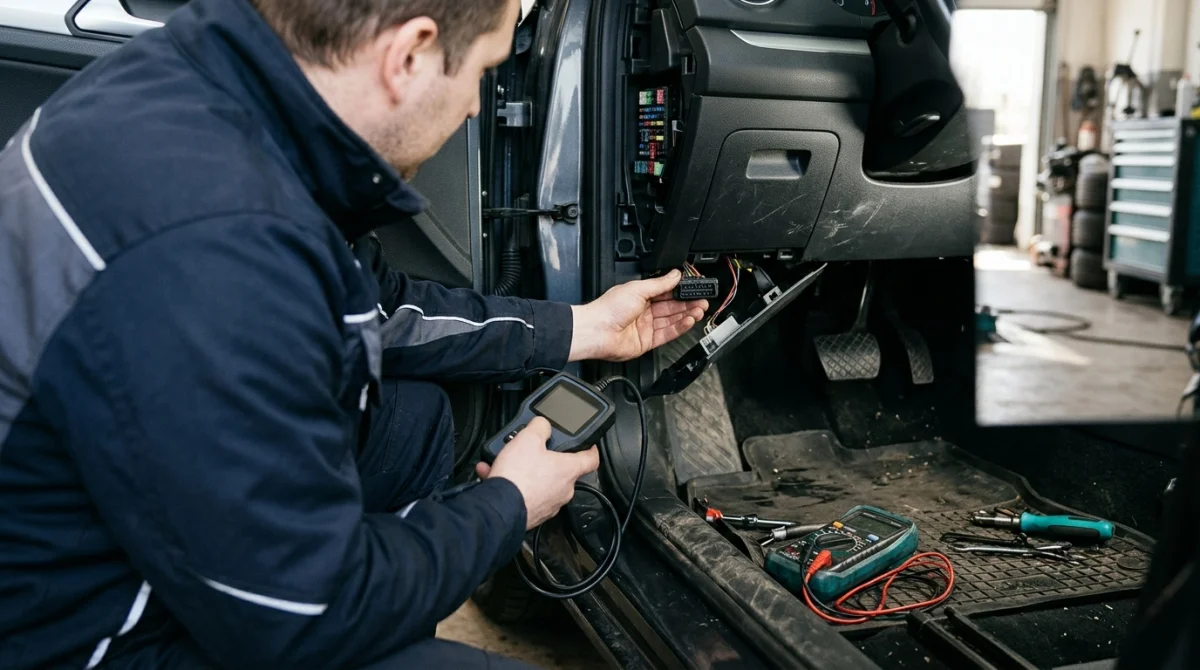
The most common possibilities are a blown fuse, a missing power supply, a poor ground, damaged connector terminals, or faulty wiring. A defective scanner can cause similar symptoms, so confirm that the vehicle’s connector is the problem before buying replacement equipment.
An OBD2 port, also called a diagnostic link connector (DLC), is the socket used to connect a compatible scan tool to a vehicle’s electronic systems. It provides access to diagnostic information and, on a standard connector, supplies power to many plug-in scanners.
1. A blown fuse
A blown fuse is one of the first things to investigate. Many vehicles supply the diagnostic connector through a fused circuit shared with an accessory outlet, cigarette lighter, or another electrical component.
If that circuit loses power, a scanner may remain completely dark even though the engine runs normally. A recent accessory installation or an electrical short can also explain why the fuse failed.
2. A poor ground connection
The port needs a suitable electrical return path as well as a power supply. A damaged ground wire, loose connection, or corrosion can prevent the scanner from operating correctly.
A ground fault can be harder to identify than a blown fuse because the connector may look perfectly normal. Electrical testing helps distinguish a ground problem from a missing power supply.
3. Damaged or loose connector terminals
The metal contacts inside the diagnostic socket can become bent, corroded, loose, or pushed backward. This may happen after repeated plugging and unplugging or when a connector is inserted at an angle.
Look for visible damage without forcing tools into the socket. If a terminal moves, appears recessed, or shows corrosion, professional connector inspection may be necessary.
4. A wiring or accessory problem
Aftermarket alarms, remote-start systems, trackers, and other electrical accessories can complicate diagnosis if their installation affects wiring around the diagnostic connector. Damaged wiring or a poor repair can also interrupt power.
Not every aftermarket accessory causes this issue. However, if the problem began immediately after an installation or electrical repair, that work deserves closer inspection.
5. A weak vehicle battery or faulty scanner
A severely discharged battery or an unstable electrical supply can interfere with diagnostic equipment. A faulty scanner, damaged cable, or failed extension lead can also prevent the device from starting.
Check the battery condition and the scanner’s basic operation before assuming the diagnostic socket needs replacement. This simple distinction can save unnecessary repairs.
Which Fuse Controls the OBD2 Port?
The fuse that supplies the OBD2 port depends on the vehicle’s make, model, year, and electrical design. It may be listed as a diagnostic connector, data link connector, power outlet, accessory socket, or cigarette lighter circuit.
There is no single fuse number that applies to every car. Use the fuse diagram in the owner’s manual or the manufacturer’s official documentation to identify the correct circuit.
How to find the correct fuse
- Park the vehicle safely and switch off the ignition before inspecting or removing a fuse.
- Locate the fuse-box diagrams in the owner’s manual. Some vehicles have more than one fuse panel.
- Look for labels associated with the diagnostic connector, accessory socket, or power outlet.
- Use the diagram to identify the correct fuse and its specified amperage rating.
- Inspect or test the fuse using a suitable method recommended by the vehicle manufacturer.
Check the related accessory outlet if your vehicle has one. If both the outlet and OBD2 port have lost power, they may share a circuit, although this is not universal.
Important: Replace a failed fuse only with one of the same specified type and rating. Never install a higher-rated fuse to stop it from blowing.
If the replacement fuse blows again, stop replacing it and investigate the underlying fault. A short circuit or damaged component may be drawing excessive current.
Technician’s note: Fuse locations and circuit layouts vary by vehicle. Confirm the correct fuse using your specific owner’s manual rather than relying on a generic online diagram.
How Do You Test OBD2 Port Power?
A digital multimeter can help determine whether the connector receives electrical power. On a standard 16-pin OBD2 connector, pin 16 is the battery-positive supply, while pins 4 and 5 provide chassis and signal ground, respectively.
Testing power is different from testing communication. A scanner can receive power but still fail to communicate with the vehicle’s control modules.
Understand the important pins
| Pin | Purpose | What it helps check |
|---|---|---|
| 16 | Battery-positive supply | Whether power reaches the connector |
| 4 | Chassis ground | Whether the chassis ground path is available |
| 5 | Signal ground | Whether the signal-ground connection is available |
What readings should you expect?
Pin 16 on a conventional OBD2 connector typically has battery voltage available, often around 12 volts when the engine is off and the battery is charged. The exact reading depends on battery condition and the vehicle’s electrical system.
If the reading is zero, the supply may be interrupted by a blown fuse, broken wire, loose terminal, or another circuit fault. If voltage is present but the scanner remains off, investigate the ground path and the scanner itself.
Use a multimeter safely
Only perform electrical checks if you understand how to use the meter and can identify the connector pins correctly. An incorrectly placed probe can short adjacent terminals and damage vehicle electronics.
- Use the correct DC-voltage setting and appropriate test leads.
- Follow the meter and vehicle manufacturer’s safety instructions.
- Avoid forcing probes into connector terminals or allowing them to bridge adjacent pins.
- Do not use resistance or continuity mode on an energized circuit.
If you cannot safely identify the terminals, have an automotive technician perform the test. You do not need to probe the connector blindly to diagnose a no-power problem.
Technician’s note: A voltage reading alone does not establish that every ground and communication circuit is healthy. Additional testing may be needed when the basic power supply checks out.
How Can You Troubleshoot an OBD2 Port With No Power?
The most effective approach is to isolate the fault in a sensible order. Start with simple checks, then move to electrical measurements and wiring diagnosis if necessary.
Follow this diagnostic sequence
- Confirm the symptom. Plug the scanner in securely and check whether its display or power indicator activates. Read the scanner’s instructions because some devices behave differently at startup.
- Inspect the connector. Look for visible corrosion, bent pins, foreign material, or signs that the socket has been damaged.
- Check related accessories. Test the cigarette lighter or accessory outlet if the vehicle has one. A dead outlet can provide a useful clue about a shared fuse circuit.
- Identify and test the fuse. Use the vehicle-specific fuse diagram. Do not assume the fuse position or rating based on another model.
- Measure the connector supply. If you can test safely, check pin 16 and the relevant ground connections with a multimeter.
- Rule out the scanner. Test it on another compatible vehicle or use a known-working scanner on the vehicle, if available and safe to do so.
- Investigate wiring faults. If the fuse is good but power or ground is missing, arrange further circuit testing instead of replacing the port immediately.
What if the fuse is good but the port has no power?
A good fuse does not guarantee that voltage reaches the connector. Power could be interrupted by a loose fuse contact, damaged wire, faulty splice, corroded terminal, or another failure upstream.
The next step is to trace the circuit using the vehicle’s wiring diagram. This is often where professional diagnostic equipment and vehicle-specific repair information become valuable.
What if the port has power but the scanner will not communicate?
If the scanner turns on, a complete loss of port power is less likely. The problem may instead involve communication wiring, a control module, the scanner’s compatibility, or the ignition state required for the test.
For additional diagnostic context, the Ohio EPA’s OBD readiness and communication guidance identifies possible communication-failure causes, including missing power or ground, loose connector pins, corrosion, and aftermarket equipment.
Follow the scan tool manufacturer’s instructions for ignition position and connection procedures. Do not assume that a communication error means the port has no power.
Section takeaway: Check the fuse, verify the electrical supply, and distinguish a power failure from a communication failure before replacing components.
Is the Problem the Scanner or the Vehicle?
A scanner that stays dark does not automatically mean the OBD2 port has failed. Testing the equipment separately helps establish whether the fault belongs to the vehicle, the scanner, or an accessory cable.
Use the following comparison to decide what to investigate next.
| Observation | Possible explanation | Next check |
|---|---|---|
| Scanner stays dark in one vehicle | Vehicle fuse, power, ground, or connector fault | Check the vehicle supply and fuse |
| Scanner works in another compatible vehicle | Fault may be in the original vehicle | Inspect the original vehicle’s connector circuit |
| Known-working scanner also stays dark | Vehicle-side power or ground issue becomes more likely | Measure power and check the fuse |
| Scanner powers up but shows a communication error | Communication, ignition, compatibility, or module issue | Follow the scan tool’s diagnostic instructions |
| Scanner works directly but not through an extension cable | Cable, connector fit, or inline fuse problem | Inspect or test the cable according to its instructions |
A second scanner is useful only if it is compatible with the vehicle and known to be working. If you do not have one, a multimeter test can still help narrow down the fault.
Also check whether an extension cable or aftermarket adapter contains its own fuse. A failed inline fuse can stop a device from receiving power even when the vehicle’s diagnostic connector is functioning normally.
Section takeaway: Compare the scanner and vehicle independently. This prevents you from replacing a good diagnostic tool when the actual problem is an electrical supply fault.
When Should You Get Professional Help?

Seek professional diagnosis if the OBD2 port remains without power after the correct fuse has been checked, or if the connector shows signs of damage. A technician can trace the circuit and determine whether the fault lies in the fuse panel, wiring, ground connection, or diagnostic socket.
Warning signs that need further diagnosis
- A replacement fuse blows repeatedly.
- The connector has melted plastic, corrosion, loose terminals, or visible wiring damage.
- Several electrical accessories stopped working at the same time.
- The problem appeared after an alarm, remote-start system, tracker, or stereo installation.
- The scanner powers up but cannot communicate with the vehicle despite correct connection and ignition settings.
Do not bypass the fuse or feed external power into the diagnostic connector to force the scanner to start. Incorrect power connections can damage electronic modules and create additional electrical faults.
What information should you give the technician?
Useful details can shorten the diagnostic process. Before arranging a repair, note the vehicle’s make, model, year, and the exact symptom.
- Whether the scanner is completely dark or powers up with an error message.
- Whether the cigarette lighter or accessory outlet works.
- Which fuse was inspected and whether it tested correctly.
- Whether the problem began after a battery change, electrical repair, or accessory installation.
- Whether another compatible scanner works on the vehicle.
For general vehicle safety information and official recalls, you can consult the National Highway Traffic Safety Administration (NHTSA). For connector-specific electrical diagnosis, however, use the manufacturer’s service information or a qualified automotive technician.
As of 2026, the same basic diagnostic principle still applies: confirm power and ground before assuming that a failed scanner, control module, or connector needs replacement. The exact circuit and repair procedure remain vehicle-specific.
Technician’s note: If a blown fuse returns immediately, the priority is finding the electrical fault—not installing another fuse or using a higher rating.
Frequently Asked Questions
Can a blown cigarette lighter fuse cause an OBD2 port to stop working?
Yes, if the vehicle shares the diagnostic connector’s power supply with the cigarette lighter or accessory outlet. A blown fuse can then disable both. Check the vehicle-specific fuse diagram because not every vehicle uses a shared circuit.
Does an OBD2 port need the ignition to be on for power?
Many standard OBD2 connectors supply battery voltage at pin 16 even with the ignition off. However, scanner communication with vehicle systems may require the ignition to be on. Follow the vehicle and scan tool manufacturer’s instructions.
Can a bad ground make an OBD2 scanner stay off?
Yes. A missing or poor ground can prevent a scanner from completing its electrical circuit, even when power reaches the connector. Testing the power supply and ground connections separately helps identify the problem.
What voltage should an OBD2 port have?
Pin 16 typically receives vehicle battery voltage, often around 12 volts with the engine off and a healthy battery. The exact reading varies with battery condition and charging state. Pins 4 and 5 are the standard chassis and signal ground terminals.
Can I drive my car if the OBD2 port has no power?
A loss of diagnostic-port power does not automatically mean the vehicle cannot be driven. However, it can prevent you from reading diagnostic trouble codes or checking certain systems. If warning lights, drivability problems, or other electrical symptoms are present, arrange appropriate diagnosis before continuing to drive.
Why does my OBD2 scanner turn on but fail to connect?
A scanner that powers up but cannot communicate may have an ignition-setting issue, a compatibility problem, damaged communication wiring, or a vehicle control-module fault. Check the scanner’s instructions and connector condition before concluding that the power circuit has failed.
Should I replace the OBD2 port if it has no power?
Not immediately. A blown fuse, broken wire, poor ground, or damaged upstream connection can cause the same symptom. Confirm the power supply and inspect the connector before deciding whether the socket itself needs replacement.
Final Takeaway: Find the Power Fault Before Replacing Parts
When an OBD2 port is not getting power, begin with the fuse diagram, inspect the connector, and check the electrical supply if you can do so safely. These steps help separate a simple fuse problem from a damaged connector, faulty ground, or wiring issue.
If the fuse is intact but the port remains dead, or if a replacement fuse blows again, stop guessing and arrange proper electrical diagnosis. A measured, vehicle-specific check is safer and more useful than replacing parts without confirming the cause.
Once the port has power, test the scanner again. If it still cannot communicate with the vehicle, investigate that as a separate diagnostic problem.
