
10 Best Car Code Reader for Live Data: Top Picks and Buying Guide 2026

Car code readers that show live data help people see what a car’s computer is doing in real time. They plug into the vehicle’s OBD-II port and display engine speed, coolant temperature, fuel trim, and other sensor readings. Many models also read and clear trouble codes, but the main benefit of a live-data-capable reader is watching changing values to diagnose running problems rather than just finding stored error codes.
Buyers should focus on update speed, data accuracy, and the number of parameters the tool can display. Ease of use, phone or tablet compatibility, and clear graphing matter for interpreting live streams. A good live-data code reader updates quickly, shows accurate sensor values, and makes those values easy to read and compare. This article tests and compares models to find the tools that make live-data diagnosis fast and reliable.
Best Car Code Readers for Live Data
Below is a list of the best car code readers for live data. It covers reliable tools that show real-time engine and sensor readings, easy-to-use interfaces, and solid diagnostic features.
BlueDriver Pro Next-Gen

It’s worth buying for DIYers who want professional-level live data and verified fixes without a subscription.
Pros
- Clear live-data streams and easy freeze-frame snapshots.
- Technician-verified repair reports matched to VIN.
- Simple Bluetooth setup, no cables or subscription.
Cons
- Some advanced functions depend on vehicle make and year.
- Needs a phone or tablet to read data; no standalone screen.
- Pairing occasionally requires troubleshooting with support.
They connected the BlueDriver and watched live engine RPM, temps, and fuel trims update in real time. The app grouped the data logically, making it quick to spot odd readings while driving around the block.
They ran a few scans and liked the verified-fix reports. The fixes read like a tech wrote them — clear causes and likely repairs — which cut guesswork when comparing parts prices.
They used it on both older trucks and a late-model sedan. Coverage varied by manufacturer, but the core live-data and readiness monitors worked reliably across vehicles they tried.
Support helped when a phone wouldn’t pair at first, and response was faster than expected. Leaving the dongle plugged in felt safe and convenient for routine checks and monitoring between oil changes.
Foxwell NT301

The Foxwell NT301 is a solid pick for someone who wants to read and log live engine data without paying for fancy extras.
Pros
- Shows live data in graphs for quick trend checks
- Easy plug-and-play use with a clear color screen
- Handheld, sturdy feel that works right out of the box
Cons
- Does not scan ABS, SRS, or other special systems
- Limited to basic OBD2 functions—no advanced resets
- Some vehicles (like certain side-by-sides) may not connect
They plugged the NT301 into several cars and liked how quickly live data displayed. The graphs made it simple to watch RPM, coolant temp, and fuel trims move while revving the engine. It felt dependable during short diagnostic checks.
They used the readiness hotkeys and saw the easy red-yellow-green LED feedback before an emissions test. Clearing a check engine light acted fast after a proper repair, though codes returned if the issue stayed. The device saved time compared with fumbling through apps or phone adapters.
They noticed the unit won’t replace a full scanner for ABS or SRS work, so it remained a basic but reliable tool on the workbench. For a DIYer who needs quick live data and code reads, it performed well and stayed simple to use.
ANCEL AD310

It’s a solid buy for someone who wants a simple, reliable code reader that shows live data and clears emission-related codes quickly.
Pros
- Easy to use with clear buttons and a readable screen.
- Sturdy build and a long, flexible cable that holds up when working in tight spaces.
- Plugs into the car for power—no batteries or charging needed.
Cons
- Only reads emission-related OBD-II codes, not full manufacturer systems.
- No smartphone app or wireless connection—wired and basic interface.
- Cannot diagnose OBD-I vehicles even with adapters.
They make the AD310 a go-to when a check engine light pops. It connected fast, pulled codes, and showed live data streams without fuss. The screen size and simple menus made results easy to read while kneeling by the engine.
They felt the heft and quality of the cable right away—no flimsy cord that kinks or frays. Using it in different cars, the device powered up from the OBD-II port every time and stayed responsive while viewing freeze frame and live parameters.
They noticed limits after a few uses. For deep system scans beyond emissions, the AD310 couldn’t access manufacturer-specific modules. Still, for basic diagnostics, quick checks, and clearing codes after repairs, it worked exactly as expected.
FOXWELL NT604 Elite

It is a solid mid-price scanner that reads live data and common system faults, making it a good buy for DIYers who want reliable diagnostics without dealer costs.
Pros
- Clear live data stream for engine, ABS, SRS, and transmission.
- Plug-and-play with no extra software download needed.
- Sturdy case and lifetime updates included.
Cons
- No advanced service functions like resets or relearns.
- AUTOVIN can fail on older or unusual vehicles.
- Not bidirectional; cannot activate components.
They took this unit out of the box and plugged it into several cars. The screen and menus felt straightforward, and live data appeared fast enough to track sensor changes while revving the engine. Saved reports and playback made comparing runs easy.
They liked how the NT604 found codes across ABS, airbags, transmission, and engine modules in one pass. It helped pinpoint problems like a weak battery showing up as an airbag fault and showed ABS pump faults clearly on an older Mustang. The device felt durable in hand and the protective case adds confidence for garage work.
They noted limits in professional tasks: it won’t perform oil resets, bleed brakes, or run relearns. For hobby mechanics who just need to read codes and capture live streams, it works well. Professionals needing bi-directional control or full service functions will want a higher-tier tool.
Buyers should check vehicle compatibility first, especially for older or rare models, and keep the unit updated over the internet for best results.
Innova 5210

It’s a solid buy for DIYers who want live data and basic battery tests without subscription fees.
Pros
- Shows live engine data clearly and helps spot issues fast
- Includes battery and alternator checks to avoid surprises
- Free RepairSolutions2 app gives verified fixes and part suggestions
Cons
- Not all ABS coverage is guaranteed across every vehicle
- Smartphone app sometimes needs updates or setup help
- Doesn’t always list the exact OEM part for every repair
They used the 5210 on a 2016 pickup and a compact car and got instant live data for RPM, coolant temp, and fuel trims. Reading and clearing codes felt straightforward, and the screen was easy to scan while crouched by the engine bay.
Battery testing paid off during a weekend check; alternator health numbers were helpful and saved a tow. The RepairSolutions2 app linked the codes to repair steps and estimated costs, which made decision-making quicker.
Setup on an older phone took a minute and required a firmware check, but customer support replied when it hiccuped. For someone who wants clear live diagnostics and battery checks without ongoing fees, this tool performs well.
ANCEL AD410

It is a solid budget OBD2 reader for live engine data and basic diagnostics, good for DIYers who want quick reads and code clears without apps or subscriptions.
Pros
- Reads and clears engine codes quickly.
- Shows live data on a clear, color screen.
- No batteries — plugs into the car and works immediately.
Cons
- Only covers engine/OBDII systems, not ABS, SRS, or transmission.
- USB update process is clunky and Windows-only.
- Some menus and instructions can feel sparse.
They used the AD410 on several cars and liked how fast it boots and finds live data like RPM, temps, and O2 readings. The 2.4-inch color screen made it easy to watch sensors while the engine ran.
They appreciated the built-in DTC definitions; many faults showed helpful text right on the unit so they avoided constant web searches. Clearing the check-engine light after a repair felt straightforward and reliable.
They found limits when a vehicle needed deeper system scans beyond engine codes. Updating the tool required a PC and the manual was thin, so occasional troubleshooting took extra time.
Overall, it worked well for quick checks, smog readiness, and simple fixes. For someone who wants live engine data without an app or subscription, this AD410 is practical and affordable.
GearWrench SmartBT

It’s a solid pick for DIYers and techs who want bi-directional live data without subscription fees.
Pros
- Full live data and bi-directional tests on a phone or tablet.
- Lifetime free software updates, no recurring costs.
- Covers many makes and useful relearn/reset functions.
Cons
- Some import or older models may not be fully supported.
- Bluetooth dongle needs a compatible Android device for best results.
- A few advanced procedures can require patience and reading the app prompts.
They set up the dongle in minutes and the app walked through registration quickly. Live data streamed with little lag, and watching sensor values change during tests felt immediate and useful.
He used the actuations and relearns on brake and throttle systems and they worked as expected. It handled ABS bleed, TPMS reset, and throttle matching without jumping through paywalls.
She did find a few cars that wouldn’t expose every module, mostly older imports. When that happened, GearWrench support offered clear troubleshooting steps that resolved some issues.
Overall, it strikes a good balance of price and capability for someone who wants real, hands-on live data and control without ongoing fees.
Autel MK900 Scanner
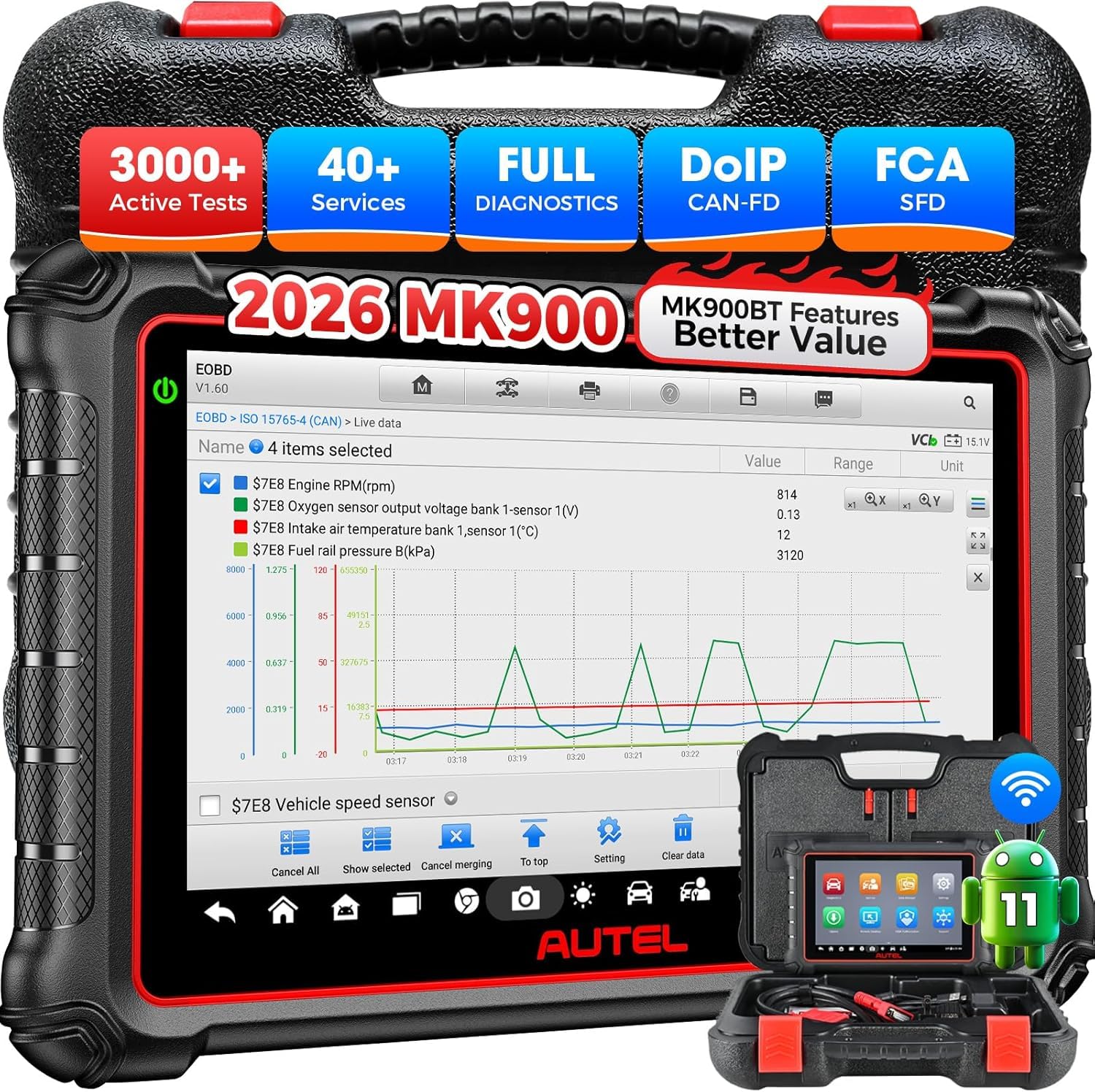
It is worth buying for someone who wants fast, pro-level live data and active tests in a handheld scanner.
Pros
- Very fast AutoVIN and smooth live-data graphs.
- Deep bidirectional tests that exercise actuators and parts.
- Long battery life, big screen, and reliable wired/Wi-Fi connection.
Cons
- High cost for DIY users who won’t use 3000+ tests.
- Some advanced functions vary by VIN and need confirmation.
- Occasional learning curve to find specific service menus.
They took the MK900 to the shop and used it on several cars. The screen made live data easy to read while the device logged and replayed waveforms. Running the AutoVIN and AutoScan felt nearly instant compared with older scanners.
They pushed the bidirectional controls and watched actuators move. Jumping between systems—ABS, TCM, BCM—was smooth, and the scanner ran many tests that older models simply don’t offer. Pre- and post-repair reports proved useful to show customers the fix.
They noticed the CAN-FD and DoIP support handled newer GM and Jeep models without adapters. However, some vehicle-specific functions required sending the VIN to check compatibility. For a small shop or serious DIYer, the MK900 acts like a compact, powerful tool that speeds diagnosis and confirms repairs.
Autel MK900BT
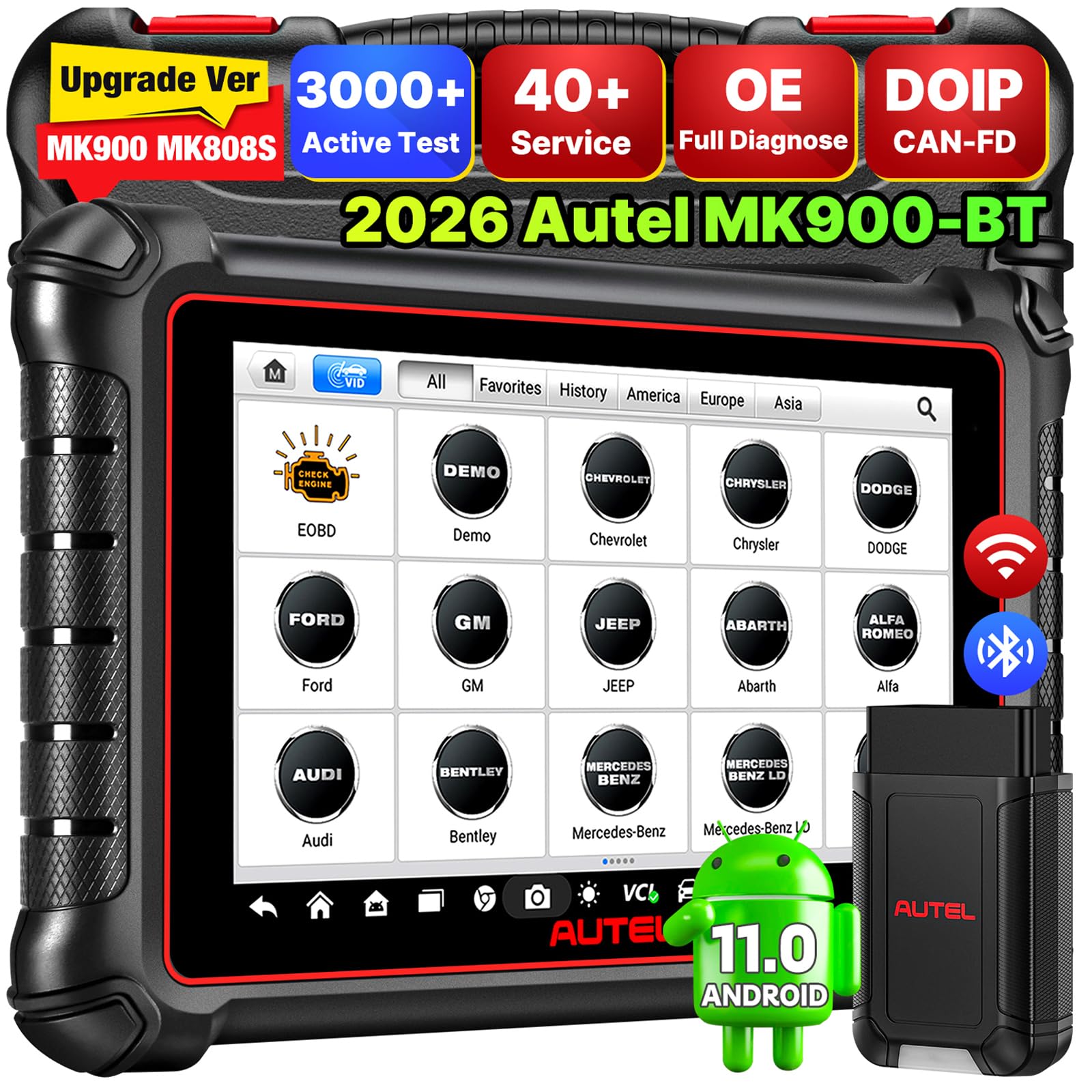
It’s worth buying for technicians who need fast live data, wide vehicle coverage, and strong bi-directional tests.
Pros
- Reads and streams live data smoothly across many systems.
- Strong bi-directional controls let them actuate parts for testing.
- Long battery life and a big, easy-to-read screen for shop use.
Cons
- Some advanced functions need extra purchases or subscriptions.
- Occasional setup and activation emails can slow first use.
- Not all features work on every car model; compatibility checks help.
They plugged the MK900BT into cars and watched live data update without lag. The 8-inch screen made it easy to compare pre- and post-scan results and print via Wi‑Fi when needed.
It felt robust in a busy shop. Bidirectional tests worked on windows, fans, and injectors they tried, and the auto VIN scan saved time on every vehicle.
Setup required a firmware update and the first activation took longer than expected. After that, the unit ran steadily and stored scans on the cloud for later review.
Overall, the MK900BT performs like a pro-level tool for those who need live data and active tests, but buyers should plan for optional fees and confirm vehicle support before relying on every advanced feature.
FOXWELL NT301 Plus
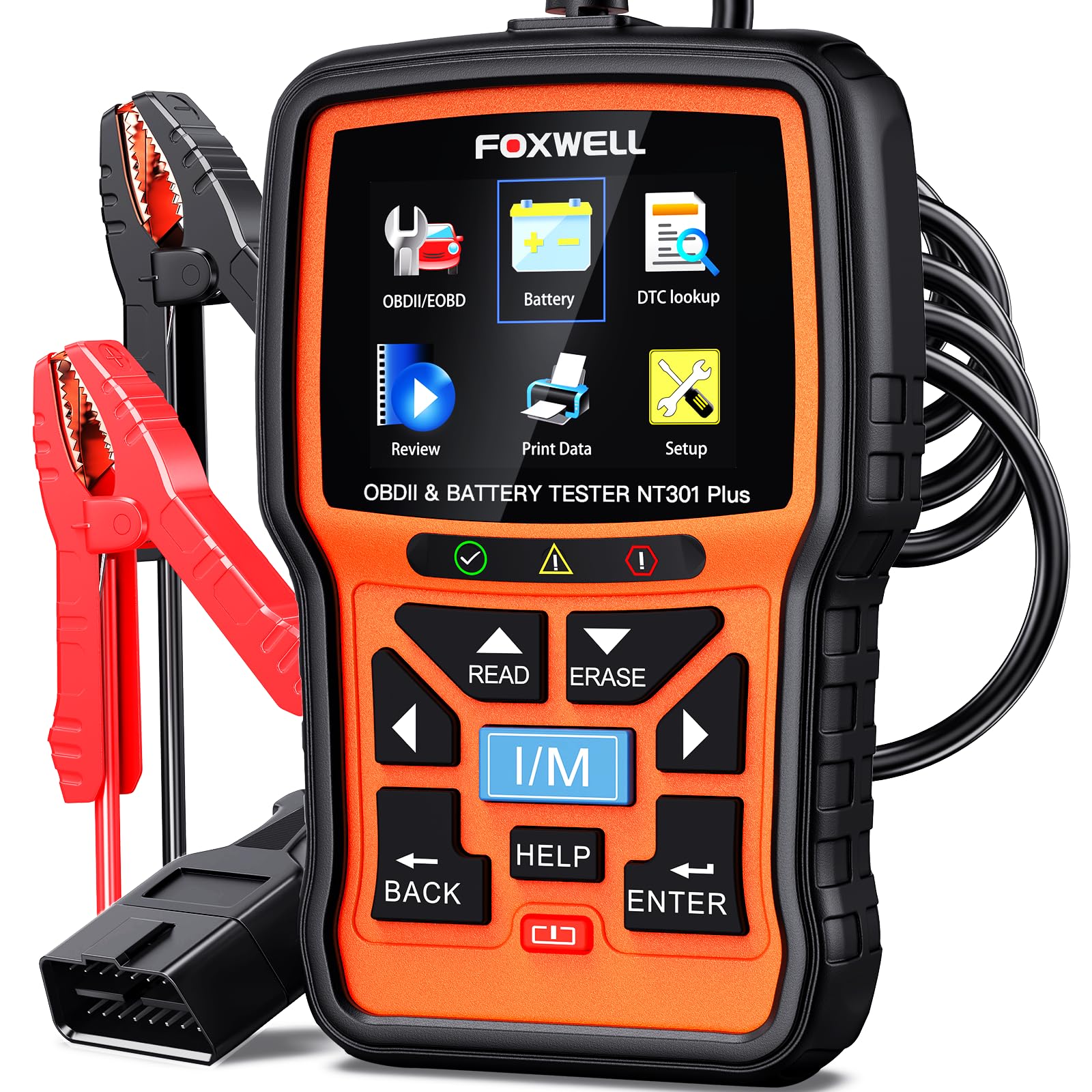
It’s a solid buy for DIYers who want quick live data and a simple battery check without paying a shop.
Pros
- Combines live OBD2 data and a 12V battery test in one handheld tool.
- Clear color screen and easy menu make live-data viewing straightforward.
- No subscription or phone app required for basic diagnostics.
Cons
- Limited to engine and 12V battery tests — no ABS, SRS, or transmission functions.
- Windows-only updates and not compatible with some older or niche cars.
- Basic build; pins need careful handling to avoid damage.
They plugged it into several cars and liked how fast live RPM, coolant temp, and fuel trim appeared on the larger color display. Recording and playback helped catch a brief surge that would have been missed with a quick glance.
The battery tester felt professional enough for pre-trip checks. It gave a clear pass/fail look at starting power and charging, which prevented a surprise no-start on one older car.
Menus and the DTC lookup made code descriptions easy to understand. He used the I/M readiness test for a smog check and found the pass/fail LEDs handy when checking a used car before buying.
Compatibility worked for common 1996+ OBDII vehicles, but it failed to talk to a few European models he tried. Updates require a Windows PC, so keep that in mind if you only use Macs or phones.
Buying Guide
When choosing a car code reader for live data, they should focus on compatibility. Check the reader supports the vehicle’s make, model year, and OBD protocol. Also confirm it works with the user’s phone or laptop if it requires an app or software.
They should look for real-time data streaming and adjustable update rates. Faster refresh helps spot intermittent problems. Ensure the reader shows live sensor values, freeze frame, and pending codes.
Consider ease of use and display options. A simple interface and clear data layout reduce confusion. Larger screens or mobile app dashboards make live data easier to read.
Check data logging and export features. Logging lets them save sessions and share data with a mechanic. Export to common formats like CSV or PDF for simple analysis.
Evaluate diagnostic depth and special functions. Basic code reading is fine for simple checks. For deeper work, they should seek graphing, PID selection, and advanced module support.
Prioritize build quality and connectivity type. Wired OBD-II plugs are reliable; wireless adapters offer convenience. Look for strong construction and stable pairing to avoid dropouts.
Budget and support matter. Compare features for the price and read user feedback. Verify warranty, software updates, and customer support access before buying.
Editor’s Choice
The top pick is the Autel MaxiLink ML629 for live data. It shows clear real-time graphs and live PID data on a bright screen, making diagnostics faster and simpler.
Technicians and DIYers like its fast refresh rate and wide vehicle coverage. The interface stays responsive during live-streaming, and the device stores data logs for later review.
Key strengths:
- Live graphing for up to 4 PIDs at once.
- Quick refresh so readings match engine changes.
- Broad vehicle support for most cars and light trucks.
It comes with simple on-device controls and clear icons, so users do not need a separate app. The unit is handheld, sturdy, and has a long battery life, which helps during long diagnostic sessions.
Limitations include fewer advanced bi-directional tests than top-tier models and no full-featured laptop software. Still, it balances live data power with ease of use and a fair price.
They will find this model best when live data clarity and real-world usability matter most. It fits both home mechanics who want clear feedback and professionals who need quick diagnostics on many cars.
Conclusion
The right code reader for live data helps users find and fix problems faster. It shows real-time sensor values, which makes diagnosis more accurate than static error codes.
Users should match features to needs. Professionals often need full OBD-II coverage, bi-directional control, and fast update rates. DIYers may prefer simple setups with clear displays and smartphone apps.
Price and ease of use matter. High-end tools cost more but save time on complex jobs. Budget options work for basic checks and learning.
Consider these quick checks before buying:
- Compatibility with vehicle makes and model years
- Live data refresh rate and graphing ability
- Update policy and customer support
A reliable user interface and solid data logging make a tool more useful. Regular software updates keep the reader current with new car protocols.
Buyers benefit from reading recent reviews and testing return policies. Warranties and active support reduce risk if the tool has issues.
They should prioritize tools that balance functionality, usability, and long-term support. That approach leads to smarter buys and fewer surprises during diagnostics.
FAQS
What is live data and why does it matter?
Live data shows real-time readings from sensors like RPM, coolant temp, and O2 sensors. It helps diagnose issues that a simple trouble code cannot explain.
Can any car code reader show live data?
No. Some basic code readers only read and clear codes. Readers that support OBD-II live data or manufacturer-specific protocols will display real-time parameters.
Do Bluetooth OBD-II adapters work for live data?
Yes, many Bluetooth adapters stream live data to a phone app. Performance depends on the adapter, the app, and the vehicle’s OBD-II speed.
Is a smartphone app as good as a dedicated scanner?
A dedicated scanner often offers faster, more reliable live data and better display options. Apps are cheaper and more portable, but they may lag or show fewer parameters.
How many live data PIDs should a good reader show?
A good reader shows the key PIDs: engine RPM, vehicle speed, coolant temp, fuel trim, and O2 sensor readings. More advanced tools show dozens or hundreds of PIDs and freeze frame data.
Does live data help during driving tests?
Yes. Live data can reveal intermittent faults while driving, like misfires or fuel trim changes. It helps recreate conditions that trigger a check engine light.
Is training needed to read live data?
Basic interpretation is easy, but understanding complex patterns takes practice. Many readers include graphing and help screens to make learning faster.
Will live data differ between makes and models?
Yes. Manufacturers use different PIDs and naming. Some parameters appear only on supported vehicles or with factory-level tools.
