
How to Reset the Oil Light on a Nissan

This post contains affiliate links. As an Amazon Associate, ReplaceKeyFob earns from qualifying purchases, at no extra cost to you.
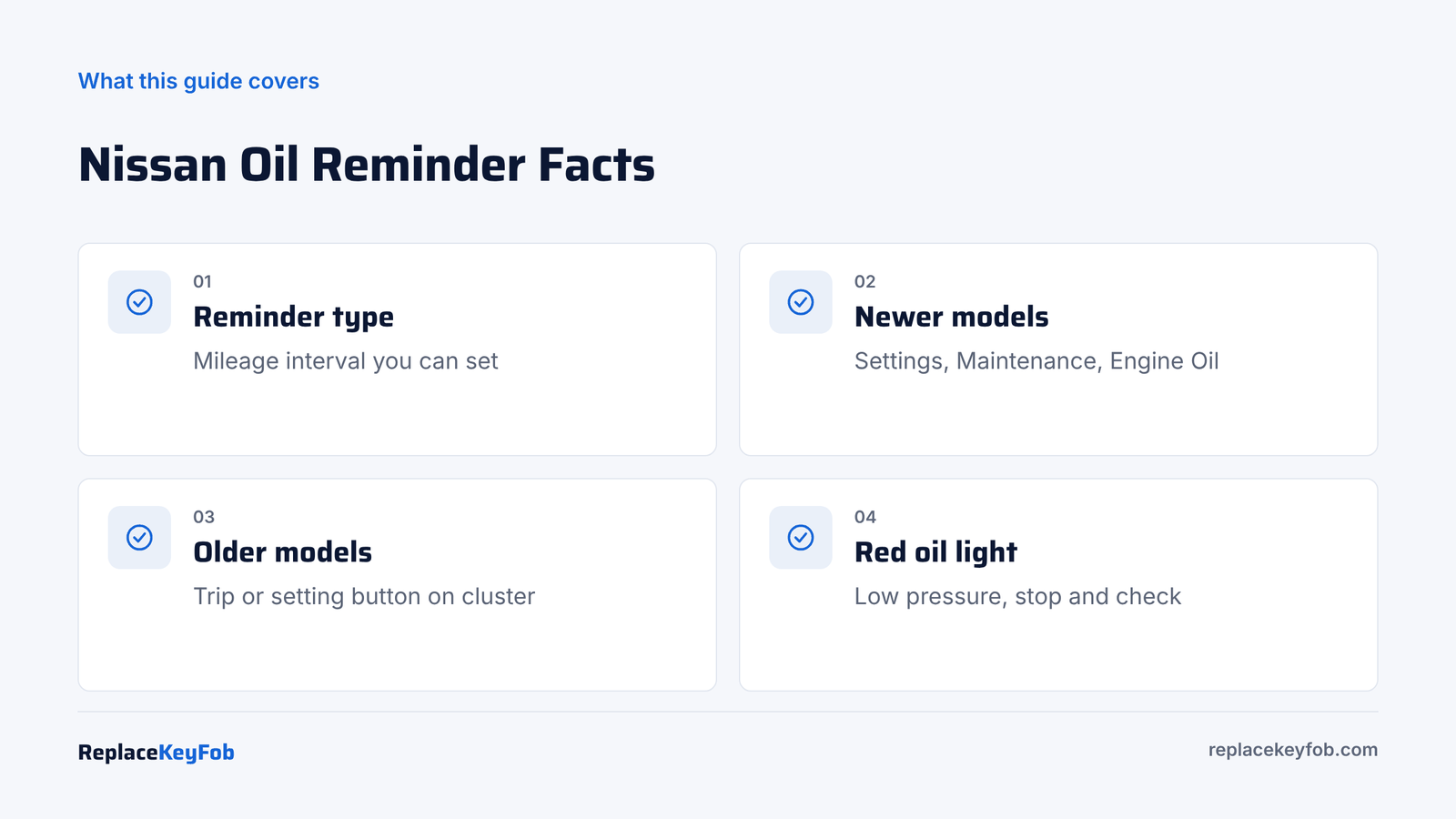
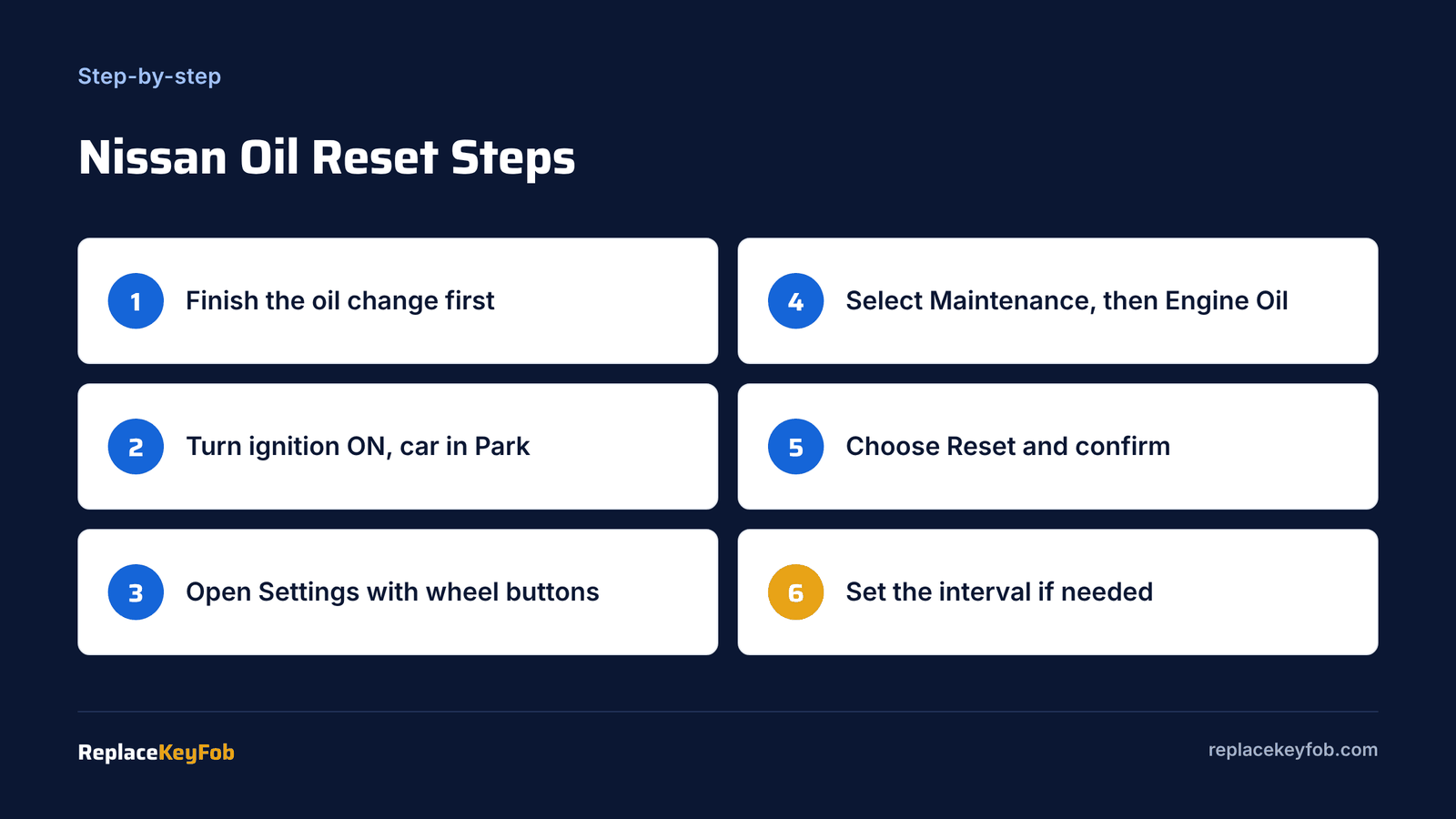
To reset the oil light on a Nissan, turn the ignition ON with the car in Park. Use the steering wheel buttons to open Settings on the vehicle information display, then choose Maintenance, then Engine Oil (or Oil), and select Reset. On older Nissans with a basic cluster, use the trip or setting button with the maintenance screen shown. Then set the next interval if you want.
Nissan’s oil change reminder works differently from GM, Ford or Honda. It does not calculate oil life from engine use. Instead, it counts down a mileage interval that you or your dealer set, such as 5,000 miles. When the miles run out, a reminder appears on the display. Because it is just a counter, it has no idea the oil was changed until someone resets it.
That also means you can adjust the interval to match your maintenance schedule, which is handy if you use synthetic oil or follow a severe service schedule. This guide covers reset steps on newer and older Nissans, how to set the interval, and how to tell the reminder from a real oil pressure warning. For scan tool resets, see how to reset the oil light with a scan tool.
Oil Reminder vs Oil Pressure Light
Before resetting anything, make sure which light you have:
| Light or message | What it means | What to do |
|---|---|---|
| Maintenance reminder or “Oil” message on display | Interval reached | Change oil, then reset |
| Wrench symbol on some models | Scheduled maintenance due | Service, then reset |
| Red oil can light | Low oil pressure | Stop the engine safely, check oil level |
| Red oil can with engine noise | Serious oil starvation | Do not drive; call for help |
The red oil pressure light cannot be “reset.” It means the engine is not getting enough oil pressure right now. Driving with it on can destroy an engine within minutes.
What You Need
- The oil change done with the grade on the oil filler cap or in the manual
- The car parked, transmission in Park, ignition ON
- About two minutes
Nissan-fit oil filter wrench and drain plug gaskets
Nissan drain plugs use a crush gasket that should be replaced each oil change. A filter wrench that fits your engine’s filter makes removal easier. Check fit before buying.
As an Amazon Associate, ReplaceKeyFob earns from qualifying purchases.
How to Reset the Oil Light on Newer Nissans
Most Nissans with a vehicle information display between the gauges (many 2013 and newer Altima, Sentra, Rogue, Pathfinder, Maxima, Murano, Kicks, Versa and Frontier models) use this method.
- Turn the ignition ON with the car in Park. The engine can be off or running on most models.
- Use the steering wheel buttons (usually arrows and an OK or Enter button on the left spoke) to scroll to Settings.
- Select Maintenance.
- Select Engine Oil (or Oil). The screen shows the current interval and the miles remaining.
- Choose Reset and press OK. The miles remaining return to the full interval.
- Back out of the menu and confirm the reminder has cleared.
The same Maintenance menu usually includes Oil Filter, Tire (rotation) and Other reminders. Reset each one you serviced.
How to Change the Oil Reminder Interval
While you are in the Engine Oil screen, you can usually set the interval:
- Open Settings, Maintenance, Engine Oil.
- Choose Set Interval (wording varies).
- Use the arrow buttons to pick the miles, such as 3,750, 5,000 or 7,500, to match your maintenance guide.
- Press OK to save.
Check your Nissan maintenance guide for the right number. Many Nissans list about 5,000 miles under standard conditions with synthetic oil, with shorter intervals for severe service like towing, dusty roads or lots of short trips. Your manual has the exact schedule.
How to Reset the Oil Light on a Nissan Sentra
- Many 2013 to 2019 Sentras with a center display in the cluster: Settings, Maintenance, Oil, Reset, using the steering wheel buttons.
- Many 2020 and newer Sentras: same menu, with a larger cluster display.
- Older Sentras: many have a basic cluster. If your Sentra shows a maintenance reminder, use the trip or setting button with that screen showing, following your owner’s manual. Some older Sentras have no oil reminder at all.
How to Reset the Oil Light in a Nissan Maxima
- Many 2016 and newer Maximas: Settings, Maintenance, Engine Oil, Reset using the steering wheel controls.
- Many 2009 to 2015 Maximas: maintenance reminders are set through the center display or the cluster settings, depending on trim. Look for Settings, then Maintenance, then Engine Oil.
How to Reset a 2016 Nissan NV Oil Light
The NV cargo and passenger vans have a simpler cluster than Nissan cars. On many NV vans that show a maintenance reminder, the reset uses the cluster’s trip or setting button with the maintenance screen displayed. Follow the owner’s manual for your exact model (NV1500/2500/3500 or NV200), because the button sequence differs from the car menus.
Resetting the Other Nissan Maintenance Items
The Maintenance menu on most newer Nissans has several separate counters. Resetting only the oil reminder leaves the others running, which confuses many owners when a reminder pops up a week after a service.
| Menu item | What it tracks | When to reset |
|---|---|---|
| Engine Oil | Oil change interval | After every oil change |
| Oil Filter | Filter change interval | When the filter is changed, usually with every oil change |
| Tire | Tire rotation interval | After a rotation |
| Other | A custom reminder you name | When that task is done |
Many owners set the Tire reminder to the same interval as the oil so both come due together. That keeps your service visits simple. The “Other” reminder is useful for items such as the cabin air filter, wiper blades or a yearly brake fluid check.
DIY Oil Change Tips for Nissan Owners
- Check the oil grade on the filler cap or in the manual. Many newer Nissan engines specify 0W-20, while some older or turbo engines use 5W-30.
- Replace the drain plug gasket every time.
- Pre-fill or oil the filter seal lightly with clean oil before fitting it.
- Check the level on the dipstick after the engine has run briefly and sat a few minutes.
- Reset Engine Oil and Oil Filter in the Maintenance menu when done.
Older Nissans: Trip Button Method
Some older Nissans without a full vehicle information display use the cluster buttons:
- Turn the ignition ON.
- Press the trip or setting button until the maintenance or service screen appears.
- Press and hold the button until the reminder resets.
- Turn the ignition off and back on to confirm.
Because these clusters differ, check your owner’s manual for the exact sequence.
Troubleshooting a Nissan Oil Reset
| What you see | Likely cause | Fix |
|---|---|---|
| No Maintenance option in Settings | Older cluster or different menu wording | Check owner’s manual, try trip button |
| Reminder returns after reset | Only filter or tire reminder reset | Reset Engine Oil item too |
| Interval seems too short | Interval set low | Change the interval in the same menu |
| Red oil light on | Low oil pressure | Stop and check oil level, do not reset |
| Buttons do not respond while driving | Some menus lock while moving | Park first |
Mistakes to Avoid
- Resetting before the oil change.
- Treating the red oil light as a reminder. It is an emergency warning.
- Setting an interval longer than the maintenance guide allows. The reminder only works if the number is right.
- Reusing the drain plug gasket. It is a common cause of oil drips.
- Using the wrong oil grade. Many newer Nissans call for 0W-20; check your engine.
When to Use a Shop and What It Costs
The reset is free and takes a minute. Typical 2026 US costs for a Nissan synthetic oil change are about $60 to $120 at an independent shop and about $80 to $150 at a dealer. For a scan tool that handles Nissan resets and module scans, see the best OBD2 scanners for Nissan. For other brands and warning lights, our guide on how to reset a service light covers more systems.
Frequently Asked Questions
On most newer Nissans, use the steering wheel buttons to open Settings, then Maintenance, then Engine Oil, and select Reset. Older models may use the trip button on the cluster.
On many 2013 and newer Sentras, go to Settings, Maintenance, Oil and choose Reset using the steering wheel buttons.
Yes. In Settings, Maintenance, Engine Oil, choose the interval option and set the miles that match your maintenance guide.
Most Nissans use a mileage-based reminder you set, not an oil life percentage that analyzes driving.
A red oil light means low oil pressure. Stop the engine safely and check the oil level. Do not keep driving with it on.