
Toyota Key Not Detected: How to Diagnose the Problem and Get Moving Again

If your Toyota says key not detected, the car is telling you it can’t read the smart key signal it needs to unlock the system and authorize a start. In plain terms, the vehicle and the fob are not “seeing” each other the way they should.
That warning can come from something simple, like a weak fob battery or interference from another device. It can also point to a weak vehicle battery, a damaged key, or a smart key system problem. The good news is that the fastest fixes are usually easy to try at home.
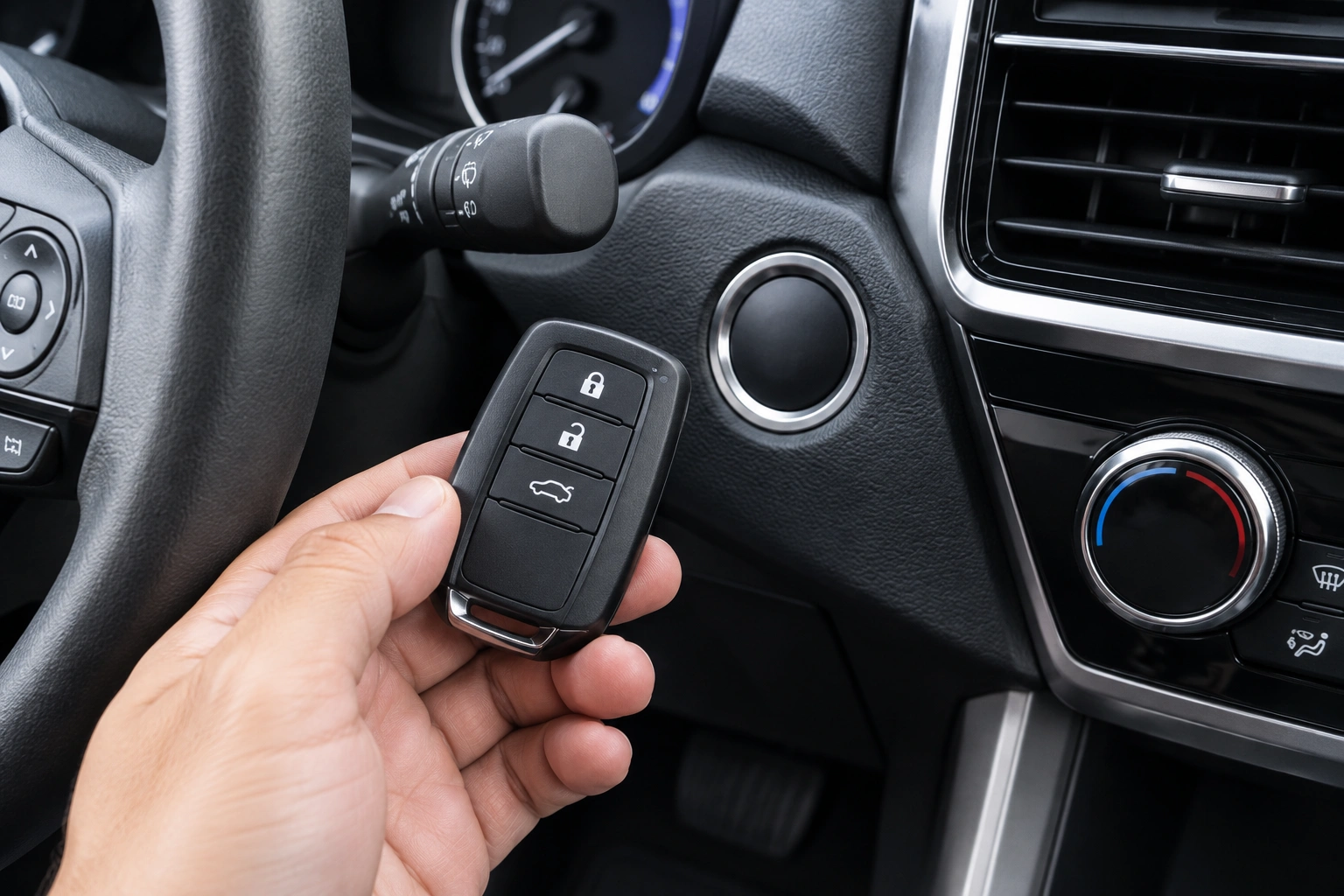
What “Key Not Detected” Means on a Toyota
Toyota’s Smart Key System relies on a low-power radio signal from the key fob. When the car doesn’t receive a valid signal, it may block push-button starting and display a warning such as “key not detected.”
That does not automatically mean the key is dead. It may still unlock doors, work intermittently, or start only when held near the backup detection area. If you have a spare key, that is one of the quickest ways to separate a fob problem from a vehicle problem.
Quickest Fixes to Try First
Before you dig into battery replacements, try the simple checks that solve a lot of no-detection complaints:
- Move the fob closer to the car. Stand inside the vehicle and hold the key near the start button or the backup reader location if your model uses one.
- Remove interference. Put down extra key rings, move away from other fobs, and turn off or move your phone.
- Try the spare key. If the spare works normally, the original fob is the likely problem.
- Retry the start procedure once. Press the brake, hold the fob in the backup detection position, and press the start button.
If the car starts with one of those steps, you’ve narrowed the problem without buying anything.
The Most Likely Causes, in Order
Here’s the order I’d check them in:
1) Weak key fob battery
This is the most common easy fix. A Toyota smart key often uses a CR2032 battery, but battery type varies by model and year, so confirm the exact battery for your fob before buying a replacement. When the battery gets weak, detection can become inconsistent before it fails completely.
2) Weak vehicle battery
A weak car battery can create odd electronic symptoms even if the dash still lights up. The smart key system may be one of the first things to act flaky.
3) Interference or poor placement
A phone, metal objects, other electronic devices, or even the fob being in the wrong pocket can reduce signal strength enough to trigger the warning.
4) Damaged or water-exposed fob
Cracked cases, corrosion, swollen batteries, or water damage can stop the key from transmitting reliably.
5) Smart key system or receiver fault
If the fob and vehicle battery both check out, the issue may be deeper in the detection system and likely needs professional diagnosis.
Key Fob Battery vs. Car Battery: How to Tell the Difference
The fastest way to avoid wasted time is to match the symptoms to the likely cause.
| Symptom | More likely key fob battery | More likely vehicle battery |
|---|---|---|
| Warning appears, but lights and electronics seem normal | Yes | Sometimes |
| Car starts only when fob is held near backup area | Yes | Less likely |
| Interior lights are dim | Less likely | Yes |
| Engine cranks slowly or clicks | Less likely | Yes |
| Problem comes and goes with one key only | Yes | Less likely |
| Multiple electrical systems act weak at once | Less likely | Yes |
A simple rule: if the car’s electrical system feels weak overall, think vehicle battery first. If everything else seems normal and only the key detection is acting up, the fob battery moves to the top of the list.
How to Test Whether the Vehicle Battery Is Weak
If you’re not sure whether the car battery is merely weak or fully dead, use this quick checklist:
- Headlights on: Do they look dim compared with normal?
- Interior lights and dash: Are they noticeably weak or flickering?
- Start attempt: Does the engine crank slowly, click, or not crank at all?
- Accessories: Do the radio, windows, or power locks seem sluggish?
- Jump-start response: If a jump pack or jumper cables help immediately, the vehicle battery is likely low.
- Battery tester or shop test: A simple load test or voltage check can confirm whether the battery is near the end of its life.
If the battery is very weak, the smart key warning may be a side effect rather than the main problem.
For a broader walk-through of no-detection symptoms, see our guide on how to start a car when the key fob is not detected.
How to Start a Toyota When the Key Isn’t Detected
Many Toyota models have a backup start method built into the Smart Key System. The exact location can vary by model and year, so your owner’s manual is the best source for the exact procedure, and some model-year manuals and key styles differ. In many cases, the workaround is to place the fob very close to the backup detection point while pressing the brake and start button.
Common Toyota backup placements include:
- Pressed directly against the start button
- Held against the Toyota emblem area on the start button panel
- Placed in a nearby marked pocket or slot near the steering column or center console, depending on model
A typical process looks like this:
- Sit in the driver’s seat with the fob inside the vehicle.
- Press the brake pedal.
- Hold the key fob against or very near the backup detection area.
- Press the start button.
If that does not work, try the same steps again while moving the fob slightly: against the start button, then a little higher or lower, then closer to the center of the button area. On some Toyotas, a weak fob battery will only work at very close range, so small placement changes can matter.
If the backup method fails and you are still stranded, stop repeating the same attempt and move to roadside assistance or professional help. If you’re in an unsafe location, roadside assistance is the best next step.
If this temporary method works, it usually tells you the vehicle can still read the key at close range, which points back to a weak fob battery rather than a total system failure.
For another Toyota-specific walkthrough, our article on emergency start when key fob is not detected may help.
Replace the Key Fob Battery
If the fob is several years old and the warning is intermittent, battery replacement is usually the first repair worth trying.
On many Toyota keys, the battery is a CR2032 coin cell, but the exact battery type varies by model and year. The job is usually simple:
- Open the fob case carefully.
- Note the battery orientation before removing it.
- Replace it with the correct battery type.
- Reassemble the fob and test it near the vehicle.
Typical cost and time:
– CR2032 battery: usually a few dollars to around $10 USD
– Replacement time: often 5 to 15 minutes for a basic fob
– If you buy the battery from a dealer or convenience store: pricing may be higher than online or hardware-store options
A fresh battery is cheap compared with replacement programming, and it often solves a weak-signal problem immediately. Still, if the fob has been dropped, cracked, or exposed to moisture, a new battery may not be enough.
If your warning appeared right after a battery swap, this related guide may help: car key not detected after battery change.
Check for Interference and Simple Detection Problems
Sometimes the key is fine and the car is fine, but the signal is getting blocked.
Common causes include:
- A phone sitting directly next to the fob
- A heavy key ring with multiple electronic devices
- The fob being buried in a bag or jacket pocket
- Metal objects near the key
- Another smart key from a different vehicle
For Toyota smart keys, the quickest isolation test is to remove everything from the pocket except the Toyota key and try again inside the cabin. If the car detects the key after that, the issue was signal interference, not a failed fob.
If you want to narrow it down fast, test in this order:
1. Try the fob by itself.
2. Move the fob away from your phone and other electronics.
3. Try the spare key in the same spot.
4. If one key works and the other doesn’t, the problem is probably in the key itself.
When the Fob Is Damaged, Wet, or Lost
A damaged fob behaves differently from a weak one.
Watch for these signs:
- Buttons feel loose or mushy
- The case is cracked
- The battery compartment is corroded
- The fob was exposed to water
- The key works only after shaking or pressing it hard
- The fob is missing entirely
If the fob is physically damaged, replacing the battery is usually a temporary experiment, not a real fix. A water-damaged key can also fail after seeming to work for a while, which is why intermittent detection should not be ignored.
If the key is lost, you’re no longer troubleshooting detection—you’re dealing with replacement and programming.
What to Do If the Backup Start Method Fails
If the backup method does not work, move to the next branch instead of repeating the same start attempt over and over.
Check these in order:
- Try the spare key
- If the spare starts the car, the original fob is the problem.
- Look for weak battery symptoms
- Dim lights, slow cranking, clicking, or multiple warning lights point toward the vehicle battery.
- Test the vehicle battery
- A battery tester or a shop can confirm whether voltage is too low.
- Inspect the fob for damage
- Water intrusion or a broken circuit can stop detection even with a fresh battery.
If both keys fail and the car battery seems healthy, the issue may be with the receiver, immobilizer-related components, or another smart key system fault. That is the point where DIY troubleshooting usually runs out of value.
For background on emergency starting and symptom comparison, this article from Keyless Entry Remote also explains the warning and common fixes.
When to Consult a Locksmith, Dealer, or Roadside Assistance
Use the right help for the situation:
- Roadside assistance: Best when you are stranded, unsafe, or need the car moved before anything else. This is the first call if you’re in traffic, bad weather, or a risky parking area.
- Automotive locksmith: Best when you need mobile help, a replacement fob, or on-site programming and the vehicle is otherwise accessible. Many locksmiths can handle Toyota keys, but coverage depends on the exact model and key type.
- Dealer: Best when you want OEM parts, factory-level programming, or the vehicle has a more complicated smart key issue that may need model-specific support.
If the fob is lost or stolen, both keys fail, or the backup start method doesn’t work, you may need a locksmith or dealer after roadside help gets you safe.
Dealer vs. Locksmith: Which Makes More Sense?
Both can help, but they’re not the same service.
Dealer
A Toyota dealer is the better route if you want OEM parts, model-specific programming, and factory-level support. That can be worth it when the car has a complicated smart key issue or you need a fully matched replacement.
Typical dealer scenario:
– You need a replacement fob for a newer Toyota with a push-button start system
– The vehicle requires model-specific programming
– You want OEM parts and don’t mind waiting for an appointment
Locksmith
An automotive locksmith can often be faster and sometimes more convenient, especially if you need mobile service. Many locksmiths can cut and program Toyota keys, but coverage depends on the exact model and key type.
Typical locksmith scenario:
– You need on-site help because the car is stranded
– You want a faster turnaround than a dealership appointment
– You need a replacement or duplicate key and the locksmith supports your Toyota model
Typical cost and turnaround can vary a lot by model, location, and key type, but these rough ranges can help you plan:
– Replacement Toyota key fob: often about $150 to $400+ USD
– Programming service: often about $50 to $150+ USD
– Turnaround: sometimes same day with a mobile locksmith, or longer if a dealer has to order the part
My practical rule: if you just need a battery or a simple spare, DIY is usually the quickest first move. If you need a new fob programmed, a locksmith may be the faster service call. If the system is acting unusual after battery checks and spare-key testing, the dealer may be the better final stop.
For a broader comparison of starting issues, Edmunds’ car buying and ownership guides can also be a useful reference point when you’re deciding whether a repair is worth handling now or later.
A Simple Decision Path That Saves Time
If you want the shortest route through the problem, use this order:
- One key fails, one key works: replace the weak key battery first.
- Both keys fail, lights are dim, or cranking is slow: test the vehicle battery.
- Backup start works only at close range: the fob battery is likely weak.
- Backup start fails and the fob is damaged: replace the fob.
- Nothing works after battery checks: get professional diagnosis.
That sequence keeps you from replacing parts blindly.
Toyota owners can also review general safety guidance from NHTSA if a battery or electrical issue leaves the vehicle unreliable or stranded.
FAQ
Why does my Toyota say key not detected?
The car isn’t receiving a valid signal from the smart key. The cause may be a weak fob battery, a weak vehicle battery, interference, or a damaged key.
Can I still start the car if the key isn’t detected?
Often yes, if your Toyota supports the backup start method and the fob still has enough power for close-range detection.
Is the key fob battery dead or is the car battery the problem?
If the car’s lights are dim or it cranks slowly, suspect the vehicle battery. If the car seems normal but the key warning appears, the fob battery is more likely.
Where should I hold the fob to make the car detect it?
Use the backup detection location described in your owner’s manual. On many Toyota models, the fob must be held very close to the start area, but the exact spot can vary by model and year.
Do I need to reprogram the key fob?
Not usually for a battery problem. Reprogramming becomes more likely if the fob is lost, replaced, or still not detected after battery and interference checks.
When should I call a dealer, locksmith, or roadside assistance?
Call roadside assistance first if you’re stranded in an unsafe place. Call a locksmith if you need mobile key help or replacement programming. Call a dealer if you want OEM parts or the issue appears more complex.
How long does a replacement key fob battery usually take?
Battery replacement is usually quick, often about 5 to 15 minutes for a basic fob, though the exact time depends on the key design.
How much does it usually cost to replace a Toyota key fob?
A replacement fob often runs about $150 to $400+ USD, with programming adding roughly $50 to $150+ USD, depending on model and service provider.
What if the warning comes and goes?
Intermittent detection often points to a weak fob battery, a weak vehicle battery, or signal interference rather than a complete failure.
