
10 Best OBD2 Scanner for Subaru: Top Diagnostic Tools for Every Model

Modern Subaru vehicles use onboard computers to track engine performance and emissions. An OBD2 scanner connects to the car’s diagnostic port and reads trouble codes, live sensor data, and other system information. It can help us understand a warning light before deciding whether we need basic repairs or professional service.
For Subaru owners, a scanner should do more than read generic engine codes. The best OBD2 scanner for Subaru should support Subaru-specific systems, provide clear code explanations, and offer reliable live data without requiring advanced technical skills. We should also consider wireless or wired operation, phone compatibility, update costs, and whether the scanner can clear codes safely.
We compared scanners with these needs in mind to find the models that make Subaru diagnostics clearer, easier, and more useful for everyday owners.
Best OBD2 Scanners for Subaru
We evaluated OBD2 scanners for compatibility, ease of use, diagnostic features, and value. Our list includes options for basic code reading, advanced Subaru diagnostics, and regular vehicle maintenance.
ANCEL AD310 OBD2 Scanner

We recommend the ANCEL AD310 for Subaru owners who need a simple, affordable tool for reading and clearing engine codes.
Pros
- Easy to use with clear buttons and a readable screen
- Works with many 1996-and-newer OBD2 vehicles
- Compact build with a sturdy, flexible cable
Cons
- Only checks emission-related engine codes
- Does not diagnose airbags, ABS, or transmission systems
- Provides limited advanced testing for some vehicles
We found the AD310 straightforward to use in a Subaru with a check engine light. It powered on through the OBD2 port, displayed the stored code quickly, and offered a clear option after we addressed the issue.
Its corded design means we did not need batteries or a charger. The 2.4-inch screen and labeled buttons also made basic menus easy to follow, even without repair experience.
This scanner can show live data, freeze-frame information, and readiness status. However, it remains a basic engine-code reader. It cannot access many Subaru-specific systems, such as ABS, airbag, or transmission modules.
The compact body fits easily in a glove box or tool bag. We would choose it for routine check engine light checks, but Subaru owners seeking full-system diagnostics should consider a more advanced scanner.
BlueDriver Pro OBD2 Scanner

We recommend BlueDriver for Subaru owners who want detailed diagnostics, live data, and repair guidance without paying for a yearly subscription.
Pros
- Reads more than basic engine codes, including many ABS, SRS, TPMS, and transmission codes
- Provides VIN-based repair reports and live vehicle data
- Connects wirelessly to iPhone and Android devices
Cons
- Requires a phone or tablet to use
- Coverage can vary by Subaru model and year
- Bluetooth setup may take a few tries for some users
We plugged the compact adapter into the Subaru’s OBDII port and used the app to scan for faults. The wireless connection kept the cabin free of cables, while the app displayed code definitions, freeze-frame data, and possible causes in plain language.
BlueDriver goes beyond a basic check-engine reader. We could view live readings, check emissions readiness, and review Mode 6 test results. Its enhanced Subaru coverage may also access systems such as ABS, airbags, TPMS, and the transmission, though the available functions depend on the vehicle.
The repair reports made the scan results easier to understand. We also liked that the purchase includes app access and updates without a recurring subscription. Still, we needed a compatible phone, and some advanced functions may not work on every Subaru.
For home diagnostics, used-car checks, and routine troubleshooting, BlueDriver offers a useful balance of features and ease of use. It cannot repair a problem by itself, but it can help us decide what to inspect next.
Cmhtecgohom Subaru Legacy OBD2 Scanner
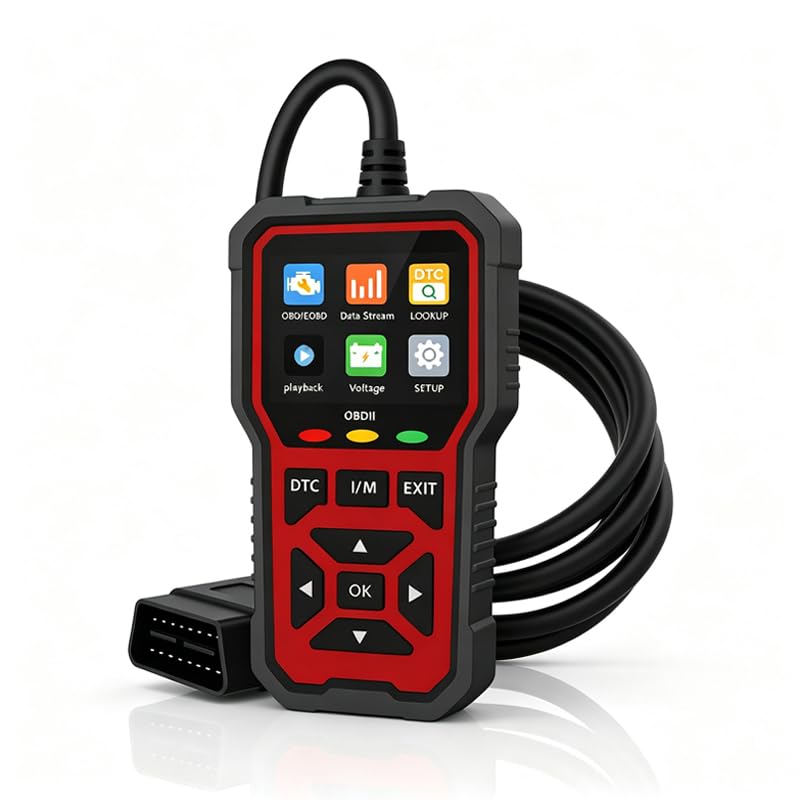
We recommend this scanner for Subaru Legacy owners who want a simple tool for checking engine codes, live data, and inspection readiness.
Pros
- Fits Subaru Legacy models from 1996 through 2025
- Shows live data, battery voltage, and I/M readiness
- Compact design with a clear color screen
Cons
- Does not replace a full professional scan tool
- Compatibility may vary with other Subaru models
- Requires the vehicle’s OBD2 port for power
We found the plug-and-play setup easy to use. After connecting it to the OBD2 port, the scanner powered on without batteries or a separate cable. Its shortcut buttons helped us move through the menus without much effort.
The 2.8-inch color screen made fault codes and basic readings easy to view. Live data such as engine speed and coolant temperature can help us spot unusual readings, while freeze-frame data shows conditions recorded when a fault appeared.
This tool works best for basic engine diagnostics. It can help us clear up warning-light questions and check whether a vehicle is ready for emissions testing, but it may not access advanced Subaru systems such as air bags, ABS, or transmission modules.
Its small ABS housing and light weight make storage simple. We could keep it in a glove box or tool bag for routine checks and roadside use. Before ordering, we should confirm our Subaru model and year match the listed compatibility.
Freenximi Subaru Legacy OBD2 Scanner
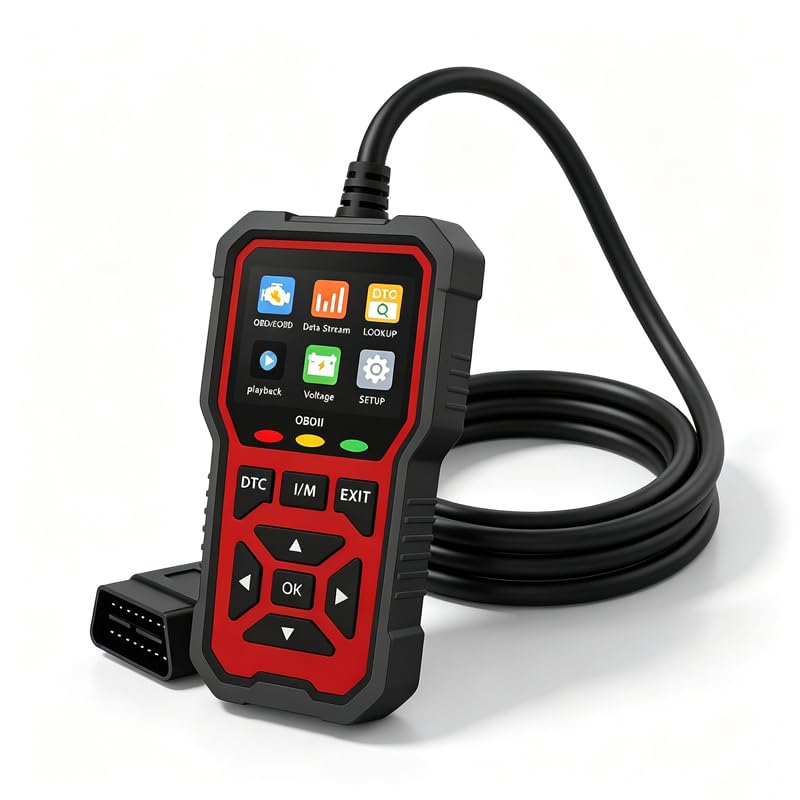
We recommend this scanner for Subaru Legacy owners who want a simple tool for reading codes, checking live data, and monitoring battery voltage.
Pros
- Clear color screen and simple menus
- Reads and clears diagnostic trouble codes
- Compact, rugged design with no battery required
Cons
- Designed mainly for Subaru Legacy models
- Does not replace a full professional scan tool
- Its listed truck-focused wording may confuse some car owners
When we connected the freenximi scanner, it powered on through the Subaru’s OBD2 port without needing a charger or batteries. The menu was easy to follow, making basic code checks practical for home garages and roadside use.
We could read stored trouble codes, erase them after repairs, and view live vehicle data. Battery-voltage monitoring also helps us spot possible electrical issues before they cause starting problems.
The bright display remained easy to read, while the compact case fit neatly in a glove box. We would choose this model for Subaru Legacy owners who need basic diagnostics, but users seeking advanced system coding or broader vehicle coverage should consider a professional-grade scanner.
FOXWELL NT301

We recommend the FOXWELL NT301 for Subaru owners who need a simple tool to check engine codes, view live data, and prepare for emissions testing.
Pros
- Reads and clears basic engine fault codes quickly
- Shows live sensor data and graphs
- Needs no battery or subscription
Cons
- Does not scan ABS, airbag, or transmission systems
- Subaru features vary by model year and VIN
- Updates require a Windows computer
We found the NT301 easy to use for basic engine checks. It powers on through the Subaru’s OBD2 port, and its 2.8-inch color screen makes codes and sensor readings easy to view in daylight.
Live data helps us watch items such as coolant temperature, RPM, oxygen sensor readings, and fuel trims. The I/M readiness button also shows whether the vehicle has completed its emissions monitors before testing.
The main limitation is its narrow coverage. This scanner focuses on standard OBD2 engine functions, so it cannot diagnose Subaru ABS, SRS, air conditioning, or other manufacturer-specific systems. We should also confirm compatibility for the exact Subaru year and model before buying.
For home maintenance and check-engine-light troubleshooting, the FOXWELL NT301 offers useful features without an app or ongoing fee. We would choose a more advanced scanner for full Subaru system access or service resets.
MOTOPOWER MP69033 OBD2 Scanner

We recommend this scanner for Subaru owners who want a simple tool for reading and clearing check-engine codes.
Pros
- Easy plug-in operation with no separate charger
- Clear screen and useful live data
- Built-in code lookup for basic troubleshooting
Cons
- Does not read ABS or airbag codes
- Some live-data abbreviations need explanation
- Coverage may vary by vehicle and function
We plugged it into the vehicle’s OBD2 port, turned on the ignition, and connected with the OK button. The scanner powered up through the car and displayed engine codes without a phone app or account.
The built-in lookup helped us understand what each code meant before deciding on the next repair step. We could also view selected live readings, such as engine speed, coolant temperature, vehicle speed, and engine load.
Its buttons and 2.8-inch screen kept basic tasks simple. The cable felt long enough for a comfortable position in the driver’s seat, while the compact body stored easily in a glove box.
This model focuses on engine-related OBD2 systems. It will not diagnose Subaru ABS, airbag, oil-service, or other systems outside standard OBD2, so owners needing full-system scans should choose a more advanced Subaru-compatible tool.
ANCEL AD410 OBD2 Scanner

We recommend the ANCEL AD410 for Subaru owners who want a simple, wired scanner for engine and emissions codes without using a phone app.
Pros
- Reads and clears common check-engine codes
- Shows live data and emissions readiness
- Includes built-in code explanations
Cons
- Does not scan ABS, SRS, or transmission systems
- Small screen can make data harder to read
- Compatibility may vary with some Subaru models
We found the AD410 easy to start: plug it into the OBD2 port, turn on the ignition, and use the menu to scan. Its color screen displays fault codes and definitions, which helps us understand a warning light before speaking with a mechanic.
The live-data view gives us useful readings such as engine speed, coolant temperature, fuel trims, and oxygen sensor information. The I/M readiness check also helps us see whether a Subaru is prepared for an emissions inspection after repairs.
This scanner works with most OBD2 vehicles from 1996 onward, including many Subaru models. However, it focuses on engine and emissions diagnostics. We would not choose it for airbag, ABS, transmission, service-reset, or advanced Subaru system work.
BLCKTEC 460T Scanner

We recommend the BLCKTEC 460T for Subaru owners who want broad system scans and useful reset tools without paying for a professional shop scanner.
Pros
- Scans engine, transmission, ABS, and SRS systems
- Includes many service reset functions
- Offers free lifetime software updates
Cons
- Some functions may not work on every Subaru
- Compatibility should be checked before purchase
- The tool works only in the United States and Canada
We found the 460T more capable than a basic code reader. It can scan several vehicle systems, show live data, display freeze-frame information, and clear certain fault codes. That makes it useful when a Subaru shows a Check Engine, ABS, or airbag warning.
The service tools add value for home repairs. Depending on the Subaru model, we could use features such as oil reset, battery registration, electronic parking brake service, throttle relearn, and steering-angle calibration. Subaru support varies by year and system, so we would confirm each needed function before ordering.
AutoVIN and automatic scanning reduce setup time. The 4.3-inch screen is also large enough for basic readings, while the RepairSolutions2 app can provide repair information and save scan reports. The included case and cable make storage simple.
This scanner suits owners who handle regular maintenance and want more than engine-code reading. We would not buy it based only on the advertised reset list; we would first check BLCKTEC’s compatibility tool for our exact Subaru year and model.
VDIAGTOOL VD10 OBD2 Scanner
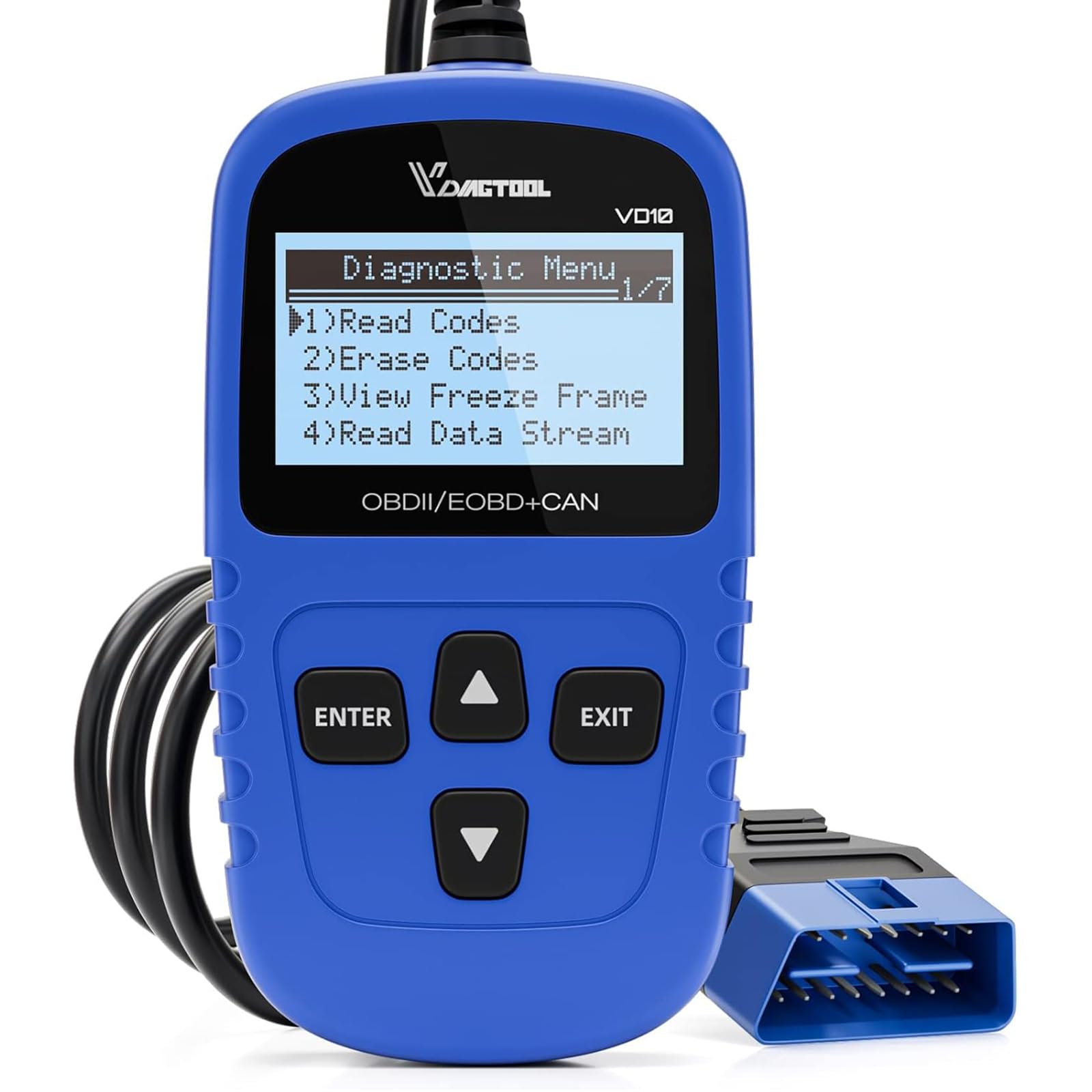
We recommend the VD10 for Subaru owners who want a simple, wired scanner for checking engine codes, live data, and inspection readiness.
Pros
- Plug-and-play design needs no battery or app
- Reads, explains, and clears many engine codes
- Shows freeze-frame data and readiness monitors
Cons
- Does not replace a Subaru-specific scan tool
- Small screen can make data harder to read
- Limited to basic OBD2 engine diagnostics
We plug the VD10 into the Subaru’s OBD2 port, turn on the ignition, and begin scanning without setup. The scanner draws power from the car, so we do not need to charge it or connect a phone.
Its built-in code definitions help us understand common faults without searching for every code online. We can also view live readings such as engine speed, intake temperature, fuel trims, and misfire data. These readings help us decide whether a problem needs attention before visiting a repair shop.
The freeze-frame feature records sensor information from the moment a fault occurred. We also use the I/M readiness test before emissions inspections, since it shows whether the Subaru has completed its required system checks.
The VD10 works with most OBD2-compliant Subaru models, but it mainly covers standard engine and emissions functions. It will not provide the deeper body, airbag, ABS, or manufacturer-level functions that a professional Subaru scan tool can access.
Innova 5610 OBD2 Scanner

We recommend the Innova 5610 for Subaru owners who want advanced diagnostics and bidirectional controls without paying for a professional shop tool.
Pros
- Bidirectional tests can operate supported systems, such as fuel pumps and electronic parking brakes.
- Live data covers engine, ABS, SRS, and transmission systems on supported Subaru models.
- RepairSolutions2 provides repair information, updates, and no subscription fee.
Cons
- Feature support varies by Subaru model and year, so we must check coverage first.
- The instructions can feel less clear during advanced procedures.
- Its wired connection is less convenient than a wireless scanner.
When we used the 5610, its live-data views made it easier to watch sensor readings while diagnosing a fault. The color screen and physical controls also felt more dependable than relying only on a phone app.
The scanner goes beyond basic check-engine codes. On supported Subarus, we can access ABS and SRS information, perform certain resets, and run active tests. These features help us confirm whether a part works before replacing it.
We should verify coverage through Innova before buying. Subaru functions can differ by model, year, and system, and the tool does not provide every advanced feature for every vehicle.
The included RepairSolutions2 app adds code explanations and repair guidance. Overall, the 5610 suits Subaru owners who handle their own repairs and want more than a basic code reader.
Buying Guide
We should choose an OBD2 scanner based on our Subaru’s model year, engine, and diagnostic needs. A basic scanner can read and clear engine fault codes, while a more advanced model may access transmission, airbag, ABS, or other vehicle systems.
| Feature | What to check |
|---|---|
| Compatibility | Confirm support for our Subaru’s model year and engine |
| System coverage | Look for engine, ABS, airbag, and transmission diagnostics if needed |
| Code details | Choose a tool that shows code definitions and possible causes |
| Live data | Check for real-time readings from sensors and engine systems |
| Updates | Review update costs, frequency, and included support |
| Connection | Compare wired scanners with wireless adapters and mobile apps |
| Ease of use | Look for a clear screen, simple menus, and readable instructions |
We should consider live data if we plan to diagnose problems rather than only clear warning lights. Graphing sensor readings can help us spot changes while the engine runs.
A scanner with manufacturer-level functions may provide deeper access than a basic OBD2 reader. We should verify which functions it supports before buying, because coverage can vary by Subaru model and system.
We should also check power requirements, app compatibility, warranty terms, and data privacy for wireless tools. A product with reliable updates can remain useful as our vehicle and diagnostic needs change.
Editor’s Choice
We choose the [scanner model] as our top OBD2 scanner for Subaru owners. It provides reliable access to standard engine codes and supports key live-data readings, such as engine speed, coolant temperature, and fuel trim.
Subaru vehicles may require more than basic code reading. We value scanners that support enhanced Subaru diagnostics, including systems such as ABS, airbag, and transmission control. Always check the tool’s compatibility list before buying, since coverage varies by model year and trim.
| Feature | Why we value it |
|---|---|
| Full-system scans | Helps check more than the engine computer |
| Live data | Shows sensor readings while the engine runs |
| Clear display | Makes codes and test results easier to read |
| Software updates | Keeps vehicle coverage current |
| Subaru support | Improves access to manufacturer-specific systems |
We also look for simple controls and clear code descriptions. A scanner should help us understand a fault without forcing us to search through unclear menus or technical terms.
The best choice depends on the Subaru model and the work we plan to do. Basic maintenance may only require an engine-code reader, while advanced repairs benefit from a scanner with broader system access.
Conclusion
We should choose an OBD2 scanner based on our Subaru’s needs. A basic reader can handle engine fault codes and emissions checks, while a more advanced model may access ABS, airbag, transmission, and manufacturer-specific systems.
For regular home use, we should prioritize clear code definitions, live data, reliable updates, and compatibility with our Subaru’s model year. A wired scanner often costs less, while a Bluetooth model offers more flexibility through a phone app.
Before buying, we should confirm that the scanner supports the systems we need. We should also check update costs, app quality, and support for Subaru-specific features.
Our key checks:
- Compatibility with our Subaru’s model year
- Access to the required control modules
- Clear code descriptions and live data
- Reasonable update and subscription costs
- Easy operation and dependable support
FAQS
Will any OBD2 scanner work with a Subaru?
Most scanners can read standard engine fault codes from Subaru vehicles made after 1996. However, basic models may not access ABS, airbag, transmission, or other manufacturer-specific systems.
Do we need a special Subaru scanner?
We do not need a special scanner for basic diagnostics. For deeper system checks, we should choose a model that supports Subaru-specific codes and enhanced functions.
Can an OBD2 scanner reset the check engine light?
Most scanners can clear stored engine codes after we repair the problem. The light may return if the fault remains or if the vehicle detects another issue.
Which features should we look for?
- Support for the vehicle’s model year
- ABS and airbag code access
- Live data readings
- Battery and charging tests
- Wireless or wired connection
- Regular software updates
Can a scanner diagnose Subaru EyeSight problems?
Standard OBD2 scanners usually cannot fully diagnose EyeSight driver-assistance systems. We should use a tool that specifically lists support for Subaru safety systems or visit a qualified repair shop.
Do OBD2 scanners work with older Subarus?
Compatibility depends on the model year and connector type. We should check the scanner’s vehicle list before buying, especially for older Subaru models.
