
10 Best OBD2 Scanner With Live Data for Battery Registration: Top Diagnostic Tools

A battery registration scanner helps match a vehicle’s charging system to a new battery. Many modern cars need this step after replacement, especially when the battery type or capacity changes. An OBD2 scanner with live data can also show charging voltage, battery current, and other readings that help confirm the system works properly.
The best OBD2 scanner for battery registration should support your vehicle, register the battery, and display useful live data in clear terms. We also look for broad vehicle coverage, simple controls, regular software updates, and a reliable connection. Some scanners offer basic registration, while others provide battery resets, charging-system tests, and wider service functions.
We compared scanners that combine battery registration with live data to find the models that offer the clearest information and the most useful features for home users.
Best OBD2 Scanners With Live Data for Battery Registration
We reviewed OBD2 scanners that provide live data and support battery registration on compatible vehicles. Our list highlights models with clear displays, useful diagnostic features, and broad vehicle coverage.
ANCEL BM500 BMW Battery Registration Scanner

We recommend the ANCEL BM500 for BMW and MINI owners who want live data, full-system scans, and guided battery registration without paying for a dealer visit.
Pros
- Supports battery registration and several BMW maintenance resets
- Reads systems such as the engine, transmission, ABS, and airbags
- Includes lifetime software updates
Cons
- Special functions vary by model and year
- Other vehicle brands receive basic engine diagnostics only
- Some older BMW chassis may have limited support
We found the BM500 simple to connect and navigate. Its menu guided us through battery registration, which made the process less confusing after replacing a battery. The tool also displayed live engine data, including coolant and fuel readings.
Beyond battery work, the scanner handled useful BMW functions such as EPB service mode, oil resets, throttle resets, and PCM adaptations. We could also scan several vehicle systems instead of checking only the engine computer.
Compatibility remains the main concern. BMW, MINI, and Rolls-Royce coverage is broad from 1996 onward, but available functions differ by vehicle configuration. We would check the exact model and year before ordering, especially for older chassis.
For non-BMW vehicles, the BM500 works mainly as a basic OBD2 engine scanner. Its small screen is practical, though less convenient than a larger tablet for reviewing many live-data readings.
Innova 5210 OBD2 Scanner

We recommend the Innova 5210 for DIY users who want live data, battery testing, and battery registration support in one affordable tool.
Pros
- Shows live readings such as RPM, engine temperature, and fuel trims
- Tests battery and alternator health
- Includes oil reset and emissions readiness checks
Cons
- Battery registration and ABS features depend on the vehicle
- The attached cable limits portability
- The app may suggest parts without identifying the exact fit
We found the 2.8-inch screen easy to read while checking live data. The scanner displayed key engine readings quickly, which helped us spot changes during startup and idle testing.
The built-in battery tester adds useful value for battery service. We could check charging performance before registering a replacement battery, but buyers should confirm coverage for their exact vehicle. The 5210 does not provide every battery registration function on every make and model.
We also used the oil reset and I/M readiness features without much effort. Its buttons and menus feel simple enough for routine checks, while the RepairSolutions2 app can provide repair information and cost estimates without a subscription.
Coverage remains the main limitation. We recommend using Innova’s coverage checker before buying, especially if you need ABS access or battery registration for a specific vehicle.
BLCKTEC 440 OBD2 Scanner

We recommend the BLCKTEC 440 for drivers who want clear live data, battery and charging tests, and basic reset tools in a compact scanner.
Pros
- Clear live-data graphs and code descriptions
- Dedicated battery and charging system tests
- Lifetime updates and a simple color screen
Cons
- Battery registration coverage may vary by vehicle
- Advanced service resets are limited
- Requires a phone or internet connection for some added information
We found the 2.8-inch screen easy to read while checking engine readings and charging voltage. The live-data graphs helped us watch changes in values instead of relying only on stored fault codes.
The scanner connects through the vehicle’s OBD2 port and draws power from the car, so we did not need to charge it. Its battery and charging system test can help us spot weak voltage or alternator issues before installing a new battery.
Battery registration remains vehicle-specific, so we would confirm compatibility before buying. The BLCKTEC 440 offers useful resets and emissions checks, but it may not replace a professional scan tool for advanced battery-management systems.
Color-coded readiness lights and dedicated hotkeys make emissions checks quick. We also like the support for multiple languages, lifetime updates, and the option to print reports. Its one-year limited warranty adds basic coverage for home users.
ANCEL AD410 Pro OBD2 Scanner
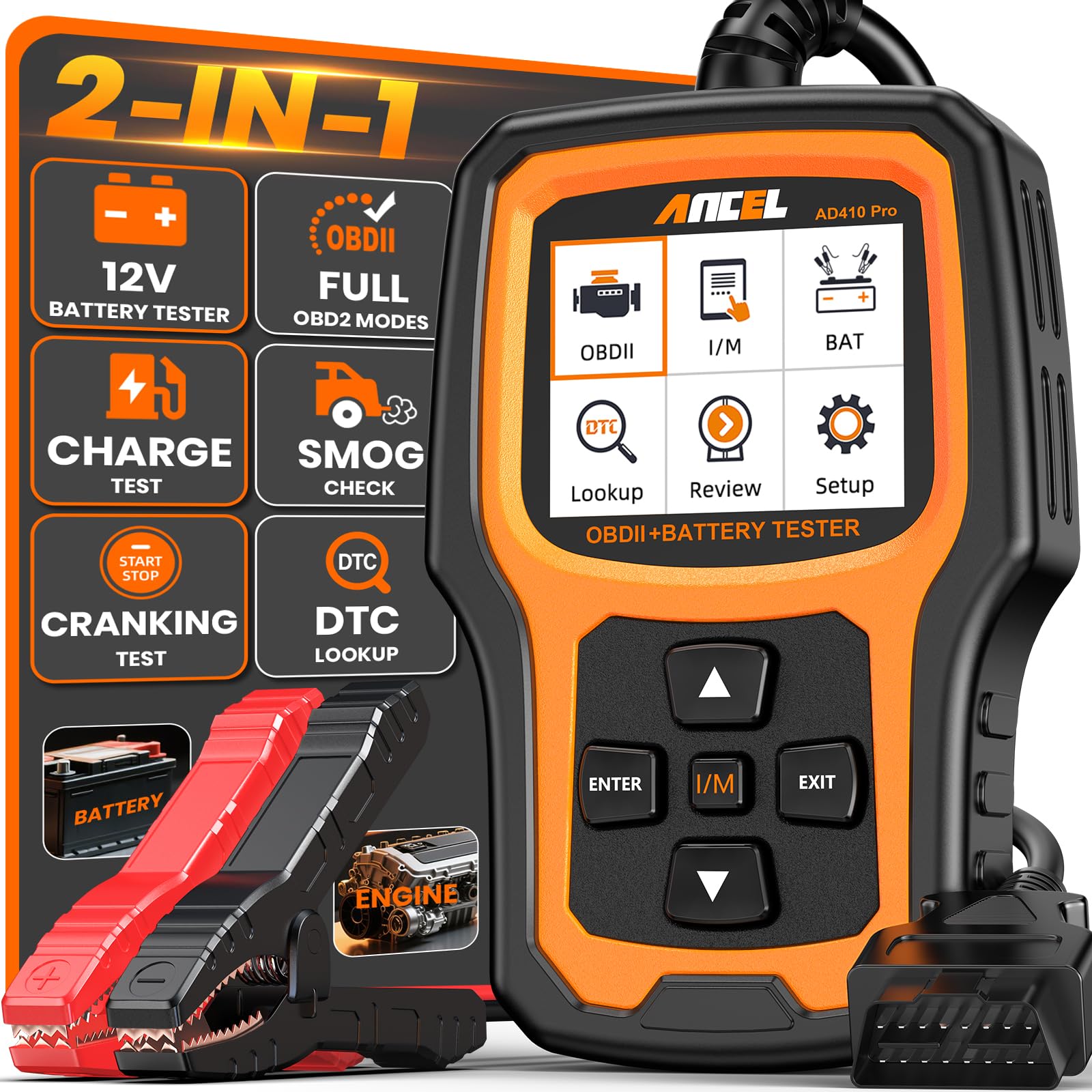
We recommend the ANCEL AD410 Pro for drivers who want live engine data and basic battery registration support in one affordable tool.
Pros
- Battery health, cranking, and charging tests
- Clear live data graphs and freeze-frame readings
- Simple plug-and-play design with lifetime updates
Cons
- Does not scan ABS, SRS, or transmission systems
- Battery registration may require manual confirmation of the new battery
- The small screen can feel crowded with complex data
We connected the scanner to a vehicle and found the setup quick. The 2.4-inch screen displays codes, live readings, and I/M readiness results without requiring an app or computer. Its menus remain manageable for first-time users, although some readings still require basic automotive knowledge.
The battery testing functions add useful value. With the included clamp cable, we could check battery health, cranking performance, and charging output. These tests help separate a weak battery from a starter or alternator problem, but we would still confirm serious findings with a professional meter or shop test.
Live data covers more than 50 engine readings, including temperature, fuel, and sensor information. Freeze-frame data also shows the conditions present when a fault occurred. That makes the tool more useful than a basic code reader, especially when a warning light appears only under certain driving conditions.
The main limitation involves system coverage. This model focuses on the engine and battery system, so it will not diagnose ABS, airbag, or transmission faults. It can help with battery replacement checks, but it does not offer the full automated battery registration features found on higher-end professional scanners.
FOXWELL NT301 OBD2 Scanner

We recommend the FOXWELL NT301 for reading engine codes and viewing live data, but not for battery registration because it does not support battery service functions.
Pros
- Clear live-data graphs for engine sensors
- Simple plug-and-play operation
- No subscription required for basic use
Cons
- Does not register or reset batteries
- Cannot scan ABS, SRS, or other advanced systems
- Compatibility varies by vehicle
We plugged the NT301 into the diagnostic port and found it easy to start using. The 2.8-inch color screen displays fault codes, vehicle information, and emissions readiness results without requiring a phone app or separate power source.
Live-data viewing is the scanner’s strongest feature. We could monitor values such as coolant temperature, engine speed, oxygen sensor readings, and fuel trims while the engine ran. Graphs helped us spot changing readings more easily than a simple list.
The dedicated readiness button and color indicators also make emissions checks easier. We could check whether the vehicle had completed its monitors before visiting an inspection center.
However, this is a basic engine code reader. It cannot register a replacement battery, reset battery-management systems, or access many vehicle-specific modules. We should choose a scanner with battery registration support if that function is the main goal.
The NT301 suits owners who want a reliable tool for check-engine diagnostics and live engine data. Its one-year seller assurance and lifetime updates add value, but we should confirm compatibility and required functions for our specific vehicle before buying.
FOXWELL NT604 Elite

We recommend the FOXWELL NT604 Elite for live engine, ABS, SRS, and transmission data, but not for battery registration.
Pros
- Reads live data from several major vehicle systems
- Includes a sturdy protective case
- Works out of the box with no added software fee
Cons
- Does not support battery registration
- No oil reset, ABS bleeding, or throttle relearn
- Vehicle coverage varies by make, model, and year
We found the scanner simple to start. After connecting the cable, the menus helped us scan the engine, ABS, airbag, and transmission systems without a long setup process. Its 4.3-inch screen displayed fault codes and live readings clearly enough for basic troubleshooting.
The live data feature adds useful detail beyond a basic code reader. We could view sensor information, check emissions readiness, and review stored data. The built-in code library also helped explain fault codes before we searched for more details.
We would not buy this model for battery registration. FOXWELL states that the NT604 Elite does not support battery registration or other maintenance functions, including oil resets, ABS relearns, and throttle body relearns.
The scanner can read and clear some SRS codes, but it cannot remove crash data. We also found that automatic vehicle identification may not work with every older vehicle, so manual selection may be needed.
Its protective case makes storage easier than a soft pouch. Overall, we see it as a practical diagnostic scanner for common control systems, but buyers who need battery registration should choose a model with that function listed for their exact vehicle.
ANCEL AD310 OBD2 Scanner

We recommend the ANCEL AD310 for basic engine-code checks, but not for battery registration because it lacks battery-management service functions.
Pros
- Reads and clears engine fault codes quickly
- Shows live engine data and freeze-frame details
- Compact, sturdy, and powered through the OBD2 port
Cons
- Cannot register or reset replacement batteries
- Covers emission-related engine codes only
- Uses a small, basic display without printing
We found the AD310 simple to operate. Its labeled buttons and clear screen made it easy to scan a vehicle without using a phone app or charging a separate battery.
The live-data feature helps us watch engine readings while the vehicle runs. We could also check freeze-frame information and inspection readiness, which can help narrow down a check-engine problem.
Its 2.5-foot cable gave us enough reach from the driver’s seat. The scanner felt light but solid, and it worked with many 1996-and-newer OBD2 vehicles that use common protocols.
Battery registration remains the main limitation. The AD310 does not perform battery-management resets, so we would choose a more advanced scanner for vehicles that require registration after battery replacement.
For basic diagnostics at home or on the road, this scanner offers useful functions at a low cost. We would buy it for engine-code work, not as a dedicated tool for battery service.
BLCKTEC 460T OBD2 Scanner

We recommend the BLCKTEC 460T for DIY users who need live data and battery registration, along with several other service functions.
Pros
- Provides live data for engine, transmission, ABS, and SRS systems
- Includes battery reset, ABS bleeding, EPB, SAS, and other service functions
- Offers free lifetime updates and repair information through RepairSolutions2
Cons
- Battery registration may not work on every vehicle
- Some advanced functions require a compatibility check before purchase
- The tool supports USA and Canada vehicles only
We found the 4.3-inch screen easy to read while checking sensor readings and fault codes. The scanner can graph, record, replay, and compare up to four live data streams, which helps us spot changes during a test drive or after a repair.
Battery registration is one of its useful features, but support depends on the vehicle’s year, make, and model. We would check BLCKTEC’s compatibility tool before buying, especially for European vehicles or cars with complex battery management systems.
The 460T also scans engine, transmission, ABS, and SRS modules. Its battery test, AutoVIN, freeze-frame data, and automatic system scan reduce the need to search through several menus.
We liked having service tools such as ABS bleeding, electronic parking brake service, throttle relearn, and steering angle calibration in one device. However, some users may find that a specific reset function does not work on every vehicle.
RepairSolutions2 adds verified repair information, maintenance schedules, recalls, and stored scan reports without a subscription fee. Lifetime updates add value, while the two-year limited warranty provides basic coverage.
Innova 5610 OBD2 Scanner

We recommend the Innova 5610 for DIY users who want live data, battery registration support on compatible vehicles, and advanced testing without paying for a shop-grade tablet.
Pros
- Clear live data for engine and select vehicle systems
- Bidirectional tests and special reset functions
- Free updates with no subscription fee
Cons
- Battery registration depends on the vehicle
- Coverage varies by make, model, and year
- Some advanced functions require checking compatibility first
We found the 5610 easy to navigate through its 3.5-inch screen. It displayed live engine data and, on supported vehicles, additional information from systems such as ABS, SRS, and the transmission.
Its bidirectional controls add useful testing options. We could command certain components, such as a fuel pump or electronic parking brake, instead of only reading stored codes. The reset menu also helps with service procedures, including battery registration when the vehicle supports that function.
The main limitation involves coverage. Battery registration and other special functions do not work on every vehicle, so we recommend checking Innova’s coverage tool before buying. The included RepairSolutions2 app can add repair information and code explanations, but the scanner remains the main tool for live data and testing.
The wired design keeps setup simple and draws power from the vehicle. We also liked the included storage pouch, USB cable, and protective boot. For home repairs, the 5610 offers a useful balance of advanced features and straightforward operation.
FOXWELL NT301 Plus
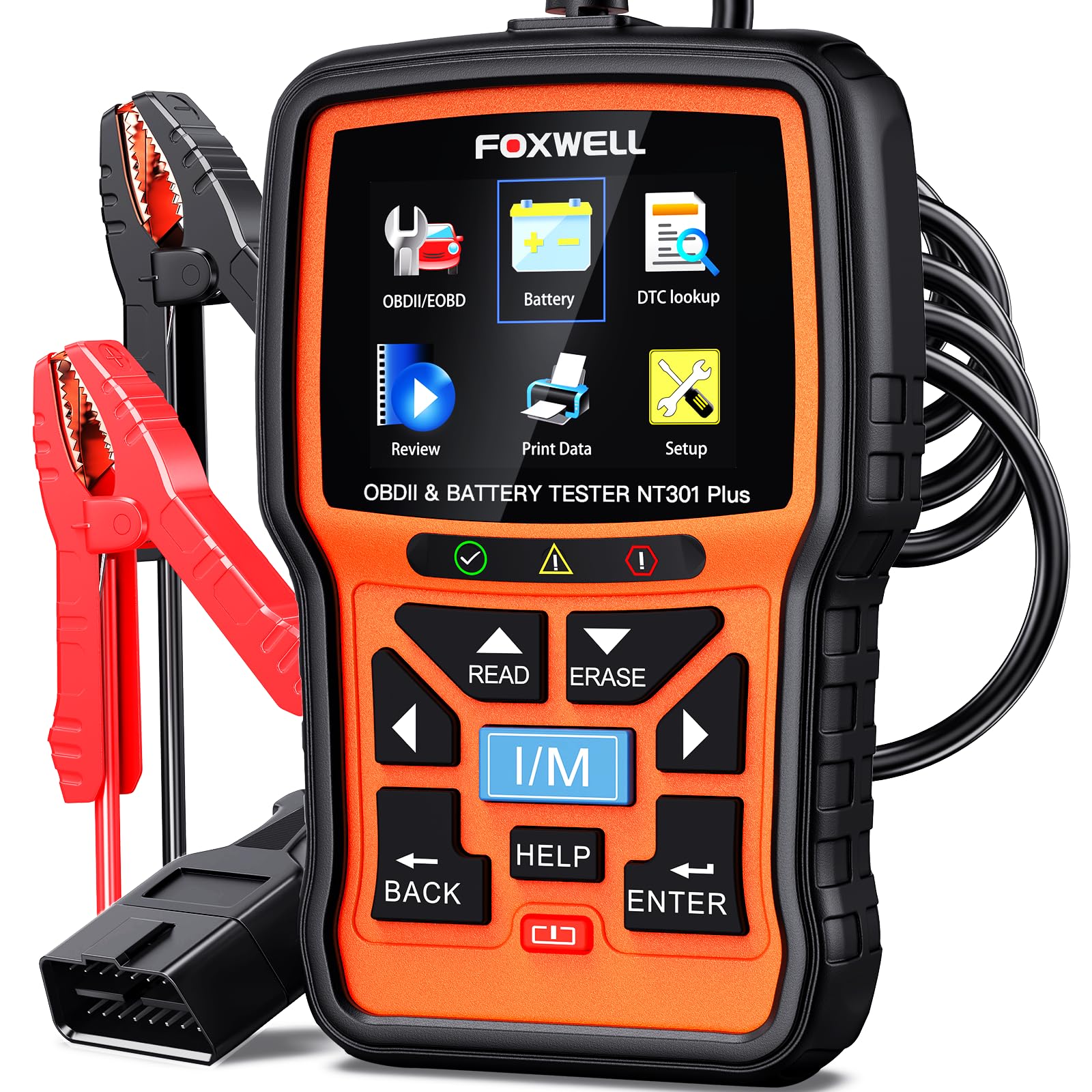
We recommend the FOXWELL NT301 Plus for basic engine diagnostics, live data, and 12V battery testing, but not for battery registration or advanced vehicle systems.
Pros
- Shows live engine data and supports recording and playback
- Tests 12V battery health, starting power, and charging
- Includes code lookup and emissions readiness checks
Cons
- Does not perform battery registration
- Cannot scan ABS, SRS, transmission, or other advanced systems
- Windows-only updates may limit convenience
We found the 2.8-inch color screen easy to read while checking RPM, coolant temperature, and fuel trim. The menus stayed simple, and the built-in code descriptions helped us understand common check-engine faults without searching for every code online.
The live-data function works well for tracking sensor readings and intermittent problems. Recording and playback also help us review changes after a repair. The tool connects through the vehicle’s OBD2 port and does not require an app or subscription.
Its battery tester adds useful value for routine checks. With the included clamp cable, we tested compatible 12V lead-acid batteries, including AGM, EFB, flooded, and GEL types. It can check battery health, starting power, and the charging system, but it does not perform a load test.
We should stress one important limitation: this model does not register a replacement battery. It also does not scan ABS, airbags, transmissions, or other non-engine modules. Buyers who need BMW battery registration or wider service functions should choose a more advanced scanner.
Buying Guide
We should choose a scanner that supports battery registration, not just basic code reading. Confirm that it works with the vehicle’s make, model, year, and battery management system before buying.
Look for these features:
- Battery registration or replacement reset
- Live data with clear sensor readings
- Battery voltage and charging-system data
- Support for battery type, capacity, and rating changes
- Automatic or manual vehicle identification
- Regular software updates
- A clear display and simple controls
- USB, wireless, or app connectivity that suits our needs
Live data can help us check battery voltage, alternator output, charging status, and related sensor values. A scanner with graphing or data-recording tools makes changing readings easier to understand.
| Feature | What we should check |
|---|---|
| Vehicle coverage | Exact support for our vehicle |
| Battery functions | Registration, replacement, and coding |
| Data display | Values, graphs, and viewing speed |
| Updates | Cost, frequency, and update method |
| Connection | Cable or wireless reliability |
| Support | Manuals, help, and warranty |
We should also check whether the scanner requires a subscription for advanced functions or updates. A low purchase price may not offer good value if important features remain locked.
Choose a model with a return policy and clear compatibility information. We should verify that it can register the battery type and capacity we plan to install, especially when replacing an older battery with a different specification.
Editor’s Choice
We choose the ANCEL BM700 for battery registration because it combines battery-management functions with clear live data. We can use it to view battery voltage, charging voltage, current, temperature, and related sensor readings while installing a new battery.
Its menu supports battery registration on many BMW models, including vehicles that require the new battery’s type and capacity to match the replacement. We should confirm vehicle coverage before purchase because registration features vary by model, year, and market.
| Feature | ANCEL BM700 |
|---|---|
| Live battery data | Yes |
| Battery registration | BMW-focused |
| Battery tests | Voltage, starting, and charging |
| Connection | Wired OBD2 |
| Best for | BMW owners and home mechanics |
The scanner uses a wired OBD2 connection, which helps maintain a stable link during service. Its display also makes it easier for us to check whether the vehicle recognizes the replacement battery after registration.
We should connect a battery charger or maintainer when the service procedure requires extended ignition time. A scanner cannot correct wiring faults, weak batteries, or charging-system problems, so we should review the live readings before completing registration.
Conclusion
We should choose an OBD2 scanner that supports both live battery data and battery registration. Live readings help us check voltage, charging performance, and battery sensor values before and after replacement.
A suitable scanner should also support the vehicle’s make, model, and battery system. Functions can vary by vehicle, so we should confirm compatibility before buying.
For regular home use, we can focus on:
- Battery registration support
- Clear live-data displays
- Wide vehicle coverage
- Software updates
- Easy-to-use controls
- Reliable customer support
We should connect the scanner with the ignition set as directed by the vehicle maker and follow the tool’s prompts. After registration, we can use live data to check that the charging system and battery readings remain within normal limits.
FAQS
Does battery registration require an OBD2 scanner?
Many modern vehicles require battery registration after replacement. We use an OBD2 scanner with a battery registration function to update the vehicle’s battery details and charging settings.
Can any scanner register a battery?
No. Basic code readers may display fault codes but often cannot register a new battery. We should check that the scanner supports battery registration for the vehicle’s make, model, and year.
Does live data help with battery registration?
Live data helps us check charging voltage, battery temperature, alternator output, and battery sensor readings. These values can show whether the charging system works correctly after registration.
Will registration work with every battery type?
The scanner may require the battery’s capacity, type, and starting rating. We must enter the correct information, especially when changing between standard lead-acid and AGM batteries.
Can we register a battery without replacing it?
Some vehicles allow a battery replacement procedure even when the battery remains installed. We should follow the service instructions because incorrect registration can affect charging performance.
What should we do if the scanner cannot connect?
We can confirm the ignition position, inspect the OBD2 port, and check for scanner software updates. We should also verify vehicle compatibility before attempting the procedure.
