
10 Best OBD2 Scanner With Live Data for Misfire Diagnosis: Top Picks for Accurate Testing

An OBD2 scanner reads trouble codes from a vehicle’s computer and can help explain why the check engine light is on. Models with live data go further by showing sensor readings while the engine runs, which helps us look for patterns linked to rough running, hesitation, and cylinder misfires.
For misfire diagnosis, we should choose a scanner that displays live data clearly, supports misfire-related codes, and refreshes readings quickly enough to track engine changes. Helpful features include graphing, freeze-frame data, Mode $06 test results, and support for all required vehicle systems. We should also check vehicle coverage, software update costs, and whether the scanner can show individual cylinder data.
We evaluated scanners with these needs in mind to identify the models that make misfire diagnosis clearer and more practical.
Best OBD2 Scanners With Live Data for Misfire Diagnosis
We selected the best OBD2 scanners with live data to help us identify engine misfires and related problems. Our list focuses on scan accuracy, useful data readings, ease of use, and value.
FOXWELL NT301

We recommend the FOXWELL NT301 for basic misfire checks because it shows live engine data without subscriptions or app setup.
Pros
- Displays RPM, fuel trims, coolant temperature, and oxygen sensor data
- Graphs live readings to help us spot changing values
- Simple plug-and-play design with a clear color screen
Cons
- Cannot scan ABS, airbag, transmission, or other non-engine systems
- Does not provide advanced resets or bidirectional controls
- Live data requires some knowledge to interpret correctly
We plugged the NT301 into the vehicle’s OBD2 port, and it powered on without a separate battery. The menus were straightforward, and we could read engine codes, clear them after repairs, and check whether the fault returned.
For misfire diagnosis, the live-data graphs proved more useful than the code alone. We could watch RPM, fuel trims, coolant temperature, and oxygen sensor readings while the engine ran. These values can help us identify signs of a fuel, air, or ignition problem, although the scanner does not replace a compression test or other mechanical checks.
The dedicated readiness button and color indicators also make emissions testing easier. Its 2.8-inch screen remains readable in daylight, and the built-in speaker provides useful feedback.
The NT301 remains a basic engine code reader. We should not expect it to identify which cylinder misfired on every vehicle, access manufacturer-specific systems, or perform advanced repairs and resets. Compatibility also varies by vehicle year, make, model, and VIN.
FOXWELL NT604 Elite OBD2 Scanner

We recommend the FOXWELL NT604 Elite for drivers who want live data and access to engine, ABS, SRS, and transmission codes without paying for advanced repair functions.
Pros
- Live data helps us watch engine readings during a misfire check
- Scans four major vehicle systems
- Includes a sturdy protective case and lifetime updates
Cons
- Does not perform bidirectional tests or service resets
- Vehicle support varies by make, model, and year
- Updates can take time to download
When we used the NT604 Elite, the menus felt simple enough for basic diagnostic work. We could read engine codes, view live data, and check whether the vehicle was ready for an emissions test. The live-data screen helps us compare readings such as engine speed and sensor values while the engine runs.
For misfire diagnosis, this scanner works best as an information tool. It can show stored and pending engine codes, while live readings may help us spot uneven engine speed or abnormal sensor behavior. We still need to test spark plugs, coils, fuel delivery, and compression before replacing parts.
The scanner also reaches ABS, SRS, and transmission modules. That wider coverage makes it more useful than a basic check-engine reader, especially when several warning lights appear. We could clear eligible codes after repairing the cause, but the device cannot fix faults or erase crash data from an airbag system.
We should note the limits before buying. The NT604 Elite does not support oil resets, battery registration, ABS bleeding, throttle relearn, or bidirectional controls. We also recommend checking FOXWELL’s compatibility list because coverage depends on the vehicle’s make, model, and year.
Innova 5210 OBD2 Scanner

We recommend the Innova 5210 for drivers who want live engine data, battery testing, and simple code reading in one tool.
Pros
- Displays useful data such as RPM, coolant temperature, fuel trims, and oxygen sensor readings
- Includes battery and alternator tests
- Offers oil reset, readiness checks, and access to a free repair app
Cons
- ABS and other advanced functions vary by vehicle
- The attached cable limits portability
- Suggested parts may not match the exact vehicle component
We found the live-data screen useful for misfire checks. Watching RPM, fuel trims, and oxygen sensor readings while the engine runs can help us spot signs that support a misfire diagnosis. The scanner does not identify the failed part by itself, so we still need to test coils, plugs, injectors, and wiring.
The 5210 also reads and clears engine codes, checks emissions readiness, and tests the battery and alternator. Its oil reset feature adds value for routine maintenance. We liked that the tool works without a subscription and connects with the RepairSolutions2 app for repair guidance and cost estimates.
Vehicle coverage remains the main limitation. ABS support and some other features depend on the make, model, and year, so we would check Innova’s coverage tool before buying. The scanner also needs a firm connection at the diagnostic port and the ignition switched on before use.
For home garages, the Innova 5210 offers a practical mix of live data and basic electrical tests. We would choose it for investigating check-engine-light problems, including possible misfires, but not as a replacement for a professional bidirectional scan tool.
ANCEL AD410 PRO OBD2 Scanner
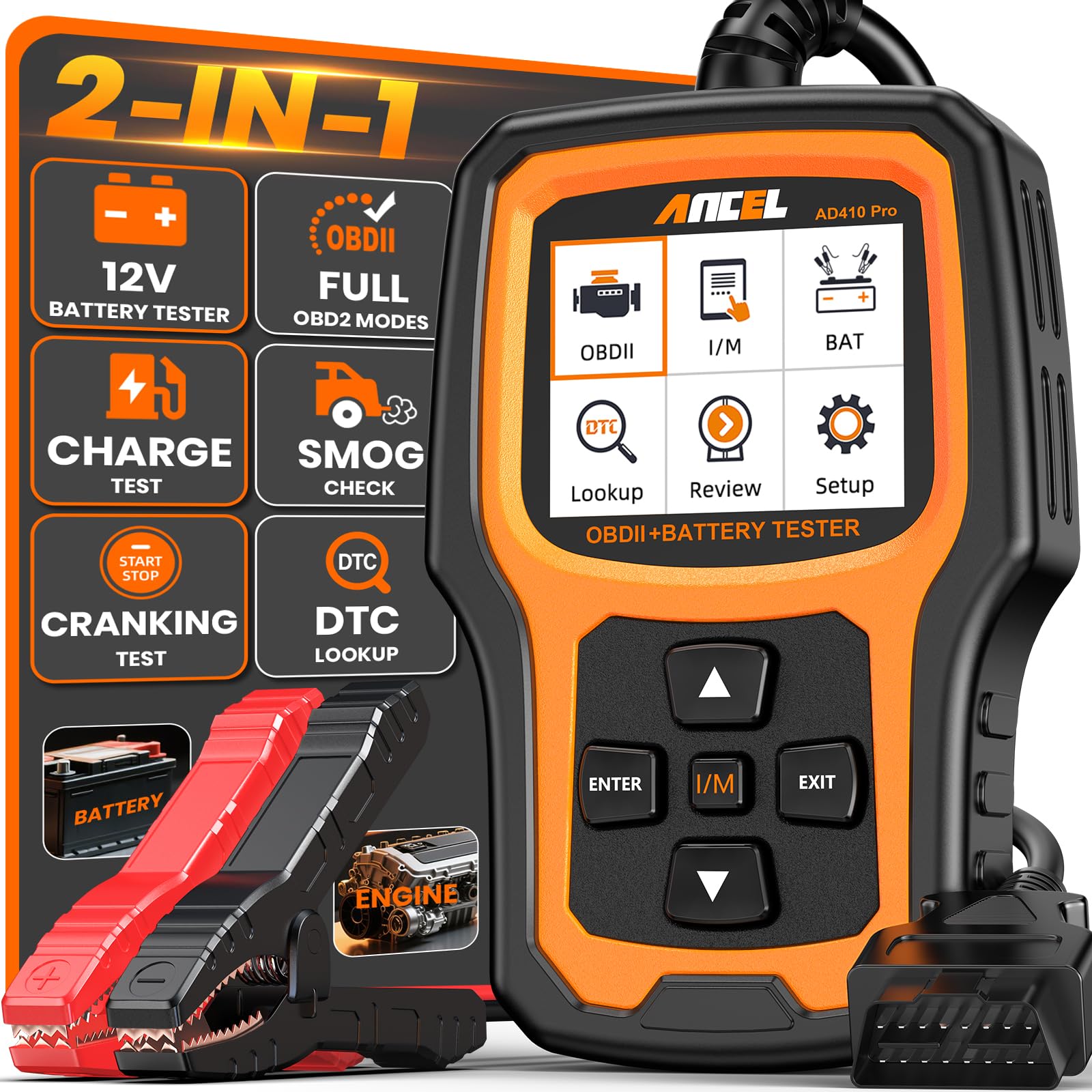
We recommend this scanner for drivers who want live engine data, misfire codes, and basic battery testing in one compact tool.
Pros
- Displays live readings, freeze-frame data, and waveform graphs
- Tests battery health, cranking, and charging performance
- Simple plug-and-play design with a clear color screen
Cons
- Does not scan ABS, SRS, or transmission systems
- Live data may require some mechanical knowledge
- Works with standard OBD2 vehicles, not EVs
We used the AD410 PRO to check engine data and found its live-data screen useful for misfire diagnosis. It can show readings from more than 50 engine parameters, while freeze-frame data records conditions such as engine speed, temperature, and load when a fault occurs.
The scanner can identify codes such as P0300, which points to random or multiple-cylinder misfires. That information helps us decide whether to inspect spark plugs, ignition coils, fuel delivery, or other related parts. It does not identify the failed part by itself, so we still need to interpret the readings and test the vehicle.
Its battery functions add practical value. The included cable supports battery health, cranking, and charging tests, helping us separate a weak battery from a starter or alternator problem. The unit also includes I/M readiness checks, which can show whether the vehicle is prepared for an emissions test.
The 2.4-inch screen is compact but readable, and the scanner needs no app or wireless connection. However, its system coverage remains limited to engine and battery functions, so vehicles with ABS, airbag, or transmission faults require a more advanced scan tool.
ANCEL AD310 OBD2 Scanner

We recommend the ANCEL AD310 for basic misfire checks because it reads engine codes, freeze-frame details, readiness status, and selected live data without needing a phone or app.
Pros
- Simple controls and a clear screen
- Reads and clears emission-related codes quickly
- Compact corded design needs no batteries
Cons
- Live data options are limited
- It cannot diagnose non-emission faults
- No print, Bluetooth, or advanced graphing features
We found the AD310 easy to start using. It powers through the vehicle’s OBD2 port, and the labeled buttons make code reading and clearing straightforward. The long cable also gives us enough room to view the screen from the driver’s seat.
For misfire diagnosis, the scanner can show useful engine data and stored trouble codes. It may help us identify codes such as P0300 or P0301, check freeze-frame conditions, and confirm whether the check engine light returns after a repair.
The main limitation is its basic live-data display. We cannot expect advanced misfire counters, detailed manufacturer data, or graphing found on professional scanners. The AD310 also works only with emission-related systems and supported OBD2 vehicles, so we should confirm compatibility before buying.
For drivers and home mechanics who need an affordable first check for a check engine light, the ANCEL AD310 offers useful core functions. We would choose a more advanced scanner for in-depth misfire testing or other vehicle systems.
BlueDriver Pro Next-Gen

We recommend it for drivers who want live data, enhanced code access, and guided repair information without paying a subscription.
Pros
- Shows live engine data and freeze-frame details
- Reads more than basic check-engine codes on supported vehicles
- Includes repair reports and Mode 6 test results
Cons
- Bluetooth connection may drop during scans
- Some vehicles have limited coverage
- The app can suggest several possible causes
We found the BlueDriver easy to set up. After plugging it into the OBD2 port, we paired it with a phone and started a scan through the app. Live readings helped us watch engine speed, fuel trims, oxygen sensor data, and other values linked to misfire diagnosis.
The scanner also showed stored and pending codes, which helped us look beyond a single check-engine warning. Freeze-frame data provided useful context about engine conditions when a fault appeared. Mode 6 results added another way to check misfire-related problems on supported vehicles.
Repair reports made the results easier to understand. They listed likely causes and verified fixes, but we still needed to confirm each issue with basic testing before replacing parts. The tool can narrow the search, though it cannot replace a professional diagnosis.
We liked that the purchase includes app access without a recurring fee. However, several users reported dropped Bluetooth connections, failed updates, or trouble connecting to certain vehicles. We would check compatibility before buying, especially for less common models or newer vehicles.
ANCEL AD410 Live-Data OBD2 Scanner

We recommend the ANCEL AD410 for basic misfire checks because it reads engine codes, shows live data, and works without a phone or subscription.
Pros
- Displays RPM, coolant temperature, fuel trims, and oxygen sensor data
- Offers built-in code definitions and quick code clearing
- Simple plug-in design with a clear color screen
Cons
- Covers engine and emissions systems only
- Does not provide advanced misfire tests or bidirectional controls
- The manual may feel unclear for first-time users
We found the live-data screen useful when checking for signs linked to a misfire. Watching engine speed, fuel trims, oxygen sensor readings, and other available values can help us compare normal and abnormal behavior. The scanner does not diagnose the exact failed part, but it gives us useful evidence before replacing plugs, coils, or injectors.
The AD410 connected quickly on compatible vehicles and did not require an app, Bluetooth pairing, or a separate battery. Its built-in code definitions also helped us understand common check-engine faults without reaching for another device.
We should note its limits. This scanner reads engine and emissions codes, so it does not scan ABS, airbag, or transmission systems. It also lacks advanced functions such as cylinder-specific misfire counters and component control tests.
For home maintenance and early troubleshooting, the ANCEL AD410 offers practical live data at a reasonable level of complexity. We would choose it for basic misfire investigation, code checks, and repair verification rather than advanced professional diagnostics.
BLCKTEC 460T

We recommend the BLCKTEC 460T for DIY users who want live data, all-system scans, and several service resets in one tool.
Pros
- Graphs, records, and overlays up to four live-data streams
- Scans engine, transmission, ABS, and SRS systems
- Includes free lifetime updates and RepairSolutions2 access
Cons
- Some features depend on the vehicle’s make, model, and year
- Supported use is limited to the United States and Canada
- The tool may feel advanced for simple code checks
We found the live-data functions useful for misfire diagnosis. The 460T can display engine readings in real time, record them, and show several values on one graph. This helps us compare readings while watching for changes linked to a misfire.
The scanner also provides freeze-frame data, which captures vehicle conditions when a fault occurred. That information can help us check engine speed, load, and other readings before clearing a code. We still need to test ignition, fuel, and compression parts separately, since live data alone cannot confirm the failed component.
Beyond engine codes, the 460T scans transmission, ABS, and SRS systems. Its reset tools cover services such as battery registration, throttle relearn, oil maintenance, ABS bleeding, and electronic parking brake work. We would check BLCKTEC’s compatibility tool first because not every function works on every vehicle.
AutoVIN and AutoScan reduce setup time, while AutoReLink can rescan modules without repeated button presses. RepairSolutions2 adds repair information, maintenance details, recalls, and saved scan reports without a subscription.
The 4.3-inch screen and included storage case make the tool practical for garage use. However, its broad feature set may take time to learn, and some buyers have reported packaging concerns or limited support for certain reset functions. A two-year limited warranty provides added coverage.
Innova 5610 Bidirectional Scan Tool

We recommend the Innova 5610 for DIY users who want live engine data, system tests, and guided repair information in one wired scanner.
Pros
- Clear live data for engine, ABS, SRS, and transmission systems
- Bidirectional tests can help confirm faults, such as fuel pump operation
- RepairSolutions2 app adds code explanations and repair guidance
Cons
- Vehicle coverage varies by make, model, and year
- Some advanced functions need a phone and app connection
- The wired design offers less flexibility than wireless scanners
We found the live data useful for misfire checks. Watching engine speed, fuel trims, oxygen sensor readings, and other available data helped us compare what the vehicle was doing during idle and under load. The scanner can also show enhanced data on supported vehicles, which gives us more information than a basic code reader.
Its bidirectional controls add value during diagnosis. We could command certain components, such as a fuel pump, to help separate an electrical or control problem from a mechanical one. The available tests depend on the vehicle, so we would check Innova’s coverage tool before buying.
The 3.5-inch screen and physical controls made basic scanning easy. We also liked the repair reports and code details from the RepairSolutions2 app, though using the app adds an extra step. The scanner includes free updates and does not require a subscription.
Coverage remains the main limitation. Some users may find that a vehicle outside the supported market, or a specific model year, lacks the functions they need. For supported vehicles, the Innova 5610 offers a strong mix of live data, misfire troubleshooting tools, and advanced system tests.
FOXWELL NT301 Plus OBD2 Scanner
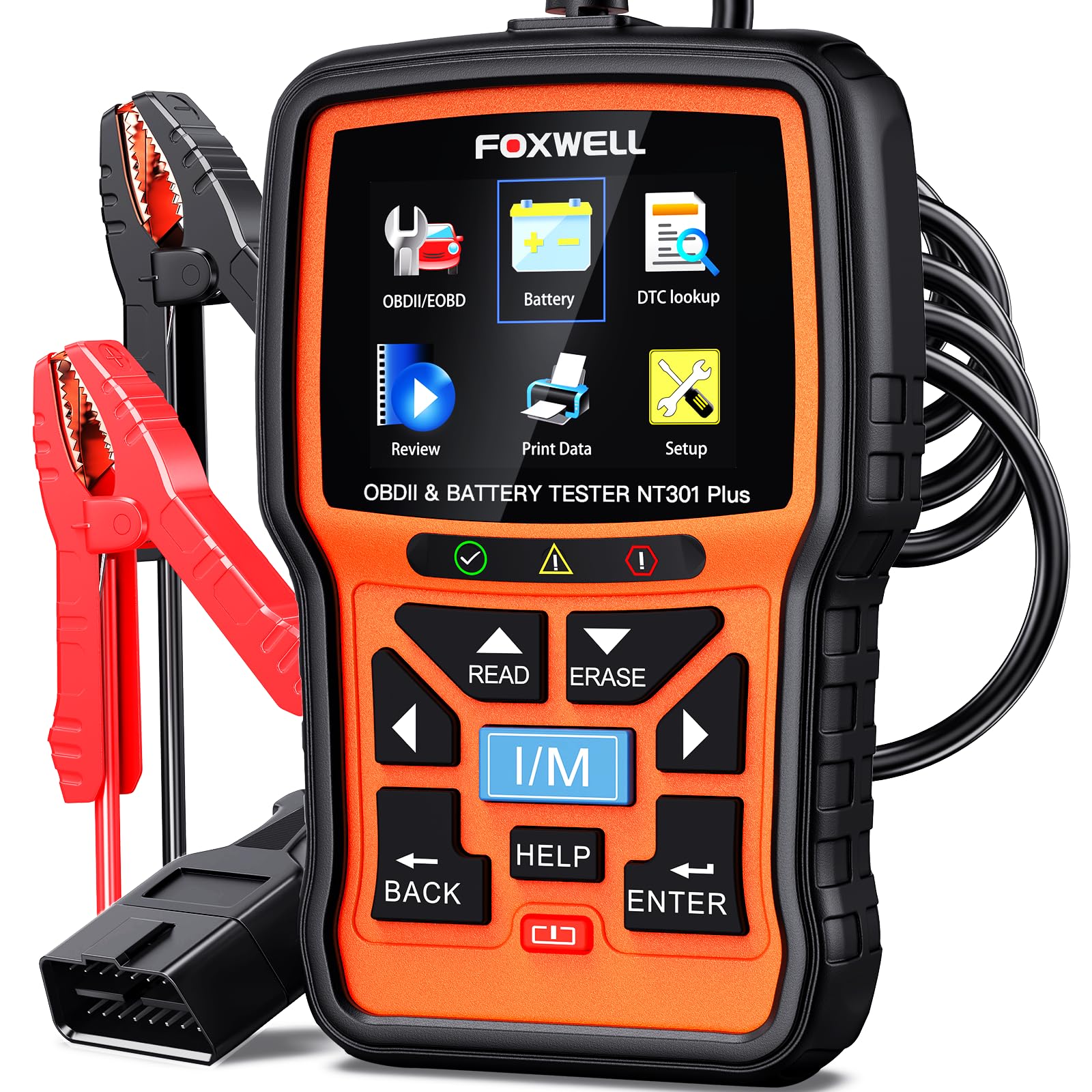
We recommend this scanner for DIY users who need live engine data, misfire code checks, and basic 12V battery testing in one tool.
Pros
- Shows live RPM, coolant temperature, fuel trim, and sensor data
- Records and replays data for checking intermittent misfires
- Tests battery, starting, and charging system health
Cons
- Does not read ABS, airbag, or transmission codes
- Supports 12V batteries only
- Windows is required for software updates
We found the NT301 Plus easy to connect and navigate during basic engine checks. Its color screen displays trouble codes clearly, while the built-in lookup gives each code a plain-language description. That helps us move from a misfire code to the next diagnostic step without searching immediately.
Live data makes this tool more useful than a basic code reader. We can watch RPM, fuel trim, coolant temperature, and sensor readings while the engine runs. Recording and playback also help us review an intermittent misfire after a test drive.
The scanner includes an I/M readiness check and an EVAP test, which helps before an emissions inspection. Its battery tester adds value when a weak battery or charging problem may be causing confusing engine symptoms.
The main limit is system coverage. This tool focuses on engine and battery diagnostics, so we should not expect it to scan ABS, SRS, transmission, tire sensors, or perform battery registration. We also need to confirm vehicle compatibility, especially with older, European, and less common models.
Buying Guide
We should choose an OBD2 scanner that shows live engine data, not just stored trouble codes. For misfire diagnosis, the scanner should display misfire counts for each cylinder, engine speed, coolant temperature, fuel trims, ignition timing, and oxygen or air-fuel sensor readings.
A useful scanner should refresh data quickly and let us view several values at once. Graphing tools can help us spot changes during acceleration, idle, or a road test.
| Feature | Why it matters |
|---|---|
| Mode $06 data | Shows detailed misfire test results when the vehicle supports it |
| Individual cylinder counts | Helps identify which cylinder misfires |
| Live data graphing | Makes sensor and misfire changes easier to see |
| Freeze-frame data | Shows engine conditions when a fault occurred |
| Readiness monitors | Helps confirm whether emissions tests have completed |
| Vehicle coverage | Ensures the scanner works with our vehicle’s systems |
| Update support | Keeps software compatible with newer vehicles |
We should also check whether the scanner can access manufacturer-specific codes. Basic code readers may show generic P0300 or P0301 codes but lack the data needed to find the cause.
Ease of use matters during testing. We should look for a clear screen, simple menus, strong cable connections or reliable wireless pairing, and data storage or report features when we need to compare test results.
Editor’s Choice
We choose the Autel MaxiCOM MK808BT Pro as our editor’s choice for misfire diagnosis. It shows live engine data, reads manufacturer-specific codes, and supports active tests that can help us check ignition, fuel, and sensor systems.
Its live-data display lets us view engine speed, coolant temperature, fuel trims, oxygen sensor readings, and misfire-related values when supported by the vehicle. We can also graph selected readings to spot changes during acceleration or under load.
Key strengths:
- Live data with graphing
- All-system code scanning
- Active tests for supported vehicles
- Wireless connection to the vehicle
- Service functions for common maintenance tasks
We should confirm vehicle coverage before buying because features vary by make, model, and year. A scanner cannot prove that one part caused a misfire, but it can help us compare data, test systems, and narrow the fault.
Conclusion
We should choose an OBD2 scanner with live data that shows misfire counts, fuel trims, RPM, engine load, and oxygen sensor readings. These values help us compare cylinders and identify patterns during idle, acceleration, and steady driving.
A useful scanner also needs clear graphs, quick data updates, and reliable code descriptions. Bluetooth models work well with a phone, while handheld scanners offer a dedicated screen and simple controls.
Before replacing parts, we can use the scanner to confirm the fault and check related systems. Reviewing live data alongside spark plugs, ignition coils, fuel pressure, and vacuum readings helps us avoid unnecessary repairs.
| Need | Useful scanner feature |
|---|---|
| Find the affected cylinder | Individual misfire counts |
| Check fuel delivery | Short- and long-term fuel trims |
| Track changes while driving | Live graphs and fast updates |
| Confirm repairs | Code clearing and monitor status |
The best choice depends on our vehicle, budget, and comfort with diagnostic data. A scanner that presents accurate information clearly gives us a stronger starting point for misfire diagnosis.
FAQs
Can an OBD2 scanner confirm a misfire?
We can use a scanner to identify misfire codes, such as P0300 for random misfires or P0301–P0308 for a specific cylinder. The scanner cannot confirm the failed part by itself, so we should test the related ignition, fuel, and engine systems.
What live data helps with misfire diagnosis?
We should check misfire counters, short- and long-term fuel trims, engine speed, coolant temperature, oxygen sensor readings, and ignition timing. Data from each cylinder helps us find patterns that basic fault codes may not show.
Can a scanner show an active misfire?
Many advanced scanners display live misfire counts while the engine runs. We should compare counts between cylinders and test under the conditions that trigger the problem, such as cold starts, idle, or acceleration.
Do we need a bidirectional scanner?
A bidirectional scanner can command tests, such as injector balance checks or ignition coil controls. We do not always need this feature, but it can reduce testing time on vehicles that support these functions.
Will one scanner work with every vehicle?
Most OBD2 scanners work with gasoline vehicles sold in the United States from 1996 onward and diesel vehicles from 1997 onward. We should confirm coverage for the vehicle’s make, model, engine, and advanced functions before buying.
