
10 Best WiFi OBD2 Scanner for Misfire Diagnosis — Top Picks and How to Choose

Wi-Fi OBD2 scanners let us read engine codes, monitor live data, and run tests from a phone or tablet without plugging into the car constantly. These devices pair an OBD2 plug with a wireless adapter and an app, so you can track misfires, view cylinder-specific data, and clear codes from the driver’s seat. For people who diagnose misfires, Wi‑Fi scanners give more convenience than wired tools and more detail than a basic code reader.
Misfire diagnosis depends on accurate live data, access to freeze-frame and fuel-trim information, and the scanner’s ability to read manufacturer-specific PIDs and cylinder misfire counts. The most important thing to look for is reliable real‑time data and compatibility with your vehicle’s make and model, since inaccurate or limited data can lead you away from the real cause. We tested and compared several Wi‑Fi OBD2 adapters and apps to find the ones that give clear misfire info, stable connections, and useful diagnostics for DIYers and technicians.
Best WiFi OBD2 Scanners for Misfire Diagnosis
Below is our full list of the best WiFi OBD2 scanners for diagnosing engine misfires. We tested options for accuracy, ease of use, and compatibility so you can find a reliable tool for quick misfire checks.
AVAPOW AV-D600
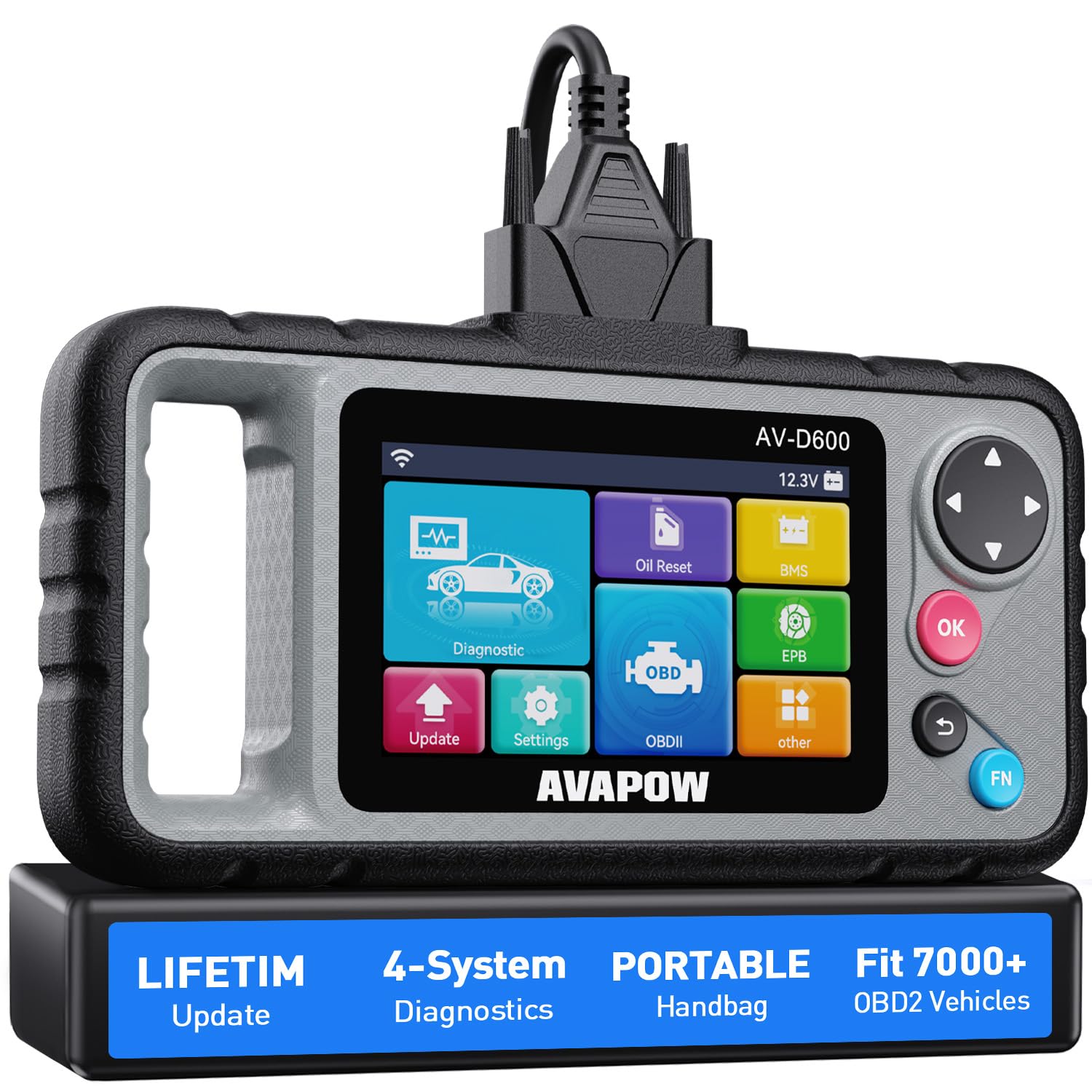
We recommend this if you want a hand-held WiFi OBD2 that reads misfires and other system faults without subscription costs.
Pros
- Covers engine misfires plus ABS, SRS, and transmission codes.
- WiFi lifetime updates keep code library current.
- Ergonomic handle and sturdy case make it easy to use in the garage.
Cons
- Not full dealer-level coverage for some makes (we hit limits on certain Toyotas/Subarus).
- Bulkier than tiny dongles, so it needs space in the glove box.
- Some vehicles (Chrysler/Jeep noted by users) may not be fully supported.
We plugged the AV-D600 into several older cars to chase misfires and liked how fast it pulled live data. The live graphs helped us see misfire patterns across cylinders instead of guessing. Clearing codes and rerunning readiness checks felt simple and direct.
Using the oil reset and battery match saved us a dealer trip once. The WiFi update was painless; the unit updated its code library while we made coffee. The ergonomic grip really matters when you hold it under a dash for a few minutes.
We did find limits on vehicle coverage in our fleet. One Subaru only returned basic codes, and a Chrysler model didn’t talk to it at all. If you need dealer-level depth for a specific brand, double-check compatibility first.
This tool balances ease of use and solid diagnostics for DIYers and small shops. If you want reliable misfire detection without subscriptions and you drive common 1996+ models, this is a smart buy.
Launch CRP123X Elite
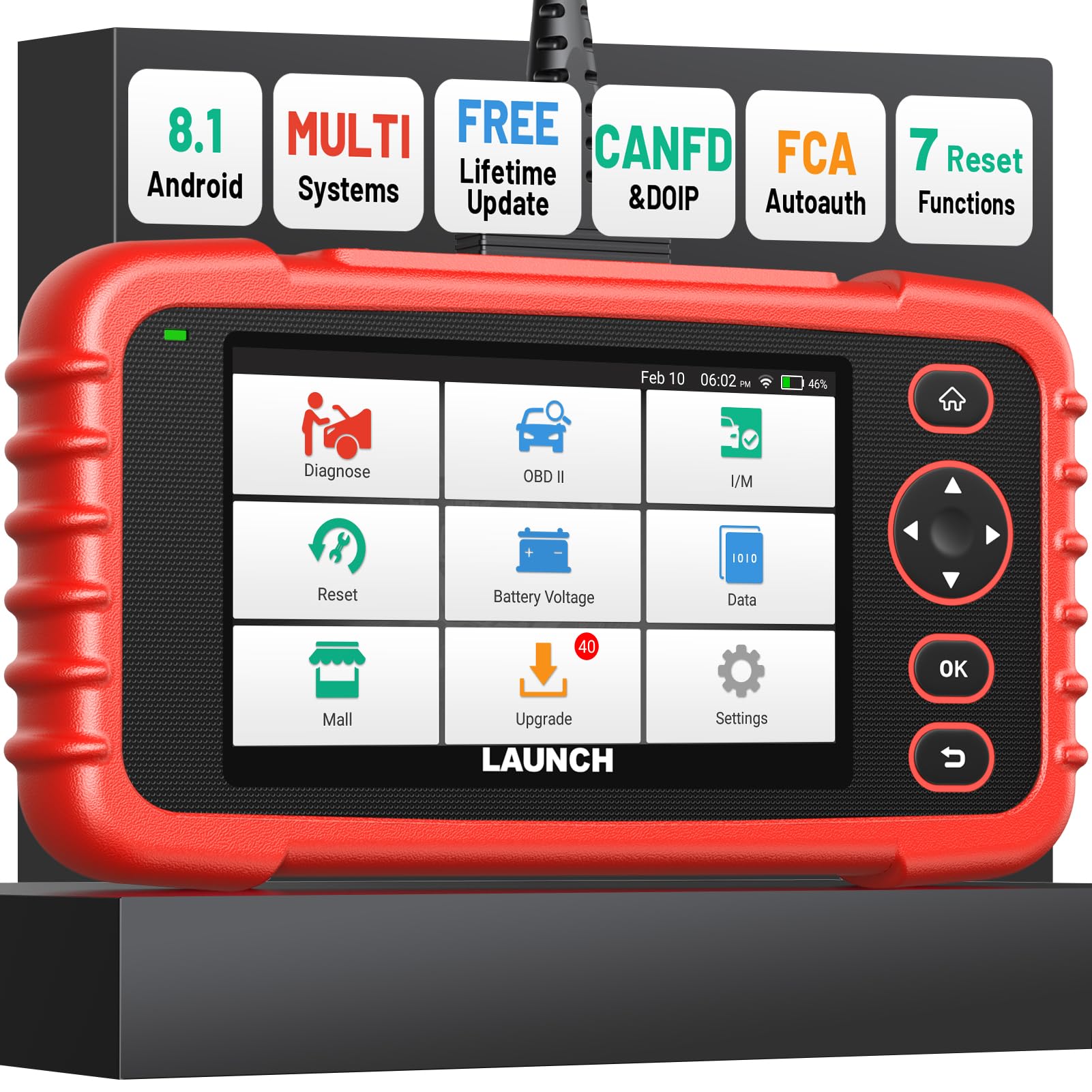
We recommend this unit if you want a fast, capable Wi‑Fi OBD2 scanner that helps pinpoint misfires and live data without a trip to the shop.
Pros
- Detailed live data and merged graphs make misfire patterns easy to spot.
- Fast Wi‑Fi updates and auto VIN read saved us setup time.
- Strong multi-system coverage lets us test engine, ABS, and ignition parts.
Cons
- Some advanced functions require extra cables or paid unlocks for certain vehicles.
- The screen is small for long waveform sessions.
- Occasional menu depth felt confusing until we learned the layout.
We used this tool on several older and newer cars to chase misfires. The live data view showed RPM, fuel trim, and individual cylinder activity in ways that made comparing misfiring cylinders straightforward. Saving and emailing the session reports helped us track intermittent faults.
Setup took only minutes because the scanner auto-detected VIN and connected to Wi‑Fi for updates. The merged four‑in‑one waveform was the most helpful feature; it let us watch spark and injector signals together to confirm a weak cylinder. Battery life carried us through long tests without needing a recharge.
When diagnosing an FCA model from 2019, AutoAuth worked after we added the official cable, and CAN‑FD support caught issues newer tools missed. Still, some special service routines required purchasing unlocks or add‑on modules, so budget for extras if you plan wide use.
We found this unit solid for DIYers and small shops who need reliable misfire diagnosis and multi‑system checks. Check current price and details on Amazon: Launch CRP123X Elite.
MOCATEC WiFi ELM327
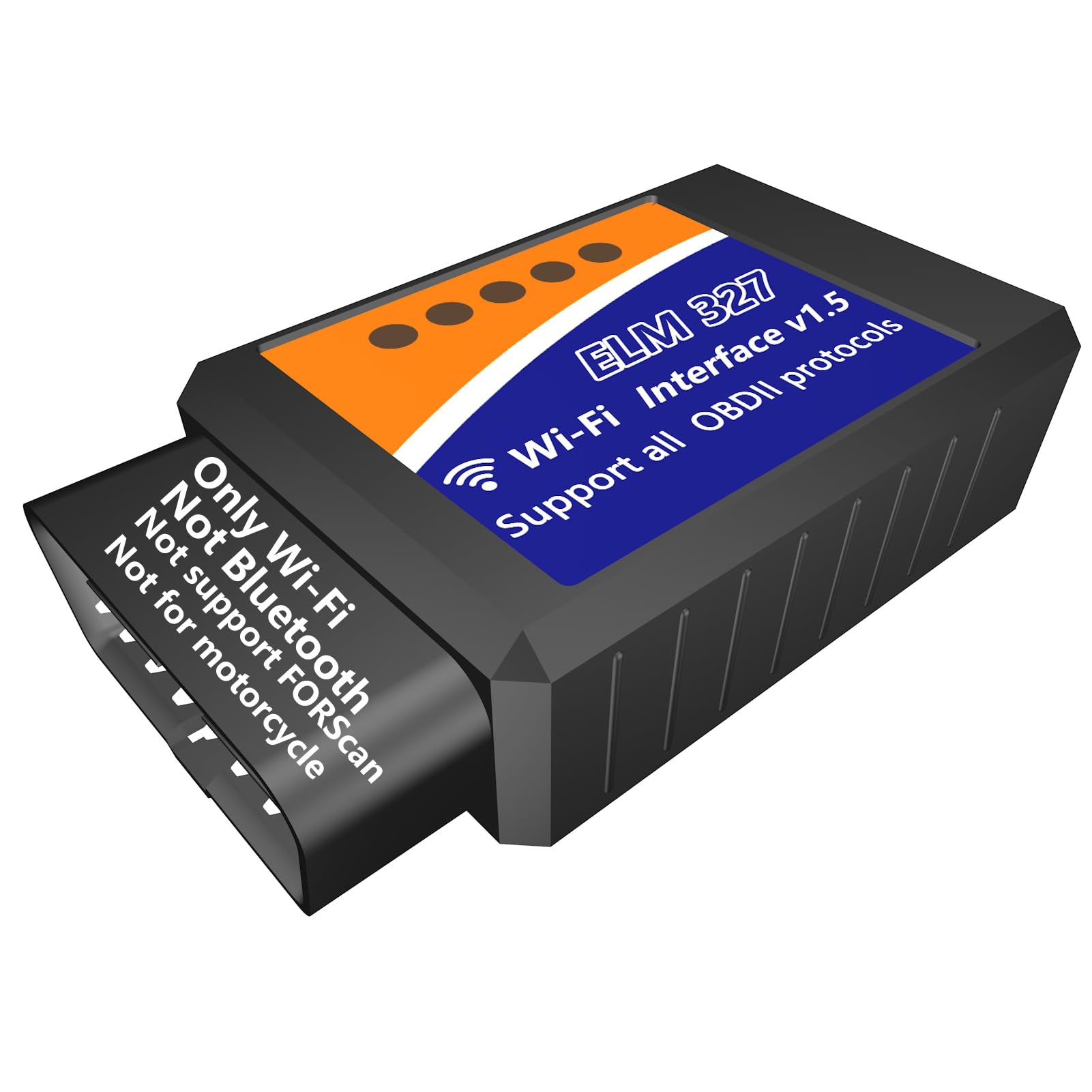
We recommend this if you want a low-cost WiFi OBD2 dongle that reads misfire codes and live data for quick DIY checks.
Pros
- Easy plug-and-play setup with phone apps.
- Shows live data useful for spotting misfires.
- Works with common apps on Android and iPhone.
Cons
- Uses WiFi, so your phone loses internet while connected.
- Not compatible with FORScan and some advanced tools.
- Not for motorcycles or certain older vehicles.
We used the MOCATEC ELM327 on several cars to check misfire codes and live sensor streams. It connected fast with Car Scanner and Torque and gave clear P030x codes and short live-data traces. That helped us spot which cylinder had weak ignition signals.
Testing on the road felt simple. We monitored RPM, fuel trims, and O2 sensors while driving to see when misfires spiked. The WiFi link meant no cell data during use, which was annoying when we needed maps, but not a deal breaker for quick diagnostics.
Some advanced functions failed on certain vehicles and the dongle won’t work with FORScan or motorcycles. For basic engine misfire work and emissions readiness checks, though, it saved us at the garage and helped us explain problems to the mechanic.
FOXWELL NT624 Elite
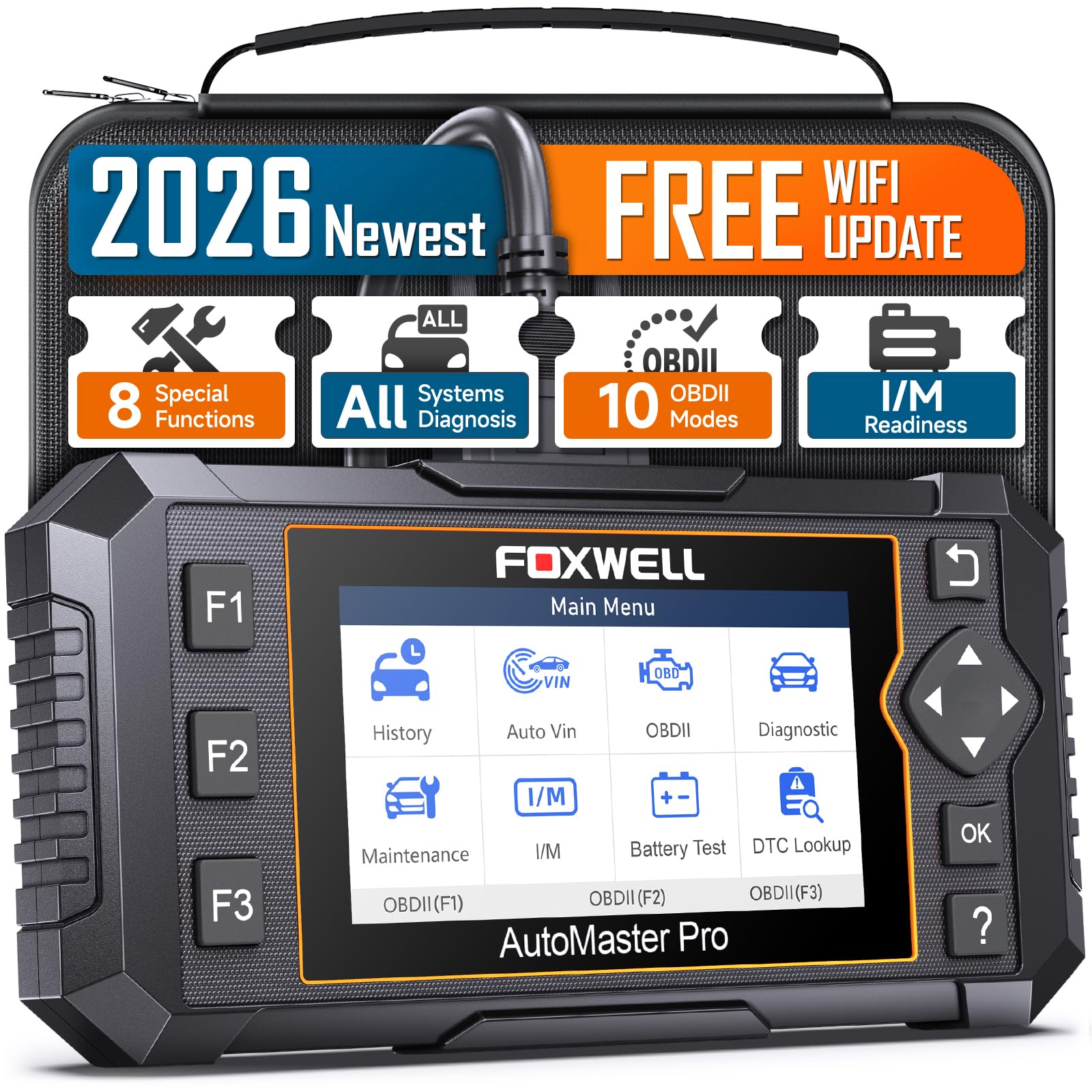
We recommend this if you want a handheld, all-system scanner that finds misfires and live data without a subscription.
Pros
- Reads deep system codes and shows live data graphs.
- Feels sturdy and works without charging — just plug into the car.
- Lifetime WiFi updates keep it current for many vehicles.
Cons
- Some advanced functions fail on certain models.
- Menu can be slower on older units, and learning curve exists.
- Not every advertised service works on every car.
We hooked the NT624 Elite to a few vehicles to chase intermittent misfires. It picked up misfire P030X codes quickly and let us watch ignition and fuel trim numbers on a live graph. That real-time view helped us spot a weak coil on one car instead of swapping parts blindly.
We used the Auto VIN to avoid manual setup, and the scanner stored and replayed sessions so we could compare before-and-after repairs. The reset functions saved time when calibrating sensors and completing common maintenance tasks, though a couple of specialized resets failed on one newer model we tested.
We liked the solid build and the clear color screen for data traces. Updates over WiFi were painless, but we did hit a case where a promised feature didn’t work on a specific make — read the vehicle notes before buying. Overall, this is a strong step up from cheap Bluetooth dongles when you need dependable misfire diagnosis.
MUCAR 632 Elite
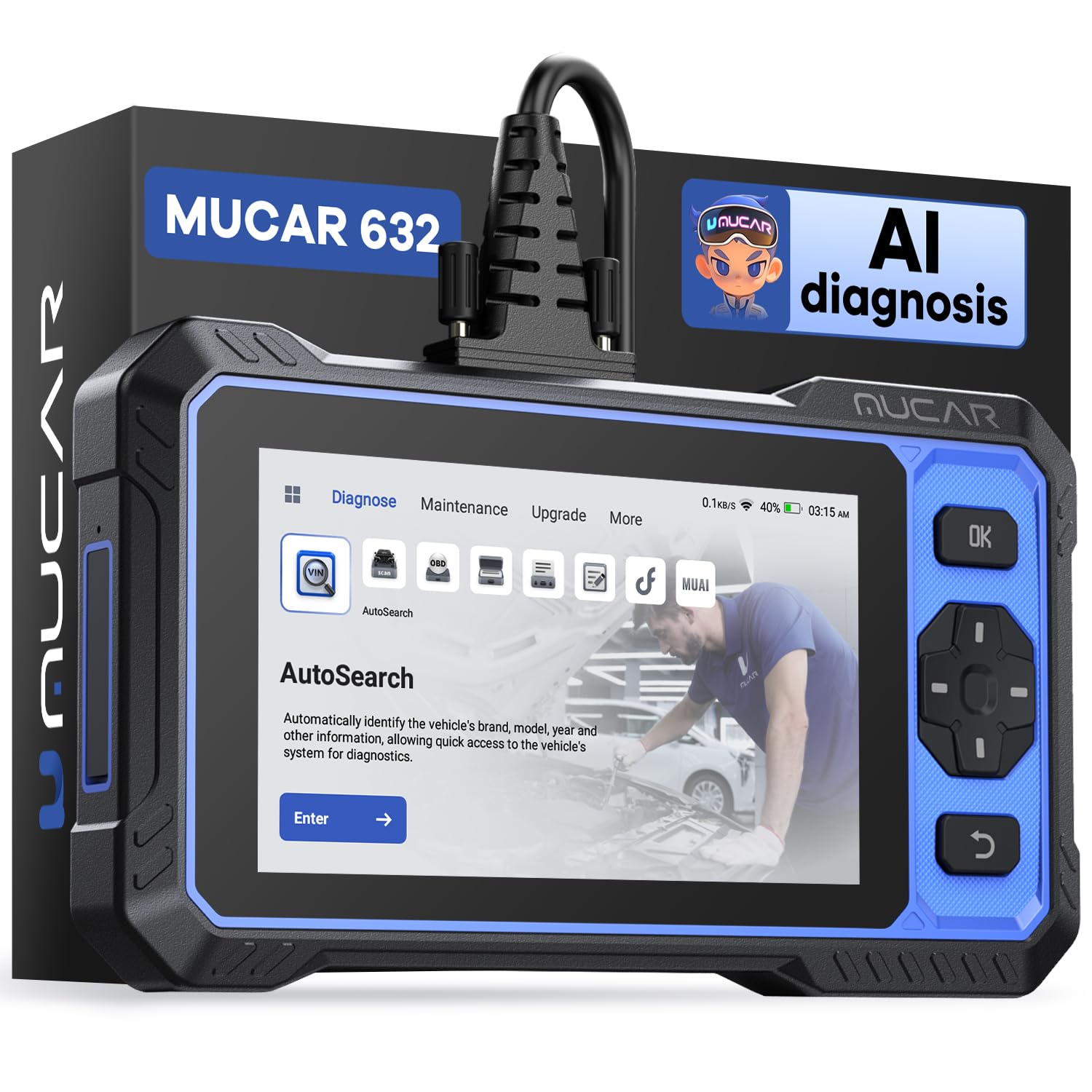
We recommend this scanner if you want a powerful Wi‑Fi OBD2 tool that reads misfire codes, offers live data, and gives lifetime software updates.
Pros
- Strong live data and bi-directional controls help spot misfires and test components.
- Lifetime free updates avoid yearly fees and keep vehicle coverage current.
- AI code analysis can speed up troubleshooting when connected to Wi‑Fi.
Cons
- Screen protector may look scratched out of the box—peel it off to fix that.
- AI features need internet and can be limited offline.
- Some users report occasional reboots or UI quirks during use.
We used the MUCAR 632 on a few mid‑2000s and newer cars to chase intermittent misfires. It picked up P030x codes quickly and showed live cylinder imbalance readings that let us see which cylinder was dropping out. The one‑tap AutoVIN made setup fast so we could start data logging without digging through menus.
When we drove the car and watched live misfire counts, the scanner updated numbers smoothly and let us run actuator tests. Using the bi‑directional controls, we exercised coils and injectors to confirm a bad injector rather than replacing parts blindly. The AI suggestions sometimes matched what we found, though they were only helpful with Wi‑Fi on.
We noticed the unit felt solid and the battery lasted through several tests. The touchscreen had a protective film that looked scratched at first; removing it cleared the issue. A few times the device rebooted during a long session, which interrupted a data capture, so keep that in mind for long diagnostics.
Overall, the MUCAR 632 Elite gave us deep diagnostic info for misfires without a subscription. If you want a capable Wi‑Fi OBD2 scanner with live data, active tests, and free updates, this is worth considering: MUCAR 632 Elite on Amazon.
BlueDriver Pro Next-Gen

We recommend this if you want a simple, wireless tool that reads deeper codes for misfire and gives clear repair steps.
Pros
- Reads advanced codes (ABS, SRS, transmission) that basic readers miss
- Technician-verified repair reports tied to your VIN
- Bluetooth, no cables or subscriptions
Cons
- App-only; no handheld screen if phone dies
- Some newer models may have partial coverage
- Leaves plugged in, can block port in tight cabins
We used the BlueDriver on multiple cars and trucks to chase misfires. It found cylinder-specific misfire counts and live data streams that helped us spot a weak coil and a fouled injector. The verified fixes made the next steps clear without guessing.
Connecting took seconds and the app felt polished. Watching live fuel trims and O2 readings while revving the engine showed the misfire pattern quickly. Clearing codes also tested fine after we repaired a plug and saw the misfire data drop.
The BlueDriver shines for DIYers who want real fixes, not just a code number. We did notice coverage varies by make and year, so check compatibility for very new models. Overall, it saved us time and false parts by guiding the repair.
TOPDON AD500
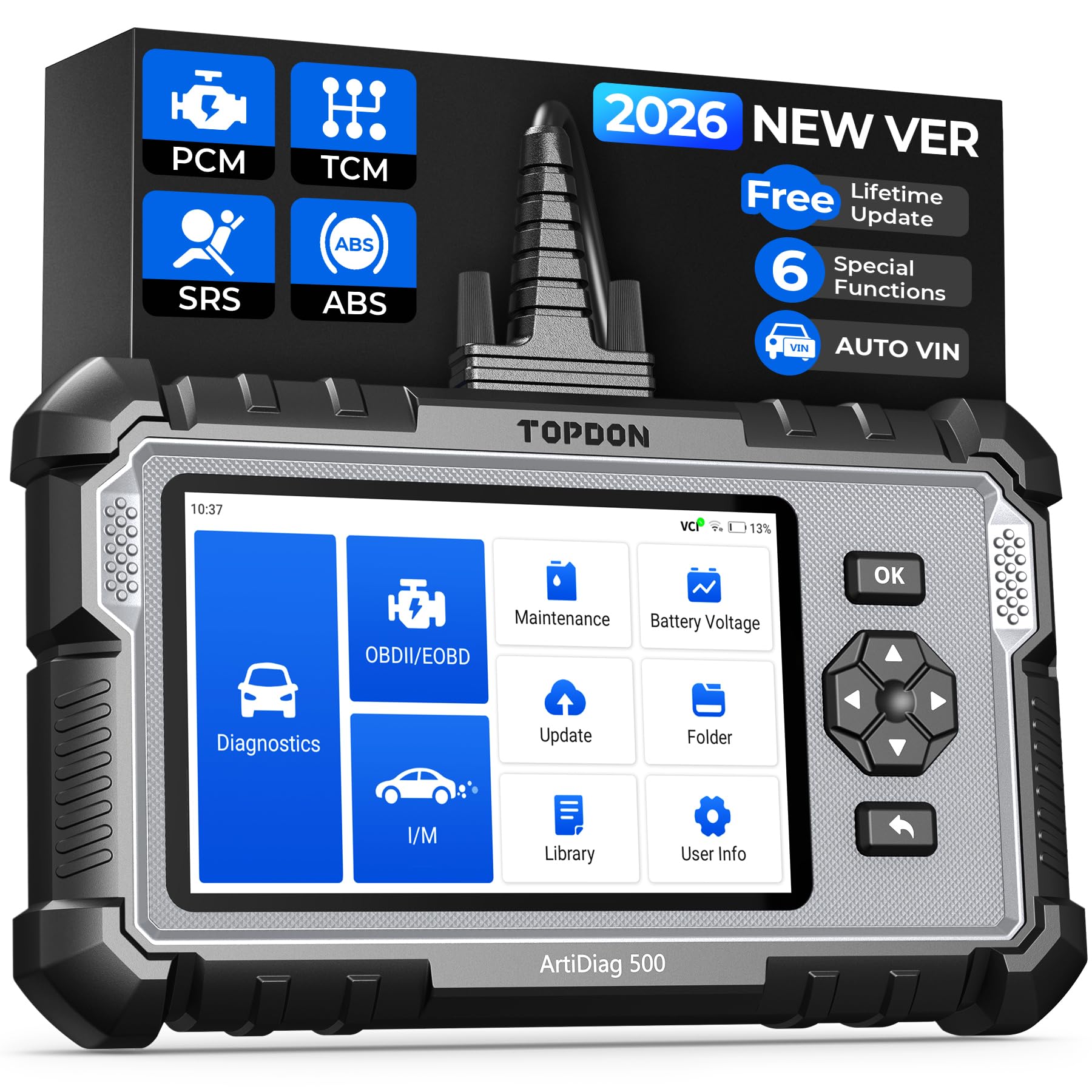
We recommend this if you want a step up from basic code readers because it handles engine, ABS, SRS, and transmission checks plus useful resets.
Pros
- Good range of systems for DIY car work
- Easy to read live data and charts on the 5″ screen
- Free Wi‑Fi updates and decent battery life
Cons
- Initial setup and updates can be clunky
- Not as deep as pro-level factory tools
- Return shipping issues reported by some buyers
We used the AD500 on a few older cars and a modern pickup. It found ABS and transmission codes that our cheap dongle missed and showed live data in simple charts that helped pinpoint a misfire pattern quickly.
The touch screen and buttons made scrolling menus simple while the auto VIN sped up vehicle selection. We liked the battery test and the reset functions for oil and TPMS after repairs.
Setup took longer than we expected because it wanted an update right away, but once updated the unit ran smoothly and stored data for later review. For the price, it felt solid and useful for DIY misfire diagnosis without needing a shop-level scanner.
Foxwell NT604 Elite

We recommend this scanner if you want a solid, budget-friendly tool that reads engine, ABS, SRS, and transmission faults and gives useful live data for misfire hunting.
Pros
- Clear live data and playback that helped us trace intermittent misfires.
- Solid protective case and ready-to-run software straight from the box.
- Good value for features found on pricier units.
Cons
- No advanced service or bi-directional controls for active testing.
- AUTOVIN can fail on older or rare models, forcing manual selection.
- Limited to reading/clearing codes—you must fix the fault before lights stay off.
We plugged the NT604 Elite into a few vehicles and liked how fast it booted and began pulling live data. The screen is simple, and scrolling through engine parameters made it easy to watch misfire counts, fuel trims, and individual cylinder data.
Using the live data stream, we caught a sporadic misfire by watching ignition and injector activity over a short drive. The device saved sessions for review, which helped confirm that the problem returned under the same conditions.
We found the ABS and SRS scans accurate for common faults, but the unit won’t run component activation or relearn procedures. For basic diagnosis and pinpointing misfires, it saved us time and trips to the shop, though shops still win for repairs and advanced testing.
Buy from Amazon: Foxwell NT604 Elite
TOPDON ArtiDiag900 Lite

We recommend this if you want a wireless, bidirectional scanner that feels like a tablet and helps track misfires quickly.
Pros
- Strong wireless range and stable Bluetooth for testing around the car.
- Bidirectional active tests let us command injectors and coils to confirm misfires.
- Large screen and Android interface make live data easy to read.
Cons
- Software updates can be long and sometimes interrupt work.
- Some advanced features vary by vehicle brand and may not match dealer tools.
- Warranty support routing can be confusing if purchased through Amazon.
We used the ArtiDiag900 Lite on several cars with random misfires and liked how fast we could pull live data and freeze frames. The 8-inch screen made waveform and RPM spikes easy to spot, so we could see misfire patterns without squinting.
Running active tests felt useful. We triggered injectors and swapped coil tests from the tablet and watched the engine response change in real time. That made isolating a bad injector or coil much faster than guessing from codes alone.
Battery life held up through a long afternoon of checks, and wireless range let us work without staying glued to the driver seat. Still, the unit sometimes needed long updates before a session, and a few manufacturer-specific tests were limited compared with factory scanners. Overall, it performed like a capable shop-grade tool for diagnosing misfires without a massive price tag.
Veepeak OBDCheck BLE

We recommend this if you want a simple Bluetooth OBD2 tool to read misfire codes and watch live engine data from your phone.
Pros
- Easy to plug in and use with common apps.
- Shows live sensor data that helps spot misfires.
- Small, portable, and comes with a carrying case.
Cons
- Uses Bluetooth LE, not WiFi, so make sure your app supports it.
- Doesn’t handle ABS/SRS or many advanced maker-specific functions.
- Some apps need extra purchases for full features.
We used this unit on a few older cars to chase misfires and it worked well for basics. Live RPM, injector trim, and misfire counts appeared quickly in the Car Scanner app and helped narrow a bad cylinder.
Setup was straightforward on our phones when we chose Bluetooth LE inside the app rather than pairing in the phone settings. The device stayed connected during road tests and the small case made it easy to keep in the glove box.
This tool will not replace shop-level tools for deep manufacturer diagnostics, but for clearing codes, watching freeze frame, and tracking misfire symptoms it gave us the answers we needed without a visit to the shop.
Buying Guide
We look for scanners that give clear misfire data and work with our vehicle. Prioritize devices that read live misfire counts, cylinder-specific misfire codes, and freeze frame data so we can pinpoint the issue quickly.
We check compatibility first. Ensure the scanner supports your car’s OBD2 protocols and model years. A device that connects to your phone or tablet via Wi‑Fi makes testing easier in the garage.
Battery and connection stability matter. Choose a unit with steady Wi‑Fi performance and low power draw. Unreliable links can drop data during testing, which makes diagnosis harder.
We value app features as much as hardware. A good app shows real‑time RPM, fuel trims, and misfire counters. Look for clear graphs, easy code lookup, and the ability to save or export logs for later review.
Durability and size affect usability. A small, rugged dongle fits under the dash and tolerates workshop conditions. Check build quality and ventilation so the unit won’t overheat during long test sessions.
Consider update policy and support. Frequent firmware and app updates keep protocol coverage current. Responsive customer support helps when compatibility issues or bugs arise.
Compare these features in a simple way:
| Feature | Why it matters |
|---|---|
| Misfire-specific data | Pinpoints which cylinder is failing |
| Protocol compatibility | Ensures it works with our vehicle |
| Stable Wi‑Fi | Prevents data loss during tests |
| App usability | Makes interpretation faster |
| Firmware updates | Keeps device compatible over time |
| Build quality | Survives garage use and heat |
We recommend prioritizing these items based on how often we diagnose misfires and the complexity of our vehicles.
Editor’s Choice
We pick the BlueDriver Bluetooth Pro as our Editor’s Choice for misfire diagnosis. It gives reliable live data, clear fault codes, and detailed repair reports that help us pinpoint misfires quickly.
The unit pairs easily with iOS and Android. Its app shows freeze-frame, O2 sensor data, and ignition misfire counts, so we can trace the issue to a cylinder or system.
We like that it offers enhanced, manufacturer-level codes for many makes. This deeper data helps us decide whether the fault is plug, coil, injector, or fuel-related.
Key features we value:
- Live engine data for RPM, fuel trim, and ignition timing.
- Misfire detection including per-cylinder counts.
- Repair reports with likely causes and potential fixes.
The BlueDriver balances accuracy and ease of use. It costs more than basic scanners, but the extra diagnostic detail saves time and reduces parts swapping.
We recommend using it alongside basic checks like spark and compression tests. That combined approach gives a clear, confident diagnosis without guesswork.
Conclusion
We chose WiFi OBD2 scanners that give clear misfire data, easy use, and solid reliability. Our picks work well for DIYers and pros who need quick, accurate trouble codes and live data.
We recommend looking for devices that show cylinder-specific misfire counts and real-time fuel trim. These features help us pinpoint causes like ignition, fuel, or compression issues faster.
Price and app quality matter. A mid-priced scanner with a well-designed app often beats a cheap model with buggy software. Warranty and support are useful too.
We favor scanners that connect quickly and keep a stable link during driving. Consistent data logging helps us compare symptoms before and after repairs.
Use this checklist when choosing:
- Cylinder misfire count per cylinder
- Live data (RPM, fuel trim, ignition timing)
- App stability and updates
- Vehicle compatibility and warranty
We tested units on different engines and road conditions to see how they handle real misfire scenarios. That helped us pick tools that give reliable, usable information for diagnosis and repair.
FAQs
What is a WiFi OBD2 scanner and why use it?
We use WiFi OBD2 scanners to read engine data and trouble codes wirelessly. They let us diagnose misfires from a phone or tablet without extra cables.
Will any WiFi OBD2 scanner detect misfires?
Most can read generic misfire codes (P0300–P0308). Some scanners give live data like misfire counters and injector status, which helps pinpoint the problem.
Which features matter for misfire diagnosis?
We look for live data streaming, per-cylinder misfire counters, and freeze-frame data. Higher update rates and reliable apps make diagnosis faster and clearer.
Are iPhone and Android both supported?
Not always. Some devices work only with Android, while others support both. We check app compatibility before buying.
Can a WiFi OBD2 scanner work on all cars?
They work on most gasoline cars made after 1996 in the U.S. Diesel and some older or specialty vehicles may not be supported. We verify protocol support for specific models.
How accurate are readings compared to professional tools?
Consumer WiFi scanners are good for basic diagnosis but may lack advanced features of shop-grade tools. We use them for initial checks and to save time and money.
How do we keep readings reliable?
We use a stable WiFi connection, the latest app updates, and a well-charged phone. We also clear codes only after confirming fixes to avoid losing diagnostic info.
