
10 Best Code Reader for Volvo: Top Diagnostic Tools for 2026

Volvo vehicles use onboard computers to track engine, transmission, safety, and emissions systems. A code reader connects to the diagnostic port and displays stored trouble codes, helping us understand warning lights before deciding whether a repair needs professional service.
Volvo-specific readers can access more systems than basic OBD-II scanners, including airbag, ABS, and service functions on some models. The best code reader for a Volvo should support your model year, read manufacturer-specific systems, and explain codes in clear language.
We also look for simple controls, useful live data, reliable code definitions, and practical reset features. We tested and compared leading options to find the code readers that make Volvo diagnosis more convenient and easier to understand.
Best Code Readers for Volvo
We reviewed code readers for Volvo vehicles based on compatibility, ease of use, features, and value. Our list includes options for reading and clearing fault codes, checking live data, and supporting basic vehicle diagnostics.
ANCEL AD310 Code Reader

We recommend the ANCEL AD310 for Volvo owners who need a simple, corded reader for check-engine and emissions codes.
Pros
- We found the controls simple and the screen easy to read.
- It reads, explains, and clears many engine fault codes quickly.
- The thick cable and compact body feel durable for regular use.
Cons
- It only supports emission-related engine codes.
- It cannot scan Volvo-specific systems such as ABS, airbag, or transmission modules.
- We must confirm that the Volvo has a compatible OBD-II port.
We plugged the AD310 into the diagnostic port, and it powered on without batteries or a separate charger. The labeled buttons made it easy to move through the menus and check stored codes.
The reader can display live data, freeze-frame information, vehicle details, and inspection-readiness status. After repairs, we could clear supported codes, although clearing a light does not fix the underlying problem.
This model works best for basic checks on compatible 1996-and-newer OBD-II vehicles. Volvo owners should note its limits: it does not replace a Volvo-capable scanner for deeper system scans or manufacturer-specific diagnostics.
Its sturdy cable and small size also make it practical to keep in the car. For routine check-engine troubleshooting, the AD310 offers useful information without a complicated setup.
ANCEL VOD700 Volvo Code Reader

We recommend the ANCEL VOD700 for Volvo owners who want system-level diagnostics and useful service functions without relying on a phone app.
Pros
- Scans major Volvo systems, including ABS, SRS, transmission, and CEM
- Helped us service electronic parking brakes and reset oil reminders
- Lifetime software updates do not require a subscription
Cons
- Vehicle coverage varies by model, year, and control module
- The basic manual does not explain every function clearly
- It may not recognize newer Volvo models
We found the VOD700 more capable than a basic engine-code reader. On compatible Volvo vehicles, it checks several control modules, displays live data, and lets us clear stored faults after repairs. AutoVIN also helped identify the vehicle before scanning.
The electronic parking brake service function worked well on supported Volvo models during brake work. Oil reset, battery, TPMS, injector, and other service functions may also be available, but the exact list depends on the vehicle.
The corded design gave us a stable connection and a clear screen without Bluetooth pairing. Its main limitation is coverage. The listed Volvo range focuses on compatible 1991–2019 vehicles, so we would confirm support before buying, especially for a newer XC model.
Customer feedback is generally positive, with a 4.2-star rating from 152 ratings. Still, some owners reported recognition problems, while others said the scanner worked well on S60 and XC60 models. For the best results, we would update the software with a Windows computer before using it.
FOXWELL NT301 Code Reader

We recommend the FOXWELL NT301 for Volvo owners who need a simple tool for check-engine codes, live data, and emissions readiness.
Pros
- Reads and clears basic engine fault codes
- Shows live sensor data and readiness status
- Uses plug-and-play power with no subscription
Cons
- Does not scan ABS, SRS, airbag, or climate systems
- Compatibility varies by Volvo year and model
- The instructions could provide clearer guidance
We found the NT301 easy to start using. It draws power through the OBD-II port, so we did not need to charge it or install a phone app. The color screen stayed readable in daylight, and the dedicated readiness button made emissions checks quick.
The scanner displays engine codes, VIN information, and live readings such as RPM, coolant temperature, oxygen sensors, and fuel trims. Its graphing feature helps us watch sensor changes instead of relying on one number.
It can clear the check-engine light after repairs, but clearing a code does not fix the cause. If the problem remains, the code will return. We also recommend checking compatibility before purchase because this is a standard OBD-II reader, not a Volvo-specific diagnostic tool.
For basic engine troubleshooting, the NT301 offers useful features at a reasonable level of complexity. We would choose it for routine checks, but Volvo owners who need access to ABS, airbag, parking brake, or other body systems should use a more advanced scanner.
ANCEL AD410 Volvo Code Reader

We recommend the ANCEL AD410 for Volvo owners who need a simple tool for reading and clearing engine fault codes without using a phone app.
Pros
- Simple plug-in operation with a clear color screen
- Shows live engine data and emissions readiness
- Includes a large built-in code lookup library
Cons
- Reads engine and emissions codes only
- Does not diagnose ABS, airbag, or transmission systems
- The printed manual may feel difficult to follow
We plugged the scanner into the vehicle’s OBD2 port, turned on the ignition, and reached the main menu quickly. The tool draws power from the car, so we did not need batteries, charging, or Bluetooth setup.
The AD410 displayed fault codes and offered plain-language definitions on screen. Its live-data view also showed readings such as engine speed, coolant temperature, and fuel trims. This gave us more information than a basic code reader.
We also used the readiness check to see whether emissions monitors had completed their tests. That feature can help us prepare for an inspection after repairs or a battery disconnect.
Volvo coverage depends on the model year and market. The scanner works with standard OBD2 engine systems, but it will not access many Volvo-specific modules. We should choose a more advanced scanner if we need ABS, SRS, transmission, service resets, or other full-system functions.
VDIAGTOOL VD10
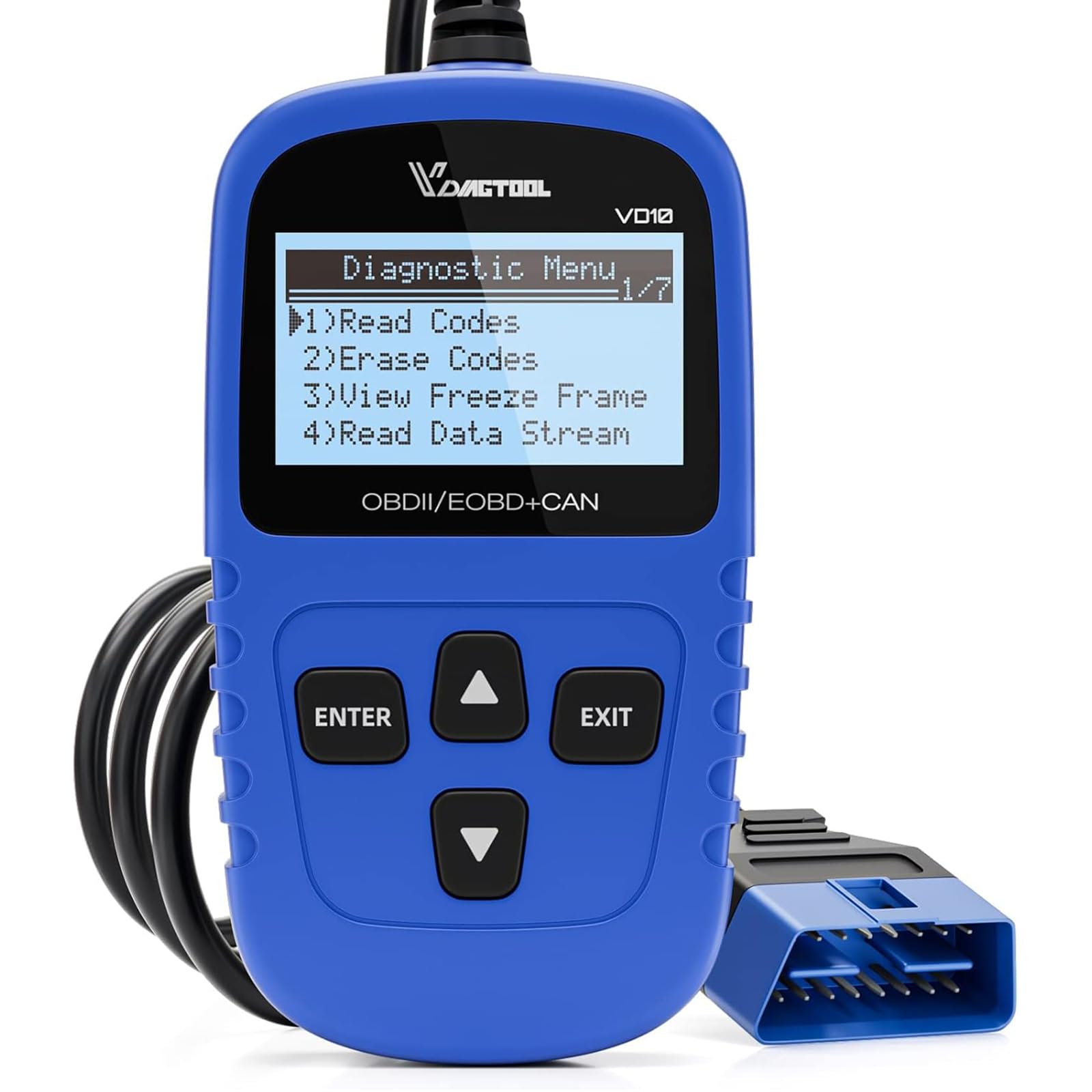
We recommend the VD10 for Volvo owners who need a simple tool for reading and clearing common engine codes without using a phone app.
Pros
- Quick plug-and-play operation
- Shows code definitions and live data
- Includes freeze-frame and readiness checks
Cons
- Does not cover many Volvo-specific systems
- The small screen can feel cramped
- It cannot diagnose most ABS or airbag faults
We plugged the VD10 into the OBD-II port and got it running without batteries or setup. The menu felt clear, and the built-in code definitions helped us understand common check-engine faults without searching for every code online.
The reader also displays live readings such as engine speed, intake temperature, fuel trim, and misfire data. Freeze-frame information gives us a snapshot of what the engine recorded when a fault appeared, which helps when a problem comes and goes.
Its I/M readiness test proved useful before an emissions inspection. We could also read the VIN and clear an engine code after addressing the cause. However, the VD10 mainly handles standard OBD-II engine and emissions functions. It will not replace a Volvo-focused scanner for ABS, airbag, transmission, or other manufacturer-specific systems.
Support for European vehicles includes many models from 2006 onward, but we would still confirm compatibility with the exact Volvo year and engine before buying. The compact display works well for basic checks, though its small size makes longer data lists harder to read.
With a strong 4.6-star rating from more than 3,100 customer reviews, the VD10 offers a practical choice for routine Volvo troubleshooting. Its three-year warranty and six-language support add value, but buyers needing deeper Volvo diagnostics should choose a more advanced tool.
MOTOPOWER MP69033

We recommend this reader for Volvo owners who need a simple, affordable tool for checking and clearing engine fault codes.
Pros
- Simple plug-in operation with a clear screen
- Reads live data and stores freeze-frame details
- Works with many OBD2 vehicles from 1996 onward
Cons
- Does not read ABS or airbag codes
- Some live-data abbreviations take time to understand
- Volvo coverage depends on the vehicle’s OBD2 functions
We found the MP69033 easy to use during basic engine checks. It powers through the car’s OBD2 port, so we did not need to charge it or install software. The buttons and menus felt straightforward, and the cable gave us enough length to hold the scanner from the driver’s seat.
The reader shows fault codes and includes a built-in lookup library. We could also view engine data, check emissions readiness, and clear stored engine codes after repairs. Its compact body and flexible cable make it easy to keep in a glove box or tool bag.
Volvo owners should note the limits. This scanner handles standard check-engine functions but does not access Volvo-specific modules such as ABS or airbags. We would choose it for routine engine diagnostics, not for full system scans or advanced Volvo service work.
Innova 5210 Code Reader

We recommend the Innova 5210 for Volvo owners who want live data, battery testing, and repair guidance in one easy-to-use reader.
Pros
- Reads engine codes and some ABS codes
- Shows live data and checks emissions readiness
- Includes battery testing and oil light reset
Cons
- Volvo feature coverage can vary by model and year
- Some functions require the RepairSolutions2 app
- The attached cable limits wireless use
We found the 5210 simple to connect and read. Its screen displays codes clearly, while live data such as engine speed, temperature, and fuel trims helps us understand what the car is doing beyond the warning light.
The battery and alternator tests add useful value for routine checks. We also liked the oil reset feature, though we would confirm coverage for our specific Volvo before buying because advanced functions may not work on every vehicle.
The RepairSolutions2 app can suggest likely fixes, parts, and repair costs without a subscription. We would still treat those suggestions as guidance rather than a final diagnosis. Overall, the 5210 suits Volvo owners who want more information than a basic code reader provides.
Autel AL319 OBD2 Scanner

We recommend the Autel AL319 for Volvo owners who want a simple tool for reading and clearing basic check-engine codes on compatible OBD-II models.
Pros
- Clear color screen and simple controls
- Reads codes, live data, and freeze-frame details
- No separate battery needed
Cons
- Mainly supports engine-related OBD-II diagnostics
- Does not replace Volvo-specific service software
- Compatibility may vary with older Volvo models
We plugged the AL319 into a compatible vehicle and found it easy to start using. The scanner powered on through the diagnostic port, and the menu made it simple to check codes without navigating complex settings.
The live-data and freeze-frame functions helped us see more than just the fault number. We could review basic engine information and check whether the car had completed its emissions readiness tests.
This reader works best for routine checks, such as investigating a check-engine light before visiting a repair shop. However, it will not provide the deeper access needed for many Volvo systems, including air bags, body electronics, or advanced service functions.
The compact housing and built-in cable made it convenient to keep in the car. We also liked that it does not require disposable batteries, though users should confirm their Volvo uses a supported OBD-II system before buying.
iCarsoft VOL V2.0 for Volvo and Saab
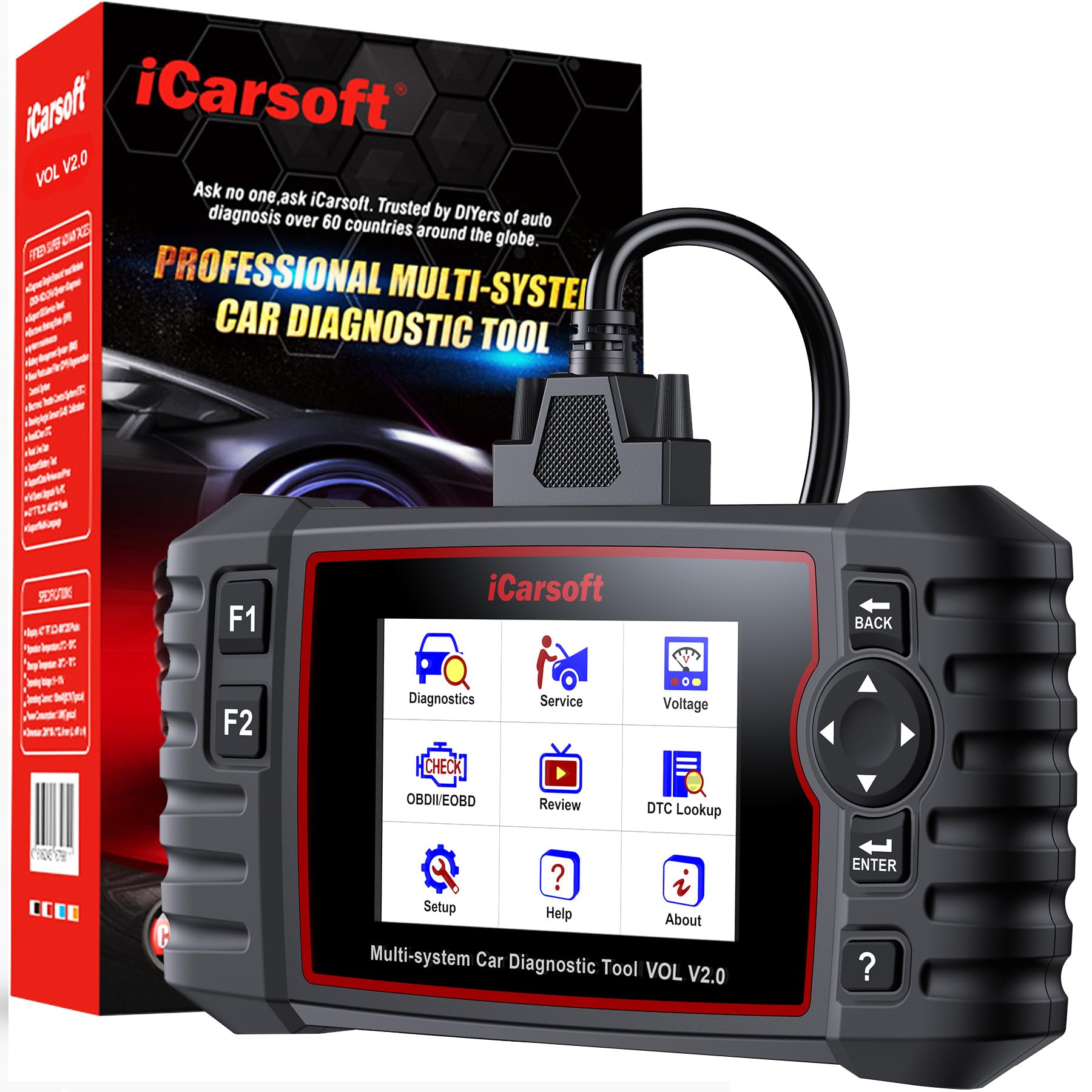
We recommend this scanner for Volvo and Saab owners who want deeper system checks than a basic engine code reader provides.
Pros
- Scans major systems, including the engine, transmission, ABS, and SRS
- Includes useful service functions such as oil reset, battery registration, and ABS bleeding
- Offers live data, auto VIN, code clearing, and lifetime software updates
Cons
- The corded design limits where we can use it around the vehicle
- Its vehicle-specific focus makes it less useful for mixed-brand garages
- Some advanced functions may depend on the exact model and year
We found the VOL V2.0 easy to hold and straightforward to operate through its 4-inch screen. The auto VIN feature also helps us identify the vehicle before starting a full system scan.
Unlike a basic OBD2 reader, this tool checks more than the check-engine system. We can review ABS, SRS, transmission, and other available modules, then view live data when a fault needs more investigation.
The built-in service functions add value for routine work. We can use the scanner for oil resets, SAS and EPB service, battery functions, DPF tasks, injector coding, TPMS calibration, and ABS bleeding when the vehicle supports them.
We should not treat code clearing as a repair. If a warning light returns, the underlying fault still needs attention. The scanner works through the vehicle cable, so we need to stay near the diagnostic port while using it.
Zmoon ZM201 OBD2 Scanner
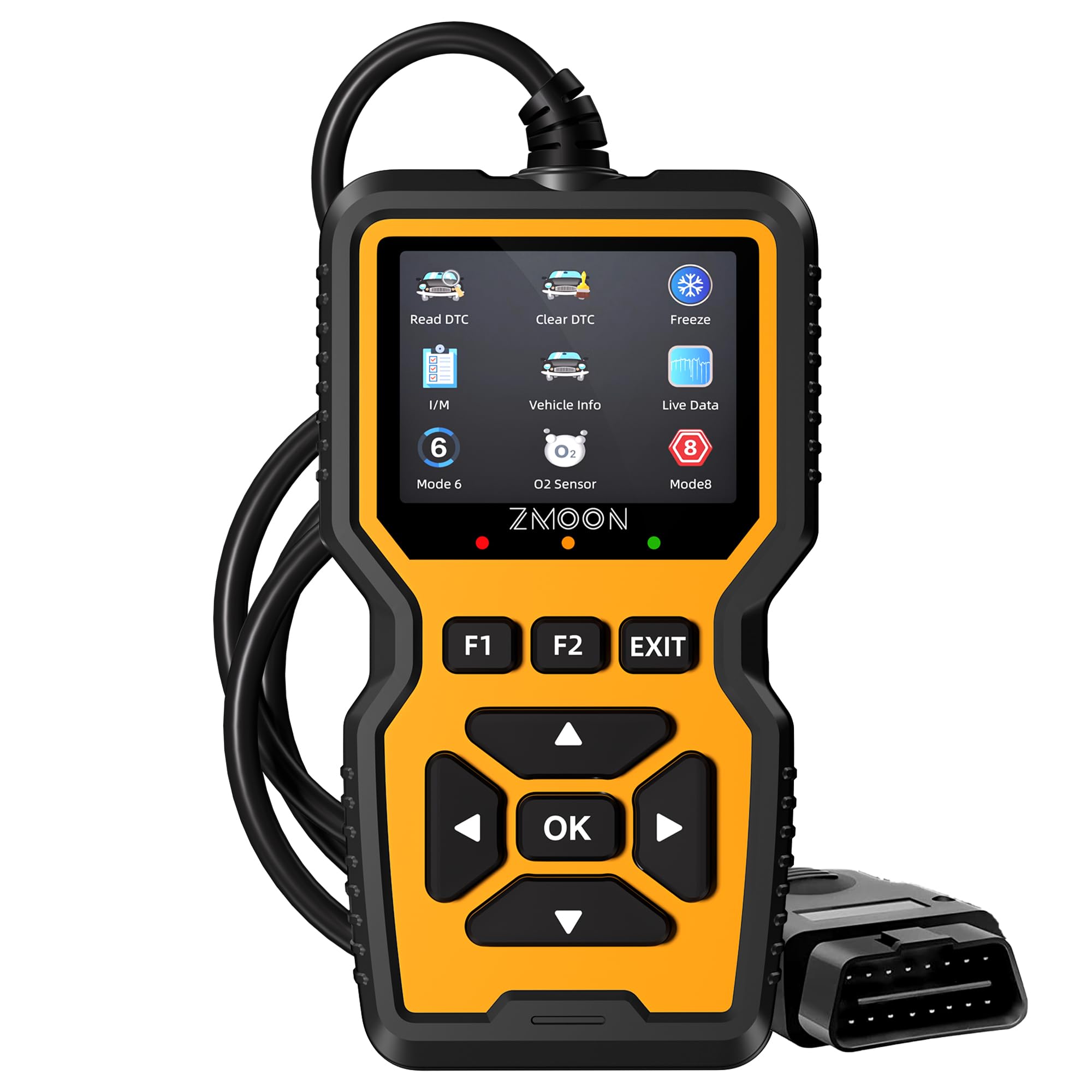
We recommend the ZM201 for Volvo owners who need an affordable tool for reading and clearing basic check-engine codes.
Pros
- Quick plug-and-play operation with no battery or app
- Shows live data, freeze-frame details, and readiness status
- Clear color screen with a simple menu
Cons
- Does not scan ABS, airbag, transmission, or other modules
- Compatibility may vary by Volvo model and market
- PC software works with Windows, not Mac
When we used the ZM201, it powered on through the Volvo’s OBD2 port and reached the engine diagnostic menu quickly. The 2.8-inch color screen made the code and vehicle information easy to read without using a phone.
We could read and clear engine codes, check freeze-frame data, and view live readings. The scanner also includes oxygen sensor, EVAP, onboard monitoring, VIN, and emissions readiness functions. These tools help us decide whether a warning needs immediate attention before visiting a repair shop.
This reader focuses on engine diagnostics only. It will not replace a Volvo-specific scanner for ABS, SRS, transmission, or other control units. We also recommend checking the exact Volvo model and year before buying, since support can differ across vehicles.
The ZM201 suits DIY owners who want a straightforward code reader with free lifetime updates and a three-year warranty. It earned 4.5 stars from 2,966 ratings, but buyers needing full Volvo system coverage should choose a more advanced tool.
Buying Guide
We should choose a code reader based on our Volvo’s model year, engine, and diagnostic needs. Check that the tool supports the vehicle’s communication systems and can read more than basic engine fault codes when needed.
| Feature | What we should look for |
|---|---|
| Vehicle coverage | Support for our exact Volvo model and year |
| System access | Engine, transmission, ABS, airbag, and other modules |
| Functions | Code reading, code clearing, live data, and system tests |
| Connection | Wired or wireless use, with a stable connection |
| Updates | Regular software updates and clear update terms |
| Display | A readable screen with simple menus |
| Reports | Saved results or export options for repair records |
We should confirm whether the reader can access manufacturer-specific systems. A basic tool may handle engine codes but may not reach safety, comfort, or body-control modules.
Live data helps us view sensor readings while the vehicle runs. Advanced functions, such as service resets or component tests, can be useful, but we should verify that the tool supports the exact Volvo system before buying.
We should also check update costs, warranty coverage, user instructions, and technical support. A reader with clear code definitions and repair information can make results easier to understand, but we should not treat its suggestions as a final diagnosis.
If we plan to use the tool on more than one vehicle, we should review its coverage for other makes. We should also consider portability, cable length, storage, and whether the device works with our phone, tablet, or computer.
Editor’s Choice
We recommend the Foxwell NT530 for Volvo for drivers who need more than basic engine-code checks. It supports many Volvo systems, including the engine, transmission, ABS, airbag, and body control modules, depending on the vehicle model.
The NT530 uses a handheld design with a clear display and menu-based controls. We can use it to read and clear diagnostic trouble codes, view live data, and run selected system tests. Its coverage varies by model year, so we should confirm compatibility before buying.
| Feature | Foxwell NT530 for Volvo |
|---|---|
| Best for | Volvo-specific diagnostics |
| Main systems | Engine, ABS, airbag, transmission, body |
| Connection | Wired OBD-II |
| Updates | Available through Foxwell |
| Skill level | Beginner to intermediate |
We like its Volvo-focused software because it can access systems that many basic OBD-II readers cannot. It also provides useful data for troubleshooting warning lights before visiting a repair shop.
The main limitation is its wired connection and model-dependent features. We should check the supported functions for our exact Volvo before purchase, especially if we need service resets, module coding, or advanced tests.
Conclusion
We should choose a Volvo code reader based on the systems we need to scan, the model year we own, and the tools we plan to use later. A basic OBD2 reader can identify engine and emissions faults, while a Volvo-focused scanner can access systems such as the ABS, airbag, transmission, and body control modules.
For regular home diagnosis, we should look for:
- Support for our Volvo’s model year
- Full-system scanning, not only engine codes
- Live data and code-clearing features
- Clear fault descriptions
- Software updates and reliable customer support
We should also confirm whether the scanner supports service functions, such as battery registration, electronic parking brake work, or oil service resets. These features vary by model and device.
The best choice gives us useful Volvo coverage without adding features we will not use. Checking compatibility before purchase helps us avoid limited scans, missing functions, and extra costs.
FAQs
What should we look for in a Volvo code reader?
We should choose a reader that supports Volvo-specific systems, not only basic engine codes. Useful features include ABS, airbag, transmission, live data, battery registration, and service reset functions.
Will any OBD2 scanner work with a Volvo?
Basic OBD2 scanners can read common engine and emissions codes on compatible Volvo models. However, they may not access manufacturer-specific faults in systems such as the SRS, ABS, or electronic parking brake.
Do we need a scanner for an older Volvo?
We may need a reader with broad vehicle coverage and support for older communication protocols. Checking the tool’s compatibility list by model year, engine, and system helps prevent connection problems.
Can a code reader clear Volvo warning lights?
Many readers can clear engine fault codes after we repair the cause. More advanced models may clear codes from other modules, but clearing a code does not fix the underlying fault.
Is a Bluetooth adapter enough?
A Bluetooth adapter can work well with a suitable mobile app for basic diagnostics. We should confirm that both the adapter and app support Volvo-specific modules before buying.
Should we buy a professional scanner?
We should consider a professional model if we service several Volvos or need advanced tests. For occasional checks, a mid-range reader with Volvo coverage may provide better value.
