How to Program the Garage Door Opener in a Ford
This post contains affiliate links. As an Amazon Associate, ReplaceKeyFob earns from qualifying purchases, at no extra cost to you.
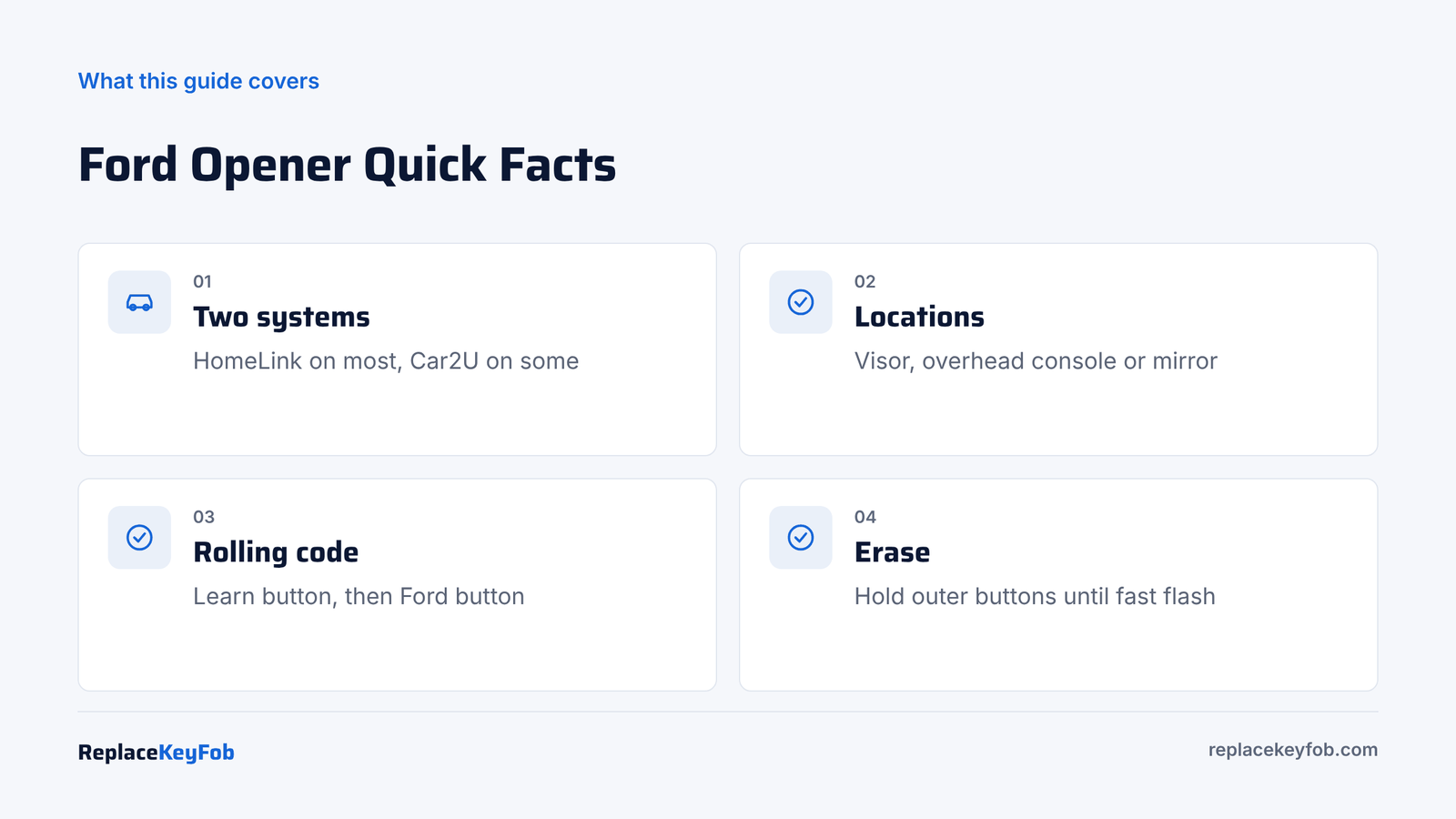
To program a Ford garage door opener, turn the ignition on, hold your garage remote 1 to 3 inches from the button you want in the visor, overhead console or mirror, and press and hold both until the indicator flashes rapidly. For rolling-code openers, press the opener’s learn button and, within 30 seconds, press and hold the Ford button for 2 seconds up to three times.
Ford has used two different built-in garage door systems over the years. Most Fords use HomeLink, the same system found in many other brands. Some Ford and Lincoln models from roughly the mid-2000s to the mid-2010s used Car2U, a system made for Ford by a different supplier. They look similar, three buttons with an indicator, but the menus in the owner’s manual are separate and a few steps differ.
This guide shows you how to tell which system your Ford has, programs both, and covers the F-150, Explorer, Escape, Edge and Bronco, which are the models people ask about most.
Which System Does Your Ford Have?
The quickest way to tell is to look at the buttons and the owner’s manual:
- HomeLink: the buttons or panel often show the HomeLink house logo. The manual section is called “Universal Garage Door Opener” or “HomeLink Wireless Control System”.
- Car2U: the buttons may say Car2U or show a different logo. The manual section mentions Car2U by name. Some Car2U units have a different indicator light pattern.
| Ford model | Common location | Typical system |
|---|---|---|
| F-150 (2009-2014) | Overhead console or visor | HomeLink on many; Car2U on some |
| F-150 (2015+) | Overhead console or visor | HomeLink |
| Explorer (2011-2019) | Visor or overhead console | HomeLink on many |
| Explorer (2020+) | Visor or overhead console | HomeLink |
| Escape and Edge | Visor or mirror | HomeLink on most equipped trims |
| Bronco (2021+) | Overhead console on many trims | HomeLink |
| Expedition and Super Duty | Overhead console | HomeLink on most |
If you find no buttons anywhere, your trim may not have the feature. Many Fords include it only on mid or upper trims or with specific packages.
Before You Start
- Use a working remote with a fresh battery.
- Park outside the garage, facing the door, ignition on (press START without the brake on push-button Fords).
- Have a ladder or a helper ready for the opener’s learn button.
- Keep the engine off if the truck is inside a closed garage.
Garage door keypad
A wireless keypad gives family members a way in without a remote and pairs to the same learn button you use for the Ford, so it is easy to add during setup.
As an Amazon Associate, ReplaceKeyFob earns from qualifying purchases.
Step-by-Step: Program Ford HomeLink
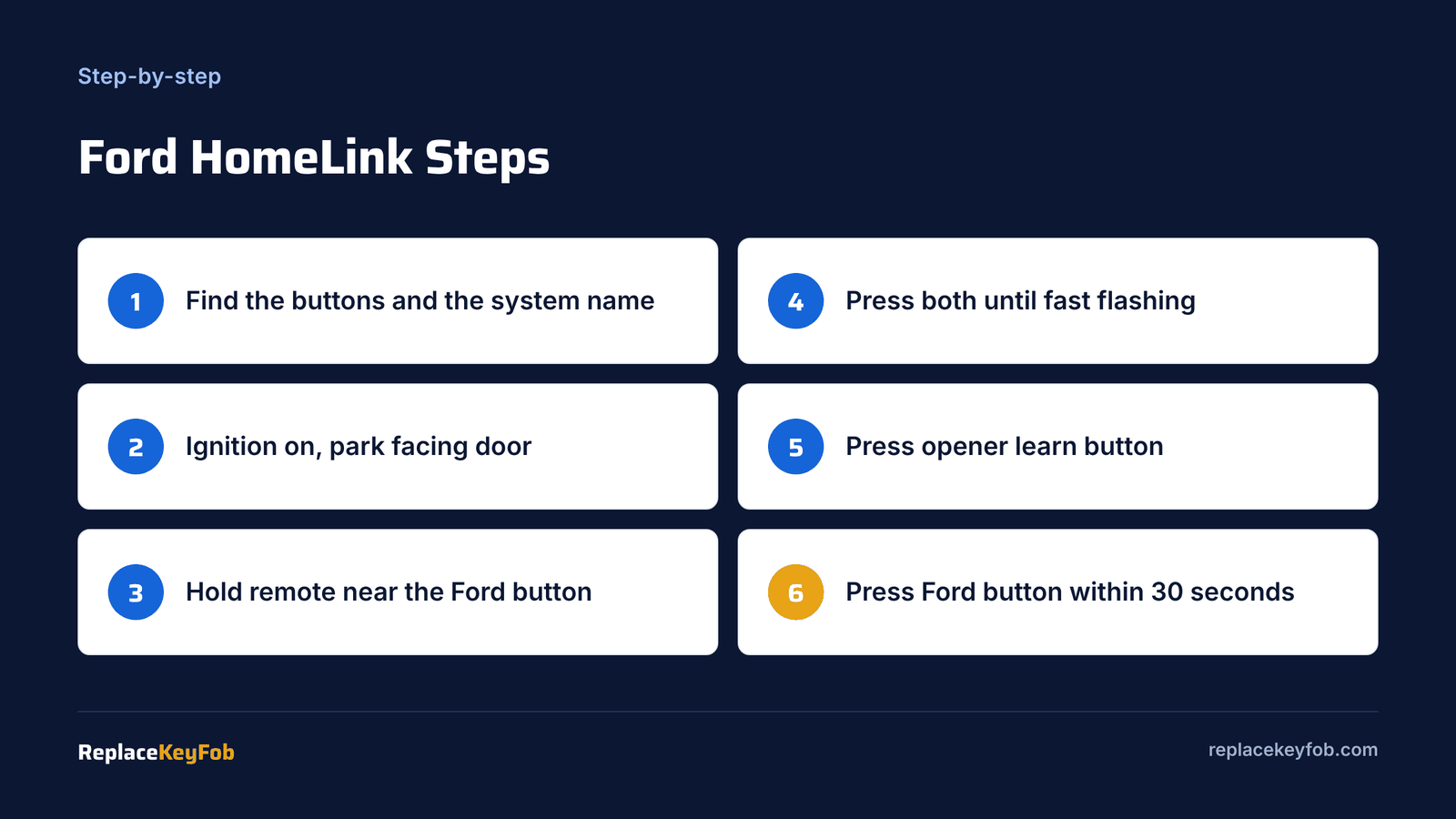
- Erase old codes if needed. On a used Ford, press and hold the two outer buttons for about 10 to 20 seconds until the indicator flashes rapidly. Release. Our guide on how to clear HomeLink buttons explains the signs to watch for.
- Hold the remote close. Hold your garage remote 1 to 3 inches from the Ford button you want to program, with the remote’s buttons facing the Ford’s buttons.
- Press both buttons. Press and hold the remote button and the Ford button at the same time.
- Wait for rapid flashing. The indicator flashes slowly at first and then rapidly. Release when it flashes rapidly.
- Test the door. Press the Ford button. If the door moves, the opener is fixed code and you are done.
- Press the learn button. For rolling code, press and release the learn button on the opener motor. The learn light usually comes on for about 30 seconds.
- Press the Ford button. Within those 30 seconds, press and hold the programmed Ford button for 2 seconds, then release. Repeat up to three times until the door moves.
Why the remote must be close: HomeLink reads the remote’s signal at very short range to avoid picking up other transmitters nearby, such as a neighbor’s opener.
Programming a Ford With Car2U
Car2U works on similar principles, with these differences you will see in the Ford manual:
- Erase first. Car2U manuals usually tell you to erase the buttons before the first programming by holding the two outer buttons until the indicator flashes rapidly (often about 20 seconds).
- Training. You hold the remote close and press both buttons, the same as HomeLink. On some Car2U units, the indicator pattern differs, for example flashing slowly while learning and then staying solid or flashing quickly when done.
- Rolling code. The learn button step is the same: press learn on the opener, then press the Car2U button within 30 seconds.
If you are not sure which system you have, follow the steps in the manual for your exact model year. Owner’s manuals are free on Ford’s owner website.
Model Notes: F-150, Explorer and Bronco
Ford F-150
Many F-150 trucks have the buttons in the overhead console near the map lights, while some use the driver’s visor. Hold the remote close to the button rather than to the indicator. With large trucks, a helper at the opener makes the 30 second window easy.
Ford Explorer
The Explorer has used the visor and overhead console locations across generations. If your Explorer’s visor has three small buttons, that is the HomeLink panel. Programming is identical to the steps above.
Ford Bronco
Higher Bronco trims include HomeLink, often in the overhead area. If your Bronco has a removable roof, note where the console sits before you start. Training works the same.
Lincoln
Lincoln models use the same systems. The Lincoln MKZ and other manuals include brand-specific steps for Genie and Chamberlain openers. For Genie, see our guide on programming HomeLink to Genie Intellicode.
Fixed vs Rolling Code Openers
| Opener clue | Code type | What to do |
|---|---|---|
| Dip switches in remote and opener | Fixed code | Training alone is enough |
| Yellow, purple, orange or red learn button | Rolling code | Learn button step needed |
| Genie PRGM button | Rolling code | Program mode, then Ford button |
| Wi-Fi app opener | Rolling code radio plus app | Radio learn step still needed |
For the yellow learn button on Chamberlain and LiftMaster, see programming HomeLink to Chamberlain myQ.
Troubleshooting
| Problem | Likely cause | Fix |
|---|---|---|
| Indicator never flashes rapidly | Weak remote battery or remote too far | New battery; hold 1 to 3 inches away |
| Flashes rapidly, door does not move | Rolling code | Press learn, then Ford button within 30 seconds |
| Only works close to the door | LED bulbs near opener, bent antenna | Use opener-rated bulbs; straighten antenna |
| Old Ford, new opener never pairs | Old HomeLink or Car2U version | Use a compatibility bridge for the opener |
| No light on the buttons | Fuse, wiring or feature not fitted | Check fuse; ask a dealer |
| Programmed but stopped after a storm | Opener logic board or memory | Retrain; check opener |
If the opener in your Ford worked and then stopped, see car garage door opener (HomeLink) not working for more causes.
Daily Use and Good Habits
- Press and hold the Ford button for about a second as you approach.
- Use the same button number for the same door in all family cars.
- Keep the original remote in the house as a backup and for retraining.
- Clear the buttons before you sell or trade in the Ford. Also clear the opener memory if you want to be sure the car can no longer open it.
- After programming, check the opener’s safety reverse with a 2×4 laid flat under the door.
When to Ask a Dealer or Garage Pro
If the buttons do not light at all, a Ford dealer can check fuses, wiring and the module. A diagnostic visit typically costs about $100 to $180 in 2026. A replacement visor or console module varies widely by model. If the opener is the problem, a garage door service call usually costs about $90 to $180, and a new opener installed often runs about $350 to $750.
Having trouble with a Ford key at the same time? Our Ford key fob not working guide covers the usual causes.
Frequently Asked Questions
Depending on the model and year, in the driver’s visor, the overhead console near the map lights, or the rearview mirror. Look for three buttons with a small indicator.
With the ignition on, hold your remote 1 to 3 inches from the F-150 button, press both until the light flashes fast, then press the opener learn button and the F-150 button within 30 seconds if needed.
Car2U is an alternative built-in garage door system used on some Ford and Lincoln models instead of HomeLink. It programs in a similar way, but follow the Car2U section of your owner’s manual.
Bronco trims with HomeLink use the standard steps: hold the remote close, press both buttons until rapid flashing, then use the learn button for rolling-code openers.
Hold the two outer buttons for about 10 to 20 seconds until the indicator flashes rapidly. That erases all buttons at once.